Fallout 4 goes gold, ready for November 10 release

It’s been a long, long time since we’ve had the pleasure of welcoming another Fallout game into the world – almost exactly five years, in fact. Fallout is a beloved franchise for more reasons than I could count. Fallout brings an unmatched 1950’s-esque charm to the classic post-nuclear wasteland genre that’s been in fiction for ages. Fallout 4 has made it abundantly clear from its announcement back during E3 2015 that it intends to shatter our expectations, and then some.


According to this tweet from Bethesda, Fallout 4 has finally gone gold after its seven years of development. For those who aren’t privy to this lingo, “going gold” essentially means that the game is done and ready to be shipped off to retailers. Of course, Bethesda is still working on making sure its launch is smooth – they now have a few weeks to work on the day-one patch that will address many of the classic Bethesda bugs as they possibly can.
As a die-hard Fallout fan myself (along with many other people) this news is putting some spring in my step. It’s been a long time since we’ve been able to visit the Fallout universe, and knowing that this entry in the franchise is finally off the presses is pretty exciting, to say the least.
EPA awards Microsoft the Green Power Partner of the Year

On the heels of a positive fiscal forecast, Microsoft was named Green Power Partner of the Year (GPPY) by the US Environmental Protection Agency. The GPPY award is given to companies that make substantial efforts in reducing their carbon footprint by using natural resources like sun, water, and wind (green power) to power its business and overall energy strategy. Microsoft’s chief environmental strategist, Rob Bernard, explains Microsoft’s green energy efforts:

“Microsoft remains dedicated to driving ever-greater energy efficiency across our business, while also increasing our purchases of green power and making long-term purchase agreements to power our facilities with local renewable energy.  We have been 100 percent powered by renewable energy since 2014, and we are pleased to accept this award for the third time.”

In addition to gains in solar power, hydroelectricity, and energy-efficient buildings, Microsoft has made two huge strides in wind power in the last few years.

  • Pilot Hill Wind Project: In 2014, Microsoft bought 175 megawatts of wind energy from the Pilot Hill Wind Project in Illinois. Now, there is enough energy to power Microsoft’s Chicago datacenter, plus 70,000 Illinois homes.
  • Keechi Wind Project: In 2013, Microsoft signed a 20-year agreement to buy the 110-megawatt Keechi Wind project, a new wind farm in Texas, which began operating this year (2015).

Microsoft is involved in a wide array of energy preservation efforts; building more solar power in Silicon Valley, building in areas with hydroelectric power access, and cutting energy use in its offices around the world. In 2015, Microsoft bought more than 3.2 billion kilowatt hours of renewable energy.
Read more about Microsoft’s GPPY award and their other energy-related efforts at the Microsoft Green Blog.

Microsoft updates OneDrive, Photos and Windows Camera

Microsoft has released updates for a number of its apps on Windows 10 Mobile, including OneDrive, Photos and Windows Camera (via Windows Central). The updates mostly focuses on bug fixes and improvements, but there are a few changes made to OneDrive app.
As per the change log for the OneDrive app, there are some user interface changes. Furthermore, the “new progress” and search buttons are moved to the top-right corner of the screen. Last but not the least, the sort option is now available at the bottom of the screen as an icon.
As for the remaining two apps, Windows Camera and Photos, there’s no change log available so our wild guess is that it focuses on bug fixes and improvements, which are always welcomed as they boost the overall user experience.
Head over to the Windows Phone app store and grab the updated apps.

OneDrive
OneDrive
Price:
Free


Microsoft Photos
Microsoft Photos
Price:
Free


Windows Camera
Windows Camera
Price:
Free

Fix: Display Issue with ‘Sis Mirage 3 Graphics Card’

Computer issues are relatively common, and speaking of issues some Windows 10 users are having display issues. According to them, their display is divided in three parts with the middle part being black. This sounds like a big issue, but let’s see if we can fix it somehow.

How to Solve Display Issue After Installing “Sis Mirage 3 Graphics Card”

Solution 1 – Uninstall your display driver

This issue can be caused by a newly installed driver, so let’s try deleting the new display driver and using the default one instead.

  1. Go to Device Manager. You can access it quickly by typing the Device Manager in the Search bar.
  2. Now navigate to Display Adapter section.
  3. Find your display driver and right click it.
  4. Choose Uninstall.
  5. Check the Delete the driver software for this device and click OK.Sis Mirage 3 display problem
  6. Restart your computer to complete the process.

Solution 2 – Update your display drivers / graphic card

If you’re having this issue, you might want to try and update your display driver. Try searching for the latest drivers or search for Windows 10 drivers from the manufacturer’s website. To avoid serious malfunctions, we suggest you use a dedicated driver updater tool to do it automatically.

You will also receive a comprehensive report detailing the exact condition of your Windows 10’s missing, damaged, or obsolete drivers. You may rely on these tools to make such changes to ensure a proper update with the most recent graphics card drivers.

Some graphic card manufacturers aren’t developing new drivers, so if that’s the case you might want to consider changing your graphic card for a newer model.

Solution 3 – Use shortcuts to switch Project mode

This isn’t a permanent solution, but a workaround that has been confirmed to work by some users.
Try pressing Fn+ F7 (this combination might be different for your device) to change the output to projector.

In addition, you can try pressing Windows Key + P to activate the screen project panel. Now use the arrow keys to switch between PC screen only and Duplicate mode. You might need to repeat this process a few times before the black rectangle disappears.

Sis Mirage 3 display problem windows 10

As you can see, this is quite an unusual issue, but we hope that these solutions were helpful to you. If you have any comments, questions, or suggestions, just reach for the comment section below, and we’ll try to assist you further.

Microsoft's phone revenue declines 54% but it's not all bad

While there hasn’t been a lot of focus on Microsoft’s mobile earnings in their first quarter earnings report, there is a brief mention that the company’s phone revenue has declined by 54% due to their “updated strategy”. There’s no specific details given in regards to the mentioned strategy but it most likely refers to Microsoft’s restructuring of its mobile department and its new Universal app format which work across Windows 10 devices.
There’s also the fact that Microsoft’s Windows 10 flagship devices, the Lumia 950 and 950 XL, were only recently announced and Windows 10 Mobile, which has been getting a lot of press, has yet to roll out to the general Windows Phone user. A 54% decline in revenue is nothing to take lightly but with all the changes underway in the Windows Phone section, it’s possible this could also be the calm before the storm.
Do you think the decrease in revenue is a true reflection of the Windows Phone’s success or is it just a natural response due to the evolution of the device and its ecosystem? Let us know your thoughts in the comments below.

Microsoft has forward outlook following its FY16 Q1 results

At least for the first quarter of the fiscal year 2016, Wall Street may like to see more from Microsoft’s clouding computing services, like Azure and Office 365. Microsoft’s CEO, Satya Nadella, commented on his thoughts regarding Microsoft’s cloud services growth:

“We are making strong progress across each of our three ambitions by delivering innovation people love.  Customer excitement for new devices, Windows 10, Office 365 and Azure is increasing as we bring together the best Microsoft experiences to empower people to achieve more.”

Microsoft saw Azure’s premium services income and computer usage more than double in the past year and Enterprise Mobility customers saw the same double-digit growth. According to Microsoft’s Kevin Turner, more and more businesses are taking notice of Microsoft’s cloud-computing capabilities:

“We’re seeing great traction with businesses who want to bring Microsoft’s cloud, mobile device management technology and data analytics together to improve security and productivity resulting in almost 70 percent year-over-year growth in our commercial cloud run rate.”

Microsoft may benefit even more with business revenue from its cloud products and services in the upcoming year, and in one very early indicator of what might be a trend, Microsoft’s stock price is up almost 8% to $51.78 in after hours trading in the hours after 1st quarter earnings were released.
 

Microsoft's 'Intelligent Cloud' business grows to $5.9 billion in revenue

Microsoft was keen to highlight its Intelligent Cloud businesses as they help the company beat some Wall Street expectations. While what I would dub as Microsoft’s legacy sectors weighed down its earnings a bit, its Intelligent Cloud performance was an all-star during its FY16 Q1 reports.
Intelligent Cloud revenue grew 8%, to $5.9 billion in revenue on the back of high Azure adoption and the premiums services tied to it.
Specific highlights include:

  • Server products and cloud services revenue grew 13% in constant currency, with revenue from premium products and services growing double-digits
  • Azure revenue and compute usage more than doubled year-over-year
  • Enterprise Mobility customers more than doubled year-over-year to over 20,000, and the installed base grew nearly 6x year-over-year

IntelligentCloud
Microsoft CEO Satya Nadella seemingly confused many with his chant of ‘Mobile first, Cloud First’ during his first year as head of the company. As the results roll in, it is becoming more apparent what he meant, and where he’s steering the company.

Microsoft's new 'More Personal Computing' sector weighed down by 45% decline in device revenue

As we reported, Microsoft’s continued push into cloud computing and storage is reaping dividends. However, not everything is on the rise. While its Intelligent Cloud businesses revenues grew to $5.9 billion on an increase of 8%, Microsoft’s ol’ bread and butter, personal computing, is posting declines.
The section housing Windows, Windows 10 Mobile, Surface, etc has dropped 17% year over year despite Windows licensing volume being up 4%. Microsoft’s ‘More Personal Computing’ growth looks to be hampered by continued low phone revenue as well as oddly timed releases of Surface Pro products.
According to Microsoft, the Surface Pro 3’s launch in June of 2014, and its upcoming launch of the Surface Pro 4 had to do with the sharp drop in Surface revenue from almost a billion to roughly $672 million, as people supposedly stopped buying the SP3 in anticipation of an SP4. Those numbers should look better in the upcoming quarters as revenues for the Surface Pro 4 and the Surface Book come online.
On the phone side of things, phone revenues which were down 54% over the year appear to be among the biggest weights on the ‘More Personal Computing’ sector within Microsoft. As Microsoft looks to sure up supply chains by limiting the number of devices manufactured and sold, this strategy may soon turn out to be a positive. Unfortunately, for now, the reality is that devices in this section have revenue declines of 45 percent.
As for the Xbox, it’s a bit of good news/ bad news. Overall, Xbox hardware revenue was down as the company begins to phase out the production and distribution of Xbox 360 consoles. On the bright side, Microsoft’s gaming ambitions grew by 6 percent as the number Xbox Live users grew to 39 million.
PersonalComputing
It’s been mentioned that Microsoft is company still in transition, and for the most part that remains true. However, it looks like we’re starting to see a light at the end of the tunnel. Microsoft’s More Personal Computing businesses are becoming smaller, laser focused and aiming for higher profit margins.

Microsoft's strong cloud execution drives its first quarter results for 2016

Microsoft announced its first quarter earnings for fiscal year 2016 (ending September 30, 2015) today, and the results help paint a clear picture of the company’s future. As Windows licensing revenue declines, Surface sales stagnate, and the company’s smartphone phones continue a free fall, it’s the cloud that is helping Microsoft maintain its profits.
Microsoft reported first-quarter earnings of $4.6 billion on revenue of $20.4 billion. Unfortunately, Wall Street would have rather seen an increase up to 59 cents a share on revenue of $21.03 billion, Microsoft instead posted 57 cents a share on $20.4 billion due to a Windows 10 revenue deferral. Without the deferral, Microsoft’s Non-GAAP earnings were 67 cents a share on $21.66 billion.
But enough with the dollars and cents, here is the full breakdown of how Microsoft’s transition to the cloud is doing.
Revenue in Productivity and Business Processes declined 3% (up 4% in constant currency) to $6.3 billion, with the following business highlights:

  • Office commercial products and cloud services revenue grew 5% in constant currency with Office 365 revenue growth of nearly 70% in constant currency and continued user growth across our productivity offerings
  • Office 365 consumer subscribers increased to 18.2 million, with approximately 3 million subscribers added in the quarter
  • Dynamics revenue grew 12% in constant currency, with the Dynamics CRM Online enterprise installed base growing more than 3x year-over-year

Revenue in Intelligent Cloud grew 8% (up 14% in constant currency) to $5.9 billion, with the following business highlights:

  • Server products and cloud services revenue grew 13% in constant currency, with revenue from premium products and services growing double-digits
  • Azure revenue and compute usage more than doubled year-over-year
  • Enterprise Mobility customers more than doubled year-over-year to over 20,000, and the installed base grew nearly 6x year-over-year

Revenue in More Personal Computing declined 17% (down 13% in constant currency) to $9.4 billion, with the following business highlights:

  • Windows OEM revenue declined 6%, performing better than the overall PC market, as the Windows 10 launch spurred PC ecosystem innovation and helped drive hardware mix toward premium devices
  • Phone revenue declined 54% in constant currency reflecting our updated strategy
  • Search advertising revenue excluding traffic acquisition costs grew 29% in constant currency with Bing US market share benefiting from Windows 10 usage
  • Xbox Live monthly active users grew 28% to 39 million

It is clear for now that Microsoft’s reinvigorated push into business and cloud platforms sees gains, while its legacy of Windows, is becoming less of reliance for the company.
Keep it here as we continue to comb through the numbers to help get a better understanding of what can expect from Microsoft in the near future.

Microsoft powers Real Madrid Foundation to spread passion for soccer

Microsoft’s track record of supporting non-profit organizations in greater causes for humanity is the topic of a post on the Official Microsoft blog, as they talk about spreading the passion for soccer, and sports in general, to millions worldwide through collaboration with the Real Madrid Foundation.
Being the expressive face of Real Madrid’s social and cultural awareness, the Foundation aims to promote the value of sport in individual development and social integration for the suffered. Microsoft empowers this cause through donating software to Foundation employees, volunteers and eligible local partners worldwide, helping them to be more efficient and productive in their work and also in communication, as in the case of a knowledge-sharing community based on Microsoft’s Yammer app. A reported 40,000 children in several countries have participated in the project.

The post also mentioned another positive effect to Microsoft’s donation in the form of increased exposure to technology and IT skills, which, coupling with leadership learned through sport, will all be great preparations for the productive world.

Microsoft research team helps Red Bull pilot fly higher

Although Microsoft’s recent foray into product development has become fairly successful with more companies than ever already investing the products like the Surface Pro 4, Microsoft has always been known as a software company. With products from Office 365 and OneNote to Visual Studio 15 and Windows 10, software is still a priority for the company. However, Microsoft’s work is not only centered around productivity; their research teams have varying interests, some of which have wings.
Red Bull Race pilot, Kirby Chambliss, has been working with Microsoft researchers Michael Zyskowski and Rick Rogahn on how to improve his racing abilities. Using sophisticated sensors and technology, the trio hope to give Chambliss a major advantage over his competition as described in Microsoft’s News Center.

For months, the research team has been traversing the globe with Chambliss, using control theory, robotics, machine learning and path planning to help the pilot figure out the most efficient path through the high-speed, low-altitude courses.

During each race, Chambliss is faced with making split-second choices flying at speeds of up to 200 miles per hour. Each erroneous maneuver can cost him anywhere from a tenth of a second to a hundredth of a second; meaning the difference from winning a race and being eliminated. However, that is what Microsoft’s research team is for.
By analyzing the course, Chambliss’s performance compared to other racers, as well as the plane’s performance, the team is fighting to gain just fractions of a second to give Chambliss a better chance at winning races.
redbullplane
This process is slow, however, and the team is not aspiring to make Chambliss into an instance success story. Instead, the team is working with their pilot each step of the way, finding ways to improve his performance and the performance of his aircraft.

Already, however, the data analysis has led the team to make some significant changes, beyond just how Chambliss approaches each race day. After analyzing his performance relative to other teams, the researchers realized that the airplane itself might be putting them at a disadvantage relative to other teams.
So, they collaborated with researchers from The University of Kansas to add winglets, which modify the wings so they turn up at the ends and are intended to reduce drag. They also have modified the plane’s body to make it lower and more streamlined.

Aesthetic changes aren’t the only improvements the team is making, however. Using mapping software, the team can digitize each racing course. This digital map is coupled with data obtained from either Chambliss or other pilots to create the best possible route for Chambliss to fly in an effort to minimize his time as much as possible.
Although Chambliss and the team have not taken home any trophies this year, that hasn’t hindered the trio’s efforts. This is a work in progress and the team is certainly making progress. These advancements will only continue as Zyskowski and Roghan carry on to push their software to the limits, learning how they can make Chambliss an even better pilot.

Microsoft prepares for its four main 2016 events

As is to be expected, Microsoft has already begun prepping for their 2016 events and has announced several details and dates for their major conferences. They’ve also promised that going forward they’ll be trying to keep similar dates for future events to help attendees plan their schedules.
The first major event for 2016 will be Build which is set for Spring 2016 in San Francisco, U.S.A.. Build is mainly a conference for developers interested in Microsoft’s latest developments and future plans. 2015’s Build was particularly eventful due to the arrival of Windows 10 this year and several major announcements regarding app development were made.
The second event will be Convergence, which is scheduled for April 4-7, 2016 in New Orleans, U.S.A. and is for businesses to explore emerging trends and solutions. 2015’s Convergence explored new developments in Microsoft’s Office, Azure, and Skype programs with the announcement of Microsoft Azure IoT Suite being a major focus.
Worldwide Partner Conference (WPC) is set for July 10-14, 2016 in Toronto, Canada and will continue its tradition of focusing on Microsoft’s partners and helping them deliver solutions to their customers while Microsoft Ignite, Microsoft’s special event for IT Professionals interested in the latest technological advancements, is scheduled for September 26-30, 2016 in Atlanta, U.S.A., after being relocated from its original Chicago location and May 2016 dates. Registration is already open for Ignite and the event promises to feature over 1000 hours of content and more than 700 sessions. 2015’s Ignite made headlines due to its Windows Hello and Continuum demoes as well as other Windows 10 reveals.
Each of these four major events provide a different lens from which to view the latest Microsoft news and developments and we’ll be here to report on all of the biggest (and even smallest) reveals.
Are you excited for any of these events or is there another one that gets you more hyped? Let us know what your favorite conference is in the comments below and we’ll do our best to cover it.

Microsoft prepping media apps for November Windows 10 update

Microsoft will be releasing updates to its Movies & TV app later today according to Ellen Kilbourne, a Windows Software Engineer for the Groove Music and Movies & TV apps. While not much will be changed in the app, we do know that Microsoft is prepping for the release of the Threshold 2 update of Windows 10 scheduled for release sometime this November.

The updated Movies & TV app will include a few under the hood changes.

The Microsoft DVD Player app will also received an update in preparation of the Windows 10 update coming in November. DVDs can’t be played in Windows Media Center on Windows 10, but users who want to play their DVDs can do so with the Microsoft DVD Player app.

The updates aren’t yet available for download, but when they are, they should automatically download and install. If automatic updates aren’t turned on or the app doesn’t download automatically, open the Store app, click your profile icon, click Downloads and updates, and then Check for updates.
Do you use the Movies & TV app, or do you personally prefer something like Windows Media Center or VLC? Let us know what your thoughts are in the comments below!

Movies & TV
Movies & TV
Price:
Free


Windows DVD Player
Windows DVD Player
Price:
$14.99

Microsoft shows users how to set up a Minecraft Server in Azure

Minecraft is one of the most popular games in the world. It’s easy to see why―Minecraft lets players use their imagination to shape the world however they see fit. Even Microsoft saw its potential when it bought the company that developed it for $2.5 billion last year.
People all over the world play it, a lot of the time they’re playing on a multiplayer server with their friends. But did you know that there’s a quick and pretty easy way of setting up a Minecraft server on Microsoft Azure?
Amanda Lange, a technical evangelist at Microsoft, put up a short video tutorial that guides Azure users on how they can get their own Minecraft server running just a few minutes. She also explains how the whole process works and how you can configure individual settings for your Minecraft server.

Have something you’d like to share? We’d love to hear what your thoughts are in the comments below!

Windows 10 "Threshold 2" to launch November 2nd for consumers (updated)

Update: I’m told Threshold 2 will not be launching on November 2nd now, the original plan was for it to launch the first week of November, but Microsoft failed to sign off on a final build this week meaning it will have to happen next week. Microsoft will likely want to flight the final build to Insiders for testing before rolling it out to the public too, which will further add to the wait time for consumers. Original story follows.
Windows 10 “Threshold 2” is almost ready. In fact, we’re now less than two weeks away from it being publicly available as according to my sources, the update will launch for consumers on November 2nd, lining up with our previous report which claimed it would launch in early November. Microsoft has been working on Threshold 2 for a few months now, bringing a number of additional features to the operating system that were originally slated for the RTM back in July.
For those who don’t know, Threshold 2 will include a new Messaging app pre-installed with the operating system that will allow you to chat with friends on Skype. It will also bring SMS texting from the desktop with Cortana, plus a number of other improvements to Cortana as a whole. There are improvements to Microsoft Edge, although extensions are now slated to arrive sometime next year.
Threshold 2 also brings new customization options such as the ability to enable an extra column on Start and enable coloured title-bars. Threshold 2 feels like a much more rounded operating system compared to the Windows 10 release in July, and that’s a good thing. Consumers will receive this update automatically, much like any other update starting November 2nd. Of course, until this is officially confirmed by Microsoft, the date could always change. Will you be updating to Windows 10 Threshold 2 once it’s available, or are you already running it via the Insider Program?

Microsoft invites NFL stars to Surface Pro 4 launch events

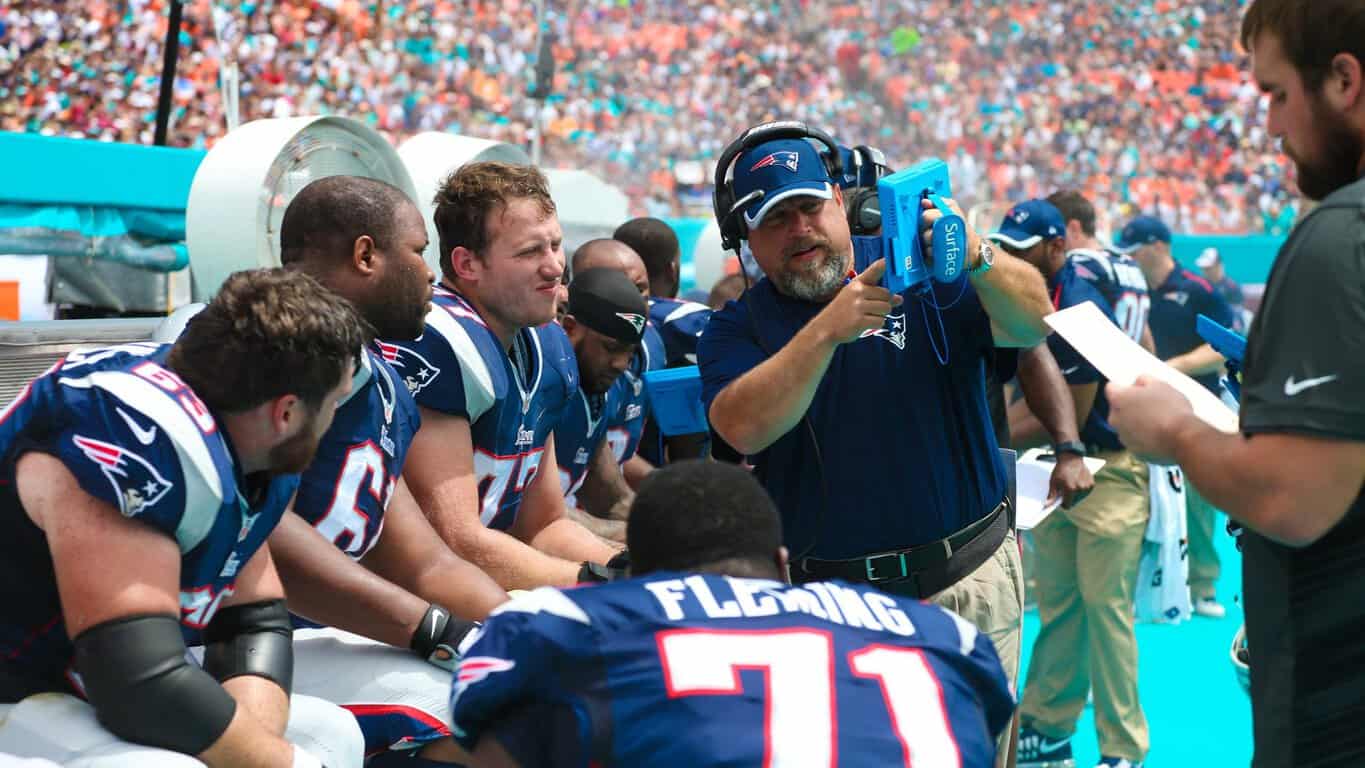
The day is finally coming where we’ll be able to get our hands on each of the new devices that were shown off to us earlier this month. To celebrate the release of the Surface Pro 4, Microsoft is holding launch events at several of its Microsoft Stores throughout the US (unfortunately for some international fans). To bring in a bit more of a crowd, Microsoft is even inviting a few professional football players to come and celebrate with them.
Here’s the list of all of the participating locations, along with the athlete that will be showing up:
  • The Fashion Mall at Keystone – Indianapolis, Indiana – Indianapolis Colts quarterback Matt Hasselbeck
  • Dadeland Mall – Miami, Florida – Miami Dolphins wide receiver Greg Jennings
  • Lenox Square Mall – Atlanta, Georgia – Atlanta Falcons wide receiver Devin Hester
  • Fashion Centre at Pentagon City – Arlington, Virginia – Washington Redskins quarterback Kirk Cousins
  • The Shops at Prudential Center – Boston, Massachusetts – New England Patriots cornerback Malcolm Butler
  • Baybrook Mall – Friendswood, Texas – Houston Texans wide receiver DeAndre Hopkins
  • Lakeside Shopping Center – Metairie, Louisiana – New Orleans Saints running back Mark Ingram
  • Fashion Valley Mall – San Diego, California – San Diego Chargers running back Danny Woodhead
  • Bellevue Square Mall – Bellevue, Washington – Seattle Seahawks wide receiver Tyler Lockett


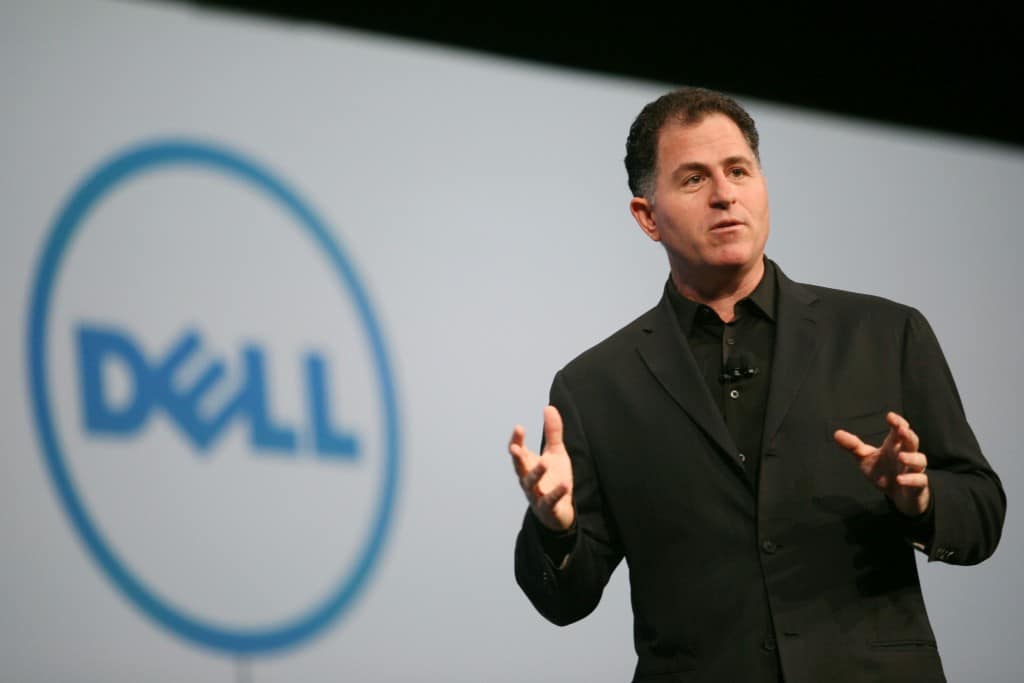
Dell CEO says he's just fine with Microsoft offering exciting new Windows 10 hardware

The technology industry is an interesting environment, where the top companies act as both fervent competitors and committed partners. Dell and Microsoft are no exceptions, partnering on cloud computing solutions while simultaneously competing in providing Windows 10 computers.
Today, for example, we reported on Microsoft and Dell teaming up to provide hybrid cloud solutions to enterprise customers. At the same time, various anonymous sources from Microsoft’s OEM partners–the companies that make the machines that flesh out the Windows 10 hardware ecosystem–demonstrate that not everyone is happy with Microsoft’s offering up innovative products like the Surface Book.

Bloomberg TV interviewed Dell CEO Michael Dell and Microsoft CEO Satya Nadella, via GeekWire.

As GeekWire reports, Dell CEO Michael Dell is just fine with Microsoft leading the way in demonstrating just what Windows 10 can accomplish when paired with the right hardware. Bloomberg TV interview Dell and asked him point-blank about what it’s like to both compete and partner with the software giant:

“We’re absolutely friends,” responded Dell, talking about the ways the company is working together in the cloud and on Windows.
He added later, “When I look at what Microsoft is doing with Windows 10 and the Surface family of products, what they’re doing is they’re pushing Windows 10 into new spaces and driving the platform forward. I’m actually excited about that. The reason I’m excited is it’s helping drive the Windows 10 ecosystem faster.”

Dell also points out what might very well be Microsoft’s tactic for both providing visionary products and yet providing plenty of room for OEMs to compete:

“Satya’s got some nice products. The volumes are not very high, the prices are pretty high, but it’s great,” Dell said, as Nadella [also being interviewed] and the audience laughed.

Dell summarizes Microsoft’s strategy, and where his company fits in:

“I wanted to understand what they were doing and why they were doing it,” said Dell. “When we understood that the intent is basically to drive the platform — as I call it, the “icebreaker” strategy, push into new territory — and then we come in with a product that is more affordable, but we can sell 100 times more, great, that works.”

We have to wonder if Dell is really this accepting of Microsoft’s strategy, or whether his opinion would be a bit more pointed behind closed doors. Nevertheless, at least in public, Dell fully understands that his company has the option of undercutting Microsoft on price and leveraging its capability to produce at volume while providing its own innovative products. Certainly, Dell makes some nice laptops with the Dell XPS 13, XPS 15 and hybrids such as the XPS 12.
The interview was conducted at Dell World 2015, currently taking place in Austin, TX, where Dell is highlighting its efforts to both build out its own enterprise-level solutions while continuing to compete in its traditional PC business.

Outlook Mail and Calendar update brings 'Week' view and expanded dark theme

With Windows 10 engineering picking up steam, the core app development from the Windows team is becoming so fast-paced it could almost border on annoying for some. However, as some Windows Phone users can cop-to, too many updates are worlds better than infrequent or worse, none.
On that same note, the Outlook Mail and Calendar app for Windows 10 picked up another update recently. The new update listed as 17.6319.42022, not be confused with the current 17.6310.42252, brings more than just shuffling of numbers.
wp_ss_20151021_0001
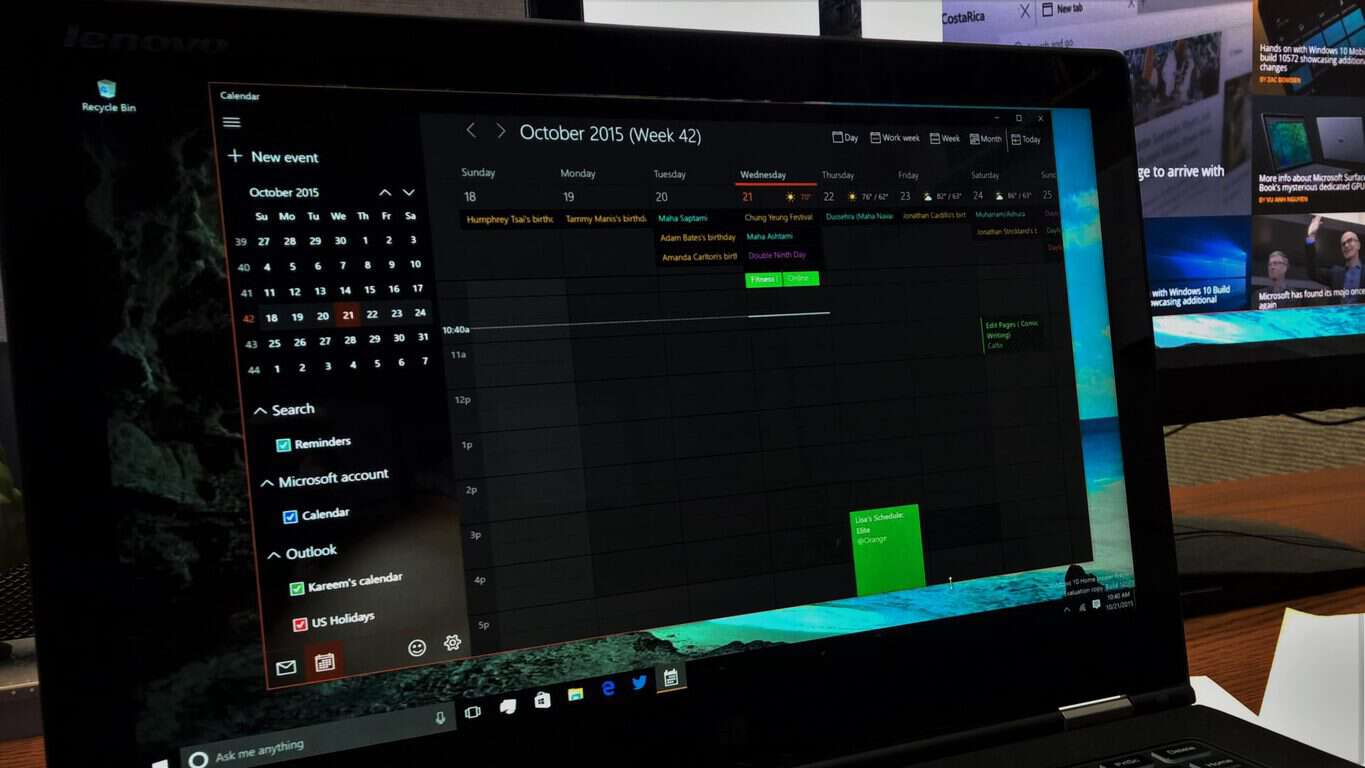
Outlook Mail and Calendar users should notice the entirely enveloped dark theme throughout the apps. A few updates ago, both the Mail and Calendar apps underwent a dark them addition, but the theme only extended to the front-facing parts of the app. With the new update, the dark theme appears in the settings menu as well, thus adding a bit more polish to the apps.
Colors and themes were not the only changes in the two apps received. The user should also notice there is a new Week View option in addition to the Work Week View. The subtle difference is that in Work Week View the calendar targets are expanded and show only Monday through Friday of the calendar week. In Week View, the targets are shortened but display a full week beginning with Sunday and ending on Saturday.
It may also be safe to assume the update also brings some bug and performance fixes that were not specifically called out in the notes. The app does feel a bit smoother in transitions and sending emails with attachments or jumping in and out of calendar events happen almost instantaneously.
Let us know if you notice any other subtleties we may have missed in our quick hands-on with the updated Outlook Mail and Calendar apps.

Mail and Calendar
Mail and Calendar
Price:
Free

Microsoft releases its 2015 Citizenship Report, making progress in global human welfare

Microsoft president and chief legal officer Brad Smith, in a blog post, highlights the company’s latest 2015 Citizenship Report, showcasing how Microsoft is doing the world good through corporate citizenship. Microsoft carries a set of corporate citizen commitments which include empowering every individual and organization on the planet, in addition to:

  • Human rights
  • Responsible sourcing and manufacturing
  • Environmental stability
  • Ethical business conduct and governance.

The Citizen Report contains information about how the company implements and executes these commitments through its company policies, business practices, products and services, and community investments.Smith enumerates the forward progress highlights for the 2015 fiscal year:

  • Microsoft becomes the first major cloud provider independently verified to meet the world’s first international standard for cloud privacy (under ISO/IEC 27018).
  • The company purchases more than 3 billion kilowatt hours (kWh) of renewable energy (equal to 100 percent of (Microsoft’s) global electricity use), creating a carbon offset project portfolio representing more than 600,000 metric tons of carbon dioxide emissions, and becoming the second largest user of green power in the U.S., according to the U.S. Environmental Protection Agency.
  • Microsoft launches new policies to ensure that U.S. suppliers provide paid leave to their employees who handle Microsoft’s work.
  • Creating education, employment and entrepreneurship opportunities for 307 million young people worldwide through the company’s YouthSpark initiative.
  • Donating more than $922 million in software and services to more than 120,000 nonprofit organizations around the globe, including more than 1 million new Office 365 licenses for nonprofit workers and their strategic volunteers.
  • For the second year in a row, Microsoft surpasses $1 billion in total company annual giving, with cash donations of $135 million USD in addition to the $922 million in Microsoft products and services.

Smith concludes by stating that Microsoft recognizes there’s always more to do, and welcomes feedback from stakeholders around the world. It’s worth noting that these “stakeholders” are not just investors out for profit, but also customers and concerned citizens, ranging from parents concerned about their children’s safety, all the way to international human rights experts.

Microsoft celebrates Back to the Future day

It’s October 21st, 2015 – the day that Marty McFly and Doc Brown traveled to in Back to the Future. People have made several hoaxes of the time-travel panel in the fabled DeLorean, making us prematurely celebrate the Back to the Future day.  Today is the real deal, however – the day where we were promised all of the space-age gadgets and gizmos that the 80’s were able to dream up.
As a company that is forever on the frontier of technology, Microsoft has put a bit of an easter egg on Microsoft.com in celebration of this special day. If you visit the website and type “outatime” you’ll be greeted with a short animation paying homage to Back to the Future, and then you’ll be shown a page showing off some of Microsoft’s newest gadgets (like the HoloLens, Band 2, Surface Pro 4, and Xbox One) and proudly proclaiming that “the future is precisely on schedule.”
microsoft bttf
On top of the easter egg on Microsoft’s website, they’re also doing a celebration with Skype. Skype’s  Facebook, Twitter, and Instagram accounts have all been given and 80’s-style makeover celebrating Back to the Future, and you can now share Back to the Future Mojis on Skype itself. If you’re interested in hearing some Back to the Future trivia today, you can add Skype ID “WereGoingBack” on Skype, and you’ll be given messages with clips from events, trivia, and more.
Whether you’re a big fan of Back to the Future, a fan of the 80’s in general, or you just want to get caught up in today’s festivities, it seems like Microsoft is more than happy to help you celebrate. Go ahead and check out all of the easter eggs that they’ve set up for us, and start waiting for your hoverboards.

Microsoft expands its bug bounty program to include .NET Core and ASP.NET

Jason Shirk of the Microsoft Security Response Center announced yesterday that the company is again expanding its bug bounty programs to include the .NET Core and ASP.NET Beta. The bounty programs are essentially hit lists for various bugs, where Microsoft pays contributors rewards for finding and fixing bugs throughout the company’s software stack.
Microsoft projects like .NET Core, having been recently been open sourced, are expanding to become the backbone for not just Microsoft’s software ecosystem, but for the company’s cross platform endeavors. As such, it is paramount Microsoft expands the bounty program’s reach as much as possible to incentivize independent contributors and developers to help the company solve down bugs and problems.
The expanded bounty programs include:

  • .NET Core and ASP.NET Beta 8 and any subsequent Betas or Release Candidates during the bounty period
  • Supported platforms on Windows, OS X and Linux
  • The bounty will run October 20, 2015 – January 20, 2016
  • Bounty payouts will range from $500 USD to $15,000 USD

Up to date information on the program can be found here.

Microsoft to feature new earnings structure with 1Q 2016 report

Microsoft’s 1Q16 earnings report is just around the corner (actually tomorrow, October 22), and we’ll get our first glimpse at the performance of the new Microsoft following their restructuring on September 29, 2015.
In case you forgot, Microsoft simplified their organizational structure from six “reportable segments” down to three. Simplified, the new structure breaks out as follows.
 
Productivity and Business Processes segment, made up of:

  • Office Commercial (including services such as Office 365 Commercial, Exchange, SharePoint, and Skype for Business)
  • Office Consumer (including Office 365 Consumer, Outlook.com, OneDrive, and Skype)
  • Microsoft Dynamics

Intelligent Cloud segment, comprising:

  • Server products and services (including Windows Server, SQL Server, Visual Studio, System Center, and Azure)
  • Enterprise Services (including Premier Support Services and Microsoft Consulting Services)

More Personal Computing segment, which includes:

  • Windows (including Windows 10, Windows 10 Mobile, Windows Embedded, MSN, and Windows Phone)
  • Devices (including Surface, smartphones, and PC accessories)
  • Gaming
  • Search advertising revenues

As GeekWire reports, Microsoft published financials that reflect what the company would have looked like if the new structure had previously been in place:

How Microsoft's past financials would look under the new reporting structure.
How Microsoft’s past financials would look under the new reporting structure.

This compares to Microsoft’s old structure:

How Microsoft's financials actually looked under the old structure.
How Microsoft’s financials actually looked under the old structure.

As GeekWire points out, the level of detail that Microsoft provides going forward will dictate the ability to see just how individual products, such as the Surface and Lumia lines, performed. These are important metrics for determining just how well Microsoft’s “mobile-first, cloud-first” strategy is playing out, and we’ll be digging into Microsoft’s earnings report with some vigor.

Microsoft Translator adds text support for Kiswahili

Microsoft has taken to their blog to announce the introduction of Kiswahili language to its Translator repertoire.
All versions of Microsoft Translator on supported platforms will have immediate access to the new language. Kiswahili will also be available throughout the Translator-integrated range of communication and productivity software by Microsoft including the Office Suite, SharePoint, Yammer, Cortana and Skype for Windows. Note that you may have to update the Windows 10 app to see the language.

How to say "How are you?" in Kiswahili?
How to say “How are you?” in Kiswahili.

Also known as Swahili, the language is spoken predominantly in East Africa by up to 150 million people in countries including Tanzania, Kenya, Uganda, Mozambique and the Democratic Republic of Congo. This marks the first African language to be supported by Microsoft’s translation service, and its inclusion will no doubt be beneficial to both local governments, especially ones who are using Microsoft’s solutions, and to foreign business owners planning to expand to the area. Tourists to the region who relies on these software for cross-culture communication should be also be well-served.
The translation was developed in collaboration with NGO Translators without Borders (also the people who brought Klingon among other languages to the platform), using Microsoft Translator Hub.

Microsoft Windows leader Joe Belfiore heading out to sea, returning in summer 2016

Joe Belfiore, Corporate VP of Microsoft’s Operating Systems Group, is the highly recognizable fellow with the distinctive hairstyle who headlines Windows events. He’s also obviously an incredibly hard-working guy who has led his team through some pretty incredible challenges, including the transition from Windows Phone to Windows 10 Mobile and the successful launch of Windows 10.
Seems to us like he needs a break.
Microsoft being the company that it is, Belfiore’s getting just that. And not just any break–he’s joining his family on a months-long trip on a boat to explore the world. As he explains on his Facebook page (via Windows Central), his kids are getting older, and before they get too old, they’re taking off on “Semester at Sea.” Here’s a snippet:

SO… after dreaming about the idea for years… and with our kids getting ALMOST too old for something crazy… we’ve decided that we are going to take our family on the EDUCATIONAL TRIP OF OUR LIFETIME.
In January – we’re heading out on SEMESTER AT SEA for a journey around the world, along with 600+ college students and a handful of faculty and “lifelong learners” like us.
We think a floating college campus will be an amazing environment for everyone in our family to get a chance to see and experience the diversity all around the world and better appreciate what we have here. We’ve coveted the opportunity to spend a lot of time with each other and our kids—and we’re taking advantage of it while we can!

From Belfiore’s description, he and his family will likely be enjoying the following itinerary between January 5 and April 16, 2016:

  • Embark: San Diego, CA, United States
  • Honolulu, Hawaii, United States
  • Yokohama, Japan
  • Kobe, Japan
  • Shanghai, China
  • Hong Kong, China
  • Ho Chi Minh City, Việt Nam
  • Rangoon, Burma
  • Cochin, India
  • Port Louis, Mauritius
  • Cape Town, South Africa
  • Takoradi, Ghana
  • Tema (Accra), Ghana
  • Casablanca, Morocco
  • Debark: Southampton (London), England

When the trip is over, Belfiore will be heading back to Microsoft to continue on as before–albeit more educated and recharged, we’ll wager. We hope he and his family enjoy their trip and learn tons of new things, and we’re sure that the Microsoft team will hold down the fort until he returns.

Poll: Should Microsoft release especially buggy builds?

After every type of build that we could get being released last week, we received another treat this week. Windows 10 Mobile build 10572 rolled out yesterday and with it came new features and plenty of bug fixes. Generally speaking builds are always good news but this one came with a caveat, users already on a Windows 10 Mobile technical preview build had to roll back to Windows 8.1 to update (we have a how to if you’d like to use this route). This is the second mobile build in a row requiring Windows Insiders to jump back and forth to get the latest build. This week’s poll is on if Microsoft should release builds like this one that require rollback or have other notable flaws outside of the normal preview software bugs.

Microsoft’s Gabe Aul stated that a newer build, specifically build 10575, is set to roll out next week that won’t require users to bounce around between operating systems. Let us know through voting in the poll and in the comments below if you think Microsoft should release builds with major flaws or just wait until a more stable is available. Make sure to tune into this week’s WinBeta Podcast to hear us discuss the results.

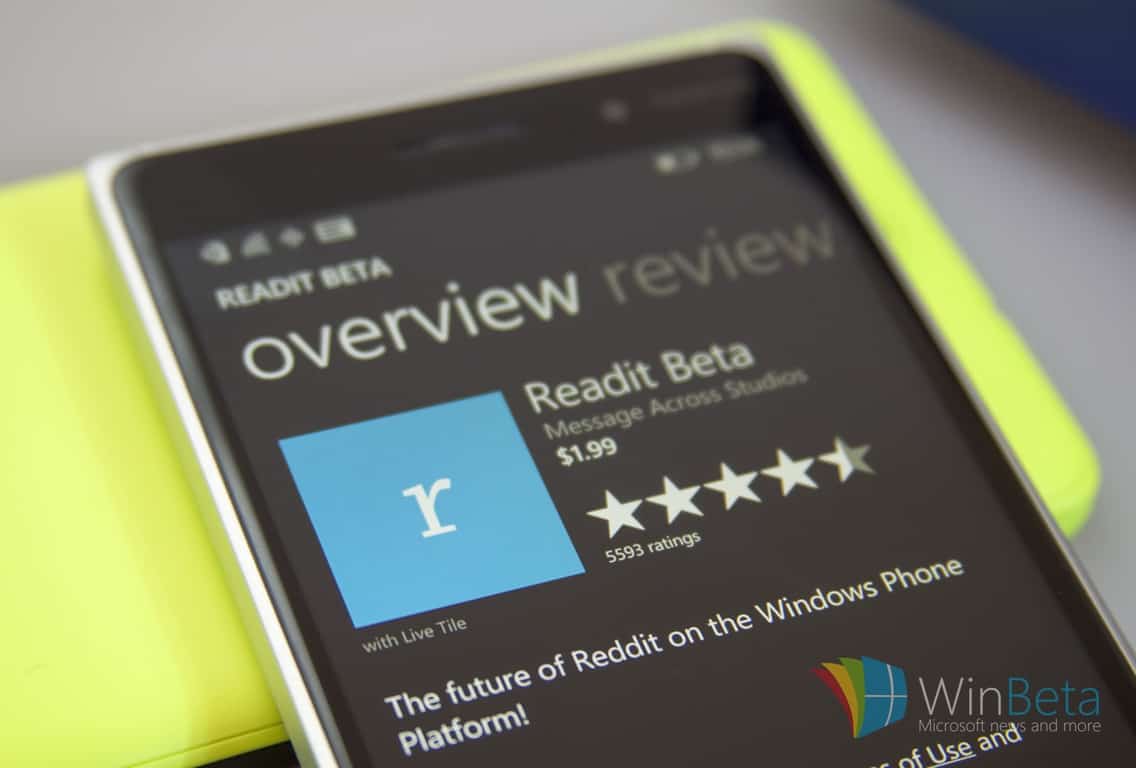
Reddit app Readit receives Windows Universal app UI update for WM10

Readit is one of the most popular apps when it comes to managing Reddit on your Windows Phone. If you happen to be a regular user of the app, you’ll be happy to know that the app has received an update which brings a universal app UI for Windows 10 Mobile along with a handful of bug fixes and enhancements to boost the user experience.
Here’s the complete change log for the latest update:

  • App bars for post/comments/subreddits, still need to add appbars to profiles and such.
  • Hamburger menu and sidebar menu buttons moved to subreddit appbar
  • Back button will now close the app as expected when there are no more pages to navigate back to
  • View post no longer has the “header” bar at the top taking up pointless space
  • Moved view post buttons into an appbar when viewed on mobile device for space consolidations and platform UX
  • Going directly to comments now works
  • Logging in should no longer crash the app
  • Fixed up the header margins on all pages
  • Fixed up the comments header where the dropdowns are for sort and whatnot
  • Launch speed is just a tiny bit faster. Still need time to work on this though.
  • Swipe view performance increase
  • Other misc. bug fixes and improvements

Head over to the Windows Store and grab the updated Readit app for Windows Phone

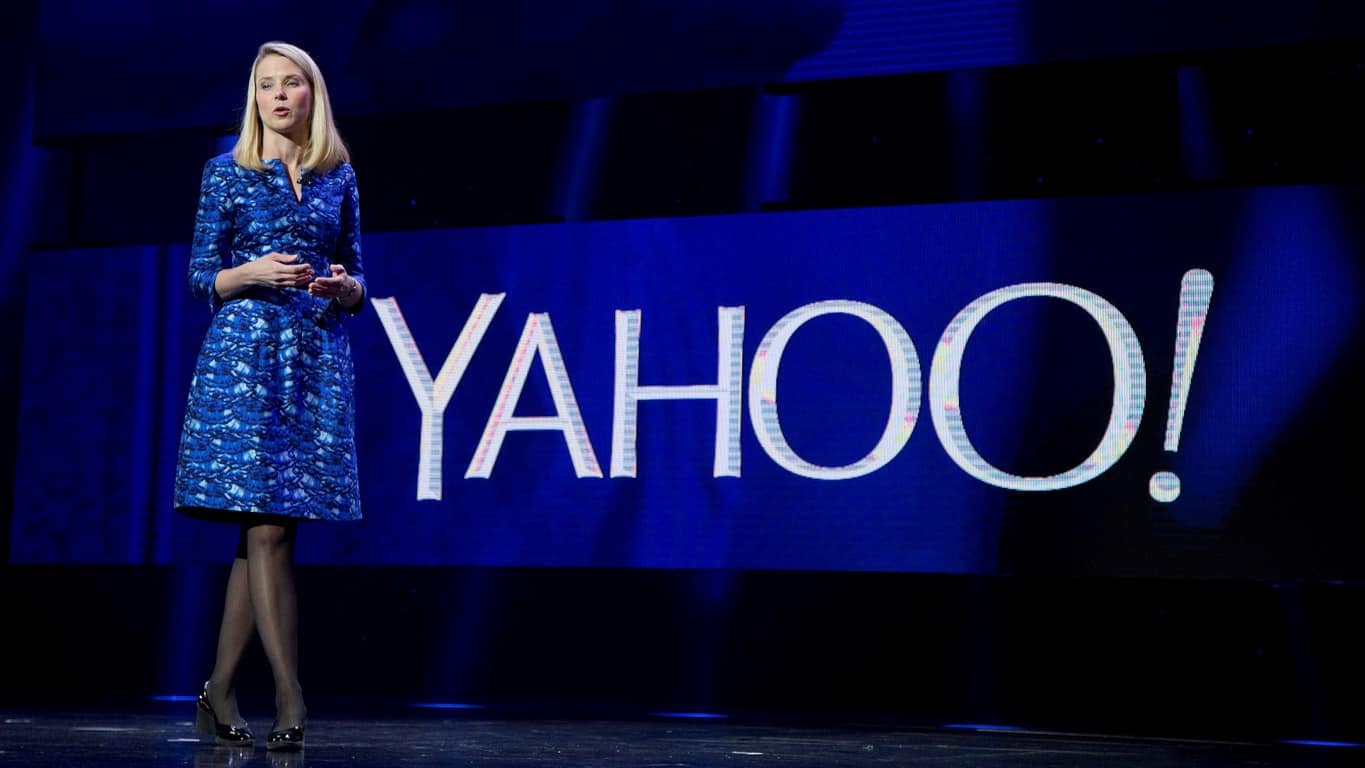
Microsoft watches Yahoo add Google to its search ads in new agreement

Ever since Marissa Mayer took over as CEO of Yahoo, the company has been looking for more wiggle room in its search deal with Microsoft. When the search agreement between Yahoo and Microsoft was first inked, the two companies relied heavily on each other to compete in the market. Since the original deal, the conditions that gave birth to a Microsoft and Yahoo partnership have since shifted and Yahoo is looking to adjust accordingly.
According to an SEC filing from Yahoo, the company has signed a non-exclusive deal with Google providing search ads for Yahoo’s search results. The new deal has Google providing search ads while also paying Yahoo a percentage of the revenue return from the ads as well.

On October 19, 2015, Yahoo! Inc., a Delaware corporation (“Yahoo”), and Google Inc., a Delaware corporation (“Google”), entered into a Google Services Agreement (the “Services Agreement”). The Services Agreement is effective as of October 1, 2015, and expires on December 31, 2018. Pursuant to the Services Agreement, Google will provide Yahoo with search advertisements through Google’s AdSense for Search service (“AFS”), web algorithmic search services through Google’s Websearch Service, and image search services. The results provided by Google for these services will be available to Yahoo for display on both desktop and mobile platforms. Yahoo may use Google’s services on Yahoo’s owned and operated properties (“Yahoo Properties”) and on certain syndication partner properties (“Affiliate Sites”) in the United States (U.S.), Canada, Hong Kong, Taiwan, Singapore, Thailand, Vietnam, Philippines, Indonesia, Malaysia, India, Middle East, Africa, Mexico, Argentina, Brazil, Colombia, Chile, Venezuela, Peru, Australia and New Zealand.
“Under the Services Agreement, Yahoo has discretion to select which search queries to send to Google and is not obligated to send any minimum number of search queries. The Services Agreement is non-exclusive and expressly permits Yahoo to use any other search advertising services, including its own service, the services of Microsoft Corporation or other third parties.”

Under the recently renegotiated agreement between Yahoo and Microsoft, Yahoo was free to work with other search-ad providers as early as the beginning of this month. It should come as no surprise that a struggling Yahoo chose the world’s leading search engine provider to partner up with, as well as adding Google’s lucrative search dollars to its pockets. As for the logistics of the deal, Google and Yahoo both agreed to several US Department of Justice provisions that seemingly cover much of the opposition a similar 2008 antitrust investigation negated.
What this means for the future relationship of Yahoo and Microsoft is yet to be determined. According to Mary Jo Foley of ZDnet, who reached out to a Microsoft spokesperson, it appears to be business as usual for the two companies.

We remain committed to the Yahoo syndication partnership and will continue to serve the majority of Yahoo traffic as outlined in our contract extension. Yahoo is a valued partner and we look forward to continuing to serve our advertising customers through the Bing Ads marketplace.”

As much as the deal helps bolster Yahoo’s search ads and puts into question the Microsoft-Yahoo pact, Google also maintains an option out of the 3-year agreement if certain provisions are not met. Yahoo’s recent less than stellar Q3 earnings report may be putting a ticking clock on this new deal.


Quick Fix: Surface Pro 2 Runaway System Process

Windows 10 is designed to work on variety of devices, but some Surface Pro 2 users are reporting certain issues. According to them, there are processes that will consume most of your memory or CPU power when the keyboard cover is removed, so let’s see if we can fix this issue.

How to Fix The Problem With Surface Pro 2 Runaway System Processes

Fix The Problem With Surface Pro 2 Runaway System Processes

Excessive CPU or RAM usage is always a problem since it will decrease your performance, drain your battery faster and heat your device, so let’s see how to fix that.

Solution 1 – Disable Windows Driver Foundation – User-mode Driver Framework Host

Windows Driver Foundation – User-mode Driver Framework Host or WUDFHost.exe is one of the processes that can consume a lot of computer power, so you might want to disable it.

  1. Open Task Manager. You can open it by pressing Ctrl + Shift + Esc on your keyboard.
  2. Find WUDFHost.exe in the list of processes, right click it, and choose End task.
  3. If you want to permanently to disable WUDFHost.exe, go to the Startup tab in Task Manager find WUDFHost.exe or
  4. Windows Driver Foundation, right click it, and choose Disable.

If for some reason your experience any issues, go to the Startup tab in Task Manager and
enable WUDFHost.exe.

Solution 2 – Disable Sensor Service

  1. Press Windows Key + R and type services.msc and press Enter.
  2. Service window should open and now you need to find Sensor Service.
  3. Double click the Sensor Service and then click Stop to stop the service for running.
  4. Now set Startup type to Disabled to stop the service from running.
  5. Click Apply then OK to save the changes.

We have to mention that doing this will disable automatic rotation, but it should fix excessive CPU usage.

Solution 3 – Disable HIDV2 or SDO V2.

  1. Open Device Manager and go to Sensors section.
  2. Expand the section and find HIDV2 or SDO V2.
  3. When you find these drivers, right click them and choose disable.
  4. Restart your computer to see if the issue is resolved.

This will disable auto-rotation, so keep this in mind.

That would be all, I hope these solutions will help you with runaway system processes on your Surface Pro 2. If you have any questions, suggestions or comments, reach for our comment section below.

Read Also: Fix: My Lumia Phone Constantly Restarts

Windows Store developers: Microsoft adds new options to promote your app

Microsoft’s ambition with Windows 10 is to have the operating system running on 1 billion devices within 2 to 3 years. This will include PCs, mobile phones, tablets, and IoT devices. Beyond desiring to maintain its status as the world’s largest PC OS, this rather ambitious goal is also to attract and encourage developers to program for Windows devices, namely mobile. Microsoft’s CEO, Satya Nadella, has confirmed on numerous occasions that mobile is an important part of Microsoft’s strategy and we continue to see that with the direction he is leading the company, especially when it comes to how Microsoft treats developers.
It cannot be said that Microsoft is not trying to cater to programmers. With programs like Connect which offers free training sessions for cross platform app development, and IDEs like Visual Studio that provides almost every tool needed for development, Microsoft is trying to make coding for Windows as simple and easy as possible. Going a step further, programs like Visual Studio allows developers to create one program that will work on all Windows devices, opposed to having to write code for multiple apps. However, simplifying coding isn’t enough; Microsoft wants to show developers their hard work won’t go unnoticed.
In a post by Microsoft’s Bernardo Zamora, we are given insight into how Windows 10 helps developers do this. Developers have access to Microsoft Advertising SDK which helps them promote their applications and other apps they have already published in the Microsoft store. This SDK has now been updated to support more than 51 new markets and more languages, further expanding the reach of developers.
Additionally, Microsoft has added the ability to map app downloads, estimate the potential reach of one’s app, and even generate recommended settings for campaign targeting. With this, developers have the ability to choose where ad campaigns will target. They can choose to target phones only, PCs and tablets, specific Windows operating systems (Windows 8.x or Windows 10), or all of the above.
With these features, developers have greater potential for reaching their targeted populations and having their apps downloaded. Certainty the more developers Windows is able to attract to their OS, the better chance Windows 10, especially Windows 10 Mobile, has to succeed.
Do you think these developer features will attract more programmers to the platform? Let us know in the comments below.

Microsoft reveals new Surface Book SKU with discreet GPU

Several Twitter users have been Tweeting recently about a new version of the Surface Book that’s appeared on the Microsoft Store website. This new SKU is an alternate version of the US$1,499 128GB Surface Book with Core Intel i5 processor that is identical in almost every way but boasts a discreet GPU which pushes its price up to US$1,699.
There are several other versions of the Surface Book currently offered to consumers; Three 256 GB models (one with an Intel Core i5 processor, one with and Intel Core i5 processor and a discreet GPU, and one with an Intel Core i7 processor), one 512 GB model with an Intel Core i7 processor and a discreet GPU, and a massive 1T model with an Intel Core i7 processor and discreet GPU.
Discreet GPUs (graphic processor units) differ from regular integrated GPUs in that they delegate all of the graphic processing work to a dedicated GPU which releases strain on the CPU which is forced to carry out some of the graphic processing in devices with cheaper integrated GPUs. Discreet GPUs (or “dGPUs”) may be more expensive but are often used by those who prefer to play graphic intensive games or who work on high level media production projects.
Microsoft announced the new Surface Book line of hardware during a recent event where they also unveiled the Surface Pro 4, the next generation Microsoft Band, and the latest developments in their HoloLens augmented-reality headset which creates the illusion of three-dimensional holograms in a real space (not actual holograms) and can be used for gaming and presentations. Orders of the Surface Book will begin shipping on the 26th of October 2015 and pre-orders are now being taken both online and in stores.
Have you ordered a Surface Book yet? Which version will you be getting? Share your thoughts with the WinBeta community in the comments below.

The Guardian is now available as a universal Windows 10 app

Another app makes its way to the Windows Store as a universal Windows 10 app. The Guardian, a popular news site, has published its own universal app that gives users a seamless experience whether they use Windows 10 on a PC or tablet or Windows 10 Mobile.
The app looks pretty nice in my opinion. The design is good, and the content in the app really stands out right in front and center. When reading stories in the app, everything displays in a mostly distraction-free reading view with a minimal amount of ads. Readers can change the text size to their preference, and the app works offline, too. Readers can also search articles in the app by keyword, topic, series, section, or contributor.
If you’re interested, you can check the app out from the link below. Feel free to share your opinion about what you might think about the app in the comments below! PS: We’re working on our own Universal app, more details to share soon.

The Guardian
The Guardian
Price:
Free

Microsoft breaks ground on €134m campus in Dublin, Ireland

Today, Microsoft Ireland broke ground on its new €134m (about $152 million US) campus in Leopardstown, Ireland. The new campus is located on the southern side of Dublin and just down the street from Microsoft’s current main office in Sandyford.


As reported earlier this year by Independent Ireland, the new office complex will house all of the company’s existing 1,200 full time employees currently in Dublin. Cathriona Hallahan of Microsoft also told Independent Ireland that the company may seek to expand its operations in Ireland. Hallahan further said:

“Our focus is to evolve the investment here and to demonstrate that we can attract European talent here in Ireland. We see ourselves as a gateway into Europe.”

Ireland has become an important part of Microsoft’s operations. And their commitment and continued investment in its Irish operations is almost certainly welcomed news to the Island nation that has been struggling with high unemployment rates and low property values since the global recession began in 2008.
Microsoft Ireland
For some quick background, both pre and post recession economic growth in Ireland has been intrinsically linked to many foreign companies setting up shop there. The resulting phenomenon of rapid foreign direct investment during the 1990s and the mid-2000s made Ireland known as the “Celtic Tiger,” akin to the Tiger term attributed to fast growing Asian economies of the same time period. Much of that growth was directly attributed to Ireland’s very favorable corporate tax rate and the nation’s membership in the European Union, as well as its growing tech community and highly educated workforce.
Consequently, many technology companies have located European Headquarters in Dublin and other Irish cities where a sizeable amount of their cash holdings remain offshore. As we reported earlier this year, an estimated $108.3 billion of the Redmond Washington based company’s profits sits outside of the US, much of it in Ireland. Other technology companies such as Apple follow very similar arrangements with their holding companies. Most recently this has resulted in a tech boom in Ireland known as an area of Dublin earning the nickname the ‘Silicon Docks.’
But as Microsoft points out, today’s groundbreaking also celebrates the company’s 30-year history in Ireland. The country is also where Microsoft setup their first Data Center located outside of the US. Notably, as we reported last month, that Data Center has also become the center of a U.S. Federal Court case in which Microsoft is withholding private email data from US investigators. Microsoft is keeping this information from US authorities on the grounds it is unlawful and an invasion of privacy, in the hopes that US lawmakers will clarify the issue.
In total the new campus will be over 370,000 square feet of office space on a wooded 7.4 acre campus that should be an impressive new headquarters for Microsoft’s sizeable Irish workforce.

Fix: My Lumia Phone Constantly Restarts

Microsoft is preparing Windows 10 Mobile for some of its Lumia phones, but problems related to Windows 8.1 are still present. This time we have one really annoying issue, the problem with constant restarting of Lumia phone running Windows 8.1.

My Lumia Phone Constantly Restarts

How to Solve Constant Restarting Problem on Lumia Phones

Solution 1 – Download Stop Restarting App

Microsoft is aware of the fact that some Lumia phones have problems with unexpected restarting, so it released a special app, which reportedly solves the problem. You can download this app from Microsoft’s official download page, to see if it does the work. We cannot guarantee you one hundred percent that this app will solve the problem, because reviews are going from one extreme to another, as some users are reporting that the app is useless, while other say it perfectly fixes the issue.

Solution 2 – Perform Hard Reset

The next thing we’re going to try is performing a hard reset to return phone to its default settings. But remember, before you do a hard reset of your phone, you need to create a backup of your apps, data and media first. To create a backup of your staff, go to Settings>Backup and complete the process. The backup will be saved on your Microsoft account, and your data will be safe from deletion.

Now do the following to reset your phone:

  1. In the App list, tap Setting
  2. Tap About, and then tap Reset your phone
  3. Follow further instructions and restart your phone

When you’re setting up your phone again, after the restart, you’ll be prompted to install a backup of your data, so just login with your Microsoft account, and choose the backup you created earlier to bring your staff back.

Solution 3 – Check if hardware is okay

Maybe your problem is not software-related at all. Maybe  the problem lays in hardware. Some users across forums have reported that damaged battery caused their Lumias to restart constantly. Some users also said that they had problems with processor, so the problem could easily be hardware-related. To make sure everything is okay with your phone’s hardware, you should take your phone to a local service, and see if these guys have a solution. If you go to the ‘better’ service, they’ll probably help you even if your issue is in software, as well.

Read Also: Windows 10 KB3097617 Update Problems: Start Menu, Failed Installs and Login Issue

Microsoft hopes to grow its board by two new members

Microsoft’s board of directors oversees the company, influencing its strategy, overseeing and establishing the compensation for its officers, including CEO Satya Nadella, and generally acting to help steer the technology giant. Yesterday, Microsoft announced that it’s nominating two new members, Sandra Peterson and Padmasree Warrior.
Peterson serves on Johnson & Johnson’s executive committee and has held leadership roles at a number of other healthcare giants including Bayer and Merck-Medco. She also serves on the board of Dun & Bradstreet Corp. Warrior has more of a technology background, acting as strategic Advisor to Cisco Systems Inc., and holding a number of other leadership roles at Cisco, Motorola, The Gap Inc., and Box, Inc.
With the decision of current board member Dr. Maria Klawe to bow out after her current term, the Microsoft board will sit at 11 members, pending the two new members:

  • Peterson and Warrior
  • John W. Thompson, Microsoft independent chairman and chief executive officer of Virtual Instruments
  • William H. Gates, Microsoft founder and technology advisor
  • Teri List-Stoll, executive vice president and chief financial officer of DICK’S Sporting Goods Inc.
  • G. Mason Morfit, president, ValueAct Capital
  • Satya Nadella, chief executive officer, Microsoft
  • Charles H. Noski, former vice chairman of Bank of America Corp.
  • Dr. Helmut Panke, former chairman of the board of management at BMW AG
  • Charles W. Scharf, chief executive officer of Visa Inc.
  • John W. Stanton, chairman, Trilogy Equity Partners and Trilogy International Partners

There you have it: the team that will continue to lead Microsoft as it implements its “mobile-first, cloud-first” strategy. We’re sure Microsoft’s board of directors will have their hands full.

More info about Microsoft Surface Book's mysterious dedicated GPU

We might have just had the answer to one of the great mysteries of consumer tech this year. Ever since its introduction as the “ultimate laptop” at Microsoft’s October hardware event, the Surface Book has become one of the most desirable pieces of hardware currently existing.  One of its most novel features that lends credence to the “ultimate” claim, however, is also the biggest point of debate among Surface watchers: the dedicated GPU that’s included in the base of the top-end model. Countless speculations have been drawn on just exactly what chip it is that powers the graphics of the Surface Book, not helped by the fact the details of which seems to be innocently neglected by Microsoft. Now, some Redditors have seemingly managed to shed some light on the issues with the help of software.
To be fair, the debate stems from the sheer desirability of the Surface Book and how close it is to satisfy just about all the computing and input needs of a general person: super-sharp bright screen, premium construction, convertible form factor that works perfectly as a laptop, digitizer pen. Such a combination of input and power is already only available in the highest end of today’s laptop market, but what sets the Surface Book apart from even other premium laptops in its class is the dedicated GPU, which opens it up to a whole new huge market of light-gaming professionals (remember that among many factors, the general success of Windows itself has been credited heavily to its gaming-friendliness). With power, however, comes great responsibilty, or in this case, a hefty financial commitment: ownership of the lowest-specced Surface Book with dedicated GPU will set you back $1899.
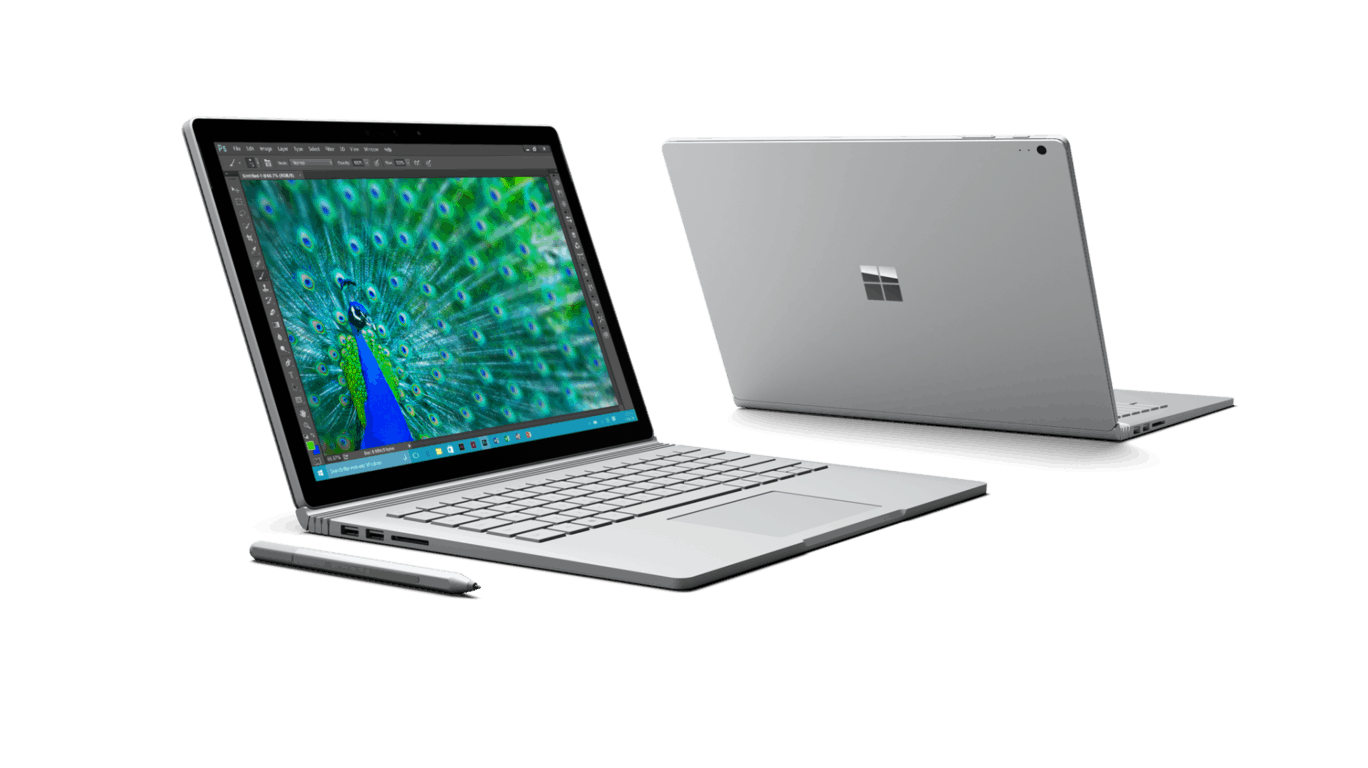
Surface Book
It is, therefore, understandable that it would be the biggest point of desire and also doubt among buyers, and Microsoft so far seems to have only been giving the leverage to doubters with lack of information and repeated bold claims on-stage by Device Chief Panos Panay among which the now-infamous “2x faster than the Macbook Pro,” a claim which they officially validated afterwards (via Microsoft News). The Surface Book model with dedicated GPU has been rather elusive however, and only recently has it been displayed in selected Microsoft Store, at which point it promptly got tested by some mindful Redditors.
By opening up NVidia’s Control Panel on the machine, one Redditor was able to find specific numbers to confirm that the chip is indeed a heavily customized Nvidia GPU with 1 GB of RAM that has traces of both the 920M and 940M. The person also ran a benchmark with MS Edge, but the results were from the integrated GPU and therefore meaningless. Others were able to install the graphics card info retriever software GPU-Z and got some screenshots that shows great similarity to the NVidia GeForce 940M.

surface-book-dgpu
Great similarity between Surface Book’s GPU and the NVidia GeForce 940M. Image from Reddit.

So what is the conclusion so far? We can now be reasonably certain that Microsoft is using a variant of NVidia’s entry 940M graphics card in its Surface Book with 1GB of RAM. The performance of a system, however, does not depend solely on the dGPU, and it will take real-life usage and in-depth testing by reviewers to determine whether the Surface Book will live up to Microsoft’s claims and our expectations. In the meantime, check out our hands-on of the device, and be sure to stay tuned for our review, related news, deals and much more.

Microsoft Azure to help ABB manage next-gen electric car charging stations

All of Tesla’s hype aside, electric vehicles (EV) are still a nascent market. Before it can grow, the world needs more EV charging stations. ABB is a leader in the production of EV charging platform technology, and they’re partnering with Microsoft to apply the Azure cloud platform to build out the next generation of charging services.
So far, estimates put the number of EV sold at just over a million, a number that’s doubled in the last 14 months. While that pales compared to the many millions of gasoline vehicles sold each year, the growth rate is significant and all major automobile manufacturers are jumping into the game. While EV charging services are only estimated at $126 million for 2015, they’re predicted to grow to almost $3 billion by 2023.
Of course, technology will be utilized to build out and manage the charging platforms necessary to meet this tremendous growth in demand. And, no technology can be more helpful in managing large, connected Internet of Things networks than cloud platforms like Microsoft’s Azure.

“Platform performance and stability are critical differentiators for the successful operation of a modern, data-dependent EV charging station. By partnering with Microsoft, ABB will be able to offer best-in-class operations as well as innovative advanced services — what we call the Internet of Things, Services and People,” said Pekka Tiitinen, president of ABB’s Discrete Automation and Motion Division. “This partnership gives us the solutions, scalability and global agility to support expanding demand for EV charging infrastructure in the world’s major automotive markets, which is a key focus of our Next Level growth strategy.”

ABB and Microsoft will be launching this next-generation EV charging platform at eCarTec in Munich, Germany on October 20-22. If you’re in the area, plan to stop by and see how Microsoft’s technology will help fuel the growth of EV.