Microsoft offers short tutorial on how to migrate from Live Messenger to Skype

Skype

Its finally that time. The time Live Messenger is phased out for Skype. If you are a Live Messenger user, here is a tutorual put together by Microsoft to help you make the transition with ease.

Not too long ago, we learned that Microsoft had plans to retire Windows Live Messenger in favor of Skype. Microsoft officially announced back in November of 2012 that Windows Live Messenger and Skype would become one and revealed that beginning April 8th of this year, the transition from Messenger to Skype would begin.

Microsoft’s main goal with Skype is to provide the best communications experience for everyone and making things simple for users while improving overall experience. Check out the tutorial below and get started with Skype!

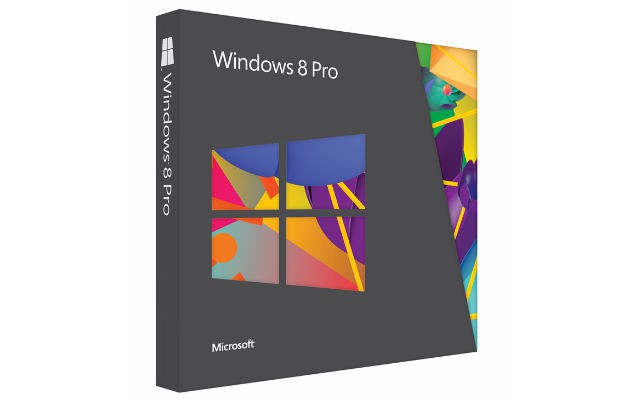
Windows 8 Pro Discount: Upgrade from Windows XP and Get 15% Off [Business Users]

Just as it does so many times, Microsoft is offering discounts especially in those moments when you have to leap from a much older operating system. In our case, we are talking about Windows XP. As Microsoft has recently announced that they are going to stop support for XP one year from now, they have also informed how we could get a discount on Windows 8 Pro.

Unfortunately, not all users will be able to take benefit of this offer, as it will apply only to business users and Microsoft will offer only up to 100 licences per company. This means that the offer applies to small or medium sized business and it will end on June 30. Besides the 15% discount on the Windows 8 Pro acquisition, you will also get the same discount on the Office Standard 2013.

You can choose the Windows 8 Pro version you want to download from the Microsoft page: if you choose the cheapest one, at $120, you will be able get it at around $100 which, in my humble opinion, is still not such a great price. If I were in a leading position at Microsoft, I’d make an additional discount for, let’s say, at least 30 copies bought. However, this is your offer if you run a business and you want to exchange Windows XP for Windows 8.

windows 8 pro

Microsoft co-founders Bill Gates and Paul Allen reunite for a classic photo refresh

Bill Gates and Paul Allen

Back in 1981 Microsoft’s founders Bill Gates and Paul Allen took a photo of them near several personal computers. Fast forward 32 years later, Microsoft’s two co-founders reunite for a classic photo refresh!

The photo was taken this week at Paul Allen’s Living Computer Museum in Seattle, Washington, and was taken during a celebration of computing pioneers at the museum. It is no doubt that these two men were pioneers of computing and this classic photo refresh is actually pretty neat.

It seems that the computers used in the re-creation of the classic photo shot are somewhat similar! As for Gates and Allen, notice how the major differences consist of Allen’s missing beard and tie.

Bill Gates and Paul Allen 2013

Microsoft releases Update 2 for Visual Studio 2012, comes with a ‘wealth of new functionality’

VS 2012 update 2

For all you app developers out there, Microsoft has made available Update 2 for Visual Studio 2012. This new update features some “significant improvements” to Visual Studio 2012. Microsoft had originally released a preview of this update for you to test out and provide feedback back in January of this year, and now this update is final.

“Just as with VS2012.1 (which is installed as part of VS2012.2 for those of you who don’t already have VS2012.1 installed), this release contains important fixes as well as a wealth of new functionality, addressing feedback we’ve received from the community and aligning with key software development trends in the market,” Microsoft stated in an official blog post.

Of the new features, there is a new “VS Blue” theme as well as performance enhancements when it comes to load time in the XAML designer. The new improvements deal with agile planning, quality enablement, Windows Store development, line-of-business development, and the general developer experience. There are also bug fixes and performance improvements.

Microsoft wants the Visual Studio experience be as streamlined an experience as possible for developers. For a detailed description of the update, hit the source link below, or hit the download link to grab the update!

Microsoft finally modernizes the Calendar on Outlook.com, rolls out this week

Outlook.com

With the launch of Outlook.com and the modernizing of Microsoft’s other online services, one thing was lacking attention. The Calendar on Outlook.com has retained the old Hotmail look for a while now. But no longer! Microsoft has announced that the Calendar on Outlook.com will finally receive its big update, rolling out this week.

“The Outlook.com calendar has been entirely redesigned with a modern, intuitive interface that puts you in control of your schedule. Our calendar service is faster than ever, helps you focus on the events and appointments and tasks you’ve added, and lets you take your calendar with you on any device,” Microsoft stated in an official blog post.

Navigating through the new Calendar is a breeze and feels modernized, and now matches its email, address book, and SkyDrive counterparts. On top of that, the new Calendar features friend information from your social networks (Skype, LinkedIn, and Facebook) so you can see your friend’s birthdays on your Calendar automatically. You can even import your Google Calendar data!

The new Outlook.com calendar is rolling out now and will be available around the world this week. So head over to calendar.live.com and check to see if you have the update!

Calendar

Microsoft releases Windows Embedded 8 Industry Pro, Pro Retail, and Enterprise editions

Windows Embedded 8 Industry

Last month, Microsoft revealed Windows Embedded 8 Industry during the Retail Tech Japan trade show. Windows Embedded 8 Industry is set to be the sequel to Windows Embedded POS Ready 7 and is a retail platform solution based on Windows 8.

In an official blog post, Microsoft has announced the availability of Windows Embedded 8 Industry and its three SKUs: Windows Embedded 8 Industry Pro, Windows Embedded 8 Industry Pro for Retail, and Windows Embedded 8 Industry Enterprise.

“Windows Embedded 8 Industry provides a fixed-image OS that is especially suited to power industry devices, control panels, kiosks, and yes, POS terminals. It provides a single image with lockdown features and embedded enhancements that will make the next generation of industry devices smarter, better connected, more secure, and more user friendly,” Microsoft stated in an official blog post.

With Windows Embedded 8 Industry, Microsoft touts app compatibility across devices as well as an easy means of deployment and an operating system that is easy to manage. Here is a breakdown of its features (per edition):

  • Windows Embedded 8 Industry Pro. This is the ideal SKU to build ATMs and devices for the healthcare and manufacturing industries, creating a new class of industry-specific device with a sleek, powerful, modern OS.
  • Windows Embedded 8 Industry Pro (Retail). This SKU provides specialized embedded functionality to get the most out of retail devices like POS terminals, kiosks, scanners and more.
  • Windows Embedded 8 Industry Enterprise. Available through Volume Licensing in July, the Enterprise SKU provides embedded-specific features designed to integrate seamlessly with Windows 8 Enterprise.

Microsoft believes that its Windows 8 platform has opened up a wide range of possibilities. The software giant also believes that Windows Embedded 8 Industry is the “right product at the right time” to power the next generation of intelligent systems. Hit the download link below to grab the 180 day evaluation.

Microsoft currently in talks with Vringo to settle search advertising patent lawsuit

Image

Microsoft is currently in settlement talks with Vringo, a small company who deals with software platforms for mobile social and mobile video services. Vringo originally filed a lawsuit against the software giant claiming they violated two patents dealing with search advertising.

Vringo sued Microsoft this past January and claimed Microsoft used Vringo’s own technology on Bing.com, which were covered by two patents, the same patents that Vringo defended in a case with Google, AOL, and other companies the previous year. Vringo and Microsoft are currently in talks to settle this case.

Vringo is accusing Microsoft for infringing on two of its patents that revolve around selecting and positioning advertising on internet search results. Vringo had won $30 million dollars in monetary damages from Google and AOL and was also granted “future royalties” that were estimated at “several hundreds of millions of dollars.” Google, on the other hand, refuses to admit defeat and is trying to appeal.

Microsoft recently launched its own patent tracker to provide “transparency” in the world of patents and urged other companies to do the same. “Transparency around patent ownership will help prevent gamesmanship by companies that seek to lie in wait and “hold up” companies rather than enable a well-functioning secondary market,” Microsoft stated. Too bad its not helping them right now with Vringo.

Microsoft wants to create more diverse gaming storylines to appeal to women gamers

Xbox

According to a Microsoft narrative writer, women are the “new core” when it comes to gaming. No longer are they a small percentage of the gaming market. Microsoft wants to create more diverse storylines and add more female characters and ethnicities for better gaming, especially for women.

“Women are not a small special market on the fringe of the core. Women are the new core,” claims Tom Abernathy, a narrative writer for Microsoft Studios. Abernathy believes that current games do not keep up with today’s social culture and the market for video games is changing too fast for developers and publishers to keep up.

“Our audience is leaving us behind. The world is changing, it has already changed, and we have not been doing a very good job of keeping up with it, Abernathy adds. Apparently 30% of US gamers are women! At least according to data from the Entertainment Software Association and game developer PopCap Games.

Having much more diverse games would obviously be good for the gaming industry as it allows for games to be given a wider audience. “Nobody in the room admits to being against making characters female or nonwhite. But they’re scared because they don’t know how to defend that choice to their bosses. Our industry, our art, and our business stand to gain in every sense simply by holding a mirror up to our audience and reflecting their diversity in what we produce,” Abernathy adds.

Microsoft releases low level driver update for Surface Pro, improves SSD performance during boot

Surface Pro

For those who own a Surface Pro, you may have noticed a new update available via Windows Update. The update is simply a low level driver update for the Surface Pro which improves SSD performance during boot.

The update is dated 03/28/13 and is for the Surface Pro. Microsoft did not offer specifics on why this update was needed except that it offered improved SSD performance during boot.

Since the launch of the Surface RT back in October of 2012 and the launch of the Surface Pro in February of 2013, Microsoft has been releasing monthly firmware updates as well as app updates to offer a better customer experience. Microsoft even promised continued support for both devices, so it is great to see this update from Microsoft.

If you have yet to install this update, head over to PC Settings, tap or touch Settings, then tap or touch Change PC Settings, then under PC settings, tap or select Windows Update. Did you notice any performance improvements after installing this update?

7-inch Windows 8 Tablets: Microsoft’s Ready

Go to any electronics shop in your city and in the tablets section you’ll see all kinds of sizes: 10 inch, 7 inch, 8 inch and so on. However, if you’re looking for a 7-inch tablet with Windows 8 or at least RT inside, you will be disappointed – there’s not yet such a device on the market. You can experience Android on almost any size; you can take the smaller 7.9 inch iPad Mini if you’re into iOS. But with Windows 8, things are different.

But that is about to be changed, apparently. New Windows 8 hardware specifications and requirements hint towards the possibility of seeing 7-inch tablets with the latest OS from Windows. Is Microsoft getting ready to launch a 7-inch Surface tablet or is this all nothing but mere speculation? Microsoft silently changed the hardware certifications guidelines for Windows 8 earlier this month.

Would something like this fancy you?

From Microsoft’s newsletter:

We’re changing the System.Client.Tablet.Graphics.MinimumResolution requirement to create a consistent minimum resolution of 1024 x 768 at a depth of 32 bits across all Windows 8 system form factors. The physical dimensions of the display panel must still match the aspect ratio of the native resolution. This doesn’t imply that we’re encouraging partners to regularly use a lower screen resolution. In fact, we see customers embracing the higher resolution screens that make a great Windows experience. We understand that partners exploring designs for certain markets could find greater design flexibility helpful.

7-inch Windows tablets incoming

These changes are effective immediately but could it be that they are planned along with the Windows Blue update? As we can see, the resolution has been stepped down from 1366 x 768 to 1024 x 768. And recently, a leaked Windows Blue build showed that the minimum resolution for app snap view mode has also been reduced. While this could mean that Microsoft is relaxing its requirements, there’s also room for speculation that this would allow OEMs to make 7-inch tablets.

However, special attention needs to be given to this phrase – We understand that partners exploring designs for certain markets could find greater design flexibility helpful. Could this mean that Microsoft is giving the green line to start the fight against iPad Mini, Google Nexus, Kindle Fire and many others?

But could Microsoft be secretly planning something? What about an e-Reader? Too old, ‘ye think? The Surface tablet wasn’t such a novelty, either, so I won’t be really surprised to see a Microsoft Reader. If they manage to price it accordingly, and thanks to their partnership with Nook, offer appealing content, then it would be an interesting product, after all.


Windows Store app highlight: Art Text, a design app that turns your text into art

Art Text

Art Text is a Windows Store app available for Windows 8 and Windows RT that helps users turn their text into art and help create logos, icons, web graphics, and buttons. The app runs for $9.99 and claims to be similar to Adobe’s Photoshop or Illustrator, without the steep learning curve.

“Art Text is a layer-based design application for turning text into art and creating logos, application icons, web graphics, and buttons. With Art Text you will get professional results without the steep learning curve of Photoshop or Illustrator,” the app description reads.

So what can you do with Art Text? Users can create catchy headings, unique titles for PowerPoint presentations, logos, or web graphics. Art Text features a template gallery packed with over 100 examples, as well as various materials, textures, and fills.

If you want to try out a cheaper and easier alternative to Adobe’s Photoshop, check out Art Text. It is $9.99 for a limited time, so hit the download link below to snag it!

Microsoft believes transparency is imperative when it comes to patents, launches patent tracker

Microsoft

With all the fuss over patents, especially between Microsoft and Google recently, the software giant has expressed its new-found belief that transparency is imperative when it comes to patents. On top of that, Microsoft has launched a patent tracker to showcase every single patent that the company owns.

“Transparency around patent ownership will help prevent gamesmanship by companies that seek to lie in wait and “hold up” companies rather than enable a well-functioning secondary market. Of equal importance, transparency is a prerequisite to enforceability of patent licensing pledges, whether to standards bodies or to the world at large,” Microsoft stated in an official blog post.

Via the company’s new patent tracker, one can search an entire downloadable Excel file for Microsoft’s patents or simply search by patent number, patent title, country, and if the patent is held by Microsoft or a subsidiary.

Microsoft believes that transparency is important and without transparency, it would be impossible to determine is a company is ‘abiding by those commitments.’ Microsoft wants other company’s to jump on board this bandwagon and do the same.

Picfinity Brings 500px to Windows 8, Windows 10

Photographers and photo enthusiasts that work on Windows 10, Windows 8 have a few drawbacks. At this time, there are still some very important services missing from Windows 10, Windows 8, and while Instagram can be somewhat replaced with Metrogram, there are still many more missing. One such popular image service is 500px, which is used by thousands.

Even though the official 500px app is not yet available, users who use this service regularly can still benefit from its services by using another service: Picfinity. What Picfinity does is it brings 500px to Windows 10, Windows 8, and anyone can use it as they would the web service.

How good is Picfinity?

picfinity-brings-500px-to-windows-8-app-review (2)

Right off the back, I can tell you that Picfinity is one of the best photography apps I’ve seen in quite a while. It comes closest to the service it tries to provide than pretty much any other app and it does it with style. Everything comes together in harmony creating a perfect environment to view photos and all of this while not compromising performance.

After you install Picfinity, the first menu you see when you open the app is the Popular photos, and by scrolling to the right, you can see other categories, such as Upcoming, Editor’s Choice and many others. Also, you have the possibility to open each category and browse photos from it.

picfinity-brings-500px-to-windows-8-app-review (3)

For an even easier transition between categories, you can select which category you want to view from the drop-down menu at the top right corner. Also here, you have your Log In button which opens a window with the 500px login page. Before the page is opened, you will see a notification prompting you to use the username/password log in method, as the Facebook or Twitter methods are not working currently. Also, probably the only thing I didn’t like about the app is the tiny browser window that only shows half of the 500px page.

picfinity-brings-500px-to-windows-8-app-review (4)

Maybe in the future, with the next updates, these problems will be sorted out and we’ll have an app that pretty much has it all. Also, after you log in to your 500px account, you can view your profile and upload photos by clicking on your avatar. On the profile page, you will see your info as well as your photos and an upload button. Uploading is fairly simple: you use the default file explorer to find your photos and then you add all the info to the photos. When you are done, you can upload them by right clicking anywhere and selecting “Upload” from the bottom menu.

picfinity-brings-500px-to-windows-8-app-review (5)

Users can also search whiting the app using the Search charm from the Windows 8, Windows 10 OS. Also, when they open a photo, by right clicking they reveal all the options they have at their disposal: Like, Set as Lock Screen Photo, Purchase Photo, Add to Favorites, Comment, Show Details, Return to Home or Start a Slide Show. While most of these options are usable within the app, if you decide to buy a photo, it will forward you to the 500px website.

picfinity-brings-500px-to-windows-8-app-review (6)

The possibility to add any photo as your lock screen is pretty awesome, allowing users to customize their Windows 8, Windows 10 devices as they please. However, for those of you who are more technical, the Show Details feature might be of more use, as it shows all the information about the photo (Camera, Shutter Speed, Aperture etc).

picfinity-brings-500px-to-windows-8-app-review (7)

After testing the app and playing around with its features, I was pleasantly surprised to see how well it works. Picfinity provides all the possible features that a regular user might want. The functioning of the app fluent and fast, making it a perfect tool for every photography lover.

Download Picfinity for Windows 10, Windows 8

Windows Blue lets users sync more of their Start Screen settings, including tile size and layout

Windows Blue

We all know by now that Windows Blue is set to bring forth much-needed updates for Windows 8. But did you know that Windows Blue will also feature improved sync settings so you can have your custom Start Screen tile size and layout saved, as well as have it displayed on other devices?

According to a new report, Windows Blue will further enhance the Start Screen syncing feature already seen in Windows 8. Currently in Windows 8, you can save your Start Screen background across your Windows 8 devices via your Microsoft Account. With Windows Blue, you can save not only the color scheme but also the tile sizes and layout.

Windows Blue will also allow for syncing of File History, quick links, app secondary tiles, tethering, and device input personalization. Internet Explorer in Windows Blue will also see some new syncing functionality, including synced tabs across your devices. Bluetooth will also be associated with more than one Windows Blue device, once you pair it with one Windows Blue device.

The latest rumor states that we will see a public preview build of Windows Blue during the upcoming Build 2013 developer conference taking place in San Francisco on June 26th. It’s going to be interesting to see what new features we will see in that build, compared to the leaked Windows Blue build of 9364. These new sync features are a welcomed addition in enhancing our Windows 8 experience!

Metro IE11 includes new Downloads list and Tracking Protection features

Internet Explorer 11 (IE11) in Windows Blue appears to be rocking a few new features which are yet to be talked about. These new features include a dedicated downloads list and a new feature called Tracking Protection. The downloads list is self explanatory, it allows you to remove, run, check the status and delete downloads. The Tracking Protection allows you to enable or disable the feature.

WinBeta

The new downloads list is a must have feature for those who don’t want to use IE11 on the desktop. The downloads list is accessible by tapping on the wrench icon and then tapping on View Downloads. This feature should have been in the Metro version of IE since the start. At least they’re working on it now.

The second feature is the option to enable or disable Tracking Protection. Currently, this setting is unchangeable in IE10, but with IE11 you can switch it on or off. The setting can be accessed from the Internet Options option from the settings charm when the app is open.

WinBeta

Microsoft testing new Search charm functionality in Windows Blue

With the recent Windows Blue leak, many hidden features are beginning to emerge from the new operating system. It appears Microsoft may be working on a new way of searching in Windows Blue, the feature is still heavily in development and doesn’t work properly.

The Search charm in Windows Blue appears to be getting an update, as enabling a few hidden registry tweaks presents you with an incomplete version of the Search charm that allows searching on the web and locally. Currently, the web search feature is broken, along with most of the charms UI, however searching for local apps works just fine. Microsoft will obviously fix many of the problems seen in the video above before Windows Blue hits RTM.

This feature fits well with a recent rumour that claimed that Windows Blue would improve dramatically on searching via the Search charm. We can’t wait to see the final outcome of the charms new features!

Microsoft hires Oracle’s Judson Althoff to be in charge of North American Sales and Marketing

Judson Althoff Microsoft

Microsoft has hired a new President for the company’s North America Sales and Marketing role. In an official press release today, Microsoft revealed that the software giant has hired Oracle’s Judson Althoff to be the man in charge of sales and marketing in the good ol’ USA.

As the President of North American Sales and Marketing, Althoff will manage a team of sales, marketing, and services professionals across the United States and Canada. This group is primarily responsible for Microsoft earnings. In fact, this group managed to earn Microsoft a whopping $73 billion dollars during the fiscal year 2013.

“Judson has a track record of successfully developing, growing and leading global sales organizations with a culture of execution excellence. Judson’s proven leadership will enable us to continue to excel in delivering the best devices and services experience to our customers including businesses and consumers, Microsoft Chief Operating Officer Kevin Turner stated in an official press release.

Althoff was previously the Senior Vice President, Worldwide Alliances and Channels, reporting to Oracle President Mark Hurd. Althoff spent 14 years at Oracle. Althoff will begin his new role at Microsoft beginning Friday, March 29th and will report directly to Microsoft Chief Operating Officer Kevin Turner.

Windows Blue lets you automatically update your modern Apps from the Windows Store

App auto update

More Windows Blue news hitting the internet for your reading pleasure. This time, Microsoft has allowed users to automatically update their modern Apps from the Windows Store with the flick of a setting.

As you can see from the screenshot above, there is a setting in the Control Panel that allows a user to easily update apps automatically, without having to open up Windows Store and see an “update” link at the top-right of their screen anymore.

This is indeed a great feature, although it is so minor, because it allows users to automatically update their apps without having the need to check the Store every time or be bothered to update an app while browsing the Store. Currently, this feature is present in the leaked Windows Blue build 9364, which leaked yesterday.

Windows Blue is bringing forth a plethora of changes and tweaks to make your modern experience that much better. We recently learned about the File Manager app that Microsoft is working on. It is still in early stages of development but it is a good start nonetheless.

Microsoft is indeed working on a modern File Manager app for Windows Blue

File Manager

Yesterday, we reported the possibility of Microsoft working on a File Manager app for the next update to Windows 8. The references to this new File Manager app was seen in the leaked Windows Blue build 9364. Now, an image has surfaced showcasing the File Manager app.

If you are one of the lucky ones to get your hands on this leaked build, you will notice the presence of the File Manager app, but you cant run it. However, someone was able to get it running and now we get our first look at this File Manager app. (see screenshot below)

As you can see, the app functions like your typical file manager app. You can create new folders, rename folders, add an item into a folder, delete or rename files, etc. It still has a long way to go before it replaces the useful File Explorer in Windows 8.

This app also presents a threat to all those third party File Manager apps that are currently available in the Windows Store. With Microsoft creating their own app, the need for those third party apps will no longer be there. More on this as it develops.

File Manager

Windows RT to also receive Windows Blue, Surface RT users can now rejoice

WinBeta Blue Start

The frenzy over Windows Blue has begun. It has been over 24 hours since the leak of Windows Blue build 9364 and new details are emerging about this update to Windows 8. Is it just for Windows 8? What about Windows RT or Windows Server?

According to references within Windows Blue, Windows 8 will not be the only operating system receiving Windows Blue. As a matter of fact, Windows RT and Windows Server will also receive the Blue treatment. Great news for those on a Surface RT.

Obviously Microsoft should update Windows RT with the same new features that Windows 8 will receive from Windows Blue. It only makes sense. Microsoft shouldn’t neglect Windows RT, especially Surface RT owners, if the company wants to boost sales of that device.

Aside from Windows RT, the update will also be for Windows Server as well. There is a reference to “Windows Server Blue” in a file called WindowsProducts.adml, which can be seen in the leaked build of Windows Blue.

While Microsoft has yet to reveal any information about Windows Blue or even confirm if Windows RT will receive Windows Blue, the leaked build is giving us all the indication we need. However, once the company makes an official mention, we will gladly keep you updated.

Watch this! Windows Blue build 9364 has new Start Screen tile interactions and resizing abilities (video)

Windows Blue

Windows Blue build 9364 was leaked earlier today and we got our first look at the upcoming update to Windows 8. One thing we know for sure is that the Start Screen will have better customization options, especially when it comes to re-sizing the Live Tiles. Now you can see it for yourself in this video.

In the video (below), you will see the new Start Screen tile interactions, which allow you to re-size a particular Live Tile to double its size or even to half its current size (resembling the Live Tile on a Windows Phone device). There are also other user interface tweaks when it comes to interacting with Live Tiles, as you will see in the video.

Keep in mind that this video was recorded on a device that had Windows Blue displayed via an RDP connection, therefore you will see lag. The operating system itself is pretty damn fast, as you can see from our exclusive video from when this news broke earlier today.

Windows Blue seems to have several user interface tweaks that make Windows 8 what it should have been. What other tweaks or features are you hoping to see in Windows Blue?

Thanks to @windows4live for the tip!

Watch this! Using Metro apps on Multiple Monitors in Windows Blue (video)

Many multi-monitor improvements are apparent in Windows Blue, and we’ve created a quick video demonstrating its usefulness! Windows Blue allows those who are using more than 1 monitor to have 2 or more apps open over 2 or more screens at the same time. This means you can have the Mail and People app open on both screens at once, or the Start Screen and Desktop!

Of course, as this is a pre-release build of Windows Blue, bugs are apparent. Just ignore them, we’re certain they’ll get fixed before the RTM version of Windows Blue. In the meantime, get excited, as we expect many more cool features to be part of Windows Blue!

Currently in Windows 8, it is not possible to have the Start Screen or any Metro app opened on one monitor while the desktop is in use on another monitor. The Metro app or Start Screen will disappear. In other words, the Metro app will not remain in full screen on the second monitor. This feature is apparently being worked on in Windows Blue and it partially works as of the leaked build from today.

The video was made with a Virtual Machine, which means both monitors aren’t really monitors (mind boggling!). Check out the video below!

Windows Blue improves Metro on the desktop, offers 4 way snap and better multi-monitor support

WinBeta

It appears Windows Blue will be better suited for desktop PC’s, as the recent Windows Blue leak has revealed changes to the core that allows for 3 or 4 apps to be snapped on screen at one time, as well as 2 or more metro apps running across multiple screens! This is a feature many have been waiting for.

These changes, along with many more for Windows Blue are still in development, which means they are absolutely full of bugs. Other changes include more tile sizes, a wider variety of colours, and a dedicated mode which allows you to move, pin and unpin multiple apps at one time.

We hope Windows Blue will include many more awesome features for the desktop, but in the mean time, stay locked in at WinBeta.org!

Leaked Windows Blue build confirms smaller and larger tile sizes, better multitasking and personalization

It appears the recent Windows Blue build that leaked onto the web is indeed real, as screenshots from the build have began leaking online. Along with the screenshots, it has been revealed that Windows Blue will indeed support a smaller tile size, just like in Windows Phone 8. Also, metro apps can be ran side by side evenly now, instead of having one of the apps in a smaller size.

WinBeta
WinBeta
WinBeta
WinBeta

The new personalization and larger tile sizes are a surprise to many, but are very much welcomed changes. We assume this build has many more goodies to be discovered. These changes, are all apart of the build which recently leaked onto the internet. We are yet to confirm these images are real, so look at them with the knowing that they could be fake.

The build that leaked had been compiled at build 9364, which is rather recent. This means this build will have a few features noticeable that Windows 8 doesn’t. Keep checking back at WinBeta.org for more as it happens!

Word Twist: Classical Word Game for Windows 8, Windows 10

Word Twist is a terrific Windows 8 and Windows 8.1, Windows 10 word game not only for yourself, but for your family and friends: start playing!
windows 8 word game
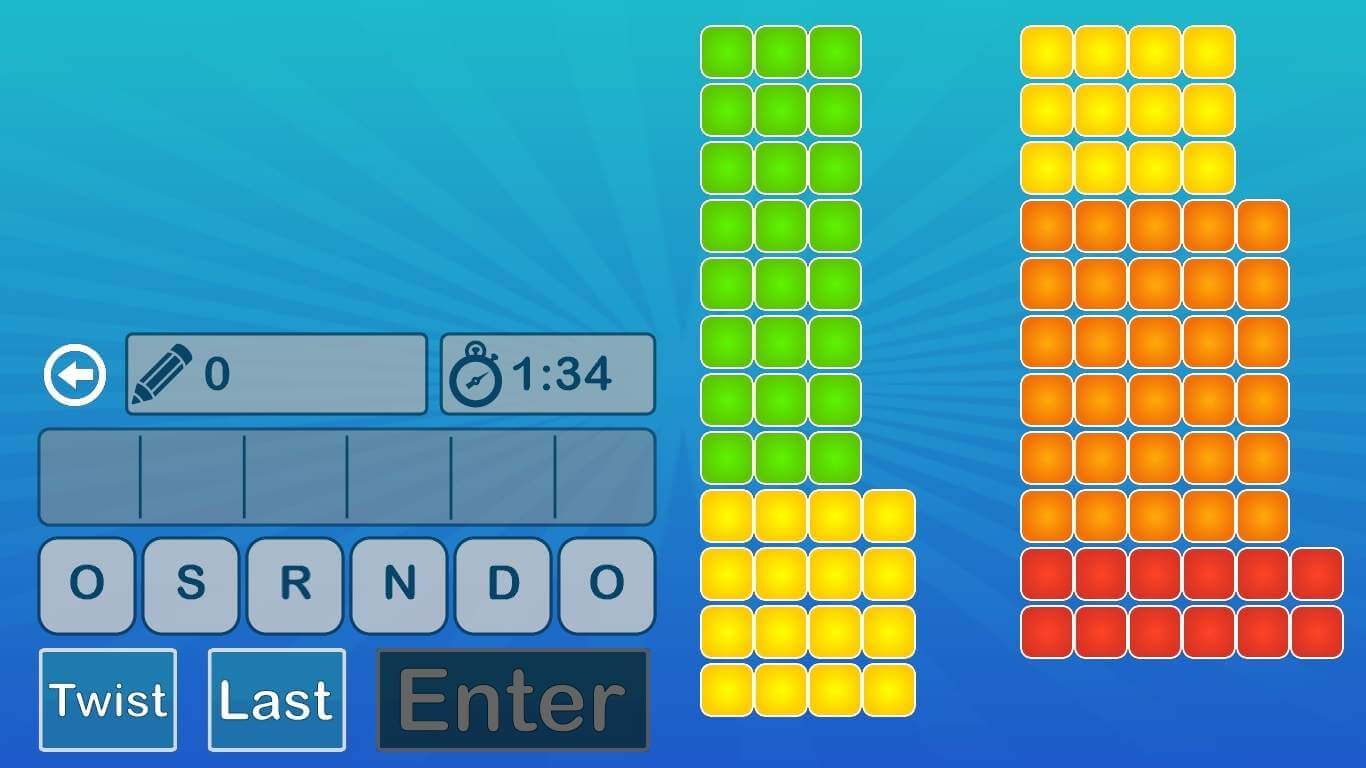
We just can’t have enough of word games on Windows 10, Windows 8, do we? After reviewing Wordament for Windows 8 and Adlib, now it’s time for Word Twist: a word game for Windows 10, Windows 8 that wants to bring back the classical fun, if we can say so. Word Twist has a 4 out of 5 rating based on almost 1500 votes and is currently free in the Windows Store with no pro version around, but the free one is good enough to keep you entertained.

What makes the game appealing is the simplicity behind – you have only 6 letters to play around with. Random Salad Games, the creator of the games, has done a pretty decent job, the colors and interface of the game being very pleasant to the eye. The are four game modes: Classic, All or Nothing, Blind, and Kids modes and three levels of difficulty. What’s really awesome is that there are dictionary definitions for all of the words!

word twist for windows 8

Enrich your vocabulary with WordTwist

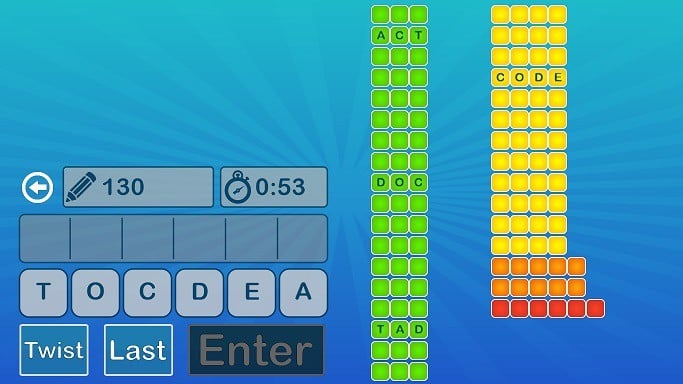
You have two minutes at your disposal to make a word and score as much as possible. But because the application is free, there will be times when you will be annoyed by that advertising banner. I am suggesting developers to try a different placing, as it really troubles word twist windows 8 word gamethe player. You can use the Twist button to arrange differently the letters, if you’re out of ideas. And sometimes, that really helps!

Also, the achievements board is another motivational tool to get those words flipping. You have 4 different colors, according to the difficulty, which is represented by the length of the word you’re going to create. So, if you’ll make a word out of 3 letters, you’ll fill out the green column and so on. And, of course, you will get a smaller score for doing that and a bigger one for managing to discover a longer, more difficult word. And if you’re playing in team, you can always prove that your word “makes sense” with the help of the dictionary tool, which proves to be very useful.

Check the gallery for more images with the in-game action and give WordTwist a try on your Windows 10, Windows 8 or Windows RT device if you’re into word games and you won’t regret it!

Download WordTwist from the Windows Store

Windows Store app highlight: Staples, search and buy from the entire Staples store catalog

Staples

Are you running Windows 8 or Windows RT and love shopping at Staples? Well, this app was made just for you! Check out the new Staples app for Windows 8 and Windows RT, its free and available for download in the Windows Store.

The new Staples app makes it easy for one to shop for products, redeem coupons and rewards, view order history, update your shopping lists, and search for the toner ink you need, all within the comfort of your Windows 8 or Windows RT device.

“Staples customers are very excited about the new computers and tablets featuring Windows 8, and we’re enhancing the Staples.com experience for Windows 8 users. Staples makes things easier for small businesses by using the latest technology, and the Staples Windows Store app enables customers to shop Staples even faster,” Steve Bussberg, Senior VP of Staples.com stated in an official press release.

The Staples app even features the weekly advertisement so you can see your local store’s advertisement deals. Users can also search for store locations near them as well as build and save shopping lists for easy ordering and reordering. The app also utilizes the ability to pin certain aspects of the Staples app onto the Start Screen, such as ink and toner finder, a printer finder, and shopping lists.

“Staples Windows 8 was built to provide an enhanced shopping experience on a touch medium like tablets and convertible desktops while also optimizing for a mouse and keyboard control,” the app description page states.

We gave the app a try and enjoyed the responsiveness and usefulness of the app. This app actually makes us want to shop at Staples a little more than before! Hit the download link below to grab the Staples app from the Windows Store! Happy shopping!

Thanks Mark for the tip!

Twitter App for Windows RT/10 is Here [Review]

Update – the official Twitter app for Windows 10 has now been released. One of the best-known social networks of all, Twitter, until recently had next to no support for Windows 8.

However, now the official Windows 8 app is freely available for users to download and install on their devices.

The app comes as a much-needed addition to the Windows Store, and this is the ice breaker for other social networks to come with their official apps in the near future. Also, the Twitter app for Windows Phone has gotten a major user interface upgrade, bringing it closer to the iOS or Android versions.

Twitter for Windows 8 – The Official App

twitter-for-windows-8

As described on the Windows Store, Twitter for Windows 8 brings users the most used features of the popular social network, all wrapped in a Windows 8 style UI that is both aesthetically pleasing as well as very fast:

Twitter for Windows 8 brings you all the design, features and functionality of Twitter combined with the fast and fluid technology of Windows 8

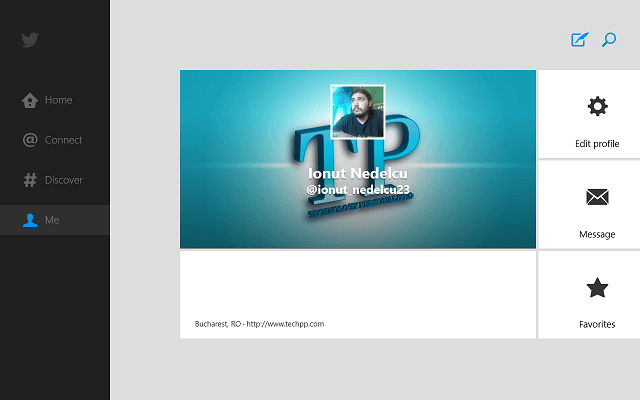
The app itself is pretty straight forward, providing users with all the options that they would have on the web version or the Twitter apps that are available on other mobile platforms. Although the app’s UI was developed in Windows 8 fashion, it is still familiar and very easy to navigate.

twitter-for-windows-8-app-review

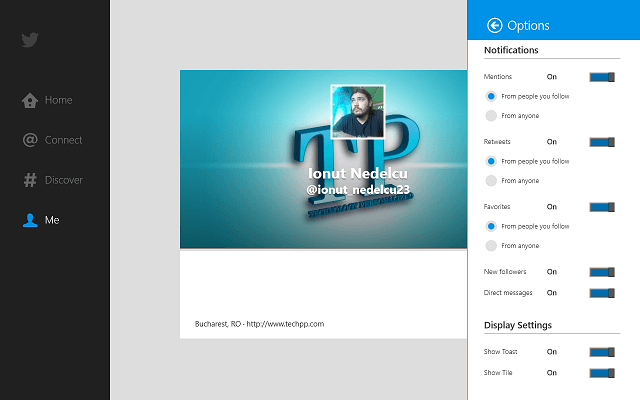
Users can access all the content from their account from the menu on the left side of the main window, just like in the web version. Also, the profile page has a tile interface in Windows 8 fashion than allows you to see your Followers, Following, and other information.

One issue I noticed using the app was the lack of a scroll bar for the Followers / Following users, making it impossible to scroll the page.

Thanks to the seamless integration with Windows 8, the Twitter app allows users to use Snap View, a Windows 8 feature that allows two apps to be placed side by side on the screen. This makes it much more easier to multitask or talk with their friends and get some work done at the same time.

twitter-for-windows-8-app-review-2

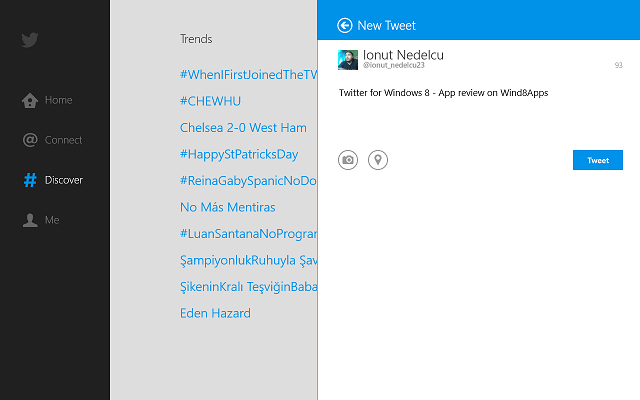
Also, there is no way to change Account Settings from within the app; when you select this option, it will automatically redirect you to the web version. Apart from this, everything is pretty simple. For sending tweets, there is a button in the upper right corner, and the search button allows users to search for other users quickly.

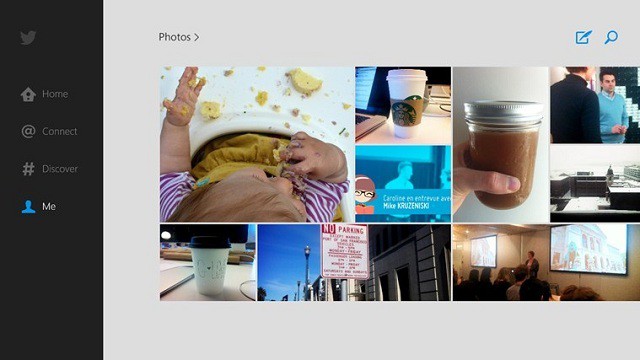
The “Discover” option is something that I deem very useful, allowing the user to find content like topics or people to follow and see tweets and pictures.

As the name suggests, it allows the user to discover new content and filter through the massive amount of information on Twitter, and because it’s based on the user’s own network, it renders a list of topics that are of interest to him.

twitter-for-windows-8-app-review-3

The app runs very smoothly and the pages load in an instant. Apart from the initial log-in that took a few seconds, everything else loads in the blink of an eye. I enjoyed using the app, and with the addition of features like saving drafts or adding multiple accounts, Twitter for Windows 8 could become as good as the other Twitter apps from other platforms.

Get Twitter

Read Textbooks in Windows 8, Windows 10 with Kno

Technology has proven its worth to us time and time again, and with each advancement and with each next generation of devices, it provides better and better support. One area where technology has been of impressive help is learning. The Internet has proven to be a great resource where everyone can find the information they need with only a few keystrokes.

For students, the Internet is priceless and it is considered an invaluable resource. The amount of information available cannot be quantified. However, there is need for a system to organize it and give it to the users. Such a system is Kno Textbooks. This service allows students to buy books and organize them as they seem fit, making it easy to learn.

Kno for Windows 10, Windows 8 – The virtual library

There are a lot of services out there that allow users to search for information and resources, and each of them has its strengths and weaknesses. However, Kno is one of the best we’ve seen, offering a wide variety of textbooks and other materials for students to try.

kno-windows-8-textbook-ebook-study-app-review (1)

The app is simple, but very well designed, having a simple interface that allows the user to quickly access his virtual bookshelf. However, there are some lacking features that we’d like to see in future updates. The ability to create a Kno account directly from the app is a very nice feature and we wish more apps will have it in the future.

Also, from the main menu of the app, the user can access all his content: books and courses. Sadly though, in-app purchases are not yet available, and when you click on the store icon, it will redirect towards the browser. Also, another lacking feature is the organizer which is available also on the web interface.

kno-windows-8-textbook-ebook-study-app-review (2)

Apart from these two missing features, we can’t say we have anything to complain about. The quality of the materials is very good and the user can read the textbooks they have bought with ease. Scrolling through the books is simple and the user can also access different chapters or add notes to each page.

kno-windows-8-textbook-ebook-study-app-review (4)

This makes it easy for students to learn and with the added benefit of having videos, 3D models and other information embedded in the textbooks, learning has never been simpler. Also, the app can easily share, so users can create notes and send them to other users very easily, or receive extra information from other users.

One other feature that we thought was great is the “Kno Me“, where users can see how much they’ve been reading and what. Also here are their followers and other important information. This dashboard is the place where users can see how well they are doing and get a sense of exactly how much time they’ve spent studying.

kno-windows-8-textbook-ebook-study-app-review (3)

Overall, the app itself is great. Having a simple and easy to use interface makes it accessible for everyone. Also, the amount of content available is astonishing and with more information hiding within the pages of the textbooks, the learning never stops. We love Kno for Windows 10, Windows 8 and we think it is one of the best learning tools we’ve seen.

Download Kno Textbooks for Windows 10, Windows 8

Adlib for Windows 8, Windows 10: a New Take on Word Games

If you love word games and want to play them on your Windows 8, Windows 10 system, then you really need to consider the Adlib app, as well
word game windows 8
Word games aficionados will be thrilled to learn about Adlib. This Windows 8, Windows 10 word-puzzle game comes as a combination of the classic word games and jewel-matching games, having both awesome looks and great gameplay. Unlike other Windows 8, Windows 10 word games, Adlib has managed to impress us with its simplicity and top notch quality.

Although it could use some improvements, we are glad to say that is the best such game we’ve had the pleasure to test in a while and even if it’s not a free game, we think it’s worth buying, especially thanks to its low price.

Adlib – The New Word-Puzzle Game

adlib-for-windows-8-word-puzzle-game (3)

We’d really like to see more games like Adlib. Not from the gameplay/type point of view, but from the design perspective. We’ve seen so many games that bore you to death with menu after menu after video after another menu. This takes all the enthusiasm that you have when you start the game and blows it to smithereens.

However, the developers of Adlib thought of that and so, the player doesn’t have to endure this any more and they can instantly enter the game and start playing. But we’re moving away from the subject here. Point and fact: Adlib lets the player instantly play with no intermittent menus or other nonsense.

adlib-for-windows-8-word-puzzle-game (1)

Also Read: Wordament – Windows 8, Windows 10 Word Game

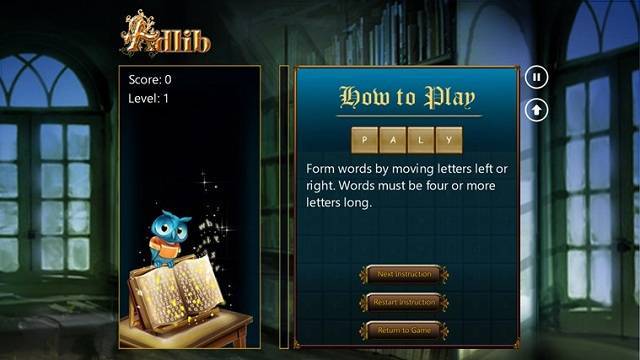
As we’ve mentioned before, Adlib is a word-puzzle game where the user has to find words and they get points for each find. However there’s a twist: the words have to be at least 4 characters long and they get extra points for each word that is longer than that. Also, the player has some nice features to make the game more interesting.

When finding words becomes more of a challenge, then the user can move around the letters, but only on each row (left-right), so they have to make due with what each row has. Moving letters between columns (up-down) is not allowed. This makes the player think of every move he makes, in order to get the best possible outcome.

adlib-for-windows-8-word-puzzle-game (2)

Also, from time to time, on the board appear some special letters, colored differently than the others. Some of them will explode, making room for other letter or combinations, some give extra points and some are blocked, so they cannot be moved.

The aim is to discover the hidden words and earn enough points to advance to the next level. However the board fills up one row at a time, and when it reaches the top, the game is over (think back to the old-school video games with the doctor that was throwing pills in a jar, or the well known Tetris).

adlib-for-windows-8-word-puzzle-game (4)

Overall, Adlib for Windows 10, Windows 8 is a great game, and those who enjoy word games should definitely give it a try. It looks great, it works flawlessly and it’s fast and responsive. All the qualities that make a good game can be found in Adlib.

Download Adlib for Windows 10, Windows 8

Security warning email from Microsoft Digital Crimes Unit is actually malware

Microsoft

Microsoft has issued a warning for everyone to be on the lookout of a malicious email, claiming to be from the Microsoft Digital Crimes Unit, only to be malware instead. The email contains an attachment that users are enticed to run to “validate their email account.”

“Due to a new vulnerability which is exploited by hackers to steal your online details. Microsoft Digital Crimes Unit in 2013 has hereby developed a new security measure. All users of the Internet and Microsoft products are hereby required to validate there email account information irregardless of their Internet service provider or Host company,” the email reads. You can read the full email below. Antivirus firm Sophos has labeled this attack as Troj/Agent-AANA Trojan horse. If you have received this email, simply delete it and do not open the attachment.

WinBeta

Microsoft ViralSearch Visualizes Viral Content from Twitter

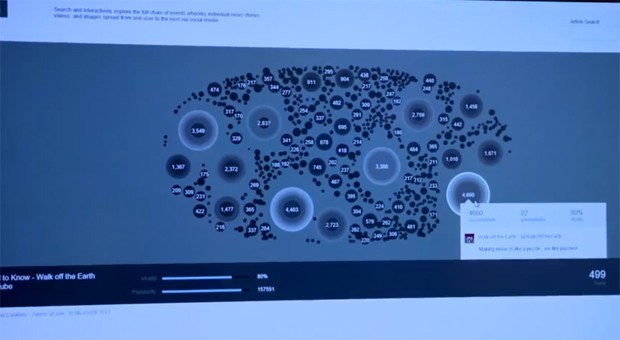
This week, Microsoft presented a number of research projects at TechFest, and one very interesting concept was ViralSearch. This system is a platform that shows how viral content is created and distributed. ViralSearch is not yet in use for regular users, and according to Microsoft, there are no plans to integrate it in their services for now. However, the concept is very useful for those who are interested in analyzing how viral content mover over the web.

Microsoft’s ViralSearch uses Twitter to obtain information and creates a visual representation of how data moves. The graphical representation looks like a tree where a photo, video or other information is traced throughout each generation (each share) and by adding up how many generations the information has been running, ViralSearch can show how influential it was.

What exactly is ViralSeach and how does it work?

microsoft-viral-search

Microsoft has created this tool in order to research how viral content is formed and to obtain data on what type of media is most likely to go viral. On Microsoft’s Research website we can find a short description of what ViralSearch is:

An analysis of almost a billion information cascades on Twitter news, videos, and photos has produced the first quantitative notion of whether something has indeed gone viral, thereby enabling further research into topic experts, trending topics, and viral-incident metrics.

So what ViralSearch does is it creates an interactive timeline of events where stories are tracked from the point of origin and all the way to its last share. The data gathered allows experts to better understand how information moves on the web and how users react to different types of media or to different content.

[youtube]wSwOszoHuoI[/youtube]

The video presentation shows us how ViralSearch works and what it can do. Users can search for stories or any other content, or even by user and see how far their stories have went. Therefore, you can see who are the most influential people on Twitter and who likes their stories.

For the moment, ViralSearch is limited to Twitter, but if it can be integrated with other social engines, it can paint an even better picture of how information flows on the Internet.

How about privacy?

In terms of privacy, ViralSearch accesses public information, for example your tweets or your public profile. This is not much different then Facebook or any other social platform, but where it stands out is that it can show exactly how successful a person or how information move. This openness a new door in how we understand information flow. What this meas is that advertisers can see what type of data is most important to the user and how they can spread it more efficiently. In a word, ViralSearch can be the best marketing tool ever.

How Many Windows 8 Copies has Microsoft Sold?

Either we hate or love Windows 8, we are still curious about one thing – just how many units did Redmond manage to sell? How many Windows 8 copies are out there in the wild? We’ve seen many estimates and wild guesses, but everytime something was wrong – either upgrades from previous versions were included or entreprise licenses were also included. And obviously, we’ll have to update this article as soon as we get new information, so come back in order to know how much Windows 8 has grown.

The previous estimate that we had was this – 60 (sixty) million Windows 8 copies, according to Tami Reller, who is Chief Financial and Chief Marketing Officer for Windows. He informed us about this number at the JP Morgan Tech Forum which actually took place at the Consumer Electronics Show in Las Vegas – January 8. Microsoft said that by the end of November, they have sold 40 (forty) million Windows 8 copies, but there are still questions that remain unanswered.

Read on lower to follow the updates on the copies as we get more information on the subject. Do bookmark the article if you’re interested in the progress.

Windows 8 sold units – how many?

windows 8 sold copies

But now we have an official number, right from the CeBit show that is taking place in Berlin – Microsoft has officially informed us that the number of sold Windows 8 copies has risen to 60 millions. Microsoft goes on by saying that Windows 8 has actually a better start than Windows 7 did but there’s a logical explanation to this – the upgrade to Windows 8 was very cheap in initital months. However, this number (60 million Windows 8 units sodl) does not include Enterprise Agreement/volume license sales.

However, a big quest arrives – what about Windows RT? We know that there might not be a lot of Windows RT units out there, but there are definitely at least a few millions. Let’s hope Microsoft will publish a more detailed response which will answer all our questions.

Updated progress on the number of copies sold by Windows 8

We are not sure how many years will Windows 8 live, thus, we can’t even make an estimate on how many copies it will be able to sell. The thing is that more laptops, tablets, ultrabooks, hybrids will come with Windows 8 pre-installed. And Microsoft will cash in from these sales. The consumers are not even ready for a mass adoption of the Windows 8 OS, some of them don’t even know how to use it properly. But Microsoft has thought and planned ahead of time, so don’t be surprised if Windows 8 usage will start to pick up stronger than ever.

Update:  The latest information on this subject have surfaced almost one month ago, but we have waited silently because we knew the number was just too big to be true. The same Tami Reller, Microsoft’s Windows marketing chief, has informed us that Microsoft has sold so far already more  than 100 million copies of Windows 8, which is quite an achievement. However, many of these copies were the result of a cheap upgrade from older versions of Windows 8. We will keep updating this post as we will get more information on the subject from solid sources.

Microsoft Surface Pro ‘clone’ shows up at CeBIT 2013, almost looks like the real deal

Surface Clone

CeBIT 2013 is currently taking place in Germany and a ‘clone’ of the Surface Pro has appeared at the event. While the device runs Windows 8 x86, its features are very similar to the Surface Pro.

The device looks similar to the Surface Pro, and even has a kickstand! The device is 13.3 inches and runs a Core i3 or i5 processor with 4GB RAM and either 32GB or 64GB SSD. The device even features a 5MP camera on the back and a 2MP camera on the front, a SIM card slot, SD card reader, mini HDMI, and 2x USB 2.0 ports. The device is OEM (created by a company called “HKC”) and has a placeholder name at the back of the device so you could stamp your own brand name. The price runs you about $350 for the Core i3 edition. No idea how well this device does on performance. Imitation is a form of flattery right?

Experience Instagram in Windows 8, Windows 10 with Metrogram Live

Instagram is a very successful service in the mobile world. It is used by thousands of people worldwide, on both Android and iOS platforms. Unfortunately, an official Instagram for Windows 10, Windows 8 has not yet been released, and so, Windows 8, Windows 10 users are not able to share photos via this service. Nonetheless, other developers have tried to fill the gap left by Instagram, and in that pursuit, apps like Metrogram Live have appeared.

Although this app does not take the place of the immensely popular Insatgram, it does offer a good substitute in the sense that it allows users to accomplish pretty much everything they would have done on the original service (emphases on pretty much because as you will see later, it has some missing features). Nevertheless, Metrogram Live for Windows 10, Windows 8 is a good way to keep an eye out on your Instagram page until the official app is up and running.

Metrogram for Windows 10, Windows 8 – Can it replace the real deal?

Metrogram-for-Windows-8-app-review (5)

If you are looking for the short answer, then “No”. Of course, it does have some pretty nifty features, Metrogram falls short when it comes to uploading pictures and overall management of your account. At first glance, the app has a simple and easy to navigate user interface, but once you’ve gone exploring the feeds and different pictures, you’ll find yourself wishing for a more unified look and a nicer UI.

Metrogram-for-Windows-8-app-review (3)

Don’t get me wrong here, as it is user friendly, but to my eye, it would benefit from a face lift and some extra features. Navigating different feeds and finding people is dead simple and only requires a scroll of the main window or looking at the drop-down menu from the top of the screen.

Also Read: Helpful Virtual Makeover App: Perfect365 for Windows 10, Windows 8

Metrogram-for-Windows-8-app-review (1)

Once you’ve opened a picture, you have the possibility to Like, Comment or Pin the photo to your Start Screen, but you cannot enlarge the picture to get a better view. So, you are left only with the sometimes aggravating auto-zoom.

Metrogram-for-Windows-8-app-review (4)

Overall speed of the app is pretty good, moving through menus and from picture to picture very smooth and with next to no loading time. In terms of stability, the app performed well, there were no crashes of any sorts during the tests and I was impressed by how well the app responds. For commenting and liking pictures, Metrogram for Windows 10, Windows 8 is a very good app, and to be honest, I would choose it over most other Instagram substitutes available today. It does need some extra work, but the developers on the right track.

Download Metrogram for Windows 10, Windows 8

Microsoft acquires cloud monitoring startup MetricsHub, available in the Windows Azure store

Windows Azure

Microsoft has announced the acquisition of cloud monitoring startup MetricsHub, which helps consumers manage their cloud services as well as automates cloud performance management. MetricsHub is now available in the Windows Azure Store.

“I am excited to announce that we are welcoming cloud monitoring startup MetricsHub – a participant in the Microsoft Accelerator, powered by TechStars – to Windows Azure. As an innovator in Active Cloud Monitoring, a technology that automates cloud performance management, MetricsHub helps customers more efficiently manage their cloud services at a lower cost,” Microsoft’s Bob Kelly stated in an official blog post. For those that don’t know, Microsoft Accelerator for Windows Azure, which takes place in India, is a four month program that is designed to help tech start-ups make it big when it comes to the Cloud, Internet, and Mobile. Microsoft provides a state-of-the-art work space, elite mentors from the industry, and necessary tools for these start-ups. MetricsHub requires little effort on the part of customers and allows for customers to only pay for what they need and maximize services they use. Hit the source link below to explore MetricsHub or head over to the Windows Azure Store to check it out.

Microsoft Kinect 2.0 “Durango” Specifications: Improved Gaming Experience

Play Station 4 might be just around the corner and apparently, so is the next Xbox – 720. A necessary accessory of the Xbox for so many – the Kinect, will also have a successor, as well – Kinect 2.0. As always, rumors and speculations are a norm and we’re not witnessing new information that comes to shed some light on the possible specifications of the upcoming Kinect. And these aren’t even the first that we’re witnessing.

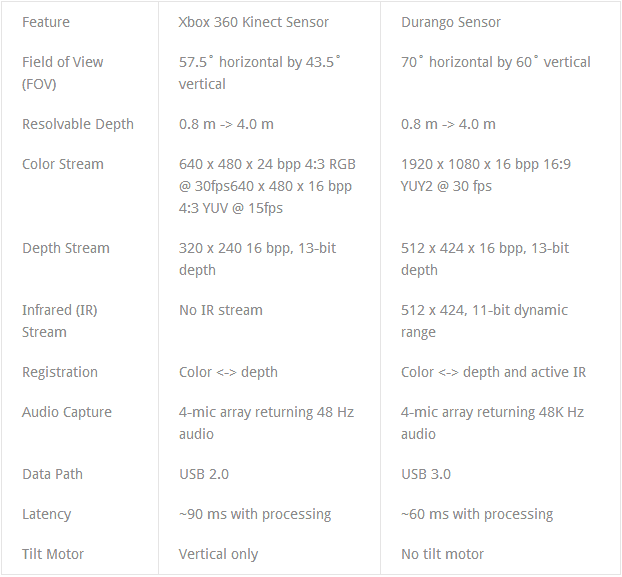
Codenamed as “Durango”, the next Kinect could be crucial to the upcoming Xbox 720, because gamers are looking for more interactive gaming methods. Of course, Durango or Kinect 2.0 will improve and will become “smarter”, being able to know and understand more about your movements. We won’t bother you too much and get right down to some possible and most important specs of Kinect 2.0, according to recent leaks. Do have a look at the more detailed picture below. Again, take this with a grain of salt, since nothing’s sure for the moment:

  • New mode for both seated and standing players
  • Will track up to six players, instead of only two
  • A much bigger field of view allowing for a much larger space to play
  • The RGB stream will be of higher quality and resolution
  • The sensor will be able to “understand” much smaller objects
  • Higher depth stream allows for objects separation in close depth proximity, captures depth curvature around edges better.
  • 1920×1080 color stream, 512×424 depth stream, added infrared stream, USB 3.0, 60ms latency

kinect 2.0 specifications

If you didn’t know, hear it now: Kinect was and still is the fastest selling gadget of all time, managing to sell 10 million units in less than 4 months – 120 days! Really, really impressive! It will be really interesting to see how will Kinect 2.0 help Microsoft in its fight against Sony, as soon as Play Station 4 gets released.

The fact that the increased field of view will allow for up to 6 players is also awesome. Think about how developers will make use of this and what creative games will see the daylight thanks to this! I can’t wait, really. Kinect 2.0 will probably maintain the same form, without visible changes. Another interesting and helpful addition is the infrared sensor. What exactly does this mean? Well, that will be possible for Kinect 2.o to understand your body’s movements even under poor lighting conditions, or, if you want, even in the dark!

Also Read: Windows Blue: What the Fuss is All About

Kinect 2.0 will also be able to read the position of joints and will also detect sideways poses. This should allow for more evolved gaming and more complex movements. However, what we really, realy would like to see is a reduced latency. All users want that the time between their movement is made in real world and it appears on the screen to be as reduced as possible. So, let’s hope they will really improve that.

What I would recommend, without knowing if this is even possible, is for Kinect 2.0 to have a small moving camera that would be able to see even more in height. Currently, if we are to believe to these leaks it will increase its field of you in left, right and behind, if we can say so. Would be awesome to see it detect “above”, as well.