
Revise Review: The DOCX-Compatible AI Document Editor


 7 min. read
  Published on
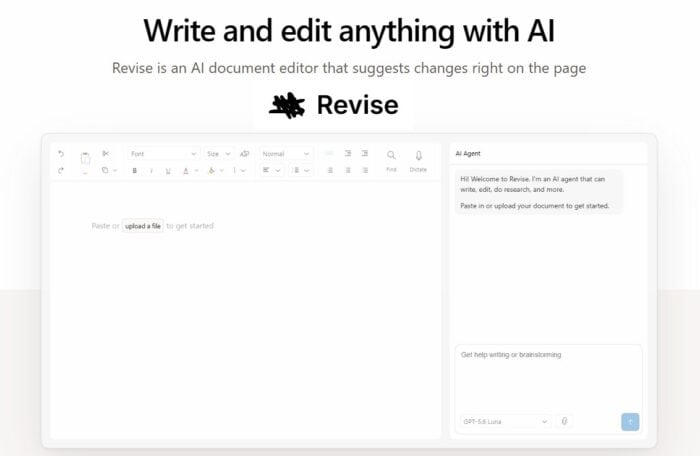
It’s now common to edit documents with AI, from simply asking ChatGPT to using Microsoft Copilot within Word. But what about a dedicated tool just for document editing?
Revise aims to be that solution, letting you research, draft, and edit anything, with suggestions right on the page.
We recently got hands-on with the web-based platform to see exactly what it can do.
What is Revise?
In short, Revise is an online document editor, featuring a built-in AI agent. It integrates all the leading AI models, such as GPT, Claude, and Gemini directly into the writing environment.
Every AI-generated edit is presented as a tracked change, allowing you to individually review, accept, or reject suggestions while maintaining complete control over your documents and formatting.
Revise can be tested for free and offers several premium plans to suit different requirements.
Main Features
Let’s take a closer look at each of its main features:
AI-Powered Editing
Revise is essentially a full word processor with an AI assistant built into the same window. You can use it to brainstorm ideas, draft content, rewrite passages, and proofread documents. It’s a natural language chatbot, so you can ask it to make specific changes right there, you don’t need to open up a separate AI tool and mess around copying and pasting.
Ask it to rewrite a paragraph, tighten an argument, or change the tone, and the proposed edits appear on the page for you to review. You can accept or reject individual suggestions rather than blindly replacing your original text.
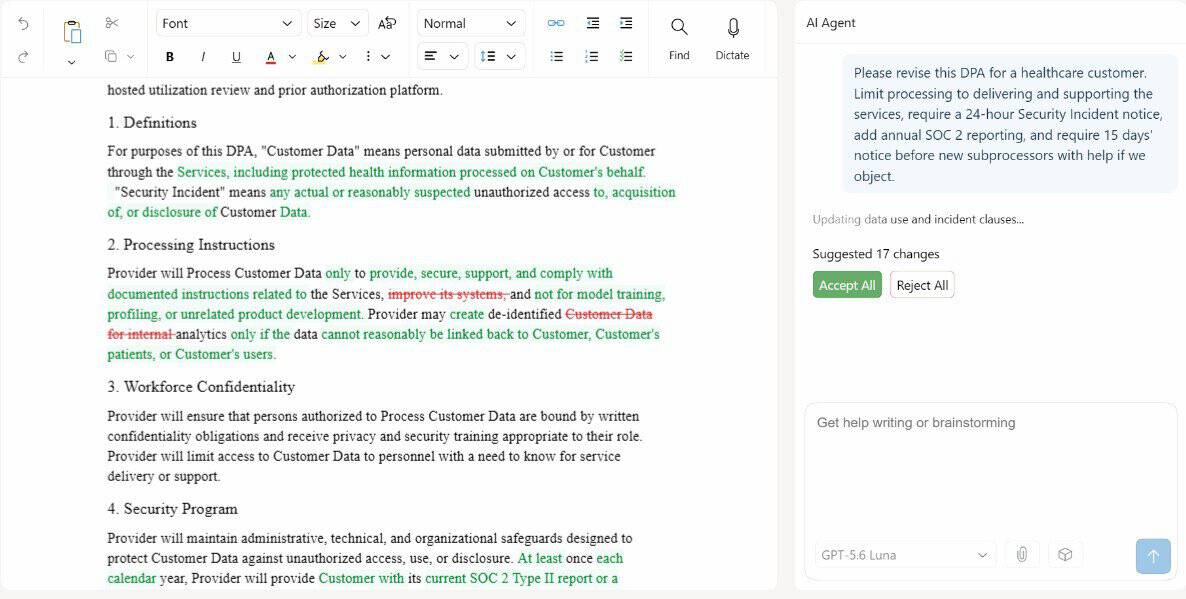
There are some nice touches beyond basic rewriting, too. The AI can search the web and find sources to support your writing, while the editor itself handles normal word-processing features such as headings, tables, images, equations, and page layouts.
You get the flexibility of several leading AI models without constantly moving text between applications, while the document remains properly formatted and under your control.
Choose AI Model
One of Revise’s biggest advantages is that you’re not tied to a single AI model. The editor currently supports models from OpenAI, Anthropic, Google, and xAI.
- GPT
- Claude
- Gemini
- Grok
You can switch between these whenever you like.
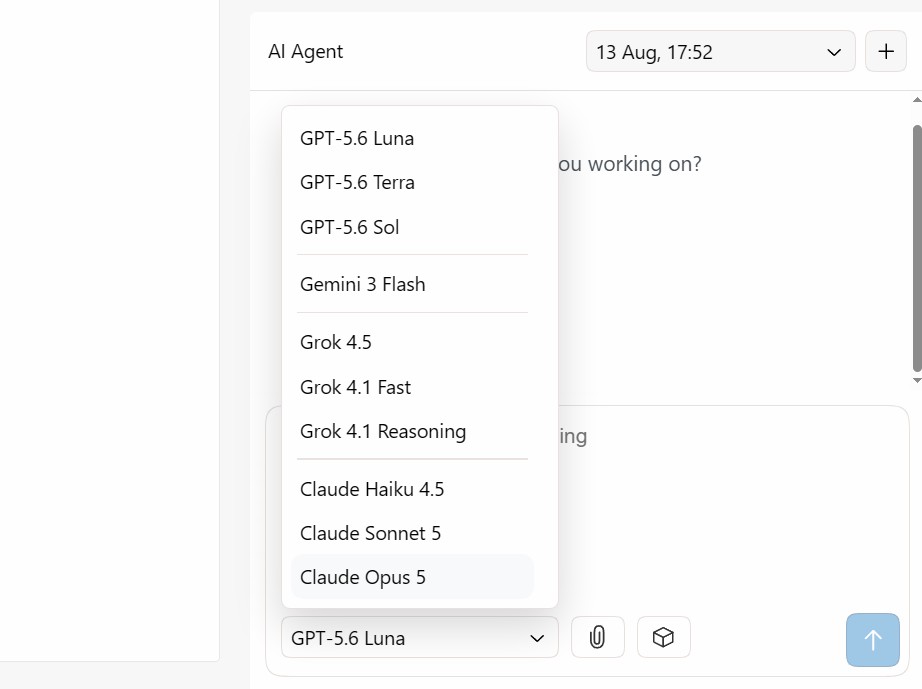
This is more useful than it might initially sound. Different models have different strengths, so you can pick the one that suits the job. A faster model might be ideal for fixing typos or making quick edits. A more capable model makes sense for accurate research, restructuring a long document, or tackling a complicated rewrite.
Revise’s own guidance highlights this flexibility with Claude. E.g., Haiku is useful for quick proofreading, Sonnet provides a good balance for everyday editing, while Opus is better suited to more demanding rewrites. You can switch between them without leaving the document.
There’s also a practical cost advantage. Revise’s AI usage beyond your monthly allowance is based on how much each model costs to run. Using an expensive flagship model for every minor correction can burn through tokens unnecessarily. You can use cheaper or faster models for routine work and save the heavy hitters for tasks that actually need them.
And, you don’t need to have your own separate and costly subscriptions!
It’s a significant advantage over writing tools that lock you into their own AI model. Instead of choosing the editor and accepting whichever AI comes with it, Revise effectively gives you a selection of leading models inside the same writing environment.
For anyone who has a preferred AI or simply wants to choose the best model for each job, that’s a compelling reason to use Revise.
Tracked Changes
I particularly like how clearly edits and changes are made. Instead of AI quietly rewriting your document, every change appears as a suggestion. You can review, accept, or reject each of these individually.
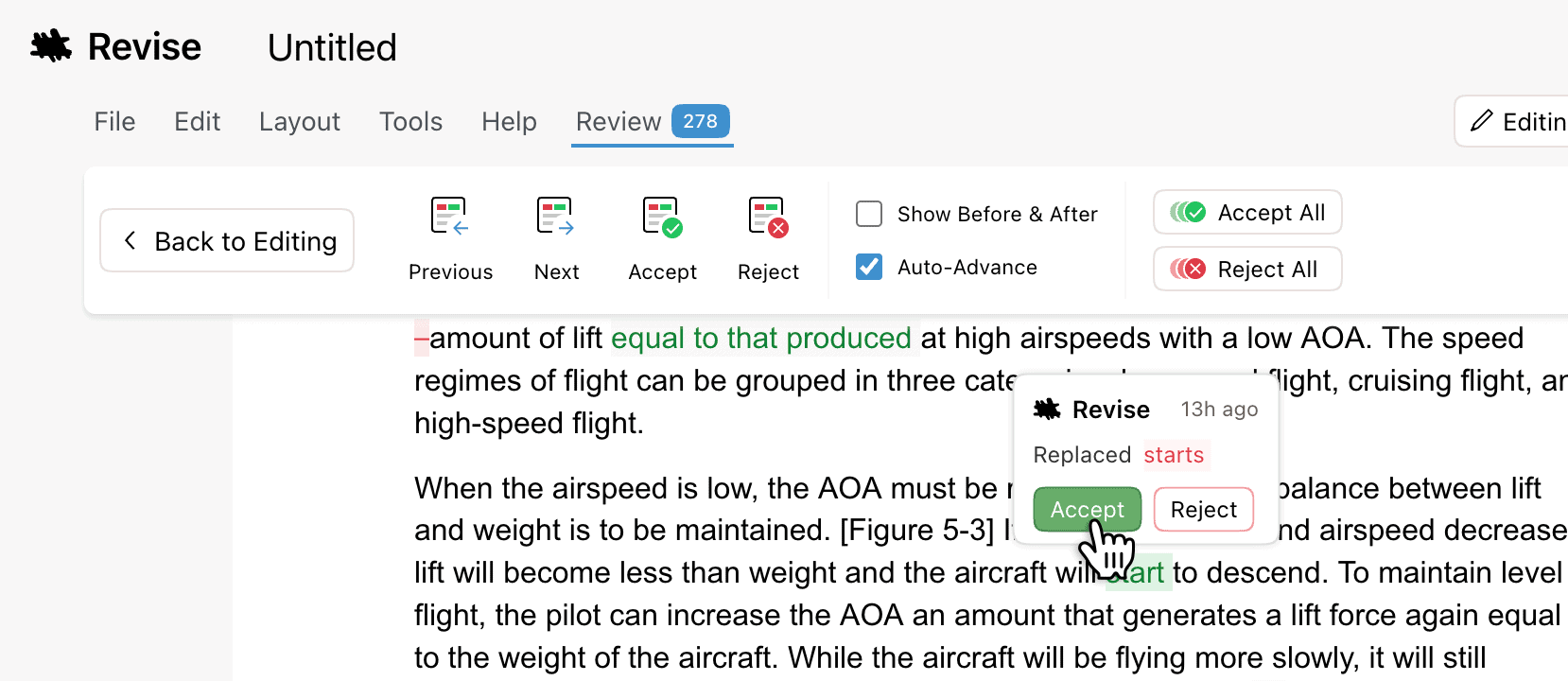
Every version is saved automatically, allowing you to scrub backwards through the document and see exactly what changed. You can compare different points in the document’s history and restore an earlier version if necessary.
Revise also supports real-time collaboration, much like Google Docs. Multiple people can edit the same document simultaneously, with live cursors and selections showing where other collaborators are working.
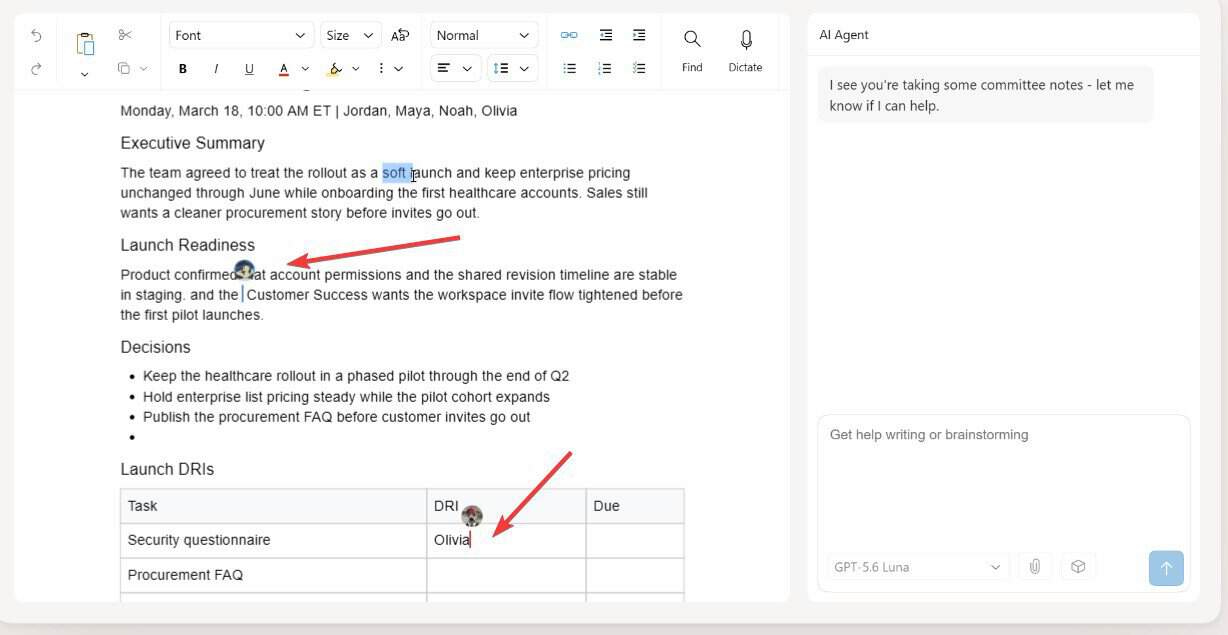
Each person can even have their own AI conversation without those proposed changes appearing to everyone else until they’re accepted.
DOCX and PDF Support
If you’re coming from Microsoft Word, Revise’s DOCX support makes the switch seamless. You can import existing Word documents directly into Revise, with formatting, tables, images, comments, and revisions preserved. You can then edit the document with AI before exporting it back to Word.
Take this previous post for WindowsReport about VPNs, which I originally wrote in Word DOCX format. Revise has imported it with all the formatting and images:
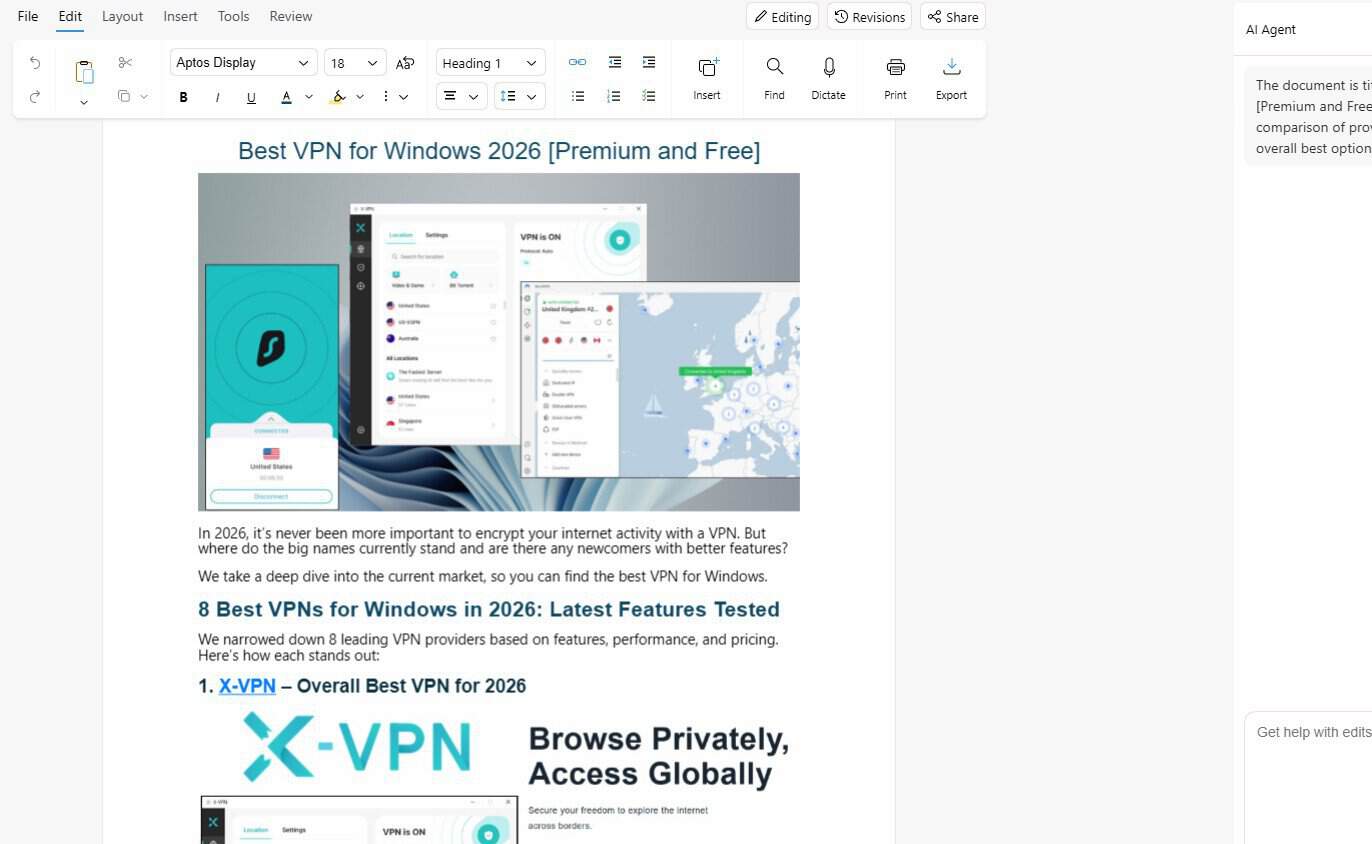
This compatibility is useful when you’re not working entirely inside Revise. You might use Revise to polish a report, then send the finished document to a colleague who still uses Word. The file remains a standard .docx, so they can open and continue editing it without needing Revise.
Compatibility goes further than simply preserving the text and basic formatting. The platform now supports Word tracked changes, with imported redlines becoming Revise suggestions. Edits can then be exported as genuine Word tracked changes, including author and timestamp information. Comments, threaded comments, footnotes, headers, footers, and page numbers also survive the round trip.
Free File Conversion
Revise also supports importing and exporting PDF, HTML, Markdown, RTF, and TXT, giving it more flexibility than a conventional Word-only workflow.
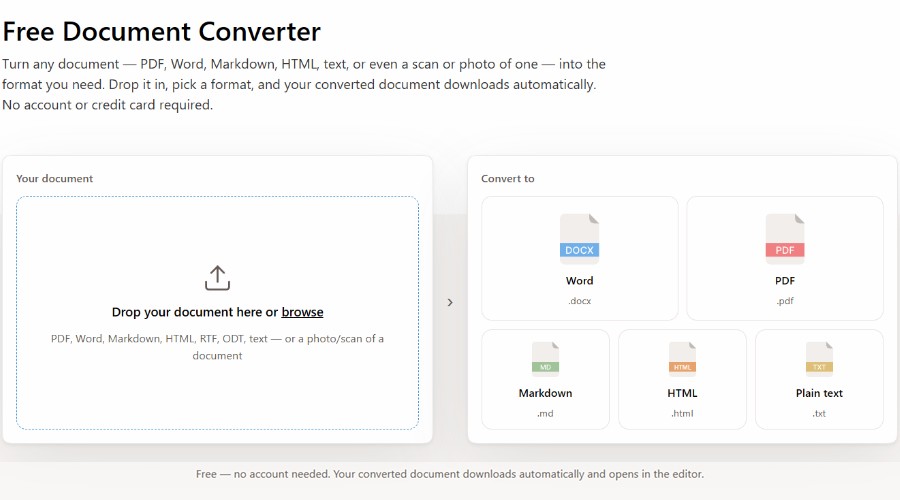
What’s more, the file converter can be used indefinitely for free!
PDF support is boosted by a vision AI model that reads each page and rebuilds the document’s structure, including headings, lists, tables, formatting, links, and images.
It can even handle scanned or image-only PDFs where there isn’t a selectable text layer. The AI essentially reads the page visually, extracts the content, and reconstructs it into Revise’s document format.
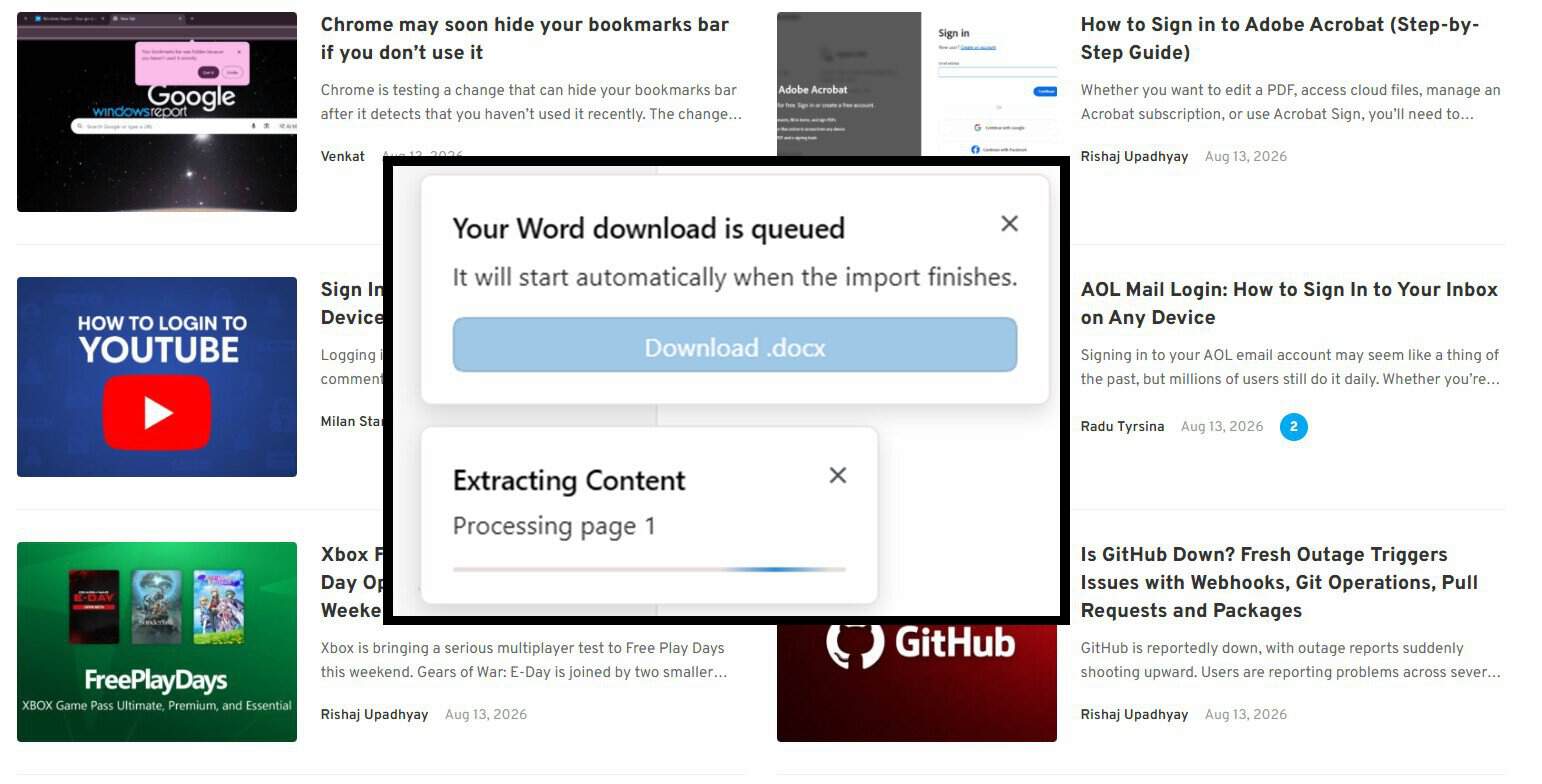
To show how it works, I screenshotted the WindowsReport homepage, turned the JPG into a PDF using a separate tool, and then used Revise’s free file converter. It extracted the text perfectly.
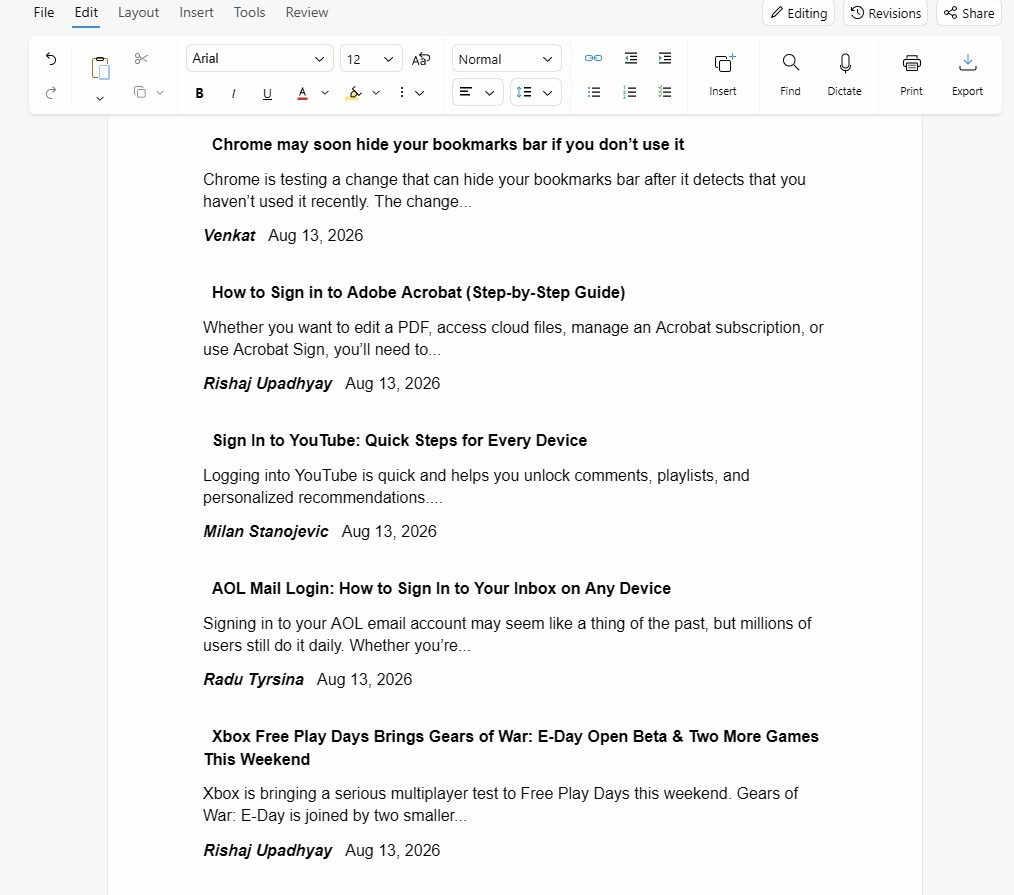
All this opens up some useful workflows. You could take a PDF report, convert it into an editable document, then ask Revise’s AI agent to summarize it, rewrite sections, extract information, or tidy up the formatting. You can then export the result back to PDF or choose one of the other formats.
Pricing
Revise uses a subscription model based on AI usage, rather than limiting features between plans. Every plan provides the same document editor and core workflow, while higher tiers simply give you more AI usage each month. Your allowance is calculated from the actual token cost of your requests and the models you use.
The free tier is limited to GPT-mini and between 1-4 prompts, depending on complexity.
Premium tiers are as follows:
- Plus ($8/mo) – Unlocks all core AI models, allows for AI web search, no prompt limit.
- Pro ($20/mo) – Unlocks Claude Opus and GPT Pro, 4x monthly usage.
- Max ($100/mo) – 20x monthly usage.
Revise Review – Verdict
Revise is a compelling alternative to traditional word processors, particularly for anyone who wants AI editing without giving up control of their documents. Its tracked changes, revision history, real-time collaboration, and excellent DOCX compatibility make it feel like a proper document editor rather than a chatbot bolted onto a writing tool.
The ability to switch between GPT, Claude, Gemini, and Grok is another major advantage, while the free file converter and impressive PDF extraction add plenty of value.
Ultimately, Revise is well suited to writers, researchers, and teams who want the power of multiple AI models without sacrificing the familiar workflow of a traditional word processor.


Read our disclosure page to find out how can you help Windows Report sustain the editorial team. Read more



Improve this guide




User forum
0 messages