
Surface Pro 11 Gets New Update with Fixes for Touchscreen and Pen Bugs


 2 min. read
  Published on
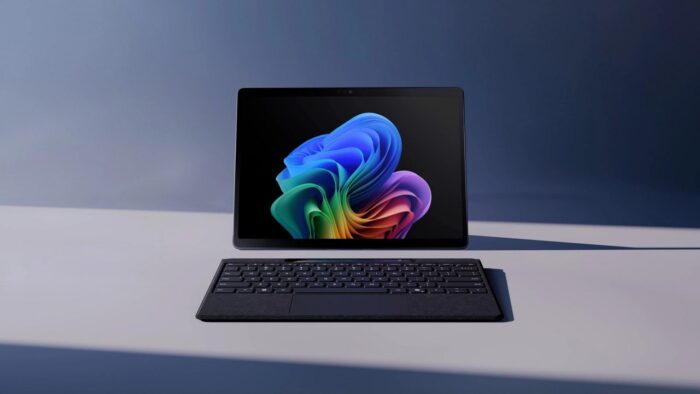
Microsoft recently released a firmware update for the 11th-generation Surface Pro, aiming directly at a series of troublesome touchscreen and stylus issues. Right now, the rollout of the March 2026 update specifically targets the Surface Pro 11 for Business. It brings fixes for pen and touch-related issues with the new Surface offering. It has arrived after the February 2026 update, which fixed VPN, Dolby Vision, and Teams shutdown errors.
The update resolves pen and touch-related issues
For anyone who relies on the Surface Slim Pen 2, this update addresses a few notable problems. The fix stops the pen from drawing while just hovering over the screen, and it corrects issues where the stylus loses tracking at lower pressure settings or delays writing after you press down.
The update also improves finger-touch accuracy and stops the screen from becoming unresponsive after the tablet wakes from sleep or sits idle.
It also improves usability with accessories
The patch includes a highly specific fix for people working in commercial or field environments across the USA. If you use the device lying flat on a table with a UAG Workflow Series Industrial-Grade Screen Protector, you might have noticed noticeably sluggish touch responses. Microsoft states this update eliminates that exact performance lag.
If you use the business edition of the Surface Pro 11 running Windows 11 version 24H2 or newer, you can download the update right now through standard Windows settings. Alternatively, it is available as a 923MB manual download on the official Surface Support site.
Microsoft confirmed there are no known bugs tied to this new firmware release, though it is always smart to back up your data before installing permanent system updates.
Via Neowin


Read our disclosure page to find out how can you help Windows Report sustain the editorial team. Read more



Improve this guide


User forum
0 messages