
Switch 2 Dock Not Connecting to TV? 7 Proven Ways to Fix It


 5 min. read
  Published on
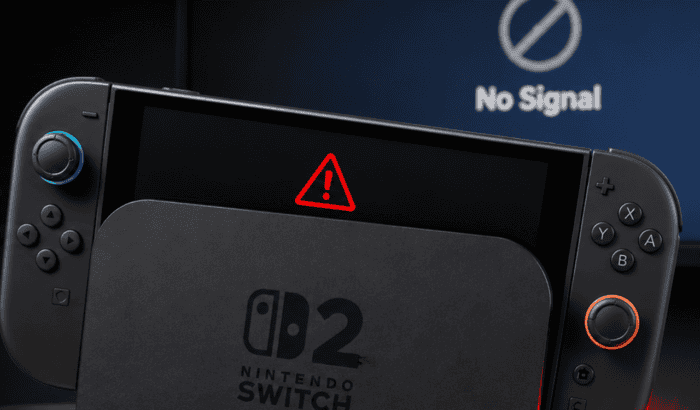
The Switch 2 dock not connecting to TV can be frustrating for many, especially when the console charges normally but refuses to display anything on your living room TV. In many cases, the problem isn’t the console itself. It usually comes down to the dock, power delivery, HDMI handshake, or accessories. Nintendo also has stricter requirements for Switch 2 TV mode than the original Switch, making the correct setup more important than ever.
If your Switch 2 dock isn’t connecting to TV started after a firmware update, the dock charges but shows no signal, or you’re seeing discussions about the issue on Reddit, the fixes below cover the most common causes.
How to fix a Switch 2 dock not connecting to TV
1. Make sure you’re using the correct Switch 2 AC adapter
One of the biggest causes of TV mode failures is using the wrong charger. Nintendo has previously confirmed that the original Switch AC adapter (HAC-002) can charge a Switch 2 directly but can’t power TV mode through the dock. For TV output, you should use the official Switch 2 AC adapter (NGN-01) or another USB-C charger capable of delivering at least 54W.
If you’ve seen the message “Switch could not connect to TV please make sure you are using the AC adapter,” replacing the charger is often the best way forward.
2. Power cycle the dock completely
A simple dock reset fixes many docking glitches. Follow these steps:
- Remove the console from the dock.
- Disconnect the HDMI cable.
- Unplug the dock from power.
- Leave everything disconnected for at least 30 seconds.
- Plug the AC adapter into a wall outlet first.
- Reconnect HDMI.
- Dock the console again.
Nintendo officially recommends this reset procedure before moving on to advanced troubleshooting.
3. Check the HDMI cable and TV input
If the console docks correctly but your TV still reports “No Signal”:
- Try another HDMI port.
- Use the supplied Ultra High Speed HDMI cable if available.
- Select the correct HDMI input manually.
- Remove HDMI splitters, capture cards, AV receivers, and soundbars while testing.
Nintendo also recommends connecting the dock directly to the television during troubleshooting.
4. Update the console and dock firmware
If your Switch 2 dock isn’t connecting to TV after update, it could be related to recent software changes, make sure both the console and dock firmware are fully updated. Check whether Nintendo has released dock firmware updates that address compatibility and display issues.
5. Check the dock’s LED behavior
Many users searching for “Nintendo Switch 2 dock not working no green light” are dealing with a power issue rather than a display issue.
Normal behavior is:
- LED flashes briefly when power is connected.
- LED stays solid green while outputting video.
If there’s no green light:
- Verify the AC adapter is fully seated.
- Try another wall outlet.
- Inspect the dock for damage.
If the light flashes continuously instead of staying solid, Nintendo recommends restarting the console and checking for firmware updates.
6. Remove accessories before docking
Protective shells, USB-C adapters, or third-party accessories can prevent the console from seating correctly inside the dock.
Remove:
- Protective cases
- USB-C accessories
- Screen grips
Then insert the console fully until the handheld screen turns off.
7. Test another dock or display
If the Switch 2 dock is charging but not connecting to TV, make sure to isolate the faulty component. Here’s what you need to try:
- Another HDMI cable
- Another TV
- Another monitor
- Another official Switch 2 dock
If a second dock works normally, Nintendo recommends servicing the original dock rather than the console.
Why is my Switch 2 dock not connecting to TV
Most reports of Switch 2 dock charging but not connecting to TV comes down to four possible causes:
- Incorrect AC adapter.
- HDMI handshake failures.
- Dock firmware glitches.
- Faulty HDMI cable or dock hardware.
In many cases, simply resetting the dock and AC adapter restores TV output without replacing any hardware.
FAQs related to Switch 2 dock not Connecting to TV issue
The dock may not be receiving enough power, the HDMI connection may have failed, or you’re using an incompatible charger. Verify you’re using the official Switch 2 AC adapter and reconnect the dock following Nintendo’s recommended order.
Start by resetting the dock, checking the HDMI cable, updating the dock firmware, and testing another HDMI port. If the issue continues across multiple displays, the dock itself may need servicing.
Yes. Nintendo Switch 2 only supports TV mode through a compatible dock connected to an appropriate AC adapter. Direct USB-C-to-HDMI connections are not officially supported for TV output.
A firmware update, HDMI handshake failure, loose power connection, or faulty accessory can all cause the problem. Performing a full dock reset and verifying you’re using the correct Switch 2 accessories resolves most cases.

Read our disclosure page to find out how can you help Windows Report sustain the editorial team. Read more



Improve this guide
User forum
0 messages