
Windows 11 26H1 KB5120996 Brings Start Menu Changes to Release Preview


 2 min. read
  Published on
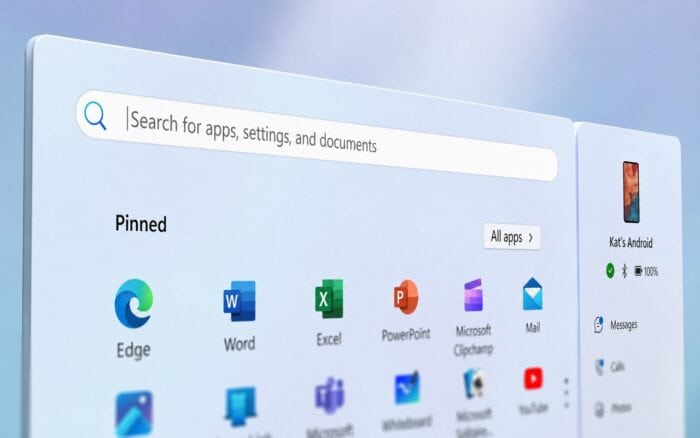
Windows 11 26H1 Release Preview KB5120996 is now available with Start menu improvements, better power controls, AI component removal, and several reliability fixes.
Microsoft released Windows 11 Build 28000.2796 (KB5120996) to the Release Preview Channel for Windows 11 version 26H1. The update also includes File Explorer improvements, with features rolling out gradually.
Start menu and account changes
The Start menu now remembers the user’s selected view more reliably, while keyboard navigation through the apps list has also improved.
Microsoft has refreshed the account control design and added a badge that displays Microsoft subscription status for users signed in with a Microsoft account.
Users can remove an AI component
On supported Copilot+ PCs, Windows now lets users remove the Image Generation AI component when it is installed.
This gives users more control over which local AI components remain on their devices.
Power and battery settings get fixes
Power settings should now apply consistently across all power plans. This includes settings for the display, sleep, hibernate, power button, sleep button, and lid-close behavior.
Microsoft has also restored the option to configure the Energy Saver activation threshold.
Windows Update gets more accurate progress reporting
KB5120996 improves the accuracy of Windows Update progress calculations.
Microsoft also changed update cleanup logic to help improve system performance immediately after an update finishes.
Accessibility and input changes
Fluid dictation now starts disabled by default for new users. Windows should also preserve mouse cursor size settings more reliably.
Magnifier’s horizontal and vertical touch bars now remain off by default so they do not cover magnified content. System dialogs should also open at more appropriate sizes on smaller tablets.
Networking and Remote Desktop reliability improves
Microsoft improved DHCP renewal reliability, particularly when DHCP servers return NACK responses and on devices using Modern Standby.
Clipboard reliability has also improved in some Remote Desktop and Azure Virtual Desktop scenarios.
More reliability improvements
The update brings faster printing with IPPS printers, improved system sounds in dark mode, and better detection of time-zone changes.
Microsoft also updated daylight saving time data for Beirut, Casablanca, Jerusalem, and Nuuk.
The company improved explorer.exe reliability when working with jump lists, recent files, file and folder sharing, Task View, and multiple desktops.
The sign-in screen, Lock screen, Start menu, and taskbar should also work more reliably when available system memory runs low.
Microsoft separately released KB5120998 with a movable taskbar and Admin protection for Windows 11.

Read our disclosure page to find out how can you help Windows Report sustain the editorial team. Read more



Improve this guide




User forum
0 messages