
Windows 11 26H2 Gets a Dedicated Installation Assistant Tool


 2 min. read
  Published on
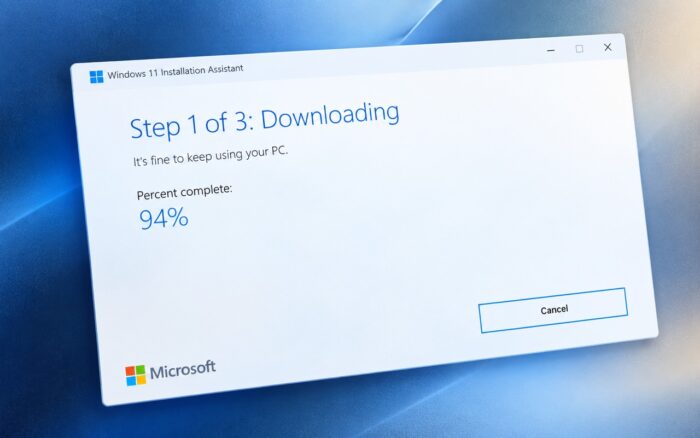
Microsoft is giving users another official way to upgrade to Windows 11 26H2. A dedicated Windows 11 26H2 Installation Assistant is now available through the Microsoft Download Center.
The tool targets users who want to perform an in-place upgrade without relying on Microsoft’s main Windows 11 download page.
Windows 11 26H2 Installation Assistant is now available
The new Installation Assistant downloads Windows 11 26H2 directly from Microsoft.
Users only need to launch the tool, accept Microsoft’s license terms, and continue with the installation process. The assistant then downloads the required Windows 11 files and starts the upgrade.
This gives users another official route to install the latest feature update. It could also prove useful if Microsoft’s main Windows 11 download page becomes unavailable or users have trouble accessing the usual upgrade options.
The Installation Assistant focuses on in-place upgrades, meaning users can move to Windows 11 26H2 while keeping their apps, files, and settings.
There are several other ways to install Windows 11 26H2
The Installation Assistant is only one option. There are several ways to download and install Windows 11 26H2, depending on the device and installation method users prefer.
If you’re already running a compatible version of Windows 11, you can also upgrade using KB5121794, the Windows 11 26H2 enablement package. It provides a quicker way to move to 26H2 without reinstalling the entire operating system.
Microsoft also offers official Windows 11 26H2 ISO files for AMD64 and Arm64 devices.
ISO files give users more flexibility, including the ability to perform an in-place upgrade, create installation media, run a clean installation, or use Windows setup for repair purposes.
The Media Creation Tool remains another option for users who want to create bootable installation media or upgrade a PC directly.
Windows 11 26H2 also brings performance improvements
The update includes Microsoft’s latest Windows 11 features, security improvements, and platform changes.
There may also be performance benefits. Recent testing indicates that Windows 11 26H2 can reduce RAM usage by up to 2GB in some configurations, although the results differ on systems with 8GB of memory.
Via Neowin

Read our disclosure page to find out how can you help Windows Report sustain the editorial team. Read more



Improve this guide


User forum
0 messages