
Windows 11 AI Backlash Grows as Winslop Offers Way to Remove Copilot Features


 2 min. read
  Published on
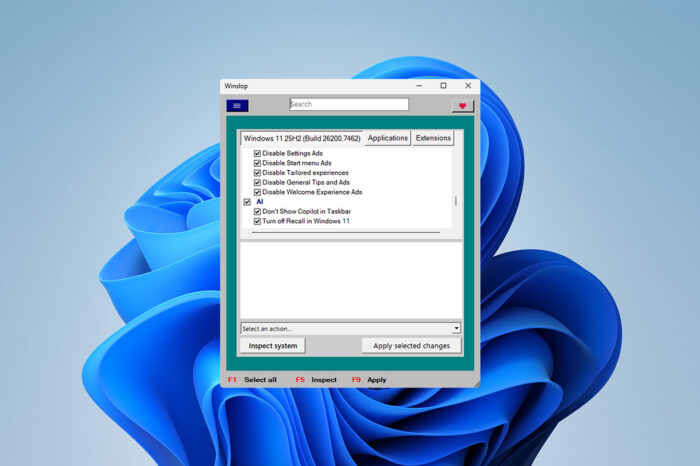
Microsoft continues to push Copilot+ PCs even as parts of the Windows community push back against AI-heavy features in Windows 11. For users who want a cleaner, more traditional setup, a new third-party tool offers a way to take control.
Disable all AI features in Windows 11 with Winslop
According to Neowin, a tool called Winslop helps users detect and remove hidden bloat and AI-related components from Windows 11. The app runs locally, clearly shows system changes, and focuses on transparency rather than aggressive automation.
Winslop targets more than AI features. It also highlights unnecessary operating system components that many users consider bloat. By removing these elements, users gain tighter control over what runs in the background and how the system behaves.
The tool directly appeals to users who dislike what they see as forced or intrusive AI integration, especially on Copilot+ PCs. Instead of accepting Microsoft’s default configuration, Winslop lets users strip out selected AI functions and other preinstalled components.
This trend reflects a broader backlash against AI-centric changes in Windows 11. Other community tools, such as FlyOOBE, already have options to reduce or remove AI features during setup.
Winslop isn’t developed by Microsoft, so users should proceed carefully when modifying core system components. Still, its growing popularity shows clear frustration with Microsoft’s current direction.
That frustration extends beyond regular users, and Dell has stepped back from AI PCs as it wants to shift focus to hardware features. At the same time, Microsoft recently added the option to uninstall Copilot in the KB5072046 update, suggesting the company may soften its stance if resistance continues.
For now, tools like Winslop show that many Windows 11 users want to take a step back from all the AI features.

Read our disclosure page to find out how can you help Windows Report sustain the editorial team. Read more



Improve this guide




User forum
0 messages