
Windows 11 KB5067036 Adds Fluid Dictation and Improved Search to Copilot+ PCs
Voice Access gets smoother, Windows Search gets sharper


 2 min. read
  Published on
Microsoft’s latest non-security update, KB5067036, not only brings upgrades to Click to Do on Copilot+ PCs but also introduces smarter accessibility and search experiences in Windows 11.
Fluid Dictation comes to Voice Access on Vopilot+ PCs
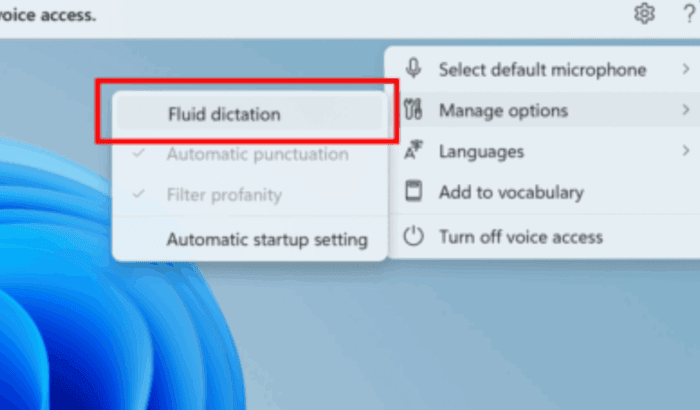
The highlight of this update is Fluid Dictation, a new addition to Voice Access that makes dictation more natural and context-aware. Powered by on-device small language models (SLMs), it can automatically fix grammar, punctuation, and filler words in real time, all without sending your data to the cloud.
Fluid Dictation is enabled by default. You can launch the Voice Access app and start speaking right away, or toggle it manually under Settings. It works across most text fields, excluding secure ones like password or PIN entries, and is currently available in all English locales on Copilot+ PCs.
Besides that, Microsoft has added a voice command delay option, letting users choose how quickly commands trigger. The update also brings Japanese language support for Voice Access.

Improved Windows Search rolls out
The update also expands the Improved Windows Search feature to all Copilot+ PCs through a controlled rollout. This improvement promises faster indexing and more accurate results while keeping searches local and responsive.
Other small changes include Quick Actions in File Explorer, new language support for Agent in Settings, and a fix for Voice Access crashes with error code 9001.
KB5067036 is now available for Windows 11 version 24H2 and 25H2, and bumps systems to build 26100.7019 and 26200.7019, respectively.

Read our disclosure page to find out how can you help Windows Report sustain the editorial team. Read more



Improve this guide




User forum
0 messages