
Windows 11 KB5095093 Adds Windows Ready Print, AI Improvements, and GIF Changes


 4 min. read
  Published on
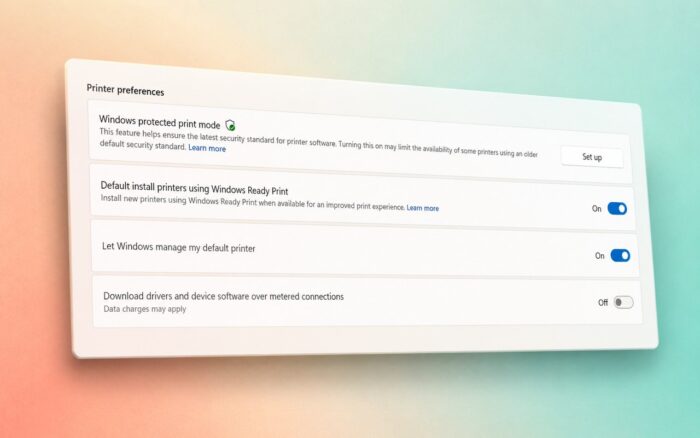
Microsoft has released the June 2026 optional preview update for Windows 11 under KB5095093, bringing a wide range of fixes, reliability improvements, and new features to versions 24H2 and 25H2.
The update advances Windows 11 to Build 26200.8737 on version 25H2 and Build 26100.8737 on version 24H2.
Several features are rolling out gradually, meaning they may not appear immediately on all eligible devices.
Windows Ready Print Expands to More Printers
One of the most notable additions in KB5095093 is the expansion of Windows Ready Print.
Microsoft now installs supported printers using the Internet Printing Protocol (IPP) by default. The company says the change should simplify printer setup, improve compatibility, and increase reliability when connecting new printers.
Better Support for AI Workloads and Large Memory Systems
Microsoft has updated the Windows graphics kernel with an improved memory-management policy designed for modern AI workloads.
According to the company, PCs equipped with more than 32GB of RAM can now run larger local AI models more efficiently. The change arrives as more users rely on on-device AI applications and local large language models.
The update also improves display and graphics reliability in several areas, including:
- More reliable rendering while scrolling in applications spanning multiple monitors
- Better persistence of custom color profiles
- Improved graphics stability across different display configurations
- More reliable acrylic blur effects in the Start menu, Settings app, and lock screen
Windows Subsystem for Linux and VPN Improvements
Developers and power users will benefit from improvements to the Windows Subsystem for Linux (WSL).
Microsoft says mirrored networking mode now works more reliably when VPN connections are active, addressing a common complaint among users who rely on Linux development environments alongside corporate VPNs.
Search-related Group Policies should also apply more consistently across managed devices.
Touchpad, Input, and Location Setting Improvements
KB5095093 introduces new customization options for precision touchpads.
Users with compatible pressable touchpads can now adjust the size of the right-click zone by choosing between several available sizes.
Microsoft has also improved Japanese handwriting recognition, specifically when entering English characters.
Location settings have been made clearer as well. When Location Services are disabled, related options such as Default Location and Allow Location Override now appear greyed out to better reflect their unavailable status.
File Explorer and Desktop Reliability Improvements
Microsoft continues to refine File Explorer and the Windows shell experience.
The update improves reliability when navigating to the Home page while OneDrive synchronization is active. Explorer.exe should also behave more reliably when switching between virtual desktops.
Additional fixes include:
- Improved app launch reliability when shell extensions are installed
- Reduced chances of blank gray taskbar icons appearing
- Better notification badge updates across applications
- Improved reliability when connecting to shared network resources
- More stable explorer.exe behavior in several scenarios
Microsoft also resolved a Recycle Bin issue introduced after the June 2026 security update KB5094126. The permanent delete confirmation dialog now correctly displays the original file name instead of an internal Recycle Bin identifier.
Security, Networking, and Remote Desktop Changes
The update expands deployment of new Secure Boot certificates using enhanced device targeting data. Microsoft says devices will only receive the new certificates after demonstrating sufficient update reliability signals.
For enterprise environments, Microsoft improved Netlogon secure channel connections between domain controllers. Member servers should now connect successfully to older domain controllers deployed before 2025.
Networking reliability has received additional attention, with Microsoft improving access to shared network resources, including support for unauthenticated or null-session connections used by some legacy applications.
GIF Support Changes Coming June 30
Microsoft has switched the Windows emoji panel’s GIF provider from Google’s Tenor service to GIPHY following changes to the Tenor API.
The company warns that users will need the latest Windows updates installed by June 30, 2026, to continue using GIF search within the emoji panel.
Additional Fixes Included in KB5095093
Other improvements included in the update are:
- Faster shutdown times for the Background Intelligent Transfer Service (BITS)
- More reliable login and lock screen experiences with third-party credential providers
- Improved reliability for shared network connections
- Better taskbar notification badge behavior
- More stable User Account Control (UAC) behavior after installing KB5089549
- Reliability improvements throughout explorer.exe
KB5095093 builds on earlier additions already discovered in this preview cycle, including the new calendar-based Windows Update pause experience and several File Explorer enhancements that Microsoft began testing earlier this year.

Read our disclosure page to find out how can you help Windows Report sustain the editorial team. Read more



Improve this guide




User forum
0 messages