
Sort Files And Folders Together on Windows 11: How to do it
Using the Group by option can achieve similar results


 2 min. read
  Updated on
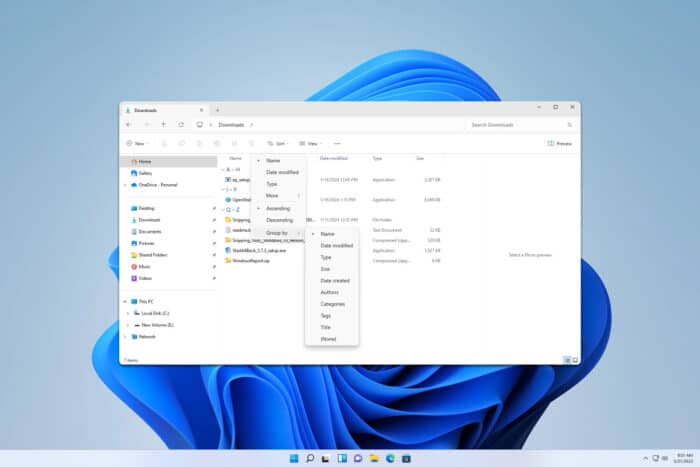
If you want to sort files and folders together on Windows 11, there are a few limitations that you should know about. To learn more, be sure to keep on reading.
How do I sort files and folders together on Windows 11?
1. Use Group by option
- Open File Explorer and go to the folder whose content you would like to sort.
- Right-click empty space and choose Group by. Now select the desired option.

- Alternatively, you can use the Sort by toolbar and select Group by option from there.

This isn’t the best option for sorting, but it will group both files and folders, allowing you to easily find the one you’re looking for.
2. Use third-party software
Windows doesn’t allow you to sort files and folders together, but this feature might be available in an alternative file manager, so be sure to try a few different alternatives and see which one works for you.
Unfortunately, when it comes to file sorting Windows is fairly limited, and if you want to sort files and folders together on Windows 11, your best option would be to use a third-party file manager.
This is because Windows groups folders and files separately, and this has been a design choice for years, and this remains in Windows 11.
To learn more about sorting, we have a great guide on how to sort files by size in Windows 11. Keep in mind that issues with sorting can appear, and many reported that File Explorer keeps resetting sort order, but we covered that issue in an earlier guide.
On a related note, users reported that sort by date modified is not working in Windows 11, but our latest article should help you fix that.

Read our disclosure page to find out how can you help Windows Report sustain the editorial team. Read more



Improve this guide


User forum
0 messages