
Windows Secure Boot Certificates Expire as PC Makers Issue Important BIOS Guidance


 4 min. read
  Published on
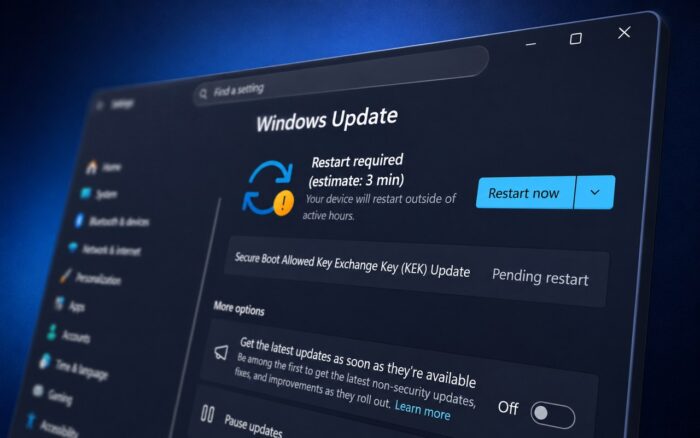
Microsoft’s original Secure Boot certificates are now expiring, prompting nearly every major PC manufacturer to publish support documentation explaining how customers can prepare for the transition. While the change affects low-level system security, most Windows users on supported devices are expected to receive the necessary updates automatically.
Secure Boot is a UEFI firmware security feature that verifies trusted software before Windows starts. Microsoft is replacing the original 2011 certificates with newer 2023 certificates through Windows Update, although some PCs also require BIOS or firmware updates from their manufacturers to complete the transition.
Microsoft is replacing certificates in stages
The Secure Boot certificate transition follows a phased schedule:
- Microsoft Corporation KEK CA 2011 expired on June 24, 2026.
- Microsoft UEFI CA 2011 expired on June 27, 2026.
- Microsoft Windows Production PCA 2011 will expire on October 19, 2026.
Microsoft began distributing replacement 2023 certificates well before the deadlines, pushing them through Windows Update to eligible Windows 10 and Windows 11 systems. However, installing the new certificates also depends on firmware support from PC manufacturers, as Windows Latest writes.
For most home users, the process should happen automatically. Microsoft says supported devices with the latest cumulative updates installed are expected to receive the new certificates without requiring manual intervention.
PC makers publish dedicated support pages
As the certificate deadlines arrived, major OEMs, including HP, Dell, ASUS, Lenovo, MSI, Acer, Samsung, LG, and Microsoft Surface published guidance explaining how customers can verify whether their devices have received the update.
ASUS says most consumer systems receive the certificates through Windows Update, while commercial customers can review supported device lists and use Windows event logs to confirm successful installation.
Lenovo released one of the most comprehensive support resources, organizing BIOS downloads by product family and providing direct firmware links for supported systems. Dell also published detailed documentation, but confirmed that devices reaching End of Service Life before January 1, 2026, will not receive BIOS updates for the Secure Boot transition.
HP separates its guidance between consumer and commercial PCs. Consumer devices generally receive the certificates automatically through Windows Update, while commercial models require minimum BIOS versions before Windows can apply the new certificates.
HP also advises customers to ensure they have the latest corrected BIOS versions installed, as some early 2026 firmware releases caused BitLocker recovery loops and boot failures on certain systems.
Some systems still require BIOS updates
Microsoft Surface devices that remain within their support lifecycle receive the certificates through Microsoft’s regular Windows and Surface firmware updates.
MSI says older laptops based on Intel 7th through 11th Gen processors or AMD Ryzen 3000H to 5000U platforms generally receive the update through Windows Update. Newer Intel 12th Gen and AMD Ryzen 5000H-and-newer systems require BIOS updates before the certificate installation completes.
Acer has published a model-by-model compatibility table showing which desktops and laptops already have BIOS updates available and which remain under development. Some older Acer systems currently display warning indicators because compatible firmware has not yet been released.
Samsung notes that Windows 10 and Windows 11 computers will continue working after the 2011 certificates expire. However, devices that never receive the updated certificates may stop receiving future Secure Boot-related protections and boot-level security improvements.
LG similarly recommends checking Windows Security first and installing any available BIOS updates if Windows Update cannot complete the process automatically.
Windows Security now reports certificate status
Microsoft has made it easier for users to verify whether the transition has completed.
Windows Security now displays Secure Boot certificate status using green, yellow, or red indicators. Windows 10 also gained this reporting feature through the May 2026 KB5087544 update, allowing users to quickly determine whether additional action is needed.
Some computers may restart multiple times while Windows stages the updated certificates into firmware. Microsoft also notes that the new SecureBoot folder created during the installation process is part of the update and should not be removed.
What users should do
Most people running supported Windows 10 or Windows 11 systems with June 2026 security updates installed have likely already received the Secure Boot certificate refresh.
Users who own older hardware or have not installed recent Windows updates should:
- Install the latest Windows updates.
- Open Windows Security and check the Secure Boot status.
- Install any available BIOS or firmware updates from their PC manufacturer.
- Back up their BitLocker recovery key before applying firmware updates.
Systems that remain unsupported or no longer receive BIOS updates may continue operating normally, but they could eventually miss future Secure Boot protections and other boot-level security improvements.

Read our disclosure page to find out how can you help Windows Report sustain the editorial team. Read more



Improve this guide




User forum
0 messages