
Chrome Tests Gemini "Try It On" Shopping Prompt and Settings Page
Google's virtual try-on tool may be getting a shortcut in Chrome, with a new prompt and Settings page appearing in the latest Canary build.


 2 min. read
  Published on
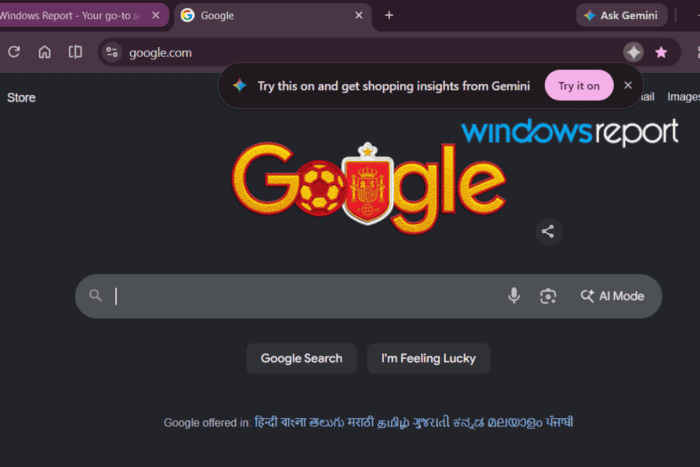
Google may be preparing deeper integration between Chrome and its Gemini-powered virtual try-on feature. In Chrome Canary, we spotted a “Try this on and get shopping insights from Gemini” prompt in the address bar while browsing, alongside a new “Try it on” page in Chrome Settings.
The new Settings entry appears under “AI in Chrome,” where Chrome describes it as a way to “manage the photo Google uses to produce your try-on looks.” Google’s existing Try On feature lets shoppers upload a selfie to generate AI-created previews of how supported apparel might look on them, and that photo can be reused for future sessions.
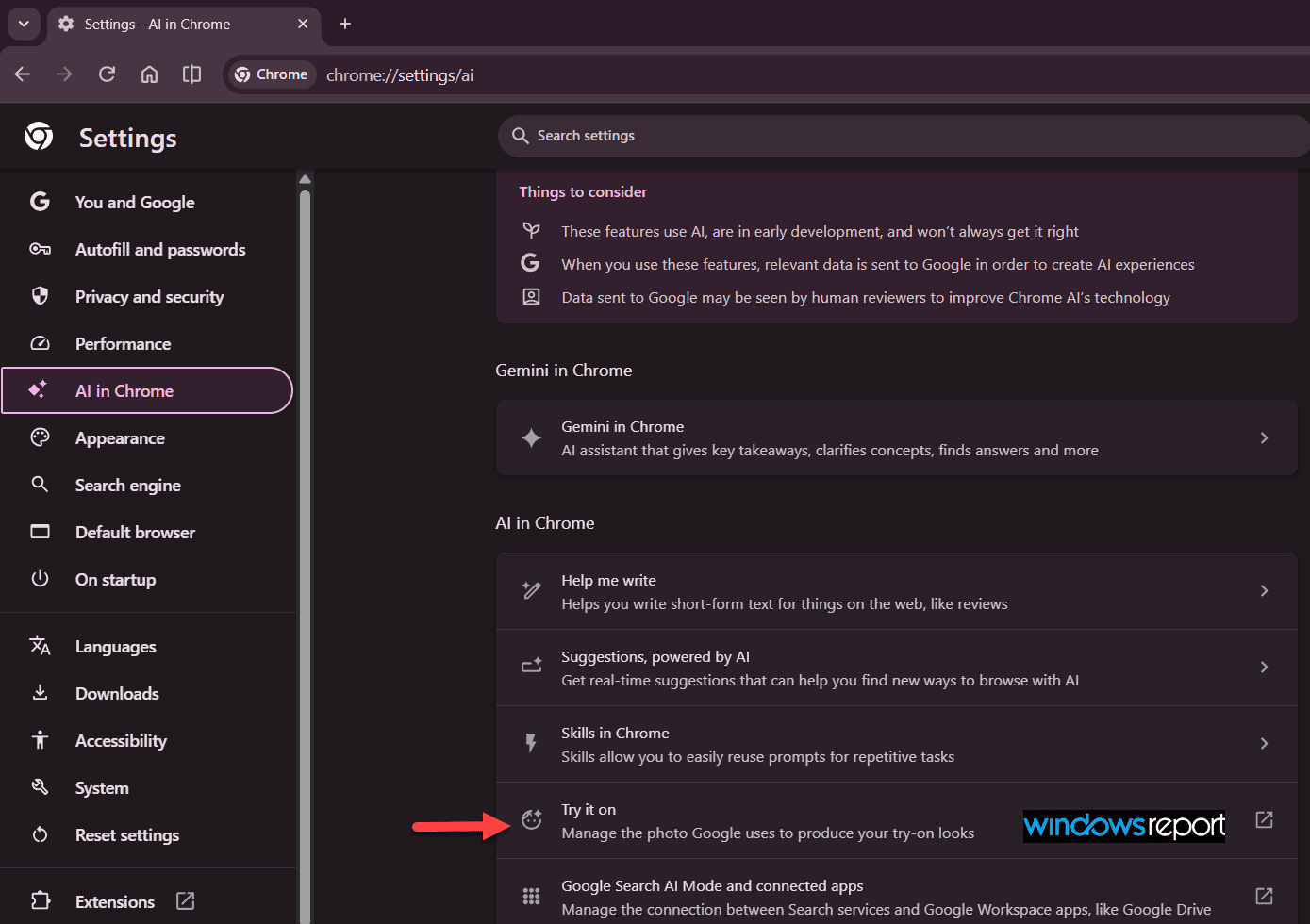
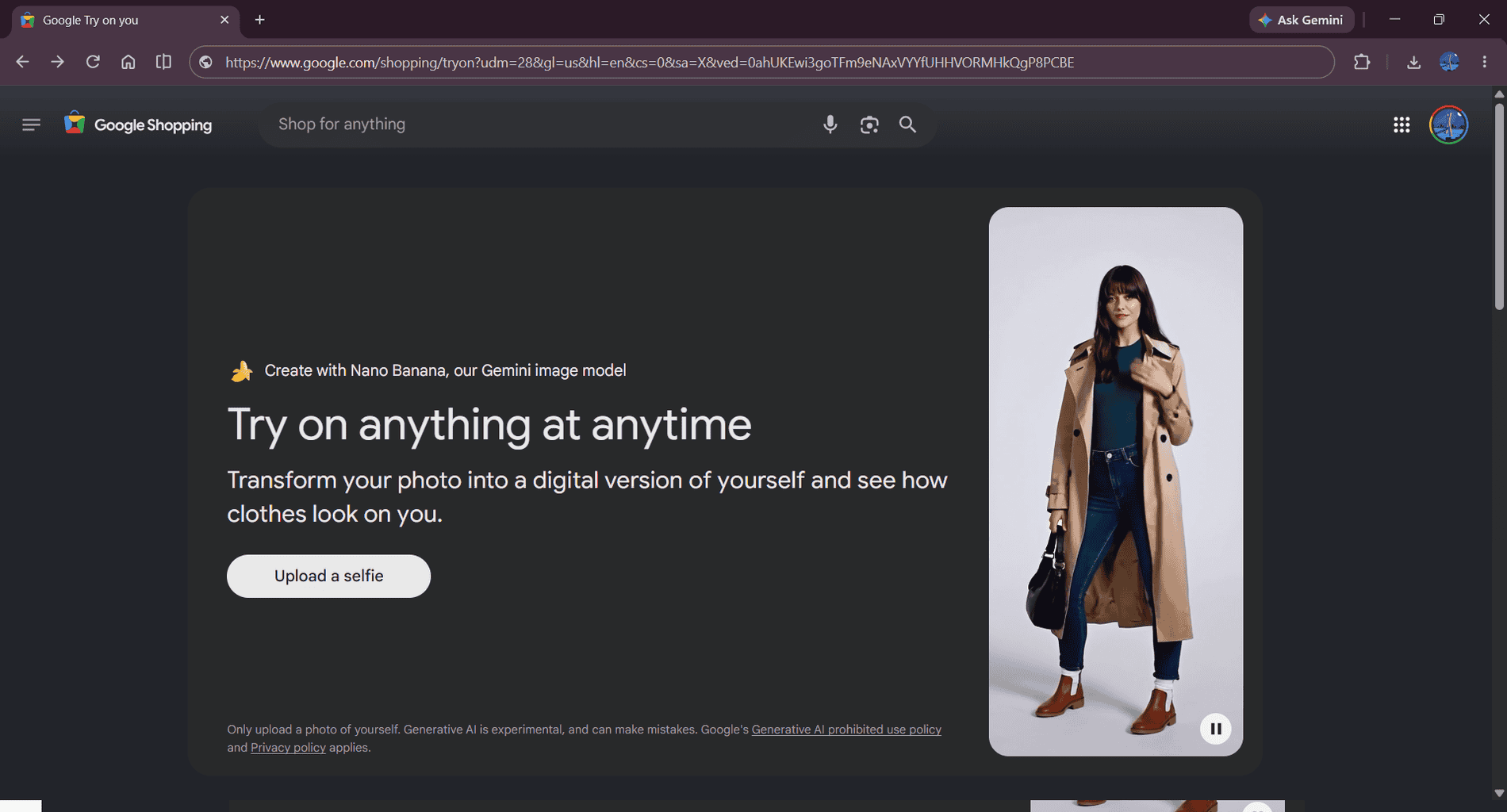
The browsing prompt appears to reference the same feature. Chrome displays the option while users browse, and the Settings page includes an external link to Google’s Shopping site, where Nano Banana, Google’s Gemini image model, creates a digital version of the user for virtual try-ons.
In our testing, however, that link currently opened an about:blank page instead of launching the feature.
Google first rolled out AI-powered virtual try-on in Shopping using real models, then let users upload their own photos instead. The new prompt and Settings page point to Chrome testing direct access to Google’s virtual try-on feature.
There’s no indication yet of when, or if, these changes will make their way to the stable version of Chrome.
Chrome’s “AI in Chrome” settings section has gained several new entries in recent Canary builds, including controls for AI Suggestions and connected apps. The new Try it on page adds a dedicated place to manage another Gemini feature.


Read our disclosure page to find out how can you help Windows Report sustain the editorial team. Read more



Improve this guide

User forum
0 messages