
Windows Terminal Settings UI May Soon Get Major Revamp; Check Mockups Here


 2 min. read
  Published on

Microsoft is looking to revamp the Windows Terminal settings’ UI, with mockups shared on GitHub hints at a cleaner, more intuitive experience for both new and power users. The company has shared images from user research sessions, showing redesigned layouts, smarter groupings, and tweaks aimed at reducing clutter while keeping options accessible.
As seen in the mockups, settings are moving to a dedicated window by replacing the in-app panel, giving users a clearer view of categories like Startup, Interaction, Personalization, and Compatibility (via Neowin). In addition, toggle switches are being swapped for checkboxes, and explanatory text under each setting remains for newcomers who appreciate extra guidance.
The startup section is getting grouped controls for launch behavior and system defaults, while interactions now include clipboard, text selection, and layout options. Additionally, personalization tweaks promise more visual clarity, though some elements, like profile appearance, still have open questions. Moving on, compatibility and rendering sections are being consolidated, with “reset to defaults” retained as a safety net for cautious users. Here are some of the mockups the team has shared:
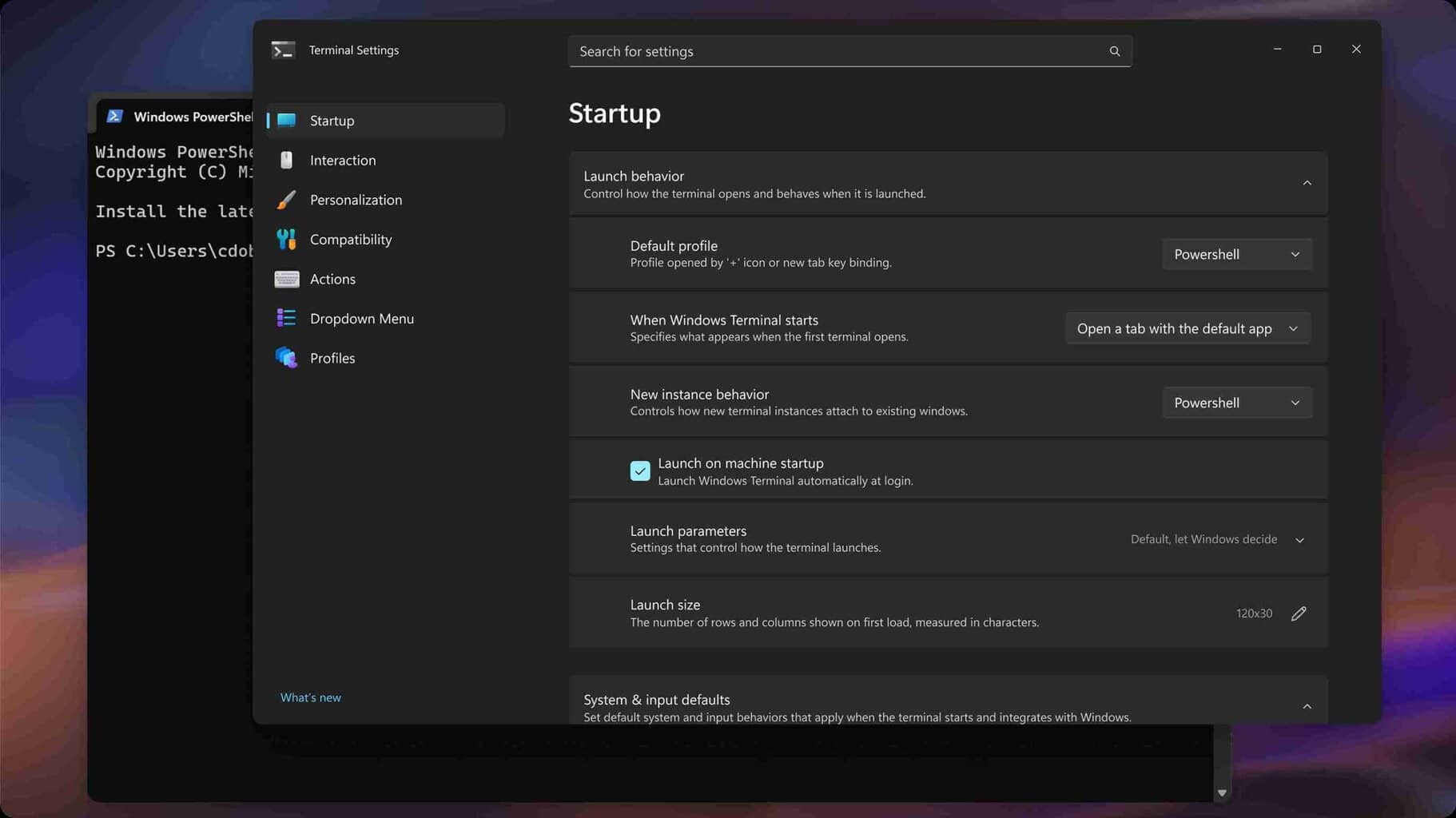
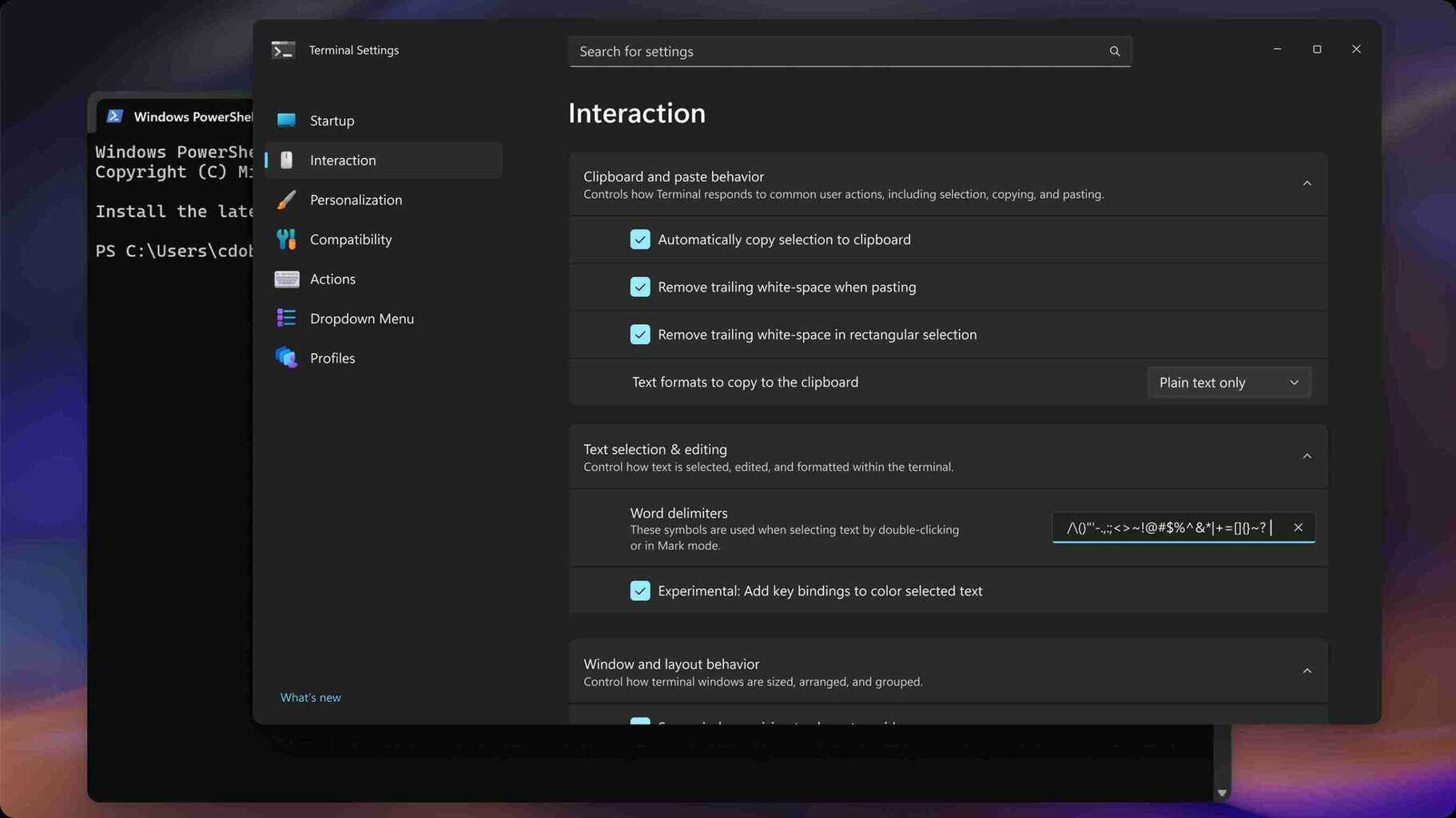
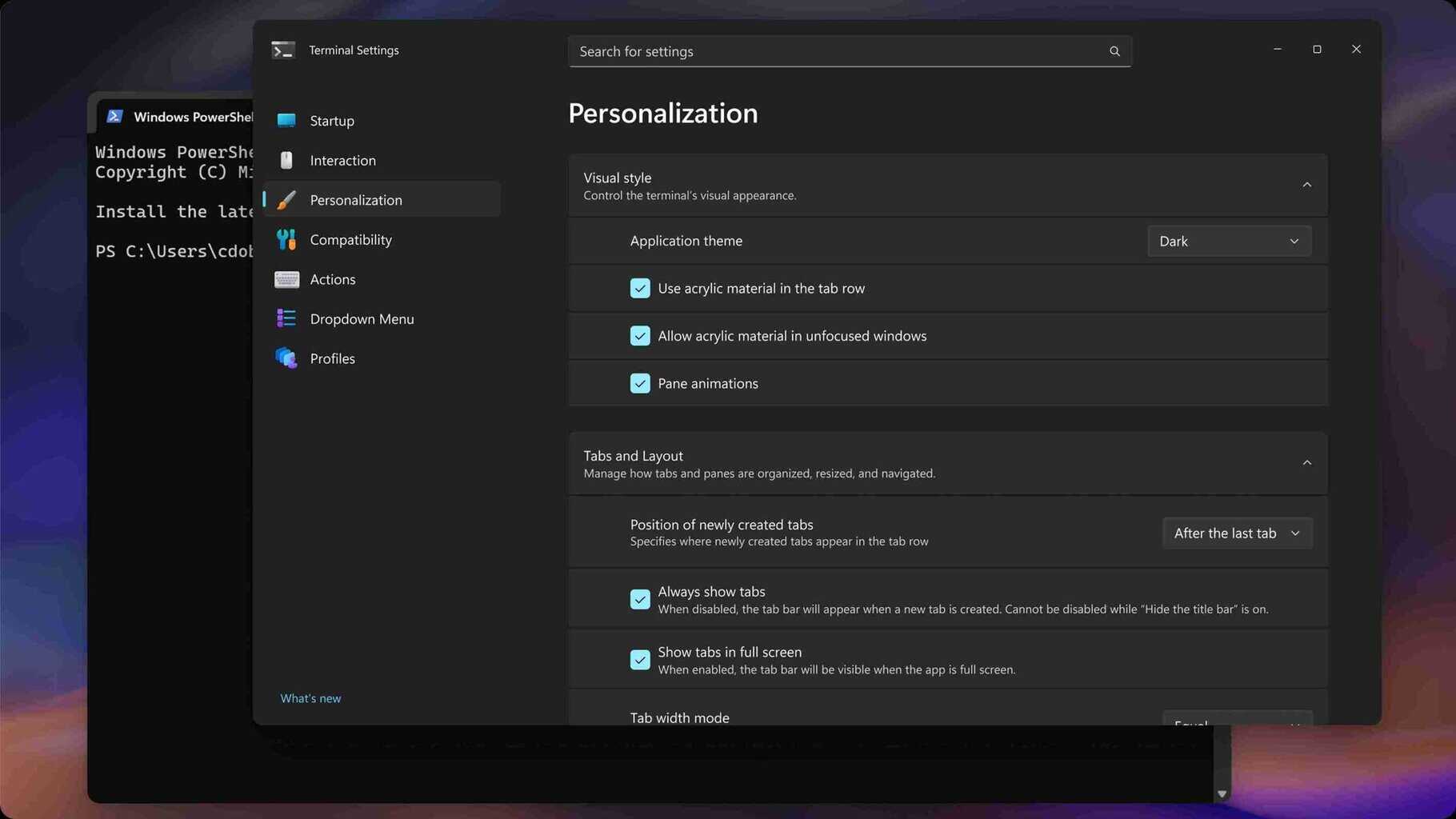
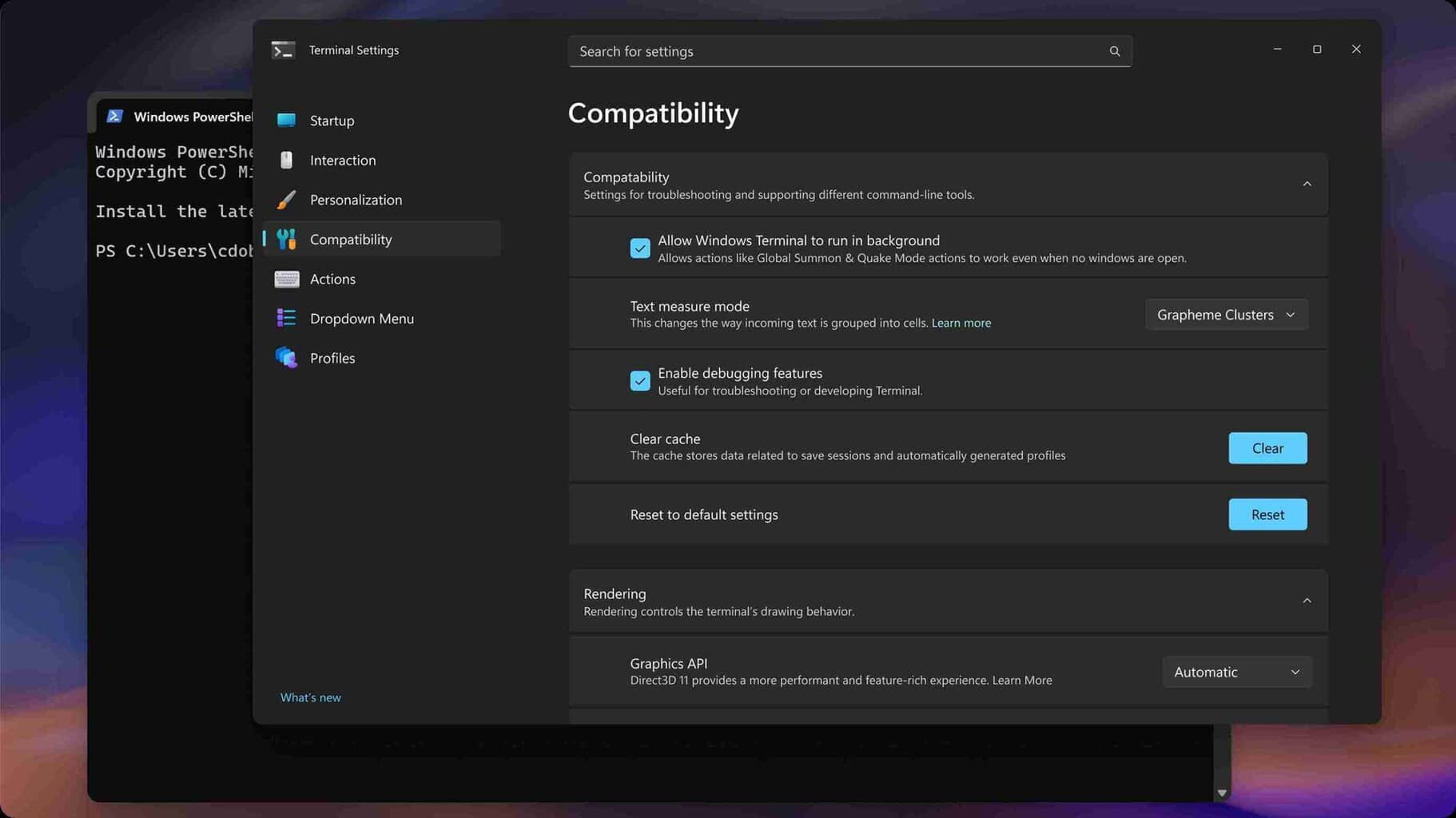
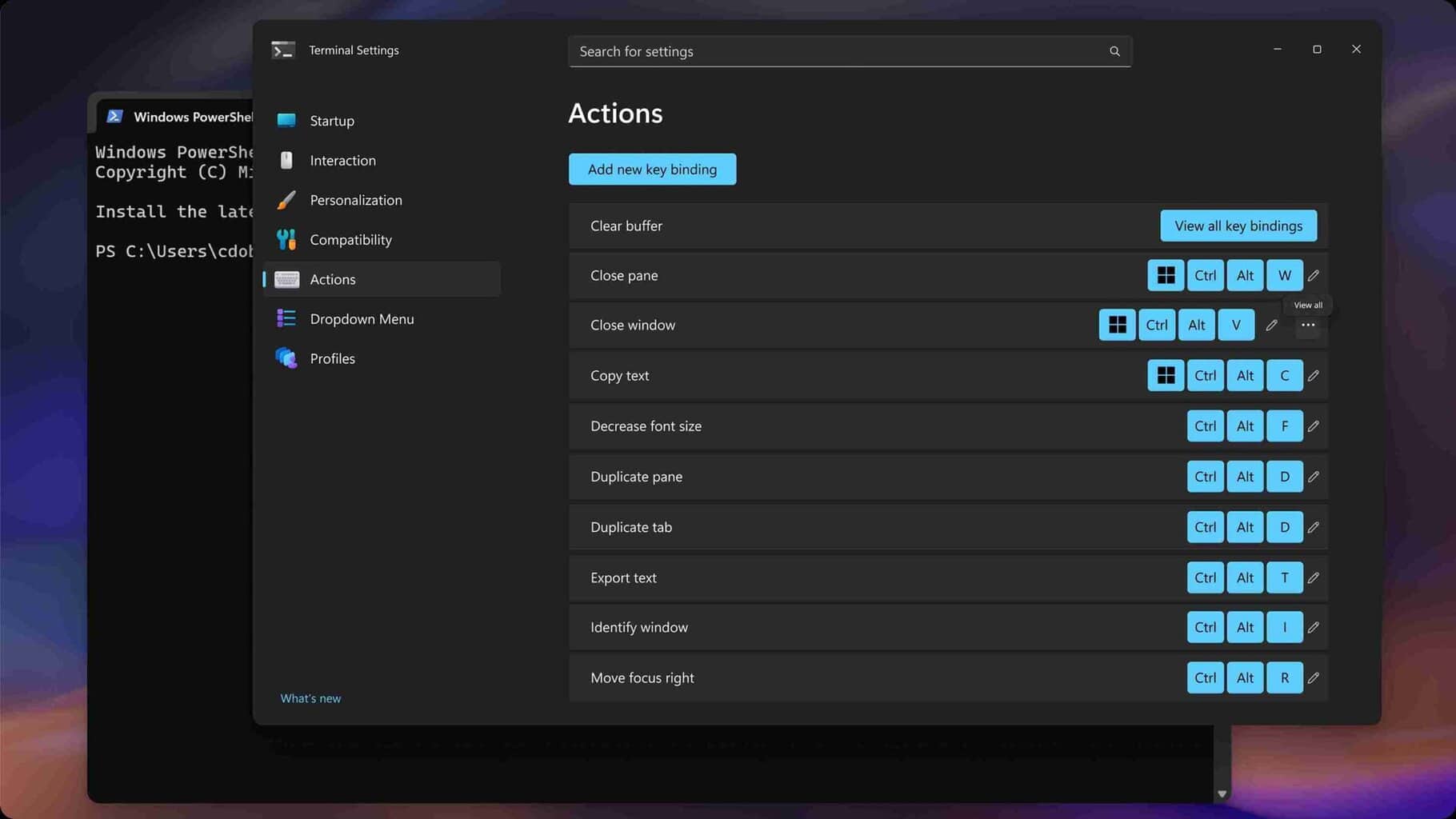
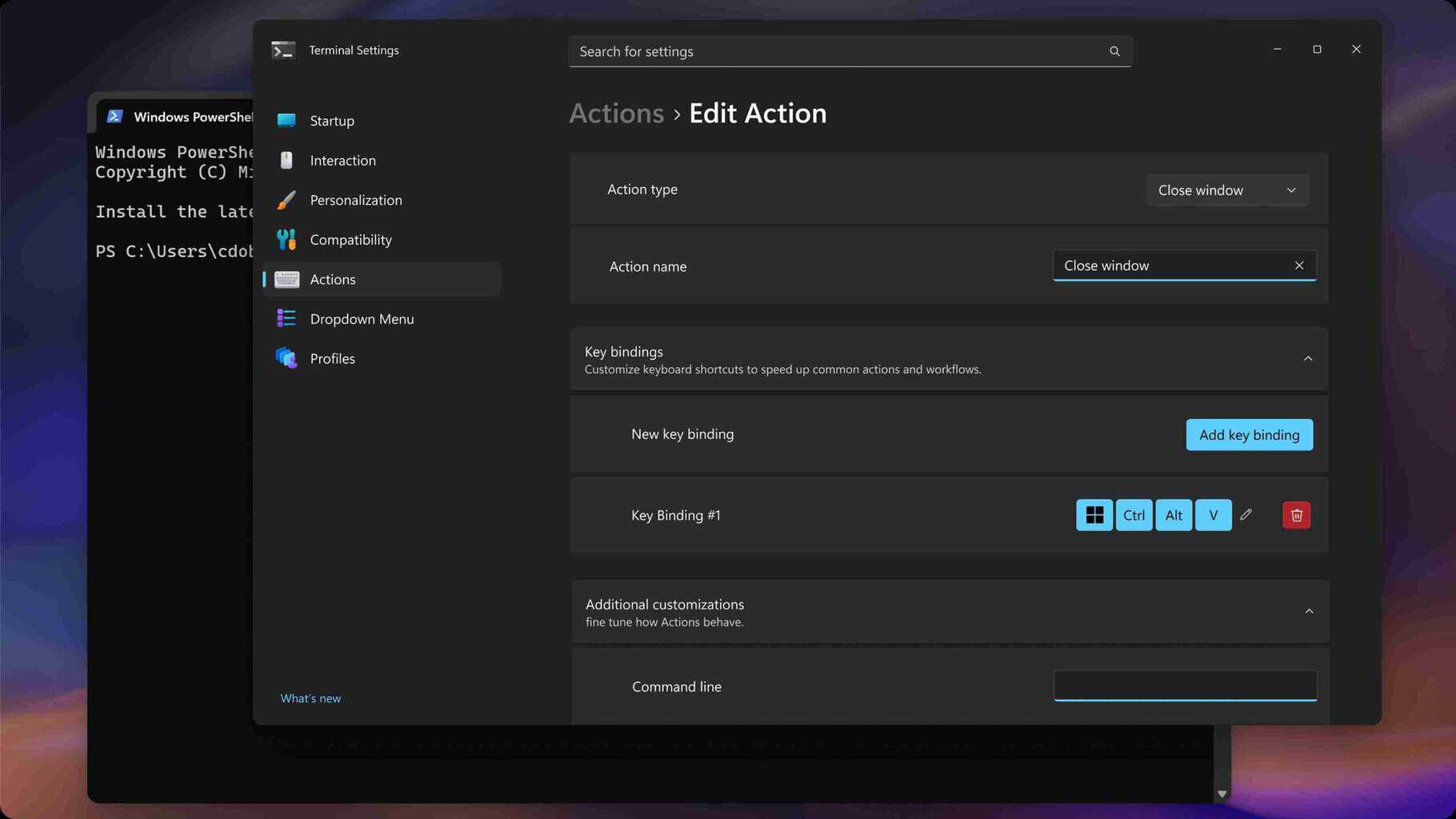
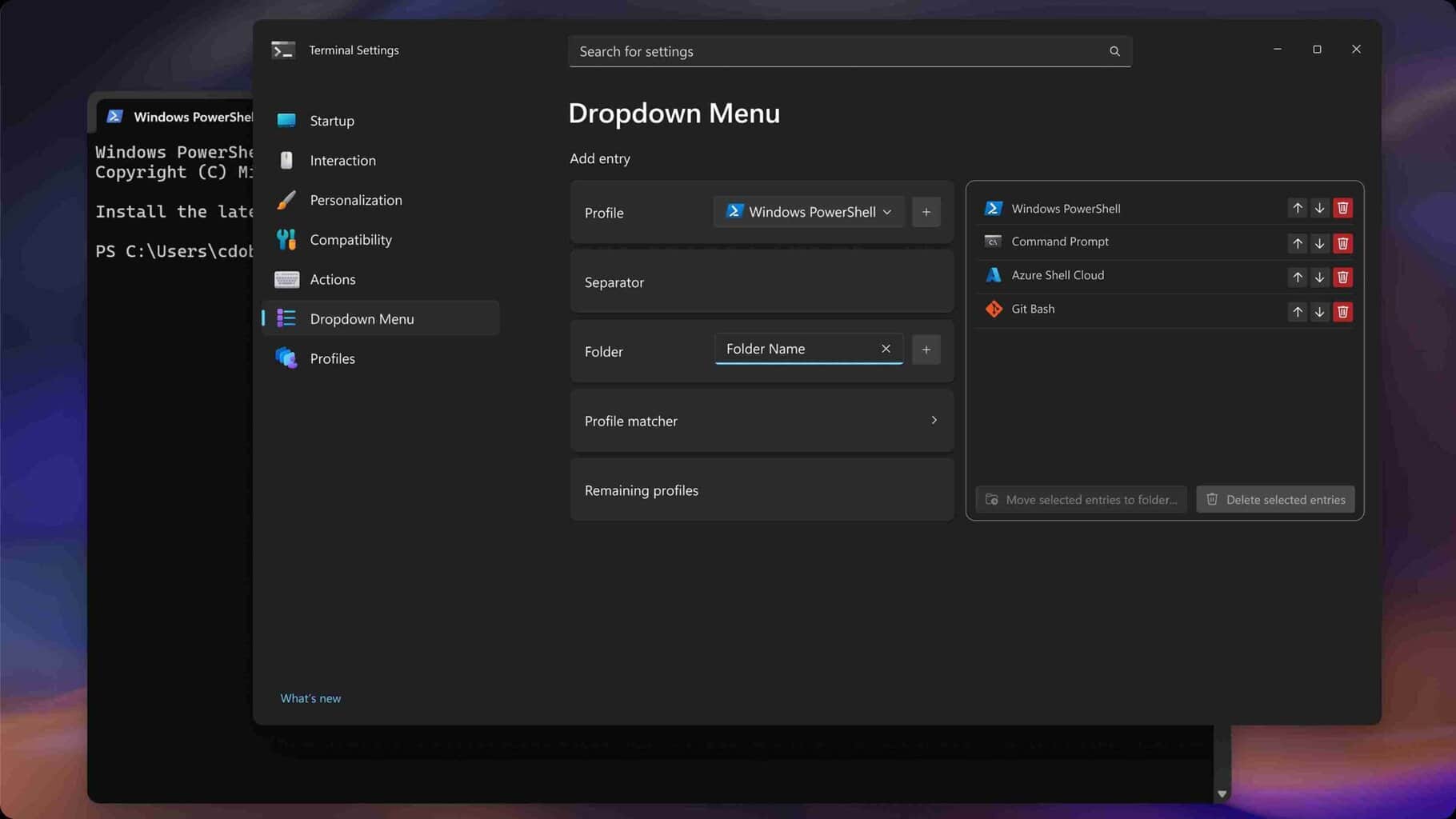
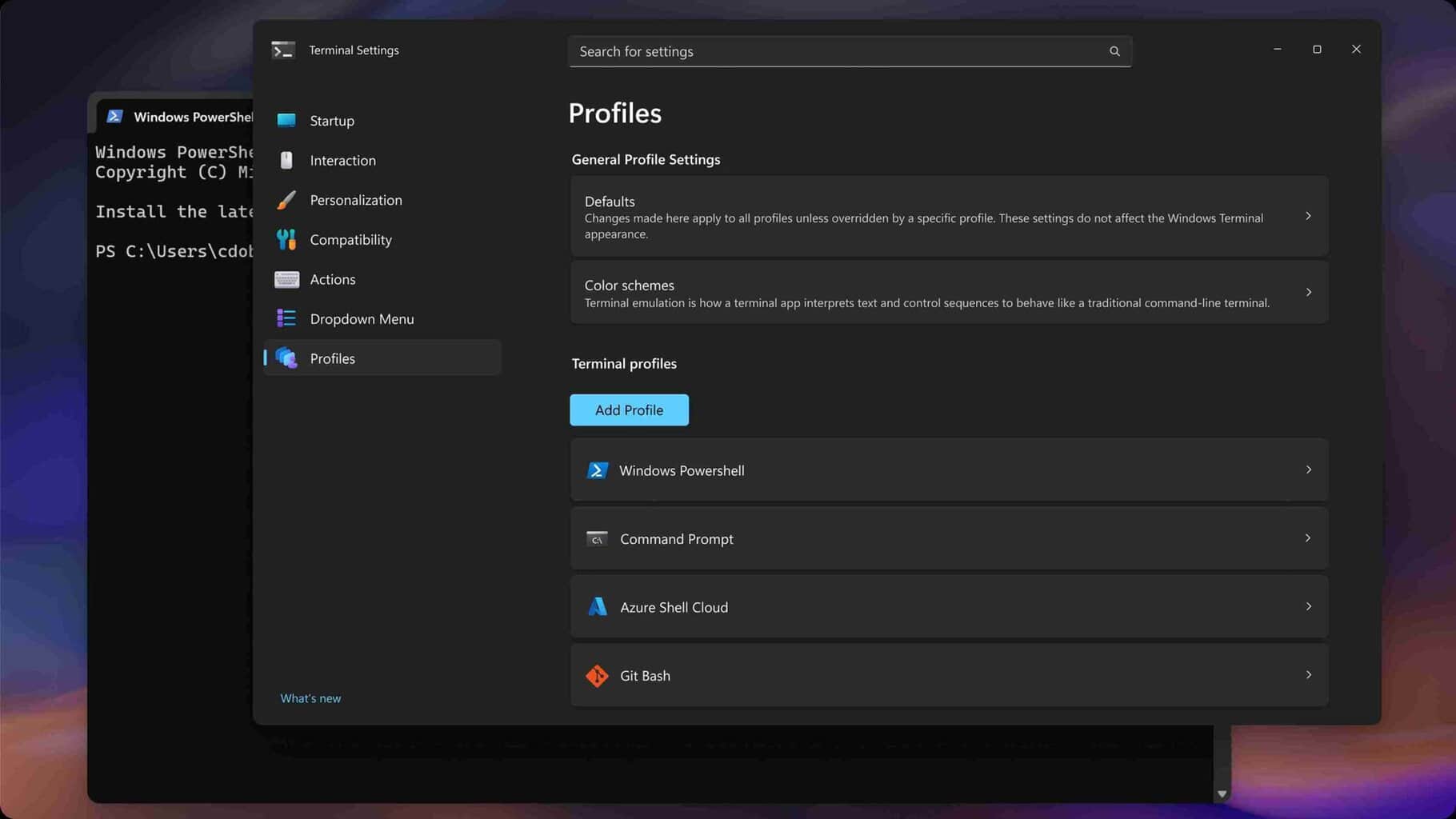
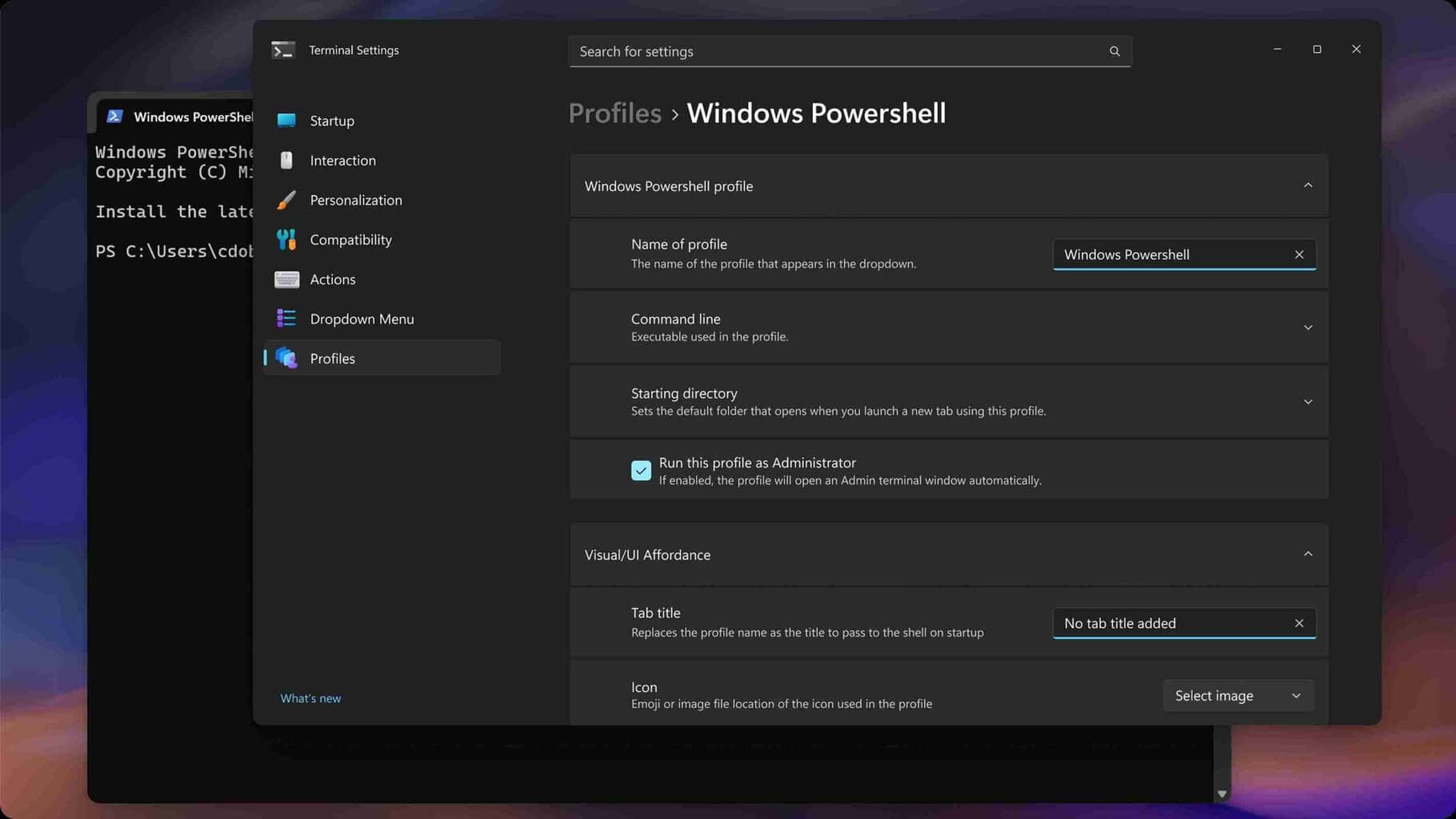
Image credit: Microsoft
Apart from those, key bindings and actions are getting attention too. Users can preview shortcuts more clearly, with options for single key display or a “…” menu to see all bindings. The dropdown menu replaces the old “new tab menu,” and previews are now moved to the right side, following positive feedback. Profiles pages are also being cleaned up, with defaults, color schemes, and individual profiles easier to navigate, while dynamic profiles and customization remain a focus.
Microsoft is still testing some ideas and asking for feedback. The mockups hint at a careful consideration of both novice and experienced users, keeping auto-save as the default while adding indicators for confidence. From the looks of it, Windows Terminal looks to simplify the settings experience without stripping power away from advanced users. If Microsoft manages to push these changes, it would complement the recent update for Windows Terminal which added extensions page, and faster performance.

Read our disclosure page to find out how can you help Windows Report sustain the editorial team. Read more



Improve this guide




User forum
0 messages