
YouTube Search Filters Not Working? Here's Why & How to Fix It


 3 min. read
  Published on
YouTube search filters are a great way to personalize your video search, but when they’re not working, it can be quite frustrating. That’s especially true when the “Today” or “This week” YouTube search filter still returns older or unrelated videos. If you are encountering YouTube filter issues, this guide will walk you through every possible step to fix it.
How to fix YouTube search filter when it’s not working properly
1. Check if YouTube is down
If YouTube isn’t working due to server outage or any other reason, its search and filter features don’t work as intended.
However, search filters often fail or behave strangely even when the site is online due to platform updates, bugs, or removed sorting options. If the outage isn’t the case, make sure to check the following methods.
2. Check YouTube’s current filter layout
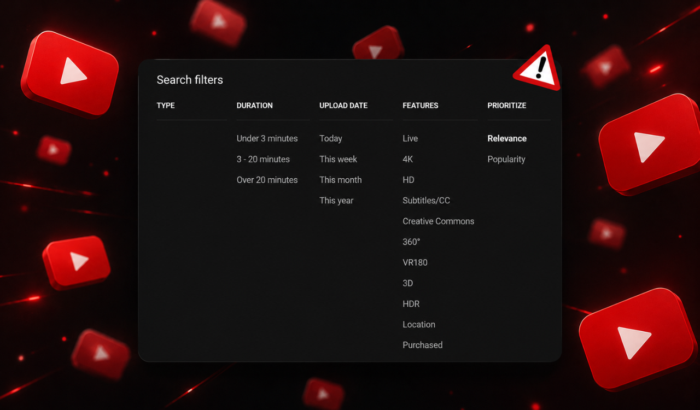
YouTube changed its search system in January 2026. The company renamed “Sort by” to “Prioritize” and introduced dedicated Shorts filtering, so some older guides no longer match the current interface.
- Search for something on YouTube.
- Open Filter on the results page.
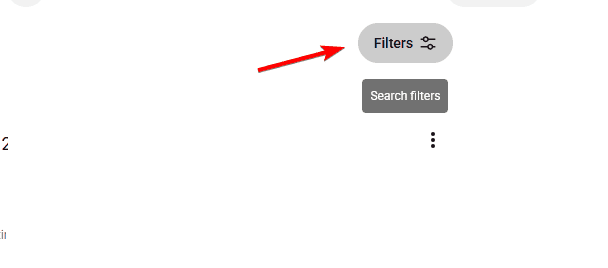
- Check Type, Upload date, and other available options.
- If an expected sorting option is missing, it may have been removed rather than broken.
3. Restart and update YouTube
A temporary app or browser problem can also trigger YouTube search filter issues. Here’s what you can do:
- Completely close YouTube.
- Reopen it and perform a fresh search.
- Install any available YouTube update.
- If using a browser, try a private/incognito window.
In most cases, this should resolve the issue when the YouTube search filter isn’t showing the videos you’re interested in.
4. Test YouTube Search filter on another browser or device
If YouTube search filters work elsewhere, the problem is probably local to your browser or app. You should consider disabling extensions temporarily, especially ad blockers, then test YouTube again. Some Reddit users have reported filter problems that changed depending on their browser or extensions.
Why are YouTube search filters not working or grayed out?
Mostly, the issue is related to YouTube interface changes. But, if YouTube search filter issues are only bothering you and not others around, it’s most likely related to temporary bugs, corrupted cached app data, browser extensions, and changes to how YouTube ranks search results. Importantly, YouTube officially confirms that its search filters have been redesigned.
Summing up
That’s all we have for fixing YouTube search filters not working! If search filters still behave strangely, try searching without them and using more specific keywords. YouTube’s search system itself may be responsible.
This isn’t the only issue, and sometimes users can’t click on YouTube videos or might get Something went wrong. We also covered what to do if YouTube is not working on Firefox in another guide.
FAQs related to YouTube search filters issues
1. Is YouTube currently down, or is it just me having search filter issues?
If YouTube search work but filters produce bad results, it may be a YouTube search issue rather than a server outage.
2. Will clearing YouTube data to fix search filters issues delete my account?
No. Clearing local app data does not delete your YouTube account.
3. Why do YouTube search filters fail on Wi-Fi but work on cellular data?
A network, DNS, VPN, or filtering service may be interfering.
4. How long do YouTube’s server-side bugs take to fix?
There is no guaranteed timeframe. YouTube may resolve widespread problems through a backend update.

Read our disclosure page to find out how can you help Windows Report sustain the editorial team. Read more



Improve this guide



User forum
0 messages