
Chrome tests a visual guide to help users set it as the default browser on Windows
A new guided experience walks users through the exact steps to make Chrome the default browser on Windows.


 2 min. read
  Published on
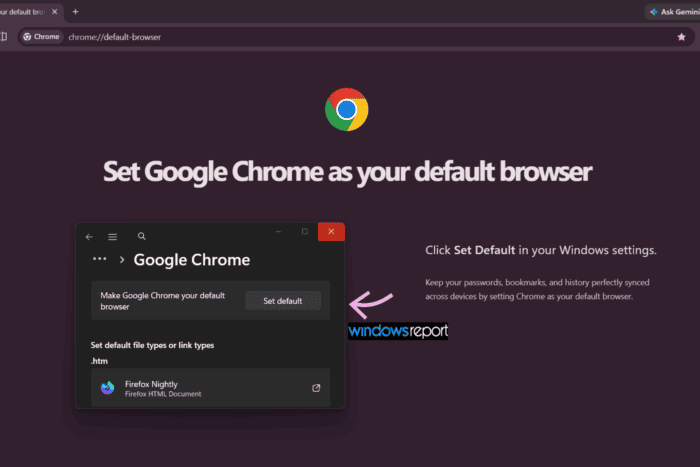
Google is testing a new visual guide on the chrome://default-browser page to make it easier for Windows users to set Chrome as their default browser.
Every browser wants users to keep it as their primary choice, and Chrome is no exception. We’ve already seen several efforts by Chrome to entice users to set it as their default browser, through promotional screens and messages, despite Chrome being the dominant browser in the market.
Today, clicking “Make default” in Chrome opens the Windows Default Apps page where users can complete the change. During testing on Windows 11, however, clicking Make default in Chrome’s Default browser settings opened a new chrome://default-browser page, part of what the company calls its Visual Guided Setter experience.
The page suggests “Set Google Chrome as your default browser,” with the instruction to “Click Set Default in your Windows settings.” Below that, it notes: “Keep your passwords, bookmarks, and history perfectly synced across devices by setting Chrome as your default browser.”
Chrome is preparing an experience that visually presents the Windows Default Apps page within the guided flow, allowing users to see the exact button they need to click. Google has also prepared a fallback screen for cases where the Windows Settings page cannot be displayed. It holds the same spot in the layout with a note that settings will appear there, along with a link to open Windows Settings directly.
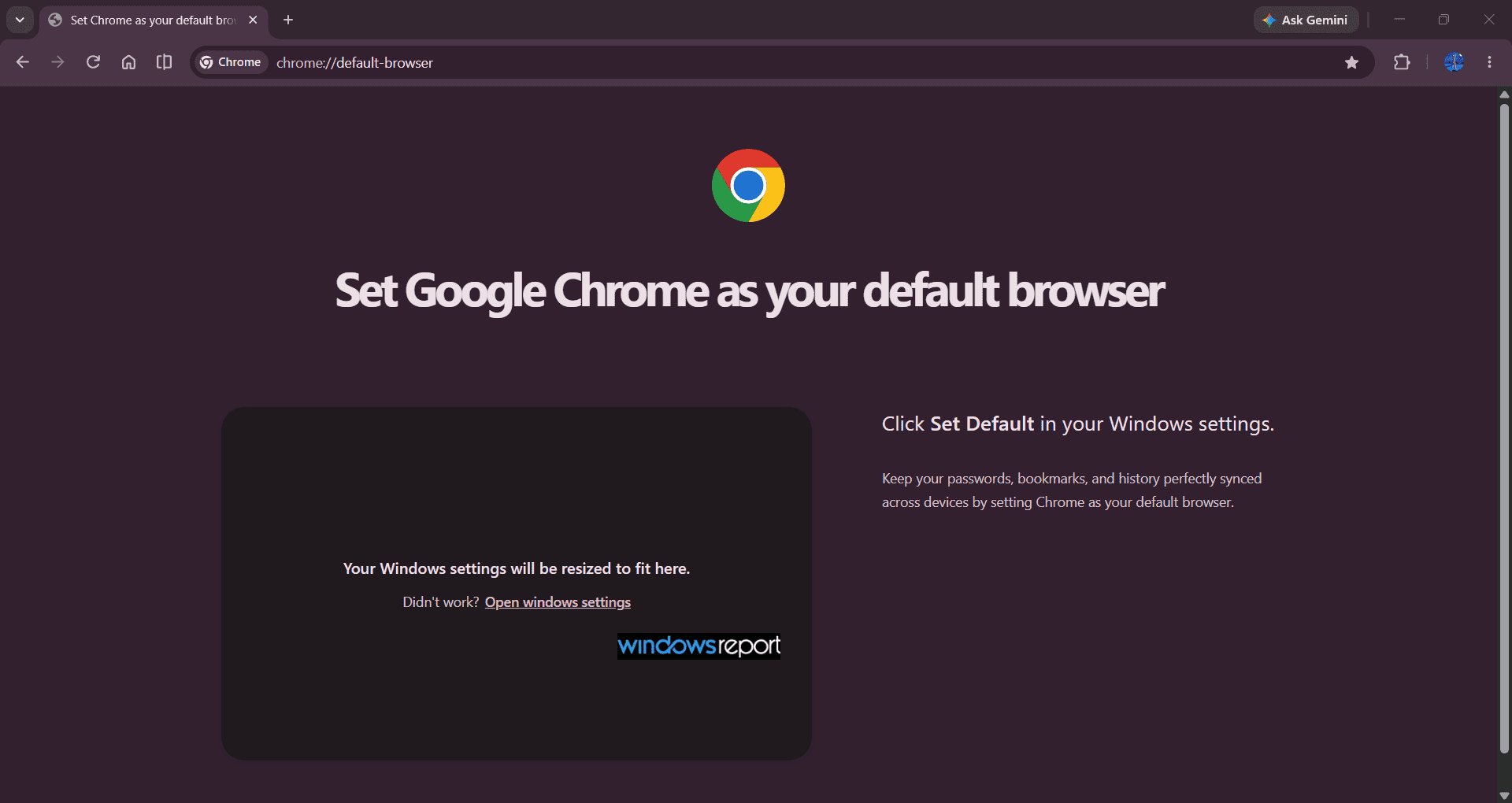
The feature goes beyond displaying instructions. Instead of directing users to Windows Settings and leaving them there, Chrome guides users to the final action required to make the browser the default choice on Windows.
It’s not clear yet whether Google plans to surface this experience through a notification or prompt, or whether it will simply appear the next time users click Make default in Chrome’s settings. That’s the part still worth watching as this feature moves toward a wider rollout.


Read our disclosure page to find out how can you help Windows Report sustain the editorial team. Read more



Improve this guide




User forum
0 messages