
Chrome tests Windows 11 alerts after default browser changes
Chrome is testing native Windows notifications that alert users when the default browser changes.


 2 min. read
  Published on
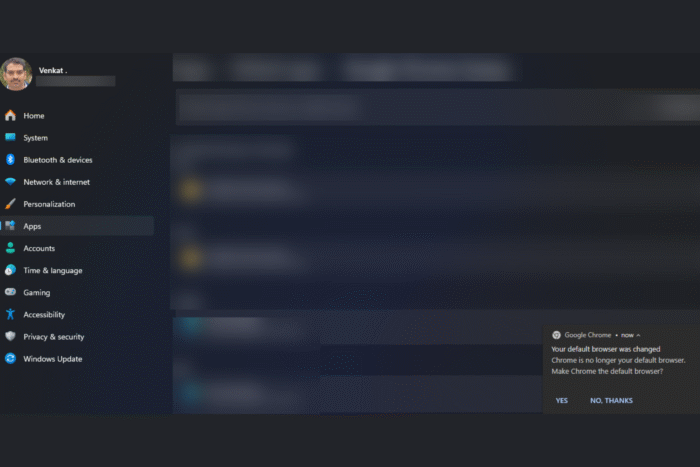
Google is testing native Windows 11 notifications to alert users when Chrome loses default browser status. This goes beyond the infobar and brings the prompt into Windows.
Chrome has long relied on an infobar inside the browser to ask users to set it as the default. Google is now testing a different method. The message can reach users even when Chrome is closed. That makes default browser changes more noticeable.
“Chrome is no longer your default browser” Windows notification
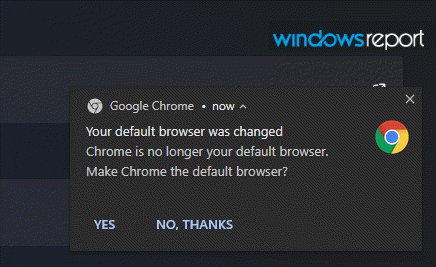
During the test, Windows 11 delivered a toast with this message:
“Your default browser was changed. Chrome is no longer your default browser. Make Chrome the default browser?”
The alert is delivered through the Windows notification system, not inside Chrome.
Default browser settings often change after app installs, system changes, or resets. Many users only notice later, when links start opening in another browser.
Google has been testing how Chrome handles default browser messaging over time. Recently, we reported that Chrome started thanking users after they set it as the default browser. It also added a message that explains users can open links from apps, documents, and messages in Chrome once it becomes the default.
Browsers such as Edge and Firefox already prompt users to set them as the default browser, usually through messages inside the app. Edge has even used Windows itself, including the Settings app, to promote default browser changes in the past.
Chrome’s test is different because it uses a native Windows notification instead of limiting the prompt to the browser window.
Chrome detects when users change the default browser and now responds with a Windows notification that offers a quick option to set Chrome as the default again. Google is currently testing this behavior in Chrome Canary.
That’s not all. Chrome could make it easier to ask AI about webpages with Lens and bring back the flag to enable the Windows 11 Mica effect in the title bar.


Read our disclosure page to find out how can you help Windows Report sustain the editorial team. Read more



Improve this guide
User forum
0 messages