
Windows 11 26H1 KB5101681 Improves Voice Typing and Touchpad Controls


 3 min. read
  Published on
Windows 11 26H1 update KB5101681 is now available as an optional preview update, bringing voice access improvements, networking fixes, and better support for local AI models.
Microsoft has released KB5101681 for Windows 11 version 26H1, raising the operating system build number to 28000.2608.
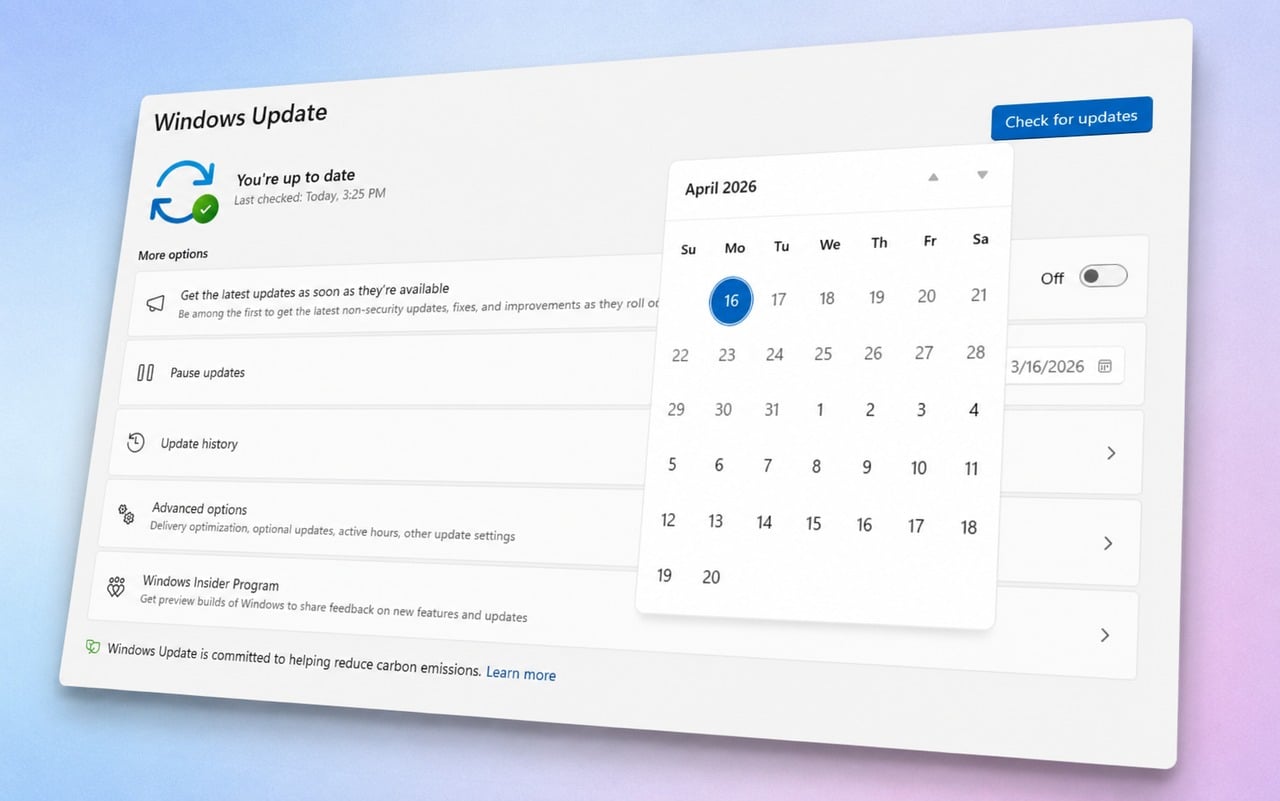
The update also introduces an Update Pause Calendar and Better Widgets. Microsoft is gradually rolling out many of the changes, so they may not appear on every device immediately.
Voice access and voice typing support more languages
Voice access and voice typing now support French, German, and Spanish.
Windows can also improve dictated text in real time by correcting grammar, punctuation, recognition errors, and clarity. Microsoft improved recognition in environments with background noise as well.
These features previously appeared in a recent Windows 11 26H1 Release Preview.
Touchpad and handwriting improvements
Users can now customize the size of the touchpad right-click zone on devices with pressable touchpad surfaces.
A Custom option may appear when the device manufacturer supplies its own configuration. Microsoft previously tested the feature in Release Preview builds 26100.8728 and 26200.8728.
The update also improves Japanese handwriting recognition when entering English characters.
Networking and VPN reliability fixes
Confidential Virtual Machines now use SR-IOV hardware acceleration by default, which should improve network performance in virtualized environments.
Microsoft also fixed a nested Hyper-V networking problem that could prevent reliable virtual machine provisioning.
KB5101681 reduces blue screen errors connected to Wi-Fi power management and improves cellular connectivity, including support for IPv6 VPN connections.
The update also improves compatibility with third-party VPN software and server SR-IOV configurations. Windows should now preserve network adapter settings and bindings more reliably during operating system upgrades.
Windows Subsystem for Linux should also work more reliably with VPNs when using mirrored networking mode.
Printing, audio, and display changes
New printers now use the Internet Printing Protocol by default when supported. This change should simplify printer installation and improve reliability.
Microsoft improved the reliability of the built-in HD Audio driver.
The update also addresses scrolling problems in applications spanning multiple monitors. Color profiles should apply more reliably and remain active more consistently.
Taskbar and File Explorer reliability improvements
The Start menu should now open more reliably when users click the left edge of the taskbar while using left-aligned icons.
Microsoft improved explorer.exe reliability and fixed several Windows interface issues, including:
- Blank grey taskbar icons
- File Explorer Home problems during OneDrive synchronization
- Issues when switching between virtual desktops
- Problems launching applications that use shell extensions
- Acrylic blur problems in Start, Settings, and the lock screen
- Third-party credential provider issues on login and lock screens
Microsoft also updated the dialog used to enable Remote Desktop.
Location, Search, and shutdown changes
Windows now greys out some location settings when location services are disabled. These include Default location and Allow location override.
The change makes it clearer that these settings cannot apply while location services remain turned off.
Microsoft also improved the reliability of Search-related group policies.
Background Intelligent Transfer Service should now shut down faster when users turn off their PCs.
PCs with more than 32GB of RAM can run larger AI models
Microsoft updated graphics kernel memory management for computers with more than 32GB of RAM.
The change allows these systems to run larger local AI models by making additional memory available for graphics and AI workloads.
KB5101681 also fixes an issue where some applications and installers displayed unexpected User Account Control prompts after users installed KB5089549.
In other news, Microsoft has released a Windows 11 Insider Preview Build that adds Voice Isolation to the Experimental Channel.

Read our disclosure page to find out how can you help Windows Report sustain the editorial team. Read more



Improve this guide



User forum
0 messages