
Chrome Could Soon Restore Tabs on Its Own After a Crash — So You Don’t Have To
Instead of the old crash popup, Chrome Canary now restores tabs automatically and shows a lightweight infobar at the top of the window.


 2 min. read
  Published on

After adding clipboard permissions to Safety Check, Google is testing a new way to handle session restore prompts in Chrome Canary.
Until now, when Chrome was closed unexpectedly, the browser reopened with a New Tab Page and a popup that said: “Restore pages? Chrome didn’t shut down correctly.” Users had to click Restore to bring their previous session back.

Chrome’s new Session Restore Infobar
In Canary, Google is experimenting with replacing that popup with a “Session Restore Infobar”. Instead of waiting for user action, Chrome now restores tabs automatically and shows a slim banner at the top of the window.
The message reads: “Continue where you left off: Chrome restores your tabs every time you restart. To turn this off, go to Settings.”
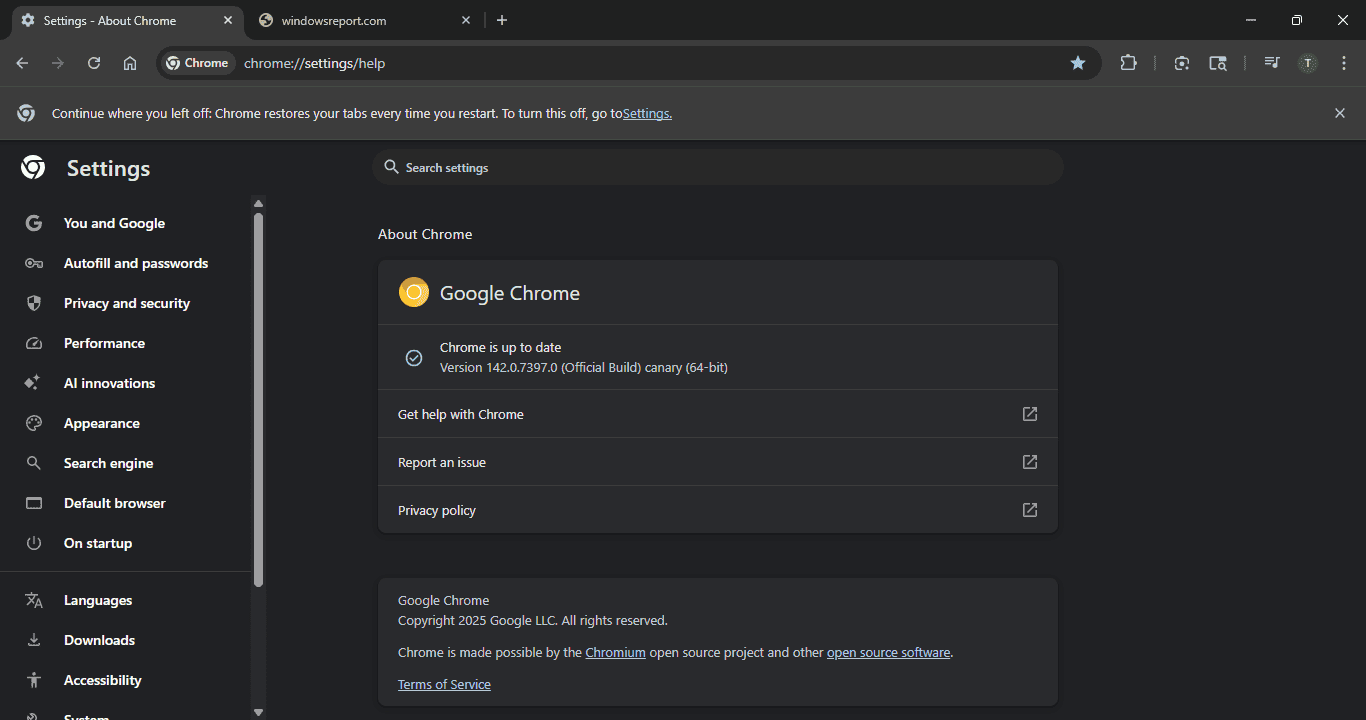
This change makes recovery less intrusive. The infobar feels more consistent with Chrome’s other banners, avoids interrupting browsing, and gives users a direct link to the On Startup setting if they prefer to start with a blank tab or specific pages.
The new behavior triggers when Chrome ends suddenly. For example, if you use End Task from the taskbar or kill the browser process in Task Manager. Instead of a blocking dialog on a blank page, your tabs come back right away, with the infobar confirming what happened.
A recent Chromium commit confirms the feature, describing it as base code for the “Session Restore Infobar” under a feature flag.
It suggests Google may be updating one of Chrome’s oldest popups to match modern UI design and simplify the restart process.
Right now, the infobar is only available in Chrome Canary and, like other tests, it may change or disappear before reaching the stable release.
That’s not all. Chrome will soon be able to reset a tampered search engine on its own at startup and is also working on an email verification protocol to reduce verification chaos.
In addition, Chrome will let users turn tab groups into bookmark folders and has introduced new security rules for AI features in the browser.


Read our disclosure page to find out how can you help Windows Report sustain the editorial team. Read more



Improve this guide




User forum
0 messages