
Copilot in OneNote Now Understands Images, Tables & Note Tags to Offer Better Responses


 2 min. read
  Published on

Microsoft has upgraded Copilot in OneNote, improving how it understands and processes notebook content. The change allows Copilot to interpret full page content, including images, tables, note tags, and inked notes. It can now connect multiple elements on the same page and generate responses without requiring users to isolate or reformat information.
Copilot in OneNote now reads images, tables, and note tags for context
Microsoft says Copilot now uses broader page context to improve accuracy. The AI assistant can also continue follow-up questions using the same note content without losing reference to earlier inputs. Previous behavior limited Copilot when dealing with structured elements like tables and checklists.
Those elements were often treated separately, which reduced the depth of responses. The updated system improves recognition across multiple content types, including visual and handwritten notes.
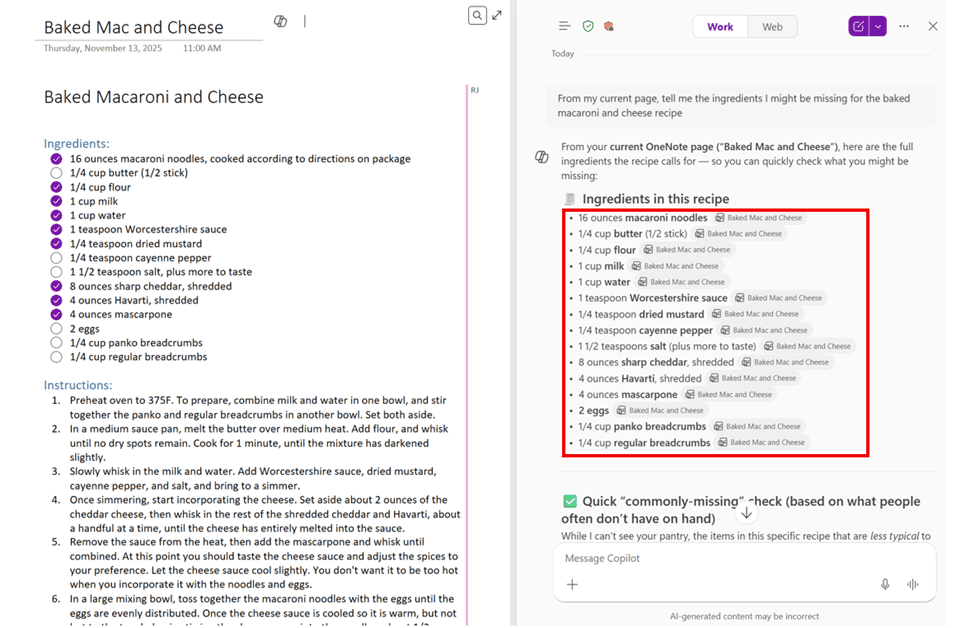
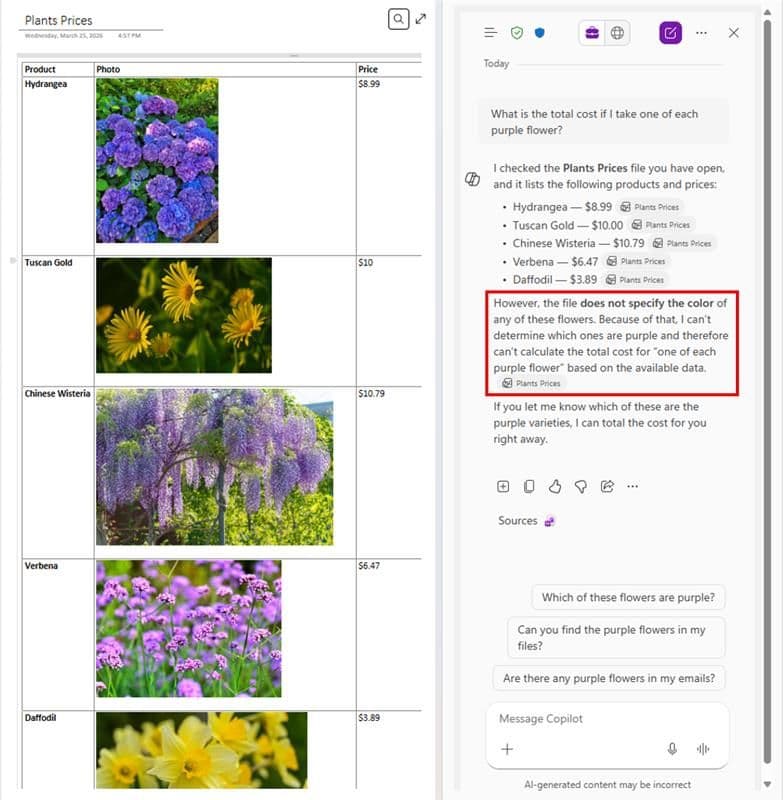

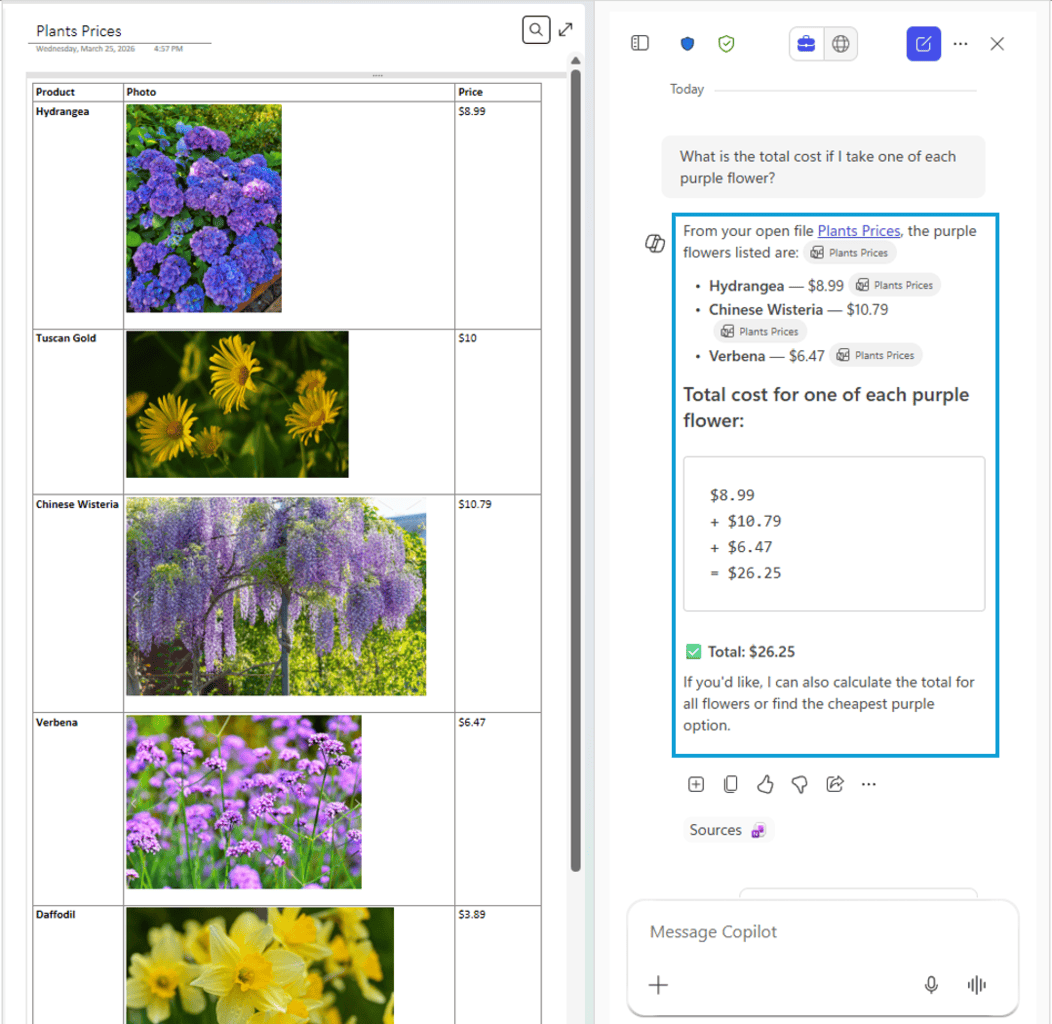
Microsoft is rolling out the feature to Microsoft 365 Copilot users across OneNote on Windows, Mac, and iOS. Windows users need Version 2601 (Build 19628.20128) or later. Mac and iOS users require Version 16.106 (Build 26020821) or later.
Notably, the feature is available for users with Microsoft 365 Copilot licenses, including supported Premium and Basic tiers. No additional configuration is required beyond installing the supported update versions.
The update is part of Microsoft’s ongoing effort to extend Copilot’s capabilities across its productivity tools. OneNote is being enhanced with deeper content understanding to support more complex note-based workflows. As a remind, Microsoft OneNote and Samsung Notes sync support is ending soon. You can read more about it here.

Read our disclosure page to find out how can you help Windows Report sustain the editorial team. Read more



Improve this guide


User forum
0 messages