
Error Backup Controller 586 (0x24A): Fix it With 3 Steps
Configuring your server properly can help with this error


 2 min. read
  Published on

When managing systems, you might sometimes encounter ERROR_BACKUP_CONTROLLER on your device. This issue can cause problems, so in today’s guide, we’re going to show you how to fix it.
How can I fix ERROR_BACKUP_CONTROLLER?
Before you try anything else, try running the configuration task several times and it should eventually add PCs to the domain.
1. Add the -Credential flag
- Open PowerShell.
- Next, run
Add-Computer -DomainName "mydomain" -Credential mydomain\myusername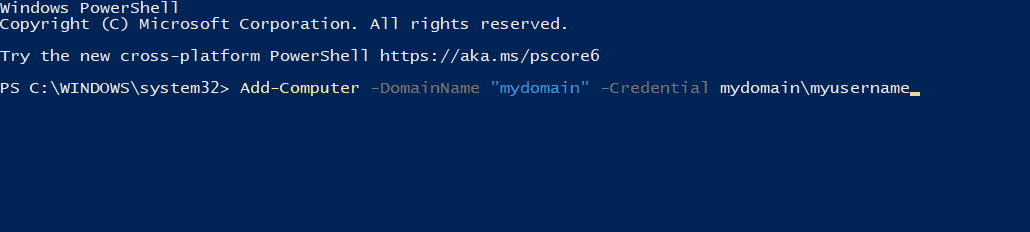
- Check if the problem is resolved.
2. Ensure that the Logon server is the PDC emulator
- Set the logon server that the ghost console picks up as the PDC Emulator of the domain.
- When setting the LDAP server that is the one that is the PDC emulator, everything should work.
- Keep in mind that this might not be the optimal setup, but it’s a decent workaround.
3. Recreate your Ghost account
- In the settings go to Tools and choose Supported domain.
- Next, delete your Ghost account.
- After that, add the Ghost account again.
Sometimes instead of ERROR_BACKUP_CONTROLLER you can get error 586 (0x24A) This operation is only allowed for the Primary Domain Controller of the domain.
Before you leave, you might want to take a look at our guides on GPIO_CONTROLLER_DRIVER_ERROR and ERROR_NET_OPEN_FAILED for more information regarding similar issues.

Read our disclosure page to find out how can you help Windows Report sustain the editorial team. Read more



Improve this guide


User forum
0 messages