
Is Xbox App Not Working Today? Here's Why & How to Fix Sign-In, Game Launch & Error Codes


 2 min. read
  Published on
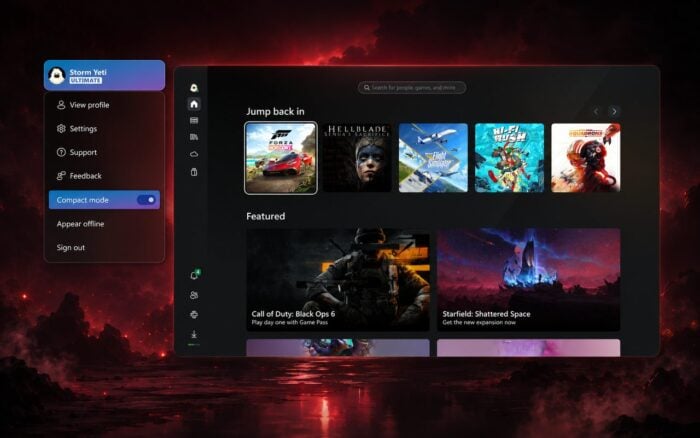
Xbox users are currently dealing with a confirmed outage today, with Microsoft reporting major problems across Account & profile services. The disruption can affect sign-in, profile creation, games and apps requiring Xbox authentication, and according to reports, Minecraft is affected as well.
Xbox has confirmed the outage affecting app sign-ins and Minecraft issues
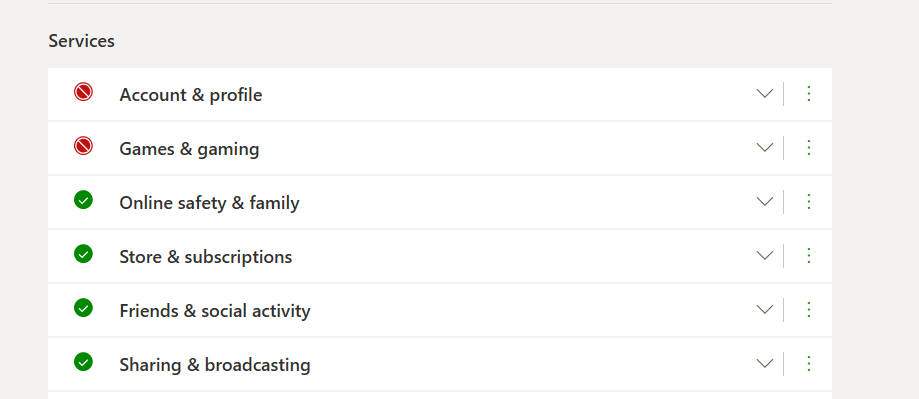
Xbox status page currently marks Sign-in as a Major Outage. The issue was reported at 2:39 PM on September 2. The latest update shown in the supplied screenshot says “We’re working on the issue” at 6:50 PM IST. Resolution remains pending.
The outage affects Xbox Series X|S, Xbox One, cloud gaming, Android, Apple, Xbox on Windows, Xbox 360 and web services. Microsoft also lists Creating profiles as a separate Major Outage. Both problems carry Incident ID 4661.
Microsoft says affected users may be unable to sign in or may get disconnected. Sign-in dependent features may also stop working.
5 fixes to try when Xbox App is not working
1. Check Xbox service status
Firstly, check the Xbox server status. If Microsoft confirms an outage, waiting is usually better than changing system settings. The current incident can affect several Xbox platforms.
2. Update Xbox and Microsoft Store.
Open Microsoft Store, select Library, then choose Get updates. Microsoft recommends keeping Windows and Store apps updated.
3. Repair or reset Xbox.
Go to Settings > Apps > Installed apps > Xbox > Advanced options. Select Repair first, then Reset if Repair fails.
4. Clear the Microsoft Store cache.
Press Windows + R, enter wsreset.exe, and press Enter. Let the Store reopen before testing Xbox again.

5. Repair Gaming Services.
Gaming Services can cause Xbox launch and sign-in problems when its installation breaks. Microsoft Q&A guidance recommends reinstalling Gaming Services when other repairs fail.
Xbox error codes you might encounter when the app isn’t working
Common Xbox App errors include 0x80004005, 0x89235107, 0x80070422, 0x80073D26 and 0x8007139F. These can involve authentication, Gaming Services, Windows services, or Store components.
With Incident 4661 still unresolved, some errors may continue to appear for you regardless of local fixes. Microsoft’s status page remains the key place to keep yourself updated. If we hear anything new, we’ll update our Xbox Outage coverage here.
It’s worth mentioning that the Xbox app is also experiencing downtime, but we hope Microsoft will resolve the issue soon.

Read our disclosure page to find out how can you help Windows Report sustain the editorial team. Read more



Improve this guide




User forum
0 messages