
Frontline Login Guide: Access Your Account in Minutes


 2 min. read
 Published on

Frontline lets employees, teachers, and substitutes access Frontline Education services, including Absence Management, Time & Attendance, and Professional Growth, and in this guide we’re going to show you how to log in to Frontline.
How do I log in to Frontline?
1. Use the web browser
- Open the Frontline Education login page.
- Enter your Frontline username and password.
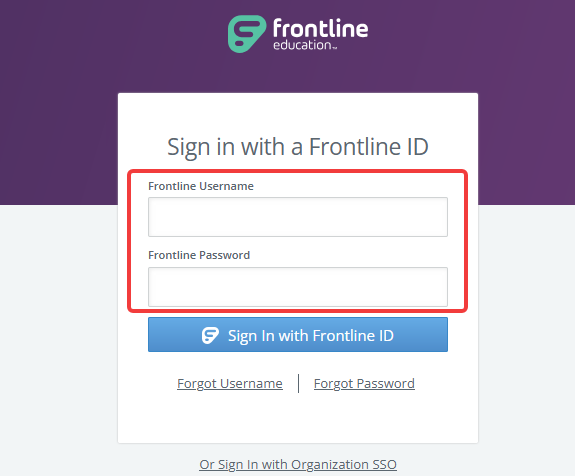
- Click Sign In.
- Select the Frontline application you want to access if the system displays multiple options.
If your school district uses single sign-on (SSO), select Or Sign In with Organization SSO and follow your district’s login instructions.
2. How to access Frontline Absence Management (Aesop)
- Visit the Frontline sign-in page.
- Select Absence Management.
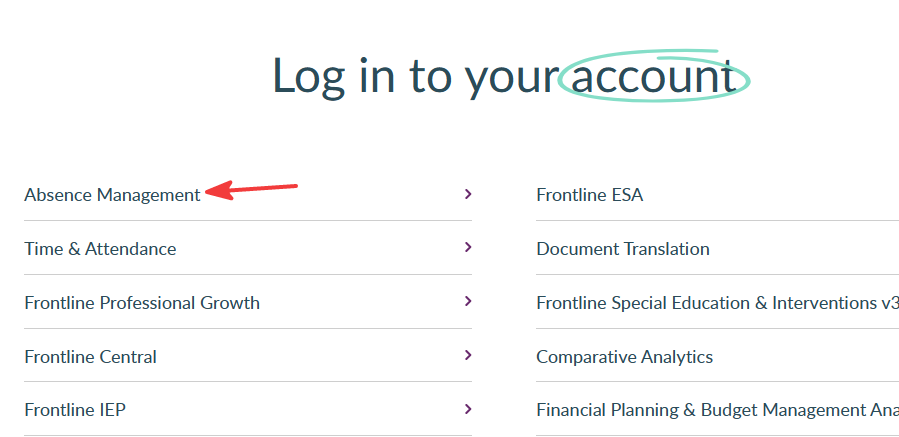
- Enter your assigned username and password, or your ID and PIN if your account uses those credentials.
- Click Sign In to access your account.
Employees can report absences and review their schedules. Substitutes can view and manage available assignments according to their account permissions.
How to fix Frontline login problems
If you cannot sign in, try these steps:
- Check your username and password for typing errors.
- Make sure you use the correct Frontline application.
- Clear your browser’s cache and cookies.
- Try another browser or a private browsing window.
- Use your organization’s SSO option if your district requires it.
- Contact your school district’s Frontline administrator if you still cannot access your account.
Accessing Frontline is straightforward once you have the correct credentials and login method. If you encounter problems, check your account details or contact your school district’s administrator for assistance.
For other account access instructions, check our guides on Fabletics login, Albertsons login, and Netspend login for steps to sign in and resolve common login issues.
FAQs
What is the official Frontline login website?
The official Frontline Education login website is https://app.frontlineeducation.com. You can also select individual applications through Frontline’s main sign-in page.
Can substitutes log in to Frontline?
Yes. Substitutes can access Frontline Absence Management using the credentials or login method provided by their school district.
Is Frontline the same as Aesop?
Aesop is the former name of Frontline Absence Management, which helps schools manage employee absences and substitute assignments.
Why can’t I log in to Frontline?
Incorrect credentials, account access restrictions, or using the wrong login method can prevent sign-in. Contact your school district’s administrator if password recovery doesn’t resolve the issue.

Read our disclosure page to find out how can you help Windows Report sustain the editorial team. Read more


Improve this guide




User forum
0 messages