
Chrome lets Google AI Mode automatically access open tabs
The “Share open tabs” feature is being tested in Canary, along with a new “Google Search AI Mode” section in Settings.


 3 min. read
  Updated on
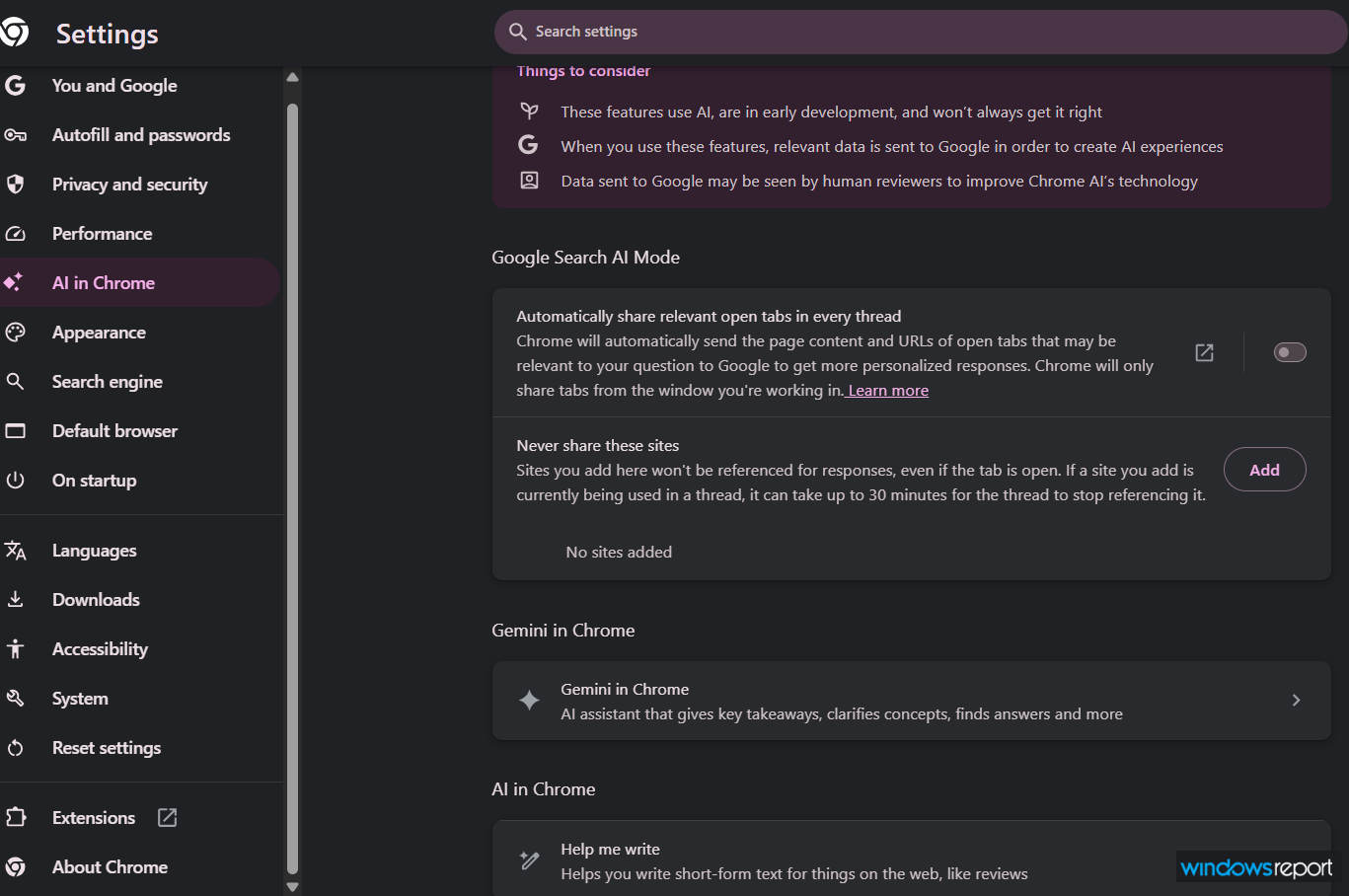
Chrome Canary has added a “Google Search AI Mode” section under “AI in Chrome,” with a browser-level toggle that can automatically share relevant open tabs in every thread during AI conversations. The same settings page also includes a “Never share these sites” list that lets users block specific domains from AI Mode responses.
You can find the Google Search AI Mode section under Chrome > Settings >AI in Chrome, where users can manage tab sharing for AI conversations.
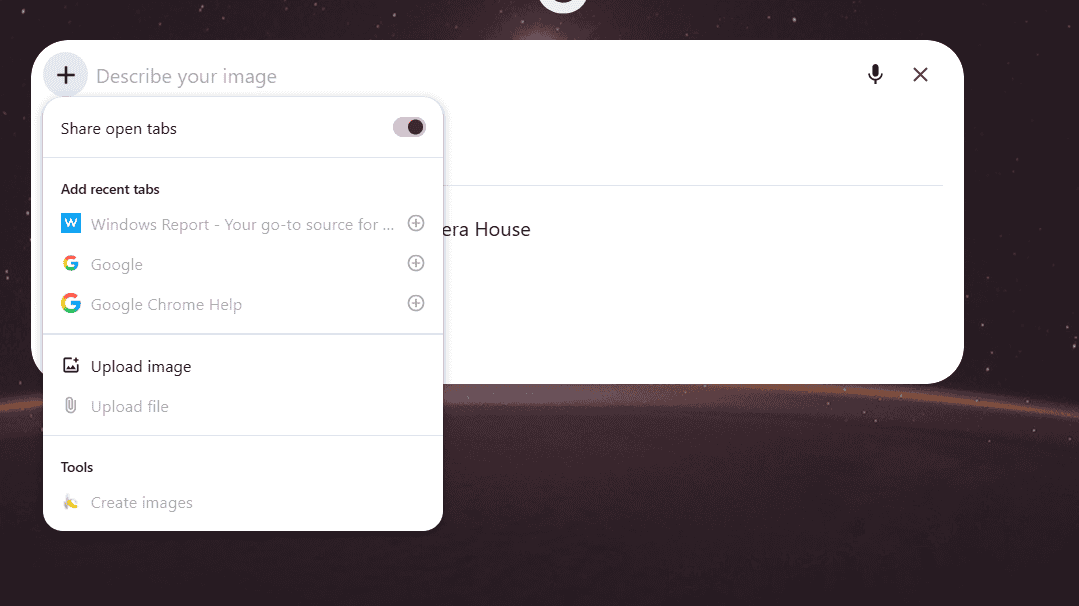
Chrome says the setting will automatically share relevant open tabs by default to provide more tailored answers, sending the page content and URLs of tabs from the current window. AI Mode also offers a separate “Share open tabs” control after users click the + button in the compose box, which lets them pick tabs to share manually.
That means Chrome now seems to be testing two layers of tab sharing: a browser-level preference in settings and a per-conversation control inside AI Mode itself. For now, the two do not appear to sync, which suggests the feature is still being wired together.

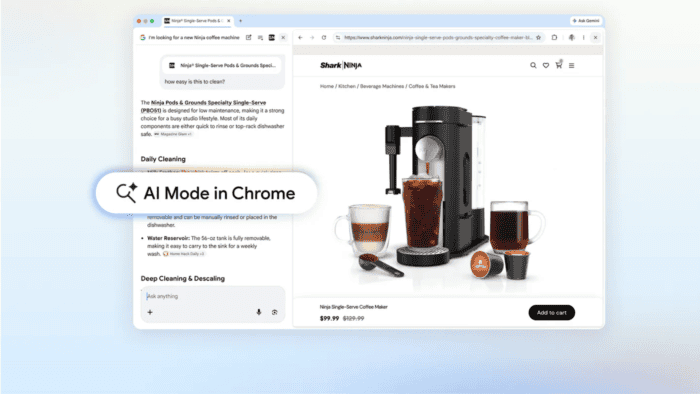
Instead of relying only on manual tab selection, Chrome seems to be preparing for a more persistent, session-aware sharing model tied to Search AI. Google has previously referred to related work as Smart Tab Sharing, and this Canary UI exposes that through Chrome’s new settings.
Chrome is starting to let AI Mode see more of your browsing context, but it is also adding an exclusion list to keep certain sites out. That balance between convenience and control is what makes the addition interesting.
Chrome Canary’s new “Never share these sites” list lets users exclude privacy-sensitive or confidential websites from AI Mode responses. Just click Add, enter a domain, and Chrome keeps that site out of AI Mode even if the tab stays open. Sites added here won’t be referenced, even if the tab stays open, and if a site is already being used in a thread, it can take up to 30 minutes for that thread to stop referencing it.
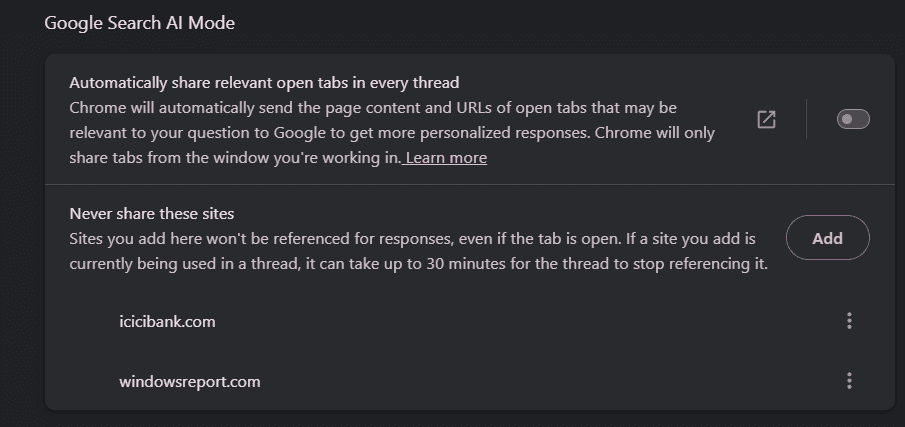
Importantly, the new tab-sharing behavior is not turned on by default in Chrome Canary, as we noticed. Users must enable the toggle if they want AI Mode to use open tabs for more relevant responses. That makes the feature more privacy-conscious, since Chrome is offering it as an opt-in rather than making it automatic.
Apart from giving users control over site blocking in AI Mode, Chrome is also testing AI suggestions using open tabs.


Read our disclosure page to find out how can you help Windows Report sustain the editorial team. Read more



Improve this guide



User forum
0 messages