
Hands On: Firefox’s New Split View Lets You Compare Tabs Side by Side
Mozilla has been working on the Split View feature for Firefox for some time now, and it’s still in development.


 2 min. read
  EEST
EEST

Recently, we reported that Firefox is getting a Split Tabs feature that lets users compare two tabs side by side, useful for research and multitasking. We were able to test it in the latest Firefox Nightly, where Mozilla currently refers to it as “Split View”. Here’s our first look.
Until now, comparing two tabs in Firefox required third-party extensions or manual workarounds. That’s about to change once Mozilla releases the Split View feature to the public, although it’s still early in development.
Firefox Split View Tabs: First look
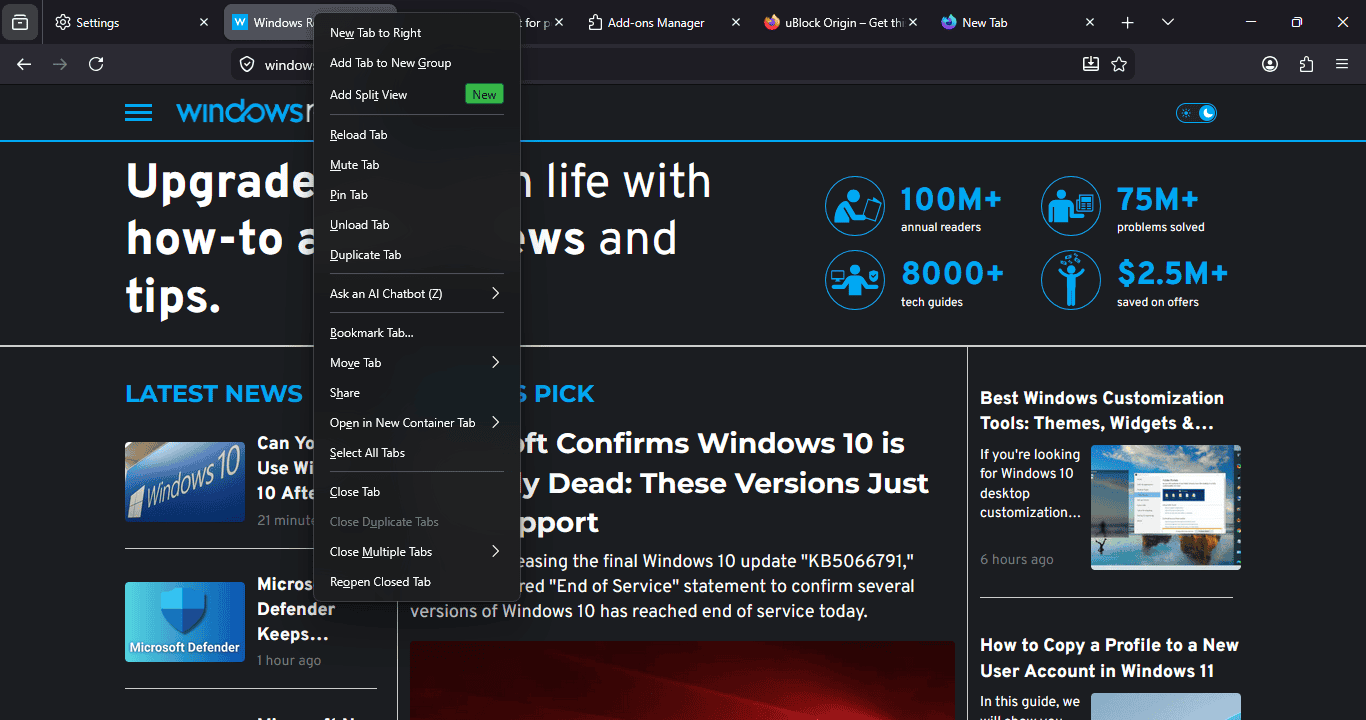
Once active, open two tabs, right-click on one, and select “Add Split View.” Firefox will then display both tabs side by side. You can drag the separator in the middle to adjust the width of each view.
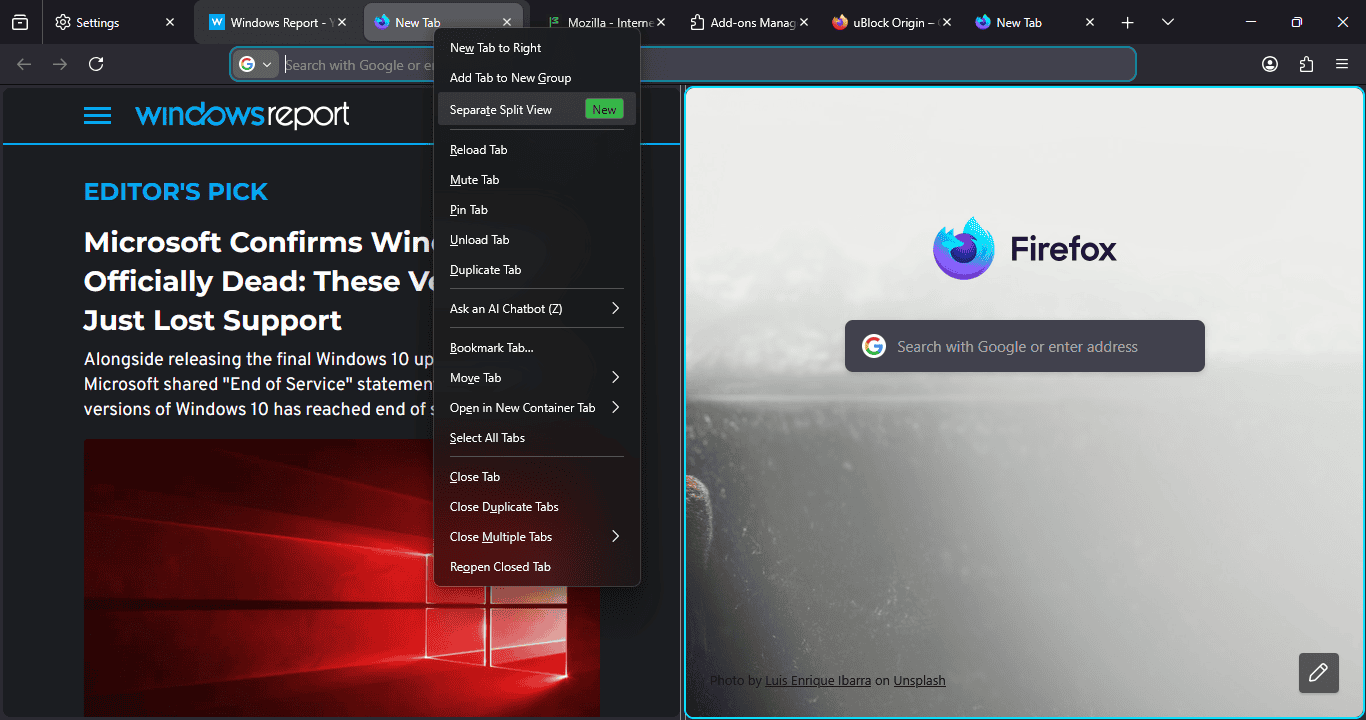
To exit Split View, right-click on one of the tabs and choose “Separate Split View”. The feature also works with grouped tabs.
Opera first introduced this type of view, followed by Microsoft Edge, which set a strong example with its Split Screen option. Google is developing a similar feature for Chrome, currently available in pre-release versions. Firefox is now joining that list.
It’s worth noting that Split View is still in development. Mozilla is expected to polish the design, add more options, and later expand testing in Nightly and Beta.
Like the built-in VPN Firefox is currently testing, Split View could soon become another standard feature across browsers. The Split View option now appears in the tab context menu, but Mozilla may also add a toolbar button, keyboard shortcuts, or in-view controls to make it easier to find and use.
That’s not all. Firefox now supports MKV video playback in Nightly, and Mozilla has made Firefox tabs a little rounder to match the look of Vertical Tabs.
What’s your take on Firefox’s Split View? Would you use it once it becomes available? Share your thoughts in the comments below.


Read our disclosure page to find out how can you help Windows Report sustain the editorial team. Read more



Improve this guide




User forum
0 messages