
Microsoft Improves Windows 11 File Explorer With Faster Performance & Customizable Context Menu


 2 min. read
  Published on

File Explorer is getting a serious upgrade on Windows 11. Microsoft, in the latest announcement blog, mentioned that it has targeted freezes, delays, sluggish right-clicking, and everyday annoyances while rolling out a redesigned context menu. The latest changes are now reaching Windows Insiders via Build 26340.9212, but tech-savvy users have already found a way to enable the new context menu earlier.
Microsoft says the work combines performance fixes with more control over how File Explorer behaves.
Microsoft targets freezes, delays, and everyday File Explorer frustrations
Microsoft says File Explorer now launches faster and feels more consistent. The company has also removed dozens of potential stalls affecting browsing, renaming, navigation, and file selection.
File renames should no longer get interrupted by background synchronization, and case-only filename changes should also appear immediately instead of waiting.
Navigation is getting attention too. The Address Bar now handles quoted paths and double backslashes, while middle-clicking can open folders in new tabs. Home will remember expanded and collapsed sections between sessions.
File sizes now use units such as KB, MB, and GB, making it easier to spot large files. Microsoft has also reorganized the Details pane, making the file properties easier to locate and review.
Windows 11 gets a redesigned and customizable right-click menu
The biggest visual change is the redesigned context menu. Microsoft says it opens faster, reduces clutter, and keeps commonly used actions easier to reach. A new Customize menu shortcut opens dedicated settings under Personalization. Users can enable or disable built-in commands, including Send to, Create shortcut, and Print.
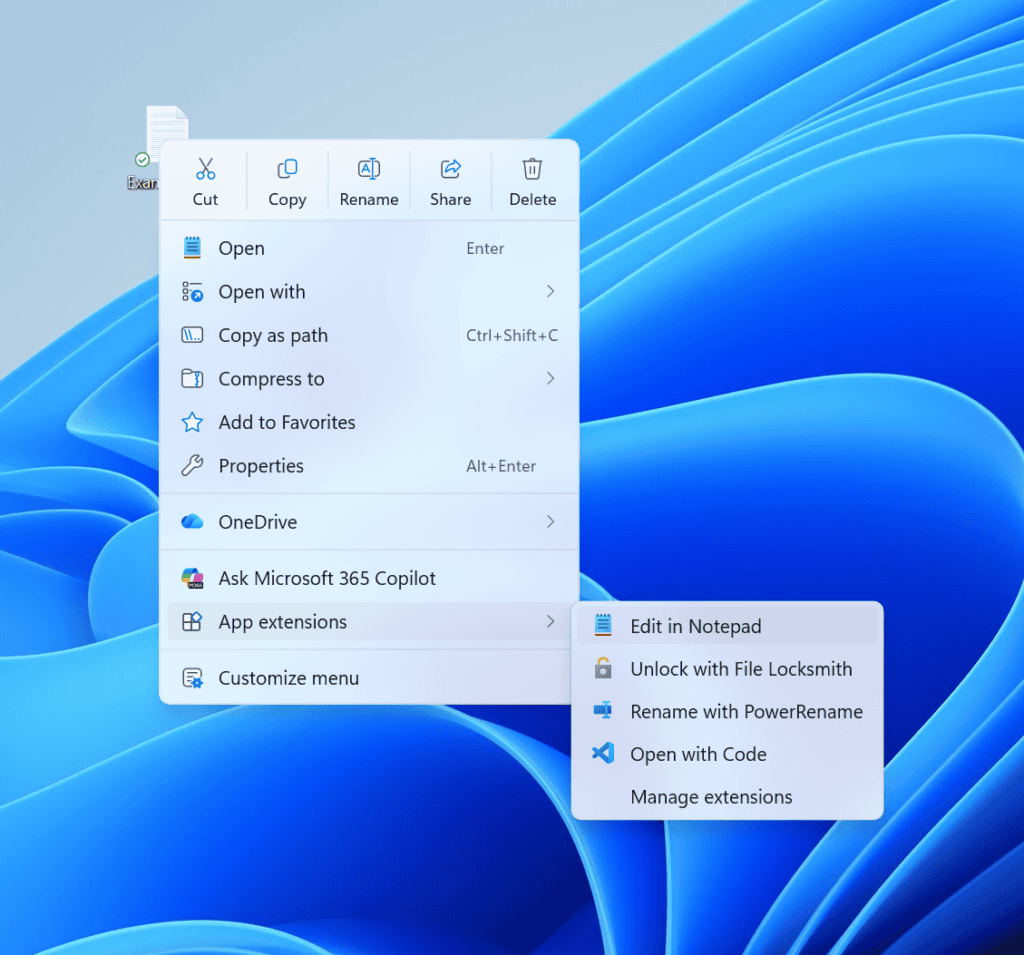
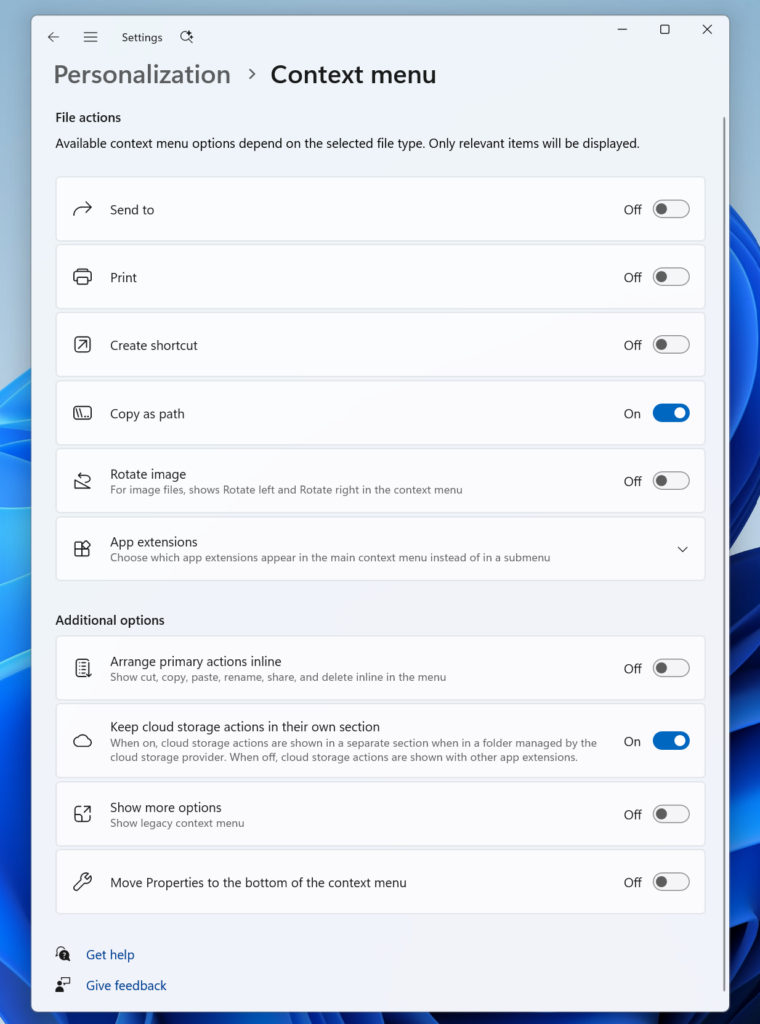
Image credit: Microsoft
In addition, app extensions can also be controlled. Users can decide which extensions appear directly, move them into a submenu, or hide that submenu. Microsoft is also bringing back more familiar Windows 10-style behavior, allowing Cut, Copy, Paste, Rename, Delete, and Share functions to appear inline instead of in a separate row.
Users can also move Properties to the bottom of the menu. Microsoft says further changes will follow based on Insider feedback. Moreover, the company describes this as part of a longer effort to make File Explorer faster and more dependable.
That’s not all, as the company has released Experimental Build 29648.1000 that removes WMIC and Drag Tray. For users who want a more stable experience, there’s also Beta Build 26220.9202 available.

Read our disclosure page to find out how can you help Windows Report sustain the editorial team. Read more



Improve this guide




User forum
0 messages