
Microsoft Planner Update Removes Legacy Features, Adds Task Chat


 3 min. read
  Published on
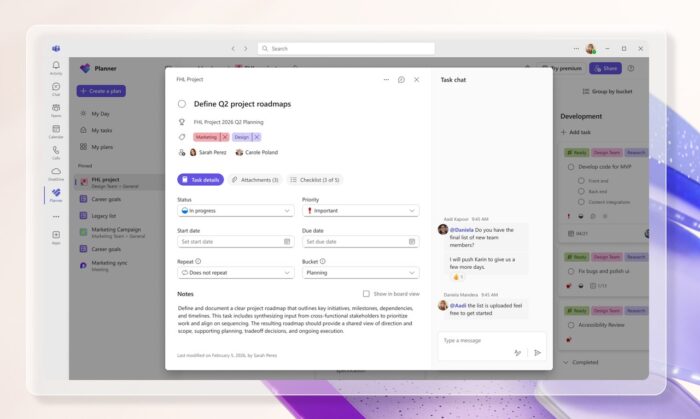
Microsoft has started rolling out a major Microsoft Planner update for Basic users in Teams and on the web. After weeks of signaling that several key features would be removed, the refresh now introduces task chat, a new Goals view, and retires legacy tools as the service shifts toward deeper AI integration.
According to a Microsoft blog post, the long-anticipated redesign has officially entered the rollout phase. The update targets Basic plan users first and will expand over the coming weeks.
Task chat replaces classic comments in Planner
One of the biggest changes is the introduction of task chat. This feature replaces the older comment system with real-time discussions directly inside tasks.
Task chat supports mentions, emojis, rich text formatting, and notifications. Microsoft says the goal is to make collaboration faster and more conversational, especially inside Microsoft Teams.
The feature is available to all users on Basic plans.
The New Goals view requires premium access
Planner now includes a Goals view that allows users to link tasks to shared objectives, set deadlines, and track goal progress. This addition aims to align teamwork with broader organizational targets.
However, access to the Goals view requires either a Planner premium license or a Microsoft 365 Copilot subscription, even for users on Basic plans.
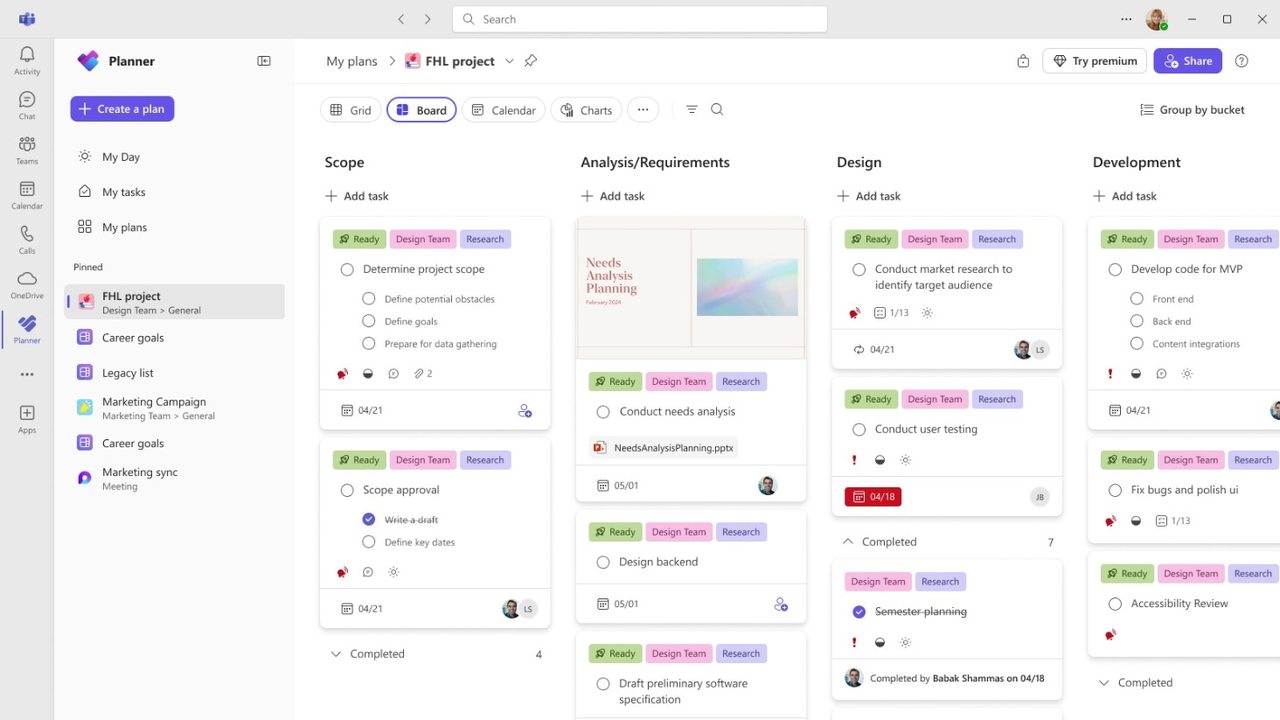
Cleaner interface and performance improvements
Microsoft redesigned the Planner interface with a cleaner and more modern look. The updated UI reduces clutter and improves navigation across boards and tasks.
The company also claims better overall performance with the new experience.
At the same time, several legacy features are being retired. iCalendar feeds and iCal sync are no longer supported, meaning Planner will no longer sync with Outlook or Google Calendar through those methods.
Old task comments no longer appear directly on task cards. Users must now open a separate Outlook group mailbox page to view past discussions.
Checklist character limit concerns
Early user feedback points to a potential issue involving checklist items in Power Automate flows. Some users report a new 36-character limit on checklist entries, down from the previous 100-character allowance.
Manual checklist entries inside the Planner UI still appear to support longer text. Microsoft has not confirmed whether the reduced limit is intentional or a temporary bug introduced with the redesign.
The refreshed Planner experience also sets the stage for future AI capabilities. Microsoft is currently testing the Project Manager agent in Public Preview, signaling deeper Copilot integration ahead.
Planner is not the only Microsoft service undergoing changes. SharePoint is also scheduled to receive a major AI-focused update next month, as the company continues expanding AI features across Microsoft 365.
Via Neowin

Read our disclosure page to find out how can you help Windows Report sustain the editorial team. Read more



Improve this guide




User forum
0 messages