
Microsoft Starts Removing Copilot Clutter from Notepad, More Apps to Get Same Treatment
Paint and File Explorer are reportedly in line to get similar changes


 2 min. read
  Published on
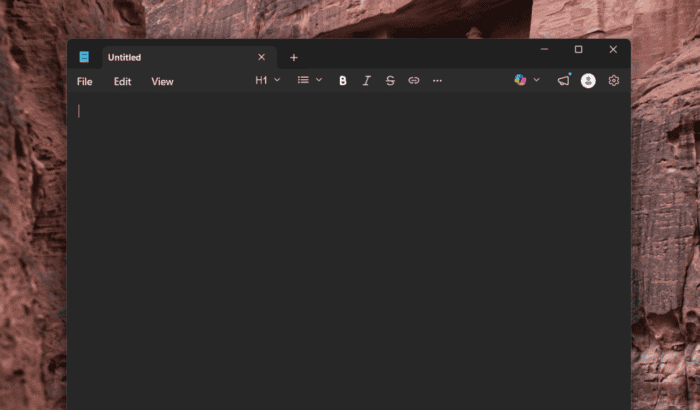
Microsoft appears to be living up to its promise of moving away from its AI everywhere strategy and cutting the Copilot clutter across Windows 11. For those unaware, Microsoft has added Copilot features to nearly every Windows 11 app. Among them is Notepad, which is known for its minimalist user interface. Now, according to a new report by Windows Central, Microsoft appears to be trimming the Copilot clutter from Notepad. That said, AI still lives inside the app.
Microsoft quietly removes Copilot branding and wording from Notepad
Per the report, in the new Insider build (version 11.2512.28.0), the Copilot menu inside Notepad is now called “Writing tools.” Interestingly, the functionality remains unchanged, but the Copilot branding and phrasing are gone. The Copilot icon has also been replaced with a simple pen icon, making the feature feel more like a native editing tool rather than a separate AI add-on.
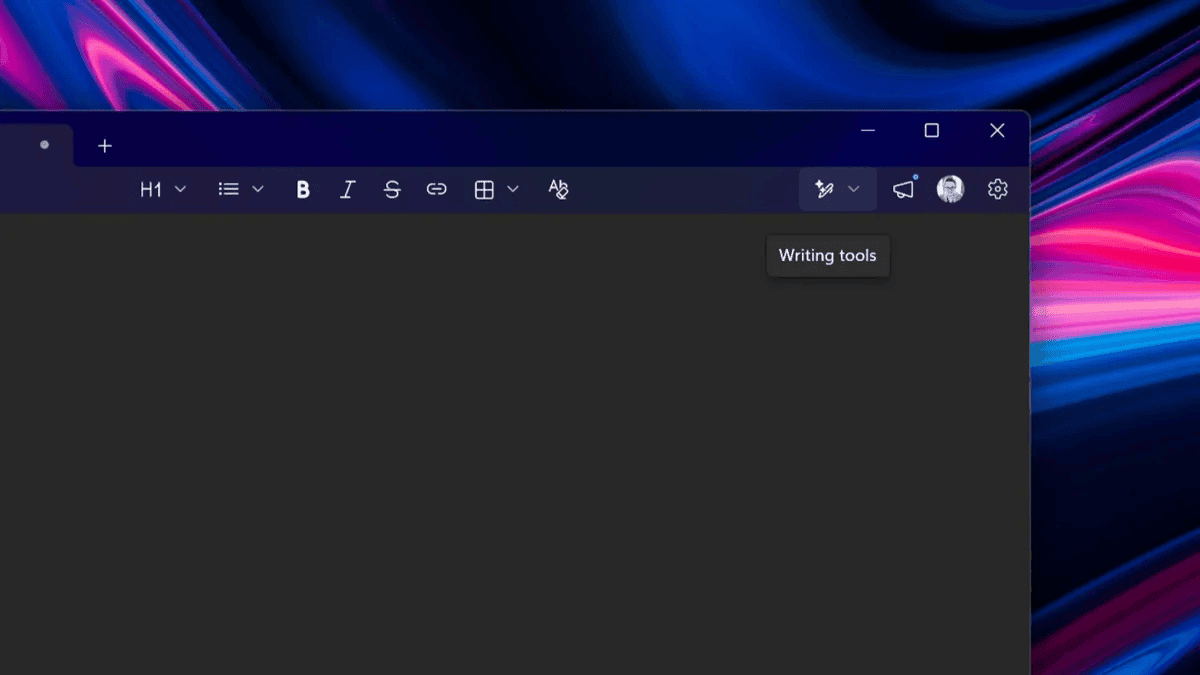
The best part about this change is that you now have full control over AI features. In Notepad, AI features can reportedly be turned off entirely, keeping the app’s minimalist experience intact. As seen in the screenshot shared by news outlet, when you click Settings option, you will come across a toggle that lets you disable “Writing tools” feature.
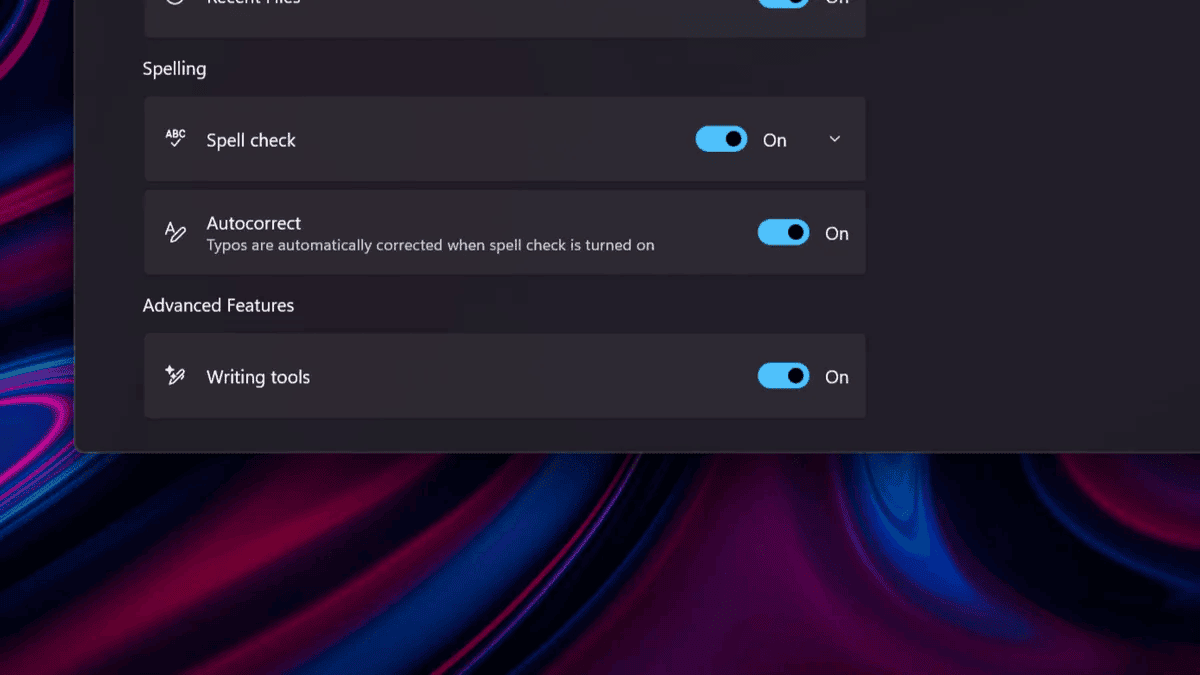
Apparently, similar changes have been made to the Settings app as well. The company has removed AI references, with the toggle for these features now sitting under “Advanced features.” To catch you up, last month, when Pavan Davuluri announced Microsoft’s big plan to fix Windows 11, he mentioned “we are reducing unnecessary Copilot entry points, starting with apps like Snipping Tool, Photos, Widgets and Notepad.” Well, those changes now seem underway.
Paint and File Explorer are also in line to get similar treatment
Well, changes in Notepad are just the start. Microsoft is reportedly also exploring similar changes in other apps like Paint and even File Explorer, where Copilot integrations have been more visible. The company is now looking to integrate “AI where it’s most meaningful, with craft and focus.”
Being a longtime Windows user myself, it’s good to see Microsoft finally delivering what it has promised. That said, don’t expect the company to trim all the AI features entirely across Windows 11. That’s mostly because Microsoft has poured billions of dollars into AI, and it wouldn’t want to have nothing related to it in its core product.

Read our disclosure page to find out how can you help Windows Report sustain the editorial team. Read more



Improve this guide


User forum
0 messages