
OneNote Finally Lets You Choose How Microsoft 365 Links Open


 2 min. read
  Published on
Microsoft has quietly added a useful update to Microsoft OneNote. If you regularly jump between notes, spreadsheets, presentations, and documents, this one could save a lot of unnecessary clicks.
OneNote is getting more flexible for multitasking
The company has announced a new setting for OneNote on both Windows and Mac that finally gives users control over how Microsoft 365 file links open.
You can now decide whether Word, Excel, PowerPoint, and OneNote links should launch in a browser or directly inside desktop apps. According to Microsoft, the feature makes moving between files feel smoother depending on the kind of work users are doing. For example, opening files in a browser may be faster for quickly checking information or referencing material.
Meanwhile, users working across multiple files may prefer desktop apps for a more complete editing experience without constantly bouncing between tabs. Notably, Microsoft is still keeping browser mode as the default option for now. That being said, switching preferences appears fairly straightforward.
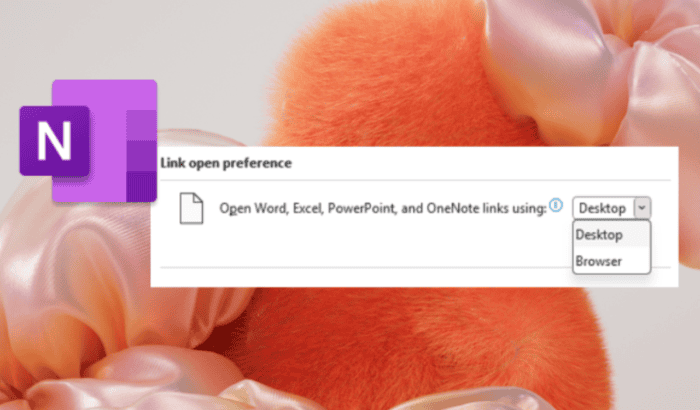
On Windows, users can head into File > Options > Advanced and then adjust the “Link open preference” setting between Desktop or Browser. Mac users can do the same via OneNote Preferences under the Navigation section.

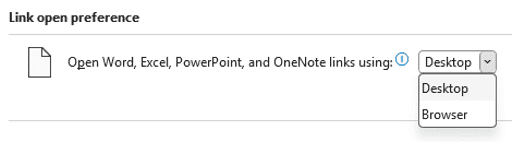
Image credit: Microsoft
The feature is currently rolling out through the Microsoft 365 Insider program
For Windows users, it requires OneNote Version 2603 Build 19820.20000 or later. Meanwhile, macOS users will need Version 16.110 Build 26050124 or newer. Microsoft also notes that the rollout is happening gradually, so not everyone will see it immediately.

Read our disclosure page to find out how can you help Windows Report sustain the editorial team. Read more



Improve this guide




User forum
0 messages