The People app for Windows 10 gains contact history in latest update

While most of Windows 10’s apps are great services on their own, the People app is still being improved, and an update releasing today certainly looks to help that along. The update brings the app to version 10.0.10500.0, and introduces a per-contact history tab to help keep track of your interactions.

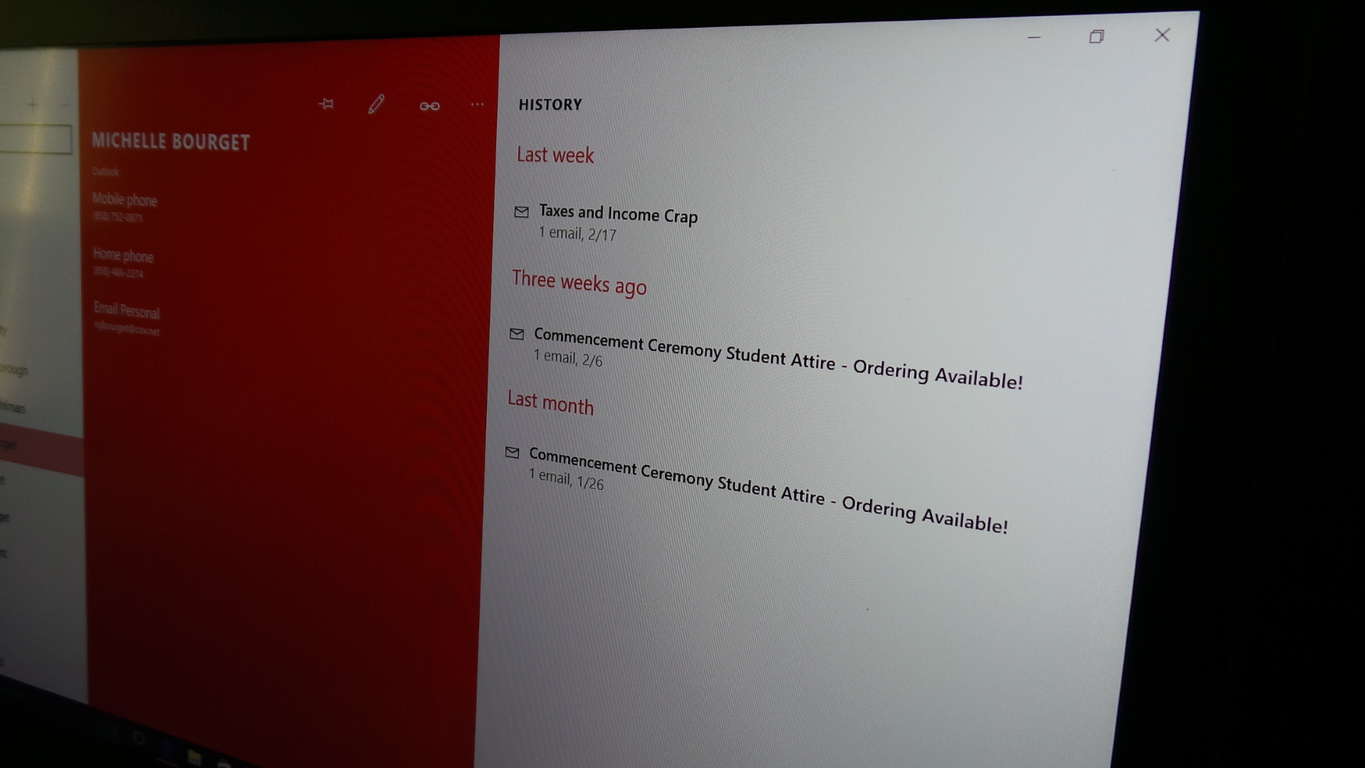
The People app built into Windows 10 has been a simple-to-use and sometimes painfully minimalist approach to a contact management app since the latest version of Microsoft’s desktop operating system launched last summer. As with other services like the Skype Messaging and Video apps, however, the People app has gained another feature to better integrate it within Windows 10. Specifically, the People app has gained a new tab across the top of each contact (on Windows 10 Mobile handsets) and a large pane on the right of the window (on Windows 10 for desktop).  A look at the desktop view is just below.

Windows 10 People App History
The new history tab within the People app

While this might seem like an odd inclusion, especially since people have been hounding Microsoft about returning the People app’s live tile to the square-style photos of Windows 8 and 8.1, this adds a feature that actually exists within the contacts section of Microsoft’s Outlook app for Android and iOS devices. When you tap into or click on a contact, you’re given a list of your recent emails, messages, and calls with them.

The introduction of this feature within Microsoft’s own ecosystem is definitely a handy feature to have at your disposal. With this update, the contacts app is now more self-contained and offers genuine utility over the previous version, which is great to see from an update to a core system app.

Office 365 Groups can help schools and universities collaborate

Microsoft Office 365 Groups is an excellent tool for helping to organize, share, distribute and collaborate on information within an organization. Microsoft has recently updated the features of Office 365 Groups to enable multi-domain support, group email and dynamic memberships, to name a few. In today’s blog post, Microsoft’s Office team highlights the benefits that schools and universities have garnered with Office 365 Groups. Here are some of those highlights:

Professional Learning Communities are groups around the world of educators, who come together in their respective communities, to discuss ways to improve student performance, grades and new ways of teaching. With Office 365 Groups, PLC meetings are utilizing its features to help streamline the sharing and collaborating of information, as the blog post shows:

Office
PLC using Office 365 Groups for conversation sharing

In addition, to the PLC groups use of Office 365 Groups, public schools of Omaha have found great success in using Office 365 Groups to bring together shared ideas, lessons plans and calendars to add more cohesion to their groups, as they expand. In connection with the benefits of using Office 365 Groups for PLC’s, executive director of IMS for Omaha Public Schools district, Rob Dickson, had this to say:

Looking at what Omaha Public Schools’ needs are around Professional Learning, it was important to build around a platform that was consistent with what our teachers and staff use on a daily basis… Too often, educators do absolutely great work within PLCs, yet often, the work is closed or kept in Word documents or paper binders. By using Office 365 Groups, you are able to easily share your information and learning as the work progresses. When a new teacher enters the community, they can easily access all of the work that has been done previously and help build their own learning in that area. In a model where this is not archived, many walk into a building and have to start from scratch

Here are some examples of the Omaha Public School districts use of Office 365 Groups:

Office
Office 365 Groups shared conversation

Alongside educators and universities utilizing the benefits of Office 365 Groups, students are also using the platform to engage in areas of interest, share related reference material, collaborate on projects and coordinate events to have.

With continued development of features in Office 365 Groups, Microsoft is working to give users great features to help in their organizations and for the sharing of information. These examples can give potential users an idea of the features Office 365 Groups offers and their benefits. For a future update, Microsoft has pointed out new features like Connectors, which allows Office 365 Groups to connect to remote apps, like Facebook or Twitter, guest access, and Planner.

What benefits of Office 365 Groups could work in your school or organization? Let us know in the comments.

Plants vs. Zombies Garden Warfare 2 now available on the Xbox One

When it hit the E3 stage just a few years ago, Plants vs. Zombies: Garden Warfare seemed like it would be a flop. Mixing the shooter genre with Pop Cap’s popular casual strategy game seemed to initially be an ill-fated concept, and nobody really knew what to think about it.

Fast forward to Garden Warfare’s release, and the game became a bit of a cult hit. While not being a masterpiece by any means, Plants vs. Zombies: Garden Warfare managed to succeed in its goal of being an exceedingly fun game to unwind with after work, or to cool down with after a particularly frustrating match of Smite or Halo. With the success of the Plants vs. Zombies shooter, it only makes sense that EA would fund a sequel.

Plants vs Zombies Garden Warfare 2
Plants vs Zombies Garden Warfare 2.

Plants vs Zombies: Garden Warfare 2 launches on Xbox One today, much to the delight of several fans of the first game and of the franchise as a whole. The game brings back the same arcade feel and colorful art style to the first person shooter genre while adding a few new features to make the game feel fresh and fun compared to its predecessor.

On top of the classic game modes that were in the original Plants vs. Zombies: Garden Warfare, the sequel introduces a new mechanic in the way of the Backyard Battleground. The Backyard Battleground serves as a hub for some of the maain features in the game, most notably the daily quests that are going to give Plants vs. Zombies 2: Garden Warfare a huge source of replayability.

Plants vs. Zombies 2: Garden Warfare is out now for Xbox One, and you can pick it up for $59.99 if you’re so inclined. If you think the price is worth it, the game promises to be a fun, casual shooter for people who want a taste of something new on their Xbox.

Excel 2016 gains 6 new functions to simplify formula editing

Today in a blog post, the Microsoft Excel team highlighted the newest functions for formula editing. These 6 new functions were picked based on feedback from Office 365 and work to help simplify the task of common calculations or spending long amounts of time, building custom functions.

Here are the udpates:

  • TEXTJOIN & CONCAT Functions

Theses two commands help simplify the common task of combining text strings in Excel. When combining two or more cells in Excel of information, you would need a delimiter or comma to separate the each item:

  • Example:

The old-fashioned way:
=CONCATENATE(A3, “, “, B3, “, “, C3,”, “, D3, “, “, E3)

Excel
CONCATENATE (Old way)

The new process eliminates the need for separation with commas or quotations, simplifying the process in Excel.

  • Example:

The new way to join text strings using TEXTJOIN:
=TEXTJOIN(“, “, TRUE, A3:E3)

Excel
TEXTJOIN Excel (New way)
  • IFS & SWITCH Functions

The IF function in Excel is commonly used for instances where you want a result from a test on a common condition. This command is created by nested IF which resemble this, “IF(IF(IF()))”, however this old method can both confusing and time consuming. The Excel team has since made an update to alleviate this confusion with the new IFS function. An example highlighted by the Excel team, for the new IFS function, was the use of this function to dictate a grade from a test based on the number value of each score.

  • Example

This can be read as, if the grade in C1 is greater than or equal to 90, it’s an A. Otherwise, if it’s greater than or equal to 80, it’s a B. Otherwise, if it’s greater than or equal to 70, it’s a C and so on. It’s pretty easy to write it this way and it’s also straightforward to read and understand what’s going on

Excel
IFS Function in Excel

This new IFS function simplifies the formula by allowing the user to specify these conditions on a single function. For SWITCH, this function allows multiple conditions by specifying an expression and series of results and values.Values are compared to the expression and when a match is made, generates a result.

  • Example

Extract the size code from the item in column B. If it equals “XS”, the result is “Extra Small.” Otherwise, if it equals “S”, the result is “Small” and so on. If there’s no match, the result is “Not Specified.”

Excel
SWITCH function in Excel

The previous method with Nested IF functions, before this latest update from the Excel team would result in this example being much longer in length and complicated to create, as the blog post shows below:

Excel
Nested IF Function (Old way)
  • MAXIFS & MINIFS Functions

These two functions help calculate a minimum and maximum in a range. The additional abilities these new functions have allow users to create conditions, within that range, before calculating the minimum or maximum values.

  • Example:

MINIFS and MAXIFS are used to calculate the min and max sales figures from the table, but it only includes values from the Sales column if the value in the Retailer column is “BigMart,” the value in the Brand column is “Longlast” and the value in the Sales column is greater than zero.

Excel
MAXIFS and MINIFS functions in Excel

These latest function updates in Excel are available for all Office 365 subscribers. With Microsoft continuing to listen to their customers and applying that feedback, users are receiving quick updates to the most-requested features. This latest update is a part of the continued focus on Office updates from Microsoft and Office 365 subscribers.

How do you see yourself benefiting from these latest additions to Excel? Let us know in the comments.

Microsoft shares academic graph data with outside researchers for WSDM Cup

In a recent post, Microsoft Research talked about their WSDM (Web Search and Data Mining) Cup. In partnership with the 9th ACM (Association of Computing Machinery) Conference on Web Search and Data Mining, Microsoft Research gave ACM Conference attendees a chance to access data from Microsoft’s Bing search engine.

Kuansan Wang, Director of Microsoft Research’s Internet Services Research Center, said of the WSDM Cup:

“The WSDM Cup is the first time a major commercial search engine, Microsoft Academic powered by Bing, has opened its data to the academic community for research. The graph, a continuously growing collection of millions of pieces of information about scientific publications, authors, institutions, journals, conferences, and fields of study, is the largest such graph in existence. We are also opening the graph’s back-end Academic Knowledge API. The service-based API enables researchers to access fresh data from the web crawled by an industrial-grade search engine. The community can build on top of our baseline system and test innovative ideas.”

The goal of the WSDM Cup is to provide the “best static rank values for each publication in the Microsoft Academic Graph.” The WSDM Cup challenged 80 teams from 34 academic organizations in 13 countries to battle it out within two months. Alex Wade, Director of Scholarly Communications at Microsoft Research added:

“The most commonly used measures of importance and impact in scholarship, such as citation counts, Journal Impact Factor, and h-index, are one-dimensional, looking solely at the citations between publications. But as we look into the richer and more varied relationships between the people, places, and things that make up the scholarly record, new opportunities for ranking and evaluation emerge. A key goal of this challenge was to test whether that heterogeneity can actually lead to improved ranking solutions. This is the beginning of a whole new era in data access and analysis that will benefit the research community for many years to come.”

Many researchers were happy that Microsoft willingly shared their Bing search engine data on scientific articles with the research community. Microsoft Research added an opportunity for the scientific community to collaborate and share information that could one day lead to important scientific discoveries, like cures to deadly diseases.

For more information, check out the WSDM Cup leaderboard or Project Oxford’s Academic Knowledge API.

Wondershot is a new local multiplayer game for Xbox One and it’s out now

A new local multiplayer game, Wondershot, is now available on Microsoft’s Xbox One console. The game supports up to four players in several local co-op fighting arena modes with weapons and level maps changing with each replay.

Here’s the official description:

Wondershot is a top-down, multiplayer focused party game. The controls are simple and responsive, and the rule is quite straightforward: “one shot and you’re down.” Four players can go head-to-head and use one of four weapons. Each weapon has its own special ability, which is especially useful with the constantly shifting map environments.

Wondershot has won several awards such as “Play With Heart” and “A Game To Play” at IGP Paris 2015 and “A Game To Play” at IGP Lille 2015. Xbox Live Gold members can currently get a 15% discount when buying it digitally on the Xbox Store however this price reduction will only run for a limited time. Do you enjoy local multiplayer games on your Xbox One? Let us know which ones you recommend in the comments below.

Buy Wondershot on Xbox One

Microsoft’s Yong Rui wins IEEE 2016 Technical Achievement Award

Microsoft’s assistant managing director of Microsoft Research Asia, Yong Rui, has just won an award from the Institute of Electrical and Electronics Engineers (IEEE), the IEEE Computer Society 2016 Technical Achievement Award for his contributions to multimedia analysis and retrieval.

Rui was one of the earliest researchers to explore relevance feedback in image-based search, which essentially is about customizing search results based on a user’s previous searches. The managing director of Microsoft Research Asia, Hsiao-Wuen Hon, said of Rui’s win, “As a brilliant scientist, Yong’s research results in multimedia have inspired a lot of researchers in the academic community,” and that the award was “a true testament to Yong’s research and development achievements in the fields of multimedia analysis and retrieval over the years.”

Recent projects Rui has worked on for Microsoft include a framework that can describe the contents of a video clip, the chatbot XiaoIce, and Microsoft’s virtual assistant, Cortana.

When reflecting on his 17 plus years with Microsoft, Rui said, “a huge, huge benefit of working for Microsoft” was the chance to work on such a variety of projects from conducting fundamental scientific research to shipping products to millions of people.

In December 2015, Microsoft research manager, Li Deng, also received an IEEE Technical Achievement Award for his work in language processing, deep learning, and voice recognition.

How to Disable The Feedback Hub in Windows 10: 4 Quick Ways

Although Windows has some great built-in apps, a few can sometimes become annoying. One of these is the Feedback Hub app in Windows 10, and users have been looking for ways to disable it.

And if this app bothers you, today we’ll show you how to disable notifications from the Feedback Hub app or reduce their frequency.

What is the Feedback app?

Windows 10 is constantly developing, which is the reason Microsoft is asking for your feedback. In order to provide feedback, it has installed the Feedback app that lets you send feedback directly to Microsoft developers.

Although the Feedback app seems useful, some users don’t want to use it, and if you’re one of these users, you’ll be pleased to know that there’s a way to disable the Feedback Hub app in Windows 10.

How can I disable the Feedback Hub in Windows 10?

1. Reduce feedback frequency

  1. Press Windows + I to open Settings, and go to Privacy.
    feedback-never
  2. Choose Feedback & diagnostics from the list on the left.
  3. Locate Windows should ask for my feedback section, and from the menu choose Never.

The simplest way to disable the Feedback Hub app is to set it to ask for feedback less frequently. This way, it won’t be as intrusive.

2. Disable notifications

  1. Open Settings and go to System.
  2. Go to Notifications & actions.
    show-notifications
  3. Scroll down until you find Show notifications from these apps.
  4. Find Windows Feedback on the list and make sure that you turn it off.
  5. After doing that, all notifications from the Windows Feedback app will be disabled.

In most cases, this will be enough to stop Windows 10 from asking for your feedback, but you can also disable any notifications related to the Windows Feedback Hub app.

3. Rename the Windows Feedback app folder

  1. Press Windows + E to open File Explorer and go to: C:\Windows\SystemApps
  2. In there, you should find the WindowsFeedback_cw5n1h2txyewy folder. Right-click it and choose Rename.
  3. Change the name of the folder to BACK_WindowsFeedback_cw5n1h2txyewy, for example.

Another way to disable Windows Feedback Hub app is to rename its installation directory in order to disable the application. After you’ve changed the name of the folder, the Windows 10 Feedback app should be successfully disabled on your computer.

4. Uninstall the app

  1. Press Windows + I to open Settings, and click on Apps.app to disable feedback hub in Windows 10
  2. Now, select Feedback Hub from the list, and click on Uninstall.
  3. Again, click Uninstall in the confirmation prompt that appears.

Although the Feedback Hub app has its purpose, some users don’t want to use it, and if you’re one of these users, we hope that our solutions have helped you disable it on Windows 10.

Before you leave, find out the Windows 10 services you can disable to boost the PC’s performance.

Share your thoughts on the Feedback app and the reason you disabled it, in the comments section below.

Microsoft has just made new app visibility changes in the Windows Store

Microsoft isn’t only listening to its customers in designing its newest products. The Windows Insider program has helped the company create a Windows 10 that meets user’s needs while Office Insiders get early access to Office 365 bits as well as the opportunity to provide feedback on its progress. Microsoft is also actively seeking feedback from their developers, and using that to make a Windows Store experience that helps improve the visibility of developers’ apps and thus their success in finding customers for them.

In a blog post today, Microsoft outlines some of the steps they taken to improve app visibility in the Windows Store. The following are some of the improvements to go along with the changes to Store listing and search algorithms that Microsoft applied when redesigning the Windows Store back when Windows 10 was launched.

– More accurate rankings: The algorithm used to rank search results has been adjusted to give more weight to app quality signals such as the number of downloads and ratings. When searching for apps or games, customers now see apps with more downloads and higher ratings earlier in search results.

– Search enhancements: The algorithm to index apps has been updated to make apps easier to be discovered, specifically when searching by app name and related keywords. The Store will continue to limit search visibility for apps that don’t meet quality requirements, such as those that abuse keywords or are considered spam, as described in the Give Your Apps More Visibility blog .

– Support process adjustments: Developer support is reviewing tickets opened for app search and visibility issues, to confirm they are solved by the two updates mentioned above or to identify any remaining gaps before a ticket is closed.

In addition, Microsoft will be streamlining the app review process. Specifically, the company will be showing reviews by Windows 10 Insider Preview slow ring users in the Dev Center and the Windows Store, while continuing to hide reviews by Windows 10 Insider Preview fast ring users. This way, the Windows Store will show more reviews while hiding those that might be impacted by changes in newer preview builds of Windows 10.

Microsoft has a ton of information available to developers on making their apps more visible. Follow the company’s guidelines, and open support tickets for apps that are having issues. And be sure to let us at WinBeta know what developers can do to make their apps more visible and more successful–happier developers are more likely to make great apps for the Windows 10 ecosystem, and that’s something that benefits us all.

Windows App Studio gets huge February update, includes in-app searches, grouped layouts and more

Microsoft’s Windows App Studio has been around for roughly two years as a beta project collecting telemetry and metrics on customer usage. As a tool that afforded anyone the opportunity to create a Windows Phone app regardless of developer skill sets, the Windows App Studio is still a relatively important access point for Microsoft’s mobile strategy. With the service recently coming out of beta and becoming accessible to the general public, Microsoft is set to add as many new features and user-requested add-ins as quickly as possible.

As of February 22, 2016, Microsoft announced an update release to its Windows App Studio that is feature-packed with tweaks to layouts, in-app searches, and more. Customers of the Windows App Studio can look forward to:

Grouped layout

Windows App Studio now supports grouping data based on a data point.  This feature lets users represent their in groups based on certain criteria.  This could be used when displaying a list of products grouped by brand or other data point.  It can also be used to group things based on date or time.  For example when used for the events template, this lets the user create an agenda or schedule.  This feature introduces a lot more flexibility into how you can display your data.

Date & Date/Time data type

We introduced two new data types for our collections: Date and Date/Time (Date + Time w/ minutes precision).  This allows you to append date and time info to any collection entry, which in turn enables a lot more experiences such as organizing information by time.  To support this feature, there is a new date/time picker, new calendar formatting options, and new calendar actions so the end user can add events to their personal calendars. In addition to the collections data source, Date and DateTime data types can be used among all the data sources of Windows App Studio that have date times fields (RSS, WordPress, Facebook, Twitter, etc.), allowing you to take advantage of the DateTime formats and use these data sources with the new Grouped Layout.

2_calendar
Date format

Search within app

With this release, we’re delivering a long-requested feature: enabling search within an app generated in Windows App Studio.  This lets users search through an app to find specific content, which is particularly helpful when there is a lot of data.

4_coolbikes
Search within

Collection Favorites

Now your end-users can have the option to save any data from your collections as their favorites into a favorites section.  If you enable this for their users, as they browse your collections they can mark certain entries as their favorites to save for easy browsing later.

Service improvements

In this release cycle, we also improved the back end of the App Studio service to make your experience smoother.  This included updating the app generation model to use VS2015 Update 1 (which means developers can target more devices) and improved and updated how-to documentation.

On top of the feature improvements coming to the Windows App Studio, Microsoft is also kicking off a showcase contest to highlight the most creative Windows app made using the App Studio. Microsoft will select what it describes as the “best Windows 10 apps that are published to the store.”  The six “best Windows 10 apps” will be displayed and featured on the Studio’s homepage. As far a momentary reward or other contest details, Microsoft is still working those out and encourages app developers to visit its forums and User Voice sections for the finalization of the contest rules. Microsoft has a long road ahead to reigniting developer interest in the platform, but every small step is a good one.

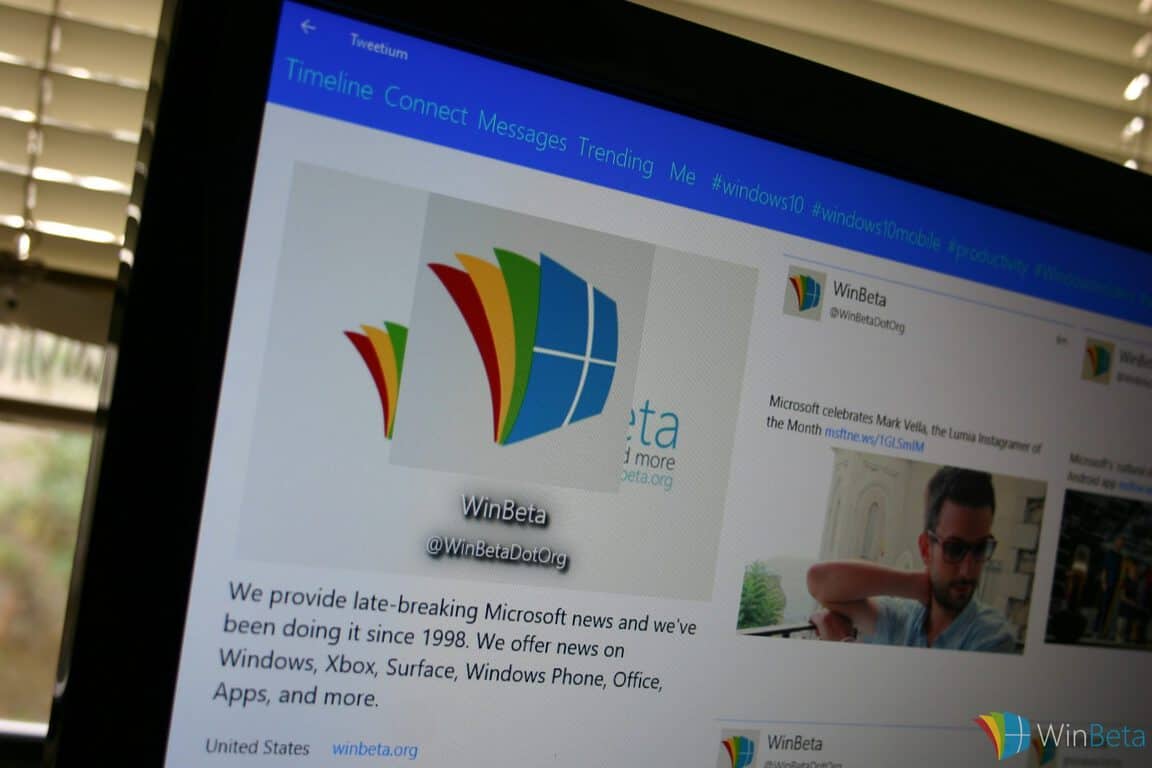
Tweetium for Windows 10 update releasing today, improved Cortana support on tap

In a recent tweet from the app developer, Brandon Paddock, Tweetium on Windows 10 will be getting an update today. The latest update brings Tweetium on Windows 10 to version 4.1.1 (4.1.491), and brings the following fixes and features:

  • Enable basic Cortana support for Windows PC/Tablet, and improved functionality on Windows 10 Mobile (W10M)
  • Enabled Cortana for Great Britain users
  • Improved handling of login errors, like incorrect password on W10M
  • Improved handling of Windows 10 app pre-launch functionality
  • Fixed crash when invoking via Cortana “tweet”command on W10M
  • Fixes for incorrect live tile displays on W10M, especially DMs with wide live tile
  • Fixed crash when pressing ESC while the tweet composer was animating
  • Fixed behavior of long press on Windows 10 PC/Tablet
  • Fixed a bug with YouTube links not opening correctly on W10M
  • Reduced size of command bar overflow items on W10M, and tweaked some colors
  • Switched back to dark splash screen background

That’s all that is included in the latest Tweetium update, let us know if you received the update yet in the comments, and if you haven’t tried Tweetium yet, be sure to give it a try as it is a Universal Windows 10 app, so you can use it on whatever Windows 10 device you want.

Brandon also tweeted today that he’s lowered the price of Tweetium Pro, to $4.99 per year.

Tweetium
Tweetium
Developer:
B-side Software
Price:
Free

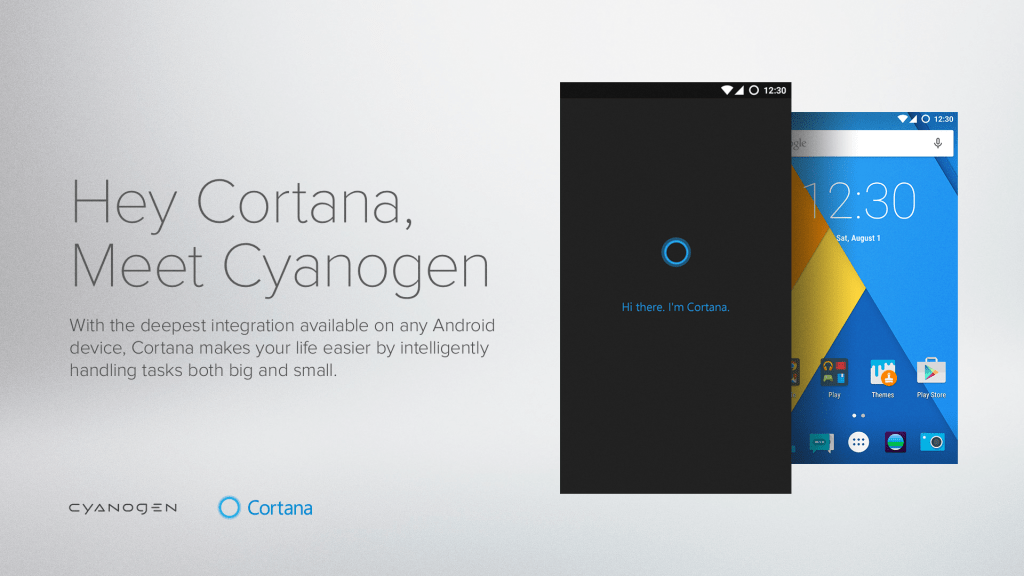
MWC 2016: Cyanogen introduces Skype, Cortana, OneNote mods and more

Mobile World Congress is where manufacturers usually announce new devices, but it also is a place for companies to announce or expand partnerships.  Today, Cyanogen, the developers of the Cyanogen OS, have announced  that they are expanding their existing partnership with Microsoft.

The expansion comes as a way for the company to change the way users, developers, OEMs, and MNOs build and interact with their mobile devices. It introduces a new platform which will bring and build Mods and intelligent, contextually aware and lightweight experiences  straight into mobile operating systems.

This expansion comes after Cyanogen announced deeper Cortana integration on their line of smartphones.

The new Mods mean that the functionality of devices will be extended. For example, a user could install the Skype mod into their dialer to add VoIP calling functionality, or install a Cortana assistant mod to power voice activated selfies.

Peggy Johnson, Executive Vice President of Business Development of Microsoft, put the announcement in context for Microsoft fans:

“Our partnership with Cyanogen is part of our ambition to provide great digital experiences to customers across all of their devices, in all aspects of their lives…MOD reinvents productivity for Android users by giving them access to the power of Microsoft’s services in an engaging and modern way.”

Under the expanded partnership, and through the Cyanogen MOD Ready program, a number of new Mods will be available for several Microsoft products.  Mods for Microsoft HyperLapse, OneNote, and TrueCaller Mods all should be coming soon.

MWC 2016: AT&T announces IoT partnerships with Microsoft, Cisco, Intel

Microsoft and AT&T have had a long partnership to distribute Windows phones in the US (AT&T is currently the only US carrier selling the flagship Lumia 950 & 950 XL), but it seems that the biggest US carrier is also sharing Microsoft’s interest in the growing Internet of Things (IoT) market. The company is using Mobile Word Congress to announce that its AT&T IoT Services will be integrated with Microsoft, Cisco and Intel technologies.

To grow its IoT ecosystem, the US carrier will soon let developers use tools like AT&T Flow Designer and AT&T M2X to build IoT apps that will work with the Intel IoT Developer Kit, Cisco’s Fog computing solutions and Microsoft Azure, big data, BI, advanced analytics and machine learning tools. AT&T believes that these new integrations will enable developers to build scalable end-to-end IoT solutions and to “transform their data into intelligent action”.

 AT&T Foundry for IoT innovation in Plano, Texas
AT&T IoT Foundry

The US carrier is not exactly a novice in IoT as it has already opened the AT&T Foundry for IoT innovation in 2013.  Some developers there worked with tech companies on products concepts like smart trashcans and intelligent lampposts. AT&T is also claiming that it has doubled its number of connected devices from 13 million to more than 26 million in the last 4 years and that it will soon launch programs with systems integrators and device manufacturers to provide their expertise to further help developer communities. Chris Penrose, senior vice president of Internet of Things for AT&T Business Solutions seems to be very enthusiastic about IoT:

“We’re continually expanding our portfolio of IoT tech innovators, collaborators and capabilities. We’re proud to have over 10,000 developers building solutions on our IoT Services platform. Our collaboration with industry leaders gives developers a complete set of tools to build IoT solutions that help companies stand out from their competitors.”

It certainly makes sense for a carrier to anticipate the future of connectivity and we can’t wait to see how AT&T will leverage on Microsoft technologies to unlock the power of the Internet of Things. If you want to know more what the US carrier is doing to grow the IoT market, you can visit their dedicated website.

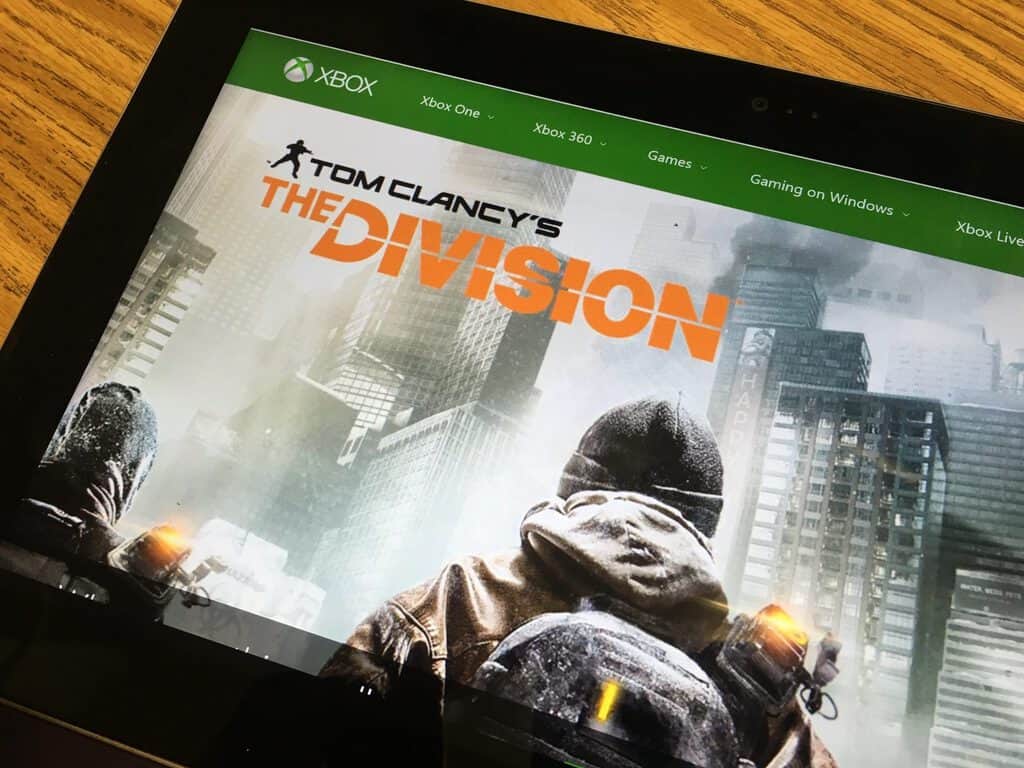
Microsoft’s flagship Store in NYC to host Tom Clancy’s The Division launch, set for March 8th

Tom Clancy’s The Division is one of the highly anticipated upcoming Xbox One title to launch this year, and the game developed by Swedish studio Ubisoft Massive has been teased quite a bit this last couple of weeks: we’ve first had a pre-order announcement two months ago, then a nice Xbox One bundle and finally an open beta that just ended today. If you’re not up on Tom Clancy’s The Division, here’s the trailer to give you a feel for what’s to come:

The game will now be released on March 8 and Xbox Live’s Major Nelson is announcing today that Microsoft will celebrate the game’s midnight launch at the Microsoft Flagship Store on Fifth Avenue in New York City:

If you’re in the area, join me for an evening of food, music and prizes plus gameplay and special guests, including from Ubisoft’s Red Storm Studio, Producer Tony Sturtzel (@TeeSturtz) and Game Director Terry Spier (@The_Spier). We’re also going to have Twitch streamers Swiftor and Futureman Gaming on site streaming from the store with fans.
There will be a chance to win exclusive Tom Clancy’s The Division items, and the first 200 customers to purchase Tom Clancy’s The Division for Xbox One will also receive a limited-edition poster as a gift.

The event will start on Monday, March 7 at 9:00p ET, and Major Nelson also says that complimentary credentials will be given to the first 200 people in line at 8:00 PM and those will be your ticket for a bunch prizes that will be announced that night (you must be 18 years or older to participate). For those of you who can’t attend the event, be reassured as Major Nelson also announced: “I have some special plans for my online followers too, details coming soon”.

You can get more details about the event on the dedicated Facebook page. Please tell us in the comments if you plan to join the fun!

Here’s a temp fix if you are unable to boot up Windows 10 Redstone build 14267

After rolling out Windows 10 Redstone preview build 14267 last week, some users have taken it to the official Microsoft support forum complaining about startup issues. Apparently, Windows 10 will fail to boot up and the culprit has to do with a fast startup bug. Here’s what you need to do in order to disable fast startup until this issue is resolved in a newer build:

  • Right-click Start, Power Options
  • Click Require a password on wakeup
  • Click Change settings that are currently unavailable
  • Untick Turn on fast startup
  • Click Save changes button
  • Shutdown
  • Start your computer and login

I’ve actually been experiencing this issue on my desktop. Turning on my Windows 10 PC causes it to hang during boot, resulting in me hitting the reset button, only for Windows 10 to boot up properly. This workaround actually helped, but results in a slower boot time due to fast startup being disabled.

In some cases, the above temporary workaround does not work. Unfortunately, this is the best solution for now until Microsoft resolves the issue in a patch or with a newer build. Ahh, the joys of testing a preview operating system! Let us know in the comments below if you faced the same startup issue.

Huawei takes on the Microsoft Surface with the 12-inch ‘Matebook’ running Windows 10

During the Mobile World Congress in Spain, Huawei unveiled their first 12-inch 2-in-1 Windows 10 device called the Matebook. At first glance, it looks like a hybrid of a Macbook and a Surface — and that’s not a bad thing.

The device features a resolution of 2160×1440, with an expected battery life between 9 and 13 hours. The MatePen, which you have to purchase separately, has 2048 levels of pressure sensitivity. The cool thing about the pen is that it features a laser pointer as well as an eraser. There won’t be a magnetic way to attach the pen to the Matebook, unfortunately.

The device comes in various configurations, starting from a 6th-generation Intel Core m3 processor to a Core m7 processor. System memory ranges from 4GB to 8GB and storage ranges from 128GB to 512GB. Pricing, similar to how Microsoft prices the Surface, ranges from $699 for the base model all the way up to $1599 for the higher-end model. The keyboard, pen, and dock are all separate, costing $129, $59, and $89, respectively.

The Matebook will be available in North America, Europe, and Asia later this year.  Check out the promo video below.

Microsoft has not backed Apple in its fight against the FBI, but does it matter?

Apple is currently engaged in a tense argument with the FBI over the unlocking on an iPhone used by one of the San Bernardino shooters.

The phone, an iPhone 5c, is password-protected and the US government wants Apple to build a piece of software that allows them to make unlimited guesses, revealing the secrets the phone holds.

Apple, however, has very different ideas.

CEO Tim Cook wrote a public letter which described the request, made by the FBI, as “chilling.” Apple’s problem is, according to the letter, that “once [the software is] created, the technique could be used over and over again, on any number of devices.” Cook compares it to a “master key” that would unlock all iPhones.

The past several days have been filled with back-and-forth between Apple and the FBI, with off-the-record statements to journalists from Apple executives abound.

New details, such as the password to the iPhone’s iCloud account was changed while the phone was held by the US authorities, have since come to light, and the whole saga has become very confusing.

For its part, the FBI — which was then backed by the Department of Justice — has maintained that Apple is grandstanding and that it is leveraging the tussle as a “marketing strategy.”

Other big technology companies, such as Google, Facebook, and Twitter, have come out in support of Apple.

In a series of tweets, Google CEO Sundar Pichai said that “[f]orcing companies to enable hacking could compromise users’ privacy.”

Twitter CEO Jack Dorsey also tweeted support for Apple, saying: “We stand with @tim_cook and Apple (and thank him for his leadership)!”

Facebook said that the FBI’s demands would “create a chilling precedent and obstruct companies’ efforts to secure their products” in a statement issued to press.

Aaron Levie, the CEO of Box, said that “[t]he whole grounds on which Apple is standing on are just super important.”

Mozilla, WhatsApp, and the Electronic Frontier Foundation have all also come out in support of Apple.

The one exception, however, is Microsoft.

Microsoft Satya Nadella

The company has yet to issue its own statement or acknowledge the dispute at all. A statement was issued by Reform government Surveillance, a coalition that includes Microsoft, Apple, AOL, Dropbox, Evernote, Facebook, Google, LinkedIn, Twitter, and Yahoo. However, the statement does not address Apple’s case directly and does not come from Microsoft itself.

Reform Government Surveillance companies believe it is extremely important to deter terrorists and criminals and to help law enforcement by processing legal orders for information in order to keep us all safe. But technology companies should not be required to build in backdoors to the technologies that keep their users’ information secure. RGS companies remain committed to providing law enforcement with the help it needs while protecting the security of their customers and their customers’ information.

The silence from Microsoft, which has not gone unnoticed, is surprising, especially as CEO Satya Nadella has not shied away from taking a public stance before.

Microsoft is currently involved in an intense, and very public, legal dispute with the FBI over access to data stored in Ireland, which is outside the jurisdiction of the US government. (More details here.)

The case, which has big ramifications for the technology industry and how data is handled on servers intentionally, has drawn support from other technology companies and has been the source of several high-profile interviews with Microsoft executives, a sign that the company is trying to build support for itself.

Just as with the Apple case, the US government has been harsh about Microsoft’s defence, describing it as “fighting nearly 50 years of settled law.”

So, why hasn’t Microsoft come out in support of Apple in this case?

The answer is unclear, but it could be down to several things:

  • The company does not believe publicly expressing support would help — it’s unclear whether Satya Nadella or anyone from Microsoft have reached out to Apple privately.
  • The case, as it stands, is very complicated and Microsoft might not want to get mixed up in it. New arguments and information are surfacing daily and Apple executives, a notoriously shy group, as giving off-the-record details to help straighten out the story.
  • Microsoft believes Apple has made a mistake and isn’t willing to back it. There are some, such as those on the Republican Right, who believe Apple should comply.
  • The company is preoccupied with its own dealings with the FBI and DOJ, which are set to advance soon.
  • The case does not affect the way Microsoft does business so it doesn’t want to get involved.
  • Another reason, known only to Microsoft, that I have missed entirely.

All of these theories could be right or wrong, and it’s impossible to know why Microsoft hasn’t come out in support of Apple, even after its peers have.

However, it’s arguable that it doesn’t matter because Apple and Microsoft are very different companies and Microsoft has, and is, demonstrating its willingness to stand up to the government when it feels an injustice is going to be done.

The Ireland case, in which the FBI is seeking access to data on a server in Europe, is similar to Apple’s insofar as Microsoft is seemingly on the wrong side morally: Letting the government access data that could close a legal case and bring someone to justice is, according to many, a justifiable way of acting and arguing against that is a hard position to take.

Ben Thompson, an analyst for Stratechery, has argued that “the PR optics could not possibly be worse for Apple” in this case because the company is potentially standing in the way of an alleged terrorist being brought to justice.

It’s unlikely that the lack of response from Microsoft will damage Apple’s case, but it is intriguing that the company did not issue its own statement.

Microsoft Surface makes teaching music more fun and productive

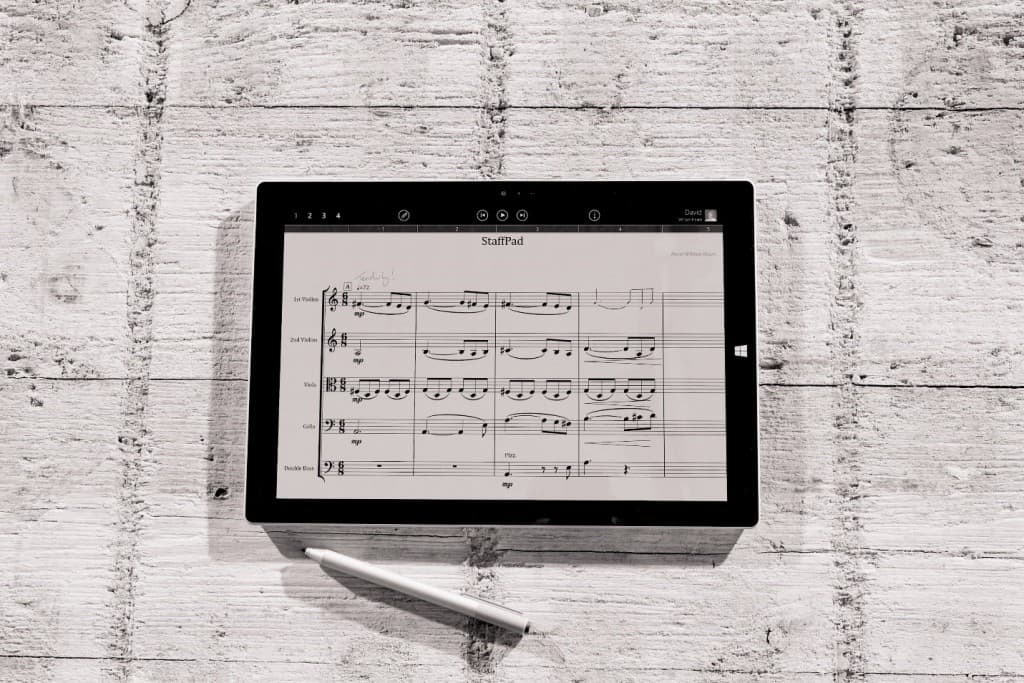
Andrew Fitzgerald has been teaching instrumental music at Franklin Classical Middle School (FCMS) for over ten years. Microsoft Surface has helped him teach his students to help them achieve things he didn’t know were possible. In many ways, being able to read music is like learning to speak a new language; it can be a hard thing to learn. Fitzgerald used to rely on a whiteboard to help his students read sheet music, but with the Surface app, StaffPad, teaching his students has become a breeze.

Fitzgerald found that the Surface Pro 3 provided a viable way to teach his students visually. Many students at FCMS are English Language Learners (ELLs) and being able to show them a visual presentation of music theory concepts works wonders. Fitzgerald noted what led him to use the Microsoft Surface in his classroom:

“A few years ago I watched Microsoft announce a new computer called Surface. It included an integrated digital pen, and I was immediately intrigued and inspired so much that I bought it when it became available. My classroom has never been the same.”

There are a number of reasons Fitzgerald chose the Surface Pro 3 to help him teach in the classroom, here are a few reasons:

  1. “It’s a full blown computer” – Despite being seen as just a tablet, the Surface Pro 3 has a full-size USB port, a microSD card slot for addition storage, and handles teaching workload, in addition to his personal projects.
  2. “The digital pen.” – Fitzgerald is a teacher and when it comes to teaching drawing and writing to explain concepts is a given. From the chalkboard to the whiteboard and beyond, teachers need to be able to use visual representations to use help students understand complex ideas. The Surface Pen helps teachers convey those ideas in ways that a marker never could.
  3. “It’s wireless.” – The Surface Pro 3 has Miracast built in, so there’s no need for an extra dongle or wires to connect it to a TV or projector. Miracast broadcasts video and audio in real-time, so Fitzgerald’s students can see and hear everything he is doing on his Surface as he creates it.

Surface

Fitzgerald relies on a number of Surface apps to help him teach. While he relies mostly on StaffPad, he also uses Piano Time Pro, Mod Tuner Pro, and Modtronome Pro. Drawboard PDF helps Fitzgerald sort through his school and personal documents and the Surface Pen helps him fill out those documents if need be.

Whether it be creating lesson plans and presentations to watching a movie in his personal time, anything and everything is available at his fingertips with the Surface Pro 3. For Fitzgerald, there is only one all-in-one device for him, and that is the Surface.

Windows 10 Mobile Insider Preview Build 14267 Now Available: What’s New?

Windows 10 Mobile Insider Preview Build 14267 is being released to the fast ring right now, but only for some devices. From what we have come to understand, build 14267 will only be available for devices that were launched with Windows 10.

At the moment, these handsets are only limited to the Lumia 950, 950 XL, 550, and Xiaomi Mi4. This is happening because the update is coming from the Windows 10 team’s Development Branch. Microsoft had mention a few weeks back that updates from the Developer Branch will first make its way to these handsets before others.

We’re not certain why Microsoft decided to release updates to only handsets that were launched with Windows 10 Mobile since the company did not give a reason. We’re guessing the operating system works best on these devices than the old.

What’s new in Windows 10 Mobile Insider Preview Build 14267:

Well, many of the same improvements in the latest Windows 10 Preview Build have found their way to the mobile version. It is now possible to send images via the Messaging + Skype app, something we have always wanted to do. There are also improved download prompts in Microsoft Edge, along with a fix that now makes it possible to hide the navigation bar in WhatsApp, Twitter, Weibo, Flixster and others.

Users can also search for music a lot easier by using Cortana, and inPrivate tabs are now easier to open in Microsoft Edge. Furthermore, the WordFlow keyboard now works like a charm in Microsoft Edge. It did not work at all before.

When it comes down to Live Tiles, the new update has improved the animations, so things should look smoother than before. Here are the current known issues according to Microsoft in a blog post:

“Visual Voicemail notification and delivery is not working in this build; causing devices to not receive any new visual voicemails. You can manually check your voicemail by calling your voicemail to listen to any new messages. You can call your voicemail within the Phone app by clicking “…” > Settings > “Change more settings for Phone” > “Call voicemail”; this will also leave the Voicemail call in your history to make checking voicemail easier.”

No word on when to expect this update for smartphones launched with Windows 8 and Windows 8.1.

Maps Edge: Features of the best Windows 10 Google Maps app

There’s not much in terms of Google related apps in the Windows Store, but this is not stopping some developers from filling the void. The latest app to hit the Windows Store for Windows 10, is a Google Maps app called Maps Edge.

Maps Edge is not the only Google Maps app available in the Windows Store, but after using it for around 30-minutes, we have to say that it is up there with the best of them. The main thing we love about Maps Edge, is its design, it is truly a thing of beauty.

Like some Google Maps app, this version’s interface is less cluttered, which is due to most of the main features being situated on the left-side in a listed format. Features such as Live Traffic, Transit Layer, and Bicycle Layer are all here. Furthermore, the app also comes with support for Google Street View.

Changing from regular maps view to Satellite view is very easy, all it requires is a click of the mouse. The unfortunate thing with Maps Edge, is the fact that not everything is straightforward. For example, the name of the icons does not pop-up when the mouse pointer is hovered. It means that for folks who are new to Google Maps, they might have difficulties knowing what some of these icons are about.

There’s also no way to log-in with your Google Account, so if you were hoping to gain access to all your saved goodies, you’ll be out of luck here.

Overall, not a bad app, but it needs some work before it can be considered the best of the bests. Download Maps Edge right now from the Windows Store.

Download Windows 10 Redstone Build 14267 ISO Files [Unofficial Links]

Microsoft yesterday released a new build for Windows 10 Preview, labeled as the Windows 10 Redstonebuild 14267. The build finally brought some new Redstone features, that users are anticipating since the very first Windows 10 Preview Redstone build, but it also caused some issues to users who installed it.

When it comes to distribution, this is just another regular Windows 10 build, which means that Microsoft only offers it to Insiders on the Fast ring, through Windows Update, as there’s no ISO file available.

This is nothing new, since Microsoft offers ISO files only for the new RTM releases, or major updates. We have the November Update ISO file available for download, and we expect the Redstone ISO file to be available, as well, once the second major update for Windows 10 arrives.

Download Windows 10 Build 14267 unofficial ISO file

But Microsoft actually allows users to create their own ISO files of ‘regular’ build updates, by using the ESD file the company delivers with each update. So, a couple of users took advantage of this possibility, and they delivered the unofficial Windows 10 Redstone build 14267 ISO file (both 64-bit and 32-bit versions), which is now available to download from an external source.

But, you have to keep in mind that these ISO files are not created by Microsoft, so if any additional errors (errors we didn’t mention in our article about build 14267 issues) occur, you should not blame the company for them.

Some people believe that ISO files created this way are illegal, but since Microsoft basically allows everyone to create their own ISO files, by using the ESD file from every newly-released build for Windows 10 Preview, you have nothing to worry about.

Download Windows 10 Redstone build 14267 Pro (64-bit version) from this link.
Download Windows 10 Redstone build 14267 Pro (32-bit version) from this link.

Opera Stops Support for Windows XP and Windows Vista

Windows XP is arguably Microsoft’s most popular operating system ever. But it was released nearly 15 years ago, and Microsoft released a couple of new Windows operating systems in the meantime, so the majority of users and software developers decided to abandon Windows XP.

Microsoft also discontinued the commercial support for Windows XP, which means that the operating system is now less-secure to use. Since Microsoft made this move, software developers also stopped to deliver Windows XP-compatible programs. Yesterday, Windows XP lost the valuable member of the ‘compatible programs family,’ as one of the most popular browsers, Opera decided to remove support for this operating system. Opera browser won’t be compatible with Microsoft’s less-popular operating system, Windows Vista, from now on, as well.

Opera on Windows XP and Windows Vista to still receive security patches

The current version of the browser, Opera 36 is going to be the last Opera version to run on Windows XP and Windows Vista. So, when Opera 37 arrives, it is going to be compatible only with newer versions of Windows (Windows 7, Windows 8.1/8, and Windows 10).

The company stated that users will still be able to run Opera on these operating systems, but only if they run Opera 36. Although the Opera development team won’t offer any new versions of Opera for Windows XP and Vista, they’re still going to provide security updates for Opera 36 on XP and Vista, at least for some time.

“We do care for our loyal users, which you could recently observe with 12.18 security update. While Opera 36 will be last one with features additions on Windows XP and Vista, we are still going to provide security and crash fixes to XP and Vista platform. You will not be able to run Opera 37+ on Windows XP and Vista, we advise you update to more recent OS, if possible. Otherwise, we will have Opera 36 for you.”

We expect Opera to be just one in line of popular programs that will cut the support for Windows XP in the near future. Microsoft also did the similar thing recently, by discontinuing the support for older versions of Internet Explorer, as users are now getting updates only for IE 11.

Although Windows XP is still popular for some users, it became a quite unsafe operating system to use, since Microsoft stopped to support it. But knowing that their safety is threatened, and that a lot of programs don’t support Windows XP anymore, users will eventually have to move to a newer version of Windows, anyway.

Sway updated with Power BI support, recent Office document access, more

Microsoft’s Sway application has recently seen a funneling of updates to its software. Today the Office team announces the latest batch of updates to be added as part of a monthly update cycle that implements ideas from UserVoice directly into Sway. Let’s the a look at the latest additions.

  • Recent Office Documents

When working inside of Sways users now have the ability to embed or import, their most recent Office documents. By tapping Insert and selecting OneDrive, users will be presented with a Recent tab where all their most recent documents are saved.

Sway
Recent Office Documents
  • Power BI Embeds

Users can now embed visual and interactive analytic reports using Power BI dynamic dashboards, straight into their business-related Sways.

  • PollEverywhere.com Embeds

A popular request from teachers now lets all users embed live polls from www.polleverywhere.com into Sways, with live poll results inside their presentations.

  • Embed Sways easier on the web

Sway now supports Embed.ly and oEmbed codes, allowing users to easily embed Sways on websites or blogs. Simply copying the Sway URL and pasting into blog sites, such as WordPress, will embed your sway with proper formatting.

  • Full-Text Editing in Preview Mode

Users of Sway have always had the ability to edit text in Preview mode, this latest update adds the full set of text editing tools, from the Sway Storyline, into the Preview mode.

Sway
Full Text Editing
  • Emphasize Text Cards

When putting emphasis on certain words, users now have to ability to emphasize an entire text card within their Sway, with new visual styling to help the words stand out more.

Sway
Text Card Emphasis
  • Adjust Sway Text Size

Users now can adjust their entire Sways text size, without changing adjustments made to individual text cards. In the Design tab, users can select Customize and use sliders to adjust Text size.

Sway
Text Size Adjustment

Alongside bug and performances fixes for this latest update, Microsoft is also focused on new updates for the Windows 10 version of Sway. Available soon, this update will add the online features like Recycle Bin, full-text editing and full-screen improvements to Sway for Windows 10 PCs and tablets.

These newest updates are available today on Sway.com. How are these latest updates improving your Sway experience? Let us know in the comments.

Windows 10 Insider Hub promotes 3rd party REACHit app, a Cortana booster looking for testers

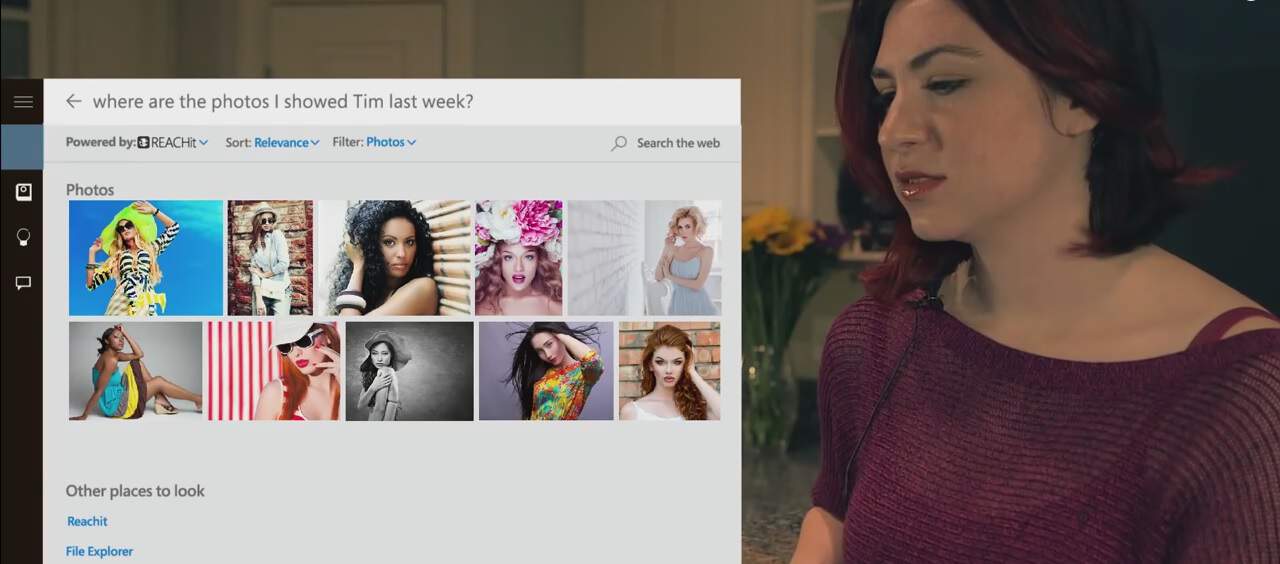
REACHit by Lenovo has been among a handful of 3rd party solutions that have tapped into the extensive functionality of Cortana and attempted to harness and produce even richer end user experiences. Part of REACHit’s functional promise is to offer Windows 10 users the ability to centralize searches of their content from 3rd party cloud storage solutions such as Google Drive, Gmail, Dropbox and more. On top of collecting material from several popular cloud solutions, REACHit also helps refine Cortana’s ability to search by allowing users to search with more natural speech queries and specific item callouts.

For all that REACHit can currently, handle, it’s not without its share of bugs, issues, and quirks. However, it appears the REACHit developers alongside support from the Windows team, is looking for a group of dedicated beta testers. A new post to the Insider Hub details steps a Windows 10 Insider can take to signup, download and install a beta version of the REACHit software.

REACHit

In addition to the sign-up and install process, the post also shines a light on the various functions users can expect from the REACHit software as well as bugs others might encounter such as “some queries may not produce the result you want.” As it is a beta program, it’s understandable that the software needs a bit of user refinement to hit the nail on the head when it comes to utilizing natural speech patterns.

With Cortana being as heavily embedded into Windows 10, it behooves Windows 10 to support this effort. Similar to how Microsoft is leaning on the expertise of the open source community when implementing features on its Azure platform, allowing the open development of additional Cortana functionality will only benefit the Windows engineers, its users, and the platform as a whole.

Hopefully, over time and with the right amount of feedback, whatever data and metrics REACHit collects and transposes will eventually trickle back into the consumer-facing version of Cortana.

For Windows 10 Insiders interesting in testing out the Cortana add-in, providing feedback, or watching the development of the REACHit software, head over to the Insider Hub for more information.

REACHit for Cortana
REACHit for Cortana
Price:
Free

How would you improve the Windows 10 Store?

Since Microsoft launched Windows 8 in 2012, the Windows Store has been the key to Microsoft content strategy. But while the Windows 8 store only featured third-party apps, the Windows 10 Store is now a gateway to the whole Microsoft ecosystem including universal Windows apps and a lots of media content.

More importantly, the new Windows Store is also a key component of Windows 10 as it’s the native tool that will deliver updates to all Microsoft native apps and third-party apps, while the Store itself is a universal app built on the same Universal Windows Platform (UWP) that third-party developers can use. So, let’s just say that Microsoft’s Windows Store has to deliver a rock-solid experience for Windows 10 users and third-party developers if Microsoft wants its Windows 10 strategy to succeed.

Right now, the Windows 10 Store experience is obviously better than the Windows 8 experience, and Microsoft was recently happy to report that the Store received 3 billion visits since the release of Windows 10. The company is still not done yet as the Store experience could still be improved in many ways. Here’s a list of suggestions to improve many aspects the Microsoft Store like the web experience, the search experience and app listings.

Let’s start with my main requested feature as a WinBeta writer: as we often have to report about app updates, it’s really annoying that the Windows Store is not displaying datestamps for apps as well as a full changelog history. It’s quite confusing when you remember that the old Windows Phone Store currently tells you when an app received it last update. Also, wouldn’t it be useful to users if the Store homepage featured a “Recently updated apps” category?

A lot of information but no changelog history.

From a consumer perspective, my most requested feature is a universal wishlist across the web and Windows 10 PC and mobile stores. Both iTunes and Google Play currently have that handy feature, and as the new Windows Store is featuring media content as well a wishlist would be really helpful to track prices of all the content you would like to buy.

Next, some may remember that during the Windows 8 era, it was possible to download apps on your Windows Phone from the web (using the deprecated windowsphone.com website). Well, if you browse the Windows web store using a Windows 10 PC, you can still use web links to quickly redirect you to the Windows Store app, but you can’t use those links to install apps on your Windows Phone. Microsoft should really bring back that feature as a more consistent experience could bring more engagement on its app store.

It's no more possible to download apps to your phone from the web.
It’s no more possible to download apps to your phone from the web.

I also have a lot to say about search, and if you’re a Steam user I guess you’ll know what I’m talking about. Search is currently terrible on the Windows Store because the content is lacking some metadata that could help users get quicker to Store content using search filters. To link to my previous datestamps request, I think it would also be handy to be able to filter search results to quickly see which apps were recently updated.

Also, Microsoft recently added a discreet “Built for Windows 10 label” that some Windows Store apps are now featuring, but that doesn’t explain much to users (does this mean that these apps are Continuum-enabled?). I also have Windows 10 games in mind as it’s currently difficult to know what that “Xbox Live” label really means, and if you’re looking for games that you can play with an Xbox controller you’re also not guaranteed to find that information on app descriptions.

You can't guess it, but this game works with an Xbox controller and uses Xbox Live cloud saves
Why do I have to scroll down to discover that this game works with Xbox controllers and uses Xbox Live cloud saves?

So, I think it would be a good idea to add “badges” on app pages, and there should be search toggle for at least these 3 badge suggestions of mine:

– Windows 10 UWP app (which also implies Continuum enabled on mobile)
– Game that works with an Xbox controller on Windows 10
– Game that uses Xbox Live cloud saves between PC and mobile

So, these are my main feature requests for the Windows 10 Store, but of course I would also appreciate a more reliable Store, as in my own experience the Store can sometimes struggle to download apps. But hopefully, “Windows as a service” means that Windows 10 will get better over time, and the Windows Store is getting updates at a regular pace. And Microsoft really ought to provide the best Windows Store experience for users if the company wants developers to take the Windows platform seriously.

Please tell us in the comments if you’re satisfied with the Windows Store or if you also have feature requests you want to share with us!

Microsoft’s new note and handwriting app Plumbago now available

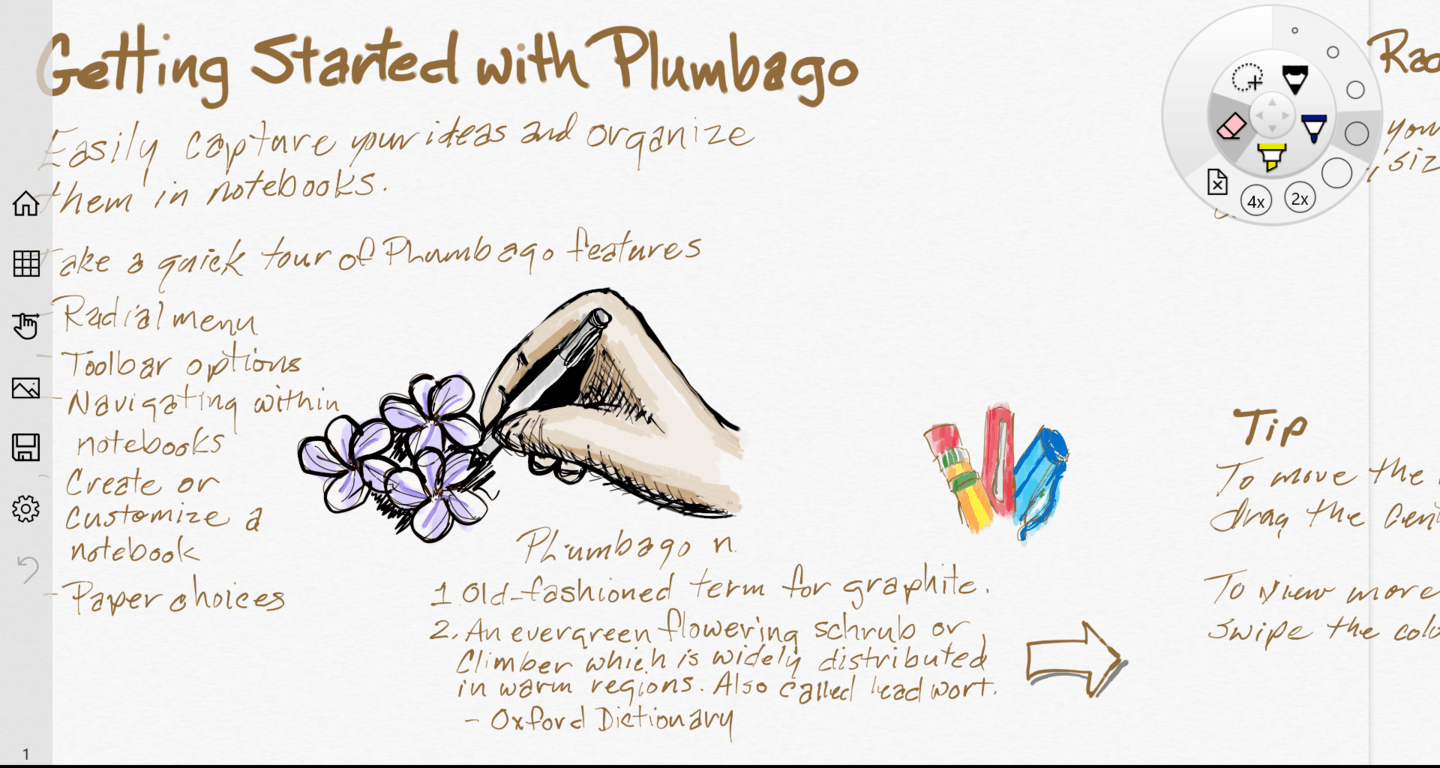
New apps and services are an important part of Microsoft’s strategy. The latest app to be taken out of the Microsoft Garage, an app workshop run by Microsoft employees from around the company,  is Plumbago. It is a note taking app with an emphasis on handwriting. We reported the rumor of it being on the way earlier this month but it is now officially available for download for Windows 10 or Windows 8.x.

Our initial impressions were correct. Plumbago looks like Fresh Paint mixed a little bit with OneNote. While some see this as redundant, this is only a Microsoft Garage app so it isn’t looking to be a part of or compete with the Microsoft Suite of productivity apps.

The app description highlights a few key features including adjustable handwriting smoothness, “realistic ink and paper,” adding pictures and a few more. The app has only recently been released but initial impressions are good with the app delivering a good writing experience as promised.

One feature that fans will likely welcome back is the radial menu. This is a popular layout for those using a stylus who want to quickly switch between how their stylus draws on the screen.

Microsoft has put up a blog post on Plumbago including the video shown below breaking down the new app.

We’ll have to wait and see to know how the features and layout of Plumbago integrate with the rest of Microsoft’s apps but for now you can give it a try for yourself.

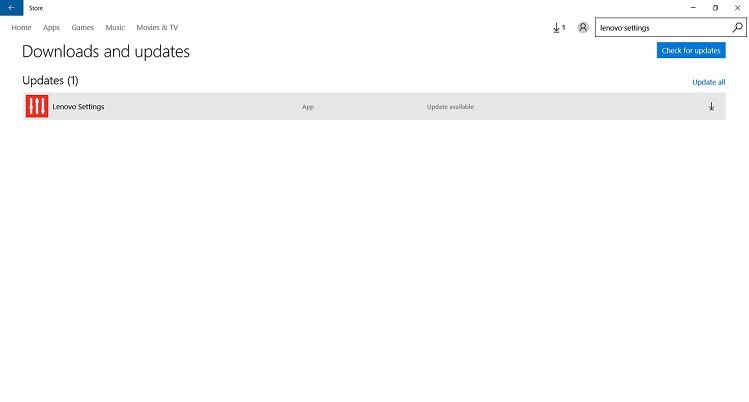
Lenovo Settings App for Windows 10 Gets Updated

The Lenovo Settings app, just as the name pretty much makes it clear, allows you to manage a wide range of options on your Lenovo device. You have Smart Settings, options for power, input, networks, audio/media, camera, display and more.

The app has apparently received a small update for Windows 10 users, but we weren’t able to notice anything different, especially as there was no changelog provided by Lenovo for this update.

Lenovo Settings app updated for Windows 10

lenovo settings app windows 10 update

The update comes in at a size of 16.7 megabytes, which might be considered as a hint that it’s a small update and doesn’t bring in any new features. And, indeed, when I checked the app, and while I don’t use it this often, I wasn’t able to spot anything different. If you did, then please leave your comment below and let us know what did you spot.

lenovo settings windows 10

If you still don’t have the app, but you want to give it a try, make sure you install it only on a system with a x86 processor. Many customers who’ve downloaded it have left a negative review, so I guess this update is meant to fix some of the problems which were causing these complaints.

Explore the ocean with a biomechanical robot in Abyss for Windows 10

The console game, Abyss, has just relaunched in the Windows Store and now works across devices running Windows operating systems from Windows Phone 7 through to Windows 10 Mobile. An official announcement from the game developers, Game Troopers, states that the game now works on PC but that functionality appears to be limited to certain Windows 10 hardware (it is not currently compatible with my Windows 10-powered first generation Surface Pro).

Users who do get it running on their Windows 10 desktop however can enjoy support for Xbox controllers and up to 20 Xbox Achievements to unlock with a Gamerscore totalling 200.

Here’s the official description:

In Abyss you will control Nep2no, a biomechanical robot created by humans to explore the depths of the ocean in seek of a new source of energy called “Gaia”. Abyss is a dark exploration through submarine caves and dangerous ocean trenches. Guide the brave Nep2no in his mission through mysterious grottos, discover forbidden depths, unfold secret passages, and gather all the Gaia to save humanity. A fantastic rework of the console classic, only for Windows.

While a console game coming to Windows PC used to be quite unusual, more and more games have started making the transition and several major titles coming out in 2016 such as Quantum Break and Killer Instinct Season 3 will be getting both an Xbox One and Windows 10 PC release, likely on the same day. Last year’s hit Xbox One title, Rise of the Tomb Raider, also recently launched on Windows 10 and there are reports that other games such as Forza 6 could follow suit.

Abyss has a reputation for being a rather challenging game so it may appeal to those gamers who are after more than casual puzzle games or shooters on their Windows device. Have you played Abyss yet? Let us know what you thought of it in the comments below.

Abyss
Abyss
Developer:
Game Troopers
Price:
Free

Wunderlist releases Outlook integration

Wunderlist is a task management solution that Microsoft purchased in 2015 to flesh out their line of cross-platform productivity solutions. Today, Wunderlist has announced an integration between their solution and Microsoft’s email service, Outlook.

Going forward, users of Microsoft’s Outlook.com, Outlook 2013, Outlook 2016 and Outlook for Office 365 will have access to new option when checking email, allowing users to add emails directly into Wunderlist. If you have an important meeting to attend, for example, simply click on the button “add to Wunderlist” and you will be prompted with an add-in slide. Once activated, the email will convert automatically to a task in Wunderlist, and from there you can add a new subject, details, reminders and click “add to Wunderlist” to finish the process.

This new add-in can help to quickly read email, organize them, and add important items to Wunderlist, without ever leaving Outlook. In addition to integration with your Inbox, lists you create in the app can now be easily shared with anyone, right from Outlook. When composing an email, simply click on the Wunderlist button and any lists you’ve created from the app will be available to share. By selecting the list you can bring friends in on your vacation plans or share a grocery list with a loved one.

Wunderlist Outlook
Wunderlist for Outlook

Wunderlist is an app for organizing all your life’s “to-do” lists, projects, schedules, notes and more. What Wunderlist helps you to do  is to stay on top of the day to day tasks, and by integrating across nearly every platform, carrying over your list to different devices is now potentially easy and efficient. Signing into your account will bring up any new changes and lists that have been added to whatever device you are using. In addition, working with a team, friend, or partner, you’re also able to comment on lists to stay informed of jobs completed, changes, and ideas.

The Wunderlist integration will be rolling out first to users of Outlook.com, Outlook 2013, Outlook 2016 and Office 365 subscribers in North America. Later, other parts of the world will get access to this new add-in. If you are not seeing the add-in while in Outlook, you can also install it directly from the Office store. With the power of Outlook and Wunderlist together, how do you see your productivity increasing with this integration? Let us know in the comments.

Stack Overflow, built on Microsoft technologies, reveals some impressive performance numbers

In a recent blog post, Nick Craver goes over some recent changes to Stack Overflow’s architecture. For the non-technical people out there, Stack Overflow is a website for experienced and novice programmers to find help to solve programming problems. Craver is a Software Developer and Systems Administrator for Stack Exchange and is responsible for keeping Stack Overflow up and running.

With over 4.7 million subscribers, Stack Overflow certainly has a great database of programming knowledge to help you solve even the most complex problems. Even Scott Guthrie, Corporate Vice President of Microsoft’s Cloud and Enterprise group, pointed out Carver’s post on Twitter.

Craver posted extensive statistics taken from changes to Stack Overflow’s architecture from November 12, 2013 to February 9, 2016. Craver points out all the things that Stack Exchange needs at their disposal to run Stack Overflow and what changes they made from their hardware used in 2013:

  • “4 Microsoft SQL Servers (new hardware for 2 of them)

  • 11 IIS Web Servers (new hardware)

  • 2 Redis Servers (new hardware)

  • 3 Tag Engine servers (new hardware for 2 of the 3)

  • 3 Elasticsearch servers (same)

  • 4 HAProxy Load Balancers (added 2 to support CloudFlare)

  • 2 Networks (each a Nexus 5596 Core + 2232TM Fabric Extenders, upgraded to 10Gbps everywhere)

  • 2 Fortinet 800C Firewalls (replaced Cisco 5525-X ASAs)

  • 2 Cisco ASR-1001 Routers (replaced Cisco 3945 Routers)

  • 2 Cisco ASR-1001-x Routers (new!)”

For more detailed technical (programmer-speak) information, and pictures on all the changes that were made to Stack Overflow’s architecture, check out Nick Carver’s personal blog post.

How to use your Band 2 music controls with Bluetooth headphones

The Microsoft Band marked Microsoft’s venture into the wearable industry, followed up a year or so later with the more evolved Band 2. Focused on the fitness aspect of the wearable technology industry, the Microsoft Band 2 includes GPS mapped running guides, elevation monitoring, heart rate monitoring, and many other features.

Microsoft has continued to add to the list of features on the Band, and recently updated the device’s firmware back in December to include music controls, activity reminders, and an improved exercise tile. With all that in mind, today, we can deliver you a tip to get that music control function working correctly with your Bluetooth headphones.

Essentially, users have run into the issue of the music controls not functioning when a Bluetooth headset is attached that also has integrated controls. According to the tip provided by Twitter user @Shepdad, connecting music controls on the Band 2 before connecting bluetooth headphones could potentially offer a fix.

As always, your milage may vary based on Bluetooth headset being used. Nevertheless, give this tip a try, and let us know in the comments if it is or is not working for you.

We at WinBeta have a page dedicated to Microsoft Band Tips and tricks, and you can check it out to get the most out of a new Microsoft Band device.  Once you’ve checked that out, you can go ahead and add our Microsoft Band news hub to your favorites to stay up to date on Band updates and more.

Microsoft adds Windows 10 Education edition to Windows Insider program

In the past, teachers and students running Windows 10 Education Edition were excluded from the Windows Insider program. Windows 10 Education is a version of Microsoft’s newest OS that’s available exclusively through the company’s volume licensing program and is also available to students in schools that participate in Microsoft’s DreamSpark program.

Along with the new Windows 10 Insiders build 14267 announcement, Microsoft also provided the news about Windows 10 Education:

If you’re a student or teacher running the Windows 10 Education Edition – you can now go to Settings > Update & Security > Advanced options and opt-in your PC to receive Insider Preview builds. By joining the Windows Insider Program and running Windows 10 Education – you can help to shape the future of Windows for education customers. You can be a part of the ongoing process of improving the features and functionality of Windows that has helped us build the best Windows yet. Windows 10 Education is available through Microsoft Volume Licensing. Individual students in schools participating in the DreamSpark program or eligible for the Windows student use benefit may also be able to download Windows 10 Education as a benefit of their school’s partnership with Microsoft.

We’re always happy to see Microsoft expands its preview programs to more users. The more users, the more feedback and the better Windows 10 can become. Of course, schools will likely impose their own limits on who can test the new OS, but, at least, Microsoft has made the option available.

Microsoft is testing an Outlook.com Premium service, to include custom domains

We just learned yesterday that the new Outlook.com experience was starting to roll out worldwide, offering a number of enhancements that have been available to preview users for a while. Today, Mary-Jo Foley from ZDNet has reported that Microsoft is currently testing a new premium Outlook.com service with custom domain option.

This pilot program is not the same as the ad-free Outlook.com experience that Microsoft is currently offering for a $19.95 yearly subscription, but according to this official help page “offers a personalized email address for you to create and manage.” Here are the most interesting bits from this help page :

  • After confirming the new personal email address, that address will now be your default From address when composing email. Your original address is still active too.
  • After setting your new personal email address as an alias, you can login to any Microsoft service with your personal email address and the same password that you use for your Outlook.com account. You should keep your original Outlook.com email address as an alias on your account.
  • Microsoft has partnered with GoDaddy to supply the email domain you choose to power your personalized email address.
Outlook premium help
Outlook Premium Help page

Microsoft previously offered a free option to use Outlook.com with your custom domain, but the company ended support for it in 2014 while existing users were allowed to keep their account for free. Since then, the only way to get an email address with a custom domain from Microsoft is to subscribe to Office 365 for business, which clearly is overkill for happy Outlook.com users.

A Microsoft spokesperson explained to Mary-Jo Foley why the company is running this pilot program:

We are evaluating interest in custom domains for Outlook.com. At this time, we are testing with a limited number of users in the United States and will evaluate the experience over time. The previous program required the user to manage the process of purchasing a domain. We are evaluating the appeal of custom domains but with Microsoft managing the processes of procuring the domain.

We’re always investigating new features based on the wants and needs of our users, and we have nothing more to share at this time.

So that’s it, folks. We don’t know yet if Microsoft will go forward with this Outlook premium service and if Microsoft will include it in a Office 365 consumer subscription or sell it as a standalone service. But the new capabilities would certainly be a welcome addition for Outlook.com fans and “prosumers” who would want to use their favorite email service with their own domain. Please tell us in the comments if you would be interested in Outlook Premium!

Microsoft is working to link Skype to Aadhaar, India’s national ID database

What if people in India could soon use Skype as an authentication service? According to a report from Indian Express, Microsoft is currently working with the Indian government to link Skype with the national ID database Aadhaar to see if the service can be used to enable authenticated communications with government institutions.

Aadhaar is a unique 12-digit identity number affected to Indian residents and linked to centralised government database collecting biometric and demographic data. It’s currently voluntary and not mandatory, but because of the privacy concerns some Indian civil liberty groups have opposed what could be one of the world’s largest national identification number project. However, Microsoft’s President and Chief Legal Officer Brad Smith told Indian Express that the company has embraced the universal ID system:

We have been pursuing work, initially on a pilot basis, to use this specific technology and integrate it with Skype. We see Skype evolving in a way that will enable someone at home to authenticate themselves with using that ID system with a fingerprint or iris scan and then communicate with someone on the other end, maybe even a government agency, which will know that person is the same as he or she is claiming to be”.

Skype is not the only messaging app to try to go beyond simple private conversations, as we’re already seeing other services like Facebook Messenger and Whatsapp trying to get business on board and use their platforms to communicate with consumers. But by working with a government agency, Microsoft is trying something different here to enable authenticated communications between citizens and government institutions. As Aadhaar is still not mandatory, Microsoft is probably right to experiment, but we can understand you if you find it a bit scary to link a personal service like Skype to centralised government database like Aadhaar.

Microsoft’s WorldWide Telescope gets a new home at the American Astronomical Society

In 2007, WorldWide Telescope (WWT) started as a “dream project” for Jim Gray, Curtis Wong, and Jonathan Fay; all software engineers at Microsoft Research. WWT became an open source project in July 2015. Now in 2016, the open source labor of love and tribute to Jim Gray’s legacy is migrating to the American Astronomical Society with the help of Microsoft Azure.

Founded in 1899, the AAS helps share the scientific understanding of the universe with all of humankind. WWT will breathe new life into AAS with Microsoft Research working with scientists to enhance everyone’s understanding of the universe as a whole.

Microsoft Azure would have helped develop WWT at a much faster rate; Azure helps manage global WWT users, makes collaboration much easier, and provides resources for new projects as needed. Azure helps WWT keep up with the latest technology, software, and data without the limitations of maintaining a physical server.

Over the course of the last eight years, WWT worked with the public to enhance the way they see the universe. From novice to even the most seasoned astronomers, Azure allows astronomy data to be shared openly to provide a deeper understanding of the universe and help make new astronomical discoveries.

Here is a overview video what WWT does and what it is capable of.

The main goal of WWT has always been about collaboration and the sharing of data among the scientific community. Microsoft Research worked extensively with astronomers and astronauts to make WWT as accurate as scientifically possible. WWT hopes to inspire the next generation of scientists and explorers. With WWT being an open-source project, managed by the AAS, and now powered by Microsoft Azure, WWT will be able to increase its reach and impact in the scientific community.

If you are interested in trying out WorldWide Telescope for yourself, download WorldWide Telescope 5.2 for Windows here.

Gmailify your Outlook account to gain features without using Gmail

Gmail app for Android give users the ability to sign in to the app with their existing non-gmail account such as Outlook or Yahoo. However, if you’re a fan of Gmail’s features such as improved spam protection and better inbox organization without ditching your existing Outlook email address, Google has a solution for you.

They call it Gmailify, which give users the ability to login with their existing Outlook or Yahoo account, and use all the Gmail features without the need of a Gmail account.

The process is quite simple: it doesn’t require users to install anything on their device or PC. All you have to do is login with your Outlook account in the Gmail app, and tap on Gmailify — it’s that simple. After enabling, you’ll be able to use all the exciting Gmail features on your Android device with your existing Outlook address.

At any point in time, if you wish to unlink your account and use the default features, you can do so from within the app. Google said the company is working to bring more email providers to the compatibility list, but at the moment, it’s only Yahoo and Outlook/Hotmail. In the meantime, check out the video below to see it in action:

Of course Microsoft is upping its game, too, rolling out the latest Outlook.com improvements from preview, but if you’re stuck in a Gmail paradigm, this may be the app for you.