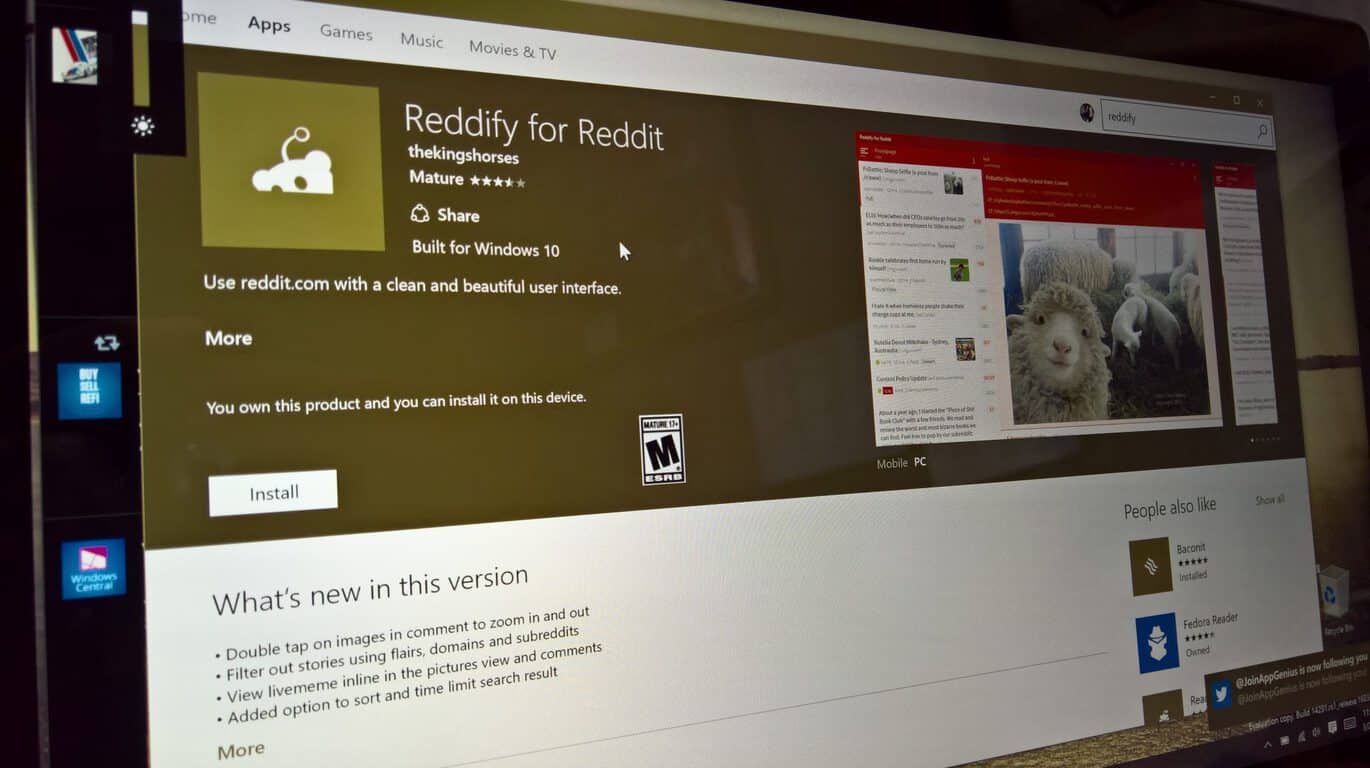
Once again, Reddit receives particular attention on Windows PCs and phones. Joining the stable of Reddit clients is Reddify for Windows 1, a new 3rd party Reddit that client brings a clean and simplistic design to organizing and viewing Reddit forums and post.
Similar to many of the Reddit apps on Windows 10, Reddify also works under the Universal Windows Platform, bringing that same sleek UI across PCs and mobile devices, for now. In addition to being a UWP app, Reddify also boast a hefty list of features for the Reddit power user.
Four different view options (List, Card, Pictures, News) per subreddit
Customize view per subreddit (Example set pictures view for r/pics and list view for r/askreddit)
Quickly toggle view for each subreddit
Multiple Accounts
Secure oAuth login, subreddit sync
Collapse comment and threads
User and story flair
Subreddit sidebar support
Trending subreddit
View imgur images, albums, gifs, gifv, gfycat, livememe, Flickr inline
Toggle images in comments (Requires setting every time app restarts)
IAMA mode for /r/iama
Quickly subscribe/unsubscribe form stories and comments page
Browse Multireddit support
Vote, comment, save, hide and share reddit content
Gilded comments/post highlight
Spoiler support
Browse and search user profile
Browse posts by domain
Basic search for subreddit stories
Full table support fro self text, and comments
Basic search for subreddit stories
modern looking and fast performing universal app
Basic search for subreddits stories
Full table support fro self text, and comments
Browse posts by domain
Search User
Spoiler support Themes
A beautiful design user interfaces with loads of customizable options
Change color, font and text size
Night theme (Dark Theme) Customization
Disable animation on slow/older devices
Move top navigation bar to bottom
Split-screen mode optimized for tablet and desktop
For those interested, head over to the Windows Store to grab the new app and let us know your thoughts and comparisons between other available solutions.
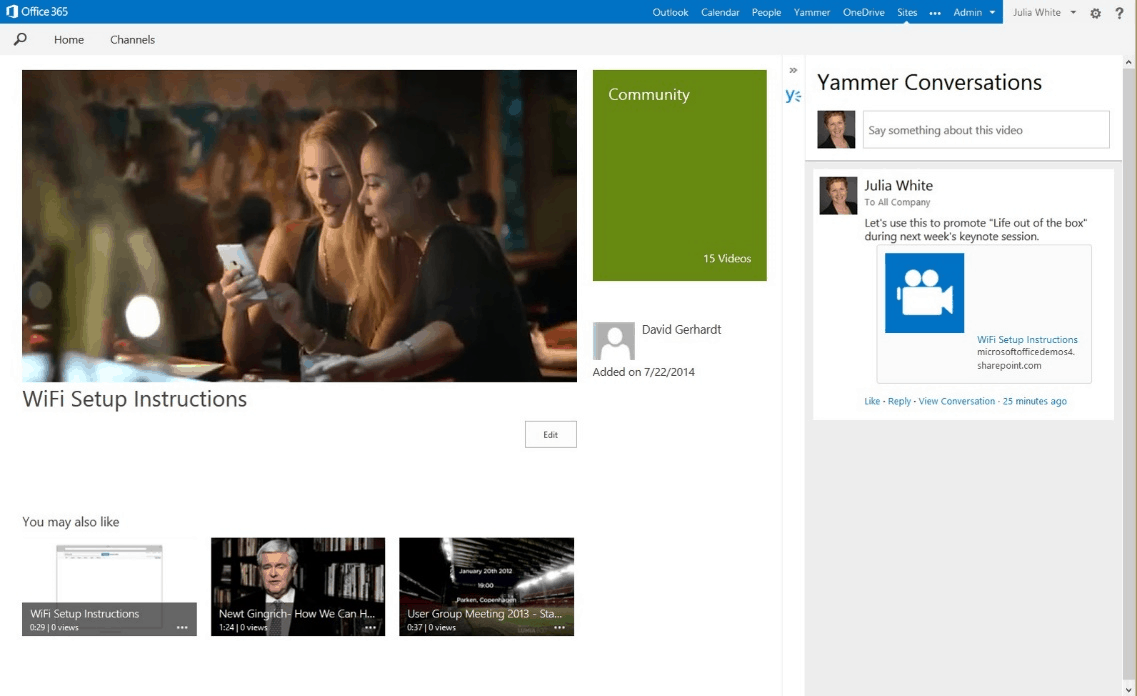
In a new video, Microsoft Mechanics highlights the new capabilities and features available in Office 365 Video. The new Office 365 Video gives you a simple tool for uploading, sharing and playing videos anywhere on your company’s intranet. It doesn’t matter if you use SharePoint Online or SharePoint Server 2016 on-premises.
Mark Kashman, the senior product manager for the Office 365 team, provides a quick video tour, where he addresses some of the most important features of Office 365 Video, including:
Improved upload experience
Accessibility with closed-caption support
Analytics per video to provide aggregate trending patterns
Choose your own thumbnail
Offline access
New admin controls and management capabilities
If you would like to learn more, take a look at the Office 365 Roadmap for a list of updates that are upcoming for current Office 365 subscribers and updates that are currently in development. Office 365 Video is always looking to improve its video communications on any company’s intranet.
Microsoft Research Visualization and Interaction Team (VIBE) wants to help people visually explore, understand and present data. Today, the team is introducing SandDance, a Microsoft Garage project that features a new genre of visualization where every data element is consistently represented on the screen.
SandDance relies on a web and easy-to-use touch-based interface to “help people who aren’t experts in data science or programming the ability to analyze information – and present it – in a way that is accessible to a wider audience.” Users can upload their own data into the tool, and Microsoft also encourages collaboration by allowing multiple people to work with the same dataset. Steven Drucker, a principal researcher, focused on information visualization and data collections explained:
“We had this notion that a lot of visualization summarized data, and that summary is great, but sometimes you need the individual elements of your data set too. We don’t want to lose sight of the trees because of the forest, but we also want to see the forest and the overall shape of the data. With this, you’ll see information about individuals and how they’re relative to each other. Most tools show one thing or the other. With SandDance, you can look at data from many different angles.”
SandDance is currently available as a standalone Web-based tool, but it’s also being extended to Power BI users as a custom visual that shows all the data organized into aggregations. Depending on the uptake by the community, the team will be prototyping new ideas and incorporate them into the PowerBI custom visual.
You can try SandDance right now, and it currently works in most browsers that run WebGL including Internet Explorer 10, Edge, Chrome, Safari and Firefox (iOS devices are not supported). Also, be aware that SandDance will run better on computers that have a modern graphics card.
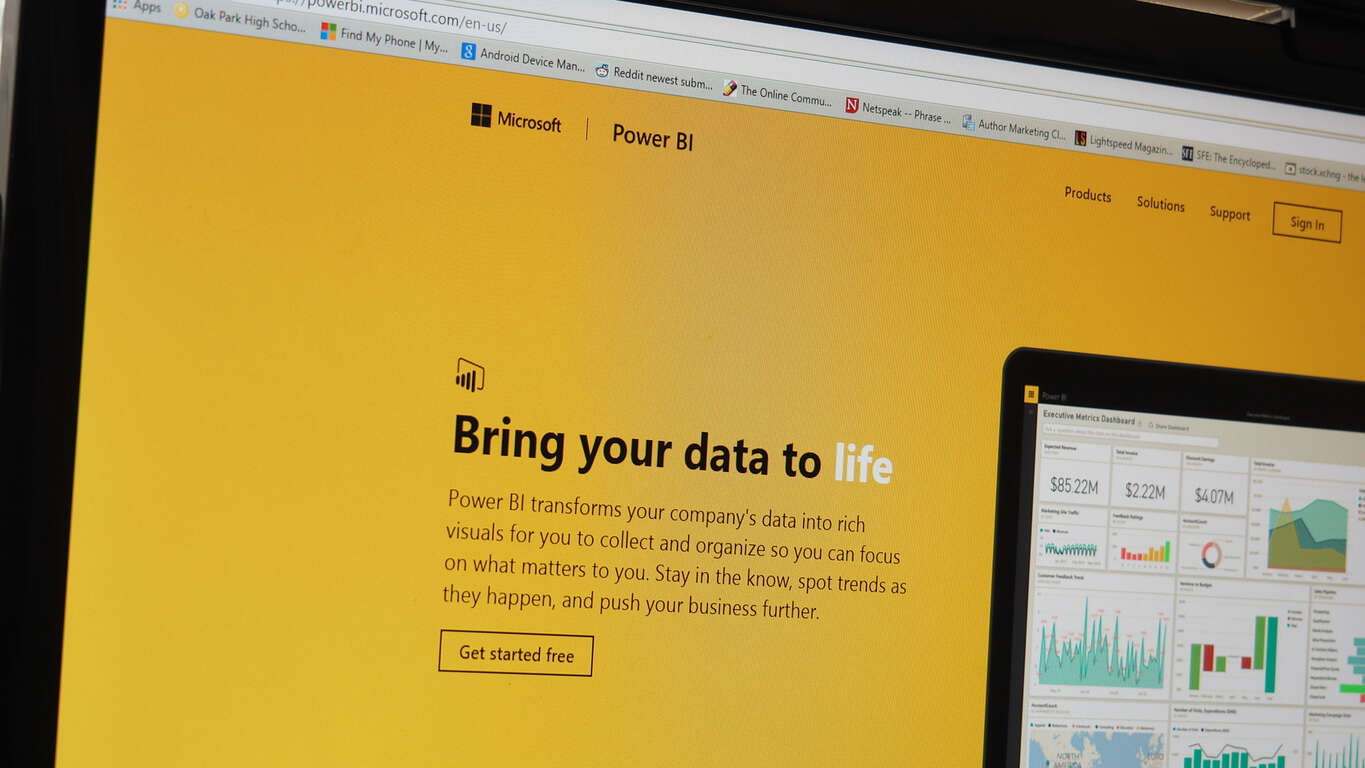
Early last year, Microsoft introduced a preview of Power BI, a new cloud-based business analytics suite to help companies gain insights into their business amidst all the growing amounts of data they accumulate. Power BI (which stands for Business Intelligence) aims at being an easy to use suite of analytics tools to help visualize, explain, and glean insight from the massive amounts of data that companies collect.
Microsoft announced today at their inaugural Data Insights Summit that since its release, Power BI has gained over five million subscribers. With momentum growing behind one of Microsoft’s newest cloud-based services for companies, Microsoft also announced new features that are available today for Power BI, along with the upcoming roadmap.
The new features encompass delivering greater enterprise readiness, deeper integration with Excel, and enhanced intelligent data exploration. On the Power BI blog, Microsoft Corproate VP James Phillips explains more about these features, listing them as:
Enterprise readiness
Role level security for cloud models and direct query is being introduced to provide granular control around who can access specific rows of data. Users can author and manage a single dashboard with customized views of the data unique to individuals. A preview will be available at the end of March.
To help organizations understand their overall Power BI usage, tenant-level usage reports are being enabled for assets like reports, dashboard, datasets and content packs. This reporting feature will be generally available by the end of March.
Deepened integration with Excel
Today we’re making generally available the ability to analyze Power BI data in Excel, enabling access to data that was loaded and modeled in Power BI.
Also generally available today is the ability to pin from Excel. Insights can be taken directly from the Excel desktop to Power BI dashboards, which will keep tiles on the dashboard up to date to help track your important data.
Intelligent data exploration
Improvements to Power BI’s natural language Q&A interface will be generally available in April to make it even simpler to use, with helpful visual cues, improved performance and an overall cleaner look.
Additionally, the unique query capabilities that help users find data and create visuals on the fly can now be used with direct query data sources. This combines the advantages of using Power BI’s direct query capabilities to access data stored on-premises and in the cloud by asking intuitive, natural questions via the Q&A interface – including Cortana, which will be able to answer questions from direct query sources used in Power BI. These features will be previewed in April.
The Power BI blog goes on to explain that moving forward. Power BI will become more powerful at delivering insights “that inform intelligent action… referring to the ability to engage and interact with data in new, intuitive, and nautral (sic) ways.” The post cites the new Microsoft Research project SandDance as a prime example of how Power BI will continue to deliver innovative and impactful data visualization tools.
As more companies look for innovative ways to use their data for a competitive edge, Microsoft will be in tough competition among a variety of tech companies trying to be the “go to” suite of tools for data driven decision making. Hopefully today’s announcements, and the upcoming roadmap, are strong indications of the increasing capabilities of this relatively new suite of analytics tools.
Rise of the Tomb Raider has been out for a few months now, and it has already seen its first wave of DLC with the Baba Yaga: The Temple of the Witch expansion pack. That in mind, today the Xbox team has announced the next and final piece of downloadable content for the game, The Cold Darkness Awakened pack.
The pack brings you to a decommissioned Cold War research base which has been breached. There, an illness sweeps into the wilderness around the base and Trinity soldiers transform into bloodthirsty killers who thrive on carnage. Playing as Lara, and to prevent the affliction from spreading, you must rely on her wits, physical agility and crafting abilities to overcome the new enemy and shut down the decommissioned base.
The pack will launch on March 29th, and will be available for both Xbox One and Windows 10. A season pass for Rise of the Tomb Raider also includes both the Cold Darkness Awakened and the Baba Yaga: The Temple of the Witch DLC.
Microsoft’s Xbox Spring Sale has kicked off, offering customers with discounts as high as 60 percent on dozens of popular titles for Xbox One and Xbox 360. It’s not just the games: the other day, the company announced that customers interested in the console can grab it for a promotional price of $299.99 for a limited time period. It gets even better for those who have an active Xbox Live membership — they can get an additional 10 percent discount on a number of heavyweight titles.
For those of you who don’t have an Xbox Live subscription, they can upgrade for just $1 for the first month to avail the massive discounts available for this week.
The promotion has kicked off today, and will be available until March 22nd so make sure to get all your favorite games this week before the discounts expire. You can check out the complete list of games available at promotional prices over at Major Nelson’s blog.
Three new games are out today on Microsoft’s Xbox One video game console, Sebastien Loeb Rally EVO, Stranger of Sword City, and Trackmania Turbo.
Sebastien Loeb Rally is a new racing game that may have trouble competing with the super-popular Forza franchise but is a good option for gamers who are something different to play. Here’s the official description:
Play SLR EVO and experience real rally! More than 186 miles of faithfully-reproduced track and 58 cars which have made rally history! From legends of the past, such as the Stratos and Celica, to jewels of the modern era, like the Citroën DS3 and C4. 64 specials, five Rallycross circuits and the Pikes Peak track – where you can reach some incredible speeds! Revisit all of the 9-time World Champion’s successes – 8 stages to relive his career, from ’98 to the incredible 2013 Pikes Peak record.
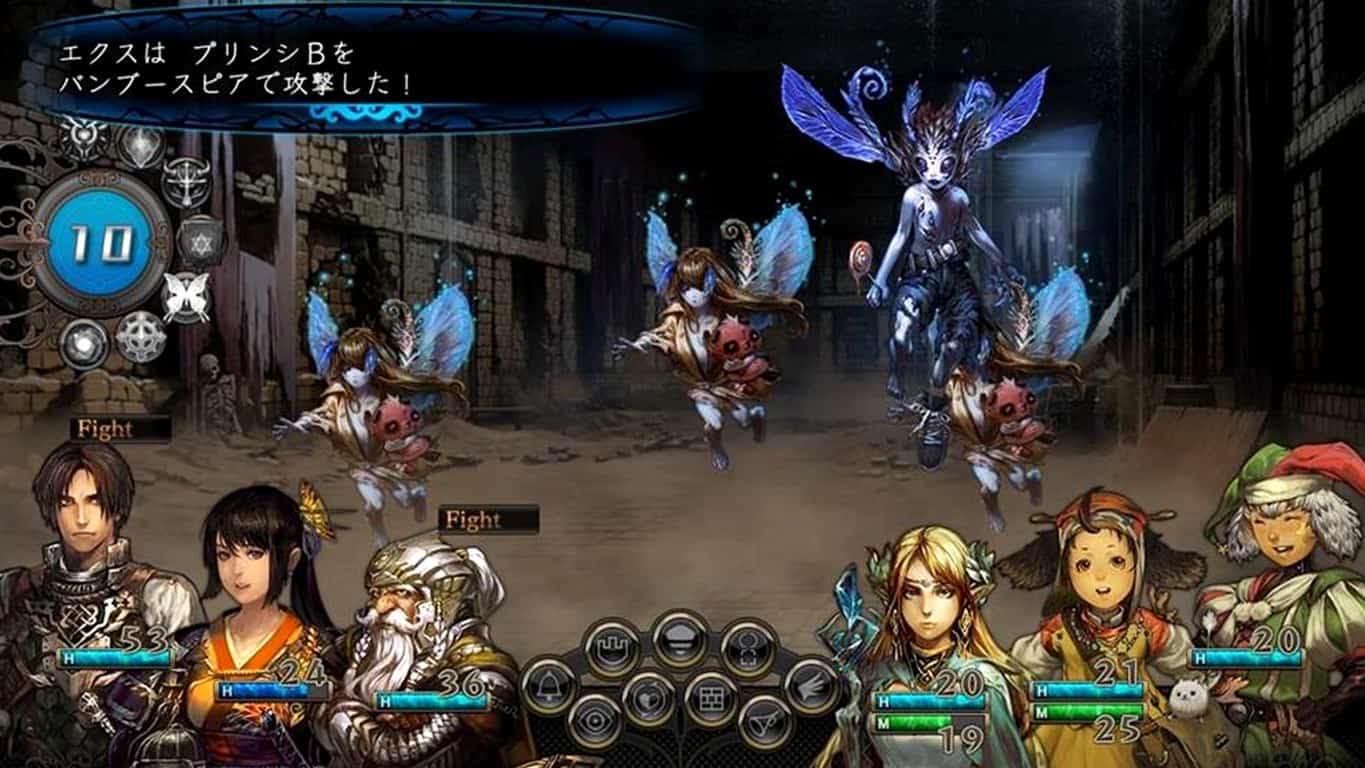
Stranger of Sword City is a blend of the dungeon crawling and roleplaying game genres and has been out in Japan for a while. The game features a unique art style feature that should come as a pleasant surprise to fans of Japanese artists. Here’s the game description:
Stranger of Sword City contains the three core elements of attraction for dungeon RPGs: character creation, conquering various dungeons, and dungeon crawling gameplay. Furthermore, our experience and know-how with a large number of titles within the Dungeon RPG genre has allowed us to create enhanced support features that allow our users to enjoy the title to their hearts content. Players will be able to switch between the beautiful and fantastical art style of Yoko Tsukamoto, or the art style of Oxijiyen, an artist renowned for their cute character graphics, for the NPC illustrations in game. Break through the impregnable labyrinths alongside your fellow adventurers, and find a way back home from this alternate world.
Trackmania Turbo is a remake of the original Xbox 360 Trackmania game. This new version boasts improved graphics, more game modes, and several new feature exclusive to the Xbox One. Here’s the official description:
Available for the first time on Xbox One, Trackmania offers you the ultimate arcade racing universe. Test your skills in outlandish tracks and challenge your friends at home (offline splitscreen) or online. Unlock up to 200 unique tracks in over 5 difficulty levels. Drive your way to the tops of worldwide rankings! For the first time in a racing game, team up with a friend and control one car with two controllers! Design your own tracks or simply generate random ones. Save and share your best tracks to make the competition last forever.
Microsoft has actively been increasing the number of titles on the Xbox One both through adding games from the Xbox 360 via backwards compatibility and encouraging developers to make games for the console. The Xbox 360 versions of Assassin’s Creed, Dark Void, and Grid 2 were recently added while over 12 new games have launched on the Xbox One this in month alone.
Are you playing any of these games on your Xbox One right now or are you playing something different? Let us know in the comments below and stay tuned to WinBeta for more Xbox One video game news.
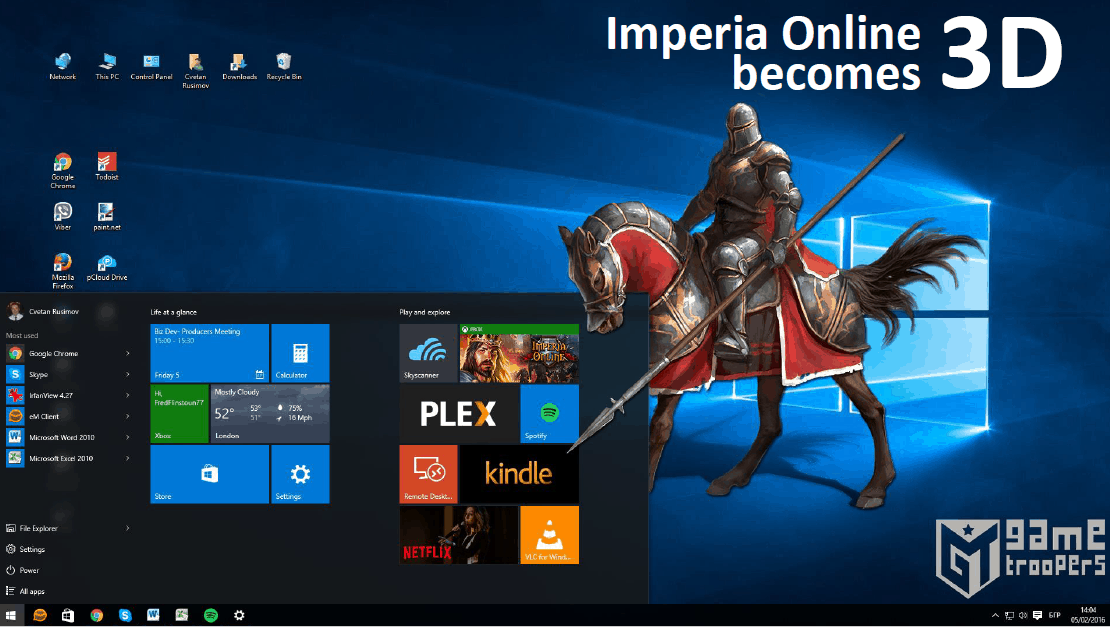
The massively multiplayer online game, Imperia Online: The Great People has just updated to the Universal Windows Platform app format and is now playable on Windows 10 and Windows 8.1 PCs in addition to Windows phones running Windows 10 Mobile, Windows Phone 8.1, and Windows Phone 8.
Imperia Online: The Great People has been around since 2005 but it wasn’t until 2014 when it launched on iOS and Android and 2015 when it arrived on Windows Phone. The game features crossplay between devices and the new Windows 10 version boasts exclusive features not available on other versions such as 3D battles, improved UI, animated menus and tutorials, and new game icons. The game is also connected to Microsoft’s Xbox Live network and features a variety of Xbox Achievements that can be unlocked by players.
Here’s the official description:
Join millions of players ALSO ON YOUR PC. Play on your phone, and keep on growing your empire in HD on your PC. Take control of your state and expand it into a mighty empire! Recruit soldiers and command huge armies into epic battles and crush all those who oppose you! Create your own royal dynasty and use it to govern your provinces and to lead your troops into battle! Make friends, join alliances and become the Lord of the entire medieval realm now! Imperia Online is а massively multiplayer online game (ММО), set in the times before gunpowder was invented. These are the times, when the peace is ensured on the edge of the cold steel blade, the heavy cavalry and the archers with long bows.
Imperia Online: The Great People is completely free to play however there are a variety of in-game purchases that can be made with real-world money to speed up game progression. Are you a fan of Imperia Online: The Great People? Let us know in the comments below.
We’re used to seeing Microsoft promote its products in various anti-Apple ad campaigns, usually never failing to mention that Apple’s devices lack the kind of software in order to make them truly productive.
But with the iPad Pro’s release, many accused Apple of mimicking Microsoft’s idea of a 2-in-1 Windows device. However, this didn’t stop Apple from beating Microsoft at its own game as consumers eventually bought more iPad Pros than Surfaces. Now, Apple is back on the offensive with its newest iPad Pro.
Apple’s iPad Pro promoted as a smaller laptop alternative
Today, Apple held its special March event at which it unveiled the iPhone SE, announced a new version of the Apple TV, discounted the Apple Watch, made some remarks about its ongoing privacy battles with the US government and last but not least, also unveiled the new iPad Pro.
Before its unveiling, the original iPad Pro was heavily rumored to sport the Pro badge because of its big 12.9-inch size, presumably needed in order to differentiate the product from the rest of the iPad models. But now we’re surprised to know that Apple actually shrunk the iPad Pro’s size to just 9.7 inches, puttings it in the same category as the iPad Air.
At the moment, we’re not sure what exactly is Apple going to do – kill the iPad Air, keep the iPad Pro, or just leave both SKUs alone? What set the Pro apart from the rest of the iPads was the fact that it was allegedly aimed at professionals such as artists, engineers, and doctors. However, Apple is now actually promoting the new iPad Pro as “the ultimate PC replacement.”
When it comes to wordplay, Apple is a master — there’s no doubt about that. But I truly don’t see how exactly a 9.7-inch device going to be a PC replacement. Sure, it’s got a lot of power on the inside thanks to the A9X processor and a bunch of the other usual incremental improvements when it comes to weight, display, camera, etc. But as far as its comparison with a true PC goes, the new iPad Pro gets a smaller version of the Smart Keyboard, a new Lightning-powered SD card reader, and a USB camera adapter along with a four-speaker system.
Storage also can be doubled to 256GB, but you’ll have to pay a premium of $1100 to enjoy it — not to mention all the accessories needed for a true PC experience. These are all the features Apple hopes make the new iPad Pro a genuine laptop replacement — a leap of logic in my book.
Apple stated that many Windows users come to the iPad Pro and compare the gaming experience on the iPad Pro with the Xbox 360, representing obvious digs on Microsoft and Windows devices. But I think we as Windows users can all agree: Apple, keep trying — keep trying hard.
In the era of consoles, PC gaming is struggling but still staying afloat. While playing games on a PC provides a much better overall experience, it’s widely known that building a capable rig costs a lot more than buying a console.
But if you prefer PC gaming and price is not a deal-breaker for you, you’re in luck. Leading PC hardware manufacturer MSI has just revealed something every PC gamer dreams of: its MSI Vortex Mini gaming PC, a stunning machine with amazing performance.
The MSI Vortex Mini is a mini-tower gaming PC which the company calls the “world’s smallest gaming cylinder.” But purchasing the world’s smallest gaming cylinder will be a costly experience — the base model comes in at a hefty $2,199 for the base model. The PC is powered by the following:
4GHz Intel Core-i7 6700k processor
dual Nvidia GeForce GTX 960 SLI graphics
16GB of system memory
Another costlier option starts at $3,999 and features dual GTX 980 SLI 16G GDDR5 graphics cards and 32GB of RAM. Both models feature four RAID hard drives: a 256GB PCIe SSD, two 128GB SSDs, and a 1TB 7200 RPM conventional drive.
A great thing about this device is its versatility. As it is a mini-tower, it measures just 7.61 by 7.01 by 10.55 inches, making it extremely portable so that you can set it up almost anywhere. The MSI Vortex is, of course, powered by Windows 10.
“The revolutionary Vortex gaming tower shatters the misconception that bigger systems deliver more power and performance,” Andy Tung, president of MSI Pan America, said in a statement. “The groundbreaking system maximizes space and heat dissipation to unlock the power of its components for truly astronomical performance in a subwoofer size.”
As for connectivity, this device is solidly equipped for mini-tower standards, with four USB 3.0 ports and two Thunderbolt 3 connectors. Additionally, its dual GPUs support up to 6 to six video outputs simultaneously.
Would you buy the MSI Vortex Mini gaming PC, or you think the price of upwards of $4,000 is too high for this device? Tell us in the comment section below!
As a kid, I remember being fascinated by the Total War games. The fact that you could be in the middle of the action was a mind-blowing proposition for a kid just getting into PC games.
Now, the new Total War Battles: Kingdom is out for Windows PC, developed by the same team who built Total War Battles: SHOGUN.
Total War Battles: Kingdom comes to Windows PCs
Total War Battles: Kingdom is a cross-platform game, so you’ll be able to download it from Steam and the usual mobile platforms. The gameplay is set in Medieval England, and combines realm building and management with real-time battles.
The game has been in open beta for almost a year now and it’s releasing this week in its final form. While the game is free-to-play, it does contain many in-app purchases and time-restricted gameplay elements, things that have resulted in many users being disappointed by the game.
The game will be released on March 24 for iPhone, iPad, iPod Touch, Android devices, PC and Mac, so make sure to check it out.
Update: (Author’s note: I attempted to install the Page Analyzer extension from the Windows Store, and it did not install for me. Hence, I wrote the story as follows, which more questioned the Windows Store implementation than the extension itself. However, at least one reader has indicated that the extension installed successfully from the Store. So clearly, this is still a work in progress and your mileage may vary.)
Some of the biggest Windows 10 news last week was the release of Windows Insider build 14291, which introduced the long-awaited Edge extensions. While there are “officially” three extensions available, along with at least one new third-party option, they need to be manually sideloaded through a relatively cumbersome process that really speaks to their preview nature.
Clicking on the Windows Store link opens the app as expected, and the installation button does work.
Page Analyzer Edge Extension Windows Store listing.
Installing the extension on a Windows Insider machine doesn’t do much, but it doesn’t cause any errors, either. As you can see in the screenshot below, the extension doesn’t actually load in Edge.
Edge extensions settings.
However, this is, at least, a sign that Microsoft may be closer than we expected to implementing the long-term Edge extensions process. We’ll keep an eye on these developments, and will let you know just as soon as you’ll be able to hit the store to install more easily those nifty upcoming Edge extensions.
Update: Here’s the tweet from Twitter user Corecast demonstrating a successful installation of the extension.
Page Analyzer for Edge in action, aka WinBeta pls part 67: The extensions you claim is broken actually does work pic.twitter.com/rcysiDBSA1
With the final release of the Windows 10 Mobile to selected older devices, the Windows team have their work cut out for them as they attempt to bring the operating system up to par with current smartphone competition. Windows 10 Mobile has an arguably impressive outline going for it, but the Windows team needs to start fleshing out nuances and smaller details, and soon.
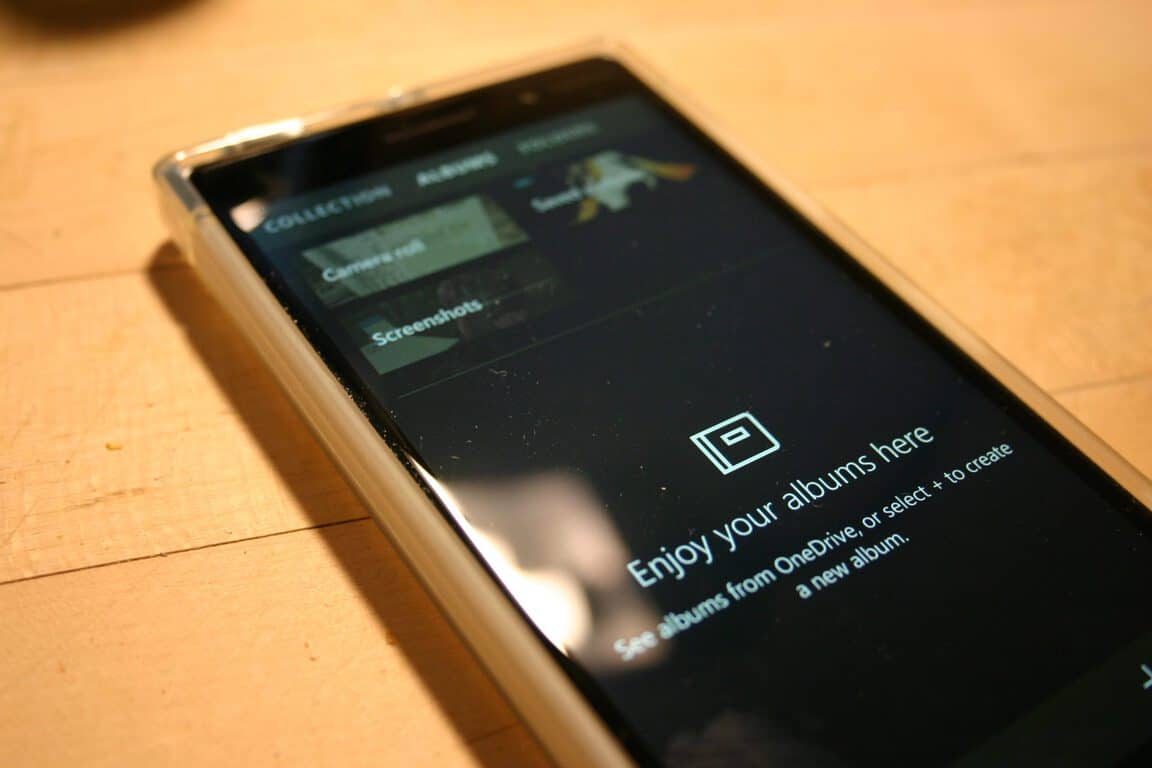
With the new update to the Windows 10 Mobile Photos apps, users just got a bit of that nuanced attention to detail. Today’s update to the Photo app brings the ability for users to see their OneDrive storage info within the app as well as printing options and Living Image views.
When Microsoft pitched it’s reinvented mobile operating system with Windows Phone 7, automatic backups through OneDrive (SkyDrive at the time) was a cornerstone of its marketing efforts. Today’s update reiterates the role OneDrive plays with photos on a Windows 10 Mobile device.
Show as Living Image optionNew Print options included
The inclusion of the OneDrive storage information isn’t the only addition that comes with today’s update. Users may also notice that there are additional selections that appear when viewing images. Now, users can select print directly from the picture itself as well as viewing Living Images in motion or still versions. The new print options make it even easier for users to connect to a wireless printer and produce a hard copy of their favorite captured images.
The update is currently rolling out now, head over to the Windows Store on your mobile device to snag it. As of right now, there doesn’t appear to be an equivalent PC version of the update.
You probably aren’t familiar with System Shock, and we don’t blame you — it was released way back in 1994. For its time, though, System was a revolutionary game, exposing gamers to a truly innovative experience by combining elements of a first-person roleplaying games with horror and sci-fi all into one.
This unusual combination was received exceptionally well by gamers, with System Shock going on to achieve monumental success. In fact, the game was so successful it received a sequel in 1999. Sadly, though, this is where the story of the System Shock series comes to an end. In May 2000, Looking Glass Studios, one of the most innovative game developers, went out of business and thereby bringing the end of System Shock series.
Night Dive Studios released System Shock Remastered gameplay trailer
Although the future of System Shock series looked rather grim, a development team by the name of Night Dive Studios resurrected the popular series when it released System Shock: Enhanced Edition in 2015. Enhanced Edition didn’t offer anything new, but it allowed players with modern operating systems to enjoy the original game at higher resolutions.
System Shock: Enhanced Edition got hearty reception from fans of original game, and that reception compelled Night Dive Studios to embark on a new project: System Shock Remastered. The upcoming System Shock game will revamp the 22-year-old classic by updating it to a more modern engine — in this case, Unity. In addition to the new engine, System Shock Remastered will also improve the user interface.
Night Dive Studios released its first System Shock Remastered trailer that includes in-game scenes from the pre-alpha version. Although the trailer depicts the early stages of the game, we have to admit that System Shock looks incredible with new textures and new Unity engine.
All aspects of the original game are here: the dark and narrow corridors of Citadel Station along with game’s memorable villain SHODAN. This is a truly amazing remake that incorporates everything that made the original game special and combinung that with a modern game engine.
According to reports, System Shock Remastered will be available for PC and Xbox One in 2017 although the exact release date remains unknown. Check out the pre-alpha trailer below:
With all the recent talk about encryption and personal data, Microsoft looks to remind its customers that all of their data is safe. Microsoft has safeguards in place to protect both personal and enterprise customers’ data with its Azure Cloud and Internet of Things (IoT) Computing Services.
Here’s a short video of some of the things Microsoft is doing to keep their customers’ data safe in the cloud:
Here are the finer points of Microsoft’s Trusted Cloud principles and their commitment to customers’ data, privacy, and customer control options of their data:
You own your data, not us. When you use a Microsoft cloud service, you keep the ability to take your data with you when you terminate an agreement. When a subscription expires or you terminate your contract, Microsoft follows a 90-day retention policy and strict standards for overwriting storage before reuse.
Your data is not used for marketing. Our enterprise business model is not based on exploiting customer data. We do not use your data for purposes such as advertising that are unrelated to providing the cloud service.
We don’t use standing access. Only a small set of activities require human involvement; access to your data by Microsoft personnel is granted only when necessary for support or operations, then revoked when no longer needed.
You can choose your datacenter location. Depending on which cloud services you have, you may have flexibility in choosing where your data physically resides. Your data may be replicated for redundancy within the geographic area, but not transmitted outside it.
We protect data from government surveillance. Over several years, we’ve expanded encryption across all our services and reinforced legal protections for customer data. And we’ve enhanced transparency so that you can be assured that we do not build “back doors” into our products and services, nor do we provide any government with direct or unfettered access to customer data.
Law enforcement requests must go through you. We will not disclose your data to a third party except as you direct or as required by law. We’ll attempt to redirect third parties to request customer data directly from the data owner.
For a closer look at what specific security measures are in place to protect your data, check out Microsoft’s Trust Center.
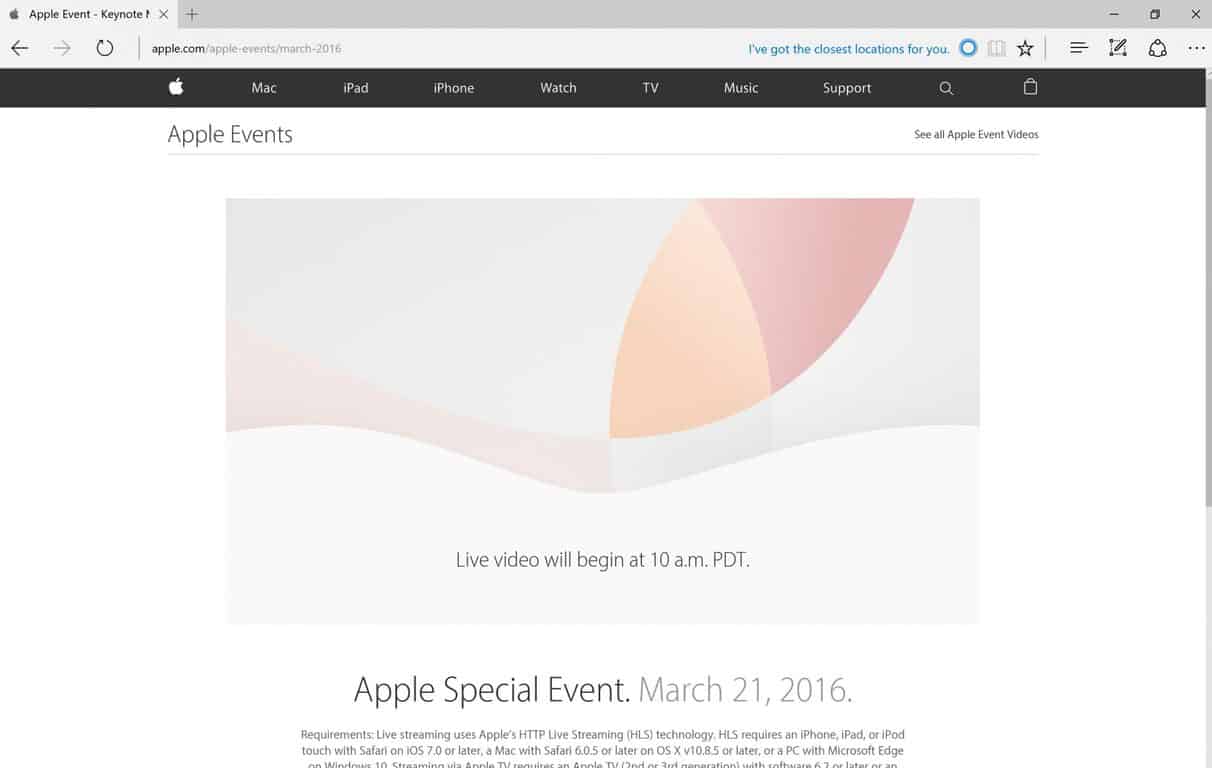
Another Apple live stream event is on its way, and in the past, Apple only supported their own browser, Safari, to stream their events. Last year, Apple added Microsoft’s Edge to stream Apple’s September 9, 2015 event in San Francisco. Again this year, Apple added Microsoft Edge, in addition to Safari, to stream their March 21, 2016 “Special Event.”
Here are the requirements for streaming Apple’s Special Event:
“Requirements: Live streaming uses Apple’s HTTP Live Streaming (HLS) technology. HLS requires an iPhone, iPad, or iPod touch with Safari on iOS 7.0 or later, a Mac with Safari 6.0.5 or later on OS X v10.8.5 or later, or a PC with Microsoft Edge on Windows 10. Streaming via Apple TV requires an Apple TV (2nd or 3rd generation) with software 6.2 or later or an Apple TV (4th generation).”
One possibility is that Apple is trying to entice Surface Pro 4 and Surface Pro 3 users to come over (or back) to Apple. Apple is still leaving Chrome, Firefox, and Internet Explorer users unable to stream the event. Tim Cook will likely introduce a smaller iPhone, iPad Pro, iOS 9.3, and talk at length about encryption.
At least you know you can watch the Apple Special Event on your Surface Pro 4, Surface Pro 3, or PC using Microsoft Edge on Windows 10. Let us know in the comments what you think of Apple’s new stuff.
This week, a few Microsoft Employees on Twitter started teasing upcoming features in Windows 10 Redstone that will have us “freaking out”. Not much else was said about these mysterious features, however it is expected that said features will be shown off at Microsoft’s upcoming BUILD developer conference at the end of the month.
Rich Turner is a Senior Program Manager on Microsoft’s Windows team and works on command line tools, and Scott Hanselman is the Principal Program Manager and Community Architect on the Azure Application Platform and Tools team, so the “freak out” features might be developer-related.
Microsoft finally released a new Insider build with Edge extension support this week, after unveiling the feature over a year ago. Extension support for Edge is still in its early stages right now, so the only way Insiders can test them is via sideloading them manually. There are 3 “official” extensions to try out; Mouse Gestures, Microsoft Translate and Reddit Enhancement Suite.
Although Microsoft is yet to release any documentation on how porting an Edge extension works, developers have already started attempting to do it themselves, with popular apps such as “Tweeten” and “Turn Off The Lights” releasing early extension previews that Insiders can download and install on Edge.
Also this week, WinBeta revealed that the Photos app in Windows 10 is set to receive a number of new features during the Redstone development cycle. Mainly, the Photos app will gain the same intelligent photo search functionality found on OneDrive, which allows users to search photos by the people in them, where they were taken and more.
The idea here is that the Photos app will automatically scan photos for faces, as well as metadata for locations, then categorize them automatically for easy viewing. You will be able to teach the Photos app who a specific person is so it can automatically categorize them into a folder/album that is dedicated to them.
Finally, this week Microsoft announced that Skylake support for older versions of Windows such as Windows 7 and Windows 8.x would be extended until 2018. Microsoft has responded once again to a customer backlash by “clarifying” their position on just how they will be supporting Windows 7 and 8.1 on the Skylake platform:
As we approached Intel’s Business Launch for Skylake in mid-January, we shared more details on our recommendations for enterprise customers on Windows 10, Windows 7 and Windows 8.1, including clarifications to our support policy for new silicon. A key part of this update was our commitment to continuing to lead with a customer-first approach. Since then we’ve received feedback from customers at various stages of planning and deployment of Windows 10. Led by their feedback, today we are sharing a few updates to our Skylake support policy*:
To help provide greater flexibility for customers who have longer deployment timeframes to Windows 10, the support period for Windows 7 and Windows 8.1 devices on Skylake systems will be extended by one year: from July 17, 2017 to July 17, 2018.
Also, after July 2018, all critical Windows 7 and Windows 8.1 security updates will be addressed for Skylake systems until extended support ends for Windows 7, January 14, 2020 and Windows 8.1 on January 10, 2023.
So there you have it. Another week of Windows 10 news. What was your favorite story? Let us know below.
The week wasn’t even one day old when Microsoft decided to boot Okta, an enterprise startup, from its Ignite conference (the company was then re-invited several days later). The initial decision, originally reported by Business Insider, was relayed by Okta’s CEO, Todd McKinnon.
Ignite is a big, global conference that Microsoft hosts to talk with its partners and customers about the cloud, the direction of the company, and anything else. What makes the news especially surprising is that Okta actually sponsored Ignite this year and has done for a few years prior.
It’s unclear why Okta was suddenly “dis-invited” from Ignite, but here are several guesses:
Microsoft decided it didn’t want a competitor to sponsor its event and get attention for its products.
Someone within Microsoft messed up (or, at least, holds an old grudge).
Another reason, which is not clear and isn’t easily guessed.
Anyone who looks at these reasons would be drawn to number one: Okta, which makes software that helps companies manage multiple log-ins, competes with Microsoft and has been instrumental in endangering the company’s position in the enterprise market.
As Ben Thompson, an analyst for Stratechery, wrote in a daily update, “Microsoft is full of nice people but I’m quite sure they want to win just as much as they ever had … And so, I was not surprised they took aim at Okta.”
The decision, and its implied pettiness, makes Microsoft look bad and was recanted several days later.
However, this episode didn’t make Microsoft look nearly as bad as what happened on Friday, when the company hosted a party at GDC, the big game conference.
Microsoft CEO Satya Nadella.
Microsoft has hosted parties before at big events before, like the one at CES, but this one was different: dancers were hired and asked to dress like “schoolgirls,” according to media reports.
Posts on social media by attendees lay out exactly what happened — and they don’t make Microsoft look good. Several posts on Instagram, which have now been deleted, show girls dressed up on tables dancing in front of partygoers.
Unsurprisingly, the response from the world was not good and Phil Spencer, the head of Xbox at Microsoft, was forced to issue an embarrassing apology.
“At Xbox-hosted events at GDC this past week, we represented Xbox and Microsoft in a way that was not consistent or aligned to our values,” he wrote. “It was unequivocally wrong and will not be tolerated.”
Whatever Spencer says, the event still happened and people still saw it. The reaction from the media was swift and the story was picked up hundreds of times. As The Verge notes, sexism in the gaming industry is hardly new, but that does not mean Microsoft should condone — let alone participate — in it.
This event could be seen as a one-off, but Microsoft’s CEO Satya Nadella has gotten into trouble before about his comments on the pay gap between men and women.
“It’s not really about asking for the raise, but knowing and having faith that the system will actually give you the right raises as you go along,” he said, in response to a question about women asking for higher pay at an industry event. Not asking for a raise was, according to Nadella, “good karma.”
His comments, which he later characterised as “inarticulate” on Twitter, likely were just that, but the reports spread and soon Microsoft’s name was plastered all over the web, associated with a set of comments that would turn fifty percent of the population off.
Microsoft is not a malicious company, but occurrences like these make it look bad, especially given its past as an aggressive, nasty, spiteful competitor to other technology companies. Kicking Okta out of a conference may seem right to Microsoft management, but to the outside world it brings back memories of the old days.
However, the bad news outweighed the good and a week that should have been positive news for Microsoft turned out to be a set of stories that reflected poorly on the character of the company.
The company, under Satya Nadella, likely has changed but, as Thompson notes, this week serves as “a reminder that for all the good Nadella has done there is still much to do.” Making Microsoft appealing to both sexes, to all companies, and to the outside world is of the utmost importance and this week has been a black stain on an otherwise solid year.
Disqus is the web’s most popular discussion system, powering hundreds of online communities across the globe. Obviously, as you already know, we use Disqus on WinBeta.org to power our comments section.
Disqus is working on a Universal Windows 10 app and has taken it to Twitter to tease a screenshot of the app. Not much else is known about the app, such as release date, but we do know that an SDK for the Windows 10 app will also be made available soon after the release of the app, allowing developers to add native integration to their own Universal Windows apps.
Gamers have been wanting to play games cross-console for a long time now. With the recent climate of gaming more and more frequently supporting cross-play between console and PC (the most notable recent example being Rocket League’s partnership with PS4) gamers have been scratching their head wondering why PC had to be the limit. After a long while, Microsoft has finally decided that it’s time to open the floodgates and start letting gamers enjoy an open, cross-console community.
The first game that’s going to be supporting this open network play is going to be Rocket League, the same game that broke open network barriers with PS4 and PC. The update that’s going to bring this change is going to be arriving later this Spring (no specific date yet) and should revolutionize not only the experience of Rocket League players but the experience of all gamers going forward. Microsoft’s decision to open up Xbox Live’s network opens a world of possibilities for developers going forward, should they choose to support this feature.
Assuming developers in the future build their games with this feature in mind, games like The Division and Destiny may not have to have their communities split anymore. Gamers on PS4, Xbox One, and PC will all be able to come together to enjoy the games they love with one another – a dream come true for a community of hobbyists who continue to embrace one another, creating demand for more and more games that require cooperative play and massively multiplayer components.
This being said, Microsoft made it clear in their blog post regarding GDC: “it’s up to game developers to support this feature.” It may take a while for developers to get to a point where they’re comfortable, or even able, to make use of Microsoft’s newfound desire to bring all gamers together. With any luck, this transition in the nature of multiplayer gaming can go smoothly, and the gaming community will recognize immediately what a difference it makes to their ability to make use of cooperative and competitive experiences.
Turn Off the Lights, for those that did not know, is a free browser extension for Google Chrome, Internet Explorer, Mozilla Firefox, and other browsers, where you can dim everything on the screen except the Flash or HTML5 video you are watching. This is a really cool and useful extension that helps viewers focus on the video they want to watch and not be distracted by the brightness of a website.
With the most recent build of Windows 10 Redstone offering support for Microsoft Edge extensions, the developer behind Turn Off the Lights has released a preview of their extension for the Edge browser. Not all of the features work and there are a few things you need to do in order to get the extension working.
If you add this on all the JavaScript from your Chrome extension, it works then already well in your Edge browser.
if (typeof msBrowser !== ‘undefined’) {
chrome = msBrowser;
}
else if (typeof browser != ‘undefined’) {
chrome = browser;
}
2) Edge doesn’t support the “sync” feature from Google Chrome, so you must change the code from this:
chrome.storage.sync.get
to this
chrome.storage.local.get
3) Currently there is no “Options” button visible to change the settings in the “Turn Off the Lights” options page.
4) Our Turn Off the Lights extension use the pageaction icon, so the icon is also visible in the first page when you open the Edge web browser. Just right of the blue search button. When you click on the gray lamp button, it dims only the webview element. And that is just below the search box, the other part is gray and is coming from the browser UI.
Head over here to grab the extension and pay close attention to the documentation provided. Let us know in the comments below if you find this extension to be useful. What other extensions are you looking forward to seeing, aside from Adblock?
The StarCraft II: Wings of Liberty sequel was released worldwide on July 27, 2010. Since then, it’s been split into three installments: the base game Wings of Liberty, its expansion pack titled Heart of the Swarm, and a standalone expansion pack titled Legacy of the Void.
Now it’s been announced that StarCraft II fans will get Nova Covert Ops’ first mission pack on March 29. If you don’t own StarCraft II, you can still play the pack but the free Starter Edition along with a Battle.net account will be required. Blizzard said the following in its press release:
The reign of Emperor Valerian Mengsk is under threat. Along with facing political opposition, several Dominion ghosts have gone missing in action while under his rule. Their trail leads to a secretive Terran group, the Defenders of Man. As Nova Terra, a psionic ghost trained to be the perfect covert operative, you must delve into the conspiracy before it’s too late for the Terran Dominion.
Blizzard said the first of three mission packs brings “new mechanics” to the “classic StarCraft II gameplay” throughout three missions. In Nova Covert Ops, you will play as November “Nova” Terra, tasked with missions involving her infiltrating bases, intercepting invasions, and leveraging experimental technology.
All three Nova Covert Ops mission packs cost $14.99 and the last of them should be released prior to December 1. Each of the three DLC packs for Nova Covert Ops will consist of three single-player episodes.
I’m a firm believer that virtual reality is the next step in gaming, a game-changing technology with the potential to transform the way we think about computers. If the concept of “immersion” was only defined by outstanding graphics or ultra-wide monitor setups until now, VR has the capability to take gaming immersion to the next level and place gamers in the front-row seats of their preferred universe.
AMD’s Radeon Pro Duo is specifically designed with VR in mind
Virtual reality has been making headlines in the last few years, with a number of companies competing to make it a familiar concept under their name. Implementation has varied from mobile-oriented, almost DIY designs to computer-powered HUDs that promise to revolutionize the gaming industry.
AMD is one company that firmly believes in VR. So much so that their newest graphics card, the Radeon Pro Duo, is centered around it. The company has packed enough horsepower into this bad boy to take customers on the ride of their life. They are so confident in their VR-focused that they’re calling it “[the] world’s most powerful platform for virtual reality“, which in all fairness, after taking a look at what it can, isn’t far from the mark.
The graphics card packs a whopping 16 teraflops of computing performance thanks to its two processing cores and supports the latest version of DirectX 12, which provides the best fidelity for developers and gamers alike. Along with all the hardware goodies that AMD offers, the Radeon Pro Duo runs their proprietary VR SDK, AMD LiquidVR™. This gives VR creators and game developers the tools to take advantage of the horsepower in a simple and efficient way, as well as provide support for most major VR headsets.
Of course, the Pro Duo isn’t only for VR enthusiasts. Being more powerful than the last AMD powerhouse, the R9 295 X2, it sports GCN architecture with asynchronous shaders and support for Vulkan. All of this makes the Radeon Pro Duo a perfect graphics card for 4K gaming or VR.
The company has put some thought in the visual design of the card too, and while aesthetics aren’t the selling point of this behemoth, the effort is still appreciated. The industrial design of the card complements its capabilities and the addition of a closed loop liquid cooling system ensures that temperatures and dBs are kept in check.
In terms of price and availability, AMD announced that the Radeon Pro Duo will be available starting from Q2 and it will come with a pricetag of $1,499 USD. If it’s peaked your interest, you can learn more about the AMD Radeon Pro Duo here.
After a countless of rumors and endless months of waiting, the Windows 10 Mobile free upgrade is finally available to download. Unfortunately, the upgrade won’t be coming to smartphones with under 1GB of RAM.
There are obviously many questions still left unanswered, so Microsoft has released a mini-FAQ that you should consult. Here are some highlights:
Q: Which devices will the official Windows 10 upgrade be available to? A: You can see the list of Windows 8.1 phones that may be able to upgrade to Windows 10 here. To download the Windows 10 advisor app, go here.
Q: If I already have the current Windows 10 Mobile Insider Preview build and my device is on the updated list of supported devices for the Windows Insider Program, do I need to do anything? A: No action is required on your part. As a Windows Insider you have the latest build and do not need to downgrade to Windows Phone 8.1 to receive any updates. Your device is up-to-date. If you no longer want to receive Windows Insider Preview builds on a particular supported device, you may switch to Production and await future retail updates or move to the Release Preview ring to receive early app updates
Q: I’m currently using a Windows 10 Insider build on my device, but it is not on the list of devices that will receive a formal Windows 10 update. What should I expect in the future? A: If you already have the Windows 10 Mobile Insider Preview build on your device, you may keep using your device in an unsupported state. We will not be offering build updates beyond the Current Branch build 10586. At some point in the future these devices will also stop receiving updates to the Windows 10 Mobile Insider Preview build. In order to recover the devices back to a supported build of Windows Phone 8.1, you may use the Windows Device Recovery Tool. There are more details on the use of the Windows Device Recovery Tool within this forum post.
Q: What does this mean for Windows 10 Mobile builds from the Development Branch? A: Currently builds from the development branch have been made available to the Lumia 950, 950 XL, 650, 550, Xiaomi Mi4, and Alcatel OneTouch Fierce XL. In the coming weeks we will be making future Windows 10 Insider Preview builds available to devices on the updated Windows 10 Mobile device list. We will add devices to the Windows Insider Program as more devices launch with Windows 10 Mobile.
Q: Why are you choosing to remove devices from the Windows Insider Program? A: By limiting participation in the Windows Insider Program to current devices that have an official upgrade to Windows 10, or new devices that are shipping with Windows 10, this helps focus investigating feedback in the Development Branch for devices that will receive future Windows 10 updates.
We will be keeping an eye out on how this rollout will affect Windows 10 users and will make sure to follow-up if and when we find something noteworthy.
In the meantime, let us know how has your experience been so far with this long overdue rollout in the comment section below!
While travelling, it’s always useful to have a map available. Since most of us rely on our mobile devices for navigation, it’s no wonder that the number of map apps is always on the rise. As you might know by now, HERE isn’t one of them as the company recently announced it would be dropping support for Windows 10.
Still, that doesn’t mean that there aren’t alternative map applications available. In fact, Windows 10 comes with its own Maps app based on HERE apps. And in order to provide its users with the most accurate maps, Microsoft has updated offline maps for Windows 10.
Microsoft updates Windows 10 offline maps
Here’s how to download the latest update for Windows 10 Maps:
Open Settings > System > Offline Maps.
Go to the Map Updates section and click the Check now button.
If the update is available, it will be downloaded to your computer.
In case you haven’t used offline maps before, you’ll first need to select your country in order to download offline maps for it by doing the following:
Open Settings app and choose System > Offline Maps.
Under the Maps section, click on Download maps button.
Follow the instructions and select the desired country.
After you’ve done that, maps for that country will be downloaded and stored on your Windows 10 device.
If you wish to keep your maps updated, feel free to turn on automatic map updates. Another useful feature for owners of Windows 10 tablet or 2-in-1 device is support for metered connections. By turning off metered connections option, map updates will be downloaded only if you’re using Wi-Fi or unlimited cellular data connection.
Offline maps are always useful, especially if you need to check the map quickly or if you don’t have an internet connection available. If you haven’t already, make sure that you update offline maps on your Windows 10 device.
Just like Microsoft announced last week, both the Feedback app and Insider Hub have been merged into the Feedback Hub, available to Insiders in the latest build for Windows 10 Preview as of yesterday. As Microsoft mentioned, the new app will contain the best features from both of the previous apps, making it easier for users to use just one app to submit feedback instead of two.
The new app looks similar as previous two apps with only a couple of new features and some user interface changes. First, there’s a search bar that appears right after you open the app so you can easily search feedback from others. Also, Announcements and Quests are now shown together within a “What’s new” section. So, all the information about the latest build for Windows 10 Preview, as well as additional info, can be found in this section.
Microsoft also improved the option for sending feedback, as well, giving users the option of adding more details when submitting feedback in order to give Microsoft more valuable information. This will come in handy, especially if we consider that every Windows 10 Preview build comes with issues that no doubt bother users.
Users feedback is important to Microsoft
Microsoft is constantly pointing out that feedback provided by Insiders is crucial for the development team to deliver a quality operating system. It might even feel like Microsoft is pushing users too hard to provide feedback, with a lot of people disliking that approach. One tactic the company used was making it impossible for Insiders to turn off the Feedback feature, having forced some people to leave Insider Program. Some users are also concerned about their privacy in Windows 10 because the OS collects user data in order to give Microsoft information about how Windows 10 performs on people’s computers.
We’re sure that Microsoft’s intentions are good as the company just wants to deliver a quality product and satisfy users. But giving users a little bit more freedom won’t hurt, either, because people who don’t want to submit feedback to Microsoft won’t submit it anyway.
What do you think about providing feedback to Microsoft? Are you doing it on a regular basis? Do you like the latest Feedback Hub app? Tell us in the comment section below!
Fallout 4 was released by Bethesda as the fifth major installment in the Fallout series back in November of last year for PC, PlayStation 4, and Xbox One. Since then, the game has become immensely popular and has gone on to receive a few awards, as well.
It goes without saying that the game has a huge user base across the world, with many looking forward to fresh new content. Good news for all those Fallout 4 fans: Fallout 4’s first DLC, titled Automatron, will be released next week on March 22nd. As the name suggests, the add-on will add craftable robots to the game.
Automatron DLC comes to Fallout 4 on March 22nd
The game add-on will either be available by itself for a price of $9.99 or, if you own a $50 season pass, then it’s part of the deal. Automatron also brings a new quest chain to the game with the self-proclaimed Mechanist making its entrance along with its robots.
Have a look at the trailer below to see some of the potential robots you can build. The game is also getting new weapons, such as a buzz-saw staff and a chain lightning gun.
Once you get the new DLC for Fallout 4 on your Windows PC, let us know what you think of it in the comments below!
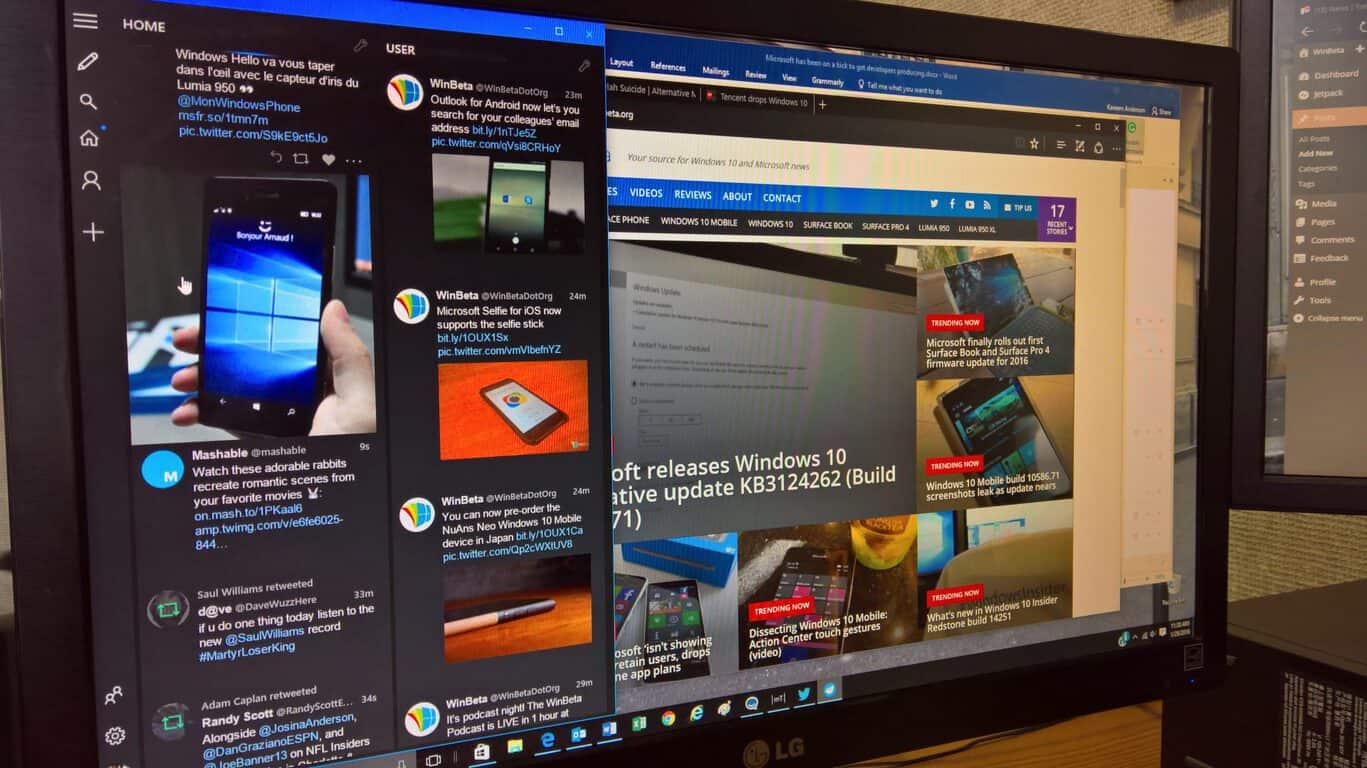
Today, we are very excited to launch Tweeten for Microsoft Edge. With Tweeten for Edge, Windows 10 users can get a better TweetDeck experience on the browser. Tweeten is currently available to Windows Insiders who are running Windows 10 Build 14291 or newer, and it will be available to all users once Microsoft rolls out the next update for Windows 10 to its customers in June-July.
If you are a Windows Insider, you can easily get Tweeten for Microsoft Edge by heading over to our website here. After that, follow the steps below:
Select Load extension, navigate to the extracted Tweeten extension folder, select the “soruce” (sic) folder and then click on Select folder to load the extension.
Tweeten is actually one of the first third-party Extensions for Microsoft Edge. We are planning to release more updates for the extension to improve the experience in the coming weeks, so stay tuned for those.
Oh, in case you use Google Chrome, you can get our Extension for Chrome from here.
<3,
Tweeten Team
Tweeten is a Windows Twitter app that’s written for Win32 as opposed to the Universal Windows Platform, and so this is an interesting method of getting an “app” running within Microsoft’s most modern platform. We’re most excited to see third parties already pushing Edge extensions, and will keep you up to date as we uncover even more.
For the foreseeable future, the app difference between Microsoft’s Windows Store offerings and its competition will still be a pain point for the company. Thankfully, some recent Windows Store departures are making a return and, at least, for the moment, pledging some confidence in Microsoft’s renewed app market.
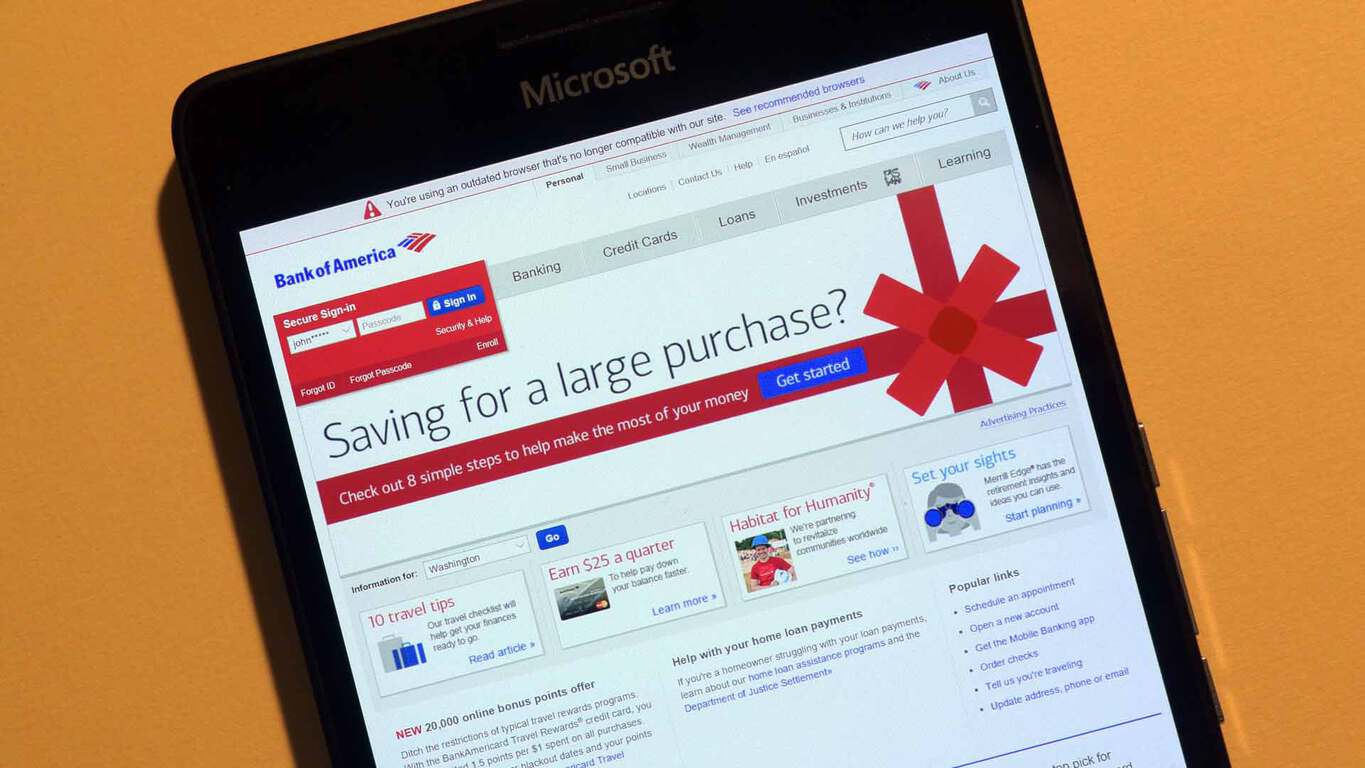
Roughly a year ago, Windows users were dealt a devastating hand when one of the largest banking institutions in North America decided to remove its mobile Bank of America app from the Windows Store. Understandably, many journalists jumped at the chance to further deride the Windows platform, mobile specifically, for its continued downward spiral of developer disinterest.
Fortunately, it seems Bank of America took its outdated and insecure app from the market while it worked on a new updated version. The folks over at Windows Central were able to obtain photographic evidence of BoA’s suspected Windows 10 banking app.
The Bank of America Windows 10 app is coming soon!
According to the image and WC’s report, it confirms the app is leveraging Microsoft’s new Universal Windows App platform which spans several device types on the Windows platform, giving Windows 10 Mobile users a proper mobile banking solution from the institution.
Other reported app details include:
Pay bills
Transfer money
Deposit checks
View balances and transactions on their checking, savings, and credit card accounts
View mortgage, auto, and other loan balances
Locate nearby financial centers and ATMs
The app should be arriving in the Store later this month on March 28th, 2016, if the captured image is to be believed and with its return, that marks the second banking app from a US bank to make its way to the Windows Store using the UWP platform. Hopefully, other banks such as Chase, or several well-known credit unions are taking note.
Microsoft has been working hard at opening up and embracing open source technologies lately, especially to bolster its cloud platform, Azure. Now they are letting you try some of those technologies in the Azure environment through a program called “Super Human“, announces on the Microsoft Openness blog .
The program consists of a series of “labs”, or hands-on environments for a specific platform, where you can participate in and complete “challenges” to gain experience in working with said platform. All these platforms are plugged into Azure for data, and they are also part of the Azure Marketplace collection of cloud-based applications. Anyone who completes a lab will get, in addition to the knowledge, the choice between a Crazyflie 2.0 mini drone, or an Azure Pass to try out Microsoft’s cloud platform for free.
Here’s what you can get for completing one of the labs. Courtesy of the Azure Marketplace.
Currently, there are three featured labs for industry-leading open source platforms that deal with big data, infrastructure automation and app containerization respectively: Hortonworks Data Platform (HDP), Chef, and Docker. From the descriptions, you definitely need some experience to be able to complete the challenges, so those with the necessary chops are welcome to participate. Besides the featured options, there are also labs for KEMP and Barracuda, which you can check out on the Azure Marketplace website.
Xbox Fitness has just updated with a slightly faster user interface and a completely new exercise program called, ATHLETE30 from MOSSA.
Mossa has already produced a variety of exclusive workouts for Xbox Fitness ranging from abs and weight training to dance and kickboxing. ATHLETE30 from MOSSA appears to be a cardio-based interval training program and contains two 30 minute classes.
Here’s the official description:
This new two-workout program combines strength and cardio in four phases of training: Strength/Endurance, Cardio/Agility, Strength/Power, and Cardio/Speed.
Expert coaching, hard-hitting athletic drills, and high-powered music will motivate you to perform your best in each of the two 30-minute workouts of this program.
Unlike the previous Mossa workouts on Xbox Fitness which are free to stream for Xbox Live Gold members, users will have to pay to play ATHLETE30. A reason for this appears to be the new download option that was implemented in the previous update that allowed for users to download workouts to the Xbox One console for improved playback. Since that update, none of the Mossa workouts had downloading enabled despite being made exclusively for Xbox Fitness which suggest that certain rights limited the free usage of the classes to streaming only.
Today all of the Mossa workouts have finally been given a download option but users must purchase them all to do so. Thankfully all of the old Mossa workouts can still be streamed for free. Since ATHLETE30 must be purchased for streaming and downloading, it’s possible the days of new free Mossa workouts are over.
Xbox Fitness is an exercise app on Microsoft’s Xbox One console. While it originally required a Kinect camera to play, the service has recently updated to allow for almost full functionality without one.
Do you enjoy Xbox Fitness? Share your favorite workout with the community in the comments below.
In addition to the Assassin’s Creed series, other titles being discounted are the Hasbro Family Fun Pack, Rocksmith 2014, Toy Soldiers: War Chest, Toy Soldiers: War Chest: Hall of Fame Edition, Trials Fusion, Trials Fusion: The Awesome Max Edition, Rayman Legends, Zombi, and Rabbids Invasion on Xbox One while on Xbox 360 gamers can grab Just Dance: Disney Party 2, Monopoly Plus, and Just Dance 2016.
Those who are members of Microsoft’s Xbox Live Gold program can also get additional savings on the initial discounts, which isn’t bad at all.
Are you tempted to grab one of these titles? Let us know which one in the comments below.
Starbucks just gave their loyal customers a hint on Twitter about its official Windows 10 app: it’s definitely in the works and it should arrive in the Store soon. Since Starbucks is the biggest coffee chain in the world, this is surely going to delight all the coffee lovers who have been constantly demanding a Windows 10 app from Starbucks for some time.
This information came to light after one Brazilian user asked Starbucks about its Windows 10 app to later receive a positive answer from the company. However, Starbucks only mentioned that its app is in development, so as excited as coffee addicts may be, this still isn’t an official announcement.
@leandromaxi6 Olá! O aplicativo Starbucks ainda não está disponível para Windows Phone, mas estamos trabalhando para tornar isso realidade.
Translated, Starbucks’ tweet says: “Hello! The Starbucks app is not yet available for Windows Phone, but we are working to make it happen.”
Possible Starbucks Windows 10 app features
Nothing is known regarding the possible features in the Starbucks app for Windows 10, but we assume it will contain similar features to those on the Android version which has been available for quite some time now.
These features include the ability to place an order with the app to later pick up from the store in addition to paying bills with the app. The Android version also has some cool features like discovering the music played in Starbucks shops and redeeming your ‘Stars’ for rewards. We can only assume these features will make its way to the Windows 10 version as well.
The Starbucks app is already available on Microsoft devices as you can add your Starbucks card to the Microsoft Band to access all the above-mentioned features, but the Windows 10 app will certainly be more versatile and thus used by more customers.
As soon as we have more info about the app, including the release date and its official list of features, we’ll make sure to let you know about it.
Stardock is famous for developing desktop customization tools for Windows various operating systems. Recently, the company unveiled its latest software: WindowBlinds 10, allowing you to customize your Windows 10 desktop however you’d like.
Customize your Desktop with WindowBlinds 10
WindowBlinds allows you to completely change the appearance of your Windows 10 desktop. You can add custom themes to the desktop to change the look completely, or you can change individual elements like the taskbar or the Start Menu. There’s also the option to change the desktop’s background, but this option is already available in Windows so that’s nothing innovative. But you do have far more functionality in changing the complete user experience of Windows 10 with this tool.
Once you download the program, you’ll have access to a theme gallery with various options for decorating your user interface. WindowBlinds 10 is designed for Windows 10, but it works perfectly on older operating systems, as well.
“We do our best to keep up with new operating systems as they become available,” said Angela Marshall, Stardock COO and Vice President of Software. “We know our customers have been waiting for our products to integrate with Windows 10, and we are happy to do that with WindowBlinds while we continue to do the same for our other applications.”
Stardock already offers some great customization tools like Object Dock, Fences, or Start10, so you can also combine the functionality for a few of their offerings for a completely unique desktop and user experience.
Stardock is mainly focused on useful tools for Windows operating systems, but its CEO Brad Wardell recently revealed that the company also wants to make some radical changes in the graphics card industry by introducing a solution for running two different GPUs on one computer.
WindowBlinds is available to purchase for $9.99, but you can also try a 30-day free trial to see if you like it before buying. You can download/purchase the tool from this link.
Battleborn is an exciting new game by Gearbox Software that combines the visual style of the Borderland series, first-person shooter action, and elements of MOBA games into a single game. Recently, the developer released Battleborn’s Incursion Mode and today let loose on a few more details regarding its post-release expansion.
Gearbox Software confirms Battleborn Season Pass and new heroes
When released, Battleborn will have 25 different heroes to choose from. But in order to keep any MOBA game interesting, new heroes need to be added. That’s exactly what Gearbox Software did today when they released details regarding the first new hero to be added to the heroes roster.
The new hero is called Alani, a member of Eldrid faction. Alani was raised as a healer but had to learn the art of combat in order to survive. Alani comes from a planet with many oceans, something that makes sense when you see that most of her attacks and abilities are water-based. She’s a powerful warrior that can control water and use her powers to heal her allies or to inflict pain on her enemies.
Alani will be the first hero to be added to Battleborn after the game’s release on May 3rd, 2016. There are plans to add four additional heroes to Battleborn but so far, no information is available regarding their release. What we do know is that all of the five new heroes will be free to all players.
Gearbox Software also plans to introduce paid content in the form of DLC packs. Five add-on packs are planned, each priced at $4.99. Each pack will feature one new Story Operation along with exclusive hero skins and taunts. You can play each of these Story Operations by yourself or online with friends. If you’re not too fond of online co-op, though, there’s a split screen option available as well. The Season Pass will include all five DLC packs and cost $19.99.
It’s great to see that Gearbox Software already has plans for new content. We hope to see even more heroes and extra content after Battleborn’s release.