ReCore available for pre-order on Amazon with a December 30, 2016 release date

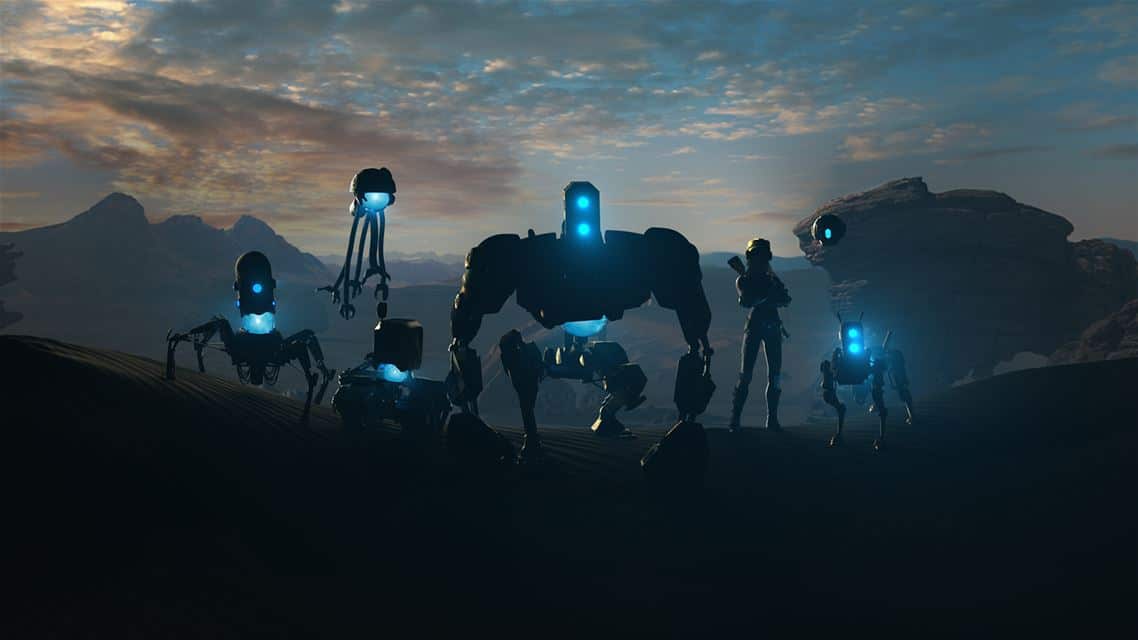
At E3 last summer, Microsoft announced its newest Xbox One exclusive franchise, ReCore. Not many details were released during the announcement, but Xbox fans were treated to a cinematic trailer.

A poster for the upcoming Xbox One exclusive ReCore

The trailer depicts a sci-fi action-adventure game with a female protagonist scavenging a desert wasteland. She is aided by a robotic dog who had a glowing sphere in its abdomen. They were then attacked by enemy robots, and she defended herself both with weapons and her canine robot companion self-destructing. After being destroyed, the woman was able to use the glowing sphere from her deceased companion to power a larger robot, seeming to imply the mechanics of the game center around powering robots companions with these cores. Hence the name ReCore.

We now have a little more info regarding ReCore, as a listing on Amazon shows the game as being released on December 30, 2016. The game also comes with a few details listing previously known information about the game, namely:

  • As one of the last remaining humans, forge friendships with courageous robot companions and lead them on an epic adventure through a mysterious, dynamic world.
  • From the legendary creator Keiji Inafune and the makers of Metroid Prime

Earlier we reported that the game had been delayed until the later half of 2016, so in a best case scenario the date from Amazon is just a placeholder which could hopefully change for the better. It would seem unlikely to release a game just after the holiday season, a valuable time that most publishers set as a goal for big game releases. However, until we have official word from Microsoft, it looks like the delay of ReCore to the later half of 2016 could mean it was delayed to the very end of 2016.

If you want to go ahead and be assured you have a copy with your name on it whenever it ships, the game is now available for pre-order on Amazon for Xbox One for $59.99.

Skype releases new love themed emojis, complete with music by Paul McCartney

Sometimes location or long distance means you might not be able to properly express your love on Valentine’s Day.  Skype, however, is expressing the love by introducing a new partnership with Sir Paul McCartney which brings you new and exclusive love-inspired Mojis for just that occasion.

At first Sir Paul McCarthy believed the idea to be strange, but he soon found the idea fun, nice and new. Over a few days, McCartney put music to the Mojis in his studio. He ultimately hopes that you will use them to send messages of love and emotions.

Mojis are completely unique to Skype and feature sound as well as video.  Sir Paul McCartney loves Skype and, being inspired by current Mojis, was happy to lend his voice to the Mojis family.

Seen above, these new Mojis are a new way to convey love through music and art. If you need a creative way to express your love this Valentine’s Day, why not let Paul be your cupid? If you’re on the latest versions of Skype, you’ll see the new Mojis as they roll out.

Minecraft’s first major update of the year, Overworld, is coming later this month

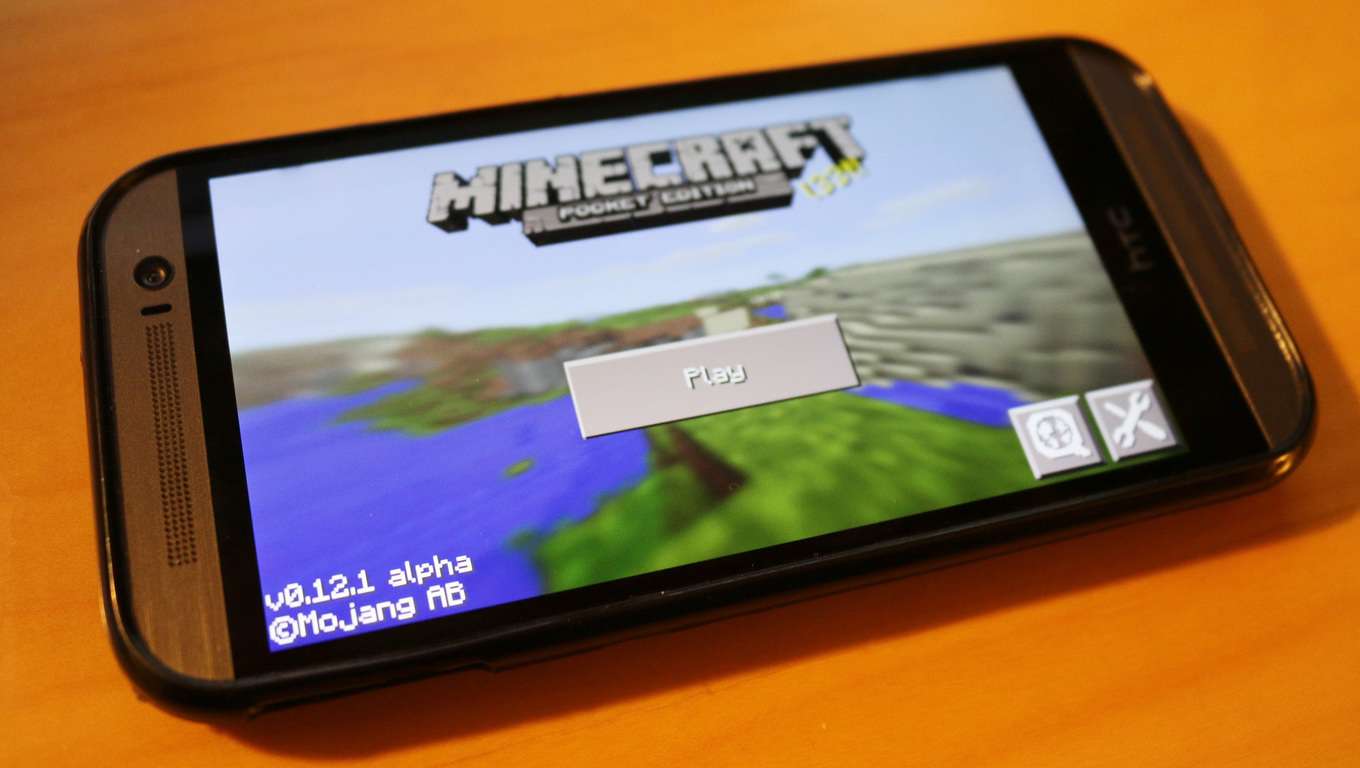
A few months ago, Mojang released the “Redstone” to both Minecraft for Windows 10 and Minecraft Pocket Edition, adding to the game the new special building block with some special properties plus other goodies like desert temples and new types of rabbits. But today, the team is announcing that a new “Overworld” update is coming by the end of this month to both game editions, and there will be once more new gameplay elements to enjoy.

Minecraft Overlord update

Here are some details about the upcoming goodies:

  • Make more advanced mechanical contraptions for your world with additional redstone components. Comparators, repeaters, dispensers, droppers, hoppers, trapped chests and various additional Minecart types will all be available.
  • Tangle with spooky witches and their huts during your adventures. Witch huts found while exploring swamps also now contain an exciting new feature – their cauldrons will be filled with a randomly generated potion that you can snag for your own if you’re feeling sticky-fingered.
  • Cauldrons can now be used to dye your armor an array of beautiful colors.
  • Display your coolest loot in your home with Item Frames – or mount your maps on the wall to plan your adventures with a world overview.
  • New elements new to both game editions: slime blocks, wearable pumpkins, red sandstone as well as improved chicken jockey mobs.
  • New ability to import and export maps into the Windows 10 Edition Beta, making it easier for you to share your favorite worlds with friends.
  • Eight new achievements on the Windows 10 Edition Beta (up to 170G).

If you’re excited by this upcoming update, the team also promises to continue to bring new content to the game this year. Minecraft may not be a game for everyone, but you should really try because crafting can be pretty fun! You can get both editions of the game on the Windows Store using the links below.

Minecraft for Windows
Developer:
Microsoft Studios
Price:
Free


The Flame in the Flood launches for Xbox One, PC on February 24th

This week we’ve already pointed out six great new Xbox One titles, but the lineup is soon to get a new addition.  The Flame in the Flood, developed by The Molasses Flood, will launch on Windows PC, Mac and Xbox One on Feb. 24.

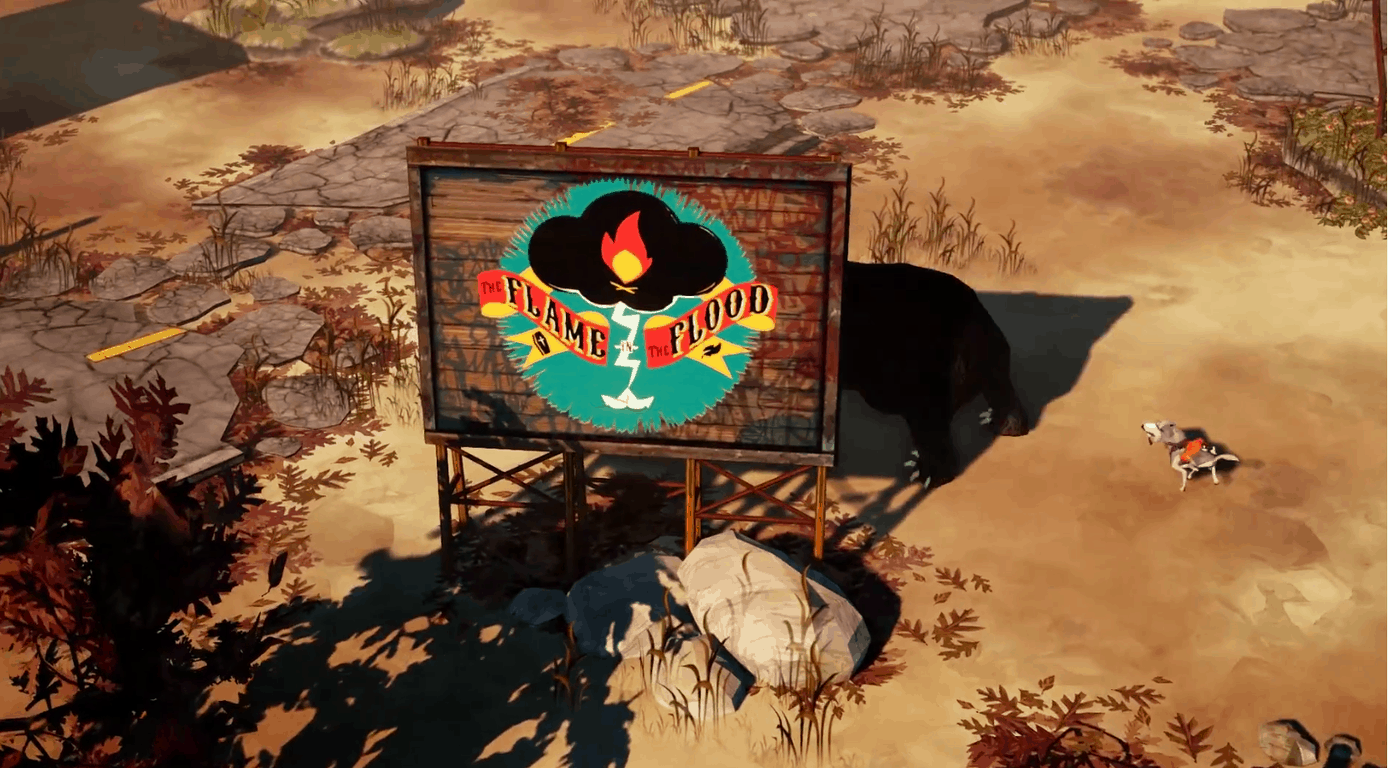
The Flame in the Flood brings you to the backwaters of a forgotten, post societal America.  In the game, a girl and her dog search for provisions and handcraft weapons and tools to defeat predators.  The game also features an original soundtrack from the alt-country recording artist Chuck Ragan. However, despite the relaxing country music seen in the trailer, the land is truly dangerous. Wolves, snakes, bears, and boars will all chase you down during your adventures.

The Molasses Flood is a studio formed by members of BioShock’s developer Irrational Games. Irrational Games shut down back in early 2014.


How to port an iOS game to Windows in 5 minutes

Closing the app gap is a problem talked about so much that most people are probably sick of it. Luckily there’s a video out by David Burela that can give Windows fans a bit of hope. The video shows him porting an app using iOS source code to Windows in literally under five minutes.

The folks over at WMPU spotted his video and it’s picked up some buzz, and rightfully so, across the Windows community. The app he ports is Canabalt, an endless runner that’s admittedly a simple app compared to what some developers will have to port. He discusses this more in his blog.

Burela goes through step by step in the video above on how to port code as well as how to edit it once it’s within a Windows app.

Obviously some apps will take more time than this, and to polish an app to be production ready takes more than five minutes but this is a strong proof of concept of Microsoft’s Project Islandwood in action.

Solus Project Xbox One release date finally revealed

Xbox Wire recently posted information on a new survival game, set to launch at the end of this month. The latest entry into the survival genre is called The Solus Project. In this game, players are tasked with saving the human race while stranded on an alien planet.

Unlike other survival type games, The Solus Project presents players with various elements that have immediate effects on their survival. Weather will affect the amount of time players can scavenge for materials on the planet, with an overcast sky creating colder nights or a bright sun causing the planet to become increasingly hotter throughout the day. To be a successful survivalist, players must  also collect different materials and items, scattered across the planet. These items will aid players in crafting weapons and resources to use throughout the game and help discover the secrets of the planet and ultimately help save the human race.

The Solus Project looks to inject some new ideas into the survival genre as CEO, Jakub Mikyska of GRIP Digital says, “we can’t wait to show the players something different – a narrative-driven, single player survival experience, full of mystery and millennia-old secrets.”

Players get a chance to play the first episode of this game on Xbox Game Preview February 26th. The remaining episodes for this game will be released in upcoming updates, opening up new areas to explore and continuing the story, with the final version releasing May 2016.

Are you interested in playing this new entry into survival games? Let us know in the comments.

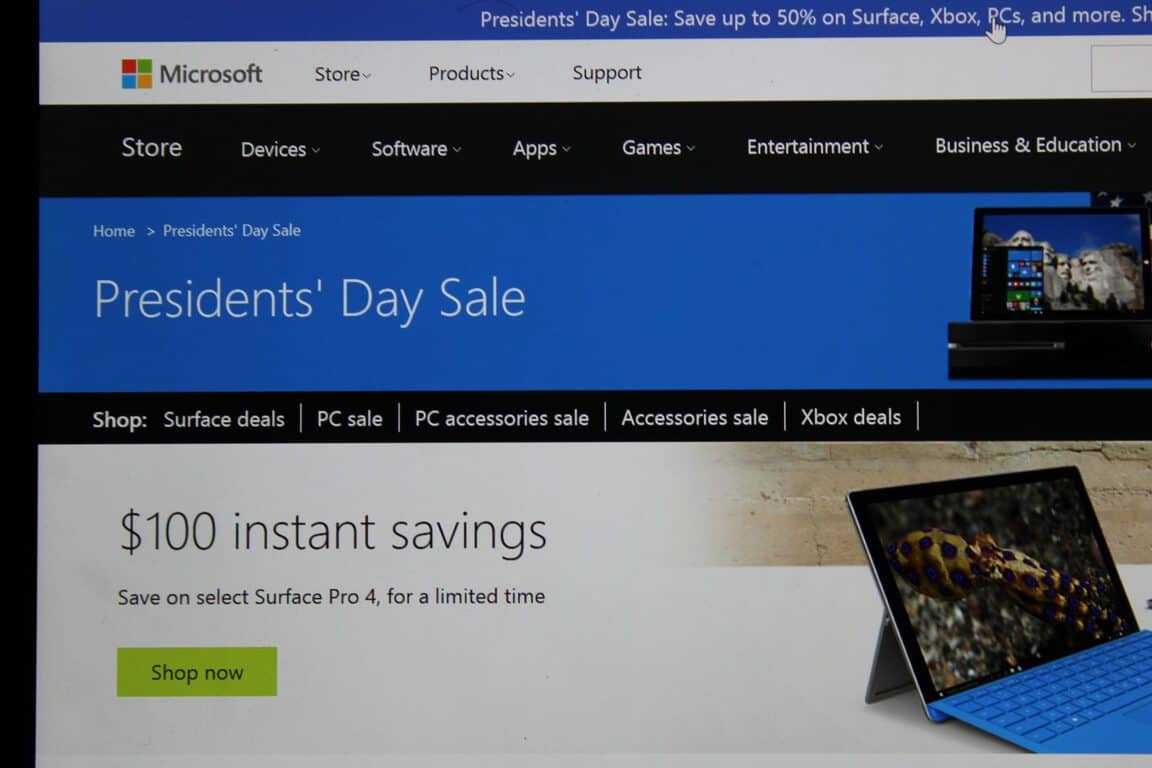
Microsoft Store President’s Day Sale offers up deals on Surface and more

We’re always searching the web in search of deals for our readers, because who doesn’t like to save some money? Today, we’d like to be sure that you’re well aware of Microsoft’s huge President’s Day sale on the latest tablets and gadgets, which includes discounts on the Microsoft Band 2 and Surface Pro 4 that we reported on previously.

Speaking of the Surface Pro 4, this President’s Day sale introduces the first ever $100 price cut  on Microsoft’s newest 2-in-1. The discount applies to every Surface Pro 4 configuration except the very highest-end 1TB model.

  • Surface Pro 4, Intel Core M3, 8GB RAM, 128GB SSD: $799.00 (down from $899)
  • Surface Pro 4, Intel Core i5, 4GB RAM,  128GB SSD: $899.00 (down from $999.00)
  • Surface Pro 4, Intel Core i5, 8GB RAM, 256GB SSD: $1,199.00 (down from $1,299.00)
  • Surface Pro 4, Intel Core i7, 8GB RAM, 256GB SSD: $1,499.00 (down from $1,599.00)
  • Surface Pro 4, Intel Core i7, 16GB RAM, 256GB SSD: $1,699.00 (down from $1,799.00)
A look at the Surface savings

Microsoft wearables are included in the storewide sale as well. The Microsoft Band 2, which at one point saw a brief price cut, is $50 off right now, bringing its overall price down to $199.99.

Because of the sale, it is also the perfect time to pick up an Xbox One. The sale introduces a $100 savings on the Xbox One+Kinect bundle, which is usually $499. In addition, a $75 gift card and free game is included along with the purchase of either the Kinect, Tom Clancy’s Rainbow Six Siege, Name Your Game, Gears of War Ultimate, Xbox One Elite, The Lego Movie Videogame, Halo: The Master Chief Collection, and Xbox One 1TB Holiday bundles. Note that the free game selection is limited to Watch Dogs, The Crew, and Assassins Creed Unity.

A look at the Xbox savings

Other Surface products are also included in the sale, which means you can save $100 off the price of a Surface 3, and $30 off the price of a Surface Book bundle. The usual $199.99 price of a Surface Dock has also been cut $30.

Lastly, the sale brings steep discounts on select Dell and Vaio products such as the Dell XPS 13 and the VAIO Z Canvas.

Do you think these savings are worth it? If so, you better act soon as this sale will not last forever.

Microsoft Careers make room for the incredibly talented autistic

On April 1, 2015, World Autism Awareness Day, Microsoft’s Mary Ellen Smith announced that Microsoft was about to launch a pilot program to hire people with autism. Smith, Microsoft’s corporate vice president of worldwide operations, made the pivotal announcement in front of 193 countries at the United Nations (U.N.) Headquarters in New York City. Since Smith’s April announcement at the UN, Microsoft has hired eleven new employees who have autism and is actively recruiting more job candidates with autism for open positions.

Microsoft’s pilot program has already helped one person with autism, Kyle Schwaneke, find a job in Microsoft’s Xbox department. Schwaneke was struggling to find a job after being was laid off from his job as an indie game developer. Unemployed for over a year, Schwaneke had begun to lose hope.

I interviewed at a bunch of companies, but really didn’t have any luck. Sometimes, I would send in my resume and hear nothing. Other times, I’d go to an interview, and I’d think I did well, and then hear back I hadn’t done well – but they also couldn’t give me any feedback about it. I eventually started applying at places like Target and Radio Shack for the chance to interview for a minimum wage retail job. I was pretty much out of options.”

Kyle Schwaneke Autism

Schwaneke was a talented developer and even graduated from of one of the top gaming design schools in the US. However, Schwaneke also has Asperger’s Syndrome, an Autism Spectrum Disorder (ASD). It is estimated that 80% of people with an ASD are unemployed; quite significant considering approximately 1% of the world population has an ASD. Even though people with an ASD often excel in areas like science, mathematics, and technology, their behaviors are often seen as strange and are misunderstood by potential employers at job interviews.

Microsoft’s Smith knows first-hand the struggles for people with an ASD, her 19-year-old son, Shawn was diagnosed with an ASD over 15 years ago. At the time, Smith and her husband were told that their son would not be like other kids and would likely be handicapped from doing the same things as other kids or even as an adult. Smith looks back on how people with an ASD are unfairly judged by potential employers:

These are people who may not be able to pass an initial interview or screen because their social skills might not be 100 percent in line with what’s expected in a typical interview, but what amazing talent are we missing as a result?There are unique minds being underused and overlooked.”

Schwaneke was one of the lucky ones; he now is an Xbox software engineer at Microsoft. “For the first time, I felt like I was in place where I understood other people, and they understood me.” Hopefully, there will be a bright future for Schwaneke and other people like him at Microsoft.

Microsoft looks to move into more sports markets after success with Real Madrid

Microsoft’s presence in American sports is very well known. The Redmond company has a deal in place with the NFL, and even sponsorship with Dale Earnhardt Jr at Hendrick Motorsports in NASCAR, and sponsor’s Seattle’s professional soccer team, the Sounders.  When it comes to other sports entities however, Microsoft wants to change the way that they conduct their business.

According to Peter Jaeger, senior director DX and a board member of Microsoft Germany, many clubs, leagues, and federations have recognized the possibilities of digital and social media but are not using it appropriately.  As published in SBD Global, he believes that Microsoft is not interested in traditional sponsorship deals. To him, the focus it seems is rather being a technological service provider that can help generate more money for the sponsors and for the clubs.

Microsoft’s biggest sports deal outside the U.S. is its deal with La Liga side Real Madrid. Jaeger said that the company’s deal with the Spanish football club is a perfect example of this new approach to deals with sports entities.

Microsoft has also recently shown involvement in other international sports, including its deal with the Renault F1 team — formerly Lotus F1.

Microsoft and Novartis use Kinect to help doctors assess Multiple Sclerosis

It seems that Microsoft’s Kinect is definitely getting interesting use cases outside of gaming lately. For example, we told you last week how the technology allowed orangutans in an Australian zoo to play video games. Today, Microsoft is showcasing another innovative way to useKinect, in a partnership with the global healthcare company Novartis.

Novartis is a company that provides solutions to the evolving needs of patients, and its researchers are looking for better ways to evaluate treatments for multiple sclerosis, a disease that attacks parts of the nervous system. Multiple sclerosis can result in various complications such as physical, mental or psychiatric problems, and assessing whether treatments are effective in stabilizing a patient’s symptoms can be a challenge.

So, Novartis partnered with Microsoft to create the Assess MS Research Project, which aims to develop a standard set of tests that don’t rely on the subjective evaluation of human doctors. Abigail Sellen, a principal researcher in the Human Experience and Design group at Microsoft’s Cambridge UK lab explained:

The clinicians that we worked with really care about their patients. They really want what’s best for them, and even the best neurologist will admit that when they use these rating scales, it’s pretty coarse-grained. They know that there’s a lot of variability, even in their own judgments, over time.

The Assess MS researchers realized that the computer vision found in Microsoft’s Kinect could give them a more consistent and realistic evaluation of how patients performed on medical tests. Then, if doctors could better assess the progress of the disease, they could eventually give patients the right treatments faster.

Microsoft Novartis Assess project

For Microsoft, this Kinect use case was an opportunity to leverage its various machine learning tools, but building dedicated algorithms for the project presented a challenging task: to gather data about patients, the Kinect depth camera needed new algorithms to enable it to recognize the patient’s movements in a more subtle and precise way. As Antonio Criminisi, a principal researcher in machine intelligence and perception at Microsoft’s UK lab, points out:

“We had to think hard about better, more accurate algorithms that would really pick up on the subtle signals that differentiate between an MS patient and a healthy individual.”

Another challenge was to create a system that would be easy to use by doctors and patients in the real world and constraints of a doctor’s office. Morrison, a computer scientist whose expertise is in human-computer interaction, explained:

We needed to ask, right from the beginning, how do we make it work in the clinics? It needs to be a collaboration between the patient, the clinician and the technology. We designed the prototype to help the clinicians help the computer, so that they could get the data they want.”

But finally, after years of hard work, the Assess MS Research Project has finally delivered a reliable proof of concept that is waiting to be tested with a broader number of patients, while the team of researchers will continue to tune the machine learning algorithms. Vas Narasimhan, global head of development at Novartis Pharmaceuticals, already believes that Assess MS will be able to provide a faster diagnosis and treatment for multiple sclerosis and maybe other diseases:

“We are excited about our collaboration with Microsoft Research to develop Assess MS, a more consistent way to measure motor dysfunctions caused by multiple sclerosis, which could lead to the development of better therapies and care for patients.”

Microsoft’s Kinect may not be quite as popular a gaming accessory any longer, but it’s still good to see that this technology can find truly useful applications in the real world. And it’s even more interesting to learn about use cases that combine Kinect technology and machine learning algorithms.


Homefront: The Revolution is coming to Xbox One – get your closed beta code now!

Homefront: The Revolution is set to arrive on Xbox One on May 17th in the US, and on May 20th in Europe. However, for those that are itching to play the game, Homefront developer, Deep Silver, is giving away 30,000 closed beta codes for the multiplayer. Homefront: The Revolution takes place in the year 2029, just two years after the events of the original Homefront game and four years into the invasion of the US by the Greater Korean Republic (GKR).

The GKR lost the western part of the US after the Battle of San Francisco, but were able to occupy and control the eastern states, with Philadelphia becoming GKR’s headquarters. GKR’s version of Philadelphia is anything but the “City of Brotherly Love.” Philadelphia is a highly policed city, where its residents come under heavy scrutiny and held hostage by the GKR. However, there is a resistance growing in Philadelphia, led by Dana and Ethan “Birdy” Brady. Homefront: The Revolution follows the story of Dana and Ethan as they attempt to reclaim Philadelphia.

Deep Silver is preparing for the May 20, 2016 release of Homefront: The Revolution, by giving away 30,000 closed beta codes. The multiplayer closed beta will be available to play February 11-14 for those lucky enough to get a closed beta code. So, head on over and get your multiplayer closed beta code before they’re all gone!

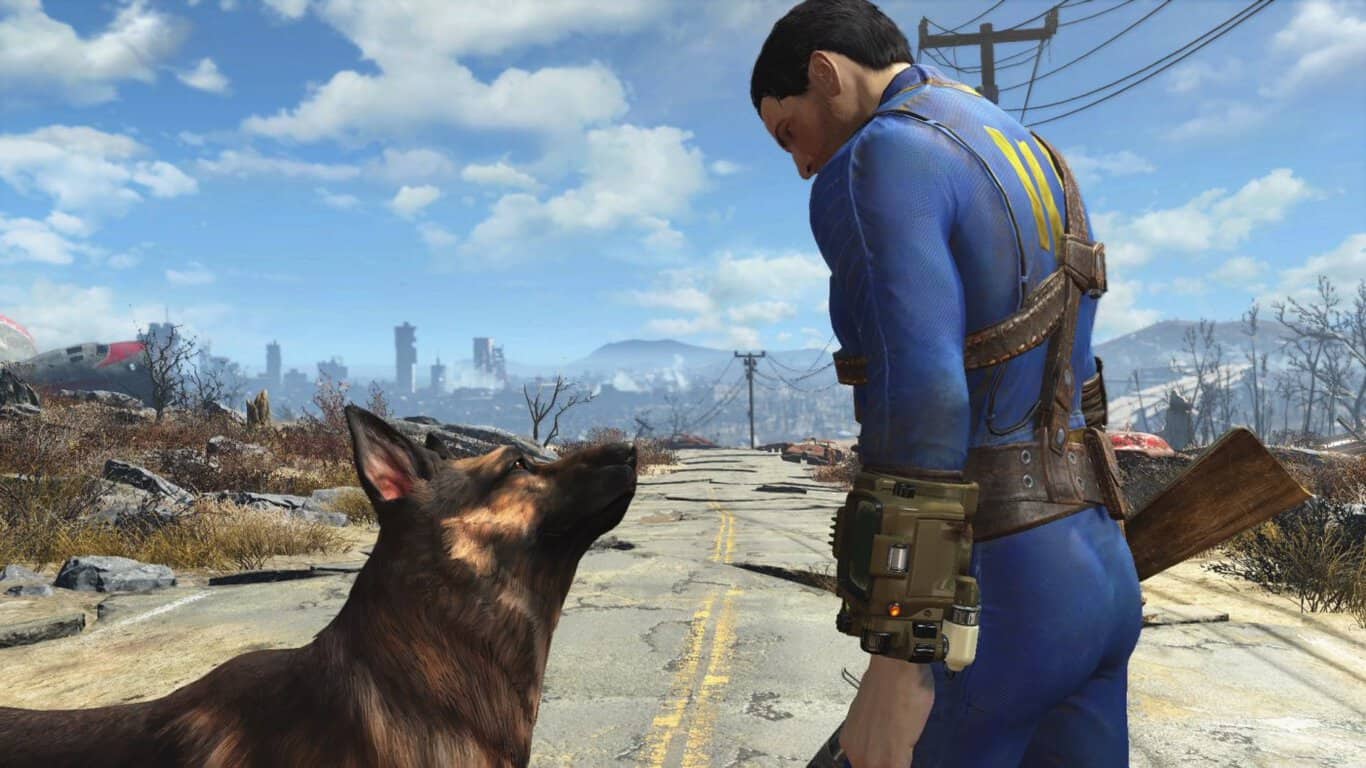
Fallout 4 update 1.3 now available for Xbox One

Last week we reported on a massive Fallout 4 update arriving to PC’s and Steam machines across the globe. Although nothing in the update has changed since then, the update has now finally arrived to Xbox One consoles.

Just to recap, the current update brings the game to version 1.3 and brings several new features and fixes to the key bugs and glitches in the open world RPG game. New fixes for gameplay, quests, and Workshop Mode are all also included in the update.

Fallout 4 is an action role-playing video game developed by Bethesda Game Studios and published by Bethesda Softworks. The fifth major installment in the Fallout series, the game was released worldwide on November 10, 2015 for PC, PlayStation 4, and Xbox One.  The game is critically acclaimed and even won E3 2015’s Best In Show Award.

Have you updated yet? If not, you should fire up Fallout 4 on your Xbox One system and get that update now!


Microsoft mistakenly caps some OneDrive for Business accounts at 1TB – a year early

Microsoft has made a few mistakes this week. We reported on Monday about Red Dead Redemption mistakenly being added to backwards compatibility, and there is yet another mistake to report on today.  This time, the Redmond company has mistakenly capped some user’s OneDrive storage limits ahead of the promised one year grace period.

The mistake was first noted by angry users on the OneDrive user voice forums. It comes a few months after Microsoft backed down from cutting the free storage on consumer accounts from 15GB to 5 GB.

Microsoft released an official statement saying:

“Some OneDrive customers may have been prematurely migrated to a 1TB storage plan. Data stored with OneDrive remains secure during this process, and we’re working hard to revert those users back to their original plan as soon as possible. All Office 365 users with over 1TB of storage will be able to keep that storage limit for at least one year as previously announced.” Please stay tuned to the OneDrive blog for future storage plan updates.”

This time, the cut was indeed a mistake, but once the one year grace period is over, the cut will be permanent. So, if you’re a OneDrive datahog, you might want to cut back on your storage sometime by the end of the year.

(via ZDNet)


Amazon releases free Windows and Xbox One game engine Lumberyard

Amazon, the company behind the cloud-based computing service Amazon Web Services (AWS) is announcing today the release of Lumberyard, a free game engine for Windows, Xbox One and PS4. As the company is already known for its expertise in cloud infrastructure, it’s not totally surprising to see it being interested in cross-platform, high-quality network-based games.

Here is what the Chief Evangelist for AWS Jeff Barr had to say about Lumberyard in the announcement:

A blend of new and proven technologies from CryEngine, Double Helix, and AWS, Lumberyard simplifies and streamlines game development. As a game engine, it supports development of cloud-connected and standalone 3D games, with support for asset management, character creation, AI, physics, audio, and more.

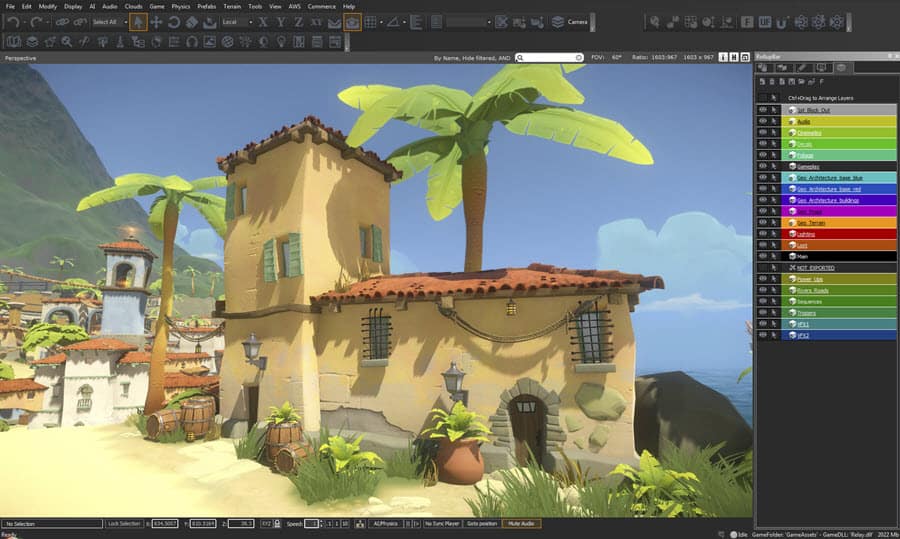
Amazon Lumberyard Editor 2
Amazon Lumberyard Editor

Lumberyard is available right now for game developers, and it currently supports Windows Vista, 7, 8 and 10 versions plus the Xbox One and PS4 consoles. And if you’re wondering about support for mobile devices, “Support for mobile devices and VR headsets is in the works and should be available within a couple of months,” according to Barr.

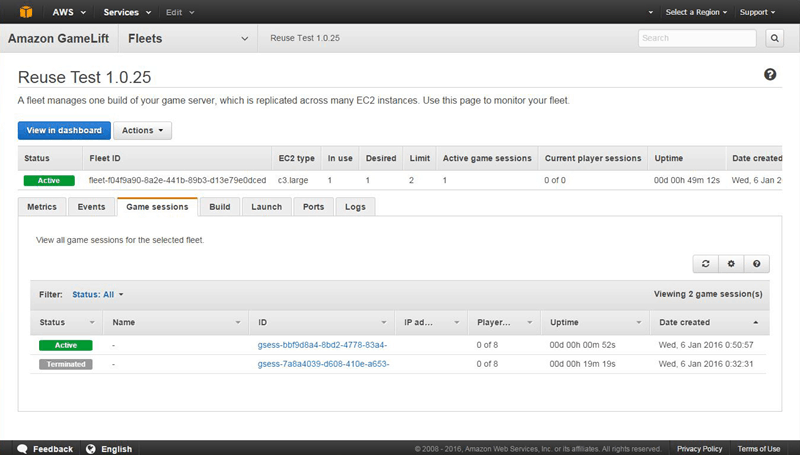
While the Lumberyard engine is free to use, Barr points out that developers will still have to pay for AWS charges if they decide to rely on it. In fact, the company is also launching Amazon Gamelift, a tool that developers can use to deploy and scale session-based multiplayer game servers for games built with Lumberyard:

You can use it to host many different types of shared, connected, regularly-synchronized games including first-person shooters, survival & sandbox games, racing games, sports games, and MOBA (multiplayer Online Battlefield Arena) games. After you build your server-side logic, you simply upload it to Amazon GameLift. It will be converted to a Windows-based AMI (Amazon Machine Image) in a matter of minutes. Once the AMI is ready, you can create an Amazon GameLift fleet (or a new version of an existing one), point it at the AMI, and your backend will be ready to go.

Amazon Gamelift

Last but not least, developers using Lumberyard will also be able to integrate their games with the popular game streaming platform Twitch via two new features:

Twitch ChatPlay allows you to build games that respond to keywords in a Twitch chat stream. For example, the audience can vote to have the player take the most desired course of action. Twitch JoinIn allows a broadcaster to invite a member of the audience into to the game from within the chat channel.

It’s a good thing that game developers now have one more game engine and cloud infrastructure to play with, and we’ll see if Amazon can leverage on the popularity of AWS to make Lumberyard a popular option. If you’re interested in Lumberyard, feel free to visit the dedicated website where you can also download the goodies.

Microsoft partner CloudSpeed describes the cloud strategy long game

How should one understand the success model for a cloud business? That is the question that a new article posted on the Microsoft Partner site, from one of its partners, CloudSpeed, aims to answer, and it sounds strikingly similar to Microsoft’s own strategy.

Specifically, Dana Willmer from CloudSpeed discuss the cost and maximizing investment for a cloud business. According to Willmer, cloud business often has a great fixed cost that must be paid up front, in order to build the necessary infrastructure for future growth. These include marketing and sales, and offering’s “productization” – in other words, creating a solutions that is integrated and specific to an industry.

A subscription model is commonly used for cloud business, to lower the upfront cost and purchasing barrier for customers. The return on investment (ROI) will come over time from these subscriptions to fund long-term results. To maximize this, Willmer suggests securing a large customer base, and ensure a healthy gross margin structure for the offerings; the subscription model will do the rest.

Willmer’s discussion of cloud business’s ROI and measure of success greatly coincide with Microsoft’s own business pattern, as the company often see losses – sometime for extensive periods of time – for many of its offerings before they turn into a profitable and important business, not just in cloud. If there’s anything Microsoft has historically been famous for, it’s sticking to their guns and develop a potential business, and we can be reasonably sure that the company will not change its ways anytime soon.


Need help planning for Valentine’s Day? Cortana, Windows 10 and the Windows Store are here for you

Valentine’s day is known for chocolates and flowers. Microsoft, however, is adding their own spice to the day with Windows 10, Cortana, and romantic movies and music available in the Windows Store.

So, if you need to smooth talk your way through the romantic holiday, Microsoft has you covered. Just ask Cortana, “Tell me a pick up line,” and Cortana will then respond with lines such as, “My interest in you is like a concave up function, always increasing.” Cortana can even give you love quotes to be used in Valentine’s cards.  Just ask Cortana “Tell me a love quote,” and she will deliver you a quote.

wp_ss_20160209_0002
Cortana’s love quotes

Microsoft also has you covered with Groove music. A special playlist, Music for Lovers, features 30 songs to relax, inspire and uplift—from the Beatles’ rousing All You Need Is Love, to Katy Perry’s Unconditionally, to the sultry All of Me by John Legend.

Movies are also included in Microsoft’s Valentine’s Day mix. They’ve bought together  30 titles that you can download directly—everything from The Fault in Our Stars and The Notebook to Romeo and Juliet and Enough Said. They’re all here.

The 1-800 Flowers app will also keep you covered on Valentine’s Day. With the app, you can order the perfect bouquet or a dozen red roses at the click of a button. If you’re looking to pick them up yourself, Cortana can even set location-based reminders to remind you about those chocolates, roses, or cards next time you are near the store. Just add your item to the shopping list and rest easy knowing Cortana won’t let you forget it.

If all else fails for you on Valentine’s day, there is always a digital gift card which you can be sent straight to the love of your life within minutes. And for the lonely ones, Cortana can keep you company and sing you a love song if you ask “Sing me a love song!”

Staying safe online with Microsoft on Safer Internet Day

Today is a special day. It’s National Pancake Day, Shrove Tuesday/ Mardi Gras, and the day after Chinese New Year but there’s one more day that today is, say that five times fast, Safer Internet Day. As the name suggests it’s all about keeping people safe online, especially younger people.

Microsoft celebrates this day every year and this year is no different. They’re holding events at Microsoft Stores to teach people how to be safe online and have advice in their latest blog post. Here’s a brief summary of the points made in their blog post and some added comments from us.

  • Defend your devices: Keep devices up to date and be careful what you download, especially attachments in emails and over social media.
  • Protect your personal information: Be careful who you give your information to. Don’t give out bank information or other sensitive information unless you really know who is receiving it.
  • Keep an eye out for scams: People pretend to be genuinely in need or try to scam you in other ways. Keep a lookout for scams.
  • Use strong passwords: You know how websites suggest a ridiculously long password with a punctuation mark, an upper case letter, a lower case letter, and a number? That’s with good reason. Easy passwords are much easier to hack.
  • Bing yourself: Check out your online identity. You want a good reputation and search engines help you see what others see. Incidentally, this is also good advice for when you’re applying for jobs.
  • Help keep children safe online: Microsoft wisely suggests a “mix of guidance and monitoring.” Both are needed since kids have to make their own decisions. They suggest rules, molding rules around your children’s ages, and paying attention to what they do online.

These tips should seem like second nature to most people but remember that you learned these at one point as well. Hopefully people can learn from other’s mistakes rather than having to mess up on their own. There are more things you can do to stay safe online but this is a solid beginning from Microsoft.

Reader app for Windows 10 gets a reliability update

Microsoft has just released an update to its Reader app in the Windows Store for PCs. The app is bumped to version 6.4.9926.18190, and according to the changelog this update will improve reliability and address data loss issues.

If you don’t want to install a Win32 app like Adobe Reader, this Reader app from Microsoft is a good lightweight tool that can open your PDF, XPS, and TIFF files. More than that, the app also makes it easy for you to quickly return to files you’ve recently opened, search for words or phrases, take notes (also with Surface Pen), fill in forms, and print or share files.

Please note that this is not a universal app, as Microsoft also has the PDF Reader app on the Windows Phone store, which has less features. We don’t know yet if Microsoft plans to release a universal Reader app for all Windows 10 devices in the future, but it may be a good idea to finally have the same set of features on both platforms.

Reader
Reader
Price:
Free

Developers running into delays publishing apps on the Windows Store

The Windows Store seems to be causing some delays for developers trying to submit their applications. According to the Windows Dev Center, Microsoft’s Windows Store is experiencing back-end problems that will ultimately cause a delay between the app being submitted to the store and customers being able to download and install it.

Though the notice is no longer active on the site, developers will still want to be wary of the possibility of this delay existing. The full text from the notice is as follows:

“We’re currently experiencing some issues that are causing publishing delays. It may take several days before new app or IAP submission are visible in the Store. We’re working on resolving this, and will remove this alert once the problem has been fixed.”

Microsoft also put a notice up that related to data collected from and regarding in-app purchases and there not being up-to-date information in them:

“For some developers, the Acquisition report and/or IAP acquisition report (or APIs used to access those reports) may not currently show all data correctly. We’re working on resolving this, and will remove this alert once the problem has been fixed.”

As the notices are currently nowhere to be found on the site, it’s likely that the issues have been resolved. Have you had problems submitting or purchasing an app in the store? Let us know in the comments below.

Marvel Puzzle Quest, Agatha Christie, and more video games come to Xbox One

There’s something for everyone in the latest batch of new titles released on Microsoft’s Xbox One console with game genres such as fighting, roleplaying, and puzzle all getting their fair share of the spotlight.

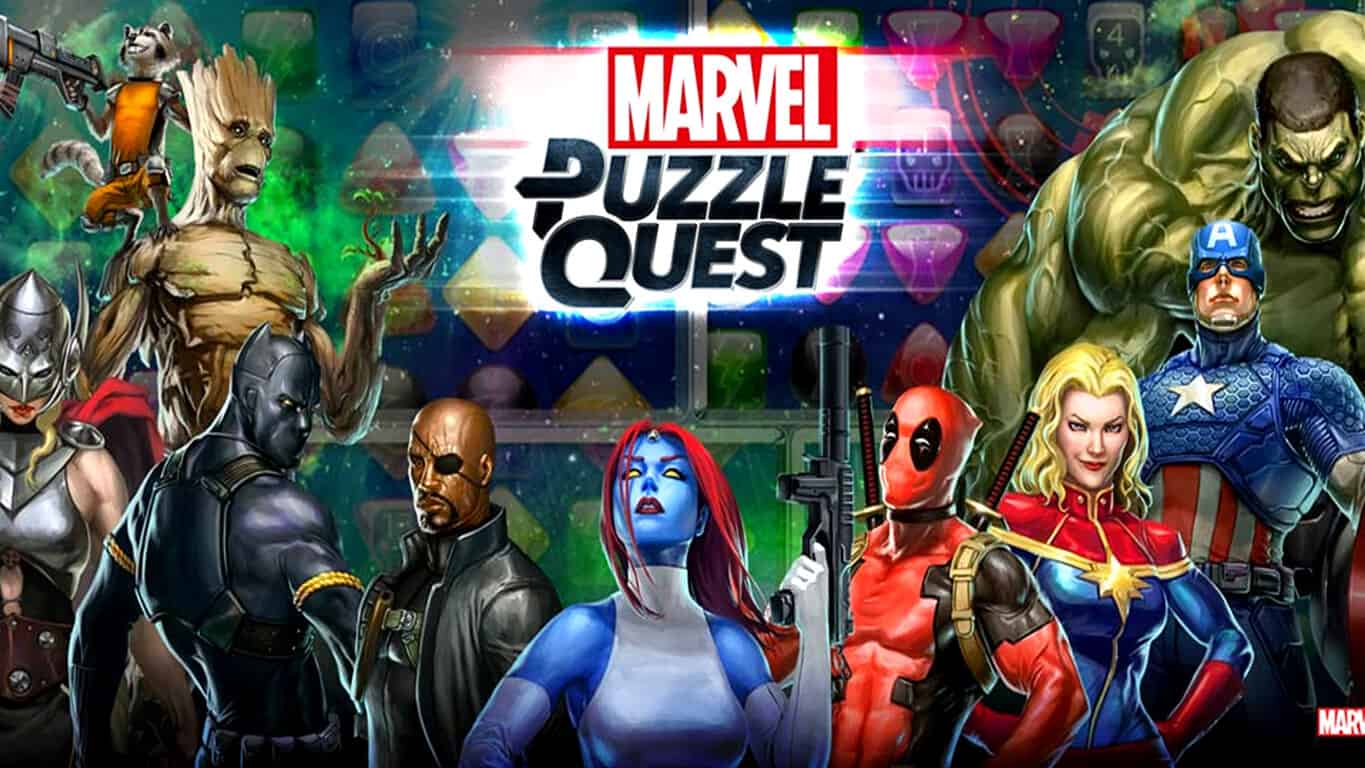
Marvel Puzzle Quest: Dark Reign is a puzzle game that has been experiencing quite a bit of popularity on touch devices and has now made its way to consoles. The game consists of a basic match-3 mechanic that’s easy to pick up and play but the real appeal is the character levelling system, roleplaying game elements, and storylines written by Marvel Comics’ writers. Also, unlike LEGO: Marvel’s Avengers and Disney Infinity which exclude characters such as the Fantastic Four and X-Men, Marvel Puzzle Quest: Dark Reign contains almost all of the popular characters from all of the Marvel films and even includes a wide variety of comic book characters such as the Squirrel Girl and the new Ms Marvel.

Buy Marvel Puzzle Quest: Dark Reign on Xbox One

Krinkle Krusher is a castle defence game with a magical twist and a plethora of cute monsters called, Krinkles. Players must use elemental powers such as fire wall, ice crown, mud, energy mine, thunder, and tornado to defend their base in 60 different locations across areas like the Castle Walls, the Putrid Swamp, and the Magical Forest.

Buy Krinkle Krusher on Xbox One

Dead Beat Dads is a four player local co-op brawler that features a roster of characters determined to reinforce dad stereotypes and several modes such as one where the player must steal other dad’s babies (father of the year right here).

Buy Dead Beat Dads on Xbox One

Bike Mayhem 2 is a new bike trick and race title which features both a single player and multiplayer mode. Players can ride through 34 different mountains and over 180 trails inspired by real world locations such as Whistler Bike Park and Coast Gravity Park and there are more than 130 collectibles to unlock which will add special boosts to the player’s character once activated.

Buy Bike Mayhem 2 on Xbox One

The long-anticipated, Naruto Shippuden: Ultimate Ninja Storm 4 finally arrives on Xbox One this week in both its regular and special Deluxe Edition. The game is based on the popular Naruto Shippuden anime series and boasts a revamped fight system and a ridiculously huge cast of characters to choose from. Ultimate Ninja Storm 4 may confuse the average gamer but fans of the Naruto anime franchise will likely eat this up.

Buy Naruto Shippuden: Ultimate Ninja Storm 4 on Xbox One

Agatha Christie – The ABC Murders is an adventure and investigation game based on the classic novel of the same name. This third person title tasks the player with exploring crime scenes across the United Kingdom while solving puzzles and eventually the overall mystery.

Buy Agatha Christie – The ABC Murders on Xbox One

The Xbox One really seems to be kicking things into high gear with a large number of new titles seeing release on the console on a regular weekly basis. Last week saw the release of Fortified, Hand of Fate, The Amazing Princess Sarah and a number of other games that should keep even the most active gamer busy, especially if they’re trying to get all of each game’s Xbox Achievements.

Have you purchased any of these new Xbox One games yet? Which one are you enjoying the most? Let us know in the comments below.

Here’s how developers can grab image text in Universal Windows 10 Apps

OCR, or optical character recognition, is designed to be able to manipulate different types of images, whether scanned documents or photos.  The Universal Windows Platform (UWP) utilizes (OCR) to help developers extract text and text layout information from images into a machine-usable character streams. Via UWP, OCR is optimized for the user and can run on any Windows 10 device without the need for an internet connection. The November update to Windows 10 upped the language support for OCR by supporting four languages, bringing the total number of supported languages to twenty-five.

Microsoft has been testing OCR technology for some time now, and it’s used in Microsoft Word, OneNote, OneDrive, Bing, Office Lens, and Translator for different things, including image indexing, document reconstruction, and augmented reality (HoloLens). For code samples and examples, check out Microsoft’s OCR code sample at GitHub and through MSDN documentation.

Microsoft also offers OCR as a service through Project Oxford. Project Oxford provides a number of services geared towards natural data understanding and can provide a variety of benefits and possibilities in developing Windows 10 apps. As a service, OCR has added features like language detection and text orientation detection, which is available through the OCR service demo.

If you are looking for more detailed information on OCR, you can go directly to the API documentation or experiment with the API Testing Console. Having the functionality built into the UWP platform seems like a real value-add for Windows developers; let us know in the comments if you agree.

Ballmer: HoloLens, Surface, and Xbox are ‘essential’ to Microsoft’s future

HoloLens, the futuristic headset, Surface, the line of laptops and tablets, and Xbox are “essential to [Microsoft’s] future,” according to Steve Ballmer, who ran the company from 2000 to 2014.

Ballmer, who current-CEO Satya Nadella replaced two years ago, has given a rare interview to Business Insider in which he laid out what he’s up to — a “10k for government” — and how he thinks about Twitter, a company he has invested heavily in, and Microsoft.

Ballmer is, by his own admission, an outsider, having spent two years away from the top job and around a year away from the board. However, he spent over 10 years running the company meaning that his insight still holds weight, especially surrounding the cloud business which he created.

“I talk every quarter to the CFO,” he tells Business Insider. “I meet with Satya [Nadella] what probably amounts to four or five times a year — either to brainstorm something or just as a shareholder.”

The Microsoft under Satya Nadella is, according to people who work there, a very different place to what it was under Ballmer.

With his fiery temper and tendency for the theatrical, Ballmer made for an interesting boss — and not always in a good way.

Joe Belifore, the man who designed Windows Phone, said in the comments on an article by The Verge about his iPhone user that Microsoft now encourages its employees to use an iPhone or Android phone. Under Ballmer, this would have been a big issue.

This new culture — which has been pushed hard by Nadella — hasn’t resulted in any hit products, however. Microsoft still has roughly the same line of hardware and software, including the Surface (which launched under Ballmer), Windows, Office, Azure, Lumia, and more.

One thing that has been created under Nadella — or, at least, demoed to the outside world — is HoloLens, which is set to roll out to developers in the next half of the year and then to everyone sometime in 2017.

“I really think the work Microsoft’s doing with Surface, with HoloLens, with Xbox, that stuff’s absolutely essential to the company’s future” said Ballmer.

The reason, according to Ballmer, is because creating hardware means that Microsoft owns both the device — whether that is HoloLens or Surface — and the software services. This, he says, is “important for Microsoft.”
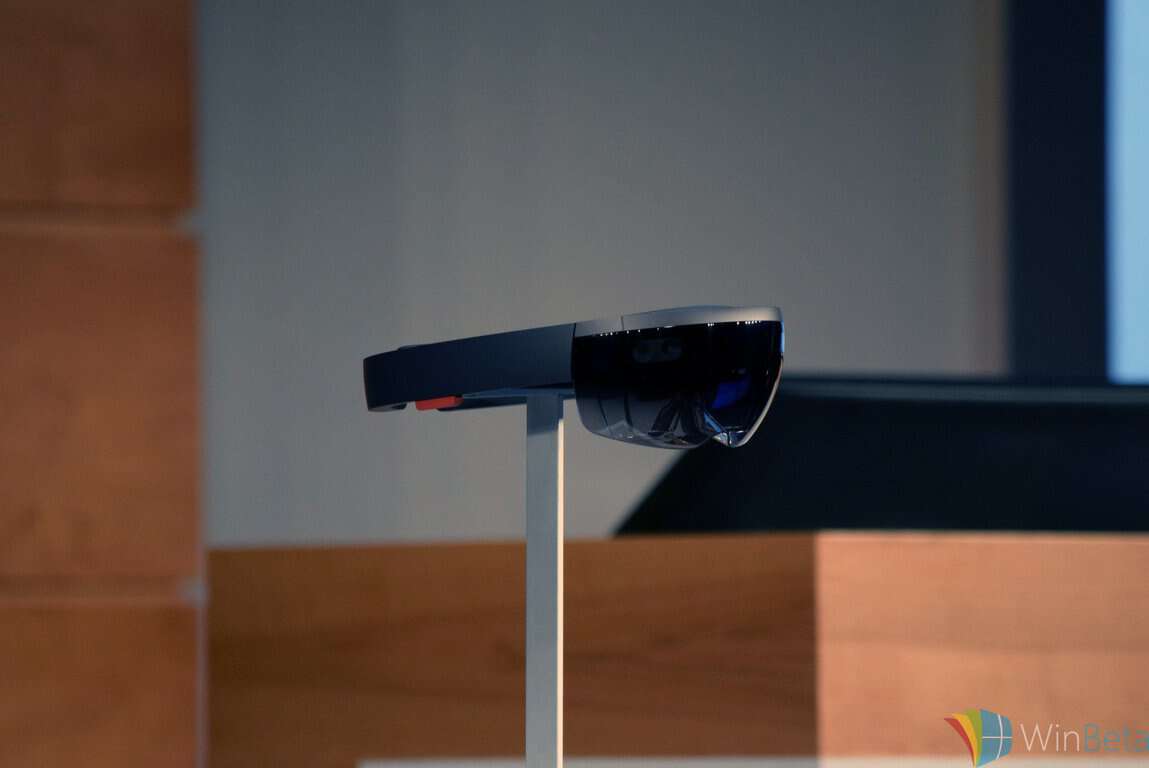
HoloLens_Demo-2

Microsoft has struggled in recent years because it does not own many of the devices that people spend most of their time on, specifically mobile phones. Windows Phone currently has a market share of around 1.7% globally, according to Gartner, and that isn’t set to rise any time soon.

Many column inches have been dedicated to blaming Ballmer for this — and they are justified — but Nadella has taken the reigns, looked past these missteps, and done the best with what Microsoft has to offer, specifically the best productivity tools on the market that, by and large, are used in almost all businesses today.

“In terms of the public positioning of the company,” Ballmer said. “Satya’s done a very good job. He sort of pivoted in a way that I don’t think would have been possible for me to do even if I’d seen it that way.”

Under Nadella, Microsoft now celebrates the iPhone, iPad, Salesforce, Box (a smaller enterprise company), Android, Google, and many of recent foes. It’s unclear how much of this is Nadella specifically and not a company-wide shift, but it is unlikely coincidence that these things have happened in the time after Ballmer left.

It’s clear from the interview that Ballmer harbours no bad feelings about his time at Microsoft or his departure, which was rumoured to have been more of a decision made by the Board than him. However, there is a noticeable tang of regret about some problems.

“He sort of pivoted in a way that I don’t think would have been possible for me to do even if I’d seen it that way, to really talk about this mobile-first, cloud-first world,” he said (emphasis mine). “He’s right. You might say it’s obvious, but it was an important perception point.”

While not a concession of his mis-thinking, this does clearly show that Ballmer is aware — and even encourages — a new path for Microsoft that is more focused on hardware and consumer-facing software (beyond Windows) than enterprise clients.

People_Nadella_Gates_Ballmer-1

The empire that Ballmer built still exists, however, as shown in the company’s most recent earnings report, when around 15% of its customers — many of which have billions in revenue and tens-of-thousands of employees — added more services, like Office 365, to their accounts.

Ballmer also says that Microsoft has to “chart a direction in mobile devices,” an area he was historically — and now famously — slow to see.

“[T]he company really has to chart a direction in mobile devices … because if you’re going to be mobile-first, cloud-first you really do need to have a sense of what you’re doing in mobile devices,” he said.

This, in some ways, is the paradox of Microsoft’s position under Nadella: The self-imposed slogan of “Cloud-first, Mobile-first” doesn’t really work if you don’t have a competent — by which I mean popular — mobile operating system.

For his part, Nadella doesn’t seem bothered. In an interview with BuzzFeed, given earlier this year, he described mobile devices as “nodes” on a network.

“If you think of this more like a graph, these [devices] are all nodes,” he said, when asked about Microsoft’s less-than-stellar offerings. “Sometimes the user will use all of these devices … sometimes they’ll use only one or two of our devices and some other platforms — so be it.”

This attitude works because Microsoft still has its enterprise business and, according to the earning’s report from the three months leading up the January, a burgeoning hardware business.

“Satya, [has] certainly changed [the path Microsoft is on],” concludes Ballmer. “He needs to have a clear path forward. But I’m sure he’ll get there.”

Microsoft to partner HCL Technologies on a Redmond, WA IoT incubation center

Microsoft is currently hard at work on growomg its Azure Internet of Things ecosystem, and the company recently launched the Azure IoT Suite and Azure IoT Hub to provide enterprises a pre-configured IoT solution to easily connect and analyze data in real time. Today, we learned that the global IT services company HCL Technologies announced the launch of an IoT Incubation Center in Redmond to further leverage Microsoft Azure IoT Suite and accelerate IoT adoption for its clients.

According to the press release, the upcoming HCL incubation center will focus on developing a new model of innovation leveraging real-time analytics, sensory data and rapid co-creation, and also on building vertical solutions focused on industrial manufacturing and healthcare. In the end, we should expect various use cases in industrial automation, remote patient monitoring, and fleet management, among others.

Sukamal Banerjee, EVP & Head of IoT WoRKS Business Unit at HCL Technologies, explained:

“Innovation in today’s world requires invention and execution. The ability to rapidly prototype and bring solutions to market is a key to enterprise success in a hyper-innovative global environment. Industrial IoT is slated to be the next big productivity and revenue generation lever for enterprises worldwide. We are confident that our collaboration in this space will create some truly innovative and actionable industrial IoT solutions which are scalable, cost-effective and focused on user experience.”
On Microsoft’s side, here is what Susan Hauser, Microsoft’s Corporate Vice President for Business & Corporate Responsibility had to say about the announcement:

“One of the most transformative trends affecting businesses today is the Internet of Things. Together with HCL, we’re enabling companies to accelerate IoT adoption with industry-specific solutions that deliver greater business insights, new revenue models and speed return on investment. These capabilities are essential to creating greater impact and maintaining competitive advantage in the digital economy.”

And so, it seems that both HCL Technologies and Microsoft believe that IoT will enable the creation of new services and solutions which can really help companies to differentiate themselves and create business value. While we’re still early in the IoT revolution, this announcement is still definitely an acknowledgment of Microsoft’s leadership in the IoT space.

Windows 10 installations surpass Windows XP

It’s become something of a mantra that Microsoft wants to get a billion machines running Windows 10 as soon as they can, and we’re looking forward to the day when we can use something other than “200+ million” as the current metric. A new chart from Statista, which is based on NetMarketShare data, is showing that Windows 10 continues to make progress toward both objectives and is now used on more PC’s than Windows XP.

The results should come as no surprise. Microsoft continues to very visibly push users into upgrading to Windows 10, for example recently moving the update from optional to recommended.

For comparison sake, Windows 8 and Windows 8.1 did not pass Windows XP in the market until three years after Windows 8 was released. Windows XP was first released to manufacturing on August 24, 2001 and was released to the public on October 25, 2001.  Extended support for Windows XP ended on April 8, 2014.

20160208_windows-10_bi

Clearly, Windows 10 remains on a strong upward trajectory and we imagine we’ll get revised numbers from Microsoft sooner rather than later that will show the strategic OS as ever-closer to accomplishing the company’s objectives. We’ll be sure to keep you updated on when the next Windows 10 milestone is passed.

Microsoft accidentally releases Xbox Backwards Compatible games, pulls them, apologizes

Red Dead Redemption was briefly playable on Xbox One this weekend before access was shut down on Sunday, and Microsoft is apologizing for the confusion behind the situation.

Major Nelson took to Reddit to explain the situation and said:

“Microsoft tests all Xbox 360 games with our emulator to ensure a quality experience across a breadth of titles. Due to an error, some of the games currently in test were accidentally made available. We have since removed access to those games, and apologize for any confusion this may have caused. We will have more information on upcoming releases soon. “

Gamers had long demanded Red Read Redemption for backwards compatibility ever since Microsoft announced the Xbox One would gain the feature back in E3 2015.  A number other Xbox 360 games were also briefly playable on Xbox One because of the mishap. Such titles included Halo Wars, Castelvania: Symphony of the Night, and Tekken Tag Tournament 2.

Access to these games have since been removed by forcing the titles to accept an (unavailable) update, rendering the games unplayable.  The mishap comes not too long after Microsoft announced that it would no longer release backwards compatible games once a month, but rather would announce Xbox 360 games as they become compatible.

Windows Twitter app Aeries updated with new login experience and more

Aeries is considered by many to be one of the best Twitter clients available on Windows Phone, as well as Windows 10. The app comes with a simplistic interface and offers users with several handy features to make the most out of Twitter. Recently, Aeries picked up a significant update, introducing a revamped login experience, including several stability and performance improvements, and bug fixes.

Here’s the complete change log for the latest update:

  • Completely new login experience to help you get up and running faster.
  • Indicator for tweets which are replies in a conversation.
  • Fixed flickering when loading original tweets in Tweet Detail.
  • Option to have timeline images full screen width or truncated to text width.
  • Updating colour palette throughout the app.
  • Compose page now loses focus after sending unless opened via the Jumplist.
  • Fix for pinning a single list to start screen.
  • Fixed some issues with search timelines not saving position.
  • Various other UI tweaks.
  • Usual performance and memory optimizations (now with more speed).

Head over to the Windows Store to grab the updated app.

Aeries
Aeries
Developer:
Brad Stevenson
Price:
Free

Windows 10 news recap: Build 14257, market share, stats

Welcome back to our weekly Windows 10 news recap, in which we recap the top news stories regarding Windows 10 for the week. Let’s dive straight in.

Windows 10 market share climbs to 11.85% as of January 2016

Windows 10 has been somewhat of a hit among consumers, with latest numbers claiming Windows 10 is now in use on over 11.85% of the total operating system market. At the beginning of 2016, Microsoft confirmed that Windows 10 had been installed on over 200 million devices worldwide.

This is definitely something to cheer about for the folks at Redmond as Windows 10 market share is continuously on the rise ever since its launch in July 2015. Microsoft is offering Windows 10 as a free upgrade for users running Windows 8 and Windows 7 for a year after which they’ll have to purchase it.

Windows 10 upgrade moves from optional to “recommended”

On the heels of market share statistics, the Redmond-giant this week moved Windows 10 over form being an optional update to a recommended one, which many are not happy with. A recommended update doesn’t necessarily mean the operating system will be installed automatically however.

While Windows Update will offer Windows 10 as a recommended upgrade, and go so far as to prep the upgrade for installation on machines with automatic updates turned on, users will still need to accept the upgrade before moving forward.

Windows 10 Redstone Insider Preview build 14257 released to the fast ring

Microsoft also released a new build of Windows 10 Redstone for Windows Insiders this week, but like the other builds so far, there were no new features of note. Microsoft is about ready to start implementing new features into the main development branch now however, so it shouldn’t be long before Insiders have new bits to play with.

This build contains mostly fixes and improvements on the back end and foundation of the operating system for upcoming new features, so don’t expect to see any visible changes just yet. Head over to Settings > Update & security to snag this release.

3 billion Windows Store visits and counting

Additionally, this week Microsoft announced that the Windows Store had seen over 3 billion visits since the launch of Windows 10 back in July 2015. That’s a huge number to be touting, and should help convince developers to start building apps for the platform.

Other factors that Microsoft focused on ranged from the broader ‘what kind of apps are people downloading from the store?’ with games coming out on top as about 32% of all downloads from October to December 2015.

That’s all for this week, what was your favorite story? Let us know below.


Everything you wanted to know about Windows Remote Arduino

Windows Remote Arduino (WRA) is an open-source Windows library that allows any Windows 10 device to remotely control an Arduino. What is Arduino? Simply defined, Arduino is an open-source computer hardware and software company that has a widespread project and user community. Arduino designs and manufactures micro-controller kits for anyone looking to build digital devices and interactive objects that can sense and control objects in your home, office, or anywhere else.

The Arduino library allows developers to combine Arduino sensors with their own Windows projects, as well as to transfer tasks that are too complex for the Arduino to Windows for processing. The WRA library is available through GitHub for use on Windows 8.1, Windows Phone 8.1, Windows 10, and Windows 10 Mobile.

Here is a list of Arduino functions that WRA is able to control:

  • Digital write
  • Digital read
  • Analog write (PWM)
  • Analog read
  • Setting pin mode
  • Receiving events when pin values are reported or changed
  • Send and receive data between devices over I2C

WRA also has a number of custom commands available for more advanced users via Firmata SysEx, available here on GitHub. If you are interested in trying WAR for yourself, all setup instructions are available here.

Microsoft developed Windows Remote Arduino API to be as close as possible to Arduino’s Wiring API. There are subtle changes as WinRT’s basic framework is slightly different from the basic Wiring language used in Arduino layouts. With a little bit of tinkering, it is possible to use the basic layout of Arduino in a Windows 10 Universal Windows Platform (UWP) app using WRA.

Here is a video showing a sample of WRA to control a blinking LED remotely. Complete instructions on how to do this yourself can be found at this Hackster post.

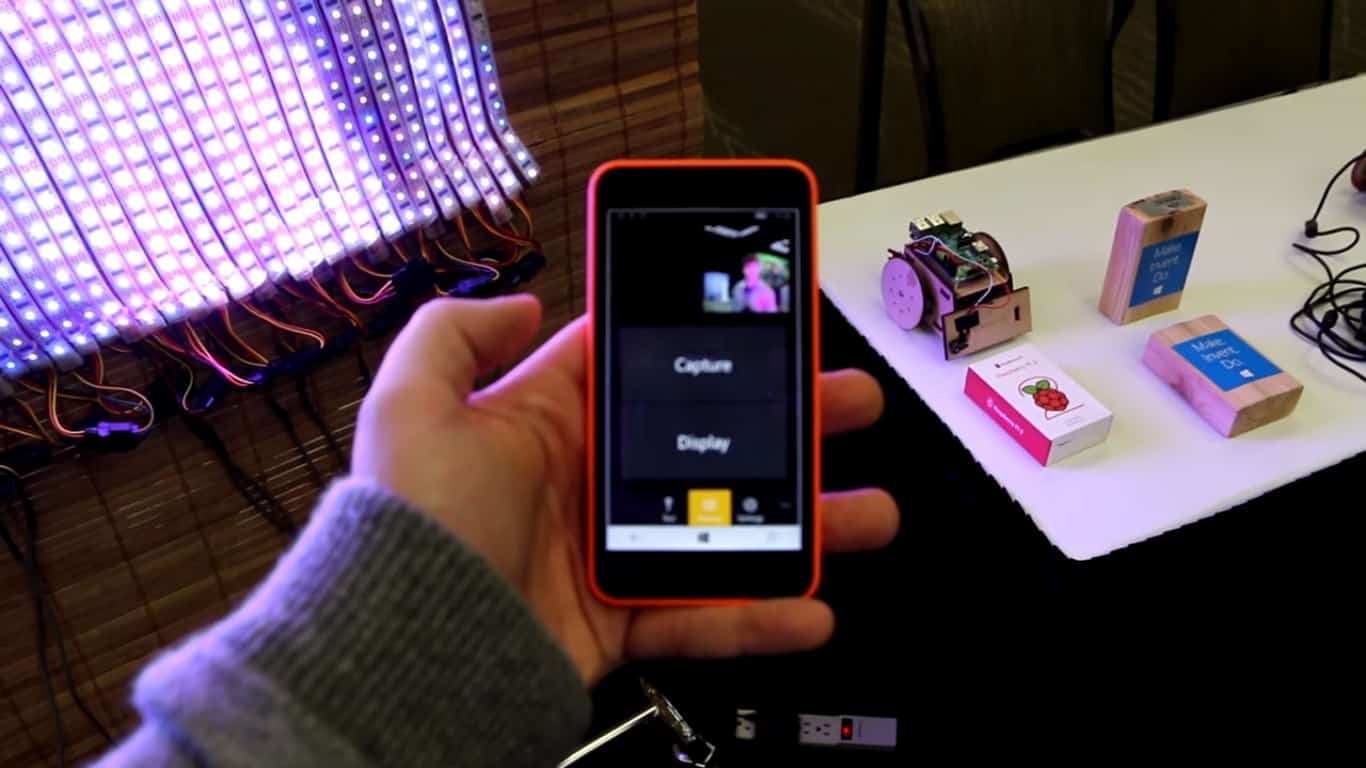
Besides the simple application like the one you’ve seen in the above video, there are other more advanced applications available that you can develop with WRA. Below is a video of how you can use your Windows 10 Mobile device to control an LED curtain powered by a WRA.

For more information on other projects like this, be sure to check out Windows on Devices webpage. You can also join the Windows Developer Community for IoT to collaborate and find more ideas on WRA projects.

Download the Windows Arduino Remote Experience app to get started.

WhatsApp now Available in Windows 10 on Microsoft Edge

WhatsApp is one of the most popular instant-messaging services in the world. Some time ago, WhatsApp introduced WhatsApp Web, a feature which allows you to send and receive your WhatsApp messages in a web browser, on your computer.

WhatsApp Web is compatible with the most popular third-party web browsers, like Google Chrome, Firefox, and Opera, but it wasn’t compatible with Microsoft Edge, until now. Microsoft finally made a couple of changes in Edge, so you’re now able to run WhatsApp web on Windows 10’s default web browser.

All Windows 10 users should be able to run WhatsApp web on Microsoft Edge by now, but even if you’re not able to run it, the feature will arrive very soon, as the update is being rolled out gradually.

Some users were able to run WhatsApp web in Microsoft Edge even before, but it required using Dev tools to emulate a third-party browser, like Chrome or Firefox. We checked now and cleared the cache and it still didn’t work, so I guess we need to wait some more time.

Run WhatsApp in Windows 10

Microsoft Edge still lacks a lot of features, that are present on competition’s browsers. But Microsoft is constantly working to improve its latest browser, so we should give them credit for that. Edge is also a relatively new browser, so there’s still a lot of time for Microsoft to deliver new features.

We already told you that third-party extensions will come to Microsoft Edge on Windows 10 Preview very soon, which should also improve the usability of the browser. And we should expect even more improvements and new features in upcoming Redstonebuilds for Windows 10 Preview.

What feature or improvement do you want to see in the future versions of Microsoft Edge? Tell us in the comments, but also send your request to Microsoft, through the Windows Feedback app, and let the company know what you want use in Microsoft Edge.

Here’s how to get fit with Skype

Microsoft has a real commitment to helping their customers get healthier. The obvious example is the Band 2 and Microsoft Health, which can track and prompt users to get and stay active, get better sleep, and generally achieve and maintain a healthy lifestyle. A few days ago, Microsoft introduced a new group chat via Skype to help you get connected with some fitness experts and contribute to a growing healthy community.

We’re teaming up with beauty and lifestyle vlogger Claire Marshall (you can watch her stuff here) to help put a stop to broken resolutions. We’ll introduce her (and you!) to nutrition expert Russ Crandall, and fitness expert Carly Rowena, who will guide you and share with all of you the knowledge, motivation and activities you need to make your health resolution a breeze.

But knowing all the information isn’t good enough; we want to see Claire use her tips in real life. Each coach will set two challenges for Claire and we’ll be bringing you videos so that you can watch and join in on the ride (or jog, or swim, or whatever other activity you’re into!). Whether Claire is flying high on the trapeze at a circus class, gliding around the ballroom floor during tango lessons or mixing and matching to make the perfect smoothie recipe, each challenge will provide essential tips for making 2016 your best year yet.

If you want to join in, just add GetSkypFit on Skype, and you can interact with those experts and other people interested in getting and staying fit. You’ll even get entered into a contest to visit Los Angeles and enjoy a day of fitness under the bright Southern California sky.

Join up by follow #SkypeFit on Twitter and Instagram, visit Skype’s Facebook, and start working out. Let us know in the comments if you learn anything new.

Microsoft launches new website touting Windows 10 security features

Windows 10 has a number of improvements in terms of features and functionality that Microsoft uses to market their strategic new operating system. Cortana, Universal Windows Apps and the benefits of running a single OS across every conceivable device type are all keys to convincing people to adopt Windows 10. Today, Microsoft launched a new site dedicated to letting people know another of Windows 10’s key strengths: security.

Today’s computing environment is full of different attack vectors by which nefarious individuals and organizations gain access to systems to steal private, commercial, and government information. Microsoft wants us all to know that Windows 10 has been designed with all of those attack vectors in mind.

Addressing today’s threats requires a new approach. Windows 10 offers architectural changes that protect from the inside out and go well beyond perimeter defense and building bigger walls.

If you look back at how security threats have evolved over time, you’ll find some disturbing trends. Enterprises that are used to attacks from individuals and small groups that were out for mischief or personal notoriety have been replaced by well-funded criminal organizations seeking profit. More recently these criminal organizations have been joined by highly clandestine organizations with ulterior motives and whose attacks appear to succeed at will.

The harsh reality is that the attackers have acquired the advantage, and if your organization is in the crosshairs, it’s not a question of whether the attackers can get access to your network, it’s a question of how fast they can do it and how long will it take you to find out. It often takes months to detect and almost as long to remediate.

Windows 10 approaches security from a number of different perspectives, and the site provides additional information on each one:

  • Secured Devices: device integrity, cryptographic processing, virtualization, biometric sensors
  • Identify Protection: robust credentialing, Microsoft Passport
  • Information Protection: BitLocker and Enterprise Data Protection, Rights Management Services
  • Threat Resistance: SmartScreen, Microsoft Edge and Internet Explorer, Device Guard, Windows Defender, Trusted Boot, Device Health Attestation and Conditional Access

If you’re responsible for your organization’s security, or just want to be sure your own personal information is protected, then you’ll want to check out how Windows 10 can help create a more security environment. Microsoft is serious about convincing people to upgrade and to achieve their goal of a billion Windows 10 users, and security is just one more way to prod users and organizations to migrate.

First impressions of the Artisul D13 drawing tablet

Wacom’s days of creative dominance appear to be numbered as challengers like the Surface Pro 4, iPad Pro, and various Huion and Yiynova offerings are collectively banging on its door with compelling and much more cost effective alternatives. Now, a brand new, art-focused hardware company Artisul (literally “art is soul” according to its own website) joins the fray with its D13, a 13.3-inch 1080p external drawing monitor.

Artisul D13 02

It’s specifications are as follows:

  • Dimensions: 389.0mm (L) x 250.7mm (W) x 14mm (H)
  • Weight: 1.1kg
  • PC And Mac Connection: HDMI & USB
  • Screen Size (Diagonal): 13.3 inch
  • Aspect Ratio: 16:9
  • Resolution: 1920 (L) x 1080 (W) pixels, IPS
  • Response Rate: 19ms
  • Pixel Pitch: 0.1529 x 0.1529 mm
  • Displayable Colors (maximum): 16.7 million
  • Color Gamut: 75% Adobe RGB
  • Industry Standard Pre-Sets: 6500°K whitepoint Default
  • Backlight Unit: LED
  • LCD Brightness: 300 (cd/m2)
  • Viewing Angle: 178° (89°/89°) H, (89°/89°) V
  • Graphics Input: HDMI
  • Pressure Sensitivity: 2048 (levels)
  • Resolution: 5080 LPI
  • Accuracy: ±1mm
  • Reading Height: 10 mm

While the D13 is sold and packaged by Artisul, the device itself is branded UC-Logic (makers of a competing digitizer technology to Wacom’s and Microsoft/N-trig’s own), and is produced by Yiynova. Wonky origins aside, the device exudes a professional appearance and solid build quality with the exception of a noticeable creaking found in the bottom half of the monitor, which is in my experience an odd signature trait with Yiynova’s otherwise solid devices.

Artisul D13 04

The D13 is a $600 USD direct alternative to Wacom’s wallet-crunching Cintiq 13HD, which currently retails for $800 USD, the exact price of the base model Surface Pro 4. The D13 carries the exact same resolution, screen size, and a similar overall layout. It also features a battery-less pen, a first for Yiynova as well as UC-Logic. Unlike the Cintiq 13HD, the D13’s pen does not carry tilt functionality, though Yiynova indicates they are working on it. Also unlike the 13HD, the D13 omits the adjustable stand, which retails separately for $50 USD. I happen to find this omission quite offensive.

Artisul D13 07

The D13’s button arrangement is quite interesting. In addition to its six programmable buttons, the D13 features a press-able, multi-mode scroll wheel, which rotates in a dial in the center. What scrolling the center wheel does depends on what “mode” it’s in. For example, a “Zoom” mode will cause scrolling the wheel to either zoom in or out of the drawing program’s canvas, depending on which direction you rotate the dial. The “Brush size” mode behaves similarly. There are several other modes as well, all of which are configurable.

Artisul D13 05

One particularly unique party trick the D13 has over the Cintiq 13HD, one that I’m very enamored with, is found in how it’s powered. For some historical context, most of these external drawing monitors are hulking devices with at require at minimum three separate plugs: display (HDMI or VGA), USB (for pen input), and power.

While it still needs to attach to the computer’s HDMI for display, I’m happy to report that the D13 can in fact be powered exclusively by a single USB 3.0 port. One down, one to go. Mind you, to power the D13 this way, you need a legit, full-powered USB 3.0 port, not those pansy ones you find in portable devices like most laptops and Surfaces. If such a gas-guzzling port is not an option, the D13 can also be powered through traditional means.

Artisul D13 06

As for drawing experience, I need to spend more time to get to know the device, but as of now, I can report that it has noticeably better pen performance than the Surface Pro 4, with little to no jitter in slow strokes, better pressure sensitivity range, and better lightweight stroke performance. Interestingly, however, it’s a slight step down from the Cintiq 13HD and it’s bigger, battery-powered Yiynova siblings. It’s hard to compare it with the iPad Pro since the iPad Pro not only has a different feature set, but also access to fundamentally different apps from the rest of the crowd.

Artisul D13 11

While I do think it’s a tad overpriced for what you get (though nowhere near as bad as the abominable 13HD that once cost north of $1000 USD), the D13 is a very welcome entry to a market that needs all the competition it can get.

Look forward to my more in-depth review in the coming weeks.

Windows 10 Mobile Build 10586.104 is in the Works

Microsoft released Windows 10 Mobile build 10586.71 as a cumulative update a couple of days ago, but it looks like the company already works on the new build for Windows 10 Mobile Preview. Reportedly, the new build will be labelled as 10586.104, and it should arrive to users on the Fast Ring next week.

The company already tests the new Windows 10 Mobile build internally, and once testing is done, build 10586.104 will be released to Insiders through Windows Update. Rumors have it that Microsoft plans to deliver new builds every week, for both PC and Mobile devices, just like it promised some time ago.

New Windows 10 Builds Every Week

We remind you that Microsoft released the new 14257 build for Windows 10 PCs today, only six days after the release of the previous one, and if rumors are true, the new Windows 10 Mobile Preview build will also arrive shortly after the previous build was released.

If Microsoft indeed starts to release new builds for both Windows 10 PCs and Windows 10 Mobile devices, Insiders will get busier than usual, which means they’ll provide more feedback to the company. But this also means that Microsoft will have less time to test new builds internally, before it releases them to Insiders, so there will be more errors and bugs.

Users are having a lot of problems with the current Windows 10 Mobile build 10586.71 (read more about that in our reporting article), but if future builds will arrive faster, we should expect even more issues. More frequent release of the new builds is also unlikely to bring some notable new features, as it will probably focus on bug fixes and enhancements.

What do you think about Microsoft’s new approach? Is it better for the company to release buggier builds more often, or more stable builds, but less frequently? Tell us in the comments.

Microsoft Band owners: grab the updated Band Sync app for Windows 10

For those of you enjoying your nifty Microsoft Band, there is a new version of the Band Sync app for Windows available to download. This is not an app you get from the Windows Store, rather it’s a traditional ‘application’ (remember those?) that you can install on Windows 7, Windows 8.1, or Windows 10.

This software syncs your Microsoft Band to the cloud with the same account that you use on your Windows phone companion app. It works on Windows 7 and higher, and it syncs your data even when your phone is charging via USB. You can also get updates and restore the software on your Band, which is a neat feature.

For those wondering what’s new in this particular update, Microsoft has made the design a bit more consistent in terms of the app’s layout and alignment of interface elements. In other words, the app just looks prettier than before. The Redmond giant also added new options to the home page of the app, allowing you to quickly access your Band’s settings, check the about page of the app, view your Health Dashboard, and see or edit your profile.

Grab the app here.

Windows 10 Redstone Build 14257: New Features and Fixed Bugs

Microsoft just started to rollout the new Windows 10 Preview build 14257 to Insiders on the Fast ring. With the release of this build, Microsoft continues to stick with its announced strategy to deliver Windows 10 Preview builds faster, as this build is released only six days after the previous Windows 10 Preview build (14251).

The head of the Insider Program, Gabe Aul, said in his official blog post, that Microsoft’s development team is working hard to prepare future Windows 10 Preview builds for the long-awaited new features. However, there are still no many visible changes in Windows 10 Preview build 14257, but it includes a lot of bug fixes and system improvements. So, if everything goes by the plan, we should finally see the first Redstonefeatures in the coming Windows 10 Preview builds.

Windows 10 Preview Build 14257 new Features

Microsoft revealed which bugs have been fixed in the latest Windows 10 Preview build, and here’s the full list of known improvements:

  • The issue of periodic app crashes or other memory related app errors due to a memory management change has been resolved. If you were having issues launching the Git client for Windows, you should now be able to launch it in this build.
  • The Connect button now shows up again in Action Center.
  • F12 Developer Tools will now load correctly Microsoft Edge.
  • We fixed an issue where suggested apps were being shown on the Start menu even though “Occasionally show suggestions in Start” was turned off under Settings > Personalization > Start.
  • We fixed an issue where if you try to change the Lock screen picture with “Get fun facts, tips, tricks and more on your lock screen” turned on it will revert back to the default.
  • We fixed an issue where the positions of desktop icons get jumbled up after switching DPI settings from 100% to 150% or 175%.
  • We also fixed an issue where pasting files into a new .zip file (compressed folder) in File Explorer by either right-clicking or Control-V would not work. You should be able to paste tiles into new .zip files just fine now.

Windows 10 Preview Build 14257 Issues

On the other, this build also brings a lot of issues to Windows 10 Preview users, so Microsoft also provided a list of all known issues, that come along with the latest build:

  • If you choose “Reset This PC” under Settings > Update & Security > Recovery – your PC will be in an unusable state. There is no workaround if your PC gets into this state and you will need to reinstall Windows. This issue will be fixed in the next build. You can still rollback to the previous build if for some reason this build doesn’t work out for you. This bug also existed in Build 14251 so please avoid resetting your PC on these builds.
  • You might see a WSClient.dll error dialog after logging in. We’re working on a fix for this but as a workaround, you can run the following in Command Prompt with administrative rights: schtasks /delete /TN “\Microsoft\Windows\WS\WSRefreshBannedAppsListTask” /F. This issue will be fixed in the next build. (We have talked about a potential fix for WSClient.dll error, so check it out to learn more)
  • The front-facing camera is unusable on PCs with Intel RealSense resulting in being unable to use Windows Hello or any other apps that utilize the front-facing camera.
  • After logging in to your PC, you may hit a UI issue in which Airplane Mode will incorrectly show as “on” even though your PC’s Wi-Fi is powered on. This is due to a timing issue between how the UI communicates and waits for the underlying platform to respond. The UI for Airplane Mode essentially does not wait long enough for the device’s physical radios to power on before reporting the current state. You can toggle the Airplane Mode on and off to get Airplane Mode back to showing the correct state.

There are probably even more issues caused by this build, that Microsoft didn’t mention. So, as always, we’re going to search the forums, look for all other reported problems, and write an article about all reported issues that Windows Insiders who installed build 14257 face. So, stay tuned.

Fortified is out today on Xbox One

Fortified is now available on Xbox One in most regions worldwide, releasing a bit earlier than its original March release date. The game is developed by Clapfoot Inc. and draws heavy inspiration of the old Science Fiction films from the 1950s. Here’s the official descriptions:

Fortified is an explosive strategy shooter where players will defend the Earth against a menacing Martian invasion in the 1950s. Play as one-of-four pulp inspired heroes as they fight swarms of terrifying robots with an arsenal of Cold War era weapons and experimental technology. Protect the city by building a network of defensive structures, commanding an army, and jumping into battle against dangerous sky scraping attackers. Fight for Earth alone or with up to four players for the ultimate co-op defense experience.

Xbox One owners who purchase Fortified this week will be able to get it for 15% off its regular price. Have you played Fortified yet? Let us know your thoughts in the comments below.

Buy Fortified on Xbox One