Microsoft’s plan of enticing PC developers to create mobile versions of their apps has snagged another win for users with Two Dots. For fans of the ultra-simplistic dot connecting world created by developers PlayDots, its most recent addition of Two Dots has made the tiny jump from Windows 10 PCs to Window 10 Mobile devices recently. Two Dots mimics its predecessor Dots by sticking to the no-frills gameplay that made the original a hit on iOS and Android. The Dots world is one of sleek minimalism and fluid animations. Two Dots, however, expands on the famously Spartan-like engagement of Dots by imbuing the game with character and story.
Join two brave dots as they traverse arctic tundra’s, navigate fiery jungles, and plunge the ocean depths. Sharpen your skills across challenging levels while uncovering exciting new features along the way.”
Two Dots also adds some new UI elements as well as some additional in-game mechanics. Differing from Dots, Two Dots now incorporates multi-tiered dot connections and elemental interference. The new game is free to play at the Windows Store, and avid fans of PlayDots can head over to their website or social media outlets to get even more.
At weplaydots.com, fans can also download original soundtracks as well as hi-res wallpapers of their favorite Dots levels.
For those looking to avoid awkward family conversations, boring car rides, or just a quick time waster in a long line, Two Dots delivers.
The Continuum feature available on devices such as the Lumia 950 brings Windows 10 Mobile devices one step closer to truly being possible PC replacements for general consumers. Another often-overlooked capability that makes Microsoft’s smartphones more PC-like is the ability to plug USB devices into them. This feature, called USB On-the-Go, allows portable smart devices to act as a “host” for USB devices, much in the same way standard PCs do. As the Lumia 950 (and predictably its larger sibling the 950 XL) supports this protocol, I took the opportunity to play around with it on my Lumia 950 to see its limitations.
As most of my devices use standard micro-USB plugs, I had to use an adapter to plug them into the Lumia 950’s more modern USB Type-C port. These adapters can be had on Amazon for cheap. Some of you may remember seeing this adapter in action in my Actiontec ScreenBeam Mini2 Continuum Edition unboxing and demo (I swear if I ever have to type or say this amazing product’s name ever again I’m going to punch someone). As shown off in the video, USB keyboards work just fine, with all the familiar keyboard shortcuts and tricks present and accounted for. I don’t have any PS/2 based keyboards on me, so I unfortunately couldn’t test those out, but I see no reason why they wouldn’t when given the proper adapter.
Can’t wait until USB-C becomes common
Same with USB mice, with the familiar Du-dudu-Duh! (I know, shut up) Windows sound effect playing through the Lumia 950’s mediocre speakers. USB mice work exactly like you’d expect, with a white pointing cursor popping into the smartphone’s screen, highlighting everything it rolls over, and context clicking anything that can be tap-and-holded.
Interestingly, while there is a Mouse section in the Settings panel, it only has the option to change left or right as the primary button. It’s bizarre to me that Microsoft would omit the other options given that all elements of the underlying PC architecture are already there. Microsoft got the hard parts out of the way, but it didn’t finish the easy stuff. This is actually very problematic when using Continuum, as there’s currently no way (to my knowledge) to adjust mouse tracking sensitivity.
The dark side of minimalism.
USB Microphones like my Yeti USB Microphone work as you’d expect as well, with the hardware mute button found on the microphone itself working to silence all sound recording from being inputted into apps like the generic Voice Recorder.
Devices that require a hefty amount of power to operate (external webcams, for instance), are detected, but don’t function, predictably.
Where things get really interesting is with external memory drives. Basic pen drives work as expected, allowing you to access them through the native File Explorer app, as well as target them as destinations for “Save As” functions. The issue, however, is not all of them work. Some work exactly like expected, some will give you a warning saying it may not function correctly (which they don’t), and some simply won’t register at all. No Du-dudu-Duh!
Some of my flash drives contain a bootable Windows images for installing into fresh PCs. These flash drives are the ones that aren’t detected by the phone at all. I could completely understand such formatted drives not working correctly, but I don’t understand why the phone doesn’t detect them at all.
Another file transfer use-case that didn’t work like a PC for me was when connected to my DSLR camera with flash memory inside. When plugging it into my PC, the memory card shows up as removable storage. When plugging into the Lumia 950, I get a warning saying the attached device may not work correctly. I found this one a bit concerning, as the USB OTG specification clearly allows for this.
Nope.
Things get even more bizarre when attaching to an external hard drive that has its own power supply. The phone detects it just fine, and gives me no warnings, but simply doesn’t work. The device never shows up anywhere in the accessible file system.
Now, of course, some of these issues may be specific to some of my particular hardware and may not reflect on other people’s devices. However, given what I’ve experienced, I’m a bit disappointed at how inflexible it turned out to be. The issue isn’t that it doesn’t work with all my devices; there’s no way it’d be fair to expect that. My issue is that what kinds of devices are supposed to work isn’t very predictable.
The functionality I’ve seen so far is great. Unfortunately, in my experience, even with such basic things as external memory, it doesn’t seem robust enough to fully obviate the need to carry along a portable PC.
Microsoft India recently signed an agreement with the local government that, among other things, will see it set up a Center of Excellence in the Indian city of Visakhapatnam, reports Times of India.
The center is part of Microsoft’s commitment to supporting the government in adopting cloud techonology for analysis and policy planning, and improving citizen services. Three proof-of-concept (POC) solutions will reportedly be built to apply Microsoft Azure’s capabilities in education, agriculture and e-citizen services. Microsoft will also offer exclusive workshop and training on Microsoft technologies to key IT and administrative officers
https://twitter.com/TimesNow/status/681402666417688576/photo/1
The agreement was further confirmed by Microsoft CEO’s Satya Nadella during a private meeting with the local chief minister, N Chandrababu Naidu this morning. The meeting happened in conjunction with Nadella’s visit to Hyderabad, where he also had a talk with the local startups.
In this past week’s Windows Weekly, the Microsoft-centric podcast hosted by Leo LaPorte, special guest and Chief Marketing Officer Chris Capossela delivered a fun and frank assessment of what’s becoming a new Microsoft under the leadership of CEO Satya Nadella. He talked about Windows Phones (and to clarify, Capossela misidentified the Lumia 550 as the 650, he didn’t accidentally reveal a new Microsoft product, something he’s been known to do), about HoloLens and creating Christmas caroling commercials, and about OneDrive. It’s a great interview and well worth watching.
But among all the talk about the new Microsoft and the changing culture, Capossela offered some behind the curtain insights into one recent episode that left Microsoft with egg on its face.
Beginning at about 1:07:00 of the podcast, LaPorte introduces the subject of the botched communication around scaling back OneDrive’s free subscriptions and how Microsoft handled it. “Badly, as it turns out”, Capossela replies and goes on to offer an interesting and somewhat revealing version of the events leading up to the OneDrive announcements.
“OneDrive takeback is a way to anger a bunch of diehard fans, particularly in the way we did it. In that case, if anyone had seen the math, I don’t think they would have questioned the economics.
Why did we put ourselves there in the first place, that was another mistake that we had made a year earlier. The economics were totally unsustainable, the way we did the communications was very rushed, because of a major publication that was going to publish something that was very damaging, and was not true. And so we felt like we had to get in front of it and we just weren’t ready.
We had given ourselves a couple more months to get everything lined up, all in one fell swoop. OneDrive for Business, OneDrive for consumer, how we grandfathered people, blah, blah blah.
We just were not ready. But the alternative of having a very damaging, borderline false story run in a massive publication, Frank (Frank Shaw, Microsoft’s head of communications) and I just couldn’t let that happen. We just didn’t do a good enough job in the sprint to beat the story to get the communications in the shape that they needed to be.
The economic decision was easy. We made the economic decision, incorrectly, a year earlier, and then when we saw the usage just take off and you have 400 million or whatever it is, and you’re upgrading a gazillion Windows 10 machines, and they’re all using OneDrive, which is great, but you’ve got to use it in a way that’s economically sustainable. Those were some of the things that went into it.”
So what did we learn from Capossela? Apparently when you offer people massive amounts of free storage, they take advantage of it, and it turns out that’s not economically sustainable, who knew?
Since the initial communications disaster, Microsoft has indeed pulled their messaging together enough to offer OneDrive users at least some of their storage back, and hopefully Microsoft and Capossela have learned something about the importance of openness in communicating hard decisions (and that the company makes better decisions in the first place) moving forward.
It appears that Rise of the Tomb Raider will arrive on Windows 10 PCs this January, according to a new listing on Valve’s Steam gaming service. This also means that the Xbox One timed exclusive for the game may be coming to an end a lot sooner than expected (spotted by our friends at Neowin).
Originally, the game was set for Windows 10 PC in “early 2016” but now a new listing on Steam suggests that this game will arrive in January of 2016. No pricing details were revealed, aside for the usual description and review snippets on the game description page. We totally expect to see system requirements, price details, as well as an exact release date in the near future as January 2016 rapidly approaches. For those curious, here’s the game description:
“Featuring epic, high-octane action moments set in the most beautiful hostile environments on earth, Rise of the Tomb Raider delivers a cinematic survival action adventure where you will join Lara Croft on her first tomb raiding expedition as she seeks to discover the secret of immortality.”
Hopefully this little revelation isn’t a “caching issue.”
Did you buy a brand new Lumia 950 or Lumia 950 XL over the holidays? Did you get one of these flagship Windows 10 Mobile devices for Christmas? Here are some of our best tips and tricks for your new Lumia device.
The Lumia 950 supports the Glance screen, which is a cool feature that allows you to check the time and see other small tidbits of information when your screen times out. Here’s how you can configure the Glance screen.
You can easily add a fourth column of tiles on your home screen with this cool trick, allowing you to see more tiles on the home screen and more information on the Action center.
If you are new to Windows 10 Mobile and Microsoft’s Lumia 950 or Lumia 950 XL, and wish you could make the text size just a tad bit larger, there’s one setting you should take a look at. You can easily adjust the text size to make the interface better suited to your needs.
There’s a neat feature in Windows 10 Mobile that allows you to find your phone in the event it gets lost or stolen. This feature is called, “Find My Phone” and it has been around for quite a while. If you are a new Lumia 950 or Lumia 950 XL owner, follow these steps to ensure you can find your missing phone or wipe it clean so no one can view your personal data.
Windows 10 Mobile comes with a cool feature called WiFi Sense, which allows you to share WiFi with your friends or your family members. Setting it up on your Lumia 950 or Lumia 950 XL is really easy, here’s how.
Did you know that you can record phone calls on Windows 10 Mobile? If you are a proud owner of a Lumia 950 or Lumia 950 XL, here’s how you can set up native call recording, without having to install any extra apps.
As phones get bigger in size, so does the hassle of reaching the top of your screen with one hand. Sure, we can do it, but it takes extra effort and often times we end up using our other hand to bring down the notifications pane. But what if you could do everything with just one hand?
For those of you who are new Lumia 950 or Lumia 950 XL owners, you have your very own personal digital assistant called Cortana. But did you know you can train your personal assistant to recognize your voice and wake it up just by calling its name?
Here’s how you can do a factory reset of your phone, for those times where you need to reset your device to factory settings.
There you have it! These are our top tips and tricks for the Lumia 950 and Lumia 950 XL. Please bookmark this page, as well as our dedicated Lumia 950 and Lumia 950 XL pages for all the latest news. You can also check out our review of the Lumia 950 and Lumia 950 XL.
Many companies – Microsoft included – tend to put some effort into the holiday spirit when December rolls around, whether it be to gain the favor of the masses or just to improve employee morale. It’s not often, however, that companies go as far as to stage their holiday celebrations simultaneously on two planes, flying from opposite sides of the world at 35,000 feet. This year, Virgin Atlantic and Microsoft teamed up to make that sort of holiday magic become a reality.
Microsoft and Virgin Atlantic have come together to work on this holiday project, which got two Virgin Atlantic flights – one from Shanghai, one from London – connected midair via WIFI to play an ARG (Augmented Reality Game) where their goal was to find Santa, and help him get back on track for the holiday. The game came as part of an effort from Virgin Atlantic to say “Thank you, deer” to their customers.
The ARG had the Virgin Atlantic customers working together from their respective planes to solve clues so as to find Santa, and eventually they were able to bring him on board the plane with them. The passengers of each plane were handed out Christmas presents to thank them for playing along, as well as some cards that read “Thank you, deer.”
The game is a step up from the sorts of things that many companies have been doing in order to celebrate the holidays and even one-ups previous efforts from Microsoft. It’s refreshing to see companies like Virgin Atlantic and Microsoft come together to make a real effort to bring the holiday spirit to us in new and exciting ways – more than that, it’s great to know that these two companies are almost certainly going to be raising the bar yet again next year.
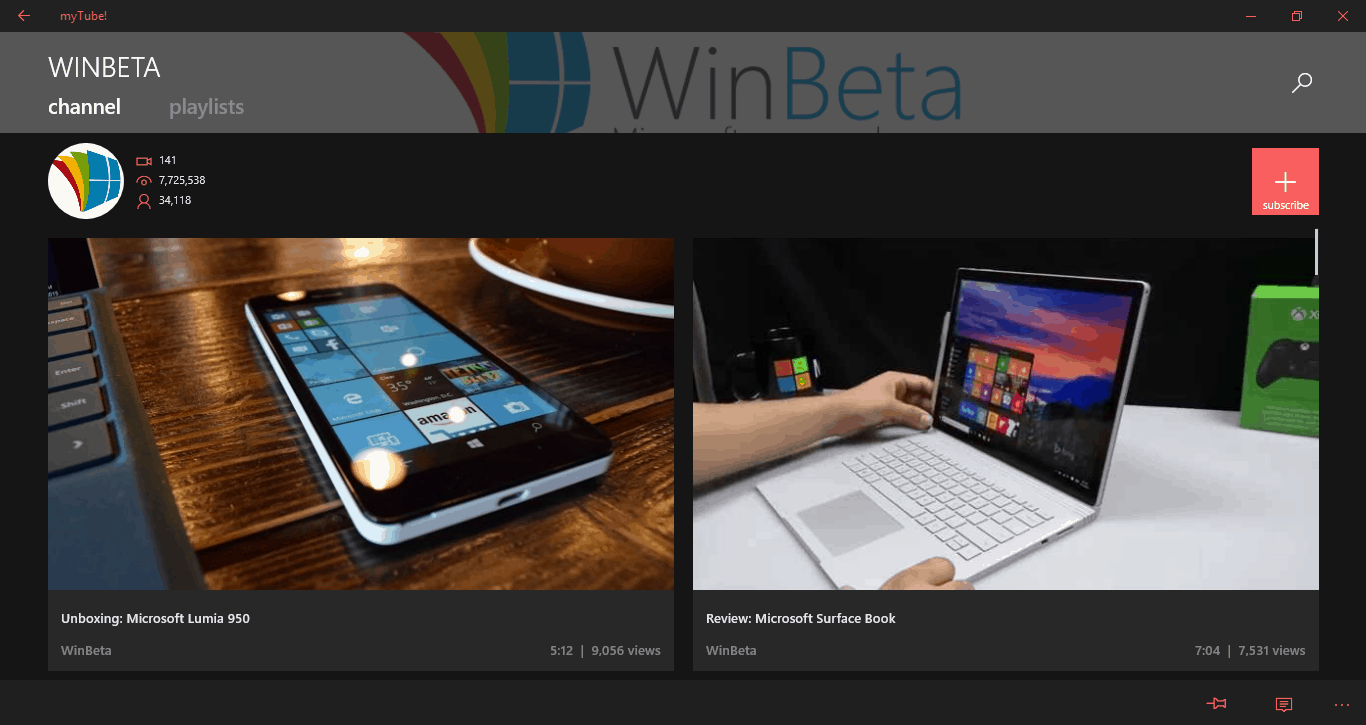
A popular app on Windows 10 is now free for Christmas day, for those who want a cool app to check out today. myTube is a third-party YouTube app for Windows 10 and Windows 10 Mobile, offering a unique and modern video playback experience. Grab the app from the download link below. The app will cost 10 cents starting tomorrow.
“myTube is a YouTube app built to keep your video playing no matter what. By lightly fading the video into the background, you can continue to watch while you read comments, browse channels and videos, and everything else you can do in the app. If you can do something in the app, then you can do it while watching a video,” the app description reads.
myTube will be free on Windows 10 on Dec 25th, and going for 10 cents on Dec 26th and 27th! (Windows 10 only) Happy Holidays everyone!
Windows Live Writer was very popular tool for a lot of bloggers and writers, because it allowed them to easily create and manage their blog content within the program. Unfortunately, Windows Live Writer was part of Windows Live, and when Microsoft decided to move on from this set of web services, Windows Live Writer faded away.
But there are still people who think that Windows Live Writer was a good idea, and that it could be useful even today. One of them is Scott Hanselman, a Microsoft employee who works on source ASP.Net and the Azure cloud. Hanselman decided to bring Windows Live Writer back to life, as he will try to resurrect it as an open source project.
Open Live Writer was released two weeks ago, and now it will receive its first update! The update will fix some issues with Google’s blogging platform, Blogger, as well as some additional problems. You can check out the complete changelog which was posted on GitHub, below:
This release extends the initial version of Blogger support using their latest API to unblock users of Blogger
Additional notes:
Fixed issue #170 – The remote server returned an error: (403) Forbidden affecting Google Blogger posts.
Fixed issue #26 – OLW won’t open local drafts or published posts, throws an UnauthorizedAccessException
Fixed issue #188 – Unexpected Error Occurred in OpenLiveWriter.Mshtml.IMarkupPointerRaw.MoveAdjacentToElement
Fixed issue #66 – No blogs accounts found on SSL WordPress Multisite
Enabled tags (aka labels) for Google Blogger
Enabled split post for Google Blogger
If you’re interested in using Open Live Writer, you can download it from OpenLiveWriter.org. If you already have this tool installed, go to the site, download the installer, and it will update the program when you launch it.
Have you ever used Windows Live Writer to get your blogging job done, and will you used the open source version again? Tell us in the comments.
Namely, it looks like KB3124200 causes the Word 2016 template file Normal.dotm to be renamed. This file stores all saved macros, spellchecks, and autocorrect features, so renaming this file basically means that Word 2016 restarts to factory defaults every time.
The good part of this is that Normal.dotm file doesn’t get deleted completely, as it only gets renamed to Normal.dotm.old, so you can get all your settings back, by replacing the new file with the old one.
How to Prevent Renaming of Normal.dotm Word 2016 File
Luckily guys from Microsoft didn’t remained silent about this issue, as one of the members of Microsoft’s product team gave us a solution. Here’s exactly what you need to do, to prevent World 2016 Normal.dotm file from being renamed:
Close Word (and all other Office 2016 applications)
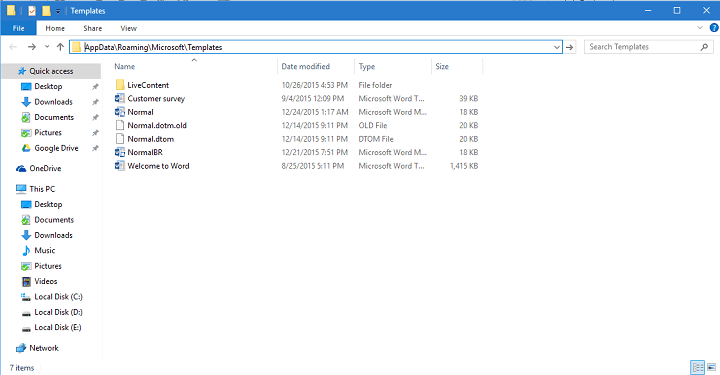
Press Windows key + R and enter, following path, and press Enter: %appdata%MicrosoftTemplates
Now, find file called “Normal.dotm” (this is a new ‘Normal’ file, which doesn’t contain your settings), and rename it to “NormalBeforeRestore.dotm”
Now, we have to find a file to restore, so look for the file named Normal.dotm.old (under some circumstances, it might be named differently, so if you can find Normal.dotm.old, look for some of the following names: Normal.dotm.old”, “NormalPre”, “NormalPre15”, “NormalOld”, or “OldNormal”)
Select Normal.dotm.old, and click Copy
Now, paste it in the same directory
Rename dotm.old file to Normal.dotm
You’ll be warned about file extension change, just click Yes
Close File Explorer, and open Word again. All your settings should be there
That’s about it, we hope this solution helped you with the annoying Word 2016 issue. If you have any comments or questions, or you encountered some other problem after installing the KB3124200 update, just let us know in the comments.
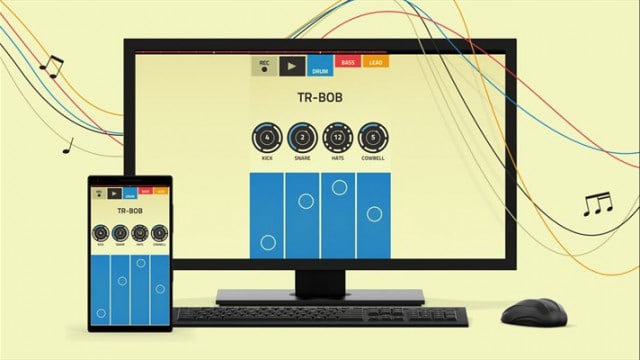
Microsoft’s App of the Week, Figure, is the latest music app to hit the Windows Store as a Windows 10 Universal app. Figure allows you to use your finger to create songs with drums, bass, and lead synth. Figure is reminiscent of other Windows Store apps like Grantophone
Whether you are an experienced musician or just starting out, Figure allows you to create and share your beats with people all over the world through Propellerhead’s community music library. Figure is designed for mobile use, with a touch-friendly design and quality beat-making tools.
Here is a look at what Figure offers:
Bass & lead parts use Reason’s Thor synthesizer
Drums powered by Reason’s Kong drum machine
Use the arpeggiator to create melody lines from chords
Turn up Pump to add a club sound to your tracks
Adjust levels using Propellerhead’s legendary mixer
Save your songs in the cloud
Share and collaborate on Propellerhead
Download Figure from the Windows Store and try your hand at making your own beats.
Here’s a (arguably) horror story for your holiday reading. In a memorable event that marks the beginning of SkyNet and the doom of mankind (kidding, kidding,) Microsoft-built AI, XiaoIce, has been officially invited to act as a weather reporter on Chinese news channel Shanghai Dragon TV, reports the Times of India.
A chat engine that can be reached through several major Chinese social networks, XiaoIce was originally developed as an experiment by a team of Bing researchers in China. XiaoIce got immensely popular with Chinese social network users, with 500 million conversations at the latest count, and the top influencer rank on China’s Twitter equivalent, Weibo. Cortana’s Chinese counter part, XiaoNa, can now also connect with XiaoIce to ask questions.
Joining Hands with Microsoft Xiaoice, Dragon TV Launches First AI Program Ever (PRNewsFoto/Microsoft)
XiaoIce got so popular since Microsoft has taken great pains, using Bing’s data and all the machine learning prowess at its disposal, to give the AI a distinct personality, linguistic naturalness, contextual awareness, and even a sense of humor; all of which, as it happens, is a nice fit for weather reporting. XiaoIce has had a successful debut on the breakfast program this Tuesday morning.
As an effect, human reporters and TV anchors are now fearing for a mechanical revolution in their business that may see them lose their jobs to smart-talking, much more knowledgeable AI. This is not the first time robots have been tested in the news industry in China however: social media giant Tencent reportedly built a business-report-writing robot, who wrote a “flawless” 916 -word article that instilled fear in local journalists. While these AIs will only serve a supplementary role to human work in the near future, some may be tempted to join Elon Musk’s camp and take the possibility of a robot takeover very, very seriously.
Bing is one of Microsoft’s key businesses and has also been one of its bigger money black holes until this year. Reflected by the financials, Microsoft is slowly gaining market share in the search space, along with Yahoo, at the expense of a still dominating Google.
The figures are taken from comScore’s latest U.S. desktop search market share report for November 2015. While Google is still taking the lead at 63.9%, that’s a dip from 67% a year ago. Bing (listed as Microsoft Sites) is now at nearly 21% market share, an improvement since Bing passed the 20% mark some months ago. Yahoo also gains some share but is still at third place at 12.5%.
The rise in Microsoft’s search market share is attributed to the release of Windows 10 on PC, which passed 120 million installs recently. Microsoft has reported it acquires 20% of all search revenue from Windows 10 devices, as noted by AdAge, and as the company push for its 1 billion users aim, Bing’s share is expected to rise in the future.
Despite painting a positive outlook for Bing’s effort, the research doesn’t count mobile uses, Microsoft’s weakest link and Google’s playground. With Google’s own operating system taking first place in the smartphone OS race, and its namesake search engine the default on the second place’s (iOS) only browser, it’s clear Microsoft needs to put much more work in than currently to even challenge Google’s search dominance in the mobile space.
To help with the direction of the game like design, game modes, challenges and words, go ahead and join the Microsoft Casual Games Inner Circle. Here you can voice your opinion on the development of the new Microsoft Ultimate Word Games, input feedback, get early access to Beta builds and truly help in shaping the experience.
Remember when we posted about the upcoming deals Microsoft is bringing to us at the end of the year? Well, those deals are being realized pretty quickly. Today, Windows users are free to grab two great deals from the Windows Store that include savings on a time consuming game and critically reviewed TV show.
The two deals being spotlighted are the first season of Better Call Saul – being sold for just $19.99 – and the classic Grand Theft Auto: San Andreas, which is being discounted at 50% off ($3.49). Better Call Saul is a fantastic TV series made by the folks who brought us Breaking Bad, and follows Saul Goodman – one of Breaking Bad’s fan favorite characters. Grand Theft Auto: San Andreas is regarded as a masterpiece of its time, and has aged relatively well, all things considered.
There’s no going wrong with this sale – two great deals on two great pieces of media. If you’re interested in either of them, now is probably the time to pick them up, as it’s doubtful you’ll see a better sale on them than this so close to Christmas. Let’s hope that the Windows store keeps giving us this sort of value in the rest of the sale.
Over the past few months, Microsoft has made headlines in its attempts wrangle in its employment structure. With several rounds of job cuts and the restructuring of its contract work employment, Microsoft has shaved roughly 22,000 jobs off its once swelling 130,000 worldwide employee roster.
While many of the job cuts were swift and immediate, Microsoft’s restructuring of its contract work (or external staff) is an ongoing process that is about to hit an unfortunate milestone for many. Back in July of last year, Microsoft enlisted a new policy that would force anyone on its contracted or external staff to take a six-month leave of absence from the company. The 18-month work period is a rolling employment time frame that would require contracted position to take the mandatory leave every year and a half.
While it is an unfortunate policy, the mandatory break is not unique to Microsoft employment, in fact, most large businesses adopt a similar fashion of employment when contracting jobs. Anecdotally, when I was contracted at Disney Interactive Media Studios, I was given six months to a year contracts that required a ‘cooling off’ and rehire phase regardless of project lengths.
Fellow Microsoft-observing blog site Geekwire points towards the bigger implications the mandatory six-month break will have on Microsoft’s full-time employees. The inner workings of Microsoft’s staff boil down to a division of badges that are used to indicate the level of employment within the company. Blue badges represent the ‘internal’ or full-time employees working at Microsoft while Orange badges are reserved for ‘external’ or contracted vendors, staff, or firms. Suffice to say, Blue badges lean just as heavily on the work of Orange badges as they do, full-time employees.
With January 1, 2016, representing the start of a six-month hiatus for potentially thousands of jobs that commingled time, experience and resources with full-time Microsoft staff, the mandatory break could have a significant impact on the company. Arguably, the rollout of Windows 10 has been negatively effected by the reduction in testers that used to be contracted to find bugs and report issues well before software hit the hands of consumers.
Fortunately, as with most large companies, the mandatory break isn’t as black and a white as it appears to be. Folks who spoke with Geekwire have stated that exemptions have been made, and plans have been put into place to continue work beyond the cut-off date.
Several Microsoft contract employees tell GeekWire that their firms have been granted exemptions to the new rule, classifying them in such a way that keeps external staff on the job beyond the 18-month limit, without the required six-month break.
In other cases, internal teams have arranged to keep external staff working on their teams, but remotely. That’s because the new rule does not technically require a break from working, but instead requires a break in network and building access.”
With a year and a half to prepare, many of the ‘internal’ and ‘external’ staff have come up with solutions to meet product schedules, software testing and release dates in the future. For Microsoft CEO Satya Nadella, the new change marks a significant shift in how Microsoft not only views its contract employment but how much confidence the company has in its internal or full-time staff. On paper, a six-month break could sound like a much-desired break after a solid year and half of work. However, as Geekwire points out, in reality, the cut workers are now free to look for more permanent work in and around their areas and free to never return to Microsoft.
There is no question that Microsoft is putting its all into Windows 10. With this being the “last” version of Windows, Microsoft is looking to change its philosophy of its popular desktop OS, creating the paradigm of Windows as a service. This service is poised to span desktops, tablets, mobile phones, Xbox, HoloLens and IoT, but a universal OS can only be as useful as the software made for it. As such, with Windows 10, developers can create a single app that can run across all of its devices: Windows Universal Apps. The question is, are developers going to buy into this after the failures of Windows 8?
During a recent phone interview with Microsoft’s Developer Evangelism Chief, Steve Guggenheimer, Zdnet’s Mary Jo Foley had the opportunity to learn what Microsoft thinks about its Universal Windows app platform.
It takes a while after you get the platform out there to work with developers to get the momentum going.
As (Windows 10) usage goes up, it will be a self-fulfilling place,” he said. “Our (developer) conversations right now are proactive. But going forward, there will be more traction.
To say the least, Microsoft has gained some traction. With companies such as Facebook (and its subsidiary, Instagram), Netflix, Bank of America, Pandora, Uber, and Reddit all creating (or have already created) Universal Windows apps, many developers are already seeing a future with Windows 10. Since Windows 10’s release in July, we have seen at last count over 120 million upgrade to the latest OS, about 10% of Microsoft’s goal of 1 billion Windows 10 devices running the software in the next 2 to 3 years. I believe it is safe to say Microsoft is off to a decent start, but what is the magic number, especially when it comes to Windows mobile?
In Mary Jo’s interview with Guggenheimer, the Redmond advocate went on to say that Microsoft is working with developers to bring the apps people want to its Windows 10 Mobile platform.
It doesn’t matter where they (developers) start. The core work is done for all the (Windows 10) platforms. If you’re building for 10, it’s already done for phone. “A true Windows 10 (UWP) app is a phone app. It’s up to us (Microsoft) to get devices in market that are unique and differentiated for the phone.
Granted, the benefit of Universal apps is that the core code for any program is used for all Windows 10 devices, Guggenheimer makes the process seem easier than it truly is. Developers still have to optimize their apps for mobile use and release them through the Windows store. In other words, just because a company creates a Windows 10 desktop program, that does not mean it will natively run on Windows 10 mobile. Univeral apps make the process of creating apps to span multiple devices infinitely easier than before, but it is does not guarantee Windows Mobile apps.
In addition to Microsoft attempting to make developing native Windows 10 apps easy, Microsoft also made the push to make Web, iOS, and Android apps easy to port as well. Since then, Microsoft’s Android bridge, Astoria, has been halted indefinitely, while there has been little movement from developers in regards to porting their iOS (project Islandwood) and Web apps to Windows 10 Mobile.
Over all, Microsoft still has its work cut out for them. It is nice to see that those over at Redmond are at least confident in their ability to attract more developers, only time will tell if their efforts will pay off. As a Windows 10 Mobile user myself (by choice) I truly hope that Microsoft is able to attract developers to its mobile platform. 6 years after Microsoft reinvented its mobile identity, the lack of support from major companies like Google (in the form of apps such as YouTube, Gmail, Google maps, etc. which are all found on iOS devices), is still alarming. After all, with out apps Windows Mobile has little hope of surviving.
What do you think Microsoft needs to do to ensure developers code for Windows 10 Mobile? Let us know in the comment below.
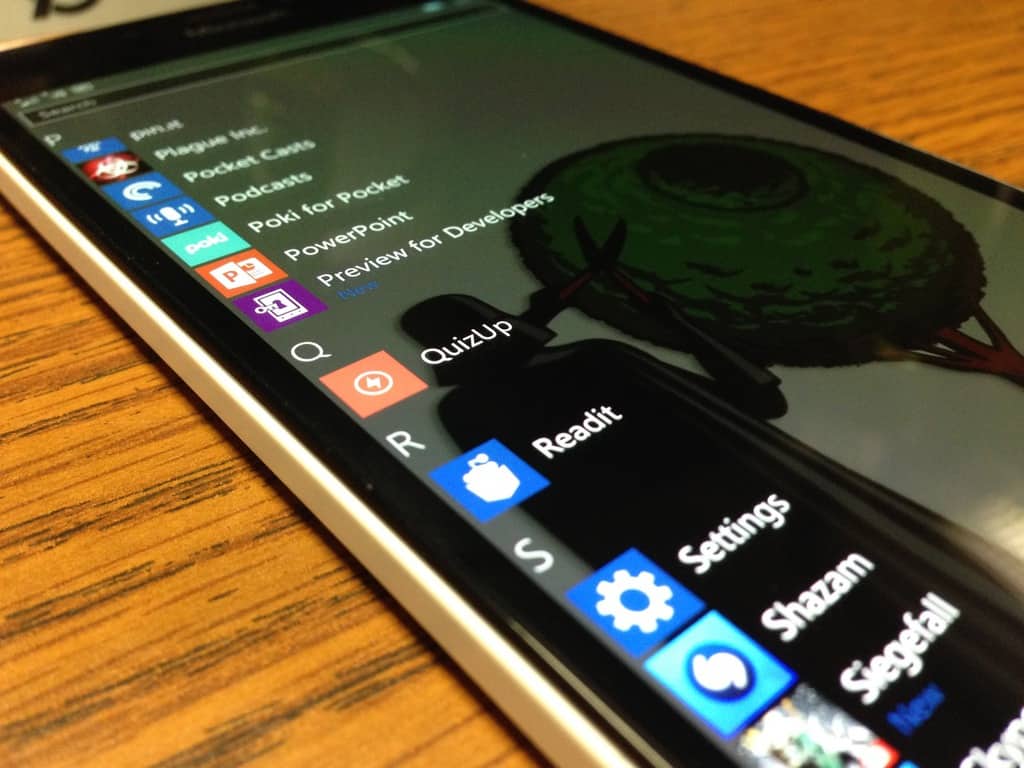
Despite its relatively small market share, the Reddit experience on the Windows 10 platform (specifically phones) is arguably one of the best with apps such as Readit representing. Recently, Readit underwent its Windows universal app evolution and with that, enveloped a few cross-device features for both PCs and mobile devices.
In a recent update, Readit developers are stacking a few more features for the app as well as crushing a few bugs users have been commenting on and boosting performance where they can.
The list of performance upgrades, user interface tweaks and bug squashes can be found (ironically) at the Readit subreddit and include:
Now available in 6 more languages, bringing our language total up to 25 different languages: Finnish, Hebrew, Kannada, Norwegian Bokmal, Slovenian, Swedish
New comments loading indicator
Scrolling is now disabled in post viewer until comments have fully loaded
Smoother comment scrolling
Faster markdown processing
You can now select text across paragraphs in comments/self-text unless you hit a table or quote
Added support for unordered lists that use the plus sign (+) to indicate items
Code support has been added in markdown
We now handle escape characters properly in markdown
Full Markdown support now – code, tables, quotes, strikeout, superscript, lists, and all headers/text modifiers
Browser pages will no longer be cached (workaround, some things will still get cached but not as much and existing cache needs to be deleted manually) since the clear cache api for embedded edge still does not work
Fixed gifs not playing from links in comments
You can now sort by “old” in comments again and set it as default sort
“Subreddits”, “Multireddits”, “Compose Message”, “Front page”, “all” and “friends” strings have been translated. Still need to translate some dropdowns in profile
Based on the subsequent commenting in the thread, it looks like many of these features have come just in time for users. For Readit users, developers are suggesting to head over to the Windows Store update section and grab the latest patch before beginning your holiday travels, and you lose access to your normally free WiFi.
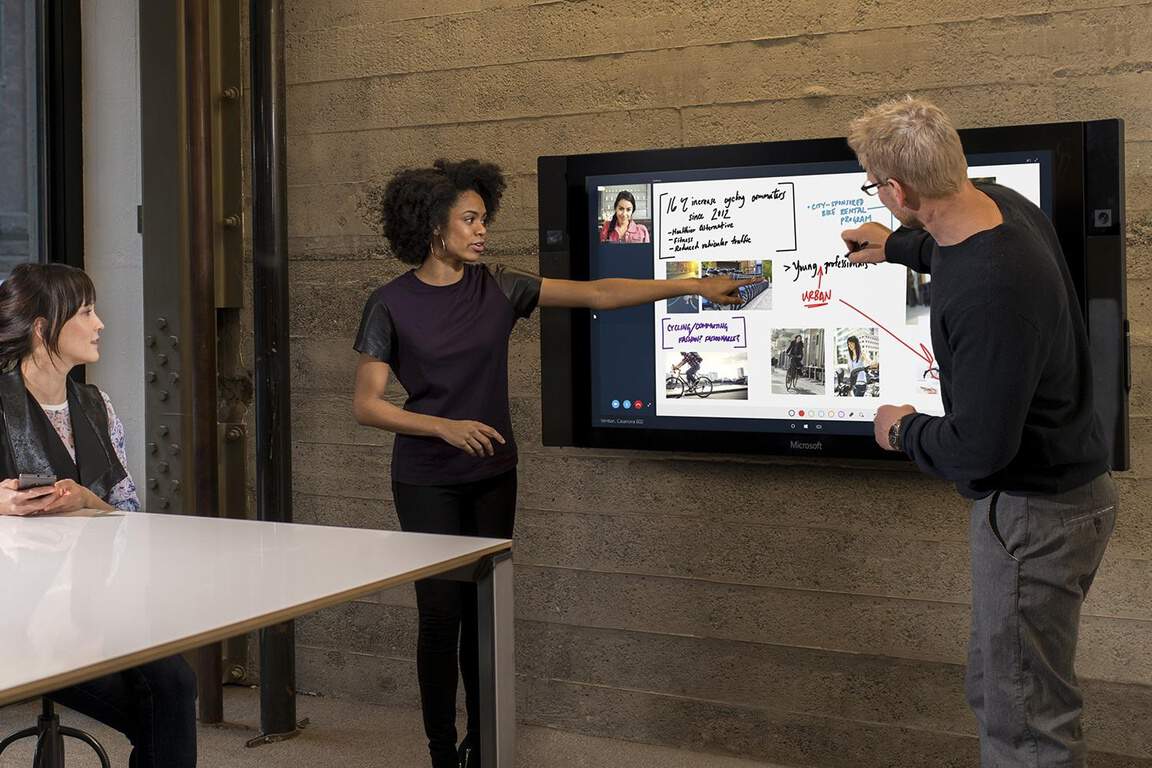
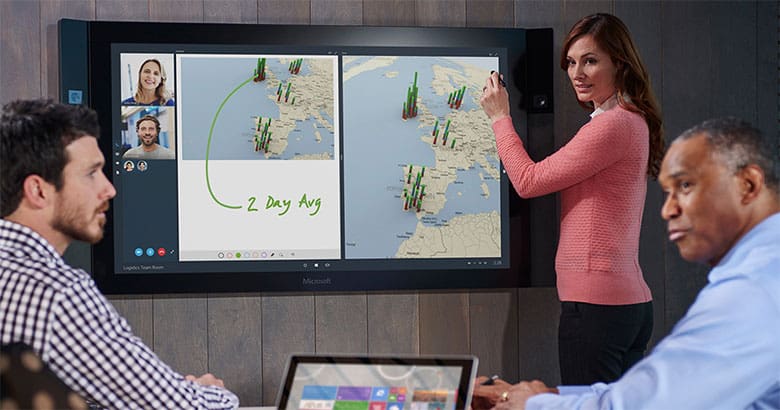
Microsoft is often its own largest threat to its success and nearing the release of the Surface Hub; the company is at again. New reports are surfacing that not only is Microsoft delaying the shipping dates of the Surface Hub further, but that customers can now expect a price hike of up to an additional $2,000 (US).
Almost a year ago, Microsoft teased its bet for conference computing dubbed the Surface Hub. The Surface Hub was a reimagined take the Pixel Sense-powered Surface, which was more table oriented than the new vertically mounted presentation window of the Hub.
Over the past year, businesses have been clamoring for a chance to experiment with the new conferencing system, equipped with a specialized version of Windows 10 as well as a 55 inch or 84 inch, multi-touch display, two digital pens, support for NFC and Bluetooth connections and dual cameras for Skype calls.
However, Microsoft continues to keep the potential success of the Surface Hub at bay, releasing a statement to ZDNet’s Mary Jo Foley indicating that the company reevaluated the pricing of its conferencing unit and adjusted accordingly.
After evaluating the market opportunity and considering the unique collaboration scenarios Surface Hub offers, we believe these are the right prices to drive the business and the category forward.”
The new price range bumps the original 55-inch Surface Hub up from $6,999 (US) to $8,999 (US) and the 84-inch version now sits at $21,999 (US), originally $19,999 (US). Fortunately, for customers who have been placing orders since July of this year, their prices have been locked in and should remain so until the devices are shipped.
On top of the price bumps, Microsoft is indicating that shipping dates for the Surface Hub aren’t as black and white as previously stated. Back in August of this year, it was reported that the original surface Hub shipping dates had ‘slipped’ and that Microsoft was ensuring new dates as soon as January 1, 2016.
Unfortunately, a Microsoft clarification has done the opposite of clarifying or reaffirming that specific date.
We are still on track to ship the first Surface Hub devices to customers earlier next year.”
Specifically, a spokesperson relayed to Mary Jo, that the conference devices will begin shipping in the first calendar quarter of 2016, which is a range that includes the months of January, February, and March.
As Microsoft transitions away from being a hardware and software company to being a software and services business, its brief adventures in production cycles have yet to be ironed out. The Surface RT and Surface Pro were over produced and poorly distributed. Arguably, in its fourth iteration, the Surface Pro 4 is still going through teething pains, as well as Microsoft struggling to distribute Lumia phones, Xbox Ones, and Microsoft Bands internationally.
With Microsoft CEO Satya Nadella’s decision to shutter the Nokia hardware division, and the company losing upwards of 9 billion dollars on mismanaged hardware, Microsoft is being rightfully cautious about when, where, and how it manufactures and prices its first party devices. It now seems the Surface Hub is joining the list of meticulously-produced devices.
Ridley Scott’s latest sci-fi action adventure movie The Martian starring Matt Damon has landed in the Windows Store. This sci-fi movie was well received as being different from typical space dramas with large explosions and epic space battles. Instead, this space survival story focused on celebrating the ingenuity and human spirit of a scientist explorer stranded on Mars. The only way for him to hold out long enough for a rescue team and return home is to invent his way out of problem after problem. The movie was based on a best-selling self-published book by Andy Weir, a software engineer turned author.
The movie is available for purchase in Windows Store for $14.99. Unfortunately, there is no discount for the SD version compared to the HD version, and the movie is not available as a rental. But if you are looking for a well reviewed sci-fi movie to watch with family and friends during the holiday, the Martian is a great pick.
What movie in the Movies and TV app are you looking forward to this holiday weekend? Let us know in the comments section below.
With the rise of phablets like the Lumia 950 XL, it is always welcome when an operating system takes advantage of moving objects around all of that real estate that comes with having a larger screen. Thankfully Windows 10 Mobile comes with a few tricks to make it easier to navigate and manipulate the layout of your phone’s interface with helpful capabilities like one handed mode when you hold down the Start button.
Microsoft has also built in the ability to move around the onscreen keyboard so you can slide the keyboard up and down to reveal different parts the content on your screen. A helpful tool for when the on screen keyboard pops up only to block the key part of a website or app. And this feature works in non-native apps too, like Facebook or Whatsapp, pretty much you can move the keyboard whenever it pops up. Here is a quick guide for how to quickly move around the keyboard with just a single long press.
When the keyboard appears and you want to move it, just press and hold the spacebar with your thumb or whichever digit you prefer.After you’ve held it down for a second, the keyboard will become highlighted with the accent color you’ve chosen, letting you know you can now slide the keyboard up and down the screen.With your thumb or finger still pressing the keyboard, just slide it up or down. Once you have it in the desired position, just release your thumb or finger.
You can now type on your keyboard per normal, with all of the same functionality, just in a different location. One note is that whatever position you leave the keyboard in is where the keyboard will appear the next time you use it, regardless of which other app or screen you are in when you need to use the keyboard again.
Windows 10 uses a different method than Windows 10 Mobile to move the keyboard around. To move around that larger on-screen keyboard, all you have to do is click the dedicated four arrow button on the top right corner of the keyboard to move it all around the screen, not just sliding it up and down like on Windows 10 Mobile. Just press and hold the arrow, and proceed to drag the keyboard to wherever you wish.
Microsoft addressed unwanted practices taken by Adware in an effort to give customers more control. In April 2014, Microsoft announced it would begin blocking some adware to “give our customers choice and control regarding what happens with their computers.” Since then, adware has evolved and evaded the new Microsoft policies and procedures, introducing a number of “man-in-the-middle (MiTM)” techniques.
Some of these MiTM techniques include injection by proxy, changing DNS settings, network layer manipulation and other methods of infiltration. These MiTM techniques block regular communications between the Internet and your Windows 10 PC, laptop, or tablet to introduce advertisements without the control of your browser.
Microsoft identified other ways that MiTM techniques can become potential security concerns. For one, MiTM techniques add security risk to customers by adding another outlet for infiltration by a computer virus. Web browsers like Microsoft Edge and Internet Explorer 11, have controls in them notifying the user how their browser experience will change and confirm that this is what the user wants.
However, there are no warnings to the user on how these changes will impact their browsing experience. The browsers also don’t include warnings or fully explain what agreeing to these changes will do to the amount of user choice and control. Many of the MiTM methods change advanced settings and controls that a large percentage of users won’t be aware of; and they may be less likely to be able to change, control, or know how to fix them.
Microsoft’s intent is to keep the user in complete control of their browsing experience, while simultaneously providing them with security. Therefore, Microsoft is updating their Adware objective criteria to require that “programs that create advertisements in browsers must only use the browsers’ supported extensibility model for installation, execution, disabling, and removal.”
Microsoft’s number one priority is protecting the user’s choice and control while browsing the Internet. Microsoft is putting developers within the Windows ecosystem on notice to fix their programs so that they are compliant with the new policy. Those developers who refuse or fail to do so, will have their programs removed from the Windows Store.
Microsoft will start enforcing this policy beginning March 31, 2016.
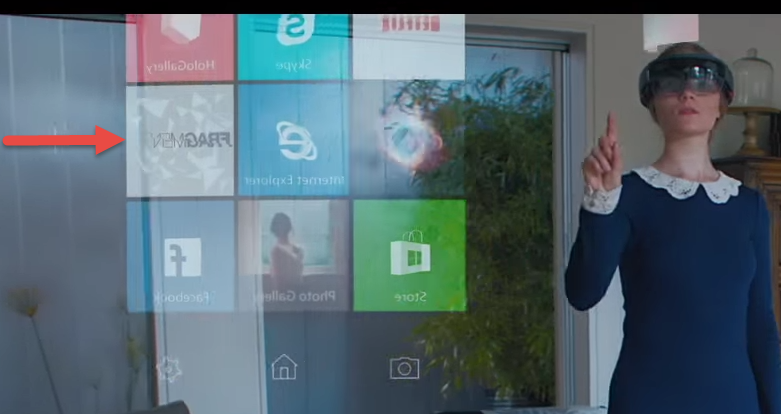
Microsoft has recently filed a mysterious registration for a what seems to be a new game, reports Dualshockers, with an application dated December 15th, 2015.
The mysterious software, titled “Fragments”, is filed under Class 9, which identifies it as game software (thus the assumption.)
Courtesy of Dualshocker.
Additionally, some eagle-eyed Redditors have uncovered further evidence that points to the holographic nature of this mystery. A screenshot album taken from the “Possibilities” trailer for Microsoft HoloLens reveals a shot of a woman pinning a whole bunch of app tiles in the air, one of which looks a lot like “Fragment”.
Courtesy of Dualshocker.
Additionally, a student game project from Vancouver Film School with the same name was uncovered, with the game’s environment and interactions looking like a good fit for HoloLens, based on what we’ve seen so far.
Of course, at this point, all are speculations (yes, we notice the added “s” in Microsoft’s title), and we won’t know what “Fragments” actually is until Microsoft put the word out. We will be keeping a close eye on this one and update you as more info surfaces.
The recent cumulative update KB3124200 for Windows 10 users was released a few days back, and at the time, we didn’t see to many issues being reported. There were only a few users complaining that the update failed to install, and now we’re getting many more similar problems.
KB3124200 Update problems on Windows 10
As I was saying, the most commonly encountered problem seems to be the one with failed installs of the KB3124200 update. Here are just some of the complaints sent by users.
One of them says that he is getting the following messages – “Configuring windows update 59%” and “we are unable to complete the update. undoing the changes“. And it seems that this specific message has been confirmed by more users; so do follow the previous link to our specialized article on some potential fixes for this.
This is the third cumulative update that will not install. First KB3116908 then KB3116900 and now KB3124200. Several restarts later I can then log on and then Windows update shows that the update has failed. I have over the past 3 updates, tried all sorts of ways recommended to get an install but everything fails. As I have Windows 10 Home I cannot stop the installs repeating. I am still stuck in a never-ending loop of download, install, failure.
Somebody else has a similar problem:
Today I had a Windows 10 update called “Cumulative Update for Windows 10 Version 1511 for x64-based Systems (KB3124200)”
Upon my PC asking me to restart, I rebooted and it said that it could not apply the changes so it needed to restart to undo the changes, this happened 3 or more times before I was actually able to get into Windows. Now when I turn my PC off, I have this problem when I log back in, or try too.
There are many Windows 10 users who confirm problems with the KB3124200 update which keeps trying to install and there are some who claim that the update is missing on their PCs. Somebody else says his download has stopped at a specific percentage:
this update was downloading in the background when the laptop shut down due to low battery. Going onto mains power and restarting twice still has no effect. It is still showing 45% downloaded. Since I was affected by the original Nov problem with 1511 update, do I need to do the same fix, namely a clean reboot etc?
Here are some more issues which have been reported:
After applying update KB3124200 Edge browser will not close
Cumulative Update for Windows 10 version 1511 for x64 KB3124200 breaks File Explorer
Update KB3124200 causes Outlook 2016 to not start
Windows 10 Version 1511 for x64-based Systems KB3124200 fails every time
Cumulative Update KB3124200 will not install
MS Calculator fails after Cumulative Update for Windows 10 Version 1511 for x64-based Systems (KB3124200)
Installation Failure: Windows failed to install the following update with error 0x80070020: Cumulative Update for Windows 10 Version 1511 for x64-based Systems (KB3124200).
Outlook won’t open after update KB3124200
After the KB3124200 update for Windows 10, the Store, Calendar, Maps apps become nonresponsive
Cumulative Update for Windows 10 Version 1511 for x64-based Systems (KB3124200) is not downloading
Cumulative update Version 1511 for x 64 based system (KB3124200) causes the Mail and Calendar apps to not open
Cumulative Update for Windows 10 Version 1511 for x64-based Systems (KB3124200) brings up error 0x80242fff
Edge not working after latest update
After running Cumulative Update for Windows 10 Version 1511 for x64-based Systems (KB3124200) I found that more than 10 programs that I use daily have been deleted
Computer won’t start after Windows 10 Version 1511 for x64-based Systems (KB3124200)
Cumulative Update for Windows 10 Version 1511 (KB3124200) has removed all my program files and settings
Cumulative Update for Windows 10 Version 1511 for x64-based Systems (KB3124200) brings up error 0x8007000d
Windows 10 build 10586: unwanted very slow boot time
Potential fix for Windows 10 KB3124200 problems
As you can see, there are quite many errors and it seems that for the time being there’s no official fix. According to some users, manually downloading and installing the patch could be of some help, so follow these links to try and solve problems:
If you are afraid these issues will affect you, as well, then you can block the update until Microsoft provides a fix or until the next cumulative update. However, this could happen as late as January 2016.
We were all sad when one of the most popular music players ever, Winamp, was discontinued in 2014. But there are maybe some good news for all the millions of users out there who enjoyed using this media player before. Winamp’s owner has a new parent company, and relaunch of the software is possible!
Vivendi Group took over the majority stake in Radionomy, the company which previously bought Winamp from AOL in early 2014. There is still no official word about that, but the involvement of the new owners could indicate to Winamp’s re-launch sometime in 2016.
AOL originally planned to discontinue both Winamp and Shoutcast, but instead the company decided to sell the software to Belgian online radio service, Radionomy. The new owners initially promised that they’ll keep Winamp alive, but no updates have been released since the takeover, which made most people think that Winamp era has ended for good.
Will Vivendi Group Revive Winamp?
Vivendi Group is involved with some famous companies, such as Dailymotion, Deezer, and Ubisoft, and its takeover of Radinomy could be the key in Winamp’s revival. As we said, the company didn’t announce the actual re-launch, but it does mention that Winamp and Shoutcast are two of their most important assets for the future.
“Radionomy Group owns the streaming technology SHOUTcast as well as the iconic Winamp audio player. It also controls TargetSpot, the first digital audio advertising network in the United States and in France.”
Currently, there are a lot of alternatives of the iconic player, but there’s no doubt that the original Winamp will beat the competition if it gets re-launched. And that is one of the main reasons why Vivendi Group could decide to make this move.
Winamp is actually ‘still alive’ today, as it works fine on Windows 10 and other previous versions, but there are no updates for the player. So, if you find the installation of Winamp somewhere online, there’s a big chance it will work for you.
Are you excited about possible return of Winamp? Will you use it again if Vivendi Group brings it back? Tell us in the comments.
When it comes to Windows 10 and Microsoft, it appears the company has had success in dogfooding its most recent crown jewel. Dogfooding:
Eating your own dog food, also called dogfooding, is a slang term used to reference a scenario in which a company uses its own product to test and promote the product. Dogfooding can be a way for a company to demonstrate confidence in its own products and a way to test it in real-world usage. Hence, dogfooding can act as both quality control and a kind of testimonial advertising.
According to a report from ZDNet’s resident Microsoft expert Mary Jo Foley, the company has deployed Windows 10 to more than 95% of its employees. Microsoft’s IT department methods for the upgrade dealt less with armed gunmen in Steve Ballmer masks, as some might have wagered, but rather the use of a less invasive in-place upgrade.
Microsoft IT’s successful use of in-place upgrades was built on years of case studies within the company that led to the distribution of Windows 10 to more than 96,000 users within the company. Similar to the Windows 10 Insider previews, Microsoft has a “First and Best” (F&B) program that it runs within the confines of its own business. The company’s F&B program helped Microsoft’s IT deploy Windows 10 to most of its remote and corporate network connected users in roughly nine weeks. The result of its F&B program netted Microsoft 38,000 users before the widespread release of Windows 10 in July, meaning the company already had 40 percent of its employees using its new operating system with limited- to no-hassle upgrading.
Using in-place upgrades for Windows 10 cut Microsoft’s deployment overhead by using the company’s own System Center 2012 R2 Configuration Manager SP1, and that resulted in fewer desk calls to field. For Microsoft employees, the in-place upgrades represented a reduction in time reacquiring licenses, logins, application data, files and settings, which for the most part kept employee productivity relatively unscathed.
Learning from previous upgrade cycles such as Windows 7 to Windows 8 and Windows 8 to 8.1, Microsoft’s IT department enlisted ring-like upgrading processes for upgrades. Rather than an avalanche of untested change, Microsoft selected employees to be a part of the company’s Canary, Operating Systems Group (OSG) and Microsoft rings. In the order of Canary to Microsoft, employees would test anywhere from daily builds to slower monthly released and validated builds.
According to the report filed by Microsoft’s IT department, the company came away from the widespread release of Windows 10 with these notes:
Building an early adopter community was a good IT investment. Early adopters’ participation in installing, validating user scenarios, providing feedback, and sharing information in the moderated forums has been vital to the success of this and other product releases.
The in-place upgrade method worked really well. All of the applications, data, and settings were processed across the migration. Microsoft users really didn’t have to do anything. Click, click, install, and they were up and running.
The graceful return to the previous operating system in the event of a failure provided a better user experience. With Windows 10, Windows setup automatically creates a Windows.old folder containing the original operating system, applications, data, and settings. The Windows.old file copied the entire operating system, data, and settings. During a catastrophic failure, the Windows.old file allowed users to recover files and keys.
Use targeted communication, Microsoft IT deployed an application to notify users that they would receive the upgrade installation at a defined point in the future. The app notified users on the desktop to avoid being overlooked in the inbox.
Schedule mandatory updates to minimize user impact. Microsoft IT ensured that mandatory updates were pushed out during days and times that the most computers would be connected to the corporate network. There was less impact on the help desk, and it helped reduce support costs by roughly 50 percent.
As Windows 10 marks the transition of software deployment for Microsoft, it seems safe to assume the company will continue to internally tweak its methods for both consumers and business adoption of its products. With the relative success of Windows 10 releasing to the public, it looks as though Microsoft and its Canary testers, Fast & Best program, Windows 10 Insider previews and in-place upgrades are helping to guide the company in an excellent direction.
If you’re a developer making awesome new apps for Windows 10 version 1511, you may have attended a Developer’s Guide to Windows 10 live event that Microsoft hosted recently. If you missed it, however, Microsoft has been kind enough to post the videos over at Channel 9, where you can watch them at your leisure.
There are a number of videos, and they cover a plethora of important topics, from IoT to developing apps for Windows 10 Mobile Continuum to using the new Visual Layer to make beautiful apps. Here they are for your viewing pleasure:
What’s New for Developers in Windows 10 Version 1511 and the 10586 SDK
Building Apps for Continuum
Creating fluid and beautiful UI using the new Visual Layer
Moving beyond passwords and credential theft with Microsoft Passport and Windows Hello
Windows 10 for Business: Publishing apps to the Business Store
These videos are supplements to the main Windows 10 Developer’s Guide, which provides as much information on developing Windows 10 apps as a hungry developer could possibly need. Or at least, it seems that way to us. So, if you’re a developer, there’s no excuse for procrastinating any longer on making that shiny new Windows 10 app, and we’re sure 120 million or so Windows 10 users will appreciate your pushing it out soon to the Windows Store.
Have you been keeping an eye on the most recent deals on the Windows store with Deals Hub? So have we – it’s been a great month so far for people looking to save money on the Windows store, with holiday deals coming at us so fast that our heads are spinning. That said, there can never be too many sales. Microsoft is handing us another set of deals, this time counting down to 2016. The deals will be starting from this week to December 31st, but we’ve got a preview of some of the things you’ll see in the meantime.
For games, we’ve got Minecraft: Story Mode (25% off season pass), Lara Craft GO (Just $1.99), and Grand Theft Auto: San Andreas (50% off). It’s a pretty great spread of games – kids are going to enjoy Telltale’s spin on Minecraft, adult audiences can have a blast with the classic GTA title, and Lara Craft GO should be able to appeal to just about anybody. You won’t find a bad deal anywhere here.
For Movies and TV, the selection is also pretty wide. We have Mission Impossible: Rogue Nation (50% off), The Lord of the Rings trilogy – Extended Edition (22% off), Kingsman: Secret Service (33% off), and Better Call Saul – Season 1 (23% off). Honestly, there’s no going wrong here. There’s nothing on this list that doesn’t deserve glowing accolades in just about every respect. The deals are all pretty respectable, especially the 50% off on Mission Impossible – a movie that received high critical acclaim.
Finally, a few apps are going to be receiving discounts as well. First we have Audible, which is offering 2 free audio books for anybody who signs up for a free trial. For the more artistic, both Drawboard PDF and KVADPhoto + Pro are both having their prices cut in half. Not much more to say about this one – just good deals all around.
Beyond just previewing the new deals, Microsoft also used the blog post to give a warm welcome to Netflix, Pandora, Uber, and any other developers who are spreading their wings out to support universal apps for Windows 10. Going into 2015, it seems like Microsoft is ready to put its best foot forward with those who want the best apps out there supported on their Windows devices.
Microsoft India has been making all sorts of strides this year, and it doesn’t look like they intend to slow down any time soon. Microsoft India recently announced that they’re going to be teaming up with the Surat Diamond Association to help over 20,o00 small businesses adopt technology into their growth strategy.
The Surat Diamond Association is a group that is dedicated to helping maintain the growth of several industries, including the diamond industry, healthcare, and social welfare. With the help of Microsoft India, it’s their hope that they can help some of the more than 200,000 businesses in Gujarat adopt the recent technological advances in the world – namely cloud technology – into their dealings.
One of Microsoft’s closest partners in advancing this initiative is MicroHard IT Solutions, which is a “Trusted IT Solution Provider” and “has registered a 30% year-on-year growth in its business, riding on high adoption of Microsoft Office 365, Azure and CRM among its customers.” Microhard’s goal is to spread that success to the local small businesses.
Dinesh Navadiya, President, Surat Diamond Association (SDA), “We are living in a technology enabled world and it is important for organizations of all sizes and sectors to adopt technology if they wish to succeed. Our association with Microsoft is the first major step in this direction. The need for this transformation has prompted us to work closely with Microsoft and we are happy that they are supporting our members in their business journey. “
There’s really no question that the adoption of new technologies can be a massive help for the small businesses that Microsoft and the SDA is reaching out to – in the words of Snehal Shah, General Manager of Ingram Micro, “The adoption of technology is no longer an IT agenda, but a key success metric for a business.”
According to the study ‘Ahead of the Curve: Lessons on Technology and Growth from Small Business Leaders,’ if the small businesses in India made a concentrated effort to adopt technology in their dealings, they stand to grow revenues by as much as $56 billion. On top of the growth in profit, they may also be creating as many as 1.1 million jobs for the rest of the community.
2015 has been a big year for Microsoft. From the largest hardware launch in the company’s history to the release of Windows 10 on the desktop (mobile version any moment now), to a new Xbox One experience. Microsoft is clearly doubling down on its effort to reverse its long-held image of a dominating, but slow and increasingly irrelevant technology company, especially among the younger tech crowd. Many of its attempts have paid off handsomely, some even turning the tides on long-time competitors, while others leave customers in fits of rages, disappointment, or both.
And then there are moments where your brain just stops, your eyes go wide, mouth hang, and the only sound you can let out is either a call to the Maker or that exclamative, rhetorical question we all ask when in utter surprise and disbelief. Admittedly, for a general tech enthusiast like myself, those moments are getting fewer and further between, more the reason I remember and treasure them. Microsoft produced a few of them this year, however, and here are those moments that I think qualifies as the company’s most surprising moments of the year.
Surface Book unveiling
Ah, the elephant in the room. I still remember clearly the glorious day that was the 6th of October, 2015. Everyone was excited about Microsoft’s hardware launch event, unveiled a few weeks before, and we at Winbeta even more so since we’re supposedly the biggest Microsoft enthusiasts around (of course, there’s also our duty to bring the news to you.) Being a remote writer, I was sitting by myself in a secluded corner of a small-town gym, the live-stream on the screen, earphones plugged in, fingers flexing ready for some fast-paced typing action.
After the opening, the excitement rose after every announcement from Microsoft: 110 millionsWindows 10 installs. The new Xbox Experience, HoloLens demo, the great introduction from Device chief Panos Panay to the new Lumias and an entertaining demonstration of Continuum (productive like a boss, anyone?) Of course, deep down, I knew only one part of this show mattered: the announcement of the new Surface Pro. Being a Surface Pro 3 user, I was looking forward to a refined version of Microsoft’s hardware vision. They didn’t disappoint of course, with a thinner, lighter, more powerful tablet PC, a better pen, new Type Cover. It’s the Surface Pro experience at its finest.
And then Panos Panay pulled out the Surface Book.
Aren’t you the star? Yes you are.
I was completely caught off guard, and from the reaction on the stream, many felt the same. It was utterly surprising how, after so many years of defiantly eschewing the laptop form factor for a new type of computing experience with the Surface tablets, culminating in the 4th iteration, Microsoft has come around to deliver on that one nagging wish within some Surface users. A premium laptop with Surface build quality, design, and branding. The screen is top-notch, the keyboard and trackpad are beautiful, and that hinge. The Windows world finally has its MacBook, its ultimate champion, and all is well with the world.
I couldn’t help but notice some peculiarities from the promo video, however, chiefly the clearly shown vent on the screen, and some buttons that should not be there on a regular laptop screen. As a heavy Surface Pen user, I was a bit disappointed not to see any mention of the pen, understandable given the laptop form factor. “There must be something more,” a part of me voiced its prophecy. And boy, was I right.
The moment the screen detached from its solid base, my mind was positively blown. The screen is a tablet? With pen support? WTF? That’s all I could say. It’s like everything, absolutely everything, was delivered with the Surface Book. It was a moment of bliss, followed by an intense tech lust. I was literally standing, grinning, clapping, alone, in a dark corner of a public gym, short of shouting “WHAT” a million times. You get the picture.
What makes the unveil of the Surface Book so impactful and surprising, is how tightly kept the truth about it has been. In this day and age where phone leaks happen months before a device’s release, Microsoft has managed to keep a new, rare convertible completely under wraps. Rumors had been circulating before about a bigger Surface Pro, but no laptop. Very few people internally reportedly even knew about the detachable screen of the Book before the October event. All was for that wow moment on stage, Panay’s big reveal with the trailer, and it paid off handsomely.
OneDrive storage cut
It was a fine day when I woke up to the internet’s outrage over Microsoft’s then new alterations to the OneDrive service. At first not knowing what it was all about, continued reading took me from surprise to rage, to just pure disbelief, at which point I had to voice the rhetorical question.
Apparently, according to official words, due to some users taking advantage of the service to store unusually large amount of data, Microsoft decided to drastically cut down OneDrive Storage for all of its users. The previously much-touted unlimited OneDrive storage for Office 365 subscribers was suddenly no more, leaving a new 1TB limit. Even more baffling, the 15GB given free to new OneDrive users were slashed down to 5GB for all users, existing and new. The decrease was a regress to the state of OneDrive before Microsoft got serious about competition, and effectively make it more expensive than some heavily competing cloud storage service; the free year of Office 365 subscription as compensation didn’t help to ease the pain. In a word, very awful.
Am I waking up to find Microsoft screwed up OneDrive *again*?
The surprising part was not about Microsoft’s decision, which is understandable, given the perceived future strain such generous offers would put on the company’s cloud infrastructure, which had to be dealt with sooner than later. What baffled most was how utterly bad the company was at conveying the news, apparent from just a quick read of the official announcement. The official announcement offered only a half-hearted reasoning while expressing the cold truths without any regards for long-time users. It was a PR disaster in the making for Microsoft, which exploded, and will haunt the company’s cloud storage efforts for some time.
Conclusion
It has been a strange, albeit exciting year for a Microsoft enthusiasts. So many new, “biggest” things have come from Redmond in 2015, some novel and game-changing, others head-scratching. Microsoft’s 2015 year of news is representative of what’s fun about following the world of tech, and we can’t wait to see what the company will have in store for 2016.
Large corporations are fascinating sometimes in how employees and their creative efforts come and go, often in unexpected ways. Ray Ozzie, best known for creating the seminal application Lotus Notes, joined Microsoft in 2005 and served as Chief Technical Officer and Chief Software Architect until 2010, when he left the Redmond company to start Cocomo, which later morphed into Talko. Today, Microsoft announced that Ozzie’s newest baby, Talko, will be joining Microsoft, as the software giant has acquired Talko and will integrate it into Microsoft Skype. According to ZDNet’s Mary Jo Foley, Ozzie won’t be rejoining Microsoft. However, Talko’s technology will be, as will its other employees. Microsoft Corporate Vice President of Skype, Gurdeep Singh Pall, made the announcement:
I am pleased to announce today that Microsoft has acquired technology from Talko, maker of an innovative mobile app for on-the-go business communications. As part of the agreement, Talko employees will join the Skype team. Together, the new technology and talent will help us deliver great new features and capabilities in both Skype and Skype for Business.
I welcome the new team members and am excited about how Talko will fuel more innovation at Microsoft, whether it is enhancing the way family members stay in touch with Skype or building on the new Skype for Business services within Office 365. This is another example of our company ambition to reinvent productivity and business processes. We continue to invest in new technologies to empower people to more effectively communicate and collaborate across their personal and professional lives.
The Talko website provides a little more detail on just how absorbing Talko will impact Skype:
Talko, a mobile app for business team communications, was launched in September of 2014.
The app brought together messaging, calling, and conferencing – delivering a better way for mobile teams to communicate and be productive. Thousands of businesses have used Talko daily to coordinate their work while on-the-go.
…
As part of the Skype team, we’ll leverage Talko’s technology and the many things we’ve learned during its design and development. We’ll strive to deliver the best of our product’s innovations far more broadly than on our current path.
Microsoft has a strong recent history of buying various third-party apps and integrating them into its own products. The excellent iOS email app Acompli was purchased and morphed into Outlook Mobile on iOS and Android. And the iOS and Android app Sunrise is being rolled into Outlook Mobile’s Calendar functionality. Now, it looks like Skype will gain new team communications capabilities as Talko is similarly absorbed.
We’ll keep you updated on just what this acquisition means for Skype going forward. In the meantime, we’re also interested in seeing what Ray Ozzie has in mind for his next adventure.
Microsoft’s CEO Satya Nadella dropped a hint at the Future Unleashed Conference in India that the Surface Pro 4 will launch in India some time in January 2016. Unfortunately, he didn’t reveal the exact availability date for the tablet nor its price tag.
According to a new report, it seems Microsoft’s Surface Pro 4 tablet will cost slightly higher than what it costs in the United States. The rumor suggest the tablet will start at INR 67,999 (almost $1025) for the Intel Core M3 processor, 4GB of RAM and 128GB storage. The report claims the prices below are 99 percent confirmed, but may change at the time of launch slightly due to USD to INR currency rates.
Here are the complete pricing details for other models as well:
Surface Pro 4 128GB/Intel Core i5/4GB of RAM: Rs. 76,999
Surface Pro 4 256GB /Intel Core i5/8GB of RAM: Rs. 95,999
Surface Pro 4 256GB/Intel Core i7/8GB of RAM: Rs. 118,499
Surface Pro 4 256GB/Intel Core i7/16GB of RAM: 132,999
These prices aren’t confirmed at the moment by Microsoft India so take it as a rumor. We’ll update you as soon as the company releases official details about the availability and pricing of the Surface Pro 4 in India.
As a quick recap, the Surface Pro 4 ships with a 12.3-inch PixelSense display boasting a resolution of 2736 x 1824 pixels and Windows 10 Pro as its operating system. The processing comes from Intel 6th generation processors up to Core i7, up to 16GB of RAM, 5MP front-facing camera and an 8MP rear camera for photos and videos. The tablet is also touted to offer 9 hours of video playback, but take note that real world usage may vary depending on the type of work you’re doing on it.
You can also check out our detailed review of the Surface Pro 4 and see if it’s really worth spending your hard-earned cash on.
If you are a true Star Wars nerd like me, you can celebrate the theatrical release of Star Wars: The Force Awakens with these cool new BB-8 sounds that were just made available. BB-8, for those that didn’t know, is a new robot character in the saga.
Here’s how you can get BB-8 ringtones onto your Windows 10 Mobile device, like the recently released Lumia 950 or Lumia 950 XL. First, head over here and download the ringtones. The ringtones are in .m4r format and will be converted once you transfer them over to your Windows 10 Mobile device.
Plug in your Lumia device (in this example, we used the Lumia 950). Copy the ringtones into the ringtone folder via File Explorer (Open the phone in File Explorer, double click on Ringtones). Windows will ask you to convert the files before copying, select yes for each ringtone.
Now that you have copied over the ringtones, head over to Settings on your phone. Tap on Personalization and then tap on Sounds. Under the Ringtone drop-down, select one of your new BB-8 sounds.
You can also set one of these cool sounds as your default Messaging tone, simply scroll down until you see an option to “Manage App Sounds.” Tap on that and scroll down until you see the Messaging icon. Tap on that and you will be given the option to change your default sound for messaging notifications.
Readit is one of the most popular Reddit clients available on Windows 10 and Windows 10 Mobile. The developer is quite active in the community and releases timely updates for the app with new features, bug fixes and improvements.
Readit for Windows 10 and Windows 10 Mobile has picked up another update with several new features and bug fixes for both platforms. The app is now available in 19 languages, including English (US), Spanish, Serbian, Chinese (traditional), Ukranian, Portuguese, French, Latvian, Romanian, German, Greek, Italian, Dutch and Danish.
The new update brings several other improvements and bug fixes for both Windows 10 and windows 10 Mobile. Here’s the complete changelog for the latest update: For Windows 10 and Windows 10 Mobile
You can now mark messages as read from the toast notification instead of sending a reply
Marking a message as read from a toast notification will reduce the tile count on the application tile if you have live tiles enabled
Moderators can now sticky comments from the comment’s “more” menu.
Sticky comments will now display a green square marking to the left of OP’s name
The app is now designed and configured for multiple language support. We are only missing a handful of questionable strings in this build
You can override application language in the settings page. This setting is hardcoded to english.
Readit is now available in 19 languages: english (us), english (au), spanish, spanish – mx, spanish – ar serbian, chinese (traditional), ukranian, portugese, portugese – br, french, french – ca, latvian, romanian, german, greek, italian, dutch and danish
Fixed some settings not saving (trying to iron out storage, sorry guys)
Overall performance improvements
For Windows 10 Mobile
You can now swipe from the very left edge from any page in the app to open the hamburger menu. Close it by swiping it off to the left as well.
The app is available as a free download and is a universal app. Head over to the Windows Store to grab the updated Readit app.
Microsoft’s Windows Hello is in a relatively nascent limbo right now. Adoption of biometric authentications for PCs has yet to swell to levels it probably should be at, hardware vendors have yet to ubiquitously support it, and for many users, the setup process is seemingly too convoluted an effort to try it out.
Well, while Microsoft has little to no control over the two former issues, the company’s doing everything it can to address the latter. Recently, Microsoft released a set of tips for setting up and signing into its Surface devices using Windows Hello.
Here’s how to set up Windows Hello on your new Surface: Make sure Windows 10 on your Surface is up-to-date
To check if updates are available, go into “Settings” and select “Update & security.” Available updates will be listed under Windows Update—just download and install to continue.
Set up facial recognition
Go to Settings > Accounts > Sign-in options and locate Windows Hello.
– Select the infrared IR camera option.
– A “Welcome to Windows Hello” box will pop up. Press the “Get Started” button.
– Set up a PIN code if prompted to do so. If you already have one, this step will be skipped.
– Scan your face by following the on-screen instructions. For best results, hold your face six-to-eight inches away from the front of your Surface.
– Select “Finish” to complete scanning or choose “Improve Recognition” to continue scanning.
Microsoft is also suggesting that users attempt logins in varied conditions to help improve Windows Hello facial recognition software. For best results, a user’s face should be six to eight inches away from their device, but results have varied from reports.
For Windows users who would rather implement a more traditional biometric approach, Windows Hello also has support for fingerprint reading. Requires Surface Pro 3 or Surface Pro 4 and Surface Pro 4 Type Cover with Fingerprint ID (available at retail in the U.S. only)
– Go to Settings > Accounts > Sign-in options and locate Windows Hello.
– Select the Fingerprint option and choose “Set up.”
– Repeatedly place your preferred finger on the fingerprint ID sensor on your type cover.
– The system will tell you when set up is complete. You have the option of setting up multiple fingers to be read by the scanner.
Perhaps, as more people become accustomed to fingerprint and iris scanners on their most cherished computing devices, smartphones, the adoption of extended biometric authentication will bleed over onto PCs and tablets.
If you’re an Office 365 user who also accesses your Outlook information on the Web, then Microsoft has some updates coming up that should add some intelligence to your process. The Office blog spent a few minutes today talking about how Outlook on the Web address book functionality and flight confirmations are becoming smarter.
First up is the address book, where Microsoft is making working with recipients a bit easier by evaluating your habits and anticipating some of your actions. The updates include:
Placing your cursor in the To: or CC: fields and Outlook on the Web will provide a drop-down list of suggested contacts based on your history, specifically people you’ve sent emails to most frequently and recently.
Outlook on the Web will provide a drop-down list of suggested contacts based on your most common recipients.
Ever commonly misspell the name of someone in your contact list? Never fear: the Outlook on the Web spell checker can now anticipate that, say, “Kathryn” is who you really meant when you typed “Catherine” in the body of an email.
If you have a tendency to send email to particular people at the same time, Outlook on the Web will not make sure you’ve included all of them. For example, if you usually send to Ron, Kip, and Kareem, and then address an email to only Ron and Kip, Outlook will ask if you also wanted to include Kareem.
Next, Outlook on the Web will make sure to add your flights to your calendar (for supported providers, of course). The entries will include all pertinent information including flight number, destination, and airport, as well as blocking out the flights duration.
Outlook on the Web will locate flight information in your email and place flights in your calendar. Other event types will be supported in the future.
Turn “Events from email” on and off by going to Settings > Options > Calendar, and toggling the feature. You’ll want to do that pronto, mostly likely, because future Outlook on the Web updates will enable tracking more event types.
Of course, there are caveats, and Microsoft provided a helpful FAQ:
Q. When will these features roll out?
A. Events from email, which includes automatic flight confirmations, will begin rolling out in early January 2016 to Office 365 First Release customers and the new Outlook.com, which is currently in preview. We expect the feature to roll out broadly in March 2016.
The new features that learn from you to help you write emails faster will follow roughly a month later, starting in mid-January to First Release customers and then to a broad rollout by early March, including the new Outlook.com.
Q. What Office 365 subscriptions are eligible?
A. The features will be available to all Office 365 commercial subscriptions that include Outlook on the web, including Business, Enterprise and EDU plans.
Q. When will other versions of Outlook support these features?
A. The new features that learn from you to help you write emails faster will be available on Outlook for PC and Outlook for iOS and Android in the first half of 2016. We are evaluating a timeline for Outlook for Mac.
Events from email are stored in your calendar, so they will show automatically in all versions of Outlook (PC, Mac, iOS, Android and Windows Phone) that connect to your Office 365 or Outlook.com mailbox.
Q. What flight providers are supported on Events from email?
A. Flight confirmation emails sent directly to you from Expedia, Southwest Airlines, American Airlines, United Airlines, Delta Airlines and Alaska Airlines will be supported at launch. We are moving rapidly to support other providers as well as expand the scope of events beyond flights.
Q. If I share my calendar with someone, will they see my flight information?
A. Only if you want them to. The events are marked private by default, so the details will not be visible to someone with whom you shared your calendar.
Q. I like these features and I have some ideas I’d like to share. How do I do that?
A. Microsoft is focused on building products you love, and your feedback is fundamental to our development process. Please tell us what you think and what you would like to see by using Outlook UserVoice.
Sounds like good stuff in both Outlook on the Web and various Outlook clients are coming, both now and in the future. We’ll keep you updated as new features and functionality arrive.