Navy signs $9.1 million contract with Microsoft to keep Windows XP afloat

xp

There is no denying that Windows XP was a major success for Microsoft. Businesses around the world helped to turn it into one of the most popular operating systems ever. Now, as the rollout of Windows 10 approaches, and with Windows XP officially dead, its zombie still causes headaches for the software giant, and businesses across the globe, including the US Navy.

Indeed, the dependence of the US Navy on the continued existence of Windows XP is such that the Space and Naval Warfare Systems Command (SPAWAR) has signed a $9.1 million contract with Microsoft to continue supporting its particular flavor of the operating system until it can realistically transfer to something else. The task of switching is no easy one however, as reported on Ars Technica.

With around 100,000 machines throughout the Navy running Windows XP in one form or another, finding new equipment will likely prove to be something of a headache. This will only be exacerbated by the particularly stringent security requirements of the military, and also many of the specialist features that are used regularly. It is a similar story for the army, which is also looking at reducing its dependence on Windows XP.

Windows 10

The renewal contract, according to SPAWAR, will give them,

“time to migrate from its existing reliance on the expiring product versions to newer product versions approved for use in Ashore and Afloat networks, and will provide hotfixes to minimize risks while ensuring support and sustainability of deployed capabilities.”

It is now a matter of time before the Navy, along with other public institutions such as the IRS, navigates its way to the safer waters of Windows 7; yet this goes to show how difficult the process of upgrading can be for large concerns. As the share of Windows XP continues to dwindle, there is an end in sight, but for the moment, the pain is still real for many.

With the news that apparently governments only fix 27% of reported security vulnerabilities however, it appears that this update can not come soon enough, especially given the importance of the information held by the likes of the Navy.

Does your workplace still use Windows XP? Let us know in the comments below.

New mode 25th Anniversary Star Club Collection added to Microsoft Solitaire Collection for free

New mode 25th Anniversary Star Club Collection added to Microsoft Solitaire Collection for free

The free Microsoft Solitaire Collection has updated with a completely new mode based on the Microsoft Solitaire Internal Tournament that took place back in May, called The 25th Anniversary Tournament Star Club Collection. This new mode features a three collections of challenges based on the tournament, each being unlockable with stars earned by playing previous matches.

The 25th Anniversary Tournament is the latest in new themed games in the Star Club Collection section of Microsoft Solitaire Collection, which itself was added last year in an update that added more content such as additional Xbox Achievements and a solitaire game based on the popular video game, Fable.

Microsoft Solitaire Collection is one of many Microsoft-designed self-proclaimed, “casual games” for Windows devices. Similar games include Microsoft Mahjong, Microsoft Sudoku and Microsoft Jigsaw. Do you play any of these casual Microsoft games on your Windows device? Share your recommendations in the comments below. Personally, I’m a big fan of Microsoft Mahjong.

Behind the scenes at how the Xbox Elite controller was made

Xbox Elite controller

Microsoft has made one damn impressive Xbox controller. Called the Xbox Elite controller, this $150 gamepad is encased in a very durable body, with most of the parts inside made of steel. The analog stick is made with a low-friction material that keeps the stick from wearing the steel, so you always get the smoothest movement.

The controls can be remapped, too, with an app for Xbox One coming out to help you do just the thing. The information will be stored in the controller itself, not the console, which prevents lag. You can store two button profiles, so that one profile can be for one game and the other for another. 

On the back of the controller is two pair of elongated paddles that can be used as extra buttons for more gaming excitement. This way you can use them as extra buttons so you don’t have to take your thumbs off the analog sticks. 

This controller is extremely customizable as well. The buttons and sticks can be replaced with other parts so you get the most comfortable experience when playing. The controller will come with two different d-pads, two pairs of analog sticks, and two pairs of paddles. Check out the video below showcasing the controller in action.

Microsoft's Corporate Vice President of Research is being honored for her transformative views on modern computing

Image Credit: Cateinf.wordpress

Thanks to a handful of nifty applications, most people consider modern day ‘computing’ to be the result of glamorous tech start startups, phrases that include ‘algorithms’ and some form of nebulous social media. The nuances and inner workings of actual computer science are lost on the casual computer user. Oddly enough, there was a time when the notion of computer science was in danger of losing its appeal to potential creators. Eventually, these creators became the very people who would build out the apps, services, and software many of us take for granted today.

Fortunately, many in the community never lost sight of the place computer science would hold in our future. Microsoft Corporate Vice President of Research, Jeannette Wing, was among those who fought for a continued interest in computer science. A little over a decade ago, Wing reached out to an undervalued community at the time, asking them to refresh their ideas of computer science. Her ‘Computational Thinking’ essay, challenged traditional notions of how computer science was being applied, fostering a conversation about what computer science could do in the future.

“Computational thinking is thinking recursively. It is parallel processing. It is interpreting the code as data and data as code. It is type checking as the generalization of dimensional analysis. It is recognizing both the virtues and the dangers of aliasing or giving someone or something more than one name. It is recognizing both the cost and power of indirect addressing and procedure call. It is judging a program not just for correctness and efficiency but for aesthetics, and a system’s design for simplicity and elegance.”

Image Credit: Jeannette

Wing’s essay proved forward thinking and almost ten years later, computer science has a working influence in almost every aspect of modern day living. Computer science now has roots ranging from, how farmers produce crops to the digital distribution of live entertainment. As the list of applications continue to grow, so does the amount of incorporated educational curriculum in schools and universities. The Association for Computing Machinery would like to honor Jeannette with their distinguished service award and recognize her as “a leader who has transformed the way the world views computing.” While honored by the award, Jeannette admits, “I literally said, it’s not going to happen in my lifetime,” according to TechNet.

Accompanying Wing’s recognition, as well as a rising tide of computer science interest, last week, Microsoft announced a donation of $10 million to the University of Washington to kickstart the construction of a second Computer Science & Engineering building. According to a UW professor, the University has more students encouraged about computer science than it has places to put them.

Windows 10 Core and Windows 10 Pro apps spotted, will tie your MSA to your PC

Windows 10 Core and Windows 10 Pro app spotted in Windows 10 (beta) Store

Microsoft is set to launch the Windows 10 operating system on July 29th for PC, followed by other platforms in the coming months. The company aims to make sure that one billion devices are running the new operating system in the next two to three years, but it remains to be seen how the company plans to pull the milestone off. Windows 10 brings some promising features, and users running a legitimate Windows 7 or 8.1 license can upgrade to the latest operating system free of cost.

Earlier today, a Russian blog OneTile.ru spotted two mysterious new apps known as “Windows 10 Core” and “Windows 10 Pro”. Although the details about the new apps are scarce at the moment, and the apps cannot be opened in the Windows 8.1 store — they are not even downloadable at the moment.

The report from the Russian blog suggests that these two new apps may have something to do with the Windows 10 upgrade, by switching from the traditional license key mechanism to a store license connected to users Microsoft account — quite similar to app purchases which are connected to the user’s account, allowing them to install it on any compatible device. Windows 8 to 8.1 upgrade was also made available through the Windows Store, followed by Windows Update as the means to push later upgrades and fixes.

Furthermore, they speculate that users must have Windows 10 Core in order to use the Windows 10 Pro app. Basically, this could be a method by which users can upgrade from the basic version of Windows 10 to the Pro version, by just purchasing and installing it from the Windows 10 Store — this will definitely make things easier for users who plan to upgrade to Pro version fof the operating system.

We’ll definitely find out more details about the two apps as they develop. In the meantime, you can find everything related to Windows 10, it’s pricing, availability and everything else here.

Thanks Denis for the tip!!!

Microsoft signs sponsorships with Dale Earnhardt Jr. and NASCAR to promote Windows 10

Microsoft signs sponsorships with Dale Earnhardt Jr. and NASCAR to promote Windows 10

The Associated Press is reporting that Microsoft is stepping into NASCAR as a sponsor through a series of multi-year agreements with both NASCAR and with Hendrick Motorsports.

As part of the deals, Microsoft will now be the Official Technology Partner of NASCAR and a major technology partner of Hendrick Motorsports. The technology company will also be the primary sponsor of Dale Earnhardt Jr.’s car at both the June 28 race at Sonoma Raceway and August 2 at the Pocono Raceway in an effort to promote the upcoming launch of the new Windows 10 operating system.

For the technology partnerships, Hendrick Motorsports is set to deploy both Windows 10 and Microsoft Azure into their team operations to gain insights into their performance and aid in improving their competitive edge.  Hendrick Motorsports will also be incorporate Microsoft technology across team, business, and IT functions.

Steve Guggenheim, Microsoft’s Corporate Vice President of Developer Experience and Evangelism said of the deal:

“NASCAR and Hendrick Motorsports are perpetual innovators in motorsports. This sport demands constant innovation, to have its boundaries pushed, so that the sport delivers the exciting experiences expected by fans. The Windows mobile inspection application we launched last year is a great example of how innovative solutions can push boundaries and make the racing experience even better. We’re looking forward to the next solutions that we can deploy with both NASCAR and Hendrick Motorsports to push each of our organizations forward.”

This isn’t Microsoft’s first foray into major technology sponsorships of America’s most popular pastimes as Surface Tablets have been prominently displayed in the NFL, on the sidelines in use by teams as well as commentators. But this expansion of advertising sponsorships may be a part of a more recent push by Microsoft to change its general perception in pop culture, sports and entertainment. As Microsoft’s Shawn Sanford, senior director of lifestyle marketing, spoke of a “brand-perception shift” during Microsoft’s acquisition of naming rights for the former Nokia Theater.

As the launch of Windows 10 gets closer it probably shouldn’t be surprising to see Microsoft finding new ways to get in front of different customers and promote the next major iteration of their ecosystem.

NVIDIA launches new Windows 10 GeForce drivers, "just in time for Batman: Arkham Knight"

NVIDIAlaunches new Windows 10 GeForce drivers, "just in time for Batman: Arkham Knight"

Microsoft is nearing completion of Windows 10, and NVIDIA has been keeping up with a regular release of new graphics drivers especially suited for the new operating system.  Today, the graphics card company released new WHQL certified drivers for both 32 bit and 64 bit systems for a range of their GeForce graphics cards, including cards in the 400, 500, 600, 700, and 900 series.  The drivers are designated as 353.30, with a release date of 2015.6.22 (the full driver version as shown in driver properties is 10.18.13.5330, with a 6/17 release date).

NVIDIA is promoting the new drivers as game ready:

 Just in time for the highly anticipated title Batman: Arkham Knight this new GeForce Game Ready driver ensures you’ll have the best possible gaming experience. With support for GeForce SLI technology and one-click game setting optimizations within GeForce Experience, you’ll have the best possible performance and image quality during gameplay. 

Game Ready
Best gaming experience for Batman: Arkham Knight, including support for SLI Technology and GeForce Experience 1-click optimizations

NVIDIA has stayed in step with Windows 10 as it moves through the beta process, and previously released an early set of Windows 10 WHQL drivers, and the first set of DirectX 12 drivers for select graphics cards.

I was able to install the new drivers for the pair of GeForce 610 cards in this system, although the video locked up with black screens during the process.  I let it run for a few minutes and then rebooted, and the system came back with the new drivers installed and no further apparent problems.  Your experience may differ, of course, so take the usual precautions, and check that the drivers are indeed intended for your particular card or cards.

Oh, and Batman: Arkham Knight comes out tomorrow, June 23rd, on PC, Xbox One, and PlayStation 4.

Terry Myerson is arguably the second most powerful man at Microsoft

Microsoft logo

When the leadership of a unit or organization changes, there’s a common theme. After a relatively brief evaluation period, the new leader replaces holdovers from the previous regime that aren’t in line with the new direction of the organization. Replacing those individuals are usually people hand selected by the new person on top. There was no exception to this rule at Microsoft. The four high ranking holdovers from the Steve Ballmer days are out, and three Satya Nadella hand selected individuals are in. One of those hand selected individuals is Terry Myerson, who is in charge of a massive amount of Microsoft and some are suspecting may be in line to replace Nadella whenever he decides to leave.

Stephen Elop, who left Microsoft for Nokia only to rejoin Microsoft when they purchased the Nokia phone division, Eric Rudder, who spent 25 years at Microsoft as a strategy chief officer, the top advertising man Mark Penn who was behind Scroogled, and Kirill Tatarinov who ran Dynamics and the Microsoft Business Solutions are all now elsewhere. Business Insider breaks down the full history and changing of the guard.

There are now three notable people in power. First and possibly most importantly when it comes to public perception is Terry Myerson, who is charge of the Windows and Devices Group which includes the Windows operating system and Microsoft hardware including the Surface line and phones. Next is Scott Guthrie who is charge of the Microsoft Cloud. Nadella’s mantra is “cloud first, mobile first” so Guthrie’s new position is likely viewed in high esteem to Nadella, who also manned that position himself before becoming CEO. Finally, there’s Qi Lu who is the boss of applications at Microsoft.

Business Insider is reporting that there are rumors that Myerson is “probably next in line for CEO.” This would likely be years in the future as Nadella only recently became the CEO but with how much Myerson is now in charge of, it wouldn’t be surprising that he is being groomed for an even larger role at Microsoft. Myerson is arguably the most powerful person at Microsoft other than Satya Nadella himself. Windows 10 is a major fork in the road for the future of Windows as an OS, Windows mobile devices, and loads of other hardware. By being in charge of the Windows OS and hardware, Myerson has a direct or indirect effect on almost anything Microsoft is involved in.

For more coverage on Myerson’s new role, you can listen to our most recent podcast in which we discussed how much Myerson is in charge of and how we predict he’ll do in this new large role.

Microsoft clears up confusion, reaffirms free Windows 10 for Insiders

Windows 10

Microsoft has reaffirmed that Windows Insiders who clean installed the Windows 10 Preview can upgrade and activate the Windows 10 RTM for free, regardless of whether they have a Windows 7 or Windows 8.1 license. This announcement was made on Friday, and on Saturday was silently changed to remove any mention of being activated unless you upgraded from Windows 7 or Windows 8.1. This caused confusion, but Gabe Aul has again reaffirmed that Insiders who clean installed the Windows 10 Preview will receive Windows 10 for free, and activated.

Now you may be wondering why Microsoft went ahead and confused the situation by changing the way the announcement was worded in the first place. Well, in short, they did it to cover their backside. Soon after the original announcement, a number of media outlets began posting stories such as “How to get Windows 10 for free”. This is not what Microsoft wants, and continues to advertise Windows 10 as being free for Windows 7 and Windows 8.1 users only.

It does appear that upgrading from the preview builds to RTM doesn’t get you a valid license however. You will remain activated (and can clean install if you wish once upgrading), but you will not have a valid license. This isn’t something normal users need to worry about though.

Twitter

So in essence, Microsoft is turning a blind eye to Insiders looking for an activated, free copy of the Windows 10 RTM, however their public message will continue to be ‘You need a valid Windows 7 and Windows 8.1 license to upgrade.’ This is great news for those who installed the preview over their old Windows installs, so you will not need to downgrade before upgrading to Windows 10. Hooray!

Microsoft backtracks(?) on free Windows 10 for Insiders… again *updated: maybe not*

Facepalm

Updated: Although the updated blog post from Microsoft confused the situation. It appears Insiders will still receive a free upgrade to Windows 10, regardless of whether they had a Windows 7 or Windows 8.1 install prior. The reason the company changed their wording in the first place was to, essentially, cover their backsides and stop the press from posting stories such as “Here’s how to get Windows 10 for free”. So in essence, the company is turning a blind eye to Insiders looking for an activated, free copy of the Windows 10 RTM, however their public message will continue to be ‘You need a valid Windows 7 and Windows 8.1 license to upgrade.’

Update 2: Gabe Aul has again clarified that Insiders *will* get a legitimate, free upgrade to Windows 10.

Original story follows.

Microsoft announced earlier this week that Windows Insiders would ‘remain activated’, regardless of whether they had a Windows 7 or Windows 8.1 license, if they were currently running Windows 10 Insider Preview build 10130 and upgraded to RTM. Now, it appears the company has backtracked on this statement by quietly updating the original blog post and removing all references to the build remaining activated.

The original announcement said:

As long as you are running an Insider Preview build and connected with the MSA you used to register, you will receive the Windows 10 final release build and remain activated. Once you have successfully installed this build and activated, you will also be able to clean install on that PC from final media if you want to start over fresh.

Emphasis on the ‘remain activated’ part. The blog post made no mention of Insiders requiring a Windows 7 or a Windows 8.1 license, and Gabe Aul on Twitter went as far to say you could clean install Windows 10 Build 10130 (nuking your 7/8.1 install and license), and remain activated once upgrading to Windows 10.

Now, the updated announcement removes all traces of this claim, and replaces it with a very confusing statement:

As long as you are running an Insider Preview build and connected with the MSA you used to register, you will receive the Windows 10 final release build. Once you have successfully installed this build, you will also be able to clean install on that PC from final media if you want to start over fresh. It’s important to note that only people running Genuine Windows 7 or Windows 8.1 can upgrade to Windows 10 as part of the free upgrade offer.*

What, Microsoft?

Essentially, what it looks like Microsoft is saying here is that if you don’t have a valid Windows 7 or Windows 8.1 license to upgrade from, you will not be genuine on Windows 10. Insiders who clean installed the preview obviously no longer have a Windows 7 or Windows 8.1 install to upgrade from, and if the Windows 10 preview isn’t enough to remain activated on RTM, what’s the point in delivering it to Insiders if all they’re going to have to do is downgrade to Windows 7/8.1 and then upgrade again?

Microsoft and its communication regarding activation for insiders is confusing, and until they further explain how it will work, we’re going to have to speculate. Perhaps Insiders who installed clean and upgrade to RTM will remain activated, but only for a period of time to push Insiders to continue updating to newer builds, much like the current preview builds do, actually.

Normal consumers who upgrade from Windows 7 and Windows 8.1 have nothing to worry about, your activation will remain for the lifetime of the device. We will keep you updated regarding this topic. Let us know below what you think this means.

Windows Insiders get Windows 10 for free, Windows 7/8.1 not required *updated*

Windows 10

Update: Microsoft silently updated their original blog post, reaffirming that a genuine Windows 7 and Windows 8.1 license is required for a legitimate activated copy of Windows 10. Original story follows.

Microsoft published a blog post last night which spoke about a number of things which are changing for Windows Insiders on the heels of the Windows 10 RTM, which is set to launch on July 29th. Within the blog post, the company explains how upgrading to the Windows 10 RTM will work for Insiders, being that it’ll arrive much like any normal Windows 10 build via Windows Update. They also talk about activation, and how Insiders will remain activated even once RTM hits.

Microsoft has claimed in the past that users upgrading from Windows 7 and Windows 8.1 will receive Windows 10 for free, however that was never the case for Windows Insiders who installed clean. Microsoft consistently said that you would need an existing Windows 7 or Windows 8.1 license to get activated on Windows 10, but now that seems to have changed.

Although the blog post doesn’t specifically state that Windows Insiders get Windows 10 for free, it does explain the process:

As long as you are running an Insider Preview build and connected with the MSA you used to register, you will receive the Windows 10 final release build and remain activated. Once you have successfully installed this build and activated, you will also be able to clean install on that PC from final media if you want to start over fresh.

Gabe Aul also clarifies the process on Twitter:

Windows 10

Also take note, Microsoft specifically mentions the requirement of having a Microsoft Account registered as an Insider to remain activated. So those who want Windows 10 for free without wanting to be part of the Insider Program or have a Microsoft Account synced to their PC will have to miss out, or upgrade legitimately from Windows 7 and Windows 8.1.

So there you have it. It definitely looks like Microsoft is giving Windows 10 away for free to Windows Insiders, regardless of if you had a Windows 7 or Windows 8.1 install prior to installing Windows 10. That’s definitely a nice treat and a great way to say thank you to Insiders for helping test Windows 10, don’t you think?

Microsoft and partners to open new tech-focused school in Bellevue, Washington

Tech centered school to open in Bellevue WA with backing from Microsoft, WU, and Tsinghua University

Creating technology of the future has been occurring around the world at both universities and private companies. However the process doesn’t happen without work and investment of time and money. In an attempt to spur innovation and continue the tradition of Seattle being a tech hub, Microsoft has partnered with the University of Washington and Tsinghua University in China to build a new technology-focused school. The school will be called the Global Innovation Exchange (GIX) and will be located in Bellevue Washington’s Spring District.

Frequently schools and companies in the US partner with Chinese companies and schools to develop new education centers in China, but this time GIX will be located in the US. This partnership will lead to the collaboration between industry and education in a way to drive new innovation around emerging tech trends such as, IoT, smart cities, connected devices, and much more. Students will begin fall 2016 starting with Master of Science in Technology Innovation degree with more programs and degrees are planned as the school expands. Initial student body size will be around 30 students, however there are plans to eventually expand that to over 3000.

Microsoft has begun the funding with a 40 million dollar investment into the school to get the ball rolling. Now the burden shifts to Washington University and Tsinghua University to bring talented instructors to GIX. While Microsoft was the first company to invest they don’t want to be the only one and will invite other tech companies to invest in the future of technology education in the Seattle area. Hopefully this school will encourage students to push the boundaries of what technology can do and how the future will be shaped. GIX will be the first US school which has been formed with partners in the US and China and hopefully the great innovations stemming from GIX will lead more to follow this model.

Video: Windows 10 Build 10147 showcasing improved UI, apps and more!

Windows 10

Windows 10 Build 10147 leaked earlier today and includes a whole bunch of new changes and features which are beginning to give us a good idea on how the Windows 10 RTM will look and feel. Build 10147 includes many improvements to the UI, apps, settings and more.

You can check out our hands on video below, in which we walk through all the latest changes and additions found in this new build. Build 10147 is a leak, meaning it isn’t currently being sent out to Insiders officially, so if you’re planning to install this build you will have to look manually, something we don’t recommend with leaked builds.

What are your thoughts on the changes in this new build? We absolutely love them. Let us know what else you want to see in Windows 10 before RTM, and Microsoft may just listen!

Microsoft Updates Mail and Calendar Apps for Windows 10 Desktop and Mobile With New Features

As we’re getting closer to the release of Windows 10, Microsoft is busy behind the curtains tidying up more thins. The Redmond company has now come up with several updates to its Mail and Calendar apps. Read for more details below.
windows 10 mail calendar apps updated
The default apps are an essential part of the Windows 10 experience, as they need to cater to the needs of both desktop and mobile users. That’s why Microsoft needs to make sure they have enough feature to satisfy both types of users.

Microsoft has now rolled out an update to the Mail and Calendar apps for Windows 10, which seems to be affecting desktop and touch users, as well. According to multiple Windows-focused publications, it seems that the update brings updated modern style icons for Settings, Mail, within the apps.

Also, when you will tap on the Settings icon, this will prompt the menu to fly in from the right instead of appearing from the left side of the app. There’s also a new swipe tutorial which explains how to manage email. Thus, you can swipe left to delete a message and swipe right to flag it.

These are pretty much all the changes we’ve managed to observe. What about you, what’s your take on these new improvements?

READ ALSO: Fix: Keep Your PC on Until This is Done: Computer Freezes While Configuring Updates

Dell opens up pre-order for Windows 10 devices

Dell opens up pre-order for Windows 10 devices

Dell announced today that U.S. customers can begin pre-ordering select devices that will come loaded with Microsoft’s newest operating system Windows 10.

Orders placed now will start shipping on July 29th, the official release date of Windows 10. The announcement also boasts that with same day shipping you can have your new Dell Windows 10 device delivered on July 30th and be one of the first to show of new laptop or desktop designed for the new operating system.

The website lists the following devices as available today for pre-order with Windows 10:

  • Inspiron desktops
  • The award-winning Inspiron 11 2-in-1
  • Inspiron 15 laptop configurations
  • XPS 8700 desktop

Dell also mentions some of the Windows 10 features that their new devices will be able to support, such as:

  • Great touch interface on the industry’s best high-resolution InfinityEdge screen for use with Microsoft Continuum.
  • Dell is an early adopter of Intel’s RealSense 3D cameras… We’re pretty bullish on what RealSense will do for the facial recognition login with Windows Hello, allowing you to securely and instantly log into your PC.
  • Dell has been on the cutting edge of audio integration, and folding Microsoft’s digital assistant Cortana into the PC experience will be done seamlessly

If you are interested in pre-ordering a new Dell with Windows 10 you can head over to their website dedicated to Windows 10 PCs and Laptops.

As the launch date for Windows 10 gets closer and closer expect to see more OEM’s to offer their latest devices with the new operating system, especially in time for the back to school rush. Hopefully we see devices offered in innovative ways that support the many new exciting features enabled by Microsoft’s latest OS such as Dell’s listing today of support for Continuum, Windows Hello, and Cortana.

Stay tuned to WinBeta as the next way of computers roll out over the summer in preparation for Windows 10.

Disney releases new ‘Inside Out Thought Bubbles’ game for Windows

Disney releases new ‘Inside Out Thought Bubbles’ game for Windows

Joining the already large catalogue of Disney games in the Windows Store is ‘Inside Out Thought Bubbles.’ The new game is available for both Windows and Windows Phone alongside the release of Disney and Pixar’s new animated film ‘Inside Out.’

This little bubble-shooter based game is incredibly simple to play and use. There are 125 different levels to play all based around  the films plot of emotions, thoughts and memories all of which are unlocked by completing levels and tasks. The plot of the game is simple, follow Riley – the little girl in the film – as she is guided by her emotions through different worlds meeting and unlocking new characters as you go.

If you are a fan of simple platformers like ‘Where’s My Water’ and ‘Frozen Free Fall’ then you’ll love Disney’s new edition. It’s good to see Disney developing apps for Windows and releasing them alongside their iOS and Android counterparts. ‘Inside Out Thought Bubbles’ is available to download now.

Toshiba lifts lid on new bespoke Windows 10 PCs

Toshiba

It isn’t just Microsoft that is excited about Windows 10, and dependent on its success.

Pressured by falling sales across the globe, PC manufacturers have placed their hopes on Microsoft’s new operating system to help reinvigorate their fortunes once more. And some are going further than others, with Toshiba today announcing a new lineup of PCs designed specifically for Windows 10.

The first, and certainly most unique, feature of these new machines has already been widely discussed, including by us. That is the dedicated ‘Cortana’ key that will be placed on the keyboards of Toshiba’s new devices, allowing for quick access to the virtual assistant.

The changes do not end there however; across all new machines announced there are two constants. Of these, the first is a bevy of new screen options, from Full HD all the way up to 4K, taking advantage of the improvements that Microsoft has made for running Windows on high-definition displays.

Toshiba has also placed a special emphasis on quality audio, working with the likes of DTS to achieve richer tones than competitors. The Satellite S, Satellite Radius, Satellite Fusion, Satellite C and Satellite L series have all been profiled in detail by Microsoft, and promise to be quite tempting upon arrival.

Will you be picking up a new PC come the arrival of Windows 10? Let us know in the comments below.

Microsoft's Connected Rooms concept adds hi-tech touches to the hotel experience

Image Credit: Microsoft

The hotel experience over the last decade or so has seen the travel-bound hospitality industry evolve into a revolving door of deals, promotions and brand negotiations that all are vying for engagement and money from guests. With the addition of sponsored WiFi hotspots, Netflix exclusivity, and the use of hotel issued iPads, hotels are becoming a battleground for brand awareness and technological familiarity.

This week at HITECH, Microsoft is throwing its hat into the hospitality ring with a concept called Connected Rooms. At the conference held in Austin, Texas this week, Microsoft is demonstrating how hotels might look in the future with the use of its connected technology. Connected Room is a two-pronged approach to offering the best experience for both guest and the hospitality staff. Beginning with the ‘customer journey’, Connected Room examined how hotel guest spend their first 12 minutes in a room. The findings show that most visitors spend their first few minutes figuring out the thermostat, light switches, TV controls and acquainting themselves with other hotel amenities. According to Microsoft, “Connected Room is designed to streamline that process.”

Microsoft’s vision for the future of the hotel experience goes beyond just using tablets; PCs and handheld devices to facilitate in a guest experience. Connect Room developed in partnership with Teknikos, Technovation, and Intel, is intended to make use of the voice-activated solutions built into Windows 10. The Connected Room display at HITECH, combines room service menus, information about the property, in-room entertainment as well environmental controls into a single system that can be operated by a visitors voice.

Image Credit: Microsoft

Granted, the display in Austin, Texas is only a prototype, Microsoft is already seeing their building blocks being implemented in hotels today. The Mandarin Oriental Hotel Group uses a solution called iRiS that utilizes touch-enabled apps on a Surface Pro tablet in each room. iRiS provides guests with information about the facilities spas, exercise rooms, room service, restaurants, hotel requests and what the local areas have to offer, all at their fingertips. Caesar’s Palace at the Hyatt in Bellevue, Washington is another establishment making use of the first phase of Microsoft connected devices in hotels. The Hyatt Hotel uses a digital lobby space that incorporates touchscreens into the tables that offer guests a new user experience. Holland American Line is now using BI tools to surface data to implement real world personalization. The data complied covers guest preferences on food, wine, room settings or services, and Holland American Line is using it to quickly surface the company’s offerings abroad their ships.

Image Credit: eyeonwindows

Beyond delighting residents, Microsoft’s Connected Room was developed to empower the staff at hotels as well. As for the staff, Connected Room will combine the use of mobile devices and the IoT with the cloud to offer a truly scalable approach. Devices linked to Microsoft’s cloud will offer establishments better insights ranging from financial reports to energy use in individual rooms. Microsoft is endorsing enterprise-class tablets and mobile phone use with staff to get them from behind a desk and into more personal interactions with customers. Using enterprise-level tablets also puts collaborative tools at the staff’s fingertips while on the move. Software such as Sharepoint, Skype or OneDrive for Business can help a mobile staff remain on the same page while also being in very different places.

Ultimately, Microsoft sees the landscape of hospitality evolving with data, the date that will eventually allow hotels to offer a more personalized experience for the guest.

How Office 365 can search emails, documents, and sites for sentisitve information and prevent data leaks

Use Office 365 to search emails, documents, and sites for sentisitve information and prevent data leaks

More and more business gets conducted online which means more and more personal data will be stored in more internet connected databases. One approach would be to avoid the internet and remain offline and safe from internet-based threats. However most people and business can’t choose avoidance so they need good tools to make sure their business’ and their customers’ data remains safe while working in the could. A common way to ensure compliance with data protection involves doing routine checks of data across mailboxes, files, and sites, and in a recent blog post the Office 365 team shows how IT admins can easily verify that their systems are safe and secure.

Network administrators now have the power to perform customizable searches to identify and secure sensitive data such as credit card numbers, account numbers, social security numbers, etc. These searches can be saved and preformed on a regular basis to ensure sensitive data isn’t leaking out into the wrong hands. Searches can also be tailored to check for specific properties of the data such as if outside partners have access to documents.

Massive data breaches continue to capture headlines because companies are not executing proper procedure when processing and storing customer data. Tools like Compliance Search enable IT professionals to secure data and assess risk. Without powerful searching and filtering tools companies may have no clue what level of access third parties have to their internal documents.

Since email will be around for some time to come the ability for search tools to identify leak points can help companies retrain employees and in the process secure their networks. Searching content helps companies strengthen their IT training and identify which employees may be putting data at unneeded risk. Sending or storing sensitive information without encryption or permissions needs to be a thing of the past however failure to follow procedure will still be a big threat driven by incompetent employees misusing their tools. Hopefully tools like Office 365 will reduce the number of security breaches and improve the overall security culture of enterprises.

Stephen Elop, others, to leave Microsoft in large re-organization

 
In an email from Satya Nadella to his employees across the globe, Microsoft announced a large restructuring of its engineering division in order to better fit with its strategy for the future.
And among a number of prominent individuals moving between departments and positions, controversial executive Stephen Elop is a high profile casualty, having opted to retire.
As Nadella described,

“We are aligning our engineering efforts and capabilities to deliver on our strategy and, in particular, our three core ambitions. This change will enable us to deliver better products and services that our customers love at a more rapid pace.”

Currently, Terry Myerson, is to take head of a new team, the Windows and Devices Group (WDG), which will be a combination of the current Operating Systems Group and Microsoft Devices Group, the latter of which was previously headed by Elop. This division will drive Windows as a service across devices, and manage all Microsoft consumer hardware products.

Microsoft
Scott Guthrie is to stay with the Cloud and Enterprise team, which will now also handle development of Dynamics products, following the move of several engineers from that division. The Applications and Services Group (ASG) under Qi Lu will also now handle engineering efforts to build solutions for education.
Stephen Elop will not be the only veteran Microsoft figure taking the opportunity to move onwards. Kirill Tatarinov (Dynamics), Eric Rudder and Mark Penn have also opted to move to pastures anew.
One thing is clear from this reorganization, which is likely to be the last for some time,  the future is no joke for Microsoft. With the continuing, and unrelenting, focus on building Windows as a brand across multiple devices, this adjustment will likely help the process continue a little more easily, though the long-term effects will remain unknown for some time yet.
Are these changes you welcome? Let us know in the comments below.

Microsoft helps entrepreneurs rebuild Detroit

Microsoft helps entrepreneurs rebuild Detroit

Recently we’ve heard of Microsoft’s assistance to startups around the world and the building of Innovation Centers here in the US. But today Microsoft is showcasing a slightly different kind of story about their work with startups in Detroit.

The story focuses on two startups in one of the most financially distraught major metropolitan cities in the US. As the Microsoft blog notes, Detroit’s unemployed had reached 20% in 2011, possibly being as high as 50% if accounting for people who gave up looking for work. But the city has had issue for much longer than the recent recession as the 2000 and 2010 census show a decline in population by 25% and only last December did the city exit bankruptcy, which it forced to enter into to deal with the realities of years of financial mismanagement.

But Microsoft’s story starts with how since 2010, there seems to be a trend of millennial moving into the urban center of Detroit, and helping create  a young startup community in this once large industrial urban metropolis.

Specifically, Microsoft focuses on two young startups 1701 Bespoke and Paramita Sound, both of which have incorporated Microsoft devices into their daily operations and the ways they collaborate.

1701 Bespoke is a clothing boutique specializing in custom-made garments for discerning men and they have used Surfaces and Lumias for more than typical business purposes and automating as many processes as they could. They also use Microsoft devices for taking measurements in fitting customers and designing clothing. They take over 25 measurements of each customer with their Surface and Tom Daguanno explains:

“There is one thing people think is pretty cool: When we measure the slope of a customer’s shoulders, we use the Microsoft Level app on our Lumia phones to measure the degrees of slope.”

1701 Bespoke’s Tom’s Daguanno does say, “The biggest change for us was taking this business that was all paper forms and fax machines, and turning it into a simpler, digital automated solution.”

Paramita Sound is a new-era vinyl music shop that relied on classes at D:Hive Build and TechTown’s Retail Boot Camp before opening their doors. Technology meets their needs for interacting with customers, managing transactions, and connecting with their distributors and partners. Andrey Douthard of Paramita Sound says Microsoft devices:

“allowed us to stay connected on a cohesive platform. With all of us having Lumia phones and Surface Pro tablets, it gives us the ability to speak clearly through all our devices.”

The two companies have also found a way to collaborate, offering customized product lines in each other’s stores in an effort to benefit Detroit’s Music Hall through proceeds. The story highlights how two young business use Microsoft devices and technology to help bring “old tactile business back to music, old tactile business back to style” in an exciting time of change in Detroit after such a long periods of decline.

The Lumia Conversations post definitely reads as a promotional piece for Microsoft devices. However, that doesn’t make their success stories less true, or the uniqueness of how Microsoft devices changed the way not only two different startups operate, but also find ways to collaborate for change in their community.

Have Microsoft devices give your business an competitive advantage or just simply made things easier? Let us know in the comments section.

Next at Microsoft podcast: Big Data being used to monitor, predict and provide real-time, real-world results

Next at Microsoft podcast: Big Data

In the latest Next at Microsoft podcast, Drew Purves from the Microsoft Research Ecology division and Jon Porter, Vice President of AccuWeather discuss the benefits of using Big Data and Microsoft’s Azure services to predict and give up-to-date statistics and tangible results. According to Purves, Big Data provides the agribusiness with useful information on their crop yield and what they can do to improve. He is able to get such information by building ecological models of crops and exposing them to hundreds of weather conditions. For Purves, the predictions made in the models can be used to prevent possible crop eradication due to droughts or floods. You can listen to the latest podcast here:

Jon Porter argues that Global Food Security is of great concern and AccuWeather’s collaboration with Microsoft Research allows for real-time decisions to be made to prevent food shortage and provide results to individuals that have never had access to any sort of predictive data before.

This 4th podcast from Next at Microsoft reveals that Microsoft Research is working hard with their partners to help predict and monitor issues like climate change and food security in controlled conditions yet complete analytical processes for large scale environmental endeavors.

Rare announces Rare Replay: 30 games, $30 and shows off the word premiere of Sea of Thieves

Rare announces Rare Replay: 30 games, $30 and shows off the word premiere of Sea of Thieves

The British video game developer Rare, which is now a subsidiary of Microsoft, made two big announcements during today’s Xbox E3 Briefing.

First, Rare announced “Rare Replay,” which will bring 30 classic Rare titles to the Xbox One. The collection will include titles such as “RC Pro-Am,” “Battletoads,” “Perfect Dark,” “Banjo-Kazooie,” and more.  The collection of games, which spans developer Rare’s 30 year history, will be priced at $30, giving a great value of $1 per classic game.

Rare also announced “Sea of Thieves” for Xbox One. The first person pirate adventure game showed opportunities for exploring jungles, roaming the high seas, and multiplayer naval combat. The game was announced as an Xbox One and Windows 10 exclusive but no release date was announced at this time.

Xbox’s E3 briefing was full of announcements for Xbox Exclusives and new features for the console like backwards compatibility, but stay tuned to WinBeta as E3 continues as more news is sure to follow Microsoft and it’s partners’ further announcements over the next few days.

WinBeta Podcast 19: Windows 10, the Nokia smartwatch that never was, Oculus Rift, and more

WinBeta Podcast logo

Welcome to another episode of the WinBeta Podcast. Each week we discuss the top Microsoft related news. This week we discuss latest Windows 10 news including the next potential mobile build, when Windows 10 mobile will be released, dark mode in Edge, and issues with Windows 10 on the Surface 3. We also discuss the Nokia smartwatch that never was, Oculus Rift and Microsoft’s partnership, and the Surface Hub.

We also have a poll this week on if you are more excited about augmented reality, such as the Hololens, or virtual reality like the Oculus Rift.

We broadcast each week live on YouTube at 3PM EDT and then post the video and audio which are embedded below. You can also listen to us on iTunes, the Windows podcast app, TuneIn, and watch us on YouTube.

Whether you’re looking for good discussion and insight on Windows news, or just a good time with some guys who love tech, you’ll enjoy the podcast. During the full episodes of the show we discuss the Windows news of the week and then after each week’s episode recording we have a general discussion and Q&A with our viewers. This week we had a good set of questions about Windows 10 and other Microsoft related questions.

Links to the stories discussed this week:

Windows 10 news recap: Surface 3 bug, Microsoft Edge branding, build 10130 and more

Windows 10 news recap: Surface 3 bug, Microsoft Edge branding, build 10130 and more

It’s been a week full of exciting Windows 10 news. Let’s take this time to look back in a piece we like to call “Windows 10 news recap.” At the start of the week, we talked about Windows 10 and the supposed “yearly subscription fee.” Windows 10 will not have an annual fee. Windows 10 will not charge you a yearly subscription after the free-for-one-year upgrade offer expires. You can read more about this here.

Microsoft released an update to fix the taskbar flyout bug in Windows 10 Insider Preview build 10130. The company also released several security updates and a fix for a few top issues. As a result, Microsoft rolled out build 10130 to the Slow ring, accompanied with these fixes. Microsoft continues to improve the Windows 10 Insider Preview with each update, gradually building towards the eventual stable and bug-free proper release in July.

Unfortunately for Surface 3 owners, we learned this past week that Windows 10 build 10130 will not work on the Surface 3, due to a bug that is unique to Intel’s Cherry Trail chipset. For those that did not know, Intel’s Cherry Trail line of Atom processing chips are featured in Microsoft’s latest tablet, the Surface 3.

Windows 10 news recap: Surface 3 bug, Microsoft Edge branding, build 10130 and more

Windows Insiders have spoken — they want extra large size for tiles, and opacity/blue effect sliders for themes. Make it happen Microsoft!

Must Read: Microsoft’s new mantra for Windows 10 development is ‘Feedback! Feedback! Feedback!’

Microsoft Edge branding is already present in internal builds of Windows 10 and will be coming to insider builds in the relatively near future. Speaking of Microsoft Edge, have you seen this screenshot of the new dark mode?

Microsoft is now offering the free upgrade to Windows 10 during the Windows 8.1 setup process, making it easier than ever for Windows 8.1 users to reserve their free upgrade. But don’t worry if you are a Windows 10 Insider Preview participant — you don’t need to reserve your free upgrade.

Microsoft rolled out an update to the Mail and Calendar apps for Windows 10, adding various user interface refinements. 

PC gamers will be able to play the first DirectX 12 game on Windows 10 with an alpha build of “Ashes of Singularity,” a next generation RTS (real-time strategy game) set in a sci-fi universe.

Stay tuned for yet another exciting week of Windows 10 news!

Watch 'Orange Is the New Black' in the Netflix app available for Windows

Watch 'Orange Is the New Black' in the Netflix app available for Windows

Fans of the Netflix original prison drama series ‘Orange Is the New Black’ will be excited to hear that season three is now available on Netflix. You can download the app from the Windows Store.

Starring Taylor Schilling, the series follows Piper who leaves her cozy life in New York and moves into a women’s prison for a crime she committed in her youthful past. The series continues as she encounters many conflicts and dramatic events that bring her to her breaking point. Characters include Piper’s former lover Alex Vause (Laura Prepon) and powerful inmate Galina “Red” Reznikov (Kate Mulgrew).

The series first aired on July 11, 2013 and totals 39 episodes. It is based off the book ‘Orange Is the New Black: My Year in a Women’s Prison’ and has received several Emmy Awards nominations including Outstanding Writing and Outstanding Drama Series.

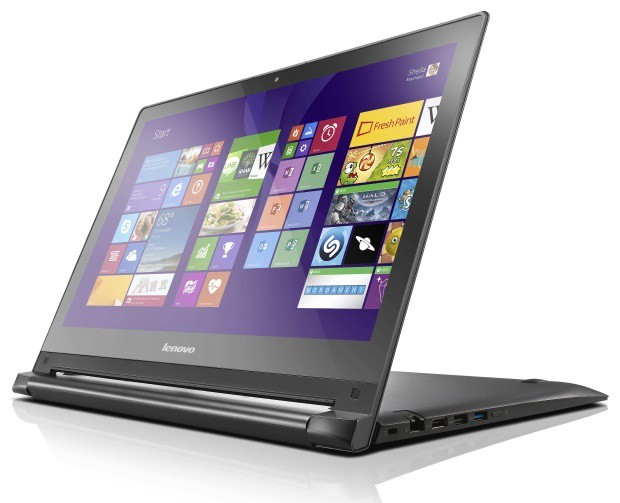
Fix: Lenovo Edge 15 Touchscreen Doesn’t Work

If the touchscreen of your Lenovo Edge 15 doesn’t work, don’t panic, because we have a couple of solutions for your problem. At least, we hope that some of them will work for you and that you’ll solve the touchscreen problem with your device.

1. Check if the touchscreen is damaged

First, make sure that the touchscreen of your Lenovo Edge 15 is not broken or damaged. Also, if it looks dirty, take a soft cloth wet with water or eyeglass cleaner and wipe the touchscreen. But if your touchscreen is clean and you determined that it’s not damaged, try some of the following solutions.

2. Check if touchpad drivers are up to date

Make sure that your touchscreen drivers are updated. To do so, go to Device Manager, right-click on your touchpad device, and go to Update driver software.

You can also check for Windows updates in the Control Panel, or through the Settings app, if you’re using Windows 10. You can also visit Lenovo‘s website and see if they released any updates for your Edge 15.

We also recommend a third-party tool to automatically download all the outdated drivers on your PC.

3. Calibrate the screen for or touch input

Try Windows’ built-in feature for Digister Calibration. To calibrate your device for touch input, do the following:

  1. Go to Control Panel, Hardware & Sound, Tablet PC Settings
  2. If you’re using Windows 10, simply type tablet pc settings in Search, and go to Tablet PC Settings
  3. Go to Calibrate the screen for pen or touch input
  4. Press the Reset button

4. Perform System Restore

If none of above-listed solution worked, you can always try with System Restore or fresh installation of Windows. But, we don’t recommend installing a new copy of Windows, because it’s a lot of work to recover all your data and software from backup. But if you didn’t find other, more proper, solution, you can go with this.

If you’re still having issues on your PC or you simply want to avoid them in the future, we suggest you use a professional software to fix various PC problems, such as file loss, malware, and hardware failure.

That would be all, we hope that at least one of these solutions helped you with touchscreen problem on your Lenovo Edge 15. But, if you have some other solution for this problem, please tell us in the comments, our readers would love to read it.

Read Also: Disable ‘You Have New Apps That Can Open This Type of File’ in Windows 10

This Week in PC Hardware: Lots of AMD, transparent mirror displays, 10TB HDDs, and more

This Week in PC Hardware: Lots of AMD, transparent mirror displays, 10TB HDDs, and more

This week in PC hardware is all about AMD, crazy displays, massive hard drives and more. Here are some of the breaking hardware news from this week.

Processors

This Week in PC Hardware: Lots of AMD, transparent mirror displays, 10TB HDDs, and more

AMD processors have for a long time been over shadowed by Intel counterparts when it comes to sheer performance, so the company played it smart and offered products with industry best price-performance ratios instead. But according to recent reports of the company’s upcoming processors, codename ‘Zen’, AMD may not be playing second fiddle to Intel anymore.

This Week in PC Hardware: Lots of AMD, transparent mirror displays, 10TB HDDs, and more

AMD recently revealed some basic details about the new Zen architecture, unveiling that it will be capable of handling about 40% more instructions per clock compared to the existing Excavator cores. These new cores will be completely redesigned for high-performance computing, will come with a high core count and be multithreaded (finally!), will be highly power efficient, support DDR4 memory and come packaged in a new AM4 socket.

Graphics Cards

This Week in PC Hardware: Lots of AMD, transparent mirror displays, 10TB HDDs, and more

Last week, we talked about rumors of AMD’s upcoming Fiji XT being branded as the Fury X, and today, that bit of news gets unofficially official. Images of AMD flyers confirm the new branding as well as reveal new images of the graphics card itself.

This Week in PC Hardware: Lots of AMD, transparent mirror displays, 10TB HDDs, and more

In related news, a GFXBench validation of the AMD Fury revealed its core count, which is evidently 4096. To put that in perspective, AMD’s current flagship single-GPU card has a core count of 2816. Even though the Fury X was benchmarked using unfinished drivers, the card outperformed NVIDIA’s flagship, the Titan X, so it’s fair to say that performance will be even better with finished drivers.

This Week in PC Hardware: Lots of AMD, transparent mirror displays, 10TB HDDs, and more

On the slightly lower end of the scale, the first image of the reference design AMD Radeon R9 370 has been leaked ahead of time, courtesy of Alienware. Dell will offer the new card as well as the mobile version of the R9 390X in its refreshed desktop and notebook computers. The new graphics cards should be available later this month.

This Week in PC Hardware: Lots of AMD, transparent mirror displays, 10TB HDDs, and more

Speaking of the R9 390X, exclusive NVIDIA-turned-AMD board partner XFX has revealed its custom cooled R9 390X that is expected to launch later this month. We should be seeing more board partners reveal their own designs closer to launch.

This Week in PC Hardware: Lots of AMD, transparent mirror displays, 10TB HDDs, and more

Alright, enough AMD for now. Markets would stall without without competition, and it seems that the war between AMD and NVIDIA has taken a turn, the green team is now playing catchup as it successfully tapes out its next-generation ‘Pascal’ GP100 graphics architecture. Pascal will be a successor to the current Maxwell architecture due to arrive sometime in 2016. It will incorporate High Bandwidth Memory built into the GPU package, which is exactly what AMD has done in the Fury X due this month. According to 3DCenter.org, Pascal should make way for GPUs with up to 6000 CUDA cores and will be based on TSMCs upcoming 16nm fabrication process. We can’t wait to see how this new GPU performs in real world tests.

Displays

This Week in PC Hardware: Lots of AMD, transparent mirror displays, 10TB HDDs, and more

OK, that was enough of a break from AMD, let’s get back to them now. AMD recently introduced its FreeSync display technology to combat NVIDIA’s G-Sync. The technology basically syncs up a displays refresh rate with a GPU’s graphics output, therefore eliminating any sort of tearing, banding, or frame rate stuttering resulting in consistently smooth viewing experience. It does require special hardware to be built into the display itself though, and LG recently built FreeSync into a new 27” 4K display. This would satisfy all visual junkies; ultra-high resolution, ultra-smooth graphics, ultra-everything!

This Week in PC Hardware: Lots of AMD, transparent mirror displays, 10TB HDDs, and more

If you thought that was too much, Samsung unveiled its first “mirror and transparent OLED display panels”. Yahoo called it a display “straight out of the future”, and that seems pretty accurate. The display can be a regular TV, a full on mirror, or a transparent window. Yes, we’re talking about the exact same display that can be used in all these different modes, it’s pretty insane.

This Week in PC Hardware: Lots of AMD, transparent mirror displays, 10TB HDDs, and more

Applications include clothing retailers, where the display can be combined with Intel RealSense technology to let customers virtually try on clothes when the display is in mirror mode. The display isn’t ready for primetime just yet, so it will be a while till it hits the market.

In Other News

This Week in PC Hardware: Lots of AMD, transparent mirror displays, 10TB HDDs, and more

Western Digital subsidiary HGST unveiled the world’s first 10TB helium-filled hard disk drive. Ten terabytes. Ten! This is an enterprise-class drive designed for archive applications in servers and other storage systems. This capacity of storage of course comes with downsides. Losing 10TB of data at once, for instance, due to drive corruption can be very bad. So unless you’re an enterprise, that can afford to buy several of these drives, and mirror them for redundancy, then it doesn’t seem financially viable for consumers at this point in time.

This Week in PC Hardware: Lots of AMD, transparent mirror displays, 10TB HDDs, and more

In PSU news, Corsair unveils its first SFX power supply, a tiny form factor designed for slim and small form factor computers. However, you shouldn’t mistake their small size for their output. Corsairs new fully-modular SFX PSU is 600W, which is enough to power a PC with NVIDIA’s flagship Titan X GPU. Silverstone is also working on a 700W SFX power supply as well, so the capacity is only going up, which is great for gamers that like smaller, console-sized PCs that can be carried around easily.

That’s it for this week in hardware, let us know what you think of the hardware mentioned here, what you’re looking forward to, what hardware you’re planning on buying etc. Also, This Week in Hardware is a little experiment of ours, and we’d like your feedback. How do you think we can improve it, what should we do different, or do you simply not care for it? We want to know, so let us know! In the meantime, have a great weekend!


Microsoft hands $10m to University of Washington to build a new computer science building

microsoft

To facilitate the building of a new computer science for the University of Washington, Microsoft (based in Redmond), has given the institution a gift of $10 million. Brad Smith, Microsoft’s general counsel and executive vice president of legal and corporate affairs, stated in an interview with GeekWire,

“The growth of the University of Washington is important for Microsoft and every single tech company in this state. That’s a big part of the reason why we are investing in this.”

The gift from Microsoft is the first to be received from the corporate world, and will help towards its full expected cost, currently estimated at $110 million.  It is hoped that the construction of the building will help to alleviate continued pressure on the computer science unit for more places, given the increasing popularity of computer science degrees. Microsoft has also been pushing for more computer science education in secondary education, and helped to get Washington State’s House Bill 1813 signed.

Microsoft has given to the University of Washington in the past, providing the first corporate gift for the Paul G. Allen Center for Computer Science & Engineering, completed and opened in 2003.

Do you think more emphasis ought to be placed on computer science as a subject? Let us know in the comments below.

Disable ‘You Have New Apps That Can Open This Type of File’ in Windows 10

Microsoft introduced notifications to PCs with Windows 10. Although they can be very useful, some of them are just annoying to some users. In this article we’re going to show you how to disable “You Have New Apps That Can Open This Type Of File” notification. So if you find this notification annoying or useless, you might like this tutorial.
disable notification wind8apps
In Windows 10, when you open a certain file which can be opened by not just one program on your PC, you get a metro-style toast notification on your screen that says: “You have new apps that can open this type of file.” When you click it, the new dialog will appear where you can choose which program you want to use to open that file and also set a default program for opening that type of files.

But maybe, for some reason, you want to disable this type of notification. For example, if you don’t want to change the program which opens your file, this notification could be very annoying. Also, it opens when you open a certain file, so it might distract you and interrupt your workflow. Anyway, whatever the reason is, we trust your judgement. So, if you want to disable “You have new apps that can open this type of file” in Windows 10, here’s what you need to do:

To disable this notification, you need to apply a simple Registry workaround, which changes the appropriate Group Policy setting.

  1. Go to Search, type regedit, and open Registry Editor
  2. Go to the following Registry key:
    • HKEY_LOCAL_MACHINE\SOFTWARE\Policies\Microsoft\Windows\Explorer
  3. Create a new DWORD value called NoNewAppAlert, and set it to 1
  4. Now log out of your user account and log in again. Or run GPUpdate.exe /force from a command prompt  with administrative rights without logging out, in order to update the policy settings

That’s all, this annoying notification is now disabled. But if you change your mind and decide to enable it once again, just set the NoNewAppAlert value data to 0, and you’re good to go.

Read Also: Fixed: When you Click Icons on the Windows 10 Taskbar, the Flyout Doesn’t Open

"Moonraker": The Nokia smartwatch that Microsoft killed

Moonraker

It is always difficult when two large companies merge. And, for Microsoft and Nokia, there was no exception.

When Redmond finalized its acquisition of the Services and Devices Division of Nokia earlier in 2014, it was a given that sacrifices would be made. Since that point, many of these have come to light, just hinting at what might have been, had events not taken a turn for the worse in the Windows Phone sphere.

Now, another has emerged, a project that once was and is now no more. That is the smartwatch that Nokia had supposedly intended to release alongside the Lumia 930, code-named “Moonraker”. Thanks to the sleuthing of Evan Blass, otherwise known as Mr ‘evleaks’, and as reported by the Verge, images were found on a Tumblr blog belonging to Microsoft design employee Pei-Chi Hsieh. And these images are far from concept renders, instead appearing to be for marketing, indicating what state the project might have been in when it was scrapped.

It appears that, for the moment, the narrative is that Microsoft scrapped the watch following the acquisition due to the fact that it would be competing with the firm’s own ‘Microsoft Band’, which was released last year. With more functionality in-built, it was judged to be the superior product.

Moonraker

Looking now with hindsight however, what the two products reveal are a fundamental difference in focus. Where the Microsoft Band resembles a bracelet worn by repeat-offenders, the Nokia ‘Moonraker’ has more in-common with other smartwatches, especially those produced by Sony. Where the band emphasizes features over looks, the Nokia effort promised to marry the Windows Phone interface with a smartwatch experience, with remote camera controls and MixRadio integration in-built.

As the battle continues over what a smartwatch should be, the ‘Moonraker’ will remain but an interesting footnote, nothing more. Whether Microsoft will bring some elements of this device to its expected ‘Microsoft Band 2’ is something that only time will tell.

Would you have bought a Nokia ‘Moonraker’? Let us know in the comments below.

Microsoft is becoming more transparent with Bing Ads in wake of restructured Yahoo deal

Image Credit: Bing Ads

There has been a lot of speculation surrounding the Bing/Yahoo partnership. Much of the speculation comes from a lack of details regarding the specifics of the deal struck between the two companies. Perhaps prompted by re-negotiation terms from the two company’s back in May, or maybe Microsoft sought to address squirrelly investor questions about the deal, whatever the cause, Microsoft is doing things a bit differently now. Microsoft is now releasing data showing the weekly trending of Yahoo search ad click volume that comes by way of Bing Ads.

This new move may also be a bit of posturing from Microsoft to keep some leverage in future negotiations with Yahoo. Posting number like this keeps both companies on the level when discussing perceived benefits and responsibilities stemming from their deal. For anyone interested, the Bing Ads team will be posting weekly updates surrounding Bing Ads delivery rate and Yahoo’s click volume the Bing Ads sites. According to the Bing Ads team, “Despite what you may have heard, Bing Ads continues to deliver ad clicks against over 99% of Yahoo PC traffic and approximately 90% of mobile/tablet traffic. Further, click volume remains stable averaging 99% of Yahoo’s April baseline click volume across all devices.”

While this might serve to keep Microsoft from being Yahoo’s whipping boy during future Bing/Yahoo negotiations, Bing still needs to continue to perform. Based on the new terms we do know, Yahoo can serve up to 49 percent of desktop search traffic ads using its Gemini ad system, whereas previously, Bing Ads was the go-to source for both companies. Perhaps, worst yet for Microsoft, Yahoo is now free to partner with Google to increase the company’s advertising numbers under the new terms. As some have already begun to speculate, Marissa Meyer may already be eyeing ties with her former employer Google to help buoy Yahoo’s advertising efforts. If Yahoo chooses that route, the Bing Ads new weekly report potentially forces Yahoo to justify its move against the evidence that Microsoft is honoring its side of an arguably lopsided deal.

Image Credit: Bing Ads

According to Search Engine Land, “In Q4 of last year, RKG Merkle reported seeing Yahoo Gemini account for a greater share of Bing and Yahoo mobile traffic among its clients, but other than that little outside data has been published on click share to date.” As of May 1st, Microsoft is delivering on their end of the deal based on their reporting. Microsoft does address the 1 percent drop as being ‘not unusual’. Due to the seasonality of queries, small shifts like that are apparently expected. Again, posting the numbers weekly is an excellent strategy for clearing up the confusion investors, advertisers, and journalists have regarding whether or not Bing is pulling its weight in the deal. However, having publicly available numbers could be the double-edged sword Bing advertising lives by or dies upon. 

Windows 10 build 10130 receives even more security and fixes for top issues today

Image Credit: WinBeta

Windows 10 build 10130 receives security and fixes for top issues today. While many were expecting a newer Windows 10 Mobile build sometime this week, hopes were officially dashed by a tweet from Windows Insider build gatekeeper Gabe Aul earlier today. Perhaps, as some consolation, Gabe is announcing security fixes as well as some other fixes concerning top reported issues for Windows 10 Insider build 10130.

As for the for what the new updates address, there are few details to draw a conclusion.

  • Definition Update for Windows Defender – KB2267602
  • Security Update for Windows 10 Insider Preview June Update for x64-based System (KB3070675)
  • Update for Windows 10 Insider Preview June Update for x64-based System (KB3070677)
  • Security Update for Windows 10 Insider Preview June Update for x64-based Systems (KB3070641)
  • Security Update for Internet Explorer Flash Player for Windows 10 Insider Preview June Update for x64-based Systems (KB3065820)

While the information is sparse for the updates, what is known from first-hand experience is that these updates will require a system restart. Unless you have the time to go through a restart perhaps you may want to wait to update your build, as Gabe doesn’t seem to implore the necessity of these updates.

We will update when have more information about the updates.

Microsoft’s support for computer science education in Washington sees backing in signed House Bill 1813

Image Credit: Microsoft
The landscape of working environments will continually be in flux. From the Industrial Revolution to the Second Industrial Revolution, or more commonly known as the Technological Revolution, jobs were created, and jobs were replaced. To thrive in these fluctuating circumstances, it was incumbent upon parents, teachers, and universities to prepare an upcoming workforce with the trades, skills, and education to match the new changes. More recently, workspaces are relying more and more on the automation, software and service computers have to offer. However, very few of the students in large areas are being prepared or equipped with the education or technology to capitalize on these new opportunities.

Here in the North America, we hear of botched efforts to implement iPads in schools, or a rush to flood the educational system with low-cost Chromebooks, but these hardware initiatives are band-aids on a much larger wound. Students are gaining access to up-to-date technologies. However, it’s the course material and educational legislation that will determine whether a child will be prepared for future in computer science, not the use of an iPad.

Over the past couple of years, Microsoft has been working with leaders from education, non-profits, and businesses in signing a letter of support for House Bill 1813. House Bill 1813 is intended to expand computer science classes across the state of Washington and provide new access to what is becoming foundational skills in Washington’s economy according to Washington STEM.  “We have 20,000 open computing jobs in the state right now and yet our state produces only 1,200 computer science graduates each year. Who is going to fill those jobs?” said Drew Hansen, D-Bainbridge Island.  “We want every student in the state to have the opportunity to learn computer science so they will be ready for high-paying jobs in the state’s technology industry.” House Bill 1813 would also establish K-12 standards for computer science, creates K-12 computer science teaching endorsements and enables teachers to access state scholarships when pursuing computer science professional development. Incentivising teachers to actively seek out computer science as a career will hopefully translate to enthusiastic and creative courses for students.

Image Credit: Microsoft TEALS

Fortunately for future students, House Bill 1813 was signed today. The new law will now establish standards for computer science while matching private funding to train teachers to teach rigorous computer science courses. This investment is also expected to reach underrepresented students by prioritizing them first. As for Microsoft’s involvement, the company is focusing on helping expand access to computer science in other ways. Among the various ways, Microsoft is prioritizing its YouthSpark initiative that partners with non-profits to help provide STEM skills and opportunities to students. Microsoft will also be partnering alongside Code.org to jump start more engagement with computer science. Alongside Code.org and Youthspark, Microsoft will continue to support STEM education programs such as the Washington STEM, Washington State Opportunity Scholarship and Year Up.

Going a step further, Microsoft will continue offer its TEALS volunteer program (Technology Education and Literacy in Schools). The program is designed supplement computer science deficient schools and areas. To achieve this, TEALS recruit, train, mentor and place high tech professionals in high schools that are unable to meet the computer science needs on its own, according to Microsoft. With over 131 TEALS schools in North America and 500 current and former industry professionals, Microsoft estimates that the programs reach is somewhere near 6,600 students to date.

Not everyone is as optimistic about Microsoft’s involvement understandably. Some have voiced concern over the conflict of interest involved with the state accepting the generosity of businesses like Microsoft or non-profit with agendas. There is an argument to be made, that learning opportunities will only be handed to students that are more likely to show a significant return on investment could result in only small groups receiving the full benefits of HB 1813. This level of disparity already exists in many tech-driven initiatives for schools where privileged schools receive newer hardware and technology while the vast majority of teachers, faculty and students remain unequipped and unprepared for the future. Whether or not the new law in Washington results in a similar divide has yet to be seen. However, some could argue that the shift in the conversation from hardware to training and education is at least a good first step.

Microsoft's keeping a foot in virtual reality with Oculus Rift partnership

Image Credit: HiDefDigest

During the Oculus press event today, viewers were given some insight into Microsoft’s bid for both augmented reality in HoloLens as well as their stake in virtual reality with the Oculus Rift. While the Facebook owned Oculus team was doing much of the heavy lifting with the platform, Microsoft’s announced partnership today may help extends the Oculus Rifts general adoption.

The Oculus Rift team announced today that each Oculus Rift headset will come equipped with one Microsoft Xbox One wireless controller. In addition to controller support for the Oculus Rift, head of Xbox, Phil Spencer announced Windows 10 support for the Rift as well at today’s press event. Furthermore, the Oculus Rift will also support the streaming of Xbox One games to Windows 10 PCs. Support for the Windows 10/ Xbox streaming in Oculus Rift effectively puts Xbox One games on the Rift. There was no word on which games will be offered, but as the Xbox team attempts to fulfill their PC gaming promise, we can expect more games to be added to the list.

Image Credit: Oculus Rift

Other items highlighted during the Oculus Rift press event include a new finger based controller prototype called Oculus Touch. Oculus founder Palmer Luckey presented the circular Wii-Nunchuk-esque controller on stage today. The Oculus Touch consists of two controllers that contain analog buttons, triggers, and even a wrist strap similar to the Wii controllers. According to Palmer, the Oculus Touch is intended to be users’ virtual hands when operating the Rift. Beyond the new controller design, the Oculus Touch will be able to detect hand finger movements during elements inside VR use.

Most importantly, attendees of the press event were shown the first consumer version of the Rift headset. The headset looks similar to previous iterations but also much more refined. The previously clunky headset has been trimmed down (as much as headset can be). The finish on the headset covered in cloth rather than the previous hard plastic and metal that was on it before. The Oculus Rift is scheduled to release in Q1 2016.

While Microsoft edges towards augmented reality, the new partnership also solidifies its presence in virtual reality as well. This two prong approach towards the next gaming frontier will hopefully pay dividends as Windows 10 unifies gaming, productivity, and entertainment in any form or reality.

Users Who Made a Free Windows 10 Upgrade Will Able to Clean Reinstall Windows 10 on Same Device

Great news for users who have upgraded or planning to update to Windows with a free path – after the free upgrade, you will be able to perform a clean install if needed.
windows 10 free upgrade clean reinstall
As you well know, Windows 7, Windows 8, 8.1 users will be able to upgrade on July 29th to Windows 10 for free. It’s going to be a big day for Microsoft, there’s no doubt about it, as millions will probably rush to make use of this great offer. However, as it has been previously told by Microsoft, the free license will only be offered for one year, which has left many wondering – what happens if I want to reinstall Windows 10?
The great news comes from Microsoft executive Gabriel Aul who said the following on Twitter:

Once you upgrade W10 w/ the free upgrade offer you will able to clean reinstall Windows 10 on same device any time

So, as we can see, this confirms that Microsoft will allow us to clean install Windows 10 on the same device at any time, which is great news! Gabe Aul is the head of the Windows Insider program at Microsoft, so there are little chances for this information to be wrong. So, if you are a fan of clean install, then this is great news for you!

If you were expecting to have to install Windows 7 or Windows 8, 8.1 and then upgrade with the free key, then we can now rest assured it won’t be the case. After all, it would’ve been quite annoying for Microsoft to do that, so it’s nice to see that the company hasn’t lost its common sense.

Windows 10 is a very, very big bet for Microsoft, as it aims to unify both mobile and desktop users after what many considered to be a flop – Windows 8 and Windows 8.1. Are you happy with regards to this fresh news? If so, leave your comment below and let us know how you feel about this.

READ ALSO: Users of Windows 10 Home Edition May not be Able to Opt out of Automatic Updates