King of Pool Launches for Windows 8, One of the Best Billiard Games

Billiard games are quite popular on Windows Store these apps revealing a realistic experience right on your Windows 8 touch based device. So, which software to use in order to enjoy the best billiard experience and for testing a well-designed gameplay with high end graphics and various features?king of pool windows 8
Well, in order to help you out, during this short review I will describe the King of Pool game which was recently released on Windows Store. The game can be installed and easily played on desktops, tablets and smartphones based on Windows 8, Windows 8.1 and Windows RT platforms. King of Pool is maybe one of the best billiard games available out there since the app features various gameplay modes along with high end graphics and different settings that can easily improve the user experience for both advanced and entry level Windows 8 users.

Read Also: Discovery+ is a Minecraft-like Game for Windows 8 You Need to Check out

King of Pool Released on Windows Store, revealing realistic billiard experience

With King of Pool you will be able to test your skills and develop new abilities in the most realistic way possible. As you can see in the image from below, you can use in built features for finding trajectories and for learning how to hit the ball in order to win matches and in order to develop your own strategy. Then, you can make things harder by removing the aiming guide feature.

On the other side, King of Pool features different gameplay modes such as snooker, Pool 8 UK, Pool 8 US and lot more. Moreover, the app offers various settings that can easily adapt and customize the billiard experience – thus you can set the touch intensity, you can play career mode, you can challenge your friend in an online match or you can use the multiplayer mode against users from King of Pool community.king of pool menu
King of Pool is available on Windows Store where it is priced at $4.00. You can download and install the tool on any Windows based device, so don’t hesitate and test the same and then share your experience with us and with other users who might want to try it too (use the comments field from below in that matter).

Download King of Pool from Windows Store.

No Start Screen for desktop users in Windows 9, the Start Menu ‘is’ Start

Start Menu

Over the last few days, we’ve been reporting on a number of upcoming changes to Windows. Windows 9 (Threshold) is set to put the desktop in first place, replacing the Modern UI in favor of that classic windowed desktop. We’ve already talked about how the desktop and Start Menu will be default for desktops in Windows 9, but there was some confusion as to what would happen to the Modern UI. According to Paul Thurrott, it’s going away completely.

The Start Menu isn’t based off the old Windows 7 Start Menu, Microsoft has gone above and beyond and re-thought the Menu entirely. It will act as both a menu and a screen in Windows 9, with the ability to full-screen the menu to get a similar Start Screen experience. Thurrott then continues by reaffirming what we’ve already covered, claiming that it will obviously depend on your hardware, whether it be a tablet or not.

If it is a tablet, you’ll get the Start Screen. If it’s a desktop, you’ll get the desktop instead. It’s pretty simple.

So to clarifty. Desktop users won’t have a Start Screen. They’ll have a Start Menu which can be full screened to act like a Start Screen instead. Tablet users do not fear however, because a Start Screen will still be available for you. Hybrid devices like the Surface are expected to act accordingly, depending on whether or not you’ve got a keyboard connected. More on that in the future.

So, do you like what you’ve read here? Is this what you want in Windows 9? Let us know in the comments section below.

Microsoft Transparency Center debuts, Outlook and OneDrive receive better security encryption

The first Microsoft Transparency Center opens, Outlook.com and OneDrive receive better security encryption

Microsoft has revealed today that they have taken steps to ensure security and transparency, especially when it comes to the company’s products and services. On top of that, Microsoft has opened up the very first Microsoft Transparency Center at the Redmond, Washington campus.

“We are in the midst of a comprehensive engineering effort to strengthen encryption across our networks and services. Our goal is to provide even greater protection for data across all the great Microsoft services you use and depend on every day. This effort also helps us reinforce that governments use appropriate legal processes, not technical brute force, if they want access to that data,” Microsoft stated in an official blog post.

Outlook.com is now further protected by Transport Layer Security, or TLS, encryption for both outbound and inbound email. This basically means that when you send an email to someone, it is encrypted and better protected as it travels between Microsoft and other email providers — granted the email service provider also supports TLS. 

OneDrive, on the other hand, has now enabled PFS encryption support. Attackers will now find it much more difficult to decrypt connections between systems and OneDrive. Customers will automatically get forward secrecy when accessing OneDrive via the website, mobile apps, or sync clients.

“Over the past six months, we have been working across the industry to further protect and help ensure your mail remains protected. This includes working closely with several international providers throughout our implementation, including, Deutsche Telekom, Yandex and Mail.Ru to test and help ensure that mail stays encrypted in transit to and from each email service,” Microsoft explained.

The company has also launched the very first Transparency Center, allowing government agency the ability to review source code for key products to ensure it is secure. “Our Transparency Centers provide participating governments with the ability to review source code for our key products, assure themselves of their software integrity, and confirm there are no “back doors.” The Redmond location is the first in a number of regional transparency centers that we plan to open,” Microsoft explains.

Microsoft reaffirms its commitment of increasing consumer data protection while increasing transparency in the process.

Skype revises the way it charges VAT in EU region

Skype

There’s a surprising news for Skype users residing in the European Union or Switzerland. It seems Skype has revised the way it charges VAT in the region. If you didn’t know, Skype charges 15 percent VAT in the EU region, while its 8 percent for those in Switzerland. Previously, the VAT was charged when users topped up their account, for instance, if you purchase a €10 credit in EU region, you’d be charged €11.5.

However, starting from July 28th, Skype will change the way it charges VAT on purchases. Now, customers purchasing Skype credit will be charged the same amount they are topping up their account with. For example, if you’re top up €10, you’ll have to pay €10, not €11.5. 

Instead, the VAT will be charged when you’ll use it for making calls to landlines or mobile using Skype. “For Pay As You Go calls, VAT is charged when you make the call. Call rates will be exactly what you pay for your calls, inclusive of taxes.  This makes it easy for you to clearly see how much your calls made from Skype cost,” Skype said in FAQs on their support site. The PAYG rates will be the same as advertised, depending on your country of residence, and will include all the taxes. You can check out the PAYG rates on Skype website here, just select your country of residence and it will show you the call rates.

Customers who will use Skype Credit to purchase a subscription will also be charged the applicable VAT rate — 15 percent for EU, 8 percent for Switzerland — at the time of purchase. You can read more about it on Skype’s support site.

The removal of the desktop in Windows 9: who will it affect?

The removal of the desktop in Windows 9: who will it affect?

We’ve already spoken in detail about the desktop in Windows 9 (Threshold), and how it will be disappearing depending on your device. Microsoft is currently in the process of removing the desktop completely from devices which do not need it, and Windows 9 will be the first operating system from the company to utilize this new change. Who will it affect and is it a good or bad idea?

Tablets. If you use a tablet that’s sub 9-10 inches, you will no longer have to fiddle with the teeny-tiny desktop on your device. Windows 9 will see Modern UI alternatives for File Manager, and pretty much every other Win32 application. We’re hearing that Microsoft are planning to throw out most of the stock Win32 applications for devices which don’t use the desktop anyway, so Modern UI is all you’re going to get.

These tablets can be ARM, or Intel ATOM. It doesn’t matter if your CPU ‘could’ run Win32 applications, OEM’s will decide if it is necessary. How will they decide? With an SKU. Microsoft is said to be splitting Windows 9 into a number of SKU’s, one of them being a touch-only SKU, which obviously won’t have a desktop. This SKU will disable the ability to run Win32 applications thanks to the nonexistence of a Win32 environment.

Is this a good idea? Yes. By the time Windows 9 rolls around next year, we’re hearing Office Gemini will be ready for prime time. The only reason the desktop is still around today is because of Office, which still requires those juicy Win32 API’s. Once Office is Modernized, the desktop will pretty much be useless for tablets. Microsoft is trying to remove the ‘jarring’ experience jumping between the Modern UI and desktop. The only effective way to do that is to simply remove one of the environments, and in this case for tablets, Microsoft has opted to remove the desktop. It’s similar for desktop users too, the Modern UI takes a backseat.

Speaking of the touch-based SKU, this SKU is being developed to run on both Windows Tablets AND Windows Phones. Indeed, the rumors regarding the merging of Windows Phone and Windows RT are real, and this SKU is the result of it.

What about tablets above 9-10 inches like the Surface? Details are a bit scarce on that front, but we’re hearing it will depend on whether you’ve got a keyboard connected. This could change, however.

Don’t be alarmed though, the desktop will still be intact for devices like laptops or PC’s. Yes, that means your desktop will have access to a fully functional desktop, complete with Start Menus and windows and Win32 applications and everything. Your kingdom will be untouched.

Microsoft Stores are now selling Insteon home-automation kits

Microsoft is now selling Inteon home-automation kits in its stores

Microsoft recently announced a partnership with Insteon. For those who are not familiar with Insteon, it is a technology based company that provides home automation, technology that enables light switches, lights, thermostats, motion sensors, and other devices. Since the announcement, Microsoft’s been working on bringing an enhanced version of Insteon that would be available for Windows 8.1 and Windows Phone 8.1 devices.

The companies also agreed on bringing Insteon home products for purchase on MicrosoftStore.com and Microsoft Stores across the United States. The time has come and Microsoft retail stores are now stocking Insteon home-automation kits, as promised. 

Customers can choose from three different Insteon starter kits. These kits are categorized as ‘Insteon Starter kit’, ‘Insteon Home kit’, and ‘Insteon Business Kit’. With these kits, users can remotely control lights and appliances, set schedules for your devices, receive email alerts concerning the status of doors, windows, motion and water leaks, remotely control your thermostat, see your home through a WiFi camera, night vision, and more. You can control all this by using your Windows 8 smartphone, tablet or desktop. 

There’s also an option to purchase other Insteon components like the Insteon Leak Sensor, Open/Close Sensor, Thermostat, LED Bulb, On/Off Module and Wireless Wi-Fi Camera. 

You can buy the Starter kit for $199.99, Home Kit for $299.99, and the Business Kit for $499.99.

Microsoft opens up reservations for TechEd Europe in Barcelona

Microsoft opens up reservations for TechEd Europe in Barcelona

TechEd is the annual conference held by Microsoft, with versions taking place in both the United States and Europe. It’s geared towards IT professionals, and provides information on development of various platforms the company produces. 

This year’s conference will take place in Barcelona, Spain, running October 28th through the 31st. Today Microsoft opened up registration and it’s likely to sell out rather quickly, despite the price of €1,695. That’s actually a €300 discount — an early-bird special. You can grab the discounted rate starting now, but you’ll need to register before July 7th to take advantage of the deal. 

Those planning to attend can sign up for the mailing list and get updates on news about the events scheduled to take place during the show. To register for all of the festivities, you can follow the link posted below.

Rumor: Microsoft halts the production of the Surface Mini

Surface mini

The Surface Mini has seen its fair share of rumors in the past few months. The miniature tablet was rumored to launch at the Surface event last month, but it was no where to be found. Instead, we were given the Surface Pro 3, a bigger and better version of the tablet, which is said to replace the laptops. Although the tablet didn’t see the light of day at the event, rumors suggest it still exists, and we saw Microsoft inadvertently leaking it in the Surface Pro 3 user guide. 

Now, for those of you who are holding out for the Surface Mini, move on, as it’s not coming anytime soon, if this report from Digitimes is correct. They say Microsoft has halted the production of the Surface Mini, which was scheduled to begin last month. The smaller tablet market is too saturated, and has strong competition, so it seems Microsoft figured it out that the Surface Mini doesn’t have enough unique features in order to compete in this segment. We saw a report last month from Bloomberg, which hinted at the same fact — that is, it wasn’t different enough from the other Windows-based tablets in the market.

“Microsoft reportedly has called off a plan to mass produce its small-size Surface Mini tablet because of fierce competition in the small-size tablet segment, as well as negative responses from its brand vendor clients, according to sources from the upstream supply chain,” says a report from Digitimes.

They further said, “Microsoft has finished developing the Surface Mini and also completed the product tests; however, mass production did not start as scheduled in May, the sources said, adding Microsoft still paid the costs for the module development and production equipment, the sources said.”

The report mentions Microsoft had developed the product, even the testing and production costs were paid for, but it never started in May. Now, it doesn’t mean that we will not see the device, rumors hint the company may launch the device later this year, possibly when the touch-optimized version of Office (dubbed as Gemini) is ready. It could be the feature that will distinguish it from other tablets in the same segment. Secondly, the report surfaced from the Taiwan-based Digitimes, who have a shaky track record when it comes to rumors, but to be honest, it makes sense for Microsoft to hold off with the Surface Mini.

The smaller tablet market already has many decent Windows tablets, such as the Dell Venue 8 Pro, and many more, which come with a full-fledged Windows 8.1. On the other hand, the rumored Surface Mini was said to come with Windows RT 8.1.  

What do you think about this? Microsoft may have pulled the plug, but for how long? Let us know using the comments below.

Microsoft to launch a smartwatch in October this year?

Microsoft Smartwatch

Microsoft has been rumored to be making a smartwatch for sometime now, and 2014 looks like the year in which all the major tech companies launch their attempts at wearable computing. Google has already started, with the Moto 360 and LG G watch. Microsoft is said to also be jumping aboard the wearable computing bandwagon this year, so it’s time to get excited.

According to Toms Hardware, Microsoft is looking to get its idea of a smartwatch out by October of this year. That’s about 4 months away, which isn’t too long. The device is rumored to include 11 sensors and have up to 2 days of battery life.

The device will also monitor your heart rate, and hook up to any mobile platform, meaning it will work on iOS and Android, not just Windows Phone. This is good, as Microsoft is still a software company. According to the source, the device screen is on the inside of the wrist instead of the outside, which is said to feel a lot more natural when checking the time.

What would you do with a Microsoft smartwatch? Would you even buy one? Let us know below.

The future of the Desktop in Windows 9: What can we expect?

The future of the Desktop in Windows 9: What can we expect?

Microsoft have said since the very beginning that the desktop in Windows will be around for years to come, and that’s definitely true given that the majority of ‘useful’ apps on Windows still utilize the Win32 API. Microsoft are planning some changes in Windows 9 which will effect desktop users, but what changes can we expect to see?

There are many things happening with the desktop in Windows 9, which will ease use of the operating system for users all around. That includes tablet users, and keyboard/mouse users. Changes to the desktop will vary depending on your hardware too. We already know Microsoft are planning to further merge the Modern UI with the desktop in Windows 9, but what does that mean for tablet users?

Based on what we are hearing from various reports, tablet users will see the demise of the desktop in Windows 9, yes you heard us correctly. Microsoft is set to replace Win32 applications with Modern UI alternatives in Windows 9, meaning Windows is set to get a full on Modern UI facelift when it rolls around next year. The desktop will no longer have a place for tablet users running Windows RT (which by the way, is not dead), however the desktop isn’t going away for everyone, even for Windows RT devices.

We’ve heard the rumors regarding Windows Phone and Windows RT becoming one operating system, that’s no lie. Microsoft are planning to have Windows Phone devices and Windows RT tablets run the same operating system, which further confirms the removal of the desktop. But if hardware requires it, the desktop will be available, and will definitely be limited compared to the normal desktop.

“Why are Microsoft allowing this?” you may ask, it’s simple. Microsoft are planning to take on the likes of Chrome OS with Windows 9, and with Windows Phone being free, and Windows RT being merged with it, Microsoft will use this SKU as the cheaper alternative for OEMs to sell not only tablets, but laptops too. These laptops will run apps from the Windows Store only, which is what makes these laptops as cheap as they are. Just like on Chrome OS, which is limited to Chrome OS apps, the Windows Phone/RT devices will be limited to Windows Store apps. This lines up with other reports too, which makes this rumor a little more plausible.

The desktop being available on this SKU will only be for laptop users, who will undoubtedly be using a track pad and keyboard to navigate the OS. Tablet users will have no need for the desktop, therefore it will not be available.

In other words, Windows 9 will be different depending on the hardware you use. An ARM tablet will not see the desktop, an ARM laptop could see a desktop, a normal 32/64bit laptop/desktop/tablet will have the much more improved desktop which we already know a little bit about.

If you’re unaware what to expect in the ‘more improved’ version of the Desktop, let’s give a little run down. Microsoft are planning to further merge the Desktop and Modern UI, and how they’re doing this is simple. Microsoft will allow Modern UI apps to run in the desktop, in windowed mode, and have Modern UI apps pinned to the Start Menu instead of a Start Screen.

We’ve also heard of improvements and tweaks to its UI, although we don’t know much about that at this time.

This version of the desktop will be available in non-ARM hardware we all use today. So that’s your desktop, laptop and non-ARM tablet. Of course, Microsoft are rumored to be allowing users to choose how they use the operating system, allowing to opt between having a desktop with the Start Menu, of the full Start Screen. Many tablet users who aren’t running ARM hardware will most likely opt for the Start Screen option, whereas desktop and laptop users will opt for the desktop instead.

Of course, as nothing here is official, things could easily change. Right now though, this is what we’re hearing via reports and on the web, but in order to not disappoint people we must ask you to take what you’ve read here with caution.

Now over to you, what are your thoughts on this possible plan? Leave us your comments below!

Microsoft partner infoWAN finds customers prefer Office 365 to Google Apps

German Microsoft partner infoWAN finds customers prefer Office 365 to Google Apps

With the announcements at I/O 2014, Google trained its sights firmly on Microsoft with changes to its cloud storage and online office tools. But it seems that customers are not to be swayed, and they still prefer Microsoft Office too Google Apps. infoWAN Datenkommunikation GmbH is a German Microsoft partner, and CEO Lars Riehn explains why people are choosing Office 365 over Google’s offerings.

“The cloud-adoption wave is building, and bringing with it great opportunities for us and our customers. As part of that trend, Office 365 is becoming an increasingly important part of our business as more customers choose it over other options. In 2012, Office 365 and other cloud-related projects accounted for about 2 percent of our revenue. In 2013, it was more like 20 percent. This year, we expect it to represent a third or more. Office 365 is definitely a growing business for us, and so are Azure and Windows Intune.”

Riehn says that cloud services have increased in popularity because of the speed and ease of deployment as well as the potential to save money. Frequent updates to Office 365 are also a key factor. Customers “don’t have to wait three years for a new version of the software to come out. They benefit from Microsoft’s ongoing innovation in the cloud. They’re pleasantly surprised by the new features and services that Microsoft provides at no extra cost.”

Google has been in the news a great deals recently because of privacy concerns. Riehn suggests that this partly explains why there is a preference for Office 365 over Google Apps (“in our experience, enterprise customers in Germany rarely use Google Apps. Among customers with more than 250 seats, we don’t know anyone using Google Apps right now. Part of it is trust”) but there are other reasons:

“Google Apps sometimes looks “good enough” to smaller and even bigger organizations. But once they start using it, especially if they are familiar with Microsoft Exchange, Outlook and Microsoft Office, they often realize they are missing things they really want that Google Apps can’t deliver. There’s a level of overall end-user happiness that they just don’t get from Google Apps compared to Office 365.”

Emulate Old Atari Games in Windows 8 With this App

If you want to revive great moments from your childhood then the Windows 8 platform is now offering this possibility as a new third party app that is available on Windows Store will let you emulate numerous old Atari games on your own Windows 8 based device.atari games windows 8
With a suggestive name, Emu7800 is a small program that once installed on your Windows 8, Windows 8.1 or Windows RT handset will provide you technical support for 8-bit Atari games. Without using this dedicated app you can’t play old games on your Windows powered device, since the 8-bit architecture is not compatible with the processors that are powering your laptops, tablets, smartphones or desktops. So, in case you sometime get nostalgic and want to play the games from your childhood, downloading Emu7800 will be a must.

Play Old Atari Games on your high end Windows 8 device with ease

As already pointed out, Emu7800 emulates the Atari 7800 ProSystem video game console, which provided great and addictive games. While those were the games from our childhood, now we can’t revive those moments since on our devices we can only install recent apps that aren’t always as good as the games that we played on our “archeological” consoles.space invaders windows 8

But, with Emu7800 you can anytime install all those games right on your Windows 8 powered device. If I have managed to arouse your interest, then don’t hesitate and test this new tool by yourself; all you have to do is to use the download link from below (you will get the app from Windows Store) – don’t worry as Emu7800 is being free distributed on Windows Store so you don’t have to pay anything for getting it.

Download Emu7800 from Windows Store.

Microsoft updates Windows Update client for select Windows versions, enhances security

Microsoft updates Windows Update client for select Windows versions, enhances security

Microsoft has today updated its Windows Update / Microsoft Update client. This will provide a more secure communication pipeline, strengthening the security for a specific set of Windows users, the company announced.

The new update is specifically applicable to users running Windows 8, Windows 7 SP1, Windows RT, Windows Server 2008 R2 SP1 and Windows Server 2012 on their computers. Microsoft says that this will enable it to establish a secure connection between the client and Microsoft update service (otherwise known as Windows Update).

The update has already been rolled out, and if your computer is running any of the aforementioned versions of  the Windows operating system, it should get it automatically. The update is also available as a separate download, so you can update your system manually as well.

Microsoft hasn’t mentioned any vulnerability in the current Windows Update, which could mean that the company was able to patch the issue before anyone could exploit it.

Lock your Windows 8 Screen with Awesome Bing Wallpapers

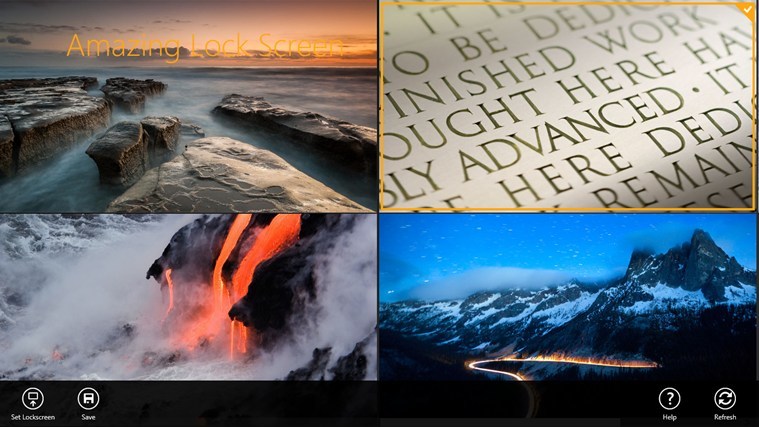
Customizing and personalizing your Windows 8 based device must imply, among other operations, in using amazing wallpapers. Well, finding the right images for your own taste might be difficult, especially if you are searching for the same manually.wallpapers windows 8
Now, with Amazing Lock Screen from Bing you can receive and manage various wallpapers, depending on the category (nature, cities, space and lot more) you prefer. The wallpapers can be easily downloaded on your Windows 8 device, while you can choose to set the images as your own personal background, or to save them in your gallery. All the available images are captured (or modified) in high definition and you will be able to set lock screen or desktop wallpapers since each picture can be managed depending on the action you want to complete.

Read Also: Viggle App for Windows 8 Rewards for Watching TV and Discovering Music

Amazing Lock Screen brings your own wallpapers database right on your Windows 8 device

The best is that the app offers various features that can be used with ease thanks to the intuitive user interface developed by Bing. Thus, you can download wallpapers on your own machine, you can choose to manually or automatically update the lockscreen to today’s image, you can share your favorite images with your friend through email or through social media and you can save the pictures on your device for modifying them afterwards.amazin lock screen windows 8

Amazing Lock Screen from Bing can be installed on Windows 8, Windows 8.1 and Windows RT based devices, whether we are talking about smartphones, tablets, laptops or desktops and can be downloaded for free from Windows Store.

In case you want to check similar apps on your Windows 8 device, don’t hesitate and check our recent reviews where we have described the best Windows 8 Wallpapers apps that are currently available on Windows Store – most of the tools are free distributed so you can safely test the same.

Download Amazing Lock Screen from Bing from Windows Store.

Microsoft’s multi-purpose stylus features an accelerometer, interacts with cameras, speakers, and more

Microsoft's multi-purpose stylus features an accelerometer, interacts with cameras, speakers, and more

A stylus is a writing utensil that is used to assist a user in navigating in a touch environment along with providing finer precision on a touch screen, especially when drawing. Take the Surface Pro 3 for example. It features a stylus that lets you utilize OneNote to take notes without typing and the ability to showcase your artistic skills in your favorite app like Fresh Paint or Photoshop.

But what if your stylus can do more? What if you could control your camera with your stylus? What if you could control the playback of audio directly on your stylus and have the ability to record and store audio notes too? What if you could answer your smartphone with your stylus?

According to a new patent filing, which we uncovered today, Microsoft is looking to make a multi-purpose stylus that does more than just provide input to a computing device. Microsoft is looking to add several new capabilities into a stylus, such as support for microphones, speakers, cameras, and more. On top of that, the multi-purpose stylus can also feature an accelerometer, laser pointer, color sensor, and more. Microsoft wants this multi-purpose stylus to act as both a physical input instrument and a remote wireless instrument using a variety of auxiliary devices.

“In particular, embodiments of the stylus and method allow a user to input data to a computing device by physically contacting a touchscreen surface of the computing device while also using the stylus as a platform for auxiliary devices incorporated into the stylus. Currently, styli are designed to interact only with the display. However, the size, shape, and detachability of a stylus make it a useful platform for hosting other functionality and auxiliary devices. This allows embodiments of the stylus and method to interact with multiple devices,” the patent filing states.

“A multi-purpose stylus and method for communicating and interacting with a computing device both through physical contact and wirelessly”

The multi-purpose stylus can also feature a laser pointer, a camera (although it would most likely be a low resolution camera), and a color sensor. In fact, you could even use gestures on the multi-purpose stylus to enter a password and get authenticated.

“Embodiments of the multi-purpose stylus may also include a laser pointer and a camera. This facilitates the use of the laser pointer to point out a specific detail and the camera to take a picture or video. This allows real-time demonstration and explanations using embodiments of the stylus. Embodiments of the stylus and method also may include color sensor that provides color coordinates of a color sample. This allows a user to obtain a color match and to compare colors on materials,” the patent filing reveals.

Microsoft is also pitching the idea of having a transceiver in the stylus for communicating wirelessly with other devices. A tactile feedback device can also be incorporated into the stylus, allowing vibration to alert the user to pending notifications. Best of all, what if the stylus could store data — even audio data from the microphone?

You could even charge the stylus by plugging in the stylus into its docking cradle thanks to the charging contacts on the stylus.

These are all hypothetical scenarios that Microsoft is pitching in this patent filing. There is no telling if or when Microsoft will follow though with this idea, but it sure as heck sounds cool. The company has already taken the first step towards a multi-purpose stylus with the Surface Pen. This particular stylus allows you to click the top of the pen to activate OneNote on a Surface Pro 3, allowing one to quickly take notes. Now imagine having other cool functionality with that stylus!

How would you feel about using a multi-purpose stylus in your everyday activities?

Reserve Parking in Advance with Parking Panda App for Windows 8

Finding parking spots can be quite frustrating, especially on a busy day or on a rush hour, whether we are talking about crowded city or about a peripheral area. Furthermore, finding or reserving a parking space in advance is a must when you are traveling in other countries or in places that are not familiar for you.parking panda windows 8
Well, now you can manage these things easier as there is a dedicated Windows 8 app to use in that matter. So, with Parking Panda you will be able to reserve a parking spot in advance right from your desktop, laptop, or in real time by using your tablet or smartphone. Using this software is easy as you will get all the info needed within a few seconds on an intuitive user interface. Anyway, for further details, don’t hesitate and read the small review from below.

Read Also: Microsoft Studios Releases ‘Secrets And Treasure: The Lost Cities’ Puzzle Game for Windows 8

Parking Panda: reserve a parking spot in more than 40 cities

Parking Panda is an awarded Windows 8 tool and great and highly appreciated software by almost all the users who have tested it. As mentioned, the tool can run on desktop and laptops and also on portable devices, which means that you can have a parking service that can be used in real time, right on your pocket. That’s great especially if you want to have access in crowded places or if you want to take your family in a trip where you don’t know if you will be able to find parking spots at the right time.reserve parking

Reserve parking in advance comes with other advantages such as discounts (you can save up to 70% from the full price) for several parking lots, garages or private spaces around various cities and locations. More than 40 cities are being included in Parking Panda, everything being at your disposal through an easy to use interface – for reserving a parking place you just have to search for the desired area, pick your favorite spot and tap on the “get parking” key.

Parking Panda is available for free on Windows Store, so you can anytime test this useful app on your Windows 8, Windows 8.1 and Windows RT device.

Download Parking Panda from Windows Store.

History Channel App Launched for Windows 8, Watch Full Episode and Clips

TV Shows and movies look awesome on Windows 8 tablets, and that’s why many have looked forward to the moment when History Channel would have released its official app. And now that moment has arrived.
history channel app windows 8
The History Channel app has been released for Windows 8, 8.1 and RT users and it lets you watch full episodes and clips of your favorite History series such as Pawn Stars, Vikings, American Pickers, Swamp People and many more. Right from your Windows 8 tablet or desktop device, it’s also possible to create a customized Watchlist of your favorite shows and see exclusive clips from shows, and even enjoy exclusive content.

Read Also: Aviary’s Photo Editor App for Windows 8 Comes with Plenty of Editing Features

Explore history topics on your Windows 8 tablet

However, at the moment, the app will work only for residents of the United States, but it’s possible that a future update will bring the content to more countries, as well.
history channel app for windows 8

Pawn Stars. Swamp People. American Pickers. Ax Men. Now you can watch your favorite HISTORY shows wherever and whenever you want, right on your Windows Device. The HISTORY app is a great new way to access full episodes and clips from all that HISTORY has to offer. New content is added all the time. PLEASE NOTE: HISTORY CONTENT IS ONLY AVAILABLE TO STREAM IN THE UNITED STATES.

Download History Channel app for Windows 8 

Microsoft announces private preview of Microsoft Interflow, a security and threat information exchange platform

Microsoft announced a private preview of Microsoft Interflow, a security and threat information exchange platform

​Microsoft, today, announced the private preview of Microsoft Interflow, a security and threat information exchange platform for professionals working in cybersecurity. It uses industry specifications to create an automated, machine-readable feed of security and threat information. This information can be used by the security professionals giving them the ability to respond to threads in a timely manner. 

By using Microsoft Interflow, analysts and researchers can also share this feed across industries and groups in real-time, hence cutting down the amount of time it usually takes to respond to potential threats.

“What the cybersecurity community will benefit from is a more productive way to collaborate and take action. It is encouraging to see Microsoft invest in such a platform, and drive it forward for the greater good of the community,” said Zheng Bu, VP of Security Research at FireEye, a company which aims to provides automated threat forensics and dynamic malware protection against advanced cyber threats, such as advanced persistent threats and spear phishing.

Inteflow also supports open specificationsSTIX (Structured Threat Information eXpression), TAXII (Trusted Automated eXchange of Indicator Information), and CybOX (Cyber Observable eXpression standards). It lets Interflow integrate with existing operational and analytical tools, avoiding proprietary data formats, appliances or subscriptions, all of which raise the cost of cybersecurity.

The company is testing Interflow internally, but organizations with their own dedicated security team can also now enquire about the private preview. To do that, they can contact the Technical Account Managers or by emailing [email protected]. Microsoft is also planning on making Interflow available to all members of MAPP (The Microsoft Active Protections Program (MAPP), which was established in 2008 to provide security software providers with early access to software vulnerability information. 

Aviary’s Photo Editor App for Windows 8 Comes with Plenty of Editing Features

Using your portable Windows 8 device as a high end camera is not something unusual, as nowadays almost all manufacturers are including powerful cameras on tablets, smartphones and even on laptops.windows 8 photo editor
So, you can anytime use your handset for shooting high res pictures and for capturing your special moments. Of course, you are probably interested in sharing these moments with your friends through social media platforms, so your pictures and images must be perfect in each aspect. Due to same reasons, in various moments you will feel that your pictures could use some improvements or some special effects, all these being features that can be offered by a photo editor tool.

Read Also: Pizza Hut Releases Official App for Windows 8 Users, Order Pizza from your Tablet

Well, if you are looking for the best photo editor app from Windows Store, you should check Aviary’s new Photo Editor software which promise to surprise you in a pleasant way.

Photo Editor: a great one-tap photo editor right on your pocket

Aviary’s Photo Editor app can be used with ease even by a newbie who is trying to adjust photos just for fun. Also, the tool comes with in-built features that can be used by users who need to modify images for marketing purpose or for work projects, everything right from their Windows 8 device.photo editor stickers

With Photo Editor you can adjust the brightness, contrast, and saturation, you can set great and amazing effects, you can draw or add text and you use different cosmetic tools (fix redeye, remove blemishes and whiten teeth). You will also get other capabilities to use when trying to modify and adjust images, every “project” being saved in the Pictures Library folder, located on your Windows 8 device.

After modifying a new image you can also share the same through various social media websites, or you can transfer the photo to another Windows 8 machine without any kind of problems. In that matter Aviary’s Photo Editor is compatible and can be installed on Windows 8, Windows 8.1 and Windows RT based devices. Also, the tool is available for free on Windows Store, so don’t hesitate and give it a try.

Download Aviary’s Photo Editor App from Windows Store.

Los Angeles City Council refurbishes and recycles 8,000 Windows XP computers after upgrade

Los Angeles City Council refurbishes and recycles 8,000 Windows XP computers after upgrade

Los Angeles City Council has refurbished and recycled a total of 8,000 Windows XP computers after completing an upgrade to Windows 7 systems. The upgrade, which took place in April, has rendered the Windows XP computers useless to the City but beneficial to nonprofit organizations. 

The plan to refurbish and recycle these old computers was proposed by City Councilman Bob Blumenfield, who determined it would be best to donate to nonprofit organizations serving disadvantaged communities. The City Council unanimously agreed with Blumenfield’s idea. Computers that could not be refurbished were recycled “responsibly” rather than sent to a landfill. More than half were able to be refurbished.

The program is also looking to leverage private sector donations so nonprofit organizations can continue to receive donated computers after the first 4,000 have been distributed. “This is an innovative solution that has involved multiple city agencies cooperating with one another,” Blumenfield said. “By thinking about the entire life cycle of our electronic devices, we can make strides in bridging the digital divide, benefit underserved communities and reduce our e-waste footprint.”

Thanks for sending this in, anon!

Microsoft wants to make it easier to select and activate objects in a GUI using the Kinect

Microsoft wants to make it easier to select and activate objects in a GUI using the Kinect

How many of you have tried to use the Kinect sensor to maneuver around your Xbox One home screen and found it to be a bit frustrating? It can be difficult to select and activate objects in a graphical user interface (GUI) using a natural user input, such as the Kinect. According to Microsoft, users tend to naturally be inclined to perform a pressing gesture to select and activate an object on-screen. Sometimes this will cause the wrong object to be selected and pressed. Microsoft, which we discovered in a patent filing today, wants to improve this.

Microsoft suggests that the Kinect sensor be utilized to model the user via the Kinect’s depth camera. Once this process is complete, the cursor on the GUI will move based on the position of a joint of the virtual skeleton created by the Kinect sensor. In other words, the user’s physical movements can be interpreted as controls and can be used to operate a cursor. The user can also select and activate information presented in a pressable user interface.

“A cursor in a user interface is moved based on the position of a joint of the virtual skeleton. The user interface includes an object pressable in a pressing mode but not in a targeting mode. If a cursor position engages the object, and all immediately-previous cursor positions within a mode-testing period are located within a timing boundary centered around the cursor position, operation transitions to the pressing mode. If a cursor position engages the object but one or more immediately-previous cursor positions within the mode-testing period are located outside of the timing boundary, operation continues in the targeting mode,” the patent application explains.

The pressing gesture may get the job done, especially on the Xbox One with a Kinect, but it isn’t always accurate and can sometimes be frustrating. We’ve embedded a video below showcasing how gesture controls are used on the Xbox One using the Kinect. Hopefully Microsoft follows through with this idea, which will allow Xbox One owners the ability to better control an on-screen cursor using the Kinect sensor.

Microsoft adds Bing Knowledge Widget feature directly into Bing Webmaster Tools

Microsoft adds Bing Knowledge Widget feature directly into Bing Webmaster Tools

Bing Webmaster Tools is a fantastic resource used by web developers to monitor their site’s listing in the Bing search engine, among other valuable tools that are readily available. Now, Microsoft has integrated a new feature into Webmaster Tools, making the service just a tad bit better.

“By adding the Bing Knowledge Widget feature directly into Webmaster Tools we are making it a lot easier for Webmasters to add Bing Knowledge Widget to their sites and keep users engaged within the context of their pages. With settings stored in the cloud, tuning and customizing Bing Knowledge widget to work best with your site has become even easier. By using the new Interactive only option, you can now benefit from Bing Knowledge without it ever getting in the way of your own content,” Microsoft stated in an official blog post.

Microsoft is now empowering every webmaster to use the entity data from the Bing Knowledge repository. The Knowledge Widget, for those that did not know, is a JavaScript-based widget for webmasters that detects and visualizes entities on the webpage and displays rich information about the entity.

“It provides your visitors with quick access to relevant information about the entities on the page, and keeps them engaged, entertained, and informed within the context of your webpage. A visitor to your site need simply hover over the objects you’ve selected in the backend to see the widget come to life along the right-hand side of the screen, showcasing content related to each entity, directly from Bing’s knowledge repository,” Microsoft explained.

If you utilize Bing Webmaster Tools, head over to the VIA link below to read more about this cool feature.

Windows 9 is in trouble, Microsoft to make drastic changes to its plans?

Windows 9

The Chinese Government infamously announced recently that they have banned the use of Windows 8 and Windows 8.1 on Government PC’s due to the cloud/Modern UI integration. While it may not sound like a big deal on the surface, Microsoft are currently panicking regarding the whole ordeal, and are currently reconsidering a number of plans with Windows 9.

We reported on the issue yesterday, but have since found more information regarding the matter. Since the announcement, Microsoft has already made drastic changes to the way employees at Microsoft access test builds. Instead of the builds being freely accessible via Microsoft CorpNet, an employee is required to request a new build which is personally assigned to them, this change will attempt to minimize leaks dramatically.

These changes are in effect in China and Russia too, after the announcement of the ban Microsoft has limited test build distribution for employees at Microsoft China and some in Microsoft Russia. This means Microsoft employees in China can’t even request new builds. Things aren’t looking too great right now at Microsoft headquarters.

This is all to do with the ban of Windows 8 and Windows 8.1 in China. It has knocked Microsoft off their feet, and they are currently considering changing their plans regarding Windows 9. So far, the rumors claim that the ban has already put the original release date of Windows 9 in jeopardy, and Microsoft could be planning to make even more drastic changes to one of its SKU’s.

Mary Jo Foley has proclaimed that Microsoft will release Windows 9 in three different variants, a normal traditional SKU, a touch based SKU and an Enterprise Edition SKU. We don’t know much about the first two SKU’s, but rumors are claiming that the Enterprise Edition of Windows 9 will be the one that is hit with Microsoft’s drastic decision making the most.

According to WZOR, Windows 9 Enterprise Edition could potentially see the removal of cloud-based integration within the operating system, along with the ability to completely disable the Modern UI 2.0.

So it’s all very doom and gloom with the Windows 9 development cycle right now, hopefully Microsoft will officially announce something soon. Until then, we ask you to take what you’ve read here with a grain of salt considering this is a massive rumor and could definitely be false.

In other news, Windows 8.1 Update 2 is set to hit RTM Escrow next week, meaning the update is almost finished. The update was originally set to include the Start Menu, but has been rumored to have been held back for Windows 9, probably due to the whole ban fiasco in China. One of the members at WZOR claim to have seen a build of Windows 8.1 Update 2, and claim it has a very ‘interesting’ start button.

Hotel Tonight App Launches for Windows 8, Find the Best Deals on Hotels

If you are looking for last minute deals on great hotels, then you need to check out the recently released Hotel Tonight app for Windows 8 which looks just awesome on your Windows 8 tablet.
hotel tonight app for windows 8Being previously available for Android and iOS users, Hotel Tonight has now launched for owners of Windows 8 devices, and also for those who still have faith in Windows RT. The application comes with a size of less than 8 MB, is free to download, and will work also on your Windows Phone device, since this is an universal release. Hurry and download it in order to make use of its exclusive offer where you get $40 off your first booking with the promo code: WINTONIGHT.

Read Also: 1Password Desktop App for Windows 8 Gets a Huge Update You need to Check out

Hotel Tonight for Windows 8 lets you find the best rates on hotel nights

At the moment, the app is available in English, German, Spanish, French and Italian languages but it can be used in other countries than those where these languages are spoken, as I was able to download and use it without any problems in my country, Romania. Just like Booking.com for Windows 8, Hotel Tonight comes with some awesome features, like the following:
hotel tonight app windows 8

Stellar last minute prices
Book stays of up to 5 nights
Ever-growing list of cities and countries
Curated selection of hotels to make your choice easy
Top-rated hotels: we only work with places where we’d want to stay, too
Super easy to book a room (book in 10 seconds – just 3 taps and a swipe!)
Book from 9am until 2am, every day
24/7 customer support (with real, live, nice people)
See ratings from fellow bookers
Best rate guarantee

So, if you plan on looking for an affordable hotel stay, go ahead and follow the link from below. As for me, I’ll keep waiting for AirBnb to release their official Windows 8 app, which would look awesome on my Windows 8 tablet, no doubt about that!

Download Hotel Tonight app for Windows 8 

Fun game Skateboard Party 2 Lite arrives in the Windows Store, available for free

Fun game Skateboard Party 2 Lite Arrives on Windows Store, available for free

Game publisher Ratrod Studio has launched the lite version of its popular title Skateboard Party 2 in the Windows Store. Unlike the regular version, the Skateboard Party 2 Lite is available for free.

Skateboard Party 2 Lite is an action packed skateboarding game with gorgeous graphics. The players are offered several unique locations — including a trailer park, shopping mall, ski resort etc, with the ability to customize boards, and several other objects. You can actually pick your favorite rider as well.

You can play against the computer, as well as friends or just go online and compete with people from all over the internet. The game supports Xbox game controllers and brings several unique tricks with hundreds of new combinations. For your listening pleasure, the game showcases extended soundtracks from Voice of Addiction, Sink Alaska, We Outspoken, and several other bands.

It is also available for Windows Phone 8, in case you prefer a smaller screen.

Microsoft (accidentally?) confirms existence of Surface Mini in the Surface Pro 3 user guide

Surface Mini Reference

It’s widely believed that Microsoft were planning to unveil a Mini Surface alongside the Surface Pro 3 back in May, but at the last minute pulled the Mini due to Office Gemini not being ready for use. It’s even believed that Microsoft already built thousands of Surface Mini devices, which are currently sitting in a warehouse.

Microsoft hasn’t yet commented on the existence of the Surface Mini, but they may have accidentally confirmed it via the Surface Pro 3 user guide, which was released today. Throughout the user guide, Microsoft reference the Surface Mini many times, during Pen setup, rotation settings and more.

At this point, its pretty much confirmed that the Surface Mini does exist, and it’s up to Microsoft to finally pull the trigger and release it for sale. Surface Mini will most likely show up later this year, when Office Gemini is ready for prime time, or at least ready for Beta.

Until then, will you be purchasing a Surface Pro 3, or will you be waiting for the Surface Mini? Leave us your comments below.

Battle Droids is a Playful Remake of Bomberman in Windows 8

Do you want to play a game that may recall unique moments from your childhood? Well, I bet that Bomberman can manage to bring up beautiful memories and a big smile on your face, so don’t hesitate and try the Windows 8 Battle Droids game on your device.bomberman for windows 8
Battle Droids is just a remake of classic Bomberman and while you will be enjoying redesigned graphics and new features, the gameplay will remind you of the classic action game that was so popular a few years ago. Battle Droids is compatible with Windows 8, Windows 8.1 and Windows RT so you can anytime test it on your tablet, laptop or desktop – if you want to read further details, don’t hesitate and read our short review from below.

Read Also: Experience Battleship in Windows 8 with Airplanes

Battle Droids: Bomberman experience on your Windows 8 based device

As already mentioned, Battel Droids is a remake of Bomberman that is featuring almost the same gameplay as the classic action game. The best is that now you can play along with up to 4 worldwide players in order to defeat your enemies while planting bombs and of course while having lot of fun.

With Battle Droids you can use extra features in order to customize your character, use add-ons for improving your bombs and your skills. There are various arenas available and you can play in different modes, such as multiplayer or versus matches. Depending on your score and experience you can receive daily rewards and also you can use an in-game shop from where to improve your game skills and experience.battle droids gameplay

Battle Droids is available on Windows Store and can be easily installed on any Windows 8 powered device – in order to get the best user experience we are recommending a touch based handset. The game can be downloaded for free, so don’t hesitate and test it now.

Download Battle Droids from Windows Store

Kill Zombies on Your Windows 8 Tablet with Call of Zombies 2: World Domination

Do you want to play a fun and addictive Windows 8 game? Well, if killing zombies and struggling to survive in an apocalyptic environment isn’t fun enough, then I don’t know what to say. Thus, you should definitely try Call of Zombies 2: World Domination on your Windows 8 based device.call of zombies windows 8
Since Windows Store had become more and more popular, new and various apps are being developed for the Windows 8 system, though it might be quite complicated to find a really fun and easy to play action game. In that matter, we have decided to shortly review Call of Zombies 2: World Domination, which might be the perfect game for you. Well, the theme is more than obvious: you have to kill zombies in order to survive. While the theme is somehow classic, the gameplay must be addictive and well developed in order to make a game interesting and worth mentioned and that’s exactly what you will find in Call of Zombies 2 for Windows 8.

Read Also: Wikipedia, Skyscanner, Netflix Apps for Windows 8 Receive Bug Fixes

Call of Zombies 2: World Domination – A fund way to kill zombies

Surviving in the Zombie City isn’t easy, but it can be fun! If you are ready to begin your terrifying zombie experience, then Call of Zombies 2: World Domination is promising all the spicy ingredients you need. The gameplay will place you within a world in decay, where you will have to kill as much zombies as you can.call of zombies gameplay

And here is when the fun begins, as you will use various weapons and strategies in order to make way between hordes of zombies that will do their best in order to stop you. While advancing through the game you will be able to develop new skills and buy new weapons and ammo packs and of course you will struggle to stay alive and to outbest your friends by reaching higher scores.

The graphics are not outstanding, but the game is free on Windows Store, so you can anytime use the link from below for testing Call of Zombies 2: World Domination on your Windows 8, Windows 8.1 or Windows RT based tablet, laptop or desktop.

Download Call of Zombies 2: World Domination from Windows Store.

Office 365 admin experience further simplified with domain support and more reports

Office 365 admin experience further simplified with domain support and more reports

Microsoft is on a ‘journey’ to simplify the Office 365 admin experience and the company has unveiled a couple of new changes. Microsoft has made it easier to add new domains and provide admins with more insights so services can be monitored efficiently.

“Admins can now add domains with gTLDs directly from the Office 365 admin center. The process is the same as creating domains with common TLDs. Log in to your Office 365 admin center, click domains, and then add your domain. PowerShell is no longer required! As with domains using TLDs, your domains with gTLDs also have their DNS records proactively checked to find and fix any potential DNS issues,” Microsoft explains.

Not only can domains be added without the need for PowerShell, but Microsoft has provided more reports, so admins can be aware of which devices are accessing their service. Microsoft has added two new reports that enable an Office 365 admin to monitor which operating systems and browser are being used to access the service. The reports offer a summary view of the different operating systems and browsers, along with the version numbers being used. This will allow the admin to identify who is non-complaint.

“Using these reports will help you ensure that your environment is protected, your users are getting the best experience possible, and that you have technical support in the event that you need it,” Microsoft explained.

If you are an Office 365 admin, head over to your admin center to check out these new features!

Los Angeles County moves more than 100,000 employees in over 30 departments to Office 365

Los Angeles County moves more than 100,000 employees in over 30 departments to Office 365

Microsoft has announced that the Los Angeles County has moved more than 100,000 employees in over 30 departments to Microsoft’s Office 365 cloud offering. The county is the largest in the nation, and has selected Office over Google Apps.

“This move gives L.A. County workers access to the tools that come standard in Office 365, such as email; productivity apps like Word, Excel and PowerPoint; voice and video conferencing and other collaboration tools; the ability to work from anywhere and virtually any device; and built-in security and privacy compliance. It also allows the county to simplify and unify all of its employees,” Microsoft stated in an official blog post.

Departments who have tight budgets can now spend less time worrying about technology and more time on their work. Office 365 also provides the level of security and built-in compliance for HIPAA and CJIS that government agencies require.

The move to Office 365 allows the LA County to provide greater services to over 30 departments county-wide and control costs. Each department is unique and needs to meet certain specific requirements, and Office 365 will allow these departments to better serve the needs of employees and citizens.

The Los Angeles County joins San Francisco City and County; the cities of Long Beach, San Jose, Oakland and Anaheim; Santa Clara County, Ventura County, San Bernardino County, and Orange County sheriffs’ departments – all making the move to Office 365.

“The county sees a strong movement toward mobility by its staff and in its services offerings to the public through Web services and smart apps,” Sanchez said. “Departments will be able to start realizing the benefits of mobility. Using mobile devices, sheriff deputies can access information from their patrol cars, case workers can access files during a foster home visit, and a food inspector can file a report directly from a remote location. This move will help make county employees’ jobs easier by enabling them to exchange information and focus on delivery of services to citizens.” 

Microsoft releases security bulletin for its Malware Protection Engine

Microsoft releases security bulletin for its Malware Protection Engine

Microsoft occasionally releases information on vulnerabilities that have been discovered. The company terms these “security bulletins”, and they cover all of the software maker’s programs. The latest concerns the Malware Protection Engine, and it has the catchy name of “security bulletin 2974294”, which gives no real information about what has happened. 

It turns out, there is a vulnerability that could allow a denial of service attack, triggered when a specially crafted file is scanned by the program. Users should not have to take any action to fix the problem, as the updates will be pushed automatically.

“Updates for the Microsoft Malware Protection Engine are sent through security advisories as there is typically no action required to install the update. This is due to the fact that the built-in mechanism for the automatic detection and deployment of updates will apply the update within 48 hours of release. There’s no action for you to take here – the engine will do it for you. The exact time frame depends on the software used, Internet connection, and infrastructure configuration”, says Microsoft’s Dustin Childs. 

To find out more about the problem, you can follow the link below and read the entire security bulletin.

Sunny Hillride Game for Windows 8 Will Keep You Smiling and Entertained

If you want to relax and enjoy a fun to play game on your Windows 8 device, then Sunny Hillride will be perfect for you. Sunny Hillride will be great for your kinds and will bring a smile on your face for sure, so read more about this new game by checking our small review from below.sunny hillride
The best about Sunny Hillride is that you don’t have to constantly check your score in order to out-best other players. Of course, you have a score bar that is counting your achievements, but playing this game is first of all fun and relaxing. Also you can try different game modes and you can discover great maps and landscapes while you are smoothly racing different vehicles in order to ensure a crazy virtual family holiday.

Forget about your stressful day with Sunny Hillride

Once the adventure begins, you will be placed on amazing landscapes as you will race and jump across hilly, colorful landscapes of forests, deserts, snowy mountains and beautiful meadows. Everything is well painted as the graphics are quite impressive, even though simplicity is the common word when talking about Sunny Hillride.

Read Also: Scan QR Code and Barcodes With This Handy Windows 8 App

While driving your family in a crazy holiday, you will have to collect coins and you will have to be alert since you don’t want to run out of gaz. Once enough coins are collected you will be able to unlock new landscapes, new vehicles and you will be able to personalize your car by adding new accessories. Also, during your ride you will have to take care of your suitcases, bags, the birdcage and your fellow travelers in order to achieve higher scores than your previous experiences.sunny hillride landscape

You can test Sunny Hillride on any Windows based devices, the game being available (and priced $2.99) for Windows 8, Windows 8.1 and Windows RT systems.

Download Sunny Hillride from Windows Store.

One third of cat owners Skype with their furry friends

WTF: One in three cat owners will Skype home just to hear their cat

Skype is often used to keep in touch with loved ones, especially when you are hundreds of miles away. But did you know that one in three British people use Skype to keep tabs on their cat? Yes, their cat. No, this is not made-up news.

According to the DailyMail, one in three people, out of a poll of 1,000, will call home via Skype just to hear their cat purr. In fact, a quarter of male owners admit they do call home just to give their feline pets some attention. 

The results of the poll get worse. Half of British owners say they would rather spend time with their cat than with a human. 37% of men who responded to the poll said they have taught their cat to perform tricks. 29% of women who responded to the poll believe their cat is a part of their family.

Oddly enough, 15% of cat owners admit that they serve their cat specially made meals on a daily basis. 70% of owners claim their cat looks like Angelina Joile (what?). These owners claim their cat and Joile have a few things in common – they are both sexy, sinuous, and just a little bit dangerous.

Microsoft would be proud to know that their Skype product is being put to good use. If you are brave enough to admit, do you use Skype to keep tabs on your cat? Sound off in the comments below!

Thanks for sending this in, Rob!

Scan QR Code and Barcodes With This Handy Windows 8 App

Nowadays almost everything is related to portable device, even if we are talking about daily tasks like scheduling your activities or buying stuffs from various web stores. So, in order to improve your user experience you might want to test this new QR code dedicated Windows 8 app.scan windows 8
Scanning QR codes and Barcodes with your Windows 8 device is easy, though you can complete this operation only by using a dedicated tool. As you know the QR code represents an image that can be scanned with any portable device; the image provides a download link for a product or even for a Windows 8 app that’s located on Windows store, or on other web sources. The same is applying when talking about barcodes, which can also be scanned by your device via a dedicated tool.

Read Also: Play with Your Friends in Air Soccer Fever for Windows 8

Scan QR Code and Barcodes in a second

For getting a tool that works for both QR codes and Barcodes, you should head towards Windows Store, from where you should download the Scan – QR Code and Barcode Reader app. This software provides an in built scanner that is quick and secure. All you have to do is to launch the app, point your device’s camera at the code you want to scan and that’s it. The tool is working without bags or lags and you will be able to use it within a second.scan history

The Scan also comes with extra features which can be used for accessing your scan history, or for scanning using any webcam connected to your computer. There are also several in built settings that can personalize and optimize this useful scan app. Scan – QR Code and Barcode Reader app can be anytime installed on Windows 8, Windows 8.1 and Windows RT; the app is available at Windows Store and it is priced at $4.99.

Download Scan – QR Code and Barcode Reader app from Windows Store.

Play with Your Friends in Air Soccer Fever for Windows 8

When talking about Windows 8 portable devices we must think of various games that can be played between different communities and between groups of friends. Well, in that matter, you should try the Air Soccer Fever Windows 8 game, which will shortly be reviewed below.air soccer fever
Similar with Air Hockey, another addictive games which we have recently reviewed, Air Soccer Fever is a great Windows 8 game that can be anytime played alongside your friends. The game features online multiplayer mode and you can choose between various gameplay modes such as 1-Player, 2-Player and Tournament. The graphics are not spectacular, but you will find an addictive game while you will try to outbest your friends or the players from Air Soccer Fever community.

Read Also: Get Live Scores From the Brazil 2014 World Cup with SofaScore App for Windows 8

Air Soccer Fever: competing with your friends within a worldwide community

The game is featuring eight soccer fields and several soccer balls, four skin levels, two math modes and of course the already mentioned multiplayer support. In a few words, with Air Soccer Fever you can register with ease to the existing community, where you can play in a worldwide campaign, or you can set a local multiplayer session where you can test your abilities alongside your friends or coworkers.air soccer fever gameplay

As you will see, playing Air Soccer Fever is fun and addictive, the game being available for Windows 8, Windows 8.1 and also for Windows RT. You can test this interesting app on your tablet, laptop or desktop, though the best will be to try it on a touch based handset – the user experience is better that way and also it is lot more fun.

You can anytime try Air Soccer Fever as the app is free distributed on Windows Store – the download link is being provided below. So, that’s all about soccer for today; in case you know similar apps from Windows Store, don’t hesitate and point it out (by using the comments field from below) and we will review your favorite games.

Download Air Soccer Fever from Windows Store

Microsoft unveils Developer Channel for Internet Explorer 12 (IE12)

Microsoft unveils Developer Channel for IE 12

Microsoft talked recently about gaining more of a developer community for Internet Explorer, and now, with version 12, the company is doing just that. Both Firefox and Chrome have implemented developer versions in the past as a way to test the cutting edge ideas that could find their way into future stable releases. Now the Redmond company is doing the same.

“Today we’re excited to announce the release of the Internet Explorer Developer Channel, a fully functioning browser designed to give Web developers and early adopters a sneak peek at the Web platform features we’re working on”, says Jason Weber of the IE team. 

This version of the browser will be available for both Windows 8.1 and Windows 7 SP1. It will be capable of running side-by-side with version 11 of the web browser. The company went on the spell out what it plans to offer with this new version. 

  • An enhanced debugging experience with event breakpoints that help you get to your event-driven bugs faster. 
  • Richer analysis capabilities throughout the Memory and UI Responsiveness profilers, which support further reduction of noise through multi-dimensional timeline filter, while further increasing the semantic value of the data being reported by lighting up performance.measure() based instrumentation and dominator folding. 
  • An improved navigation experience that provides more keyboard shortcuts (ctrl+[ and ctrl + ]), as well as new header notifications, which allows you to quickly determine whether any of the profiling tools are running or how many errors your page has. 

You can find both versions by following the download links below. As always, with releases such as this, do not expect complete stability or rely on it as your primary software.