Bill Gates unveils the Altair BASIC source code, ‘the coolest’ he’s ever written

In a nostalgic nod to Microsoft’s origins, co-founder Bill Gates has released the source code for Altair BASIC, the software that marked the beginning of the tech giant’s journey.

This release coincides with Microsoft’s 50th anniversary, which will take place this Friday. Gates describes this milestone as both “bittersweet” and a celebration of innovation.

Altair BASIC, written by Gates and Paul Allen in 1975, was the fledgling company’s first product. It was designed for the Altair 8800 microcomputer, a groundbreaking device that inspired Gates and Allen to create software to make computing accessible to more people.

The source code, which you read here, written in Intel 8080 assembly language, is over 150 pages long and represents a pivotal moment in the history of personal computing.

Gates reflected on Microsoft’s early days, recalling the long hours spent coding on a PDP-10 computer at Harvard. He described Altair BASIC as “the coolest code I’ve ever written” and expressed pride in its role in shaping the PC industry.

This Friday, the Redmond-based tech giant will turn 50, and according to reports, Microsoft might also hint at the company’s future by unveiling some big surprises.

Microsoft enhances Clipchamp for Windows with a Widget that should make it easier to use the tool

Microsoft will enhance its video editing tool, Clipchamp, with widgets and a refreshed camera interface to improve users’ accessibility and functionality.

According to a recent entry on the Microsoft 365 Roadmap, Windows 11 users will benefit from a new Clipchamp widget to simplify workflows. The widget provides a quick and easy way to launch essential Clipchamp tools, such as screen recording, camera recording, and video project creation. This integration aims to make video production more accessible for creators of all levels, whether recording tutorials, presentations, or creative projects.

Here’s what the entry says:

With Microsoft Clipchamp Windows widget, Windows 11 users will have a quick way to launch screen recording, camera recording and create video projects.

Another entry on the Microsoft 365 Roadmap unveils that the camera feature in Clipchamp’s editor will be updated to a newer version, offering enhanced controls and options for content creators. The improved recording controls provide users with greater precision and customization, allowing them to tailor their recordings to their needs. The command bar will also be refined to make navigation more intuitive and visually streamlined, enabling creators to work more efficiently.

Camera in our editor will be updated to a newer version with improved recording controls and command bar options.

Both enhancements will be added to Clipchamp for Windows in May, and all users will be able to access them.

The video editing platform has recently been updated with a media library of over 5 million images and 300,000 videos, all copyright-free and ready to use in your commercial content.

Microsoft will enhance the Defender platform with 3 new Advanced Hunting tables for Teams

Microsoft will introduce three new Advanced Hunting tables to bolster security measures within organizations. These tables are designed to facilitate the tracking and analysis of Teams messages containing URLs, with the aim of identifying potential security risks and ensuring a safer digital environment by providing detailed visibility into shared links.

The announcement was made in a recent entry to the Microsoft 365 Roadmap.

Why is this important? Malicious actors have increasingly targeted these platforms with the rise in remote work and collaboration tools like Teams. The new Advanced Hunting tables empower IT administrators to investigate and mitigate risks associated with suspicious URLs shared in Teams conversations.

In other words, this feature allows organizations to uncover threats proactively and maintain robust security standards.

Here’s what the entry says:

We are introducing three new Advaned Hunting tables designed to facilitate hunting of Teams messages containing URLs within your organization.

Microsoft will add the enhancements to the Defender platform in May, but it will preview them first this month.

In other similar news, Microsoft recently retired Defender’s Privacy Protection. We found out that the capability was underused, and the Redmond-based tech giant preferred to invest budget in other ways to provide a safer environment.

Claude is now the first AI that encorages users to think and try to find the answer without its input

Anthropic, a leading AI technology company, has unveiled “Claude for Education,” a specialized version of its AI chatbot designed to transform the educational landscape.

This initiative aims to integrate artificial intelligence into teaching, learning, and administrative processes, fostering innovation and critical thinking in academic institutions.

Claude for Education introduces a unique “Learning Mode,” which encourages students to develop their reasoning skills rather than simply providing answers. This feature guides learners through complex problems and motivates students and users to build their own independent thoughts on the topic.

Students can use Claude to draft literature reviews, solve calculus problems, and receive feedback on thesis statements.

For educators, Claude offers tools to streamline workflows, including creating rubrics aligned with learning outcomes, providing personalized feedback on essays, and generating subject-specific content like chemistry equations.

Administrative staff can also benefit from Claude’s capabilities, such as analyzing enrollment trends, automating email responses, and converting policy documents into accessible FAQs.

According to the official announcement, Anthropic has partnered with prominent institutions, including Northeastern University, the London School of Economics and Political Science (LSE), and Champlain College, to provide campus-wide access to Claude. These collaborations aim to equip students and faculty with cutting-edge AI tools, preparing them for an increasingly AI-driven world.

Additionally, Anthropic has launched initiatives like the Claude Campus Ambassadors program and API credits for student-led projects, encouraging innovation and hands-on experience with AI technologies.

Since its release, Claude has been one of the most performant AI models. It competes with OpenAI’s ChatGPT, Google’s Gemini, and the more recent DeepSeek. However, of all the models, Claude strives to be the most human one. Even in 2023, when the model gained popularity, it was touted as incredibly reasonable and polite to users.

What do you think about this initiative?

Mozilla’s Thundermail wants to become Gmail’s main competitor

Mozilla has unveiled its latest innovation, Thundermail, an open-source email service designed to rival Gmail and other major players in the email ecosystem. It would be a significant step for Mozilla’s Thunderbird team.

According to Ryan Sipes, one of Thunderbird’s execs, Mozilla’s broader strategy is transforming Thunderbird from a traditional email client into a comprehensive productivity platform, and the competitive layer only encourages the team to do just that.

The service is built on the open-source Stalwart Mail Server and supports modern protocols like JMAP, IMAP4, POP3, and SMTP. Thundermail also aims to provide users with a privacy-focused alternative to mainstream email services, ensuring that user data is not used for advertising or AI training.

In addition to Thundermail, Mozilla is introducing several complementary tools to enhance the user experience:

  • Thunderbird Appointment: A scheduling tool simplifies meeting coordination by allowing users to share calendar links.
  • Thunderbird Send: A secure file-sharing service inspired by the former Firefox Send, offering end-to-end encryption.
  • Thunderbird Assist: An experimental AI-powered assistant developed with Flower AI, focusing on privacy and local inference.

For now, Thundermail is in its experimental phase, with a beta waitlist for interested users. You can find out more about it here.

It’s worth mentioning that Thunderbird would also find a serious competitor in Outlook. While Outlook email is not as popular as Gmail, the platform itself has many capabilities, and the Redmond-based tech giant is updating it regularly.

Microsoft is turning 50 this week and it’s offering free Dynamic Backgrounds for Xbox users

Microsoft is marking its 50th anniversary with exciting digital offerings for Xbox users and fans of its iconic games. To celebrate five decades of innovation, the company is introducing new dynamic backgrounds, profile themes, badges, and even a special Microsoft Solitaire theme.

The 50th Anniversary Dynamic Background features beloved characters from Microsoft’s gaming legacy, including Master Chief, Marcus Fenix, Vault Boy, and Doom Slayer. These backgrounds are designed to honor the memories and milestones of gaming over the years. Xbox users can easily apply these dynamic backgrounds through the personalization settings on their consoles.

For those who love a touch of nostalgia, Microsoft has unveiled new profile themes, including Gamerpics, featuring classic icons like the old Windows cursor, a floppy disk, and Clippy. These themes allow users to relive the charm of earlier Microsoft eras while customizing their profiles.

Microsoft is offering a 50th Anniversary Badge for Xbox profiles as a token of appreciation for its community. To claim this badge, users must join the Xbox Insider Program and follow simple steps to add it to their profiles.

Additionally, the celebration extends to Microsoft Solitaire, a game that has been a staple for many users over the years. The 50th Anniversary Theme for Solitaire includes a custom background, deck style, and card backs, bringing a festive touch to the classic game.

Microsoft is turning 50 this week, and the Redmond-based tech giant will hold a special conference on Friday where it might unveil some of the future services and products. Don’t get your hopes up, but there is a chance the company might talk about the next version of Windows, the next Xbox console, and so on.

Microsoft wants users to forget about Office and upgrade to Microsoft 365

Microsoft has issued a call to action for users still relying on older versions of Microsoft Office: upgrade to Microsoft 365. The Redmond-based tech giant says there are plenty of benefits.

Unlike legacy versions of Microsoft Office, which are one-time purchases and do not receive updates after their lifecycle ends, Microsoft 365 operates on a subscription-based model. This means users can access the latest features and security patches, reducing vulnerabilities and enhancing functionality. Key advantages include:

  • Cloud Integration: Seamless collaboration across devices and locations, allowing real-time updates and file sharing.
  • Regular Updates: Subscribers benefit from continuous enhancements, including new tools, features, and stronger security measures.
  • Cross-Platform Compatibility: Optimized for use across desktops, tablets, and mobile devices, enabling flexibility in various work environments.

However, this doesn’t always mean good things. For example, earlier this year, the Redmond-based tech giant raised the prices for all Microsoft 365 subscriptions because AI is now part of the apps. This angered many users, who claimed that they weren’t using AI (aka Copilot) at all and that there should be an option to not have it.

While there is a way to return to the old subscription price, it’s shady, and it’s a sign Microsoft is pushing it too far. Even though the company provides extensive resources, including step-by-step guides, customer support, and training materials, to make the service as attractive as possible, it’s still not entirely transparent.

It’s worth mentioning that the subscription model is particularly advantageous for organizations that foster collaboration and streamline processes. Features like Microsoft Teams, AI-driven insights, and integrated cloud storage provide businesses with tools to enhance productivity while maintaining robust security.

But if you’re using it for your personal business, then Microsoft Office should be enough. Sure, you won’t get cloud or AI, but there are ways to store and protect your files.
What do you think about this?

Microsoft’s Windows 365 Link, the pocket-sized cloud PC, is now generally available

Microsoft has announced the general availability of groundbreaking features for Windows 365, including the Windows 365 Link, a purpose-built Cloud PC device that the Redmond-based tech giant announced last year. The small-to-fit-a-pocket device connects securely to Windows 365 in seconds, and it’s quite affordable, as well.

Priced at $349.99 in the United States, it offers seamless connectivity and ensures data security by deleting user profiles after sign-out. Is it worth it? The Windows 365 Link device is designed to streamline IT management and improve efficiency, particularly for desk-based or frontline workers.

It’s also very mobile, and it can be easily carried given that users have monitors to connect it to. Microsoft is also making it available to the other parts of the world for a similar price:

  • AUD639 in Australia
  • CAD519.99 in Canada
  • EUR419 in Germany
  • JPY56,800 in Japan
  • NZD739 in New Zealand
  • GBP349 in the United Kingdom

Along with the general availability of the Windows 365 Link, the Redmond-based tech giant also enhanced the shared mode for Windows 365 Frontline. This mode now allows multiple employees to access a single Cloud PC, making it ideal for retail staff, contractors, and training environments.

Microsoft has also introduced disaster recovery capabilities with Windows 365 Disaster Recovery Plus, providing rapid recovery options for Cloud PCs. Furthermore, the Windows App for Android is now generally available, expanding access to Windows virtualization solutions across major platforms.

This blog post provides more information about these Windows 365 Link and the upcoming enhancements to cloud technology.

Microsoft enhances Windows 11 Enterprise with Hotpatch, allowing devices to update without requiring a reboot

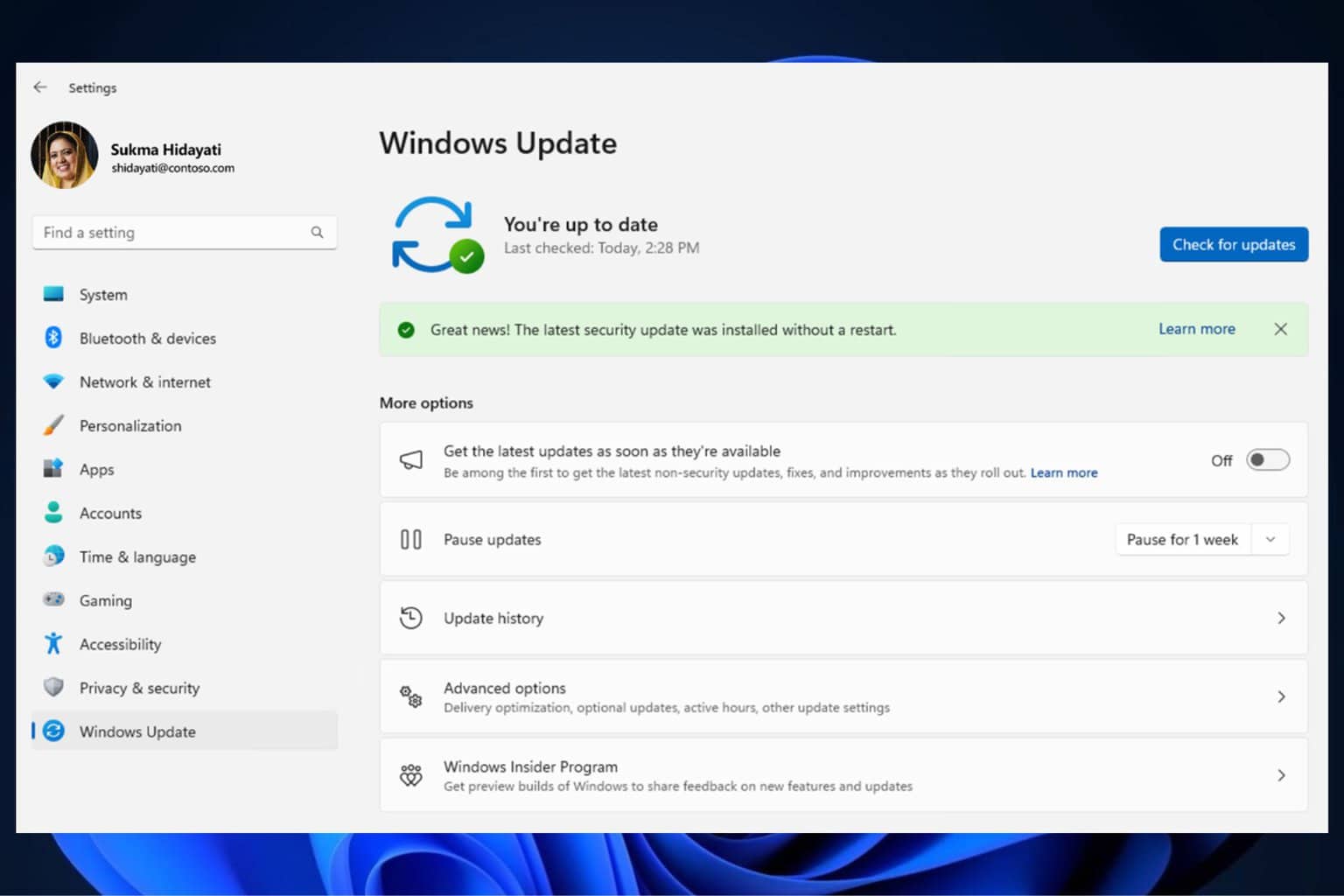
Microsoft has announced the availability of hotpatch updates for Windows 11 Enterprise, version 24H2, on x64 (AMD/Intel) systems.

This innovative feature allows organizations to install security updates without requiring a reboot, minimizing user disruptions. Hotpatching applies updates directly to in-memory processes, ensuring immediate protection against vulnerabilities.

The updates follow a quarterly cycle, with cumulative baseline updates requiring a restart in January, April, July, and October. In the following months, hot patch updates are applied without the need for a reboot.

QuarterBaseline update 
(requires restart)
Hotpatch update
(no restart required)
1JanuaryFebruary and March
2AprilMay and June
3JulyAugust and September
4OctoberNovember and December

The Windows 11 Hotpatch feature has some considerable benefits. In the official announcement, the Redmond-based tech giant says it will greatly help organizations by offering immediate security without the need to disrupt actions.

To enable hot patching, organizations need a Windows 11 Enterprise subscription and devices meeting specific requirements, including Virtualization-based Security (VBS) enabled.

To enable hotpatching for Windows client devices, you will need:

  • A Microsoft subscription that includes Windows 11 Enterprise E3, E5, or F3, Windows 11 Education A3 or A5, or a Windows 365 Enterprise subscription
  • Devices running Windows 11 Enterprise, version 24H2 (Build 26100.2033 or later) and with the current baseline update installed
  • An x64 CPU including AMD64 and Intel (Note: Arm®64 devices are still in public preview)
  • Microsoft Intune to manage deployment of hotpatch updates with a hotpatch-enabled Windows quality update policy
  • Virtualization-based Security (VBS) enabled

While currently available for x64 systems, hot patching remains in public preview for ARM64 devices.

You can read more about it here.

In other similar news, Microsoft recently released the Quick Recovery Machine for Windows 11, which allows the operating system to fix itself when it encounters a screen of death.

Windows 11 is now the most popular Windows version amongs Steam gamers

Microsoft’s Windows 11 is rapidly becoming the operating system of choice for gamers, according to Valve’s latest Steam Hardware and Software survey for March 2025.

The survey reveals that Windows 11 now holds a commanding 55.34% share among Windows users on Steam, marking an 11.24-point increase from the previous month.

This surge has propelled Windows 11 back into the top spot, overtaking Windows 10, which now accounts for 40.58% of the market—a decline of 12.76 points.

The growing popularity of Windows 11 among gamers is attributed to its advanced gaming features, such as Auto HDR and DirectStorage, which enhance performance and provide a more immersive gaming experience. These features have made Windows 11 an attractive option for gamers looking to optimize their setups.

Despite the decline in Windows 10’s market share, the operating system remains significant on Steam. With support for Windows 10 set to end in October 2025, its continued popularity highlights the reluctance of some users to upgrade, even as newer technologies become available.

Windows remains the dominant platform for gaming, with an overwhelming 96.10% share on Steam. Linux and macOS trail behind, holding 2.33% and 1.58% of the market, respectively. Among hardware preferences, the Nvidia RTX 3060 remains the most popular graphics card, followed by the RTX 4060 and its laptop variant.

What do you think about these stats? Are you still using Windows 10, or have you migrated to a newer version?

Microsoft 365 Copilot makes it incredibly easy to share images from mobile devices

Microsoft has unveiled a new feature for its Microsoft 365 Copilot, enabling users to upload images directly from their mobile devices to their desktop or web applications.

This update simplifies workflows and enhances productivity by eliminating the need for intermediate steps like emailing images or using third-party tools.

With this feature, users can now take a photo or select an image from their phone’s gallery and upload it directly to Microsoft 365 apps such as Word, Excel, and PowerPoint.

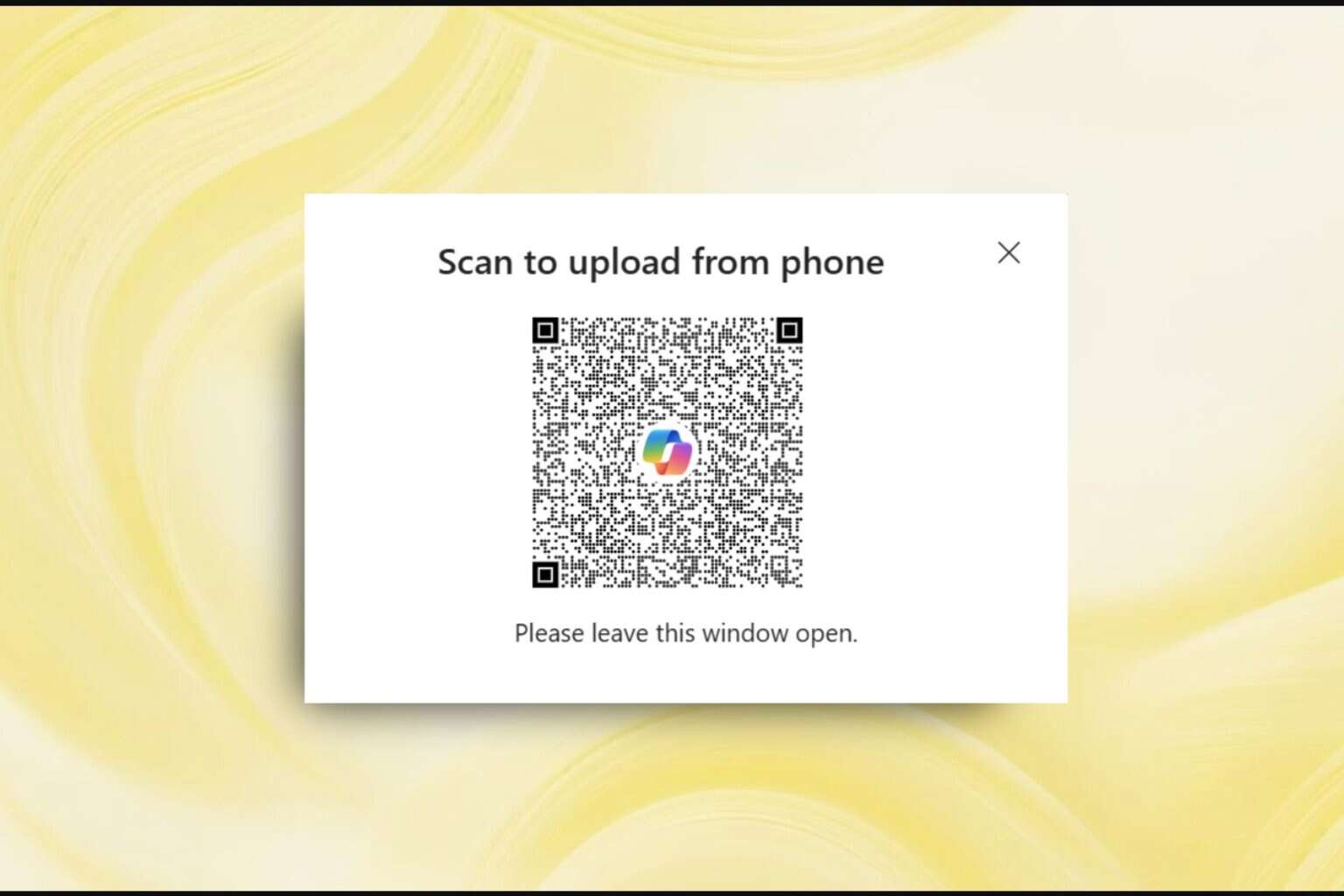
In a blog post, the Redmond-based tech giant explains the process: It involves scanning a QR code generated within the Copilot interface and redirecting users to a web page where they can upload their chosen image. Once uploaded, the image will appear in the Copilot chat box on the desktop or browser and be ready for further use.

This functionality is particularly useful for tasks like transcribing handwritten notes, summarizing whiteboard brainstorms, or digitizing receipts. It streamlines data collection and allows users to supplement their documents with minimal disruption to their workflow.

Currently, this feature is available for Microsoft 365 apps on Windows and the web and requires an Enterprise Copilot license. Users must also make sure their Office version meets the requirements to access this capability.

In other similar news, Microsoft has enhanced Copilot with the capability to summarize really big books: around 3000 pages per document. So, if you want to read A Song of Fire and Ice but don’t have the time, Copilot can summarize it for you.

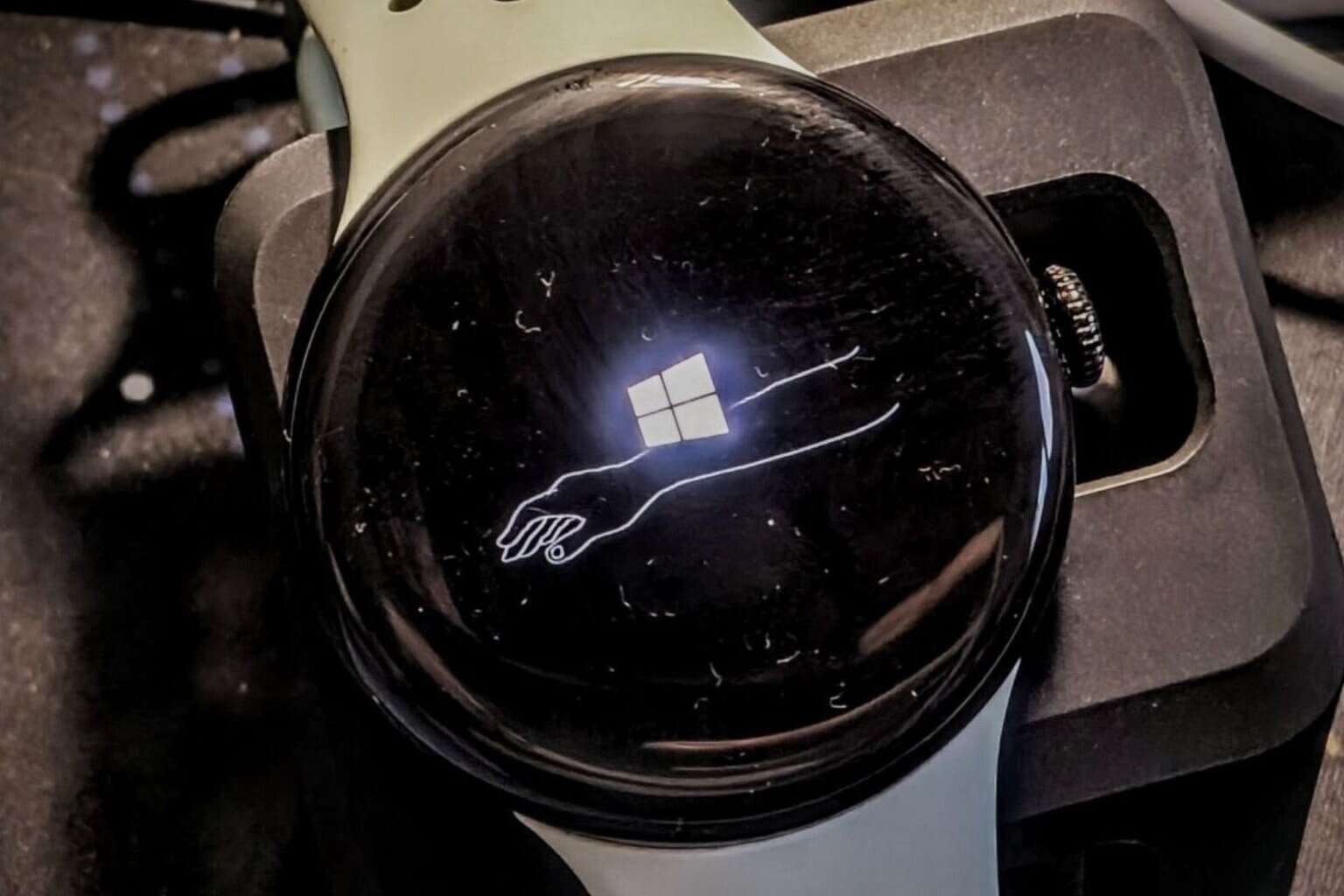
Windows on ARM (quite literally): Running Windows on a Smartwatch

In a plot twist, a developer successfully brought Windows on ARM to an unexpected smartwatch platform. The project, detailed in a recent blog post, showcases the potential of modern wearable technology and the adaptability of Windows on ARM.

The experiment involved running Windows on a Google Pixel Watch 3, a smartwatch with impressive hardware, including a quad-core ARM Cortex-A53 processor, 2GB of RAM, and 32GB of storage.

The watch’s high-resolution OLED display and advanced connectivity features, such as Wi-Fi 6E and LTE, make it a surprisingly capable device for such a project.

The developer had quite the journey, and it involved many steps, such as tweaking the device, and even coming up with entire pieces of software to make Windows on Arm bootable on it. It worked.

Of course, the project only proves Windows’s adaptability on ARM and the technical challenges associated with porting an operating system to a platform it was not originally designed for: Windows is fully responsive and functional on such a small device.

It also sparks curiosity about the potential broader applications of Windows on ARM in the wearable market. Could this experiment pave the way for smartwatches and other wearables to take on tasks currently handled by smartphones or even laptops? While this project is purely experimental, it certainly opens the door for further exploration.

I could certainly think of one application: gaming smartphones. Forget handheld consoles, and let’s try full-on gaming on mobile phones. Or turning our smartphones into fully fledged computers.

PS: The developer released the blog post on April 1st, but they say it’s not a joke. You can read more about it here.

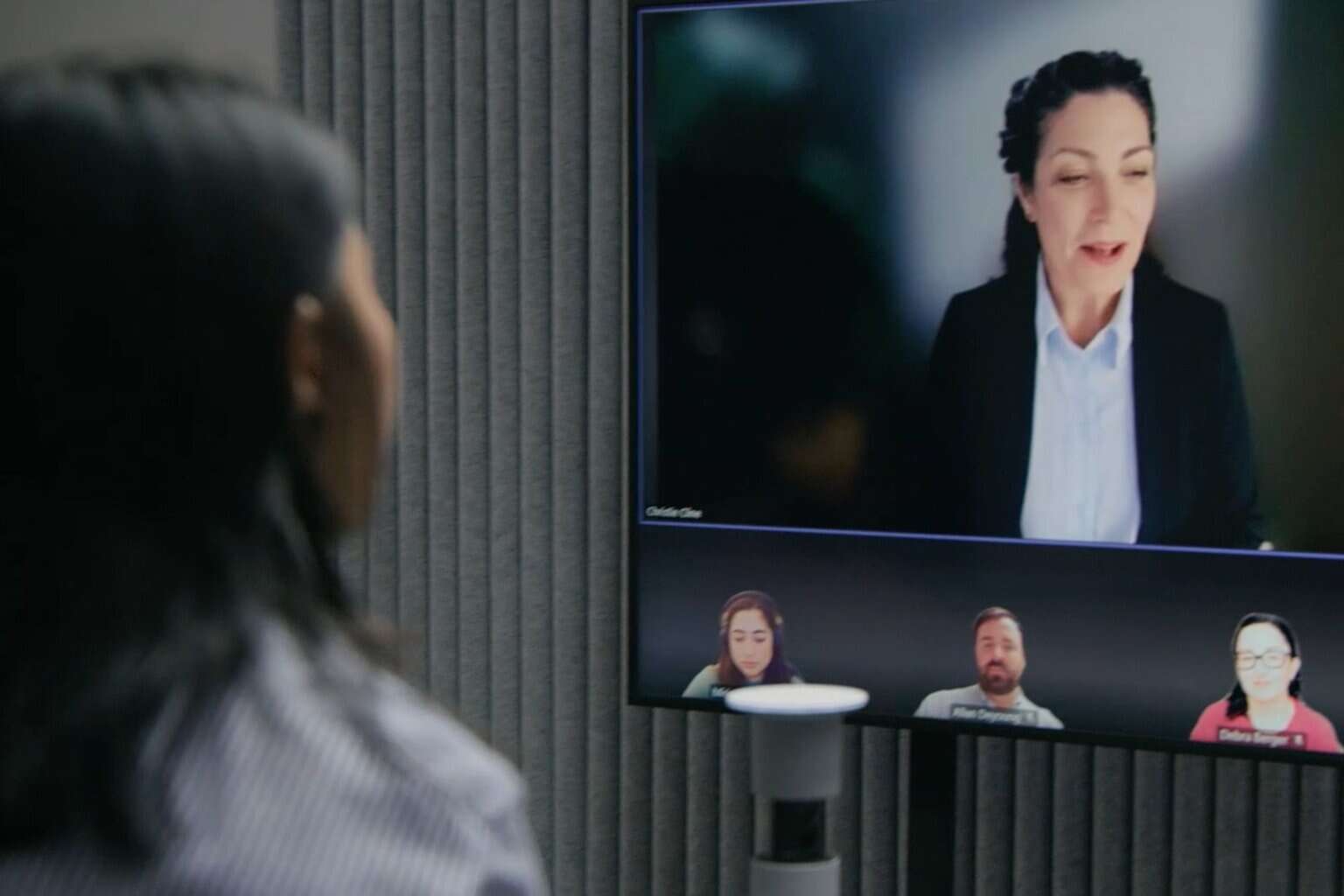
Microsoft’s Teams Rooms will be enhanced with Facial Recognition and Cloud IntelliFrame

Microsoft is going to enhance Teams Rooms on Windows with facial recognition technology and Cloud IntelliFrame capabilities.

According to the entry where we spotted the enhancement, this innovation aims to create a more seamless connection between in-person and remote participants. In other words, it will be available in hybrid meetings.

It will be available exclusively with Teams Rooms Pro, which allows organizations to enable facial recognition through their policies. Once activated and with user profiles enrolled via Teams settings, Teams Rooms can identify individuals, automatically listing them in the meeting roster.

In addition, the Cloud IntelliFrame feature optimizes camera views, ensuring every participant is displayed in the best possible manner. This helps make hybrid meetings feel more immersive—almost like everyone is in the same room together.

Here’s what the entry says:

If facial recognition is enabled in organization policies and you’ve enrolled your profile via Teams Settings, Teams Rooms on Windows using Cloud IntelliFrame will recognize you, list you in the meeting roster, and optimize camera views for participants making hybrid meetings feel like you are all in the room together. This feature available with Teams Rooms Pro.

Microsoft will release the enhancement to Teams Rooms Pro in June 2025, and it will be generally available to all users.

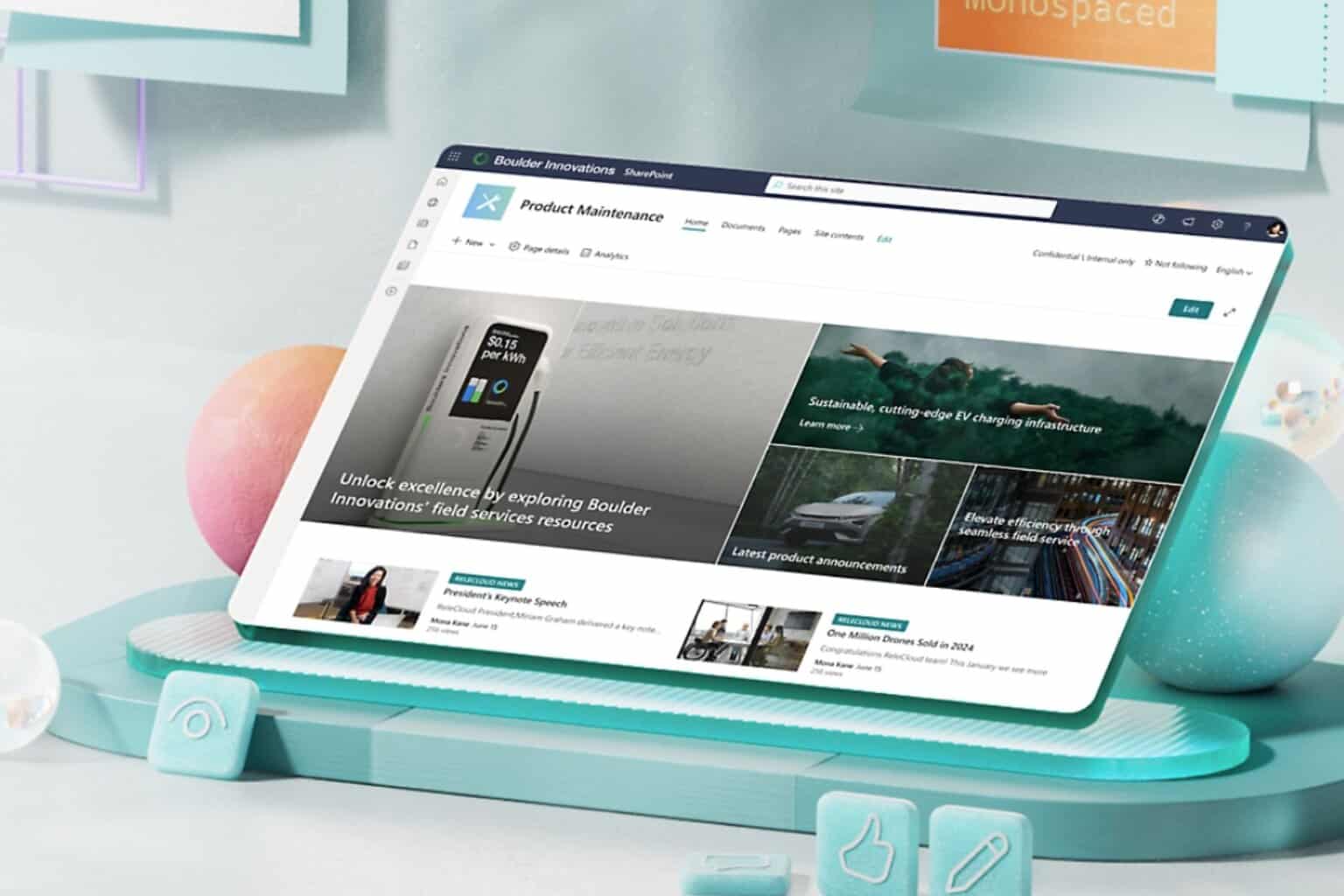
SharePoint will integrate AI Agents on Site Pages

Microsoft has unveiled a new feature for its SharePoint platform. This feature allows site page authors to add “SharePoint agents” directly to their pages. The enhancement, announced in a recent entry to the Microsoft 365 Roadmap, simplifies interactions for end users and provides a more efficient and seamless experience.

SharePoint agents are designed to assist users with tasks like navigating pages, locating information, and engaging with content. By utilizing the newly introduced “agent web part,” authors can easily embed these agents into site pages.

Once added, visitors can access and interact with the agents without leaving the page, streamlining their experience and reducing the need for external tools or navigation.

Here’s what the entry says:

SharePoint site page authors can add SharePoint agents to their pages with an agent web part, allowing end users to easily access and interact with SharePoint agents directly from the site pages.

Integrating SharePoint agents offers a practical solution for organizations looking to provide tailored support and guidance to their users directly within their site pages.

The integration will happen in July.

Sony engineers worked on greatly enhancing Microsoft’s exFAT File System on Linux

Microsoft’s exFAT (Extended File Allocation Table) file system is receiving a significant performance upgrade on Linux, thanks to contributions from Sony engineers.

This marks another milestone in Microsoft’s collaboration with the open-source community, following the company’s decision to support exFAT on Linux in 2019.

The latest improvements focus on optimizing the exFAT file system’s performance, particularly in scenarios involving large files and extensive data operations. One notable enhancement is the introduction of batch processing for the “discard mount” option.

This feature informs storage devices about blocks no longer in use, enabling real-time discard operations. By discarding contiguous clusters in batches, the new optimization dramatically reduces the time required for file deletion (but you can always convert exFAT to FAT32). For example, deleting an 80 GB file now takes under 2 seconds, compared to nearly 5 minutes—a staggering 172-fold improvement.

Sony’s contributions also address random stack corruption, incorrect error returns, and endless loops in certain operations. These fixes enhance performance and improve the stability and reliability of the exFAT file system on Linux.

You can read more about it here.

Microsoft Copilot is now capable of summarizing books with thousands of pages

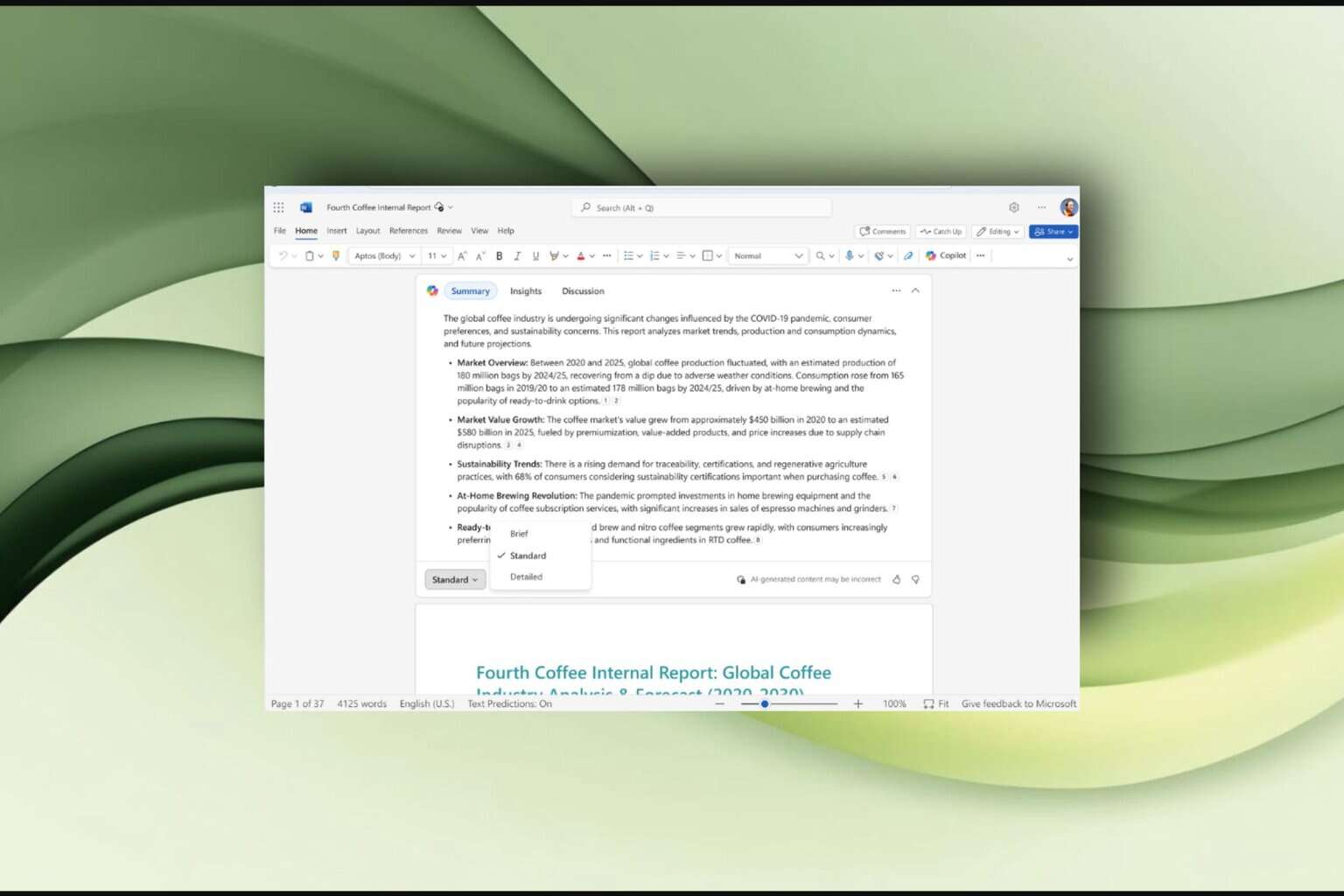
Microsoft has announced exciting updates to its Word application aimed at improving the summarization of lengthy documents, and one of the key updates is the ability to summarize documents up to 3,000 pages long, a significant increase from the previous limit of around 300 pages.

This tenfold improvement ensures that even the most extensive documents can be condensed into concise summaries, making it easier for users to grasp key points without sifting through thousands of pages.

In a blog post, Microsoft has introduced a new feature that allows users to toggle between different summary lengths. Users can now choose from Brief, Standard, and Detailed summaries. This flexibility caters to varying needs, whether users require a quick overview or a more comprehensive understanding of the document’s content.

These features are currently available in Word for the web and are rolling out to desktop users on Windows and Mac. To access these tools, users can navigate to the summary section at the top of their document or use the Copilot feature to generate a summary.

You can read more about it here.

Microsoft publishes the official solution for installing Windows 11 without Internet connection

In a move acknowledging the demand for flexibility in the Windows 11 setup process, Microsoft has unveiled an official method to bypass the requirements for an internet connection and a Microsoft Account during installation.

This development comes after Microsoft tightened its policies last month, including discontinuing the popular BYPASSNRO workaround, which had been a favorite among tech-savvy users.

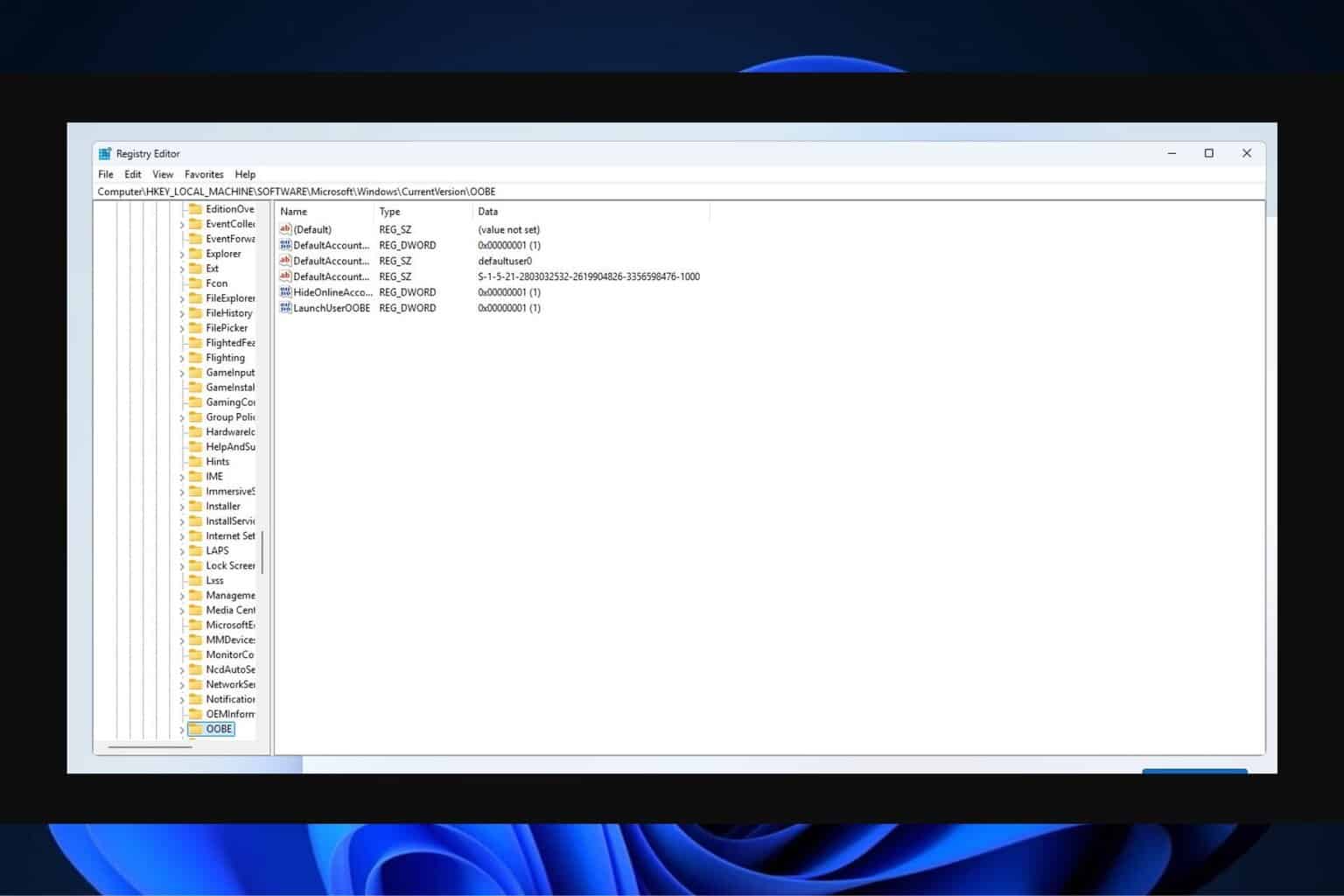
The Redmond-based tech giant revealed a new workaround that involves adjusting specific registry settings within the Windows 11 setup process.

One critical modification is enabling the “HideOnlineAccountScreens” value, which allows users to create a local account instead of being forced to connect to the internet and use a Microsoft Account during the Out-of-Box Experience (OOBE).

This registry tweak primarily aims at enterprises, helping IT administrators streamline deployments. However, Microsoft has not restricted this method solely to organizations, meaning any user with the necessary technical know-how can utilize this approach.

Editing the Windows Registry has inherent risks, and users should proceed with caution or talk with someone who knows their way around it.

As always, users should remember that bypassing certain requirements might impact their experience or the availability of some features on Windows 11. Those interested can consult Microsoft’s official documentation for further details or instructions on implementing these changes.

Did Microsoft Play a Prank? Google and Other Search Engines Missing in Edge

Microsoft, notorious for pushing its products and services in Edge, seems to have removed Google and other search engines such as DuckDuckGo, Yahoo. We noticed this yesterday in the Canary version, which coincidentally falls on April 1st. But with today’s update, Edge Canary has restored these search engines, so was that a possible bug that only affected me or others, or did Microsoft make some fun of its users?

Microsoft Edge, irrespective of which version you use—release/stable, beta, Dev, and Canary—comes with Bing as the default search engine, with SEs also available for users to make default, such as Yahoo, DuckDuckGo, and Google.

With the new Edge settings, you can see the main search engine used in the address bar by visiting Settings > Privacy, search, and services > Search and connected Experience > Address bar and search. No surprises here: Microsoft favors its own Bing and it is the search engine used by users unless they change their search engine to others, which is also easy—they can select one from the dropdown and set as default.

Image Credit: WindowsReport.

Microsoft Edge also shows all address bar search engines in the same section when you click Search engines.

What surprised or quizzed us was yesterday’s, except Bing, other search engines were missing. Since we heard no chatter about this from others, we thought we were only affected but were interested to know what happens with the Edge Canary update. With today’s update, Version 136.0.3234.0, Microsoft Edge restored those search engines and they are available.

Google, DuckDuckGo, Yahoo SEs missing in Edge canary. Image Credit: WindowsReport.

So what could’ve gone wrong? We have not removed any search engines intentionally nor played with flags for that outcome. In case you have still not updated Edge Canary today or noticed this change, let us know your thoughts on this in the comments below.

Apart from this mishap, Microsoft will soon let users personalize Edge with dual themes—image and color—from its appearance settings. Additionally, Edge could replace the Tab Actions menu with a dedicated Tab Search button, similar to Chrome.

Windows 11 has just gained the most market share it has ever since its release

The adoption of Windows 11 is accelerating as users prepare for the end of mainstream support for Windows 10, scheduled for October 2025. According to recent data from Statcounter, Windows 11 experienced its most significant market share increase in three years during March 2025, climbing to 42.66%. Meanwhile, Windows 10 saw a substantial decline, dropping to 54.23%.

This shift reflects a growing wave of migration as users transition to Microsoft’s latest operating system. Windows 11’s year-over-year growth reached 15.98 percentage points, while Windows 10’s market share fell by 14.84 points over the same period.

Despite the momentum, convincing users to upgrade remains challenging, particularly those with hardware that does not meet Windows 11’s stringent requirements, such as TPM 2.0.

Microsoft has introduced an Extended Security Update program for Windows 10 users, offering an additional year of security updates for $30. However, this option is expected to appeal primarily to businesses, as individual users will likely opt for the free upgrade to Windows 11.

While Windows 11 continues to gain ground, older versions of Windows, such as Windows 7 and Windows XP, maintain small but steady market shares. Windows 7 currently holds 2.22%, while Windows XP accounts for 0.33%.

As the October deadline approaches, Microsoft must ensure a smooth transition for users while addressing concerns about hardware compatibility and design changes in Windows 11.

Upgrading to Windows 11 might crash GPO provisioned printers, according to users

Organizations relying on Group Policy Object (GPO) provisioned printers have reported challenges following Windows 10 to Windows 11 upgrades in domain environments.

While the printer provisioning system—using Package Point and Print for security reasons—works seamlessly on Windows 10 devices and newly installed Windows 11 computers, upgraded systems are experiencing problems for existing domain users.

According to reports on Reddit, printers fail to appear for users who had previously logged into the upgraded devices, despite GPOs being correctly applied and no related errors showing in Event logs.

However, newly created user accounts on the same devices experience no issues, with printer provisioning working properly.

What to do? Temporary fixes include disjoining and rejoining the device to the domain or deleting the affected user profiles to reset configurations. These workarounds are not ideal for IT administrators managing large-scale deployments because they can be extremely disrupting.

Experts suggest investigating cached profile settings, registry keys related to printers, or any discrepancies in GPO processing during the upgrade process. Administrators are advised to monitor permissions and services such as the print spooler to diagnose the issue’s root.

Microsoft has yet to comment on the problem. Have you encountered any issues with GPO provisioned printers in Windows 11?

Microsoft will enhance the shared mailbox interface in Outlook for Windows

Microsoft is rolling out a new update to the Outlook for Windows experience, aligning the behavior of Shared Mailboxes with classic Outlook functionality. The new functionality was announced in a recent entry to the Microsoft 365 Roadmap, and the Redmond-based tech giant developed it based on users’ feedback.

This means Shared Mailboxes will now be displayed in the same way as Accounts, providing a more consistent and intuitive user experience.

At the same time, Microsoft is introducing a unique Shared icon to help users visually distinguish between standard and Shared Mailboxes.

Here’s the entry:

To conform with the behavior of classic Outlook for Windows, we are moving Shared Mailboxes to be displayed in the same way that Accounts are displayed and adding a Shared icon to give users a visual distinction between standard mailboxes and Shared Mailboxes. #newoutlookforwindows

This addition makes sure that users can quickly identify and manage Shared Mailboxes while also simplifying navigation and enhancing productivity.

In more recent news, Outlook for Windows will also be enhanced to support a full offline mode, allowing users to search for emails while completely disconnected from the Internet.

8BitDo’s latest Jade Green Controller pays homage to the original Xbox

Gaming accessory maker 8BitDo has introduced a new addition to its Ultimate 3-mode controller lineup: the Jade Green Controller. This latest model, announced on X, features a translucent green design inspired by the original Xbox console’s special edition, adding a fresh aesthetic to the existing black-and-white variants.

The Jade Green Controller boasts advanced hardware, including Hall effect analog joysticks and impulse triggers, which provide precise control and vibration feedback. It also includes two programmable Pro buttons on the back grips, updated bumpers, a D-pad, and a standard 3.5mm audio jack for headset connectivity.

Designed for versatility, the controller supports multiple connection modes:

  • Wireless connectivity via a 2.4G USB dongle for Windows PCs.
  • Bluetooth compatibility with Apple and Android devices.
  • Wired USB connection for Xbox Series X|S and Xbox One consoles.

The onboard mode-switching button allows users to easily switch between Xbox, PC, and Android platforms. Additionally, the controller allows the creation and storage of up to three custom profiles through the 8BitDo Ultimate Software application.

The Jade Edition includes a multifunctional charging dock priced at $69.99. Pre-orders are now available on Amazon, and the official release date is set for May 15, 2025.

Microsoft enhanced Live Caption on AMD and Intel-based Copilot+ PCs supports Simplified Chinese

Microsoft has announced exciting updates to its Copilot+ PC lineup, bringing enhanced AI-powered features to devices equipped with AMD Ryzen AI 300 series, Intel Core Ultra 200V, and Snapdragon X Series processors.

In a blog post, Microsoft says the new Live Captions feature provides real-time audio and video content translations, supporting English and Simplified Chinese. This tool is now available on AMD and Intel-powered devices, expanding its reach beyond Snapdragon-powered PCs.

Voice Access capabilities have also been introduced, allowing users to interact with their PCs using natural language commands. This feature simplifies navigation and reduces the learning curve for voice commands.

Microsoft is also enhancing creative tools across its Copilot+ PCs. The Paint Cocreator feature now supports AMD and Intel devices, enabling users to combine text prompts with hand-drawn sketches for personalized designs.

The Photos app has been updated with Restyle Image and Image Creator functionalities. These allow users to transform images into artistic works or generate visuals from text descriptions.

The updates are part of the March 2025 Windows release and will be rolled out gradually. Users can access these features by updating their Microsoft Paint and Photos applications to the latest versions.

OpenAI announces the release of its first Open-Weight AI Model

In a groundbreaking move, OpenAI has announced plans to release its first open-weight AI model since 2019. This decision marks a significant shift for the company, which has traditionally focused on proprietary AI systems.

The open-weight model, described as a middle ground between open-source and proprietary systems, will allow developers to run the model on their own hardware. This approach departs from OpenAI’s usual cloud-based subscription model, which has been a cornerstone of its revenue strategy. According to OpenAI CEO Sam Altman, the decision to release an open-weight model reflects the company’s commitment to adapting to the evolving AI landscape.

Altman shared the news on social media, stating, “We are excited to release a powerful new open-weight language model with reasoning in the coming months.” He also emphasized the importance of gathering feedback from developers to make the model as helpful as possible.

This announcement comes as OpenAI faces increasing competition from open-source alternatives, such as DeepSeek R1 and Meta’s Llama models. These models have gained traction due to their cost efficiency and accessibility, challenging the dominance of proprietary systems.

The release of the open-weight model is seen as a strategic move to address these challenges and maintain OpenAI’s relevance in the rapidly changing AI industry. By offering a model that balances openness and proprietary control, OpenAI aims to foster innovation while addressing the economic pressures of the AI market.

KB5053654 enhances the Windows 11’s Narrator with a history of spoken content

Microsoft has rolled out Windows 11 Insider Preview Build 22635.5160, KB5053654, to the Beta Channel, bringing exciting updates and improvements. Here’s a closer look at the highlights:

This new feature is designed to enhance accessibility for users who rely on the Narrator. It allows users to access a history of spoken content and follow live transcriptions of the Narrator’s speech.

Users can copy the last phrase using keyboard shortcuts like the Narrator key + Control + X. The narrator key + Alt + X opens a speech recap window, which displays the previous 500 strings the Narrator spoke.

    This feature is handy for Assistive Technology trainers, teachers of visually impaired students, and hard-of-hearing professionals. It ensures that users can easily refer back to spoken hints, error codes, or other vital information without repeating tasks.

    Elsewhere, KB5053654 allows users to edit pictures directly in the Windows share window without having to open an additional app. Users can crop, rotate, apply filters, and even change resolutions. The capability currently supports the following formats: .jpg, .jpeg, .dib, .png, .tif, .tiff, and .bmp.

    You can read KB5053654‘s full release notes here.

    Mozilla wanted to surprise Firefox users with an April Fools’ Day logo, but it was cancelled. Here’s what they had planned.

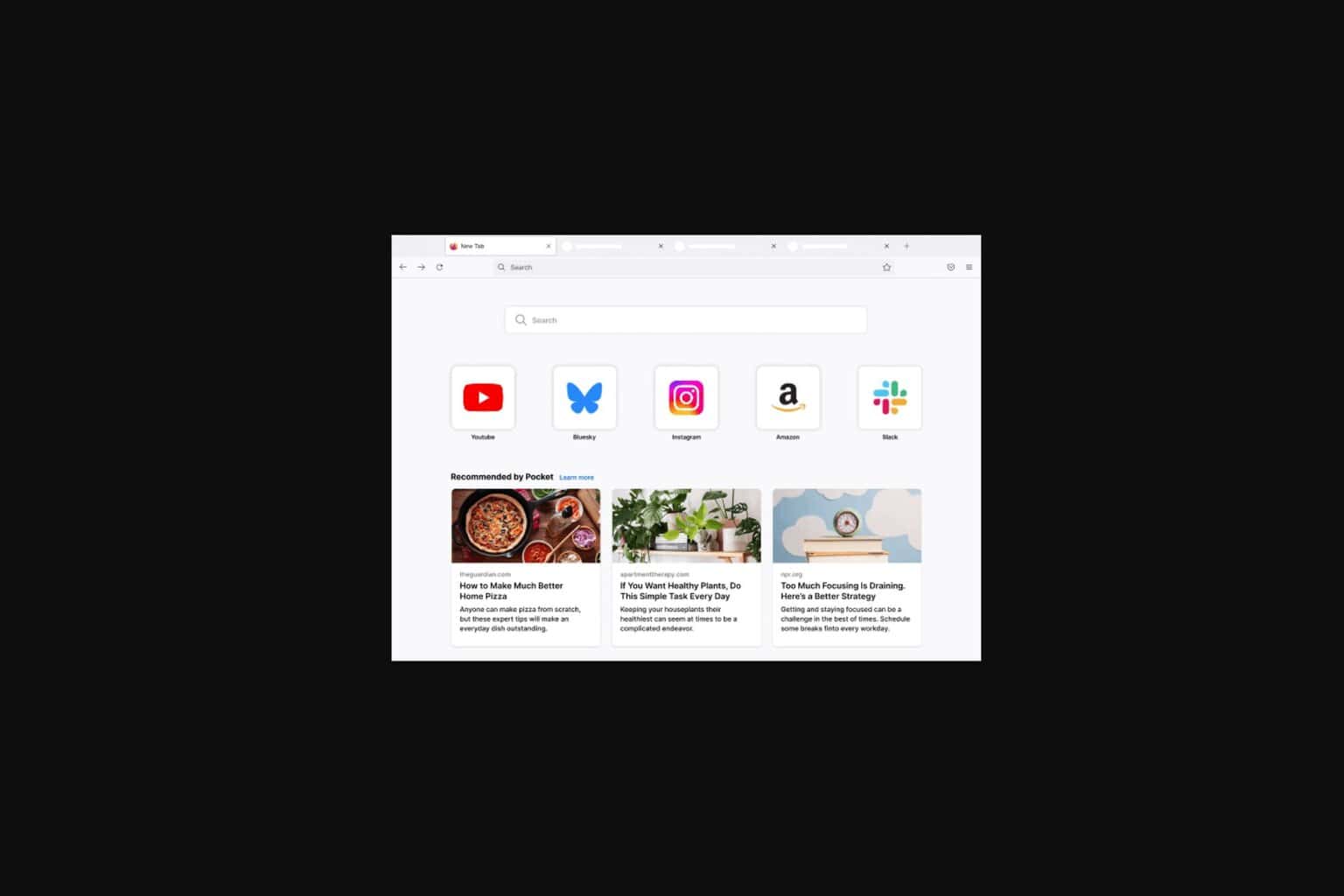
    Mozilla wants to surprise users with a fun Firefox logo on April Fools’ Day in the stable version of Firefox for everybody. But somehow, the organization has cancelled its plans. It should have been live today, but here it is—we have uncovered the “Derp Fox” for you to see in case you really miss it, as you may not have known about this anyway.

    April Fools’ Day 2025 is today, so be careful and don’t believe everything you hear or see. But this one is real, not a prank or joke. Firefox’s April Fools’ logo on the New Tab Page.

    Firefox’s April Fools’ logo on the New Tab Page

    Firefox, till now, has never done this kind of stuff, at least not on April 1st, but the company wanted to.

    As you see in the video posted below, if you open Firefox and the New Tab Page, you can see the Derp Fox logo. When you mouse over it, it will spin clockwise and counterclockwise. Mozilla has abandoned this for some reason. We are sharing this for the Firefox community to know about—we wouldn’t have covered this if it was live.

    Image courtesy: WindowsReport.

    Today, Google also hasn’t published any doodle on their homepage for this day. However, the search engine giant showcased one 15 years back in 2010 on April, 1st. Here it is.

    According to Wikipedia, “The name ‘Topeka’ is a Kansa-Osage word that means ‘place where we dig potatoes,’ or ‘a good place to dig potatoes.'”

    New Year 2025 is a mixed bag so far. Mozilla brought new profile management, tab grouping including AI suggestions, and vertical tabs features to the Nightly version for testing.

    Additionally, Mozilla is working on adding Progressive Web Apps (PWAs) to the taskbar and mica effect on Windows -we have reported exclusively about PWA support, cheeck it here.

    However, the launch of new terms of use and the Privacy Policy update has triggered some backlash from the community. Mozilla has to update and rephrase some of the words to make it clear for users again.

    What’s your take on Firefox’s April Fools’ logo on the New Tab Page? Have you liked it? Let us know your thoughts in the comments below.

    Microsoft Teams introduces compliance-driven Meeting Moderator policies that provide extensive security in collaboration across restricted groups

    Microsoft is enhancing the compliance capabilities of its Teams platform with a new meeting feature designed to enable secure collaboration across restricted groups while maintaining strict regulatory oversight.

    This innovative addition addresses the challenges of working across information barriers—also known as ethical walls—commonly used in industries such as finance and healthcare.

    The new feature, announced in a recent entry to the Microsoft 365 Roadmap, ensures that meetings involving participants from restricted groups can only proceed under the supervision of a designated moderator. The compliance department appoints these moderators to oversee interactions and maintain adherence to regulations. If the last moderator leaves the meeting, it is automatically ended, preventing unsupervised communication that could potentially breach compliance guidelines.

    Organizations often face stringent regulatory requirements demanding tight control over communication between groups. By enabling real-time compliance monitoring, Microsoft Teams wants to provide a secure environment for sensitive discussions, balancing collaboration and regulatory integrity.

    Here’s what the entry says:

    This new Microsoft Teams Meeting feature enables secure collaboration between users separated by information barriers (also known as ethical walls) under strict compliance oversight. With this capability, meetings involving participants from restricted groups can proceed only when a designated meeting moderator—assigned by the compliance department—is present. If the last moderator leaves the meeting, the meeting automatically ends. This ensures real-time compliance monitoring and maintains regulatory integrity during sensitive cross-barrier interactions.

    The new policy will be added to Teams in May, and it will only be available to Premium customers.

    Microsoft will enhance the AI admin with the ability to handle the Copilot Dashboard

    Microsoft is introducing a new administrative role called the AI Administrator as part of its Entra platform.

    A recent entry to the Microsoft 365 Roadmap states that this role is specifically designed to handle tasks related to the Microsoft Copilot Dashboard.

    By assigning this role to admin users, they can manage the Copilot Dashboard effectively without needing the broader (and sometimes unnecessary) access that comes with Global Admin permissions.

    Here’s what the entry says:

    Expanding the Microsoft Copilot Dashboard admin settings to AI Administrator role which is the newly announced Entra role. Admin users assigned with the AI Administrator role can efficiently manage Microsoft Copilot Dashboard without the vast privileges of Global admin permissions.

    In short, it’s a way to give administrators the tools to manage AI-related settings without granting them excessive privileges that could pose security risks.

    The new enhancement is also in sync with Microsoft’s new AI Admin role that is being released to the Teams Admin Center.

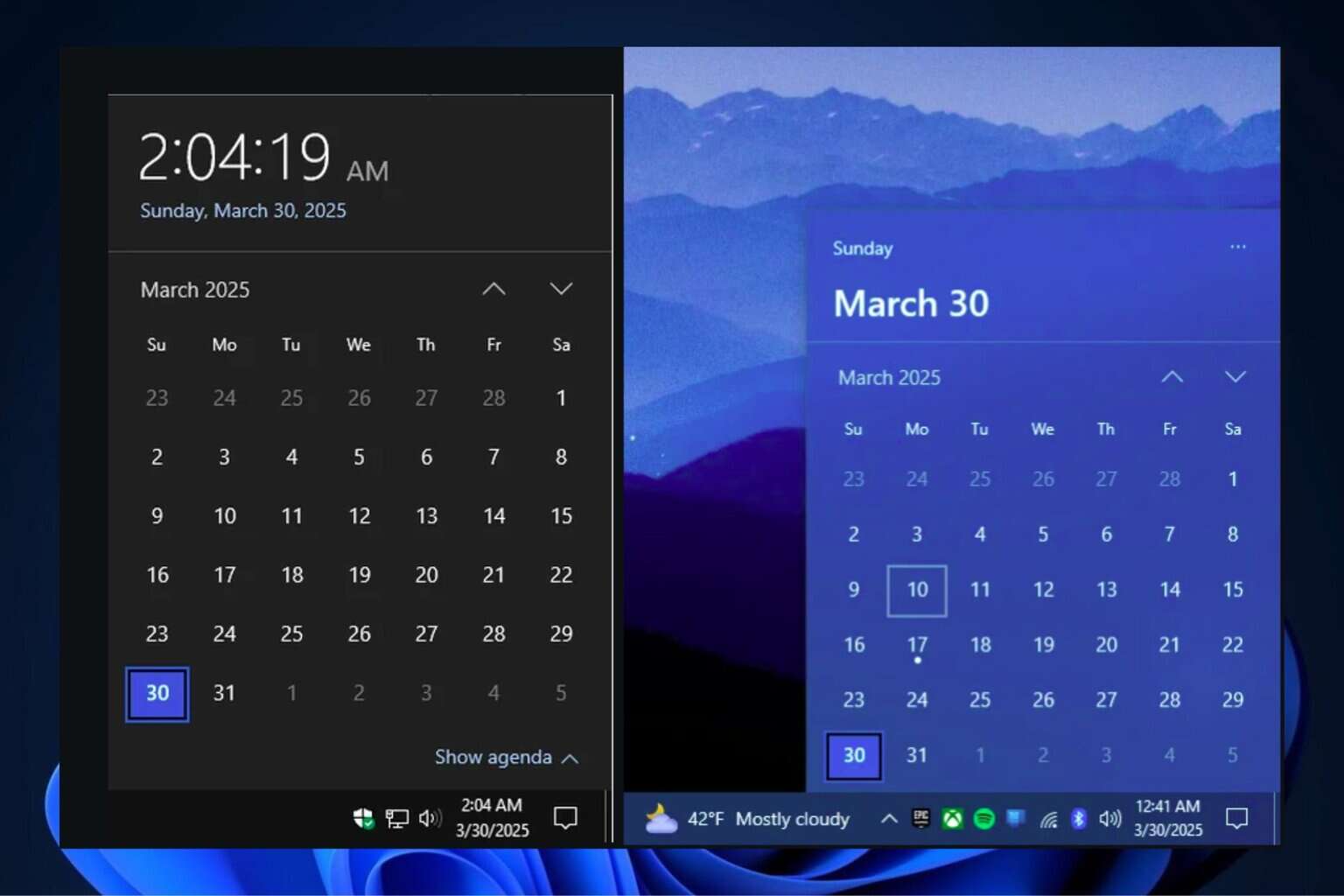
    Some Windows 10 users can no longer access the calendar flyout properly

    It seems that Windows 10 doesn’t properly display the calendar flyout for many users, according to a popular post on Reddit that attracted thousands of reactions in a short span of time.

    The calendar flyout is a sample of the operating system and usually shows a clock with it. Windows 10 displays the seconds, making it useful for those who want to have a complete sense of time.

    However, it seems that some Windows 10 computers are affected by a bug that makes the clock disappear, turning the calendar flyout into a version similar to that currently in Windows 11.

    The issue is now widespread, and it seems many Windows 10 users are affected by it.

    What to do if you’re affected? A simple restart should solve the issue. Also, make sure to install the latest Windows updates. A problem like this would have been documented already.

    Remember that Windows 10 will reach its EOS at the end of this year, and maybe now is a good time to migrate to Windows 11.

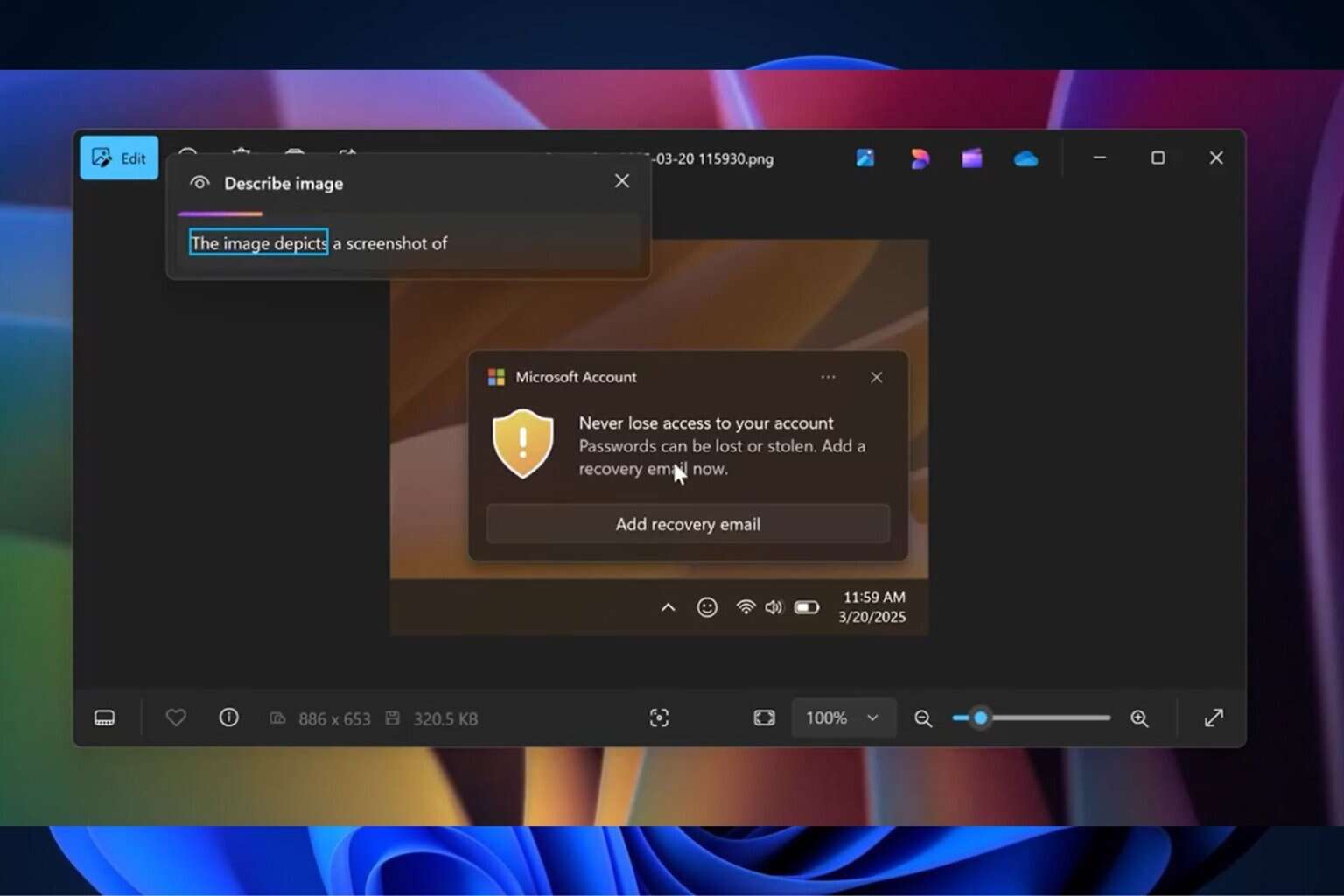
    Microsoft is enhacing Windows 11’s Narrator with AI-powered image descriptor

    The Windows 11 narrator will be powered by AI to provide image descriptions to users, according to a hidden capability spotted by tech enthusiast @phantomofearth in the latest Windows Insider builds.

    The capability, teased by Microsoft last year at Ignite, is now hidden in Snapdragon-based Copilot+PCs, and it can be uncovered using the third-party app ViveTool and the following command:

    vivetool /enable /id:55393518

    The capability uses the device’s NPU to provide the description, which can be extremely useful for impaired individuals and can also be used as alternative text for SEO reasons.

    Photo credits: @phantomofearth

    Microsoft finally addresses a long-standing issue in Excel with Value Tokens

    Microsoft has unveiled a new feature for Excel called “Value Tokens,” designed to improve users’ interaction with rich data types.

    This update, now available to Microsoft 365 Insiders on Excel for Windows, aims to provide a more intuitive and visually distinct experience when working with diverse data formats.

    In a blog post, Microsoft says Value Tokens are small visual indicators in cells containing rich data types, such as geography, currencies, or stocks. These tokens include a colored background and an accompanying icon, making it easier for users to identify and differentiate data types at a glance. This enhancement addresses a long-standing limitation in Excel, where rich data types were not distinguishable in the formula bar.

    Users can select a cell and assign a data type through the “Data Types” menu to use Value Tokens. Once applied, the token appears in the cell, providing immediate visual feedback. Microsoft plans to integrate this feature into Excel’s formula editing experience in future updates.

    Currently, Value Tokens are available in Excel for Windows users running version 2502 (Build 18623.20020) or later. Microsoft has announced plans to roll out this feature to Excel for Mac, iOS, Android, and the web, ensuring a consistent platform experience.

    Speaking of Excel, it seems that the Microsoft 365 community finds Copilot extremely useful on this platform: from teaching Excel novice users how to navigate the platform to providing experienced users with a way to get things done faster, the AI model in Excel might be the most popular version yet.

    Microsoft no longer wants users to install Windows 11 without Internet connection

    Microsoft has introduced changes to Windows 11 setup requirements, making it increasingly difficult for users to install the operating system without an internet connection or a Microsoft account.

    This move, aimed at enhancing security and promoting ecosystem integration, has sparked mixed user reactions.

    In the latest Windows Insider Preview builds, Microsoft has removed the popular “bypassnro” command, which previously allowed users to skip the online account requirement during setup.

    All new Windows 11 installations, including clean installations, require internet connectivity and a Microsoft account to proceed. This change applies to both Home and Pro editions of the operating system.

    While Microsoft justifies these measures as necessary for improved security and user experience, many users view them as restrictive.

    Those who prefer local accounts or lack internet access during setup are particularly affected. Popular tech enthusiast @phantomofearth has identified alternative methods to bypass these requirements, such as modifying the Windows Registry or using tools like Rufus. However, these workarounds may be blocked in future updates.

    What do you think about this?

    Photo credits: @phantomofearth

    KB5054687 makes the Local Semantic Search available for AMD and Intel-based Copilot+ PCs

    Microsoft has released the Windows 11 Insider Preview Build 26200.5516, KB5054687, to the Dev Channel, introducing innovative features to enhance user experience and productivity.

    One of the standout features of this build is the introduction of Local Semantic Search for AMD and Intel-powered Copilot+ PCs. This advanced search capability allows users to find documents, photos, and settings using natural language descriptions.

    For instance, users can type phrases like “bridge at sunset” to locate specific images or “Europe trip budget” to find relevant documents. This feature eliminates the need to remember exact file names or content, making search more accessible and efficient.

    The build also includes a “Speech Recap” feature for Narrator, enabling users to access and copy spoken content for quick reference. Additionally, Microsoft has redesigned the Green Screen of Death interface, aligning it with Windows 11’s modern aesthetic.

    Starting with this build, the Dev Channel moved ahead to the 26200 series, while the Beta Channel continued with the 26120 series.

    You can read KB5054687‘s full release notes here.

    With KB5053658, Microsoft releases Quick Machine Recovery to Windows 11, allowing the OS to fix itself

    Microsoft has rolled out the Windows 11 Insider Preview Build 26120.3653, KB5053658, to the Beta Channel, bringing a host of new features and improvements aimed at enhancing user experience and system resilience.

    This update, part of the Windows 11 version 24H2 development, introduces the much-anticipated Quick Machine Recovery (QMR) feature, alongside other major enhancements.

    The highlight of this build is the Quick Machine Recovery feature, a key component of Microsoft’s Windows Resiliency Initiative announced at Ignite 2024.

    Designed to address widespread boot issues, QMR leverages the Windows Recovery Environment (WinRE) to automatically detect and apply fixes. In the event of a critical boot failure, the system connects to the network, sends diagnostic data to Microsoft, and receives targeted remediations via Windows Update.

    This feature is enabled by default for home users, while IT administrators can customize and test it for enterprise environments.

    In addition to QMR, the update introduces a “Speech Recap” feature for Narrator, allowing users to access and copy spoken content for quick reference.

    The new tech is released with dozens of new shortcuts to allow users easier access to its capabilities. Plus, the Redmond-based tech giant says the live transcription of the Narrator’s speech will be useful to Assistive Technology trainers, teachers of students with visual impairments (TSVI) who support students in class, and professionals who are hard of hearing and want to use Narrator.

    The build also includes a redesigned interface for unexpected restarts, aligning with Windows 11’s modern design language.

    KB5053658 also debuts a new updated UI for unexpected restarts for Windows. The new UI comes a few weeks after the Redmond-based tech giant teased a new OOBE.

    You can read KB5053658’s full release notes.

    Microsoft Edge Tests Color & Background Themes with Live Preview for Browser Personalization

    Microsoft has updated Edge’s Appearance settings in the Canary version with Color and Image Themes, along with a Preview Pane that shows how Edge looks when you apply theme and wallpaper changes in real-time. This is a major theme customization upgrade for sure.

    Microsoft Edge already offers built-in themes, including light, dark, and device-specific modes, along with AI-generated themes through a dedicated web app for personalization of the browser. Now, Edge is taking customization to the next level with new theming and wallpaper options in its Canary build, porting images and NTP background customization options to Appearance settings.

    Edge’s Appearance settings in the Canary version now include two distinct tabs under the Theme section: Color Theme and Image Theme.

    The Color Theme tab allows users to explore various color themes along with a live preview below, showing how Edge will look once applied.

    Edge color theme tab in Appearance settings. Image Credit: WindowsReport.

    In the Image Theme tab, users can see a current preview of their theme featuring a wallpaper. They can choose from a collection of wallpapers provided by Edge or select their own uploaded image. Additionally, users can customize the color scheme with four preset options or use a color picker for exact adjustments.

    Edge Image Theme tab in Appearance Settings. Image Credit: WindowsReport.

    Edge still allows “Refresh wallpapers daily” with a toggle, which automatically applies new wallpapers to Edge.

    Microsoft is consolidating theme and background customization within a single settings panel, rather than splitting them between Appearance settings and the New Tab Page. This allows users to preview and apply themes, wallpapers, and color schemes easily without switching between multiple sections.

    Chrome with Side Panel lets you customize the new tab page and browser with theme options, where you can see changes immediately when selecting a theme with the side panel open. Microsoft Edge provides an even better preview option showing how Edge will change when you select a theme or wallpaper.

    Do note the theme and wallapaer customization changes in appearance settings being tested in Canary verison.

    That’s not all. Microsoft may soon replace Edge’s tab actions menu with a tab search button featuring a left pane. Additionally, Microsoft Edge is adding a Copilot button throughout the interface to push its AI features. Microsoft has also prepared an Edge Android extensions page, allowing users to install extensions soon.

    What’s your take on this? Let us know in the comments below!

    Microsoft releases KB-LAM, a new AI framework capable of addressing LLMs’ limitations

    Microsoft announced KB-LAM (or Knowledge Base Large Language Model), a framework developed by Microsoft to enhance the capabilities of Large Language Models (LLMs) by integrating external knowledge straightforwardly and efficiently.

    The Core Innovation

    In the official blog post, Microsoft says the primary goal of KB-LAM is to enable LLMs to access and utilize external knowledge bases effortlessly. Traditional LLMs primarily rely on the data they were trained on, which can limit their ability to provide accurate and up-to-date information in specialized domains. KB-LAM addresses this limitation by offering a plug-and-play mechanism that allows the models to fetch external data when needed.

    How KB-LAM Works

    KB-LAM acts as an intermediary that connects LLMs with external knowledge sources. This means:

    • Models can query external databases to retrieve relevant information in real time.
    • The integration process is designed to be seamless, requiring minimal adjustments to the existing model architecture.

    Benefits of KB-LAM

    1. Enhanced Accuracy: LLMs can provide more precise and contextually relevant responses by leveraging external knowledge.
    2. Expanded Use Cases: KB-LAM broadens the applicability of LLMs in industries like healthcare, finance, education, and legal services, where domain-specific expertise is crucial.
    3. Improved Efficiency: The plug-and-play nature reduces the complexity of integrating knowledge bases, saving time and resources.

    Applications Across Industries

    KB-LAM is poised to revolutionize how AI is used in various sectors:

    • Healthcare: AI systems can access medical databases to provide accurate diagnoses or recommendations.
    • Finance: Models can retrieve real-time market data for investment strategies.
    • Education: Teachers and students can use AI tools to access updated academic resources.
    • Legal Services: Lawyers can utilize AI that connects to legal databases for case analysis.

    Future Implications

    The introduction of KB-LAM represents a step forward in making LLMs smarter and more adaptable to specific needs. Given that Microsoft has made AI one of its central topics of investing, with Copilot being more present in Windows than ever, KB-LAM might be used to enhance the tool.

    You can read more about KB-LAM here.