
Proton Mail Login: How to Sign In to Your Account on Any Device


 4 min. read
  Published on
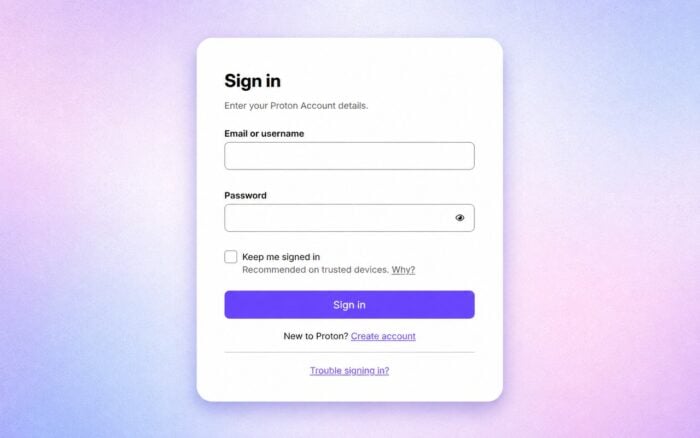
Proton Mail is a choice for many who want to keep their emails encrypted, and in today’s guide, we’re going to show you how to log in to Proton Mail.
How do I log in to Proton Mail?
1. Sign in on desktop or web
To sign in to Proton Mail on desktop or web, follow these steps:
- Open the official Proton Mail sign-in page in your browser.
- Enter your Proton email address or username.
- Enter your account password and select Sign in.
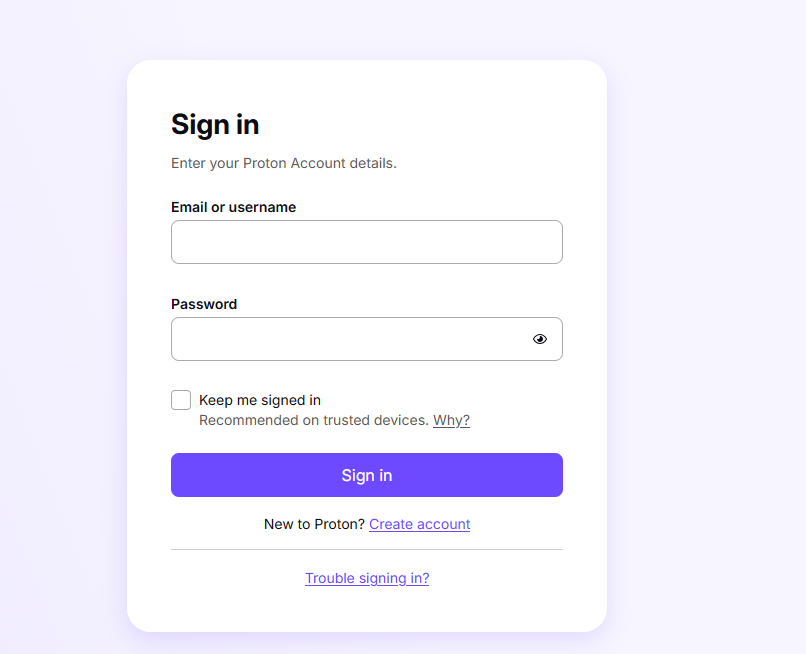
- Complete two-factor authentication if Proton asks for a verification code.
You can also access Proton Mail through its official web app. Web access requires a supported modern browser with JavaScript, cookies, and session storage enabled.
Security tip: On a shared or public computer, avoid selecting Keep me signed in. Always sign out when you finish.
2. Use the official Proton Mail app
To use the official Proton Mail app on your mobile device, follow these steps:
- Install the official Proton Mail app from Google Play (Android) or the App Store (iPhone/iPad).
- Open the app, select sign in, then enter your Proton username or email and password. Complete two-factor authentication if prompted.
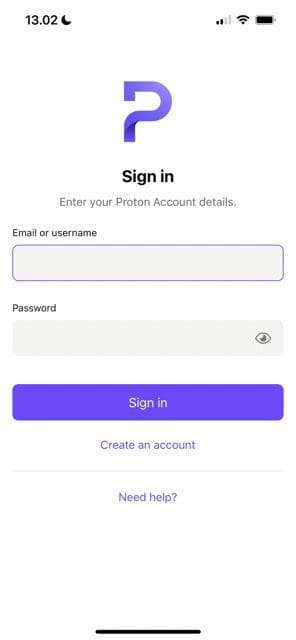
- Use the app to read, send, and organize emails and receive push notifications.
3. Use a mobile browser
To access Proton Mail through your mobile browser, follow these steps:
- Open your mobile browser.
- Go to https://account.proton.me/
- Enter your Proton credentials and complete any security verification.
Other ways to access Proton Mail
Proton also offers a desktop application for Windows, macOS, and Linux. Availability can depend on your Proton plan, while free users may receive trial access to the desktop app.
For desktop email clients such as Outlook, Thunderbird, and Apple Mail, Proton provides Proton Mail Bridge for eligible plans.
Proton Mail Bridge lets compatible email clients communicate with your encrypted Proton mailbox. It works differently from signing in through a web browser.
When you might need Proton Mail login on another device
You may need to sign in from another browser or device if:
- Your phone is lost or unavailable.
- The Proton Mail app stops working.
- You are traveling.
- You purchase a new computer or phone.
- Your usual browser has login problems.
- You need temporary access from another device.
Proton also lets you use multiple Proton Accounts in separate browser tabs, which can help if you manage more than one account.
Common Proton Mail login problems and fixes
If your Proton Mail login fails, first confirm that you entered the correct username and password. Also check whether Caps Lock is enabled.
You can then try these fixes:
- Clear your browser cache and cookies.
- Open Proton Mail in a private or incognito window.
- Temporarily disable browser extensions that may interfere with the login page.
- Try another supported browser.
- Test the account on another device.
- Check your internet connection.
If you cannot remember your password, select Trouble signing in? on the login page and choose Forgot password. Your available recovery options will determine how you can regain access.
For two-factor authentication problems, make sure your phone and computer have the correct date and time. Proton also supports recovery options when an authenticator app or security key is unavailable.
If you have an older Proton account, check your email domain carefully. Some accounts use addresses ending in protonmail.ch, so entering the wrong address can prevent you from signing in.
It’s worth mentioning that Proton Mail is one of the best email privacy software, and if you are planning to switch to it, don’t miss our guide on how to transfer Outlook emails to Proton Mail.
FAQs related to Proton Mail login
What is the official Proton Mail login page?
You can sign in through Proton’s official account login. Avoid entering your password on unfamiliar or unofficial login pages.
Can I log in to Proton Mail without the app?
Yes. Open Proton Mail in a supported web browser and sign in with your Proton Account.
What if I forgot my Proton Mail password?
Select Trouble signing in? and choose Forgot password. The recovery options available on your account will determine how you can regain access.
Can I use Proton Mail on multiple devices?
Yes. You can access Proton Mail through supported browsers and official Proton apps on compatible devices.
If you continue experiencing login problems, contact Proton Support instead of using third-party login pages or unofficial account recovery services.

Read our disclosure page to find out how can you help Windows Report sustain the editorial team. Read more



Improve this guide


User forum
0 messages