
SharePoint Gets New Template Gallery for Pages and News
The rollout should complete by mid-September 2025


 2 min. read
  Published on

Microsoft is rolling out a new way to build professional pages and news posts in SharePoint. The new Template Gallery is now generally available for commercial customers worldwide, designed to take the hassle out of formatting so teams can focus on messaging.
The update introduces a centralized hub where users can browse templates, including Saved on this site, Full-page apps (when available), and From Microsoft collections. Among them is a growing library of modern, polished designs built for quick adoption.
Here’s how it works in real life:
Scenario 1: Build an HR page in minutes
- Head to your HR site and choose New > Page.
- The Template Gallery opens, showing Microsoft’s curated options.
- Select the Visual topic introduction template, which includes sections for overviews, links, and contacts.
- Update text and visuals to match your program details, then publish.

Within minutes, you have a clean, engaging HR benefits page — no need to start from scratch.
Scenario 2: Share product updates with stakeholders
- From your project site, select New > News post.
- Pick from curated News templates inside the gallery.
- Choose the Product news template, designed with sections for highlights, next steps, and team details.
- Replace placeholders with your own content and share directly by email or site link.
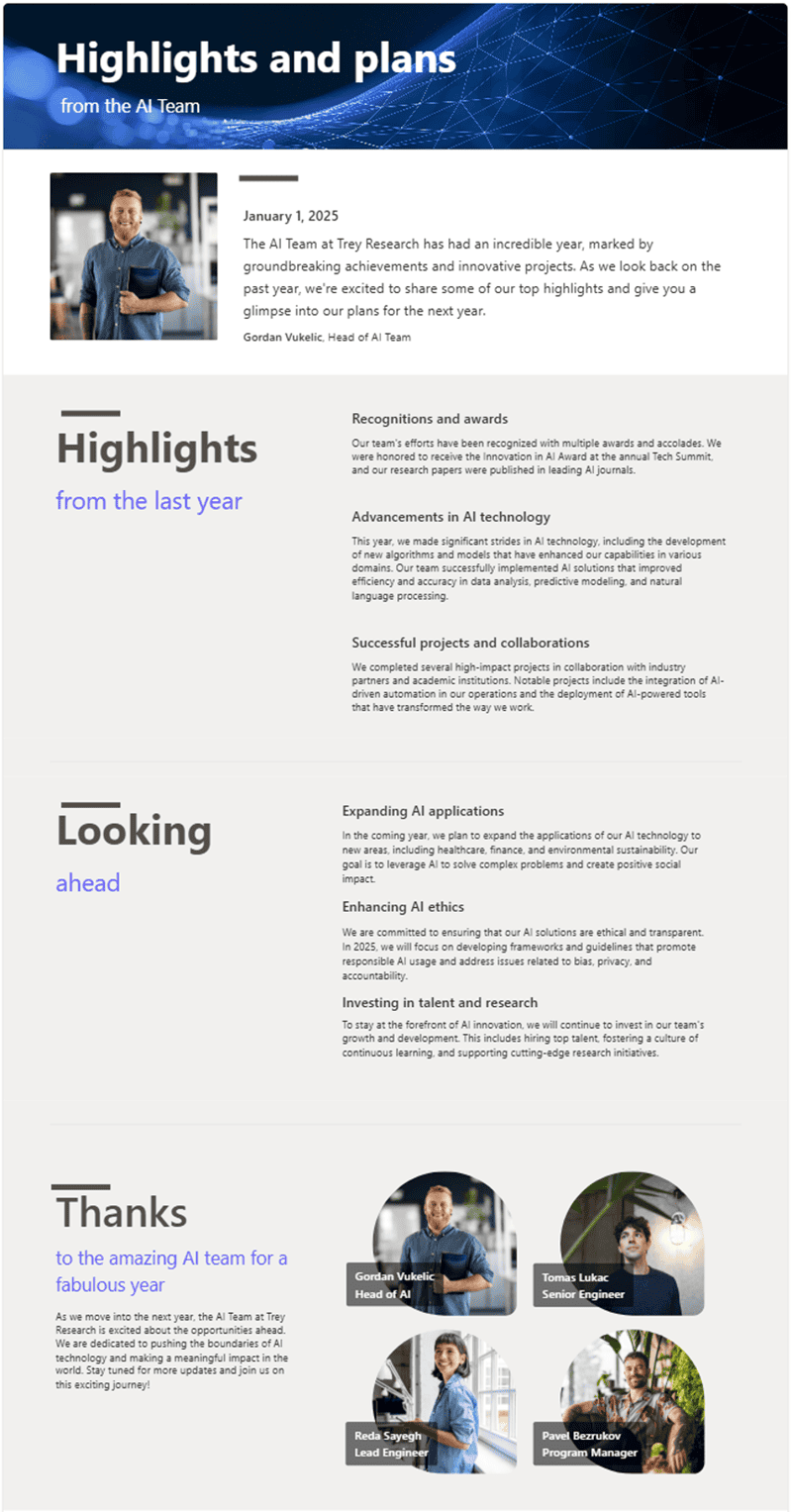
The result is a polished announcement without design headaches. Users can find the Template Gallery from multiple entry points:
- Site Home – when starting fresh pages or news posts.
- App Bar – the persistent navigation pane.
- News Web Part – embedded directly on SharePoint pages.
The global rollout begins late August 2025 and should be completed by mid-September 2025. This release is tagged under Microsoft 365 Roadmap ID 490565.
Microsoft also teased future additions, including video templates and Amplify support, aimed at further simplifying content creation. With updated headers and footers as well as the new “Sections with AI,” SharePoint is gradually becoming better day by day.

Read our disclosure page to find out how can you help Windows Report sustain the editorial team. Read more



Improve this guide



User forum
0 messages