
Microsoft Edge Surf Game Guide: Play Offline Anytime


 4 min. read
  Published on

If you ever lose your Internet connection or just want to kill some time, Microsoft Edge has a hidden surf game built right into the browser. It’s colorful, fast, and surprisingly addictive. Here’s how to find, play, and master it.
Table of contents
How to Play Surf Game in Edge?
How to Open the Surf Game in Microsoft Edge?
Follow these simple steps to launch the surf game:
- Open Microsoft Edge on your computer.
- Type the following in the address bar and press Enter
edge://surf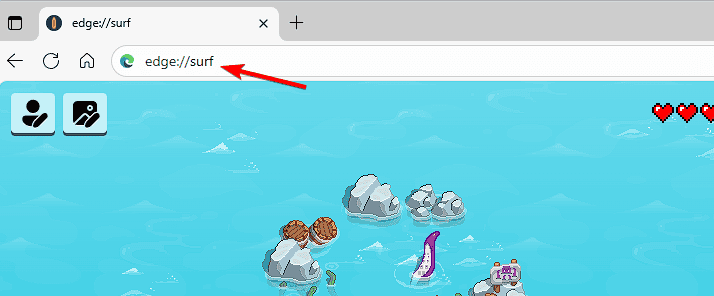
- The game will load instantly inside your browser.
- Click Play or press Spacebar to start surfing.
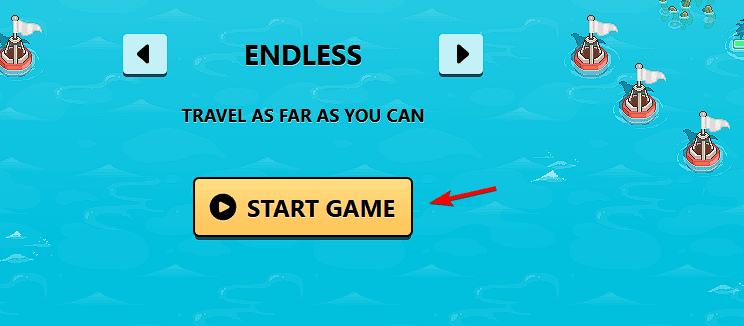
If you are offline, the browser may also show a “No Internet” message with a Play the surf game button. Click it to begin automatically.
For more browser tweaks, check out this guide on how to enable Edge flags.
How to Play the Surf Game?
Here’s how to control your surfer and master the waves:
- Use the arrow keys to move left and right.
- Press Spacebar to pause or resume the game.
- Hold down the arrow key to move faster and jump ramps.
- Avoid obstacles like islands, rocks, and sea creatures.
- Collect hearts and lightning icons to restore lives and boost speed.
Tip: You can use a mouse, keyboard, or touchscreen controls depending on your device.
If you want to manage browser permissions for smoother gameplay, see how to allow pop-ups in Edge.
What Game Modes Are Available in Edge Surf?
Microsoft Edge offers several exciting game modes:
- Let’s Surf (Classic Mode): Endless waves where you avoid obstacles and collect points.
- Time Trial: Race through checkpoints as fast as possible.
- Zig-Zag Mode: Sharp turns and tight paths to test your reflexes.
You can switch between modes from the main menu before starting the game.
How to Change Characters in Edge Surf?
The surf game features several playable characters. Here’s how to switch them:
- Open the game and click Edit player in the menu.
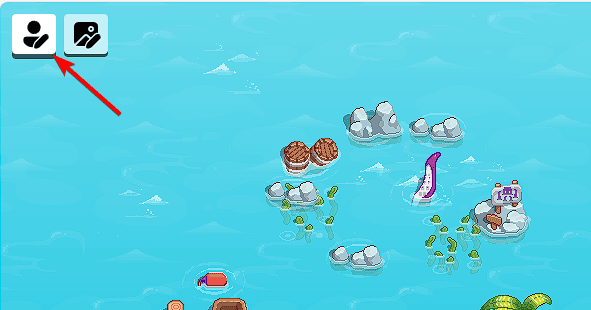
- Customize your character.

- Save changes.
Each character has a unique board design and outfit for a fresh look.
How to Use Power-Ups in Edge Surf?
Power-ups make the game more fun and help you survive longer.
- Collect hearts to gain extra lives.
- Grab lightning bolts for a temporary speed boost.
- Use shields to become invincible for a few seconds.
Try combining power-ups to cover longer distances and beat your high score.
How to Play the Surf Game on Mobile?
You can also enjoy the surf game on your phone or tablet.
- Open the Edge mobile app.
- Type the following in the address bar:
edge://surf - Tap Play once the game loads.
- Swipe on the screen to steer your character.
This works on both Android and iOS, even in offline mode.
FAQs
Yes. The surf game works completely offline, just like Chrome’s dinosaur game.
No. Each session starts fresh, but your high score is saved locally.
Yes, as long as you are using the Microsoft Edge browser.
You need Edge version 83 or newer to access the game.
Conclusion
The Microsoft Edge surf game is a fun offline feature that combines nostalgia with modern visuals. You can launch it anytime by typing the surf game command in the address bar. It’s perfect for quick breaks, offline challenges, or showing friends what Edge can do.
To further customize your browsing experience, learn how to disable related matches in Edge.

Read our disclosure page to find out how can you help Windows Report sustain the editorial team. Read more



Improve this guide

User forum
0 messages