
Windows 11's clipboard sync feature lets you copy on PC and paste on Android
You should be logged in with the same Microsoft account on Android device


 2 min. read
  Published on
If you are looking for cross-device copy and pasting while working on a Windows 11 PC, Microsoft has something that could ease your headaches. A new option in the Mobile Devices section of Windows 11 allows users to share their PC’s clipboard directly with their Android phone, given that you’re logged in with the same Microsoft account.
You can copy on Windows, paste on Android, it’s that simple. As spotted by Windows Latest in a recent Dev build, the toggle appears under the name “Access PC’s clipboard.”
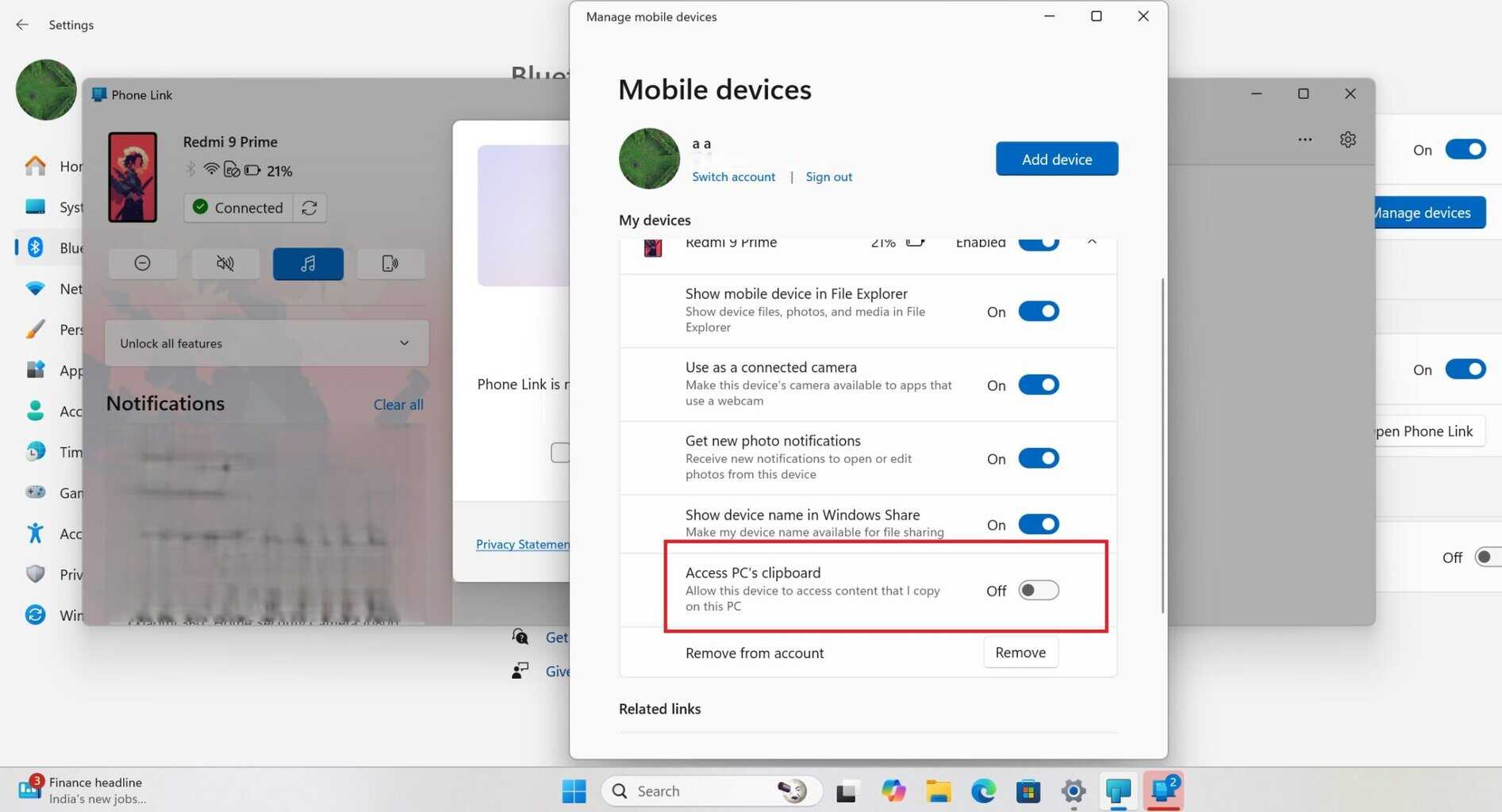

Interestingly, this option surfaced briefly in earlier previews. However, it was removed later, hinting that Microsoft has been quietly testing it behind the scenes. Now, it’s back in select builds, as Microsoft seems to be planning it for a wider rollout.
What’s good is that you don’t need to do much to get it to work. All you need is the Link to Windows app installed on your Android device and the mobile devices feature turned on in Windows 11.
From there, simply enable clipboard history and sync on your PC. Once done, anything you copy, whether it’s a password, code, or a long message, instantly appears in your phone’s keyboard. Cool, right? Personally, I’d love this feature, given that my work requires me to swap between my Windows 11 PC and my Android phone.
Remember, it works not only with Gboard but also with Samsung’s keyboard. So, if you have a Samsung Android device, you’re also sorted. If the feature sticks around past testing, clipboard sync could become one of those small but genuinely useful additions that make Windows 11 feel more connected.

Read our disclosure page to find out how can you help Windows Report sustain the editorial team. Read more



Improve this guide


User forum
0 messages