
Windows 11 Experimental Update Adds Smarter Search, Phone Link Previews, and More


 3 min. read
  Published on
Microsoft has released a new Windows 11 Beta Build as well as a new 26H1 Beta Build, but users who want to test less stable features can now install the latest Experimental Channel update.
Windows 11 Build 26300.9032 renews the Windows Insider flight certificate and introduces improvements for Search, Phone Link, File Explorer, battery management, and network storage.
Insider flight certificate expires on August 11
The current Windows Insider flight certificate expires on August 11, 2026. Experimental Channel users need to install Build 26300.9032 or a newer release before that date to continue receiving Insider updates.
Devices that remain on an older build may stop receiving new Experimental Channel releases after the certificate expires.
Windows Search expands indexing automatically
Windows Search can now expand its indexing scope based on user activity. The system considers recently opened files and frequently accessed locations when deciding which content to index.
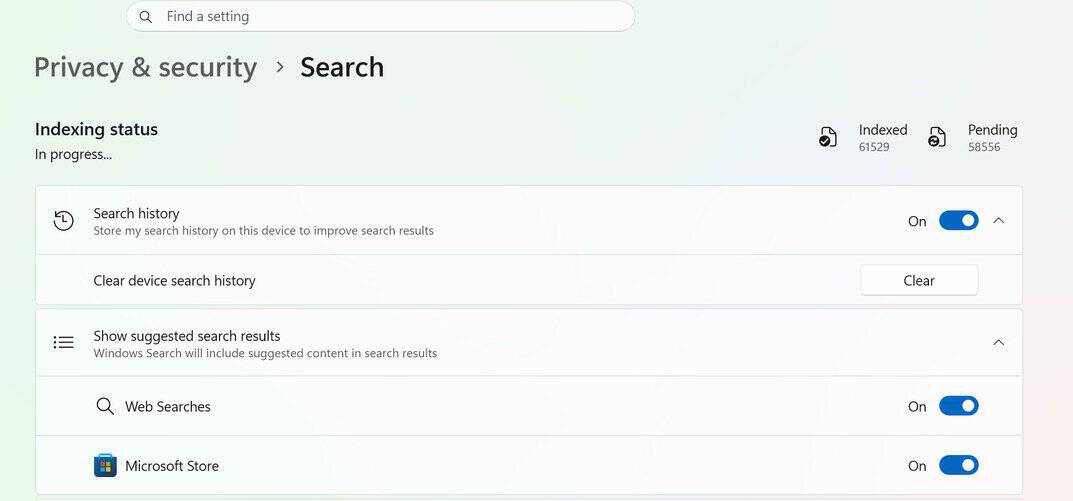
This change should make additional files appear in search results without requiring users to manually change indexing settings.
Microsoft has also expanded search coverage inside the Settings app. Improved result ranking should place the most relevant settings closer to the top.
Phone Link previews messages from the Start menu
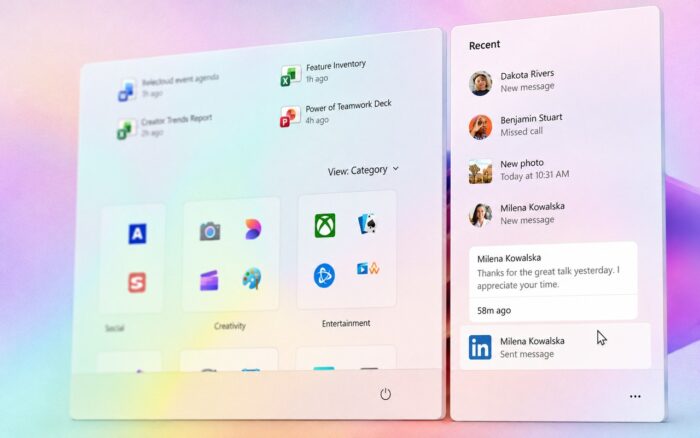
The phone companion panel in the Start menu can now display previews of recent messages and notifications.
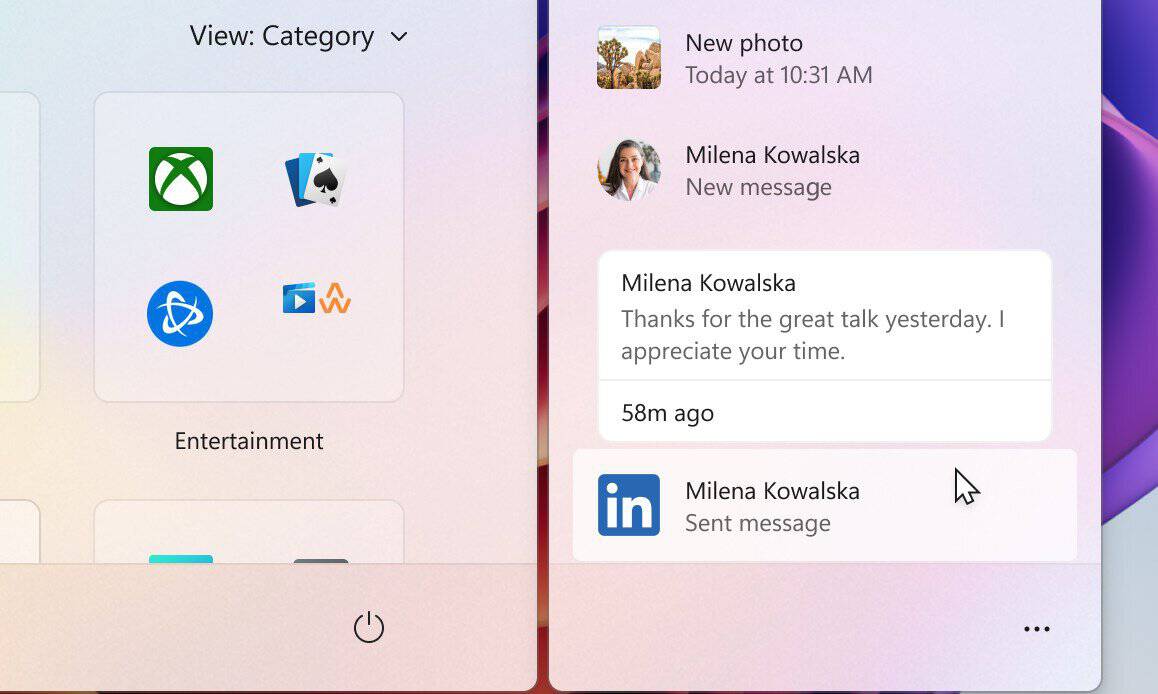
Users can hover over an item in the Recent section to view its contents without opening Phone Link or checking their phone. The feature requires Phone Link version 1.26021.3.0 or later.
Adaptive hibernate changes battery behavior
Microsoft has adjusted the adaptive hibernate policy to balance faster resumes with battery preservation.
Windows should enter hibernation less frequently while the battery level remains above 80%. When the battery drops below 10%, the operating system should move into hibernation sooner to reduce power consumption.
Start menu and taskbar receive stability fixes
Build 26300.9032 fixes a Start menu crash that could occur while dragging applications.
Microsoft also addressed a taskbar problem that caused preview thumbnails to disappear immediately when users hovered over applications in the overflow area.
File Explorer remembers section preferences
File Explorer Home now remembers whether users expanded or collapsed individual sections.
The address bar should also retain its contents when users enter editing mode by clicking near its right edge. Microsoft has also improved reliability when dragging files to a disconnected network drive.
DFS drives no longer incorrectly mark files
Microsoft fixed an issue affecting files stored on Distributed File System mapped drives after users reconnected to a network.
Windows could incorrectly treat these files as content downloaded from the internet. This behavior triggered warnings in the Preview pane and could add an unexpected Mark of the Web to files copied from affected drives.
File History works with SMB shares again
The build resolves a problem that prevented File History from automatically backing up files to SMB network shares.
Windows previously displayed an incorrect invalid credentials error when users attempted to connect to affected shares.
Windows Spotlight receives reliability improvements
Microsoft has made underlying changes designed to improve Windows Spotlight reliability on the lock screen.
The company has not detailed specific visible changes, suggesting that the work focuses on performance and stability.
Microsoft continues updating the Windows 11 interface
Microsoft is also preparing a major WinUI 3 upgrade for Windows 11 as part of its broader interface modernization work.
The company has also revealed plans for a Windows 11 right-click menu revamp that should make the menu faster and more customizable. If you’re looking for more experimental features, there’s also a new Windows 11 Experimental for Future Platforms build available.

Read our disclosure page to find out how can you help Windows Report sustain the editorial team. Read more



Improve this guide




User forum
0 messages