
Windows 11 Gets Cool AI Features for Copilot+ PCs
New AI tools make settings, productivity, and recovery smarter


 2 min. read
  Published on

Windows 11 adds intuitive AI tools on Copilot+ PCs, including intelligent Settings search, Click to Do, Photos relight, Paint stickers, Snipping Tool upgrades, and quicker recovery. These new additions make it easier to manage settings, boost creativity, and bounce back quickly after unexpected restarts, all using AI built into everyday Windows tools.
First, the Settings app gets a built-in AI agent. Users can now type natural prompts like “turn on quiet hours” or “connect Bluetooth” to apply changes with a click or undo them, with AI handling hundreds of Windows options. This agent is live now on Snapdragon Copilot+ PCs, with Intel and AMD support on the way.
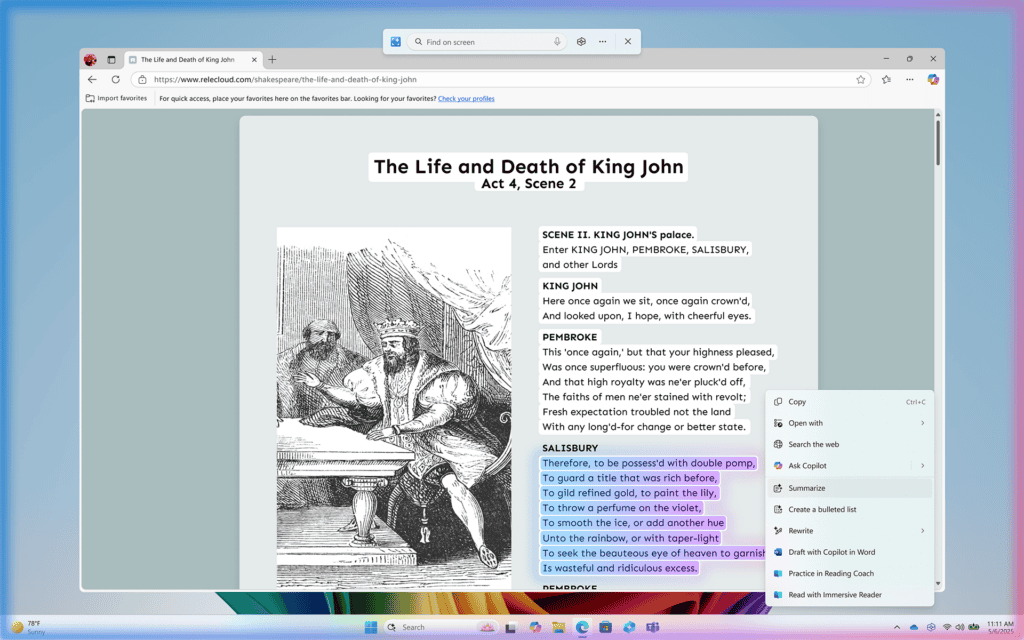
Next up is Click to Do, a contextual toolkit that lets users highlight text or images and instantly take actions like drafting in Word, practicing pronunciation via Reading Coach, or scheduling meetings in Teams. This is especially useful for Power and productivity users.
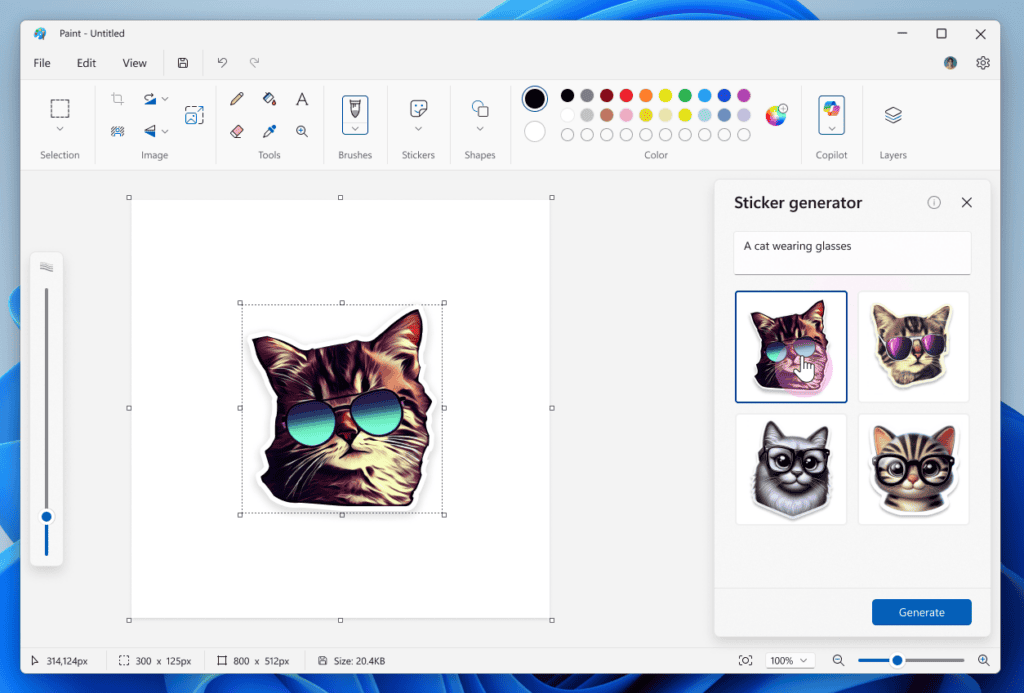
Creative tools in Photos and Paint also get AI boosts. The new “Relight” tool adds virtual lights to photos for standout editing. Paint’s sticker generator lets users type a prompt, such as “cat in sunglasses,” and get instant custom stickers, plus smart object selection to isolate items within images.
On top of that, Snipping Tool receives two major upgrades. “Perfect screenshot” automatically captures clean, correctly sized selections, and the new “Color picker” tool pulls HEX, RGB, or HSL values from anywhere on screen. This is ideal for designers and developers.
Under the hood, Windows 11 has also sped up recovery after crashes. A new “Quick machine recovery” mode cuts reboot time from 40 seconds to just 2 seconds while making the process user-friendly with clearer visuals.

Read our disclosure page to find out how can you help Windows Report sustain the editorial team. Read more



Improve this guide


User forum
0 messages