
Windows 11 KB5070300 Updates Widget Board & Adds Numbered Badges to Dashboard Icons
The update also improves File Explorer and fixes multiple issues


 1 min. read
  Published on
It’s Friday, and Microsoft has dropped yet another Dev and Beta Insider build for Windows 11 25H2 under KB5070300. When you install the latest update, your system will move to Build 26220.7070. Alongside Smart App Control and Quick Machine Recovery updates, KB5070300 Preview updates Widget Board Settings interface.
After installing this build, you’ll be able to choose and reorder their default dashboards. When live weather content is showing, the Widget Board now defaults to the first dashboard in your navigation bar, and not the most recently used one.
To reorder Widgets Board, you can head to new full-page Widget Settings by clicking the gear icon at the bottom of the navigation bar. Next thing you have to do is drag your preferred dashboard to the top. The interface should look like this:

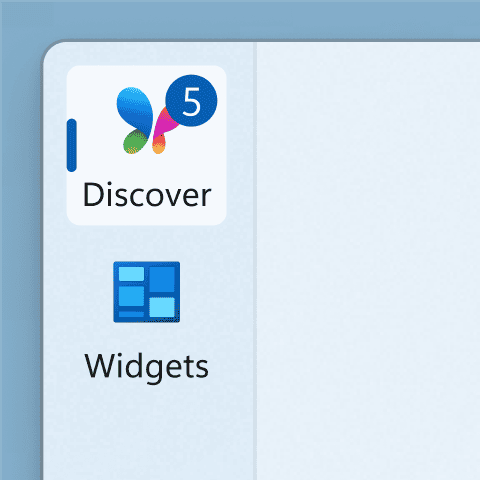
Next up, Microsoft has also added numbered badges to dashboard icons. These small indicators display the count of new alerts on each dashboard and automatically clear once you navigate away.
Moreover, with this update, Windows 11’s File Explorer is also getting people icon under the “activity” section in the homepage. Thanks to this little icon, you can now view who modifies files.

Read our disclosure page to find out how can you help Windows Report sustain the editorial team. Read more



Improve this guide


User forum
0 messages