
Xbox App Adds Gamepad Cursor Toggle to Make Your Left Stick Work Like Mouse
The feature is currently available only for Xbox and Game Bar Insiders


 2 min. read
  Published on
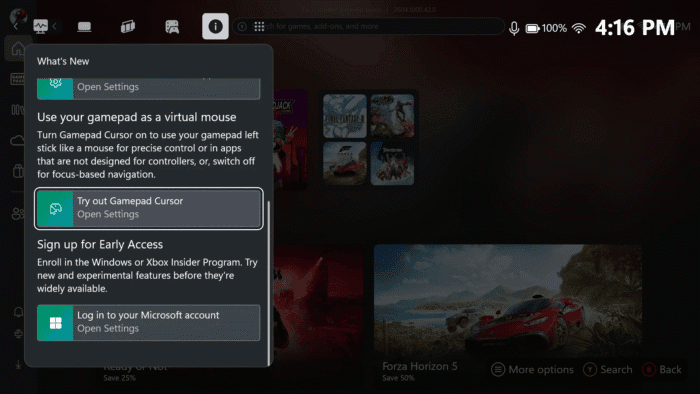
Microsoft is reportedly rolling out a new Gamepad Cursor feature inside the Xbox App for Xbox Insider Program and Game Bar insiders. Folks over at ROGAllyLife first reported about this feature and note that by simply flipping a toggle, your left analog stick acts like a mouse pointer (via Windows Central). This apparently allows you to control apps that weren’t built with controllers in mind.
How Gamepad Cursor actually works
Once enabled, the left stick moves a cursor across the screen while the right stick scrolls up and down. The “A” button remains the click input, keeping most functions familiar. Microsoft says it’s a way to navigate apps with precision, without relying on focus-based controller navigation. For handheld Xbox Mode users, the difference is immediate apps that assume a mouse suddenly become fully usable.
Devices like the ROG Ally, ROG Ally X, ROG Xbox Ally, and ROG Xbox Ally X running Xbox Mode have long relied on Armoury Crate for desktop-style input. Armoury Crate works, but it isn’t ideal for Xbox Mode menus. Gamepad Cursor solves that gap, offering mouse-like control directly inside the Xbox App. Anywhere the app runs on these devices, the experience is consistent.
How to enable Gamepad Cursor
Right now, you need to be an Xbox Insider and also join the Game Bar Insider program:
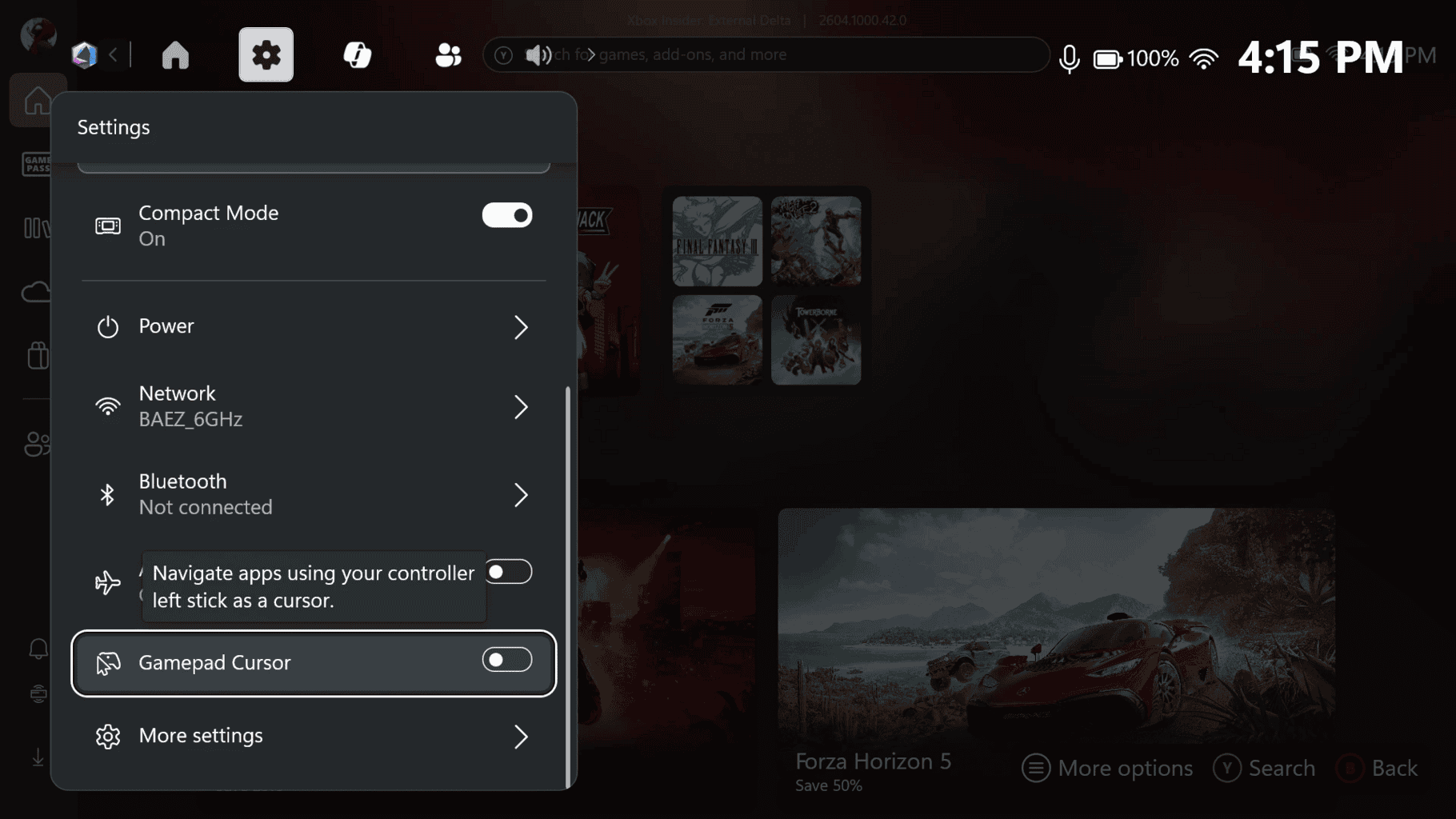
- Open the Xbox App in Xbox Mode and launch the Game Bar
- Go to Settings
- Scroll to Gamepad Cursor
- Flip the toggle on
Next, you’ll see a “Try out Gamepad Cursor” card appears in the What’s New section if you want a shortcut to the setting. As of now, Microsoft hasn’t shared a public release date of the feature, but Insider features usually reach stable builds after testing across multiple devices. If you want it now, enrolling in the Xbox Insider Program and the Game Bar insider program is the best way to get early access on ROG handhelds.
Article feature image source: ROGAllyLife

Read our disclosure page to find out how can you help Windows Report sustain the editorial team. Read more



Improve this guide



User forum
0 messages