
How to Login to Gmail: 3 Ways to do it


 3 min. read
  Updated on
Logging into Gmail is simple, but the steps vary depending on your device. Whether you are on a computer, smartphone, or tablet, this guide will show you exactly how to sign in to your Gmail account and start using your inbox right away.
Table of contents
How do I log into a Gmail account?
1. Login to Gmail on Desktop
Follow these steps to access Gmail on a computer:
- Open your browser and go to gmail.com.
- Enter your email address and click Next.
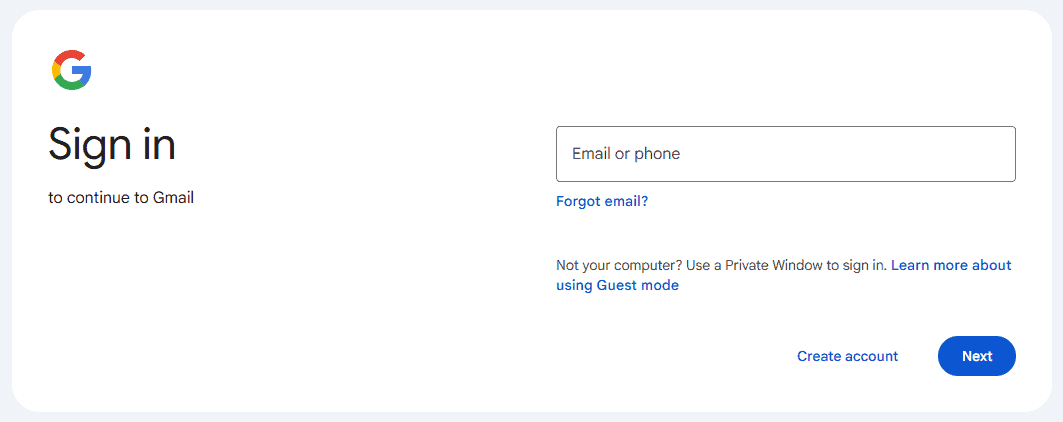
- Type your password and select Next again.
- If prompted, complete two step verification.
If you do not already have an account, you can easily create a Google account before signing in.
2. Login to Gmail on Mobile Browser
If you do not want to install the app, you can still sign in from your phone’s browser:
- Open Chrome, Safari, or any browser.
- Visit gmail.com.
- Enter your Google account credentials.
- Save your login if you want quicker access next time.
New users can follow this step by step guide on how to sign up and create a Gmail account to get started.
3. Login to Gmail App (Android or iOS)
The Gmail app is the fastest way to stay connected:
- Download the Gmail app from Google Play Store or Apple App Store.
- Open the app and select Add account.

- Choose Google and type your email address.
- Enter your password and complete verification.
Once the setup is complete, the app will automatically sync your Gmail account so you can access your messages on the go.
Troubleshooting Login Issues
If you cannot log in to Gmail, try these fixes:
- Check if your internet connection is stable.
- Reset your password at Google Account Recovery.
- Clear cookies and cache from your browser.
- Make sure you have entered the correct email and password.
If these steps do not work, see this detailed fix for when Gmail does not sign in properly.
FAQs regarding Gmail login
How do I login to another email account in Gmail?
Open Gmail, click your profile picture, select Add another account, and sign in with the other email address.
How do I see my Gmail account?
Open Gmail and sign in with your Google account to access your inbox and messages.
What if I forgot my Gmail password?
Select Forgot password? on the Google sign-in page and follow the account recovery steps.
How to login to Gmail in mobile?
Open the Gmail app, tap Add account, select Google, and enter your Gmail login details.
Conclusion
Gmail login is quick and easy whether you use a computer, mobile browser, or the Gmail app. By following the steps above, you can access your inbox instantly and resolve common login problems without hassle.
For additional secure access instructions, see our guide on how to login to Army email, which explains the steps for Army 365 accounts. To keep your account secure, it helps to also know how to log out. Follow this guide on How to Sign Out of Gmail for step by step instructions.

Read our disclosure page to find out how can you help Windows Report sustain the editorial team. Read more



Improve this guide


User forum
4 messages