
Chrome tests redirecting searches to AI Mode instead of Google Search results
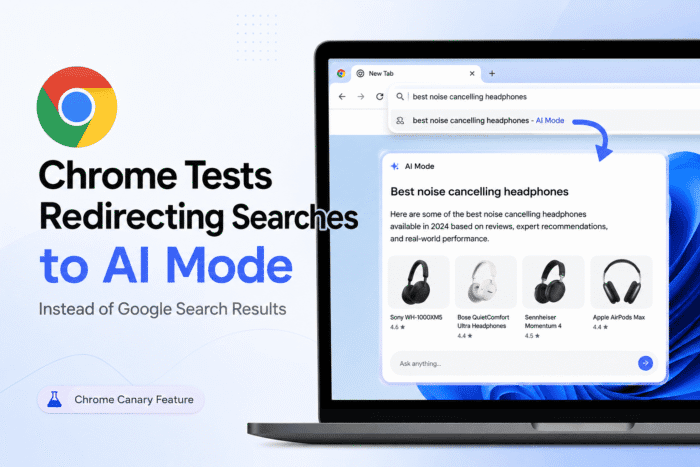
An experimental flag in Chrome Canary reroutes address bar searches to AI Mode.


 4 min. read
  Updated on
[UPDATE: June 5, 2026 | 19:00 UTC] Google VP of Engineering Rajan Patel responded to this report on X, stating, “This was an error. We’re not planning to make AI Mode the default for Chrome searches.” The original report noted Google’s own commit disclaimer that the flag was “just for exploration” with no current launch plans.
[ORIGINAL STORY FOLLOWS]
Chrome Canary has a new experimental flag that redirects searches from the address bar directly to AI Mode threads. I confirmed it works. When enabled, search queries typed into the omnibox open an AI Mode conversation instead of the standard Google Search results page.
Google has added a hidden flag in Chrome Canary called “Fulfill Searchbox Queries in AI Mode.” Its official description reads: “Redirects all normal searchbox queries in the omnibox and realbox to AI mode threads. – Mac, Windows, Linux, ChromeOS.”
Google explores redirecting Searches to AI Mode in Chrome Canary
How it works
Not Just Another Flag
The implementation looks more complete than a rough prototype. The commit found by Windows Report shows that WindowOpenDisposition is fully propagated to AI Mode navigations. So Ctrl+click, middle-click, and Shift+click all work correctly, opening results in new tabs or in the background, just like normal search. That kind of detail tells me this was built to mirror real search workflows, not just test a concept.
The code commit that introduced the flag includes an explicit note from the author: “This is just for exploration. There are no current plans to push this live.“
I read that note carefully. It means Google isn’t announcing a rollout. But it is not a commitment that the feature won’t ship either. The same experimental framing accompanied AI Overviews and AI Mode itself before both became default experiences for hundreds of millions of users.
The Bigger Picture
This fulfill search queries in the AI Mode flag does not exist in isolation. At Google I/O 2026 last week, Google announced the biggest redesign of the Search box in 25 years. AI Mode has crossed 1 billion monthly users, and the search box itself is being rebuilt to accept text, images, files, videos, and Chrome tabs as inputs. Traditional blue links still appear, but are no longer the priority for a growing range of query types.
The Canary flag takes that direction one step further. Instead of AI appearing inside Search, Search disappears into AI. Both the omnibox and the New Tab Page search box are affected. This means every primary entry point a user uses to search the web would route through AI Mode. This flag is the clearest prototype of that direction yet.
Video credit: Windows Report.
How to try it
Open Chrome Canary and navigate to chrome://flags. Search for “Fulfill Searchbox Queries in AI Mode,” set it to Enabled, and restart the browser. Any search query you type will open in AI Mode instead of a standard results page.

Final thoughts
Google says the feature has no current launch plans. But this flag is different from most Canary experiments. It touches both primary entry points users have for searching the web, and the implementation looks complete enough to ship. The “just exploring” disclaimer has come before every major AI search rollout Google has made. This one is worth watching.
That’s not all. Google is testing a floating AI Mode search bar in Chrome for Windows, an AI-powered credit card recommendation feature, and a toggle to disable Gemini skills in Chrome.
Note: The featured image is AI-generated for illustration purposes. The video in the article shows the actual before-and-after behavior.


Read our disclosure page to find out how can you help Windows Report sustain the editorial team. Read more



Improve this guide

User forum
0 messages