
Is Adobe Stock Not Working? 7 Ways to Fix Website & Image Download Issues


 4 min. read
  Published on
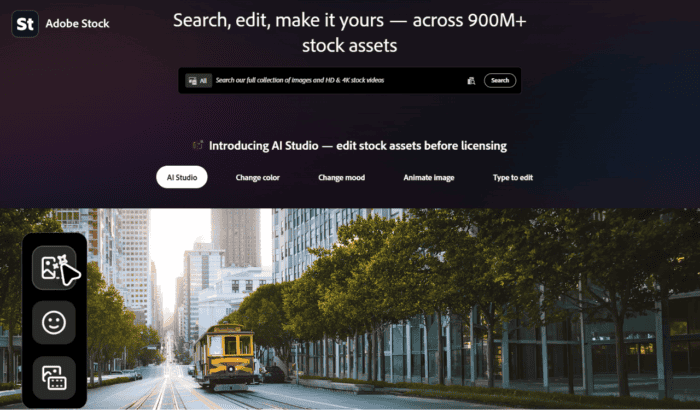
If Adobe Stock is down or not working properly, the problem may not be limited to your device or account. Some users have recently reported issues with the Adobe Stock website, including images failing to load, downloads not starting, search results behaving unexpectedly, and pages becoming unresponsive. Reports on Adobe’s forums and Reddit describe similar problems, although the company hasn’t confirmed any widespread outage affecting all users.
Here’s what to do when Adobe Stock webssite isn’t working or not letting you down images
1. Check if Adobe Stock is down
First and foremost, verify whether Adobe Stock is experiencing a service issue. At the time of writing, outage monitoring services currently show Adobe Stock as operational, although there have been a handful of recent user reports and search trends that suggest otherwise. If the service is down, you’ll simply need to wait until Adobe restores it.
2. Refresh the Adobe Stock website and sign in again
Adobe authentication occasionally expires without signing you out. Sign out of your Adobe account completely, close the browser, reopen Adobe Stock, and sign back in. This often fixes licensing and download issues.
3. Clear your browser cache and cookies
Corrupted browser data is one of the most common reasons Adobe Stock pages stop loading correctly. Clear your browser’s cache and cookies, restart the browser, then visit Adobe Stock again. Adobe users and Chrome support discussions report this frequently resolves loading problems.
4. Try another browser
If Adobe Stock isn’t working in Chrome, try Microsoft Edge, Firefox, or Safari. Several users have reported browser-specific issues where images fail to load or downloads don’t start until switching browsers.
5. Disable extensions, VPNs, and ad blockers
Browser extensions can interfere with Adobe Stock scripts. We recommend you to temporarily disable:
- Ad blockers
- VPNs
- Privacy extensions
- Script blockers
Then reload the Adobe Stock website and see if it is working.
6. Check if Adobe Stock images won’t load
Some users report thumbnails or Adobe Stock images never appear. If that happen, don’t forrget to do the following:
- Refresh the page.
- Disable browser extensions.
- Clear your cache.
- Test another browser.
- Try another internet connection.
Adobe forum users have reported similar image loading problems in recent discussions.
7. Fix Adobe Stock download issues
If Abode Stock isn’t letting you download images, you need to check the following:
- Confirm your subscription is active.
- Make sure you’re signed into the correct Adobe account.
- Refresh your licensing session by signing out and back in.
- Try downloading from another browser.
In the past, Reddit users have also reported pages repeatedly refreshing instead of licensing images until they switched browsers.
8. Contact Adobe Support
If Adobe Stock still isn’t working after trying the fixes above, the problem could be account-related.
Adobe Support can verify:
- Licensing problems
- Subscription issues
- Account restrictions
- Regional service problems
Summing Up
Whether Adobe Stock is down or the issue is on your end, the aforementioned fixes should help get image downloads working again. If you’re experiencing other Adobe problems, you can also check out our guides on fixing the “This Unlicensed Adobe App Is Not Genuine and Will Be Disabled Soon” error, Adobe Creative Cloud not uninstalling, Adobe Media Encoder not being installed, and Adobe Creative Cloud previous versions not showing.
FAQ related to fix Adobe Stock website and image download issues
1. Is Adobe Stock down right now?
Adobe Stock appears to be operational for most users, although occasional minor incidents and isolated user reports continue to appear.
2. Why is Adobe Stock not loading images?
This is commonly caused by browser cache issues, extensions, VPNs, or temporary Adobe service interruptions. Community forum posts also report similar image-loading problems.
3. Why can’t I download Adobe Stock images?
Download failures are usually linked to expired login sessions, browser problems, subscription issues, or temporary Adobe Stock service interruptions.
4. Why is the Adobe Stock website not responding?
If the website freezes or becomes unresponsive, clear your browser cache, disable extensions, update your browser, or try another browser. Adobe community members have reported these steps resolving similar issues.
5. Does Adobe Stock work on all browsers?
Yes. Adobe Stock supports major browsers, but some users report that switching from Chrome to Edge or Firefox resolves image loading and download issues.
6. Why does Adobe Stock say I’m signed in but won’t let me download?
A stale authentication session can cause this. Signing out of your Adobe account, clearing your browser cache, and signing back in usually resolves the issue

Read our disclosure page to find out how can you help Windows Report sustain the editorial team. Read more



Improve this guide



User forum
0 messages