
Windows 11 26H1 KB5120996 Brings File Explorer Upgrades to Release Preview


 2 min. read
  Published on
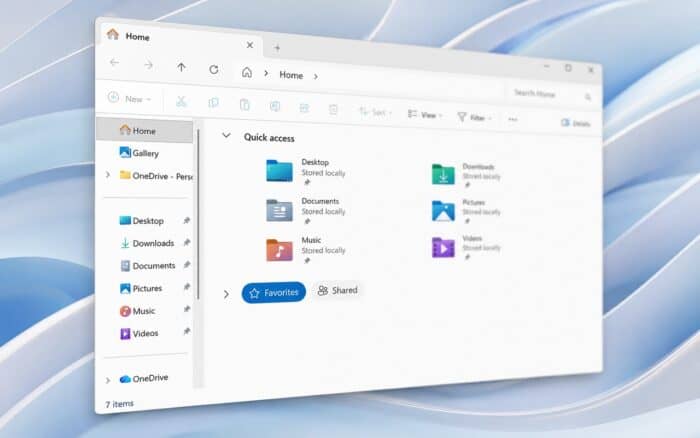
Windows 11 26H1 KB5120996 is now available in the Release Preview Channel, bringing File Explorer, Search, Voice Access, touchpad, Widgets, and Windows Hello improvements.
Microsoft released Windows 11 Build 28000.2796 (KB5120996) for Windows 11 version 26H1. Microsoft is rolling out some of the new features gradually, so they may not appear immediately on every eligible PC.
File Explorer gets better file sizes and tab controls
File Explorer now displays file sizes in Details view using more appropriate KB, MB, and GB units. Microsoft previously introduced the same change with Windows 11 KB5101684.
Users can also middle-click folders in the address bar or File Explorer Home to open them in a new tab.
Microsoft fixed a gray flash that could appear while Home loads, as well as an issue that caused Home to unexpectedly jump back to the top. Recommended file thumbnails should also appear sharper and easier to read.
Windows Search handles typos better
Windows Search can now find applications more effectively when users enter partial app names or make typing mistakes.
Search inside the Settings app also prioritizes more relevant results, which should make specific Windows options easier to find.
Voice Access adds Voice Isolation and Korean support
Voice Access gains Voice Isolation, which filters other speakers and background noise to improve speech recognition.
Users can choose between Voice Isolation, background noise removal, or no filtering. Voice Isolation requires a one-time voice setup before use.
Microsoft also added Korean language support and improved Voice Access startup reliability.
Widgets and touchpad settings get new options
Widget notification badges on the taskbar now use the Windows accent color instead of red.
Microsoft also changed the default Lock screen configuration for new users, with Weather becoming the only widget enabled by default.
For precision touchpads, Windows 11 adds controls for scroll and zoom speed and accelerated scrolling. Accelerated scrolling increases scrolling speed when users repeatedly perform the gesture.
Windows Hello expands external fingerprint reader support
Windows Hello Enhanced Sign-in Security now works with compatible external fingerprint readers.
ESS previously focused primarily on PCs with built-in fingerprint sensors. The change expands support to more desktop PCs and other Windows 11 devices, including compatible Copilot+ PCs.
Microsoft also released KB5120998 to the Release Preview Channel, bringing a movable taskbar and Admin protection to supported Windows 11 versions.

Read our disclosure page to find out how can you help Windows Report sustain the editorial team. Read more



Improve this guide



User forum
0 messages