
Windows 11 Experimental Build Adds Redesigned File Explorer Context Menu, Emoji 17 & Updates to Get Started App
The Build 26340.9212 is out for Windows 11 Insiders in the Experimental channel


 2 min. read
  Published on
Microsoft has released Windows 11 Insider Experimental Build 26340.9212 along with Beta Build 26220.9202. Speaking of the Experimental build, File Explorer gets the redesigned context menu. Meanwhile, the company has also released support for Emoji 17.0 and other improvements with this build.
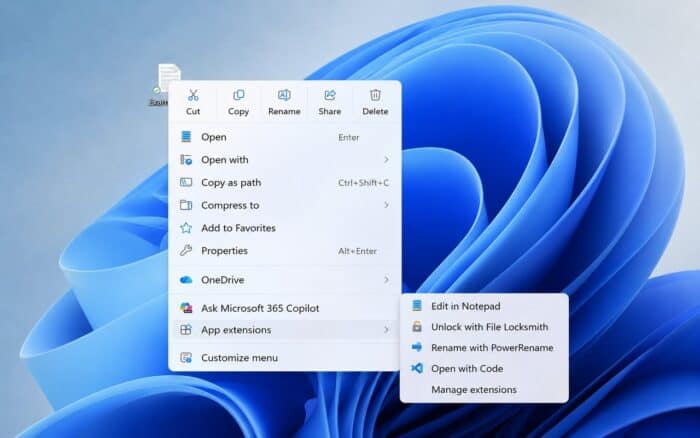
File Explorer gets a redesigned right-click menu with more control
Microsoft is beginning to roll out a redesigned File Explorer context menu. The new version aims to feel faster, cleaner, and easier to customize. The menu reduces clutter at the top level while keeping frequently used actions accessible. A new Settings experience also gives users more control over what appears.
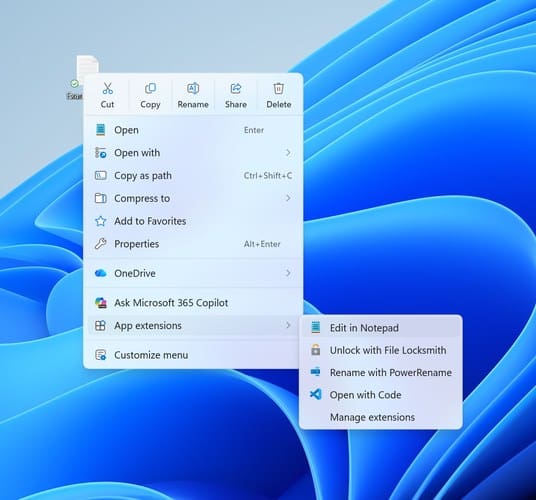
Microsoft wants right-clicking to feel more responsive and predictable. The company says Insider feedback will continue shaping the experience during the rollout. File Explorer also receives a preview fix. Images previously showed an unexpected thick band across the middle after an issue appeared in the previous build.
Camera Roll Backup is gaining new entry points inside Settings > Home and Accounts. These options help users back up phone photos and videos automatically through OneDrive.
Windows 11 adds Emoji 17 and refreshes several system experiences
Build 26340.9212 adds Emoji 17.0, including distorted face, fight cloud, and hairy creature. Microsoft also refreshed several existing emoji designs for better consistency.

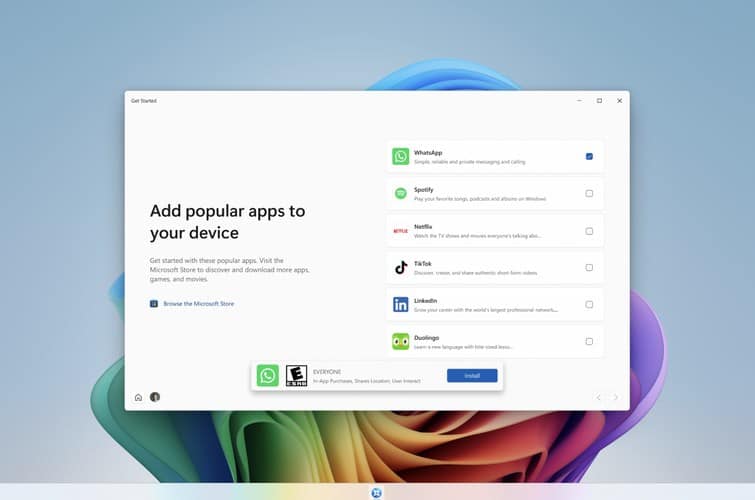
The Get Started app gains new pages for app installation, site pinning, and personalized themes. Microsoft says available pages can vary by device.
Magnifier gets a visual refresh with updated icons and refined spacing. Its existing zoom controls, shortcuts, views, and Read Aloud behavior remain unchanged. Microsoft is also removing Drag Tray from this build. The company says it is exploring a future replacement after Insider feedback.
Third-party keyboard input methods receive fixes for status windows. Japanese IME reliability also improves through changes targeting hangs and deadlocks. Personalization gets several background improvements, including DIB support and better slideshow reliability. Multiple desktops can now use slideshow wallpapers without automatically switching back to Picture mode.
Windows also fixes a Date & Time crash in Settings. An xtajit64.dll crash affecting some apps on Arm64 PCs has been addressed in this build.
This isn’t the only build released, and the company has also shipped Experimental (Future Platforms) Build 29648.

Read our disclosure page to find out how can you help Windows Report sustain the editorial team. Read more



Improve this guide



User forum
0 messages