
Amazon My Account Login Guide: Sign In, Recover Access and Fix Login Issues


 4 min. read
  Published on
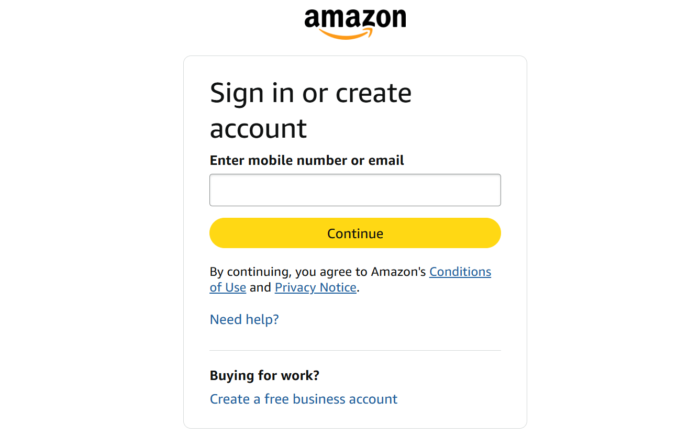
Are you trying to access your Amazon shopping account but unsure where to start? The process is usually quick, whether you are using a computer, phone, or tablet. Here’s a quick guide to help you get started on your shopping journey.
How do I log in to my Amazon account?
1. Via the Amazon website
- Go to the official Amazon website for your region. If you live in the US, use the Amazon US website.
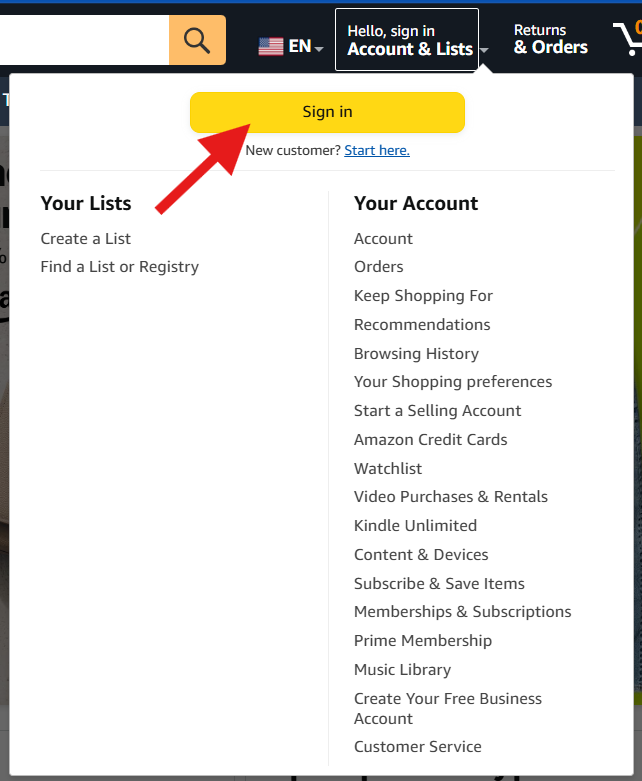
- From the top right, click on Account & Lists and select the sign-in option. Alternatively, you can also reach Amazon’s sign-in page directly.
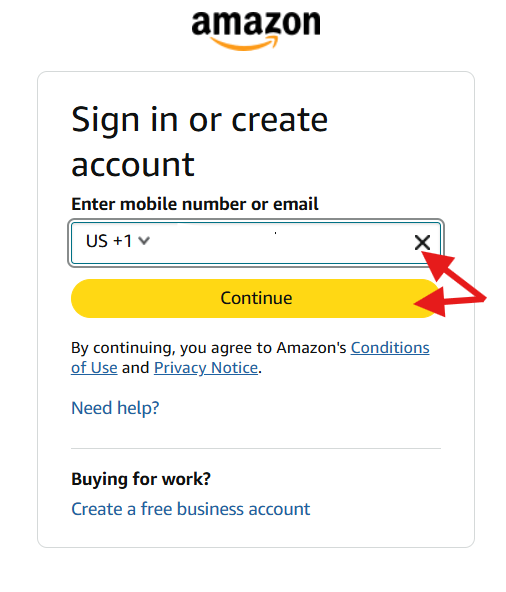
- Enter the email address or mobile number associated with your Amazon account. Make sure you are using the correct country and number.
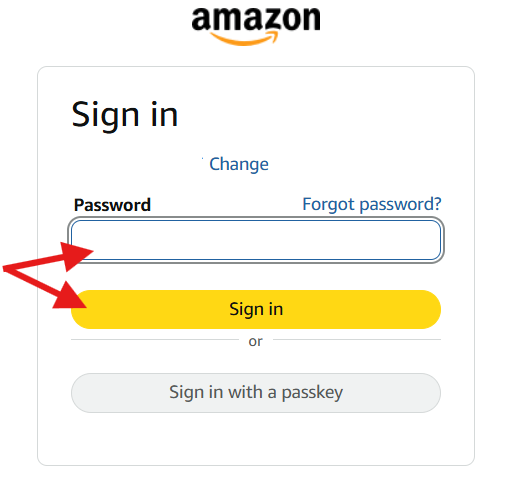
- Type your Amazon password and continue. If your account uses a passkey, Amazon may instead offer that authentication method.
- Amazon may ask for another verification step. Depending on your account, this can involve a security code or another approved authentication method.
Once verification succeeds, you should be able to log into your Amazon account.
2. Use the phone app
The Amazon shopping app provides another straightforward route into your account.
- Open the official Amazon app
- Select the account or sign-in option.
- Enter your registered email address or mobile number, then follow the authentication prompts.
If the app is behaving strangely, try signing in through your mobile browser. This can help figure out whether the problem is connected to the app itself. That workaround can be useful when an app update causes problems or when account support pages behave differently inside the application.
Amazon May Account Login Not Working? Try These Fixes
- Check your email or phone number: A single incorrect digit can send you into the wrong account flow. Amazon specifically warns when the submitted email or mobile number is invalid.
- Try another browser: If the page keeps refreshing, open Amazon in another browser. A private browsing window can also help identify cookie-related problems.
- Update the Amazon app: An outdated app can sometimes cause unexpected sign-in behavior. Install the latest version before trying again.
- Check your verification method: If you are waiting for a security code, check whether messages are blocked. Amazon representatives have also pointed to carrier restrictions, network coverage, blocked short codes, and phone settings as possible causes for missing codes.
- Try another authentication method: If Amazon offers a passkey or another available verification option, use it when appropriate. The current Amazon sign-in system supports passkeys in compatible setups.
The Amazon My Account login process is usually straightforward when your email, password, and verification method are accurate.
Now that you know how to log in to your Amazon account, you can make the most of its services and subscriptions. If you’re considering Prime, check out our guide on how to subscribe to Amazon Prime. And if you no longer need the service, we also explain how to cancel your Amazon Prime subscription.
Amazon My Account Login FAQs
1. Can I log in to Amazon with my phone number?
Yes. Amazon’s current sign-in page accepts either a registered mobile number or email address.
2. What should I do if I forgot my Amazon password?
Use the Forgot your password? option on Amazon’s sign-in page. Follow the verification instructions shown for your account.
3. Why is Amazon asking for an OTP during login?
Amazon may request additional verification when it needs to confirm that the person signing in is authorized to access the account. Your configured security settings and login circumstances can affect the prompt.
4. Can I sign into Amazon May Account on another device?
Yes. You can sign in from another compatible phone, tablet, or computer using your account credentials and any required verification method.
5. What if I cannot receive the Amazon verification code during login?
Check your phone connection, blocked messages, carrier restrictions, and the number associated with your account. If those checks fail, use Amazon’s official account-help options rather than third-party recovery services.

Read our disclosure page to find out how can you help Windows Report sustain the editorial team. Read more



Improve this guide


User forum
0 messages